
AMS lite Bracket for A1 - GRIP




Print Profile(5)


Description
NOTE:
- Please read the instruction guide below
- I do my best to double-check and test the print profile I create. They are up to date with whatever changes I made to the designs. If you are using profiles made by others, please check if they are updated.
UPDATE: 24 Dec 2023
Would like to wish everyone a Merry Christmas and a Happy New Year. It has been a week since GRIP was uploaded to MakerWorld for the community. Since then I had some feedback on the retainer clips. I have updated the design to improve layer adhesion and tested it. Would like the thanks those that tried and printed GRIP. Happy printing.
UPDATE: 15 Dec 2023
I have received several questions regarding the differences between GRIP and Bambu Lab version. While both designs serve the same function, my design approach is based on considerations that I feel are important when designing parts for 3D printing.
- Reliability and Rigidity - I opted for screw mounting the GRIP bracket because I take into consideration that metal and plastic behave differently with changes in ambient temperature. Clamping the GRIP using screws to the top gantry greatly reduces the chance of any failure due to parts loosening.
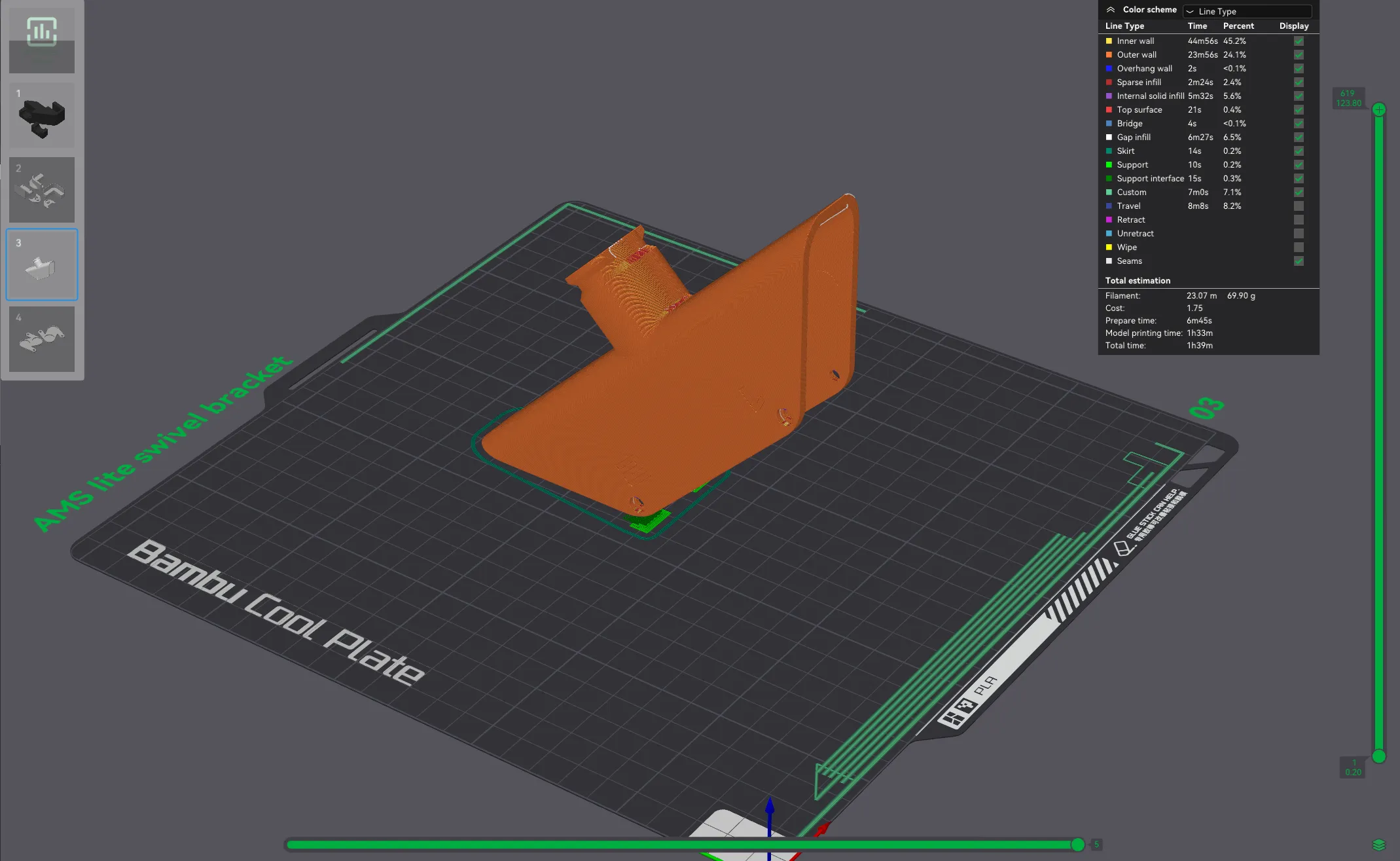
- Ease of Print and Print Orientation - Proper orientation improves print success and user confidence. I design parts with little or no support. A major weakness of 3D-printed parts is the layer lines. With proper orientation of prints, this weakness can be avoided. For example, the AMS lite swivel bracket is printed at 45 degrees to improve the strength of the swivel and eliminate the use of support.
- Prudent in filament usage - good filament is not cheap. I want to be prudent with filament usage but at that same time NOT sacrificing strength and rigidity. It's a delicate balance and I am happy to say that GRIP has managed to achieve it with a slim profile and a pair of discreet stabilizing feet.
INTRODUCTION
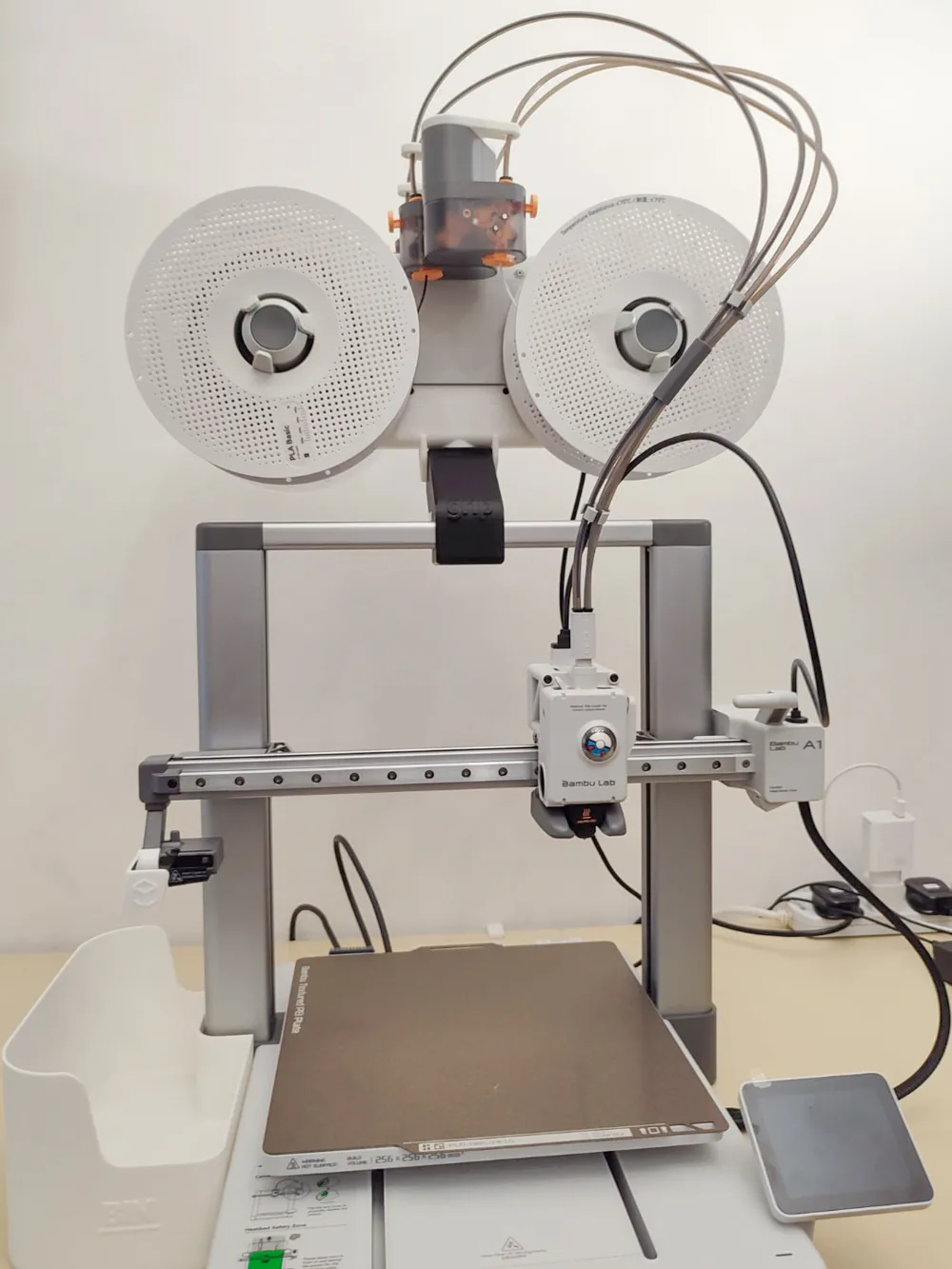
When I placed the A1 combo on my workstation, I realised the setup required a lot of space on my table. So I decided to design a bracket to mount the AMS lite on the A1 frame. As usual, I set a few parameters and requirements when designing this bracket:
- Easy and fast to print with little/no support needed.
- Sturdy and reliable when fully loaded and swivel for easy loading.
- Use existing mounting holes on the AMS lite for mounting.
- Secure mounting using screws.
- A holistic system that will work alongside my A1 PMS (purge management system aka poop bin).
 |  |
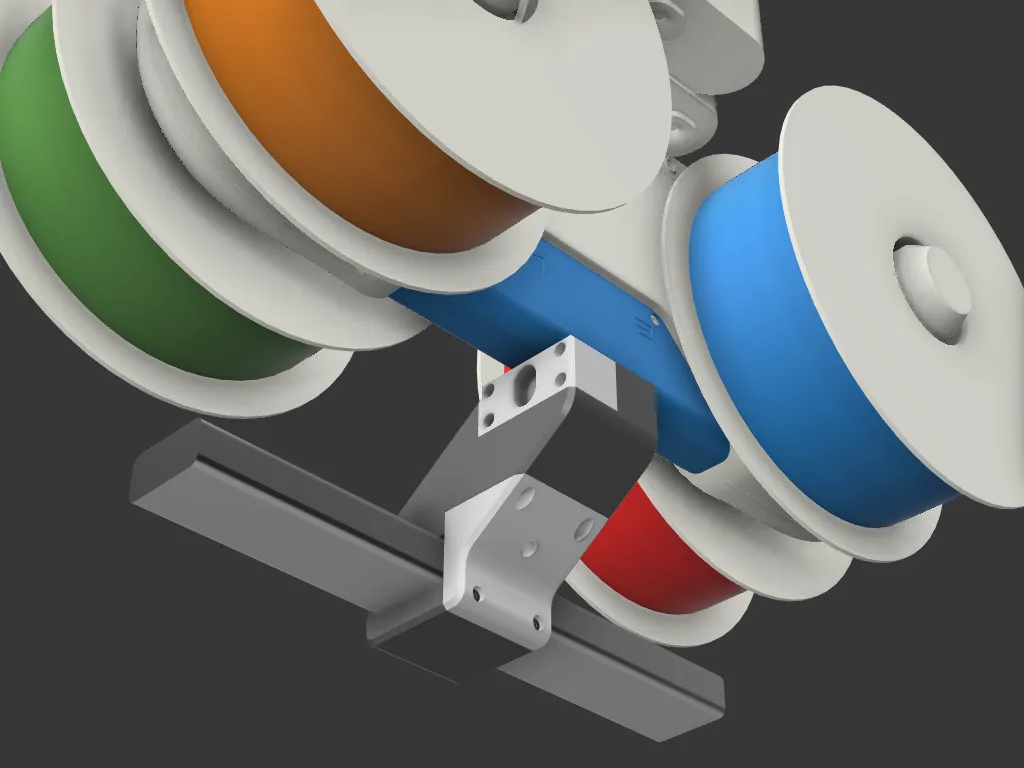 | 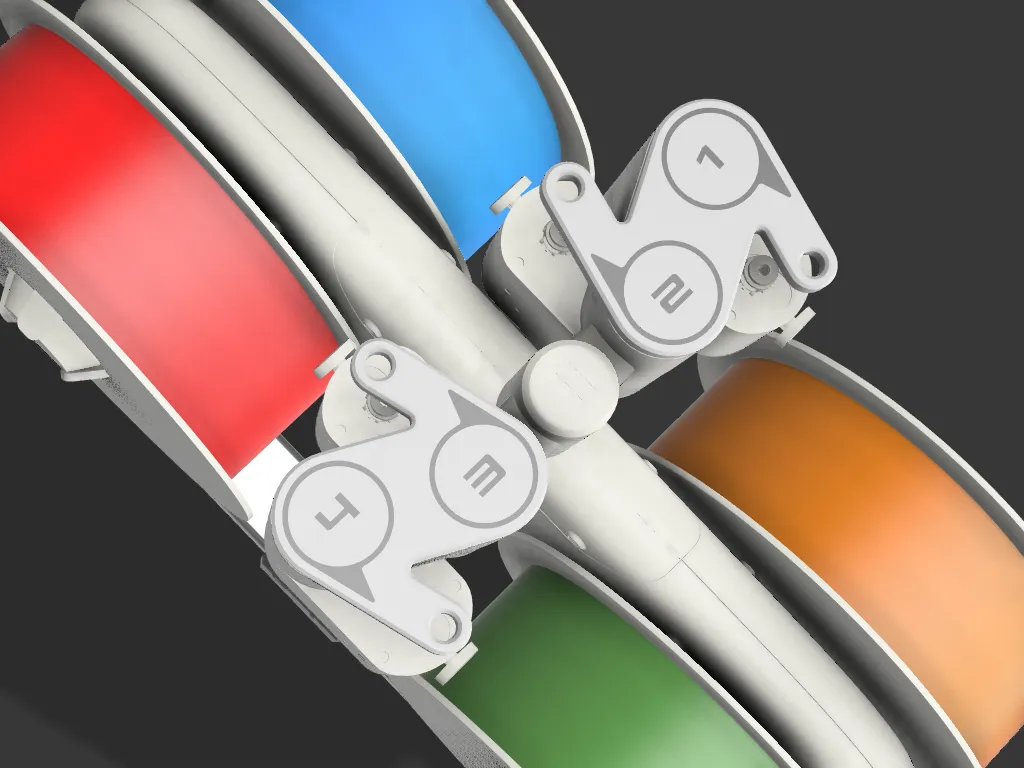 |
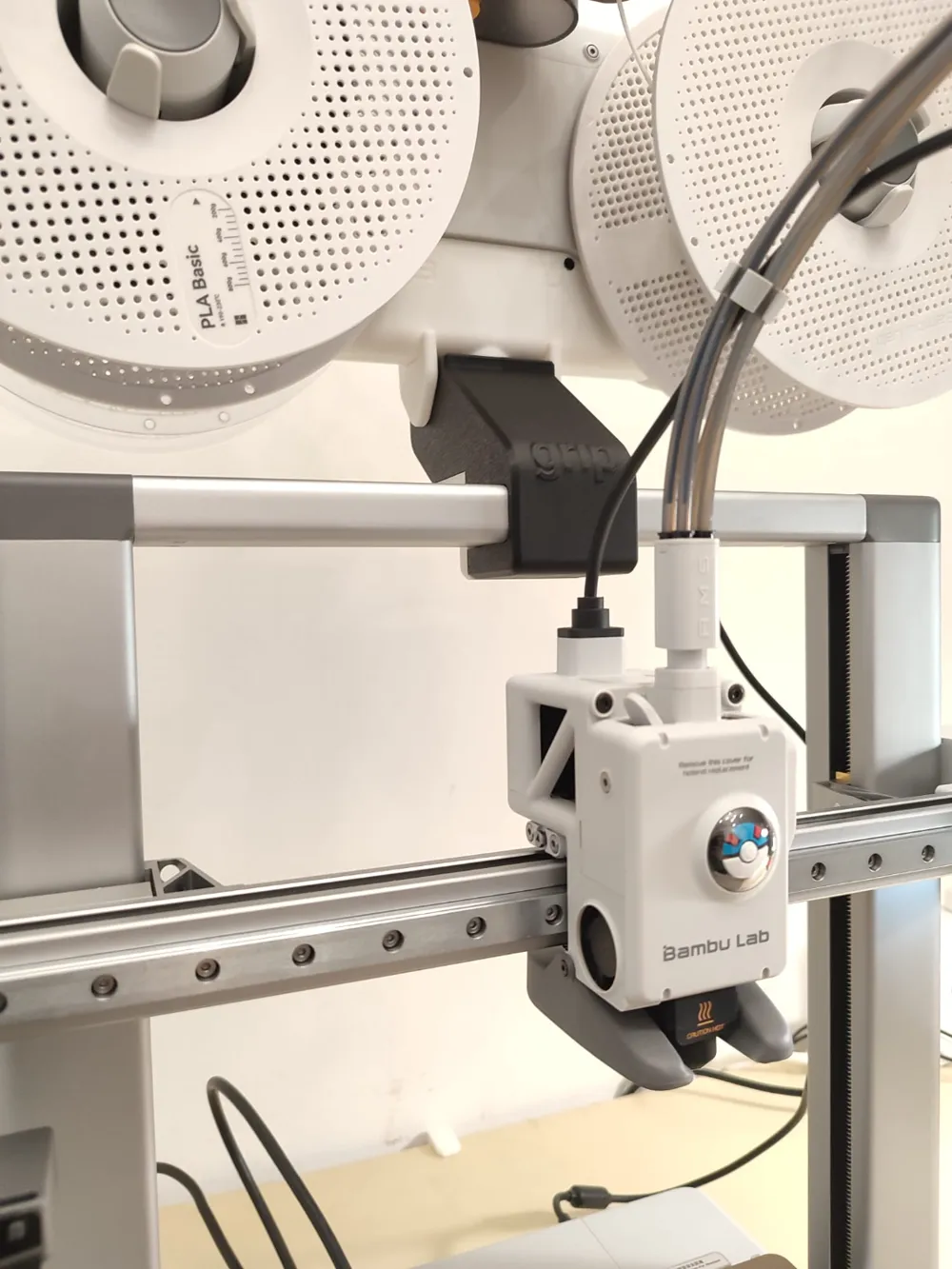
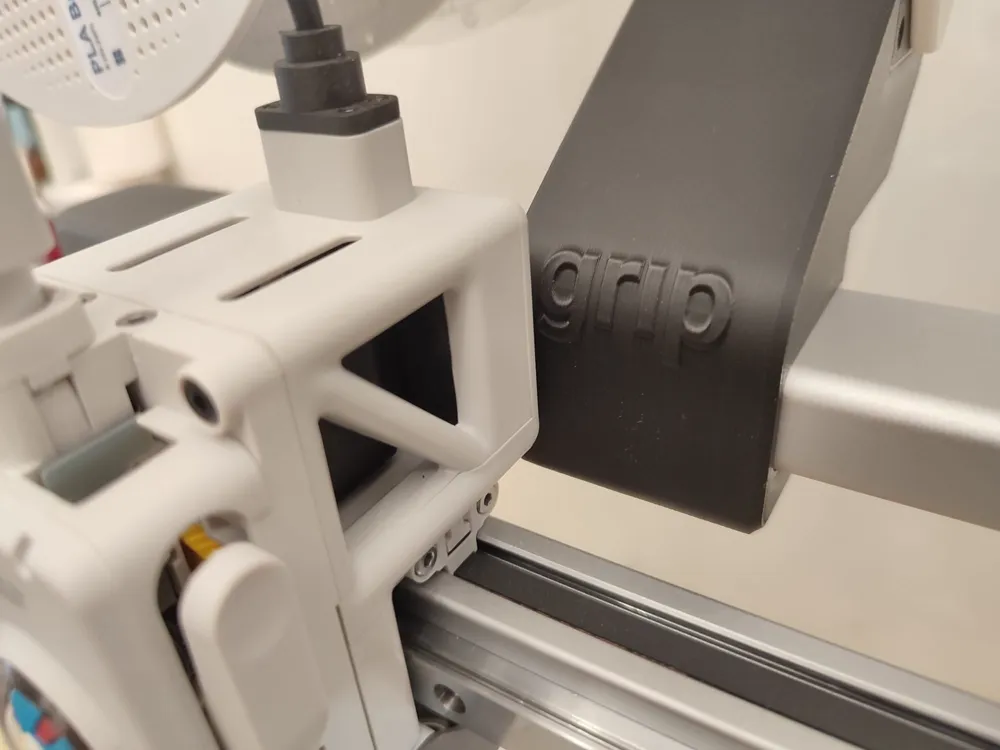
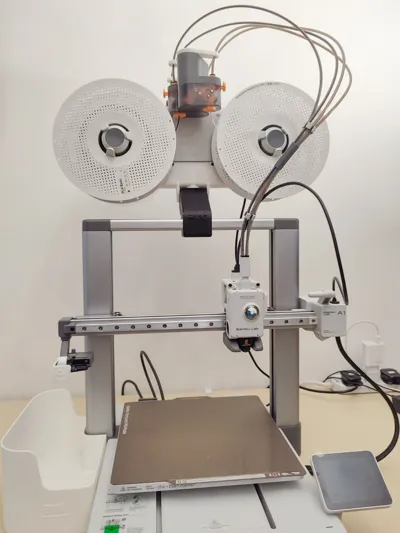
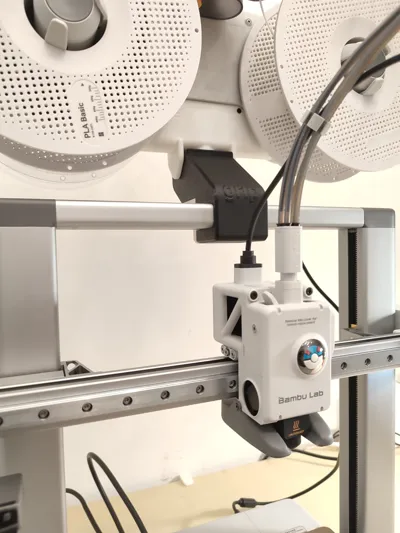
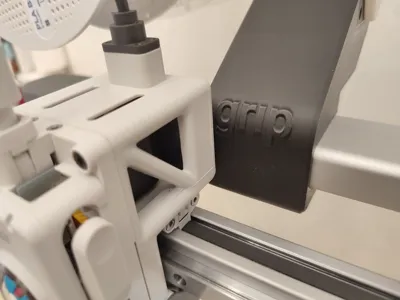
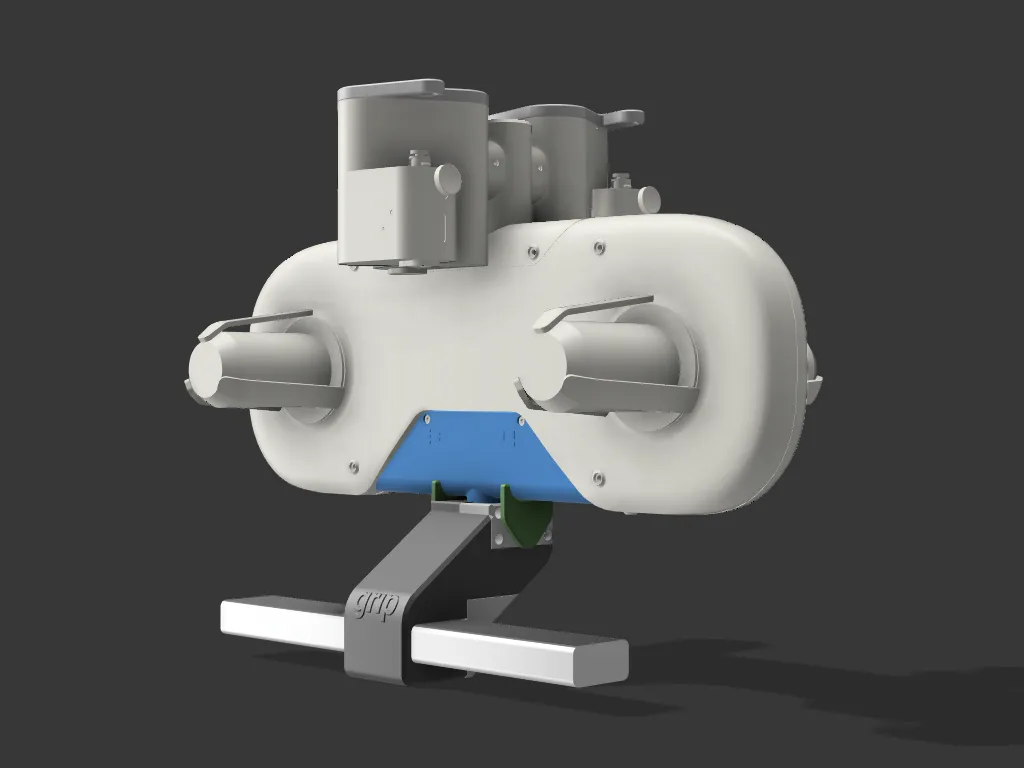
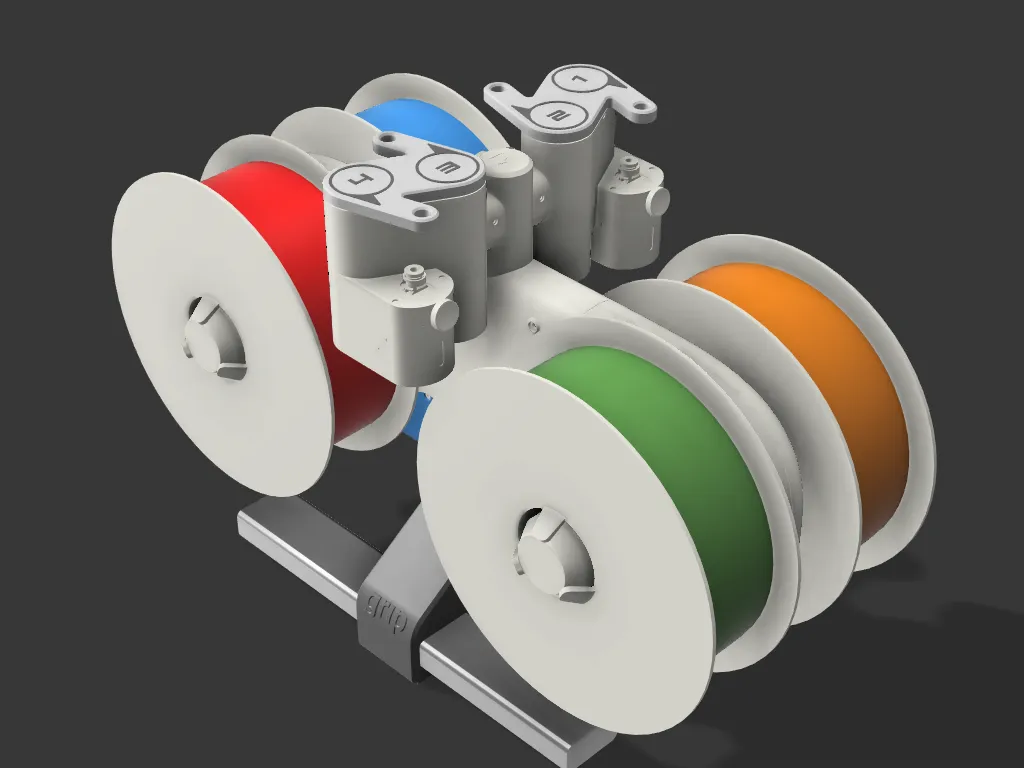
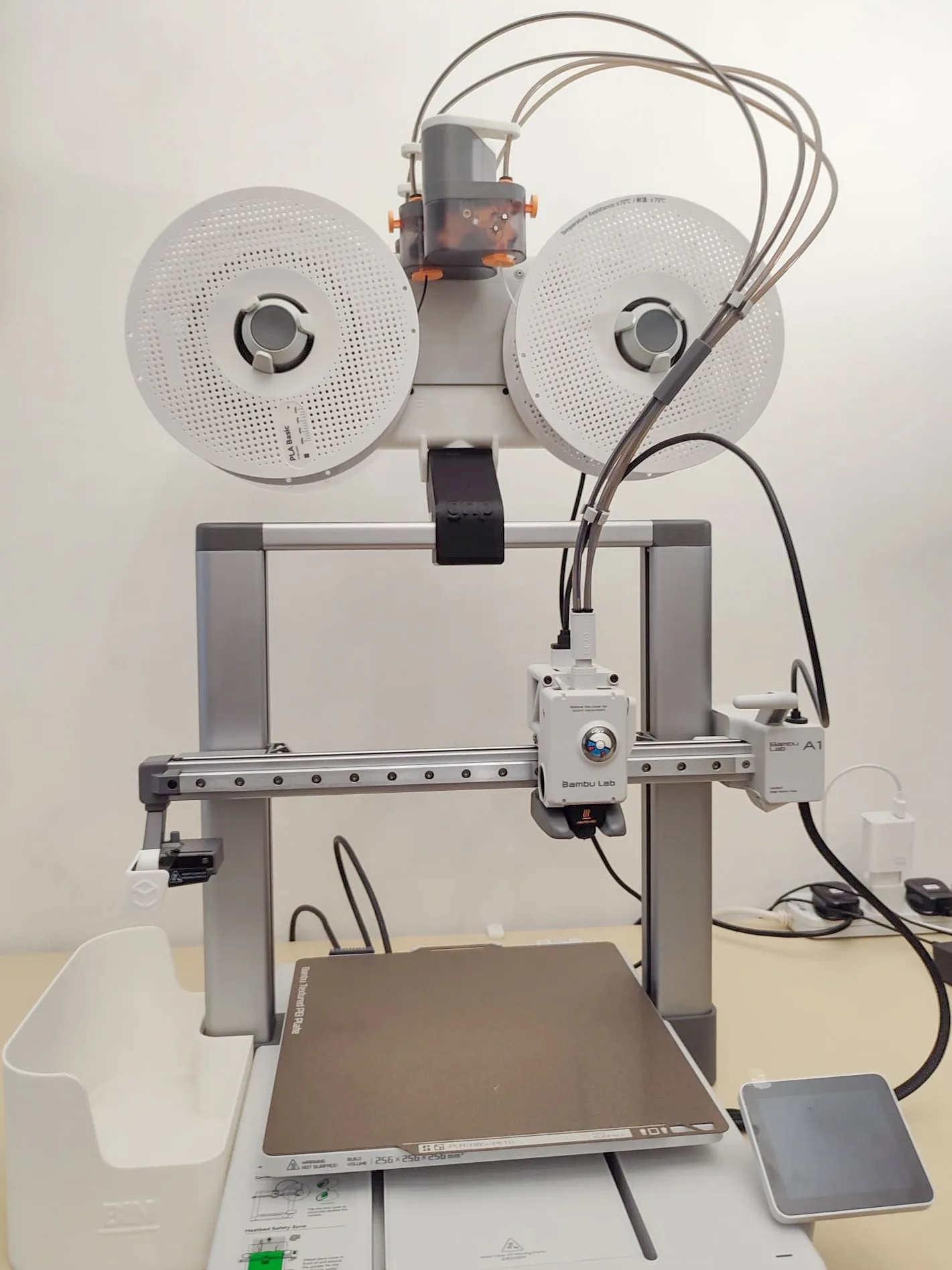
Introducing the AMS lite bracket for the A1. It resembles a gymnast hand grabbing and balancing on a bar. I decided to name it GRIP. It is mounted onto the 40x20 gantry with a clamp-style bracket and secured with M3 screws. This system allows the AMS to swivel improving the load and unload of filaments. 2 retainer clips are used to secure the AMS during printing. A set of PTFE tube guides (dual-colour print) prevents the tubes from overbending and breaking the filament.
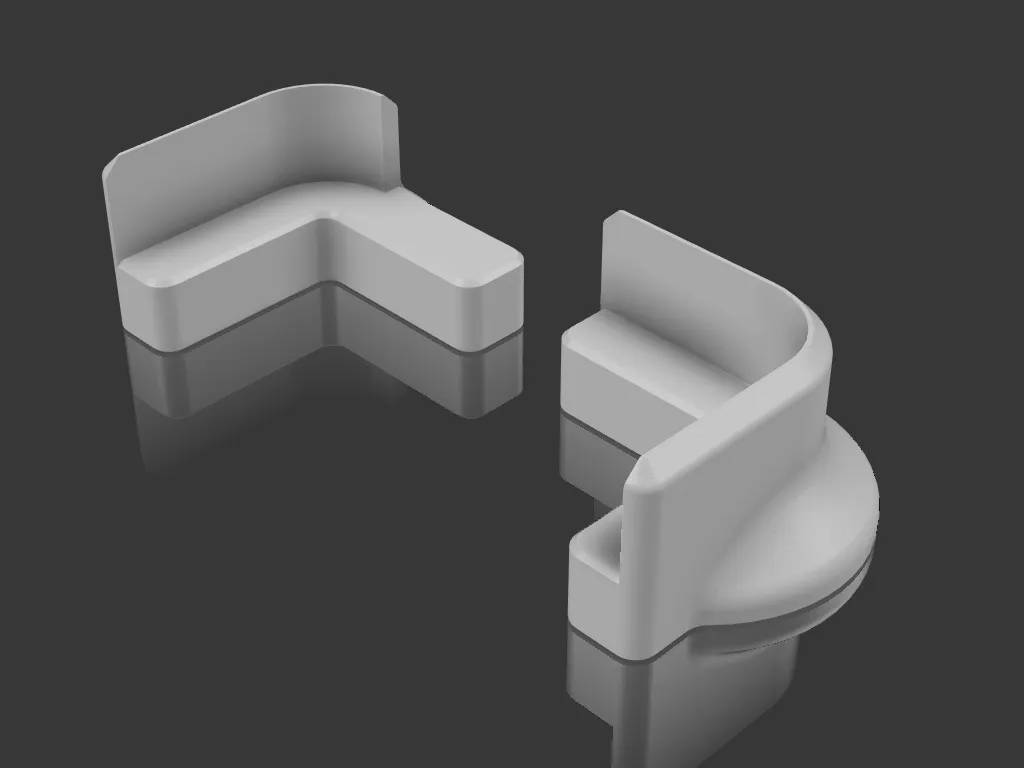
A set of Stabilization Brackets for the A1 helps reduce the wobbling due to the change in the centre of gravity.
BOM
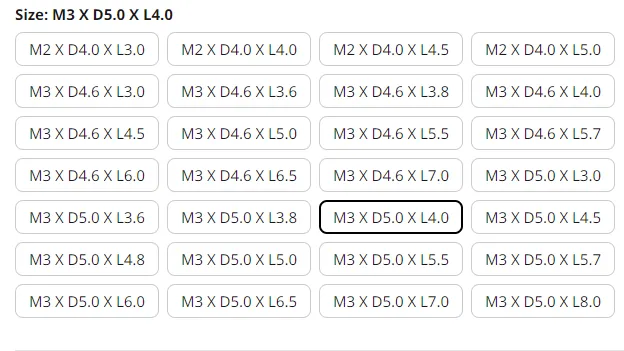
- Brass inserts M3xOD5mmxL4mm - 9pcs
- SHCS or BHCS M3x10mm - 9pcs
- Thin double-sided tape
I get my brass insert from this store on AliExpress. Please choose M3 X D5.0 X L4.0
PRINT INSTRUCTIONS
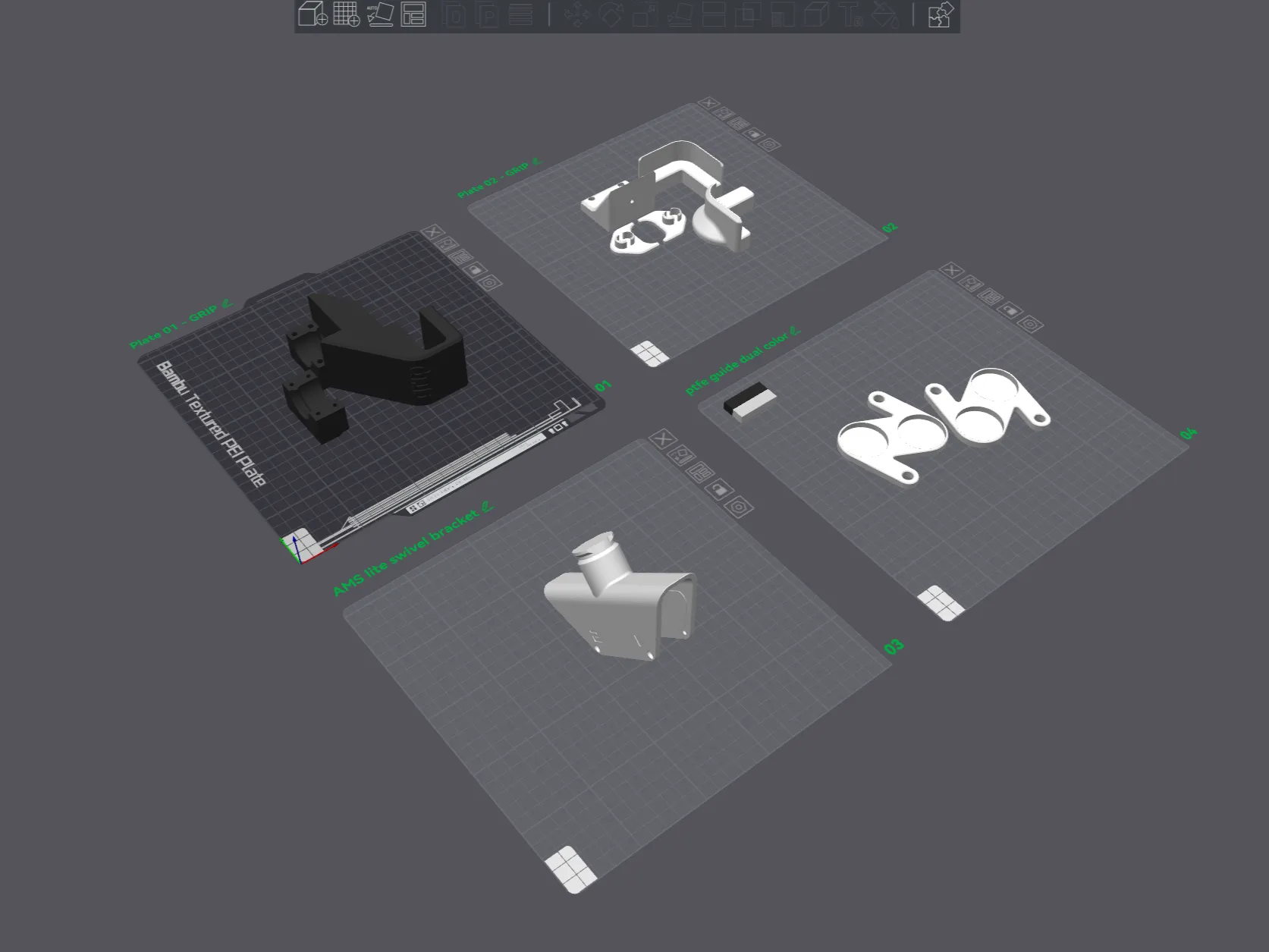
- There are 4 build plates to print. Wall perimeters, top and bottom layers are set to 4. This setting helps to produce strong parts.
- I printed my version in BambuLab Basic PLA Jade white and Black. (not affiliated link)
- Build plates 01& 02 - print according to orientation, if you prefer to have all the same color. You can combine the parts from both plates together and print.
- Build plate 03 - IMPORTANT!! DO NOT CHANGE THE ORIENTATION OF THE PRINT. It was designed to print that way to improve structural rigidity during operation.
- Build plate 04 - This is a dual-color print for the PTFE tube guide.
BUILD INSTRUCTIONS
- Turn off the power to A1. Unplug the AMS lite. Practice safety habits.
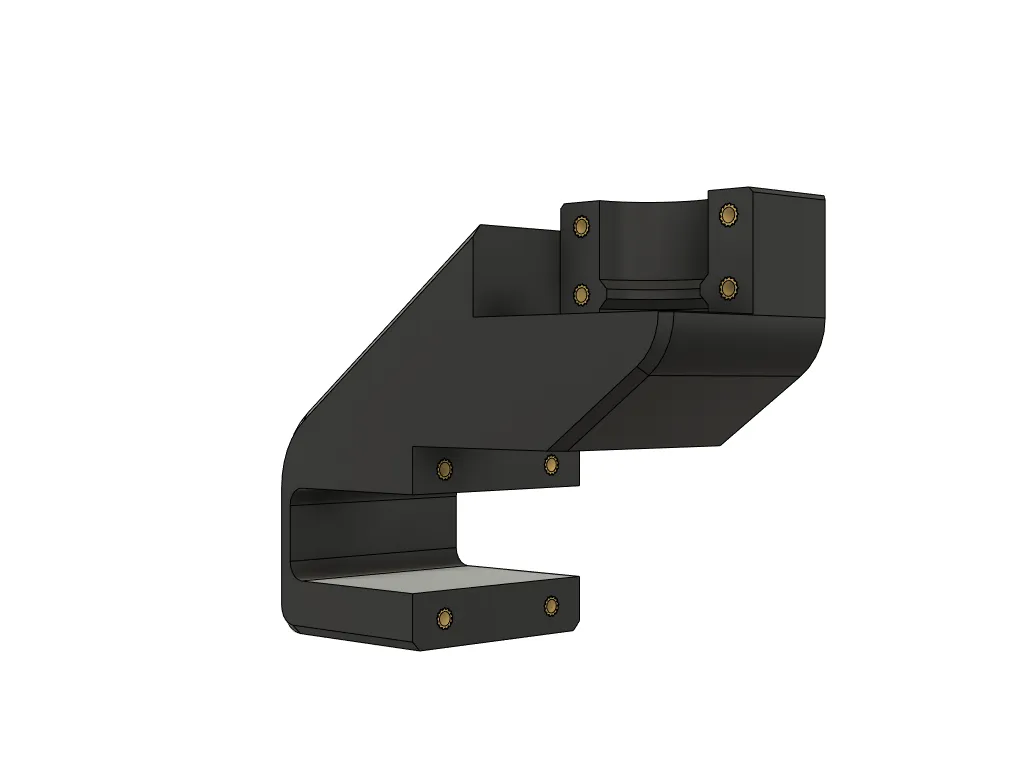
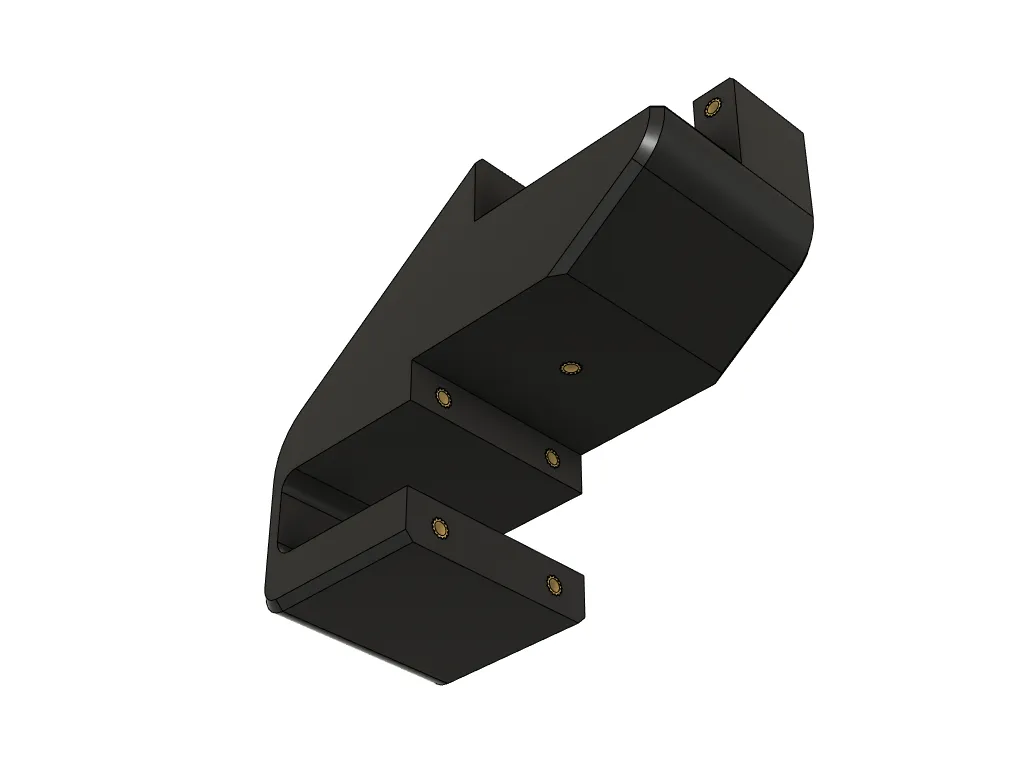
- Use a soldering iron to install all 9 brass heat inserts according to the images seen above.
- Ensure that all inserts are flush to the surface.
 |  |
- There is a lip inside the swivel bracket that helps secure itself to the AMS lite, a tap will help align the bracket.
- Install all 4 screws that come with the A1 combo kit. It comes in a pack labelled “For AMS Stand”
 | 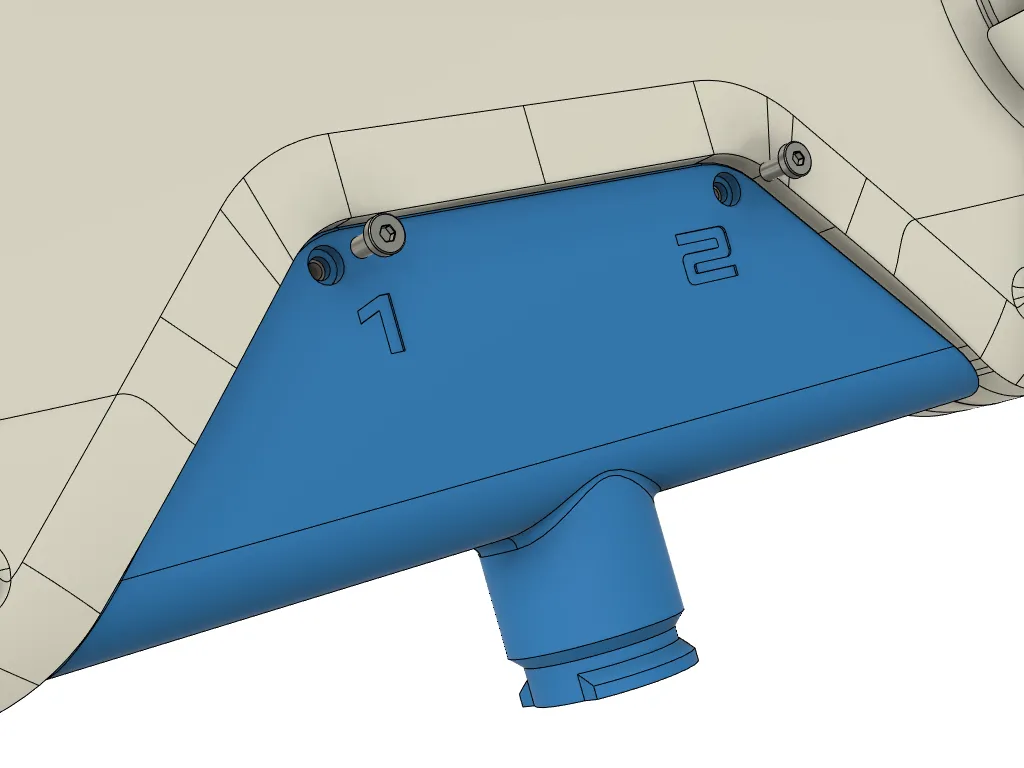 |
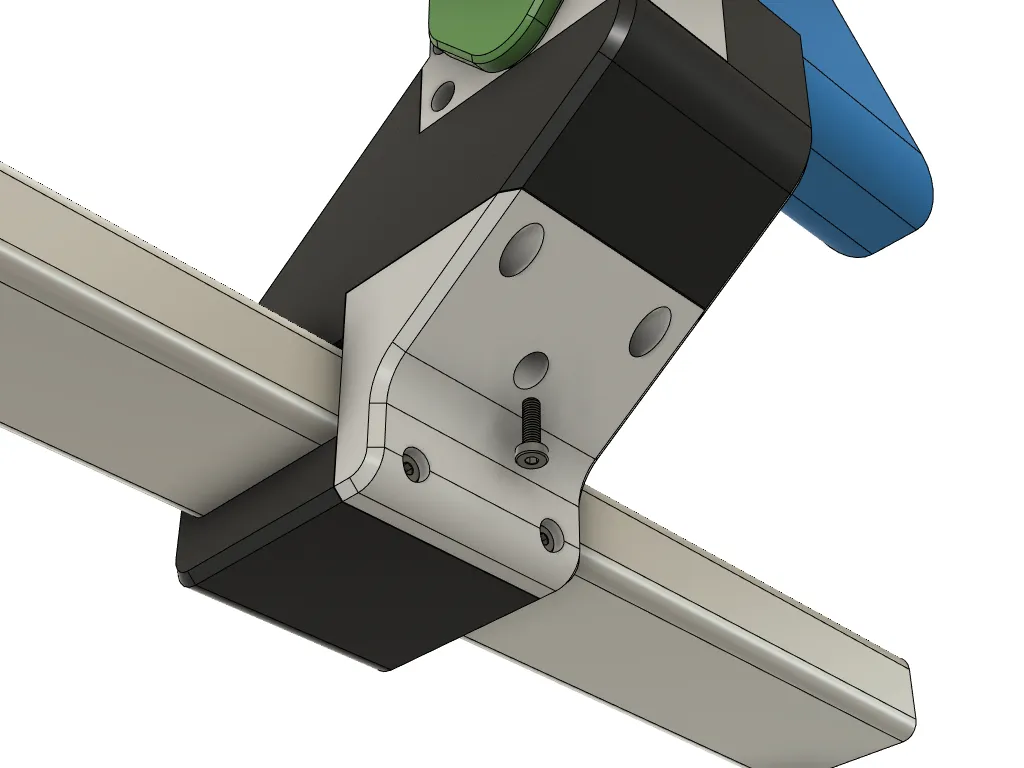
- Install the GRIP main body to the gantry. Secure with four M3x10mm screws horizontally.
- Insert the AMS bracket and lock it with the clamp using four M3x10mm screws.
- Install the retainer clips on both sides. (Note: Remove clips when swivelling the AMS lite)
- Optional - screw in the last M3x10mm vertically.
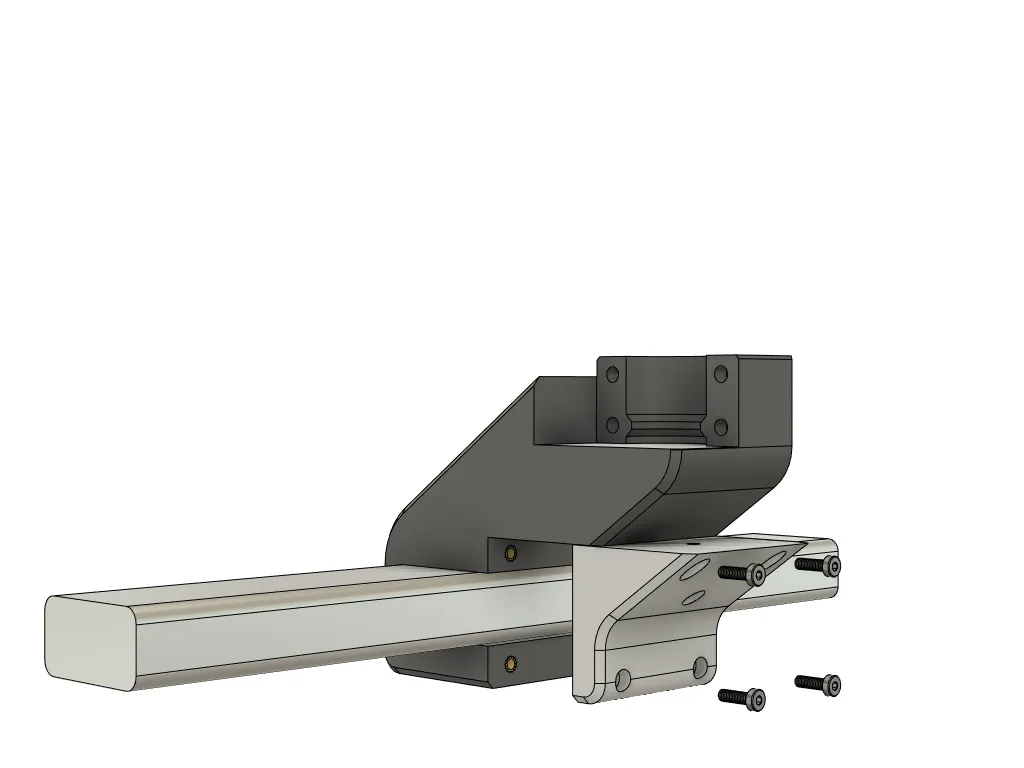 | 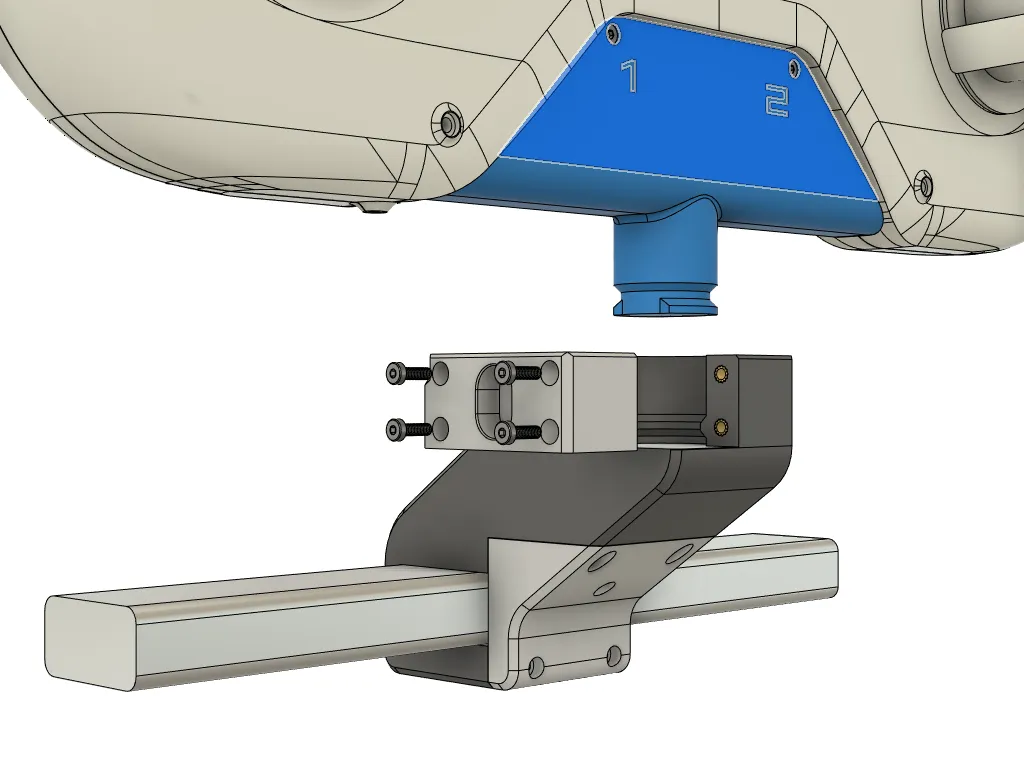 |
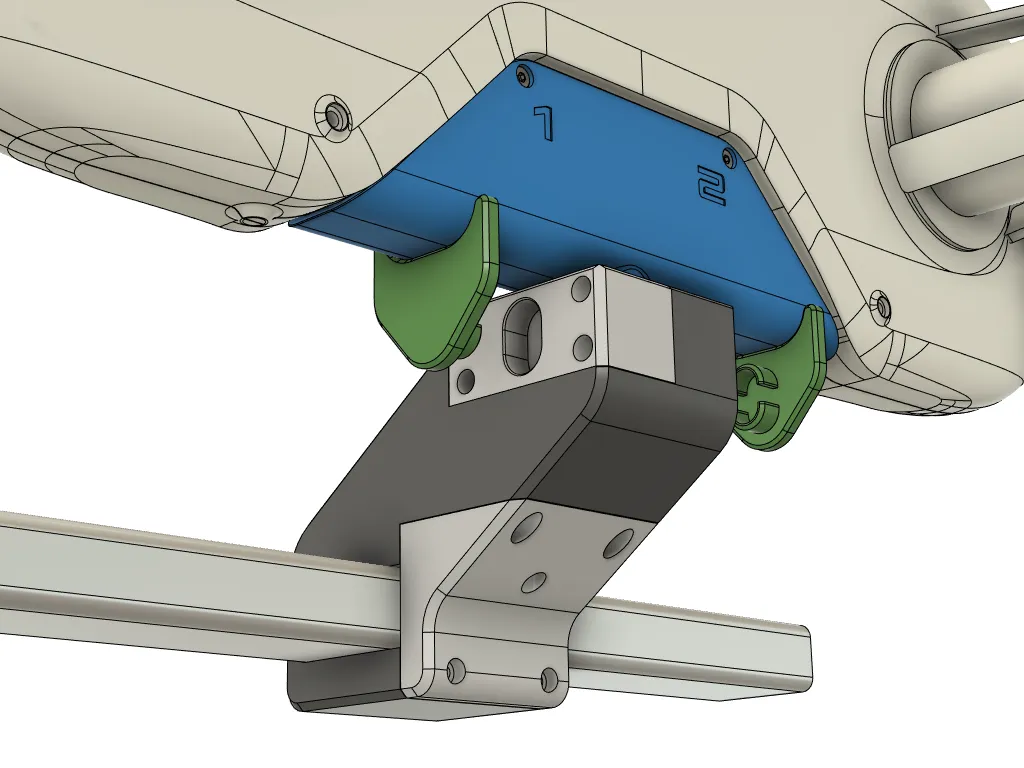 |  |
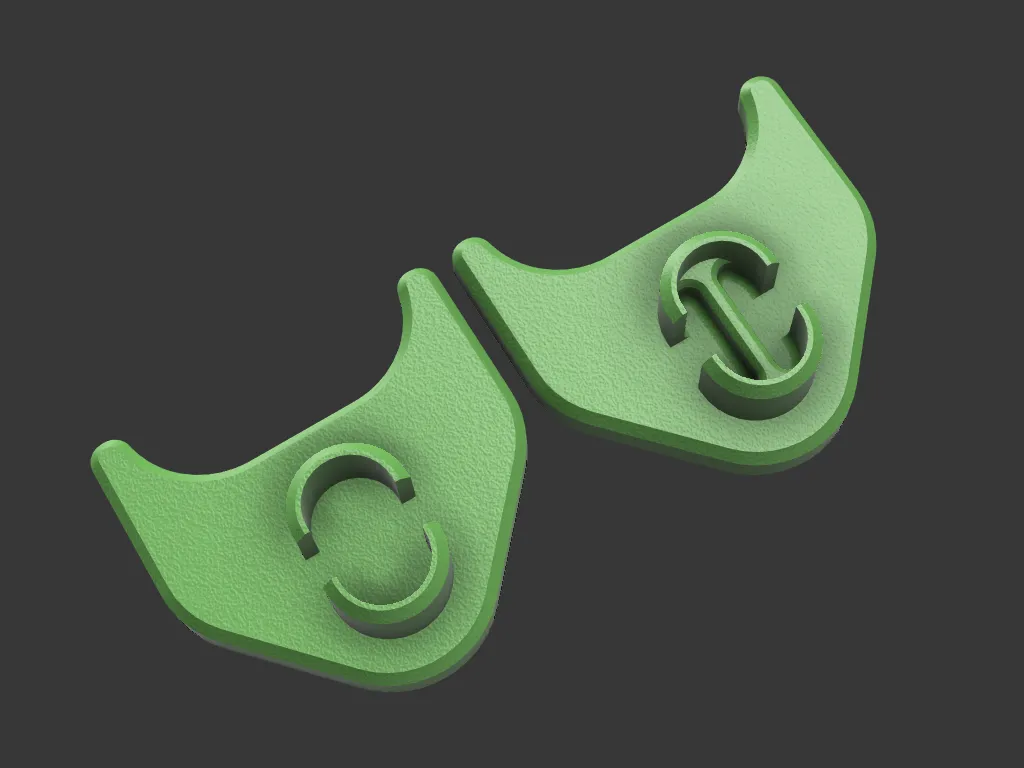
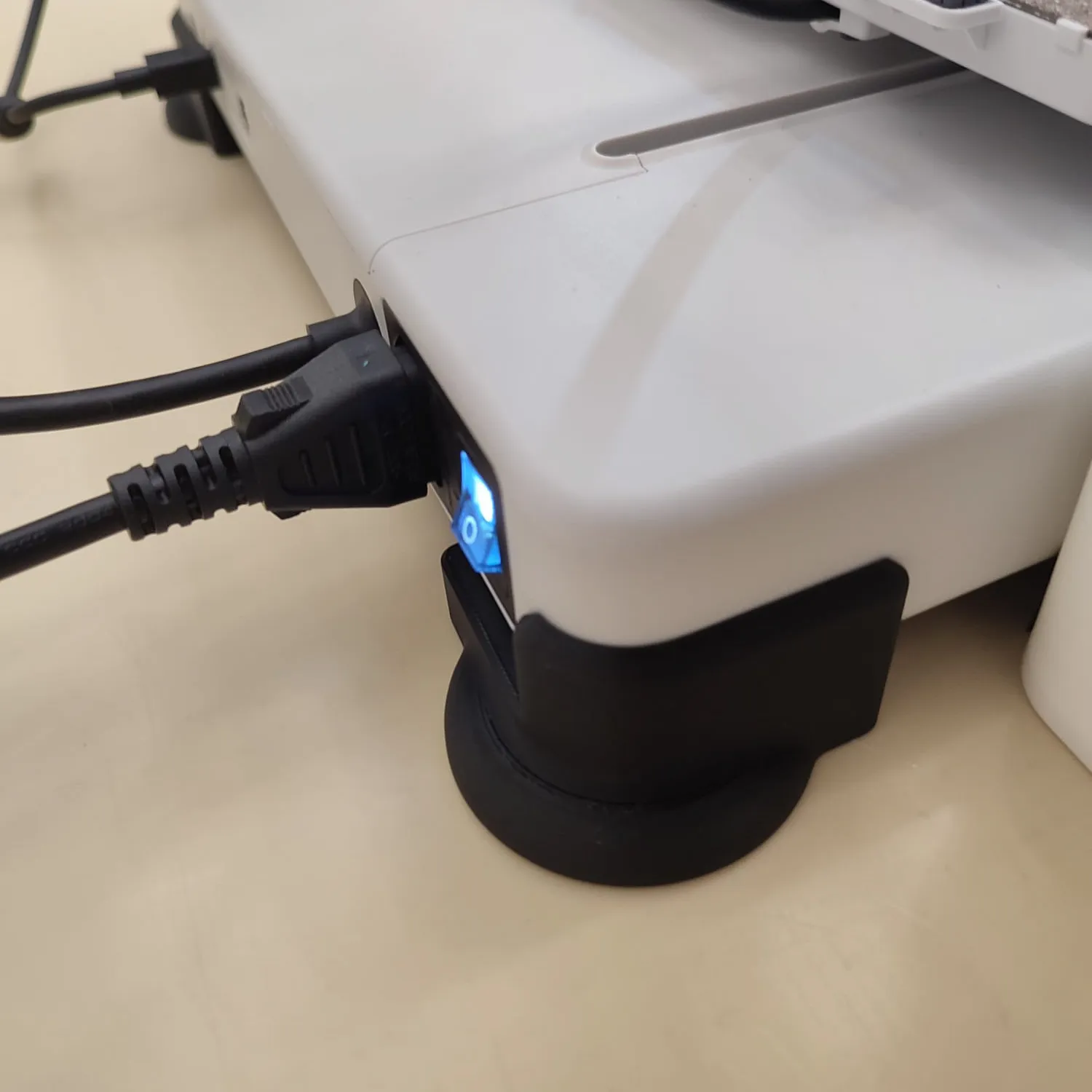
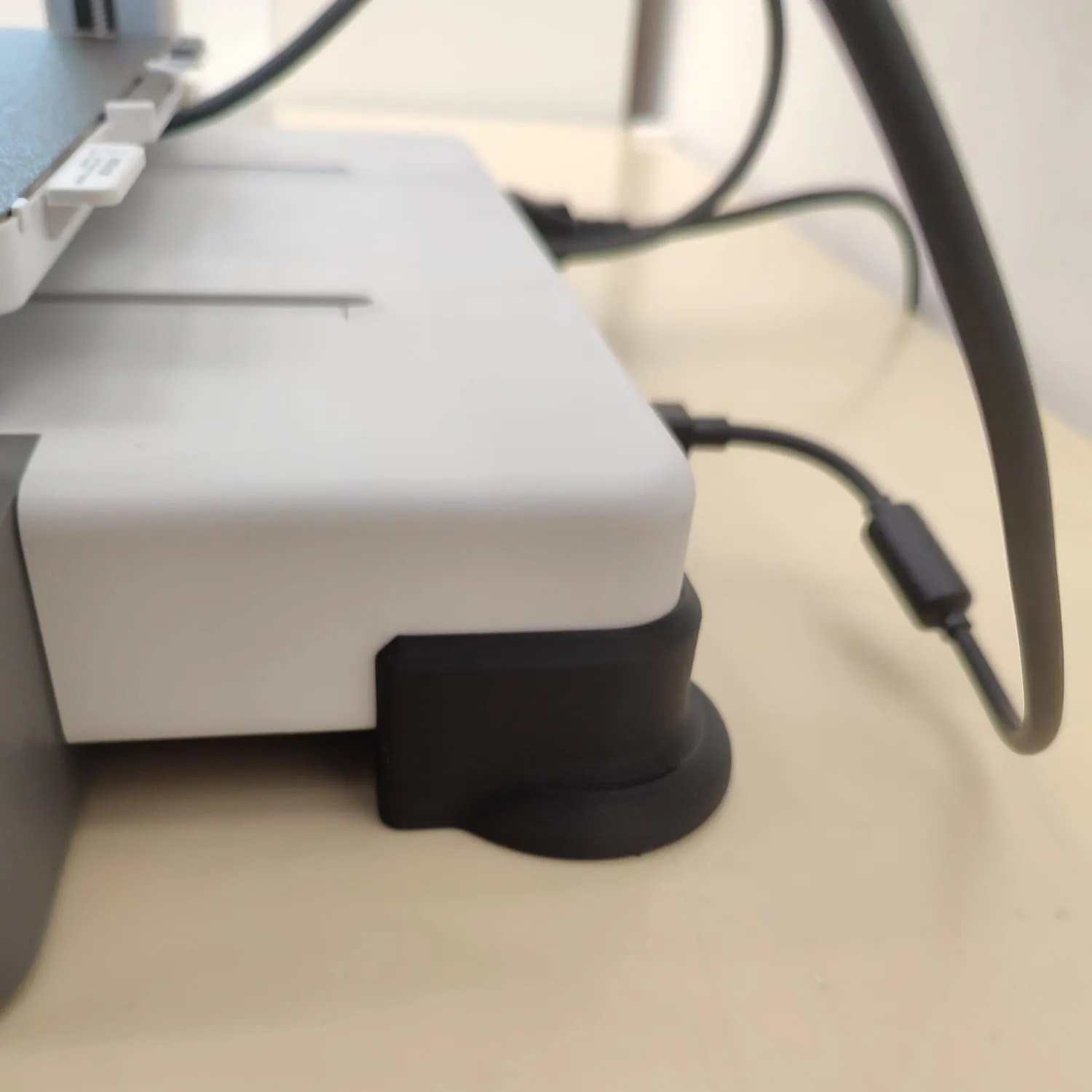
- Install wobble reduction brackets at the back of the printer. The side should flush against the curved surface of the base.
- There is a left and right side. The left side will have a cutout for the printer switch.
- Optionally u can use a bit of thin double-sided tape to secure brackets to the printer.
 |  |
- To check the clearance. Turn on the A1 and do a homing.
- Raise the X gantry to the top level. There should be a clearance between the tool head and the AMS lite with spool installed.
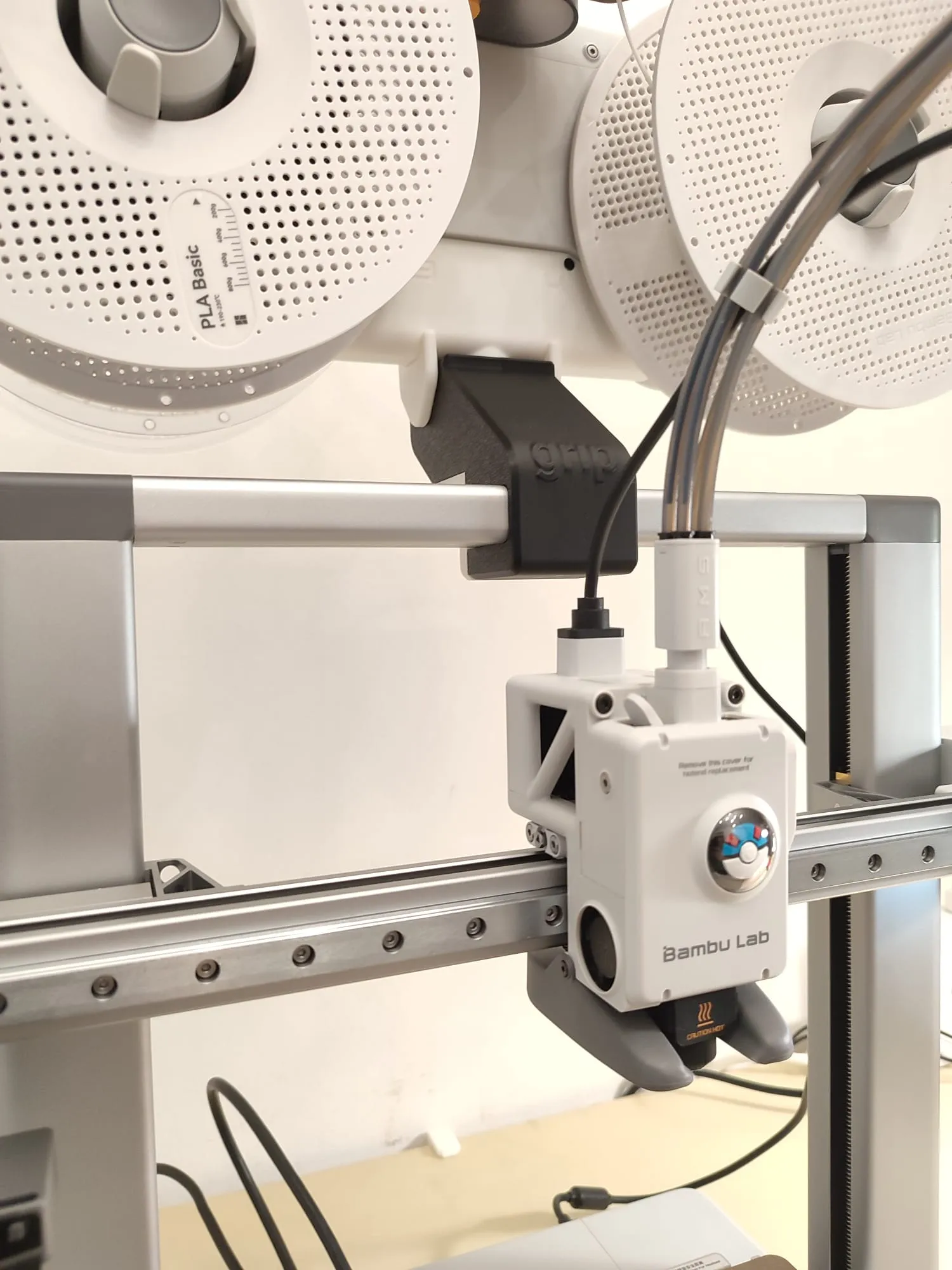
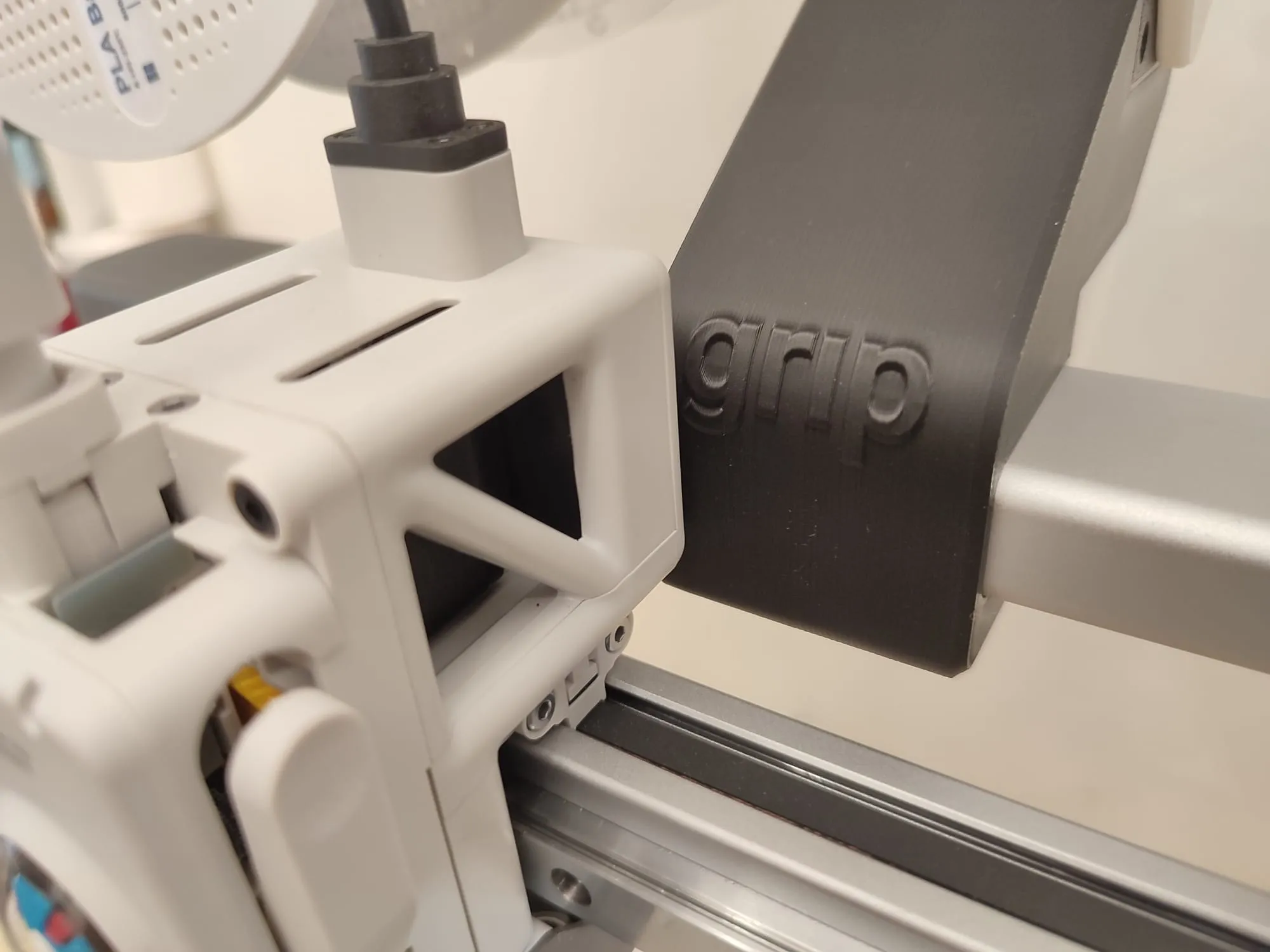
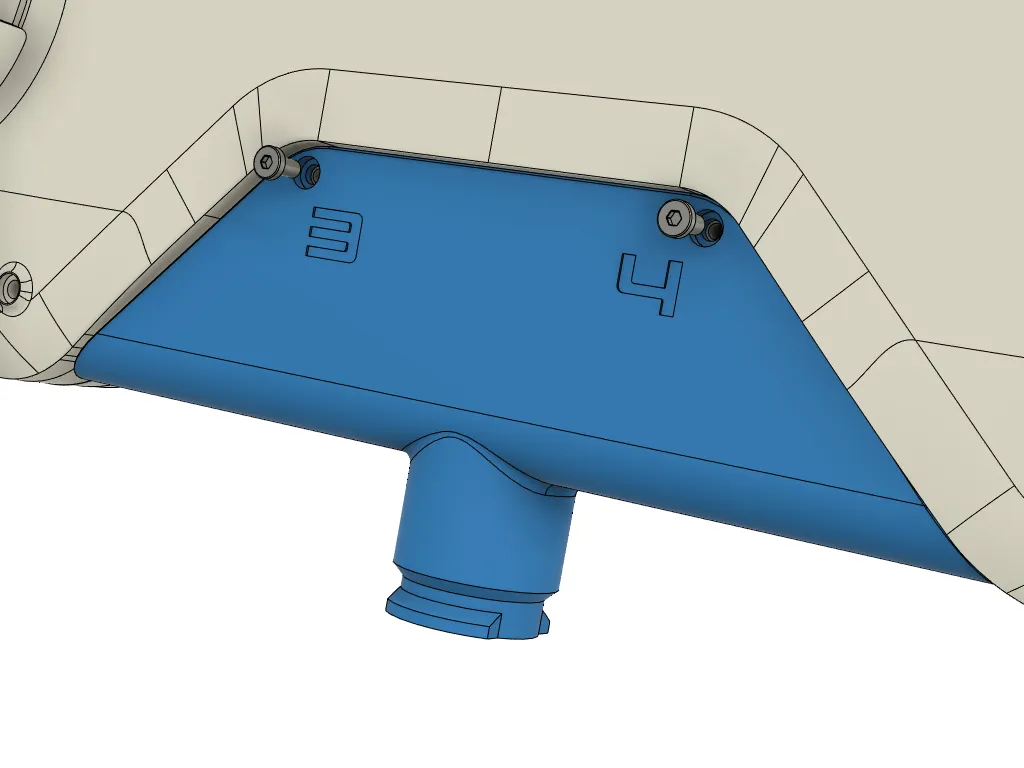
- Install the PTFE tube guide bracket.
- Home printer so that tool head reaches the bed. This is the maximum distance required by the PTFE tube.
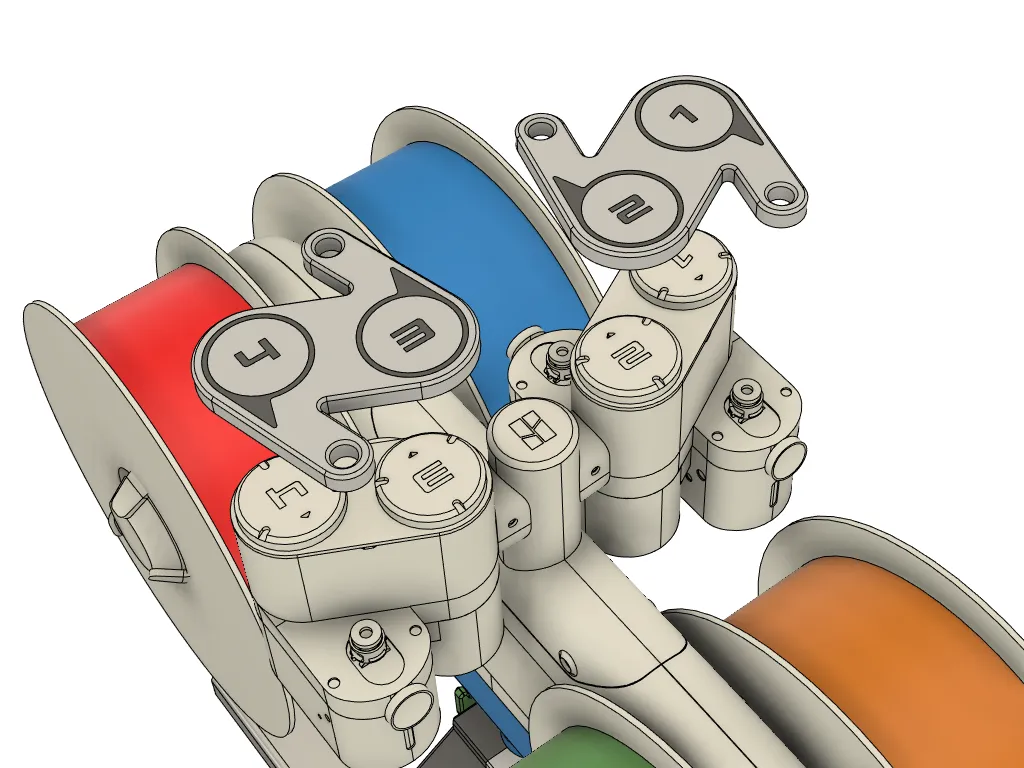
- The longer tubes go to 1&2 and the shorter tubes go to 3&4.
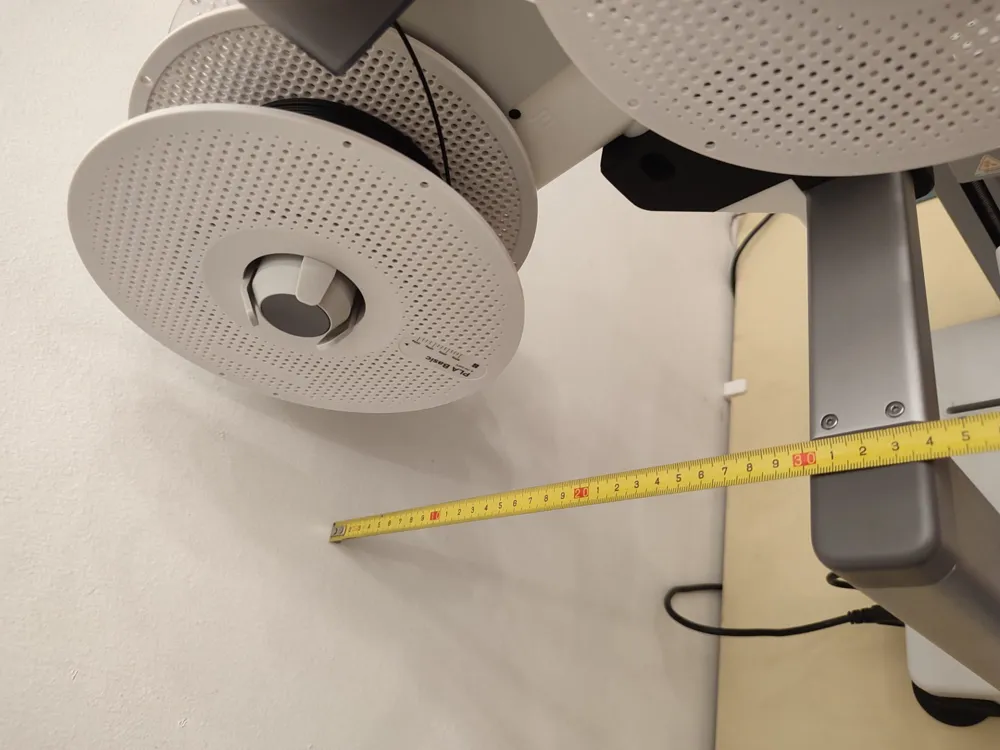
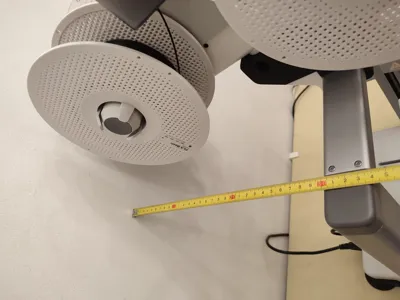
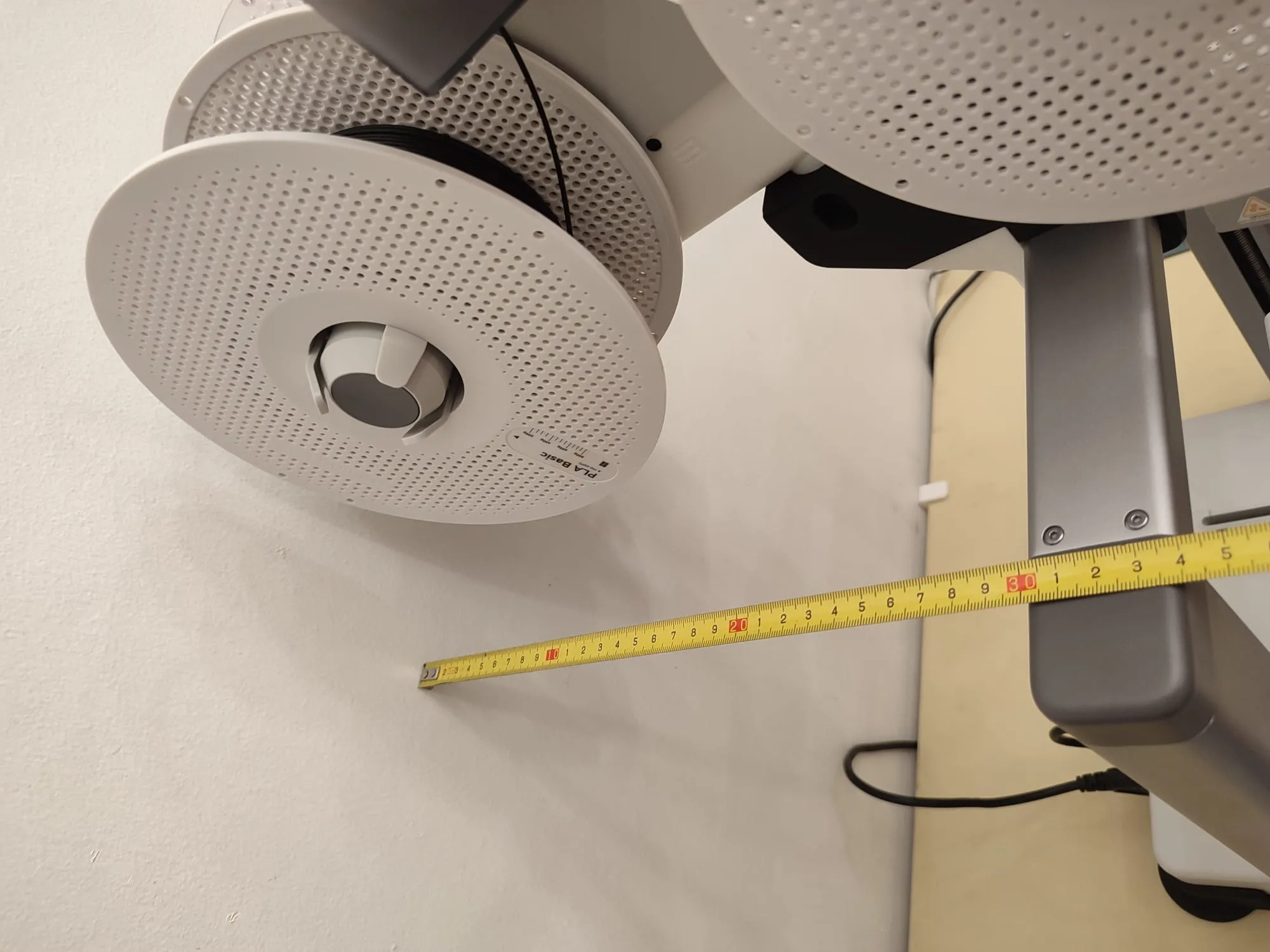
- Ensure there is at least 30cm clearance for the AMS lite holder to rotate.
- Turn off your printer, and connect your AMS lite before turning it on again.
- Do a homing and double-check that the tubes, cables, etc are not in each other way.
 |
 |
 |
CONCLUSION
To date, my designs are free to download and use. There is no Patreon or OnlyFan (hahaha). If you like my designs and wish to contribute to my coffee addiction & help fund the filaments and materials needed for prototyping, a donation of $5-$10 to Ko-fi or paypal.me will be greatly appreciated.
CAVEAT
As with all my designs, Prototyping and testing were conducted to ensure printability and meet my own expectations. However, I understand it may and may not work for you. I would request that you read all instructions and print and install them at your own discretion.
License

You shall not share, sub-license, sell, rent, host, transfer, or distribute in any way the digital or 3D printed versions of this object, nor any other derivative work of this object in its digital or physical format (including - but not limited to - remixes of this object, and hosting on other digital platforms). The objects may not be used without permission in any way whatsoever in which you charge money, or collect fees.


Comment & Rating (514)