
"Magic Tray" for Magic Trackpad and Magic Keyboard

Print Profile(4)


Bill of Materials

Description
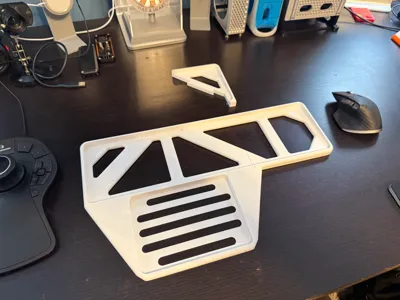
“Magic Tray” for Apple's Magic Keyboard and Magic Trackpad
Description
Here's a quick one.
I recently added a SpaceMouse Pro to my desk setup, which made for an unruly four input devices on my desk (the others being a mouse, keyboard, and trackpad for gesture control and casual use). That's a lot.
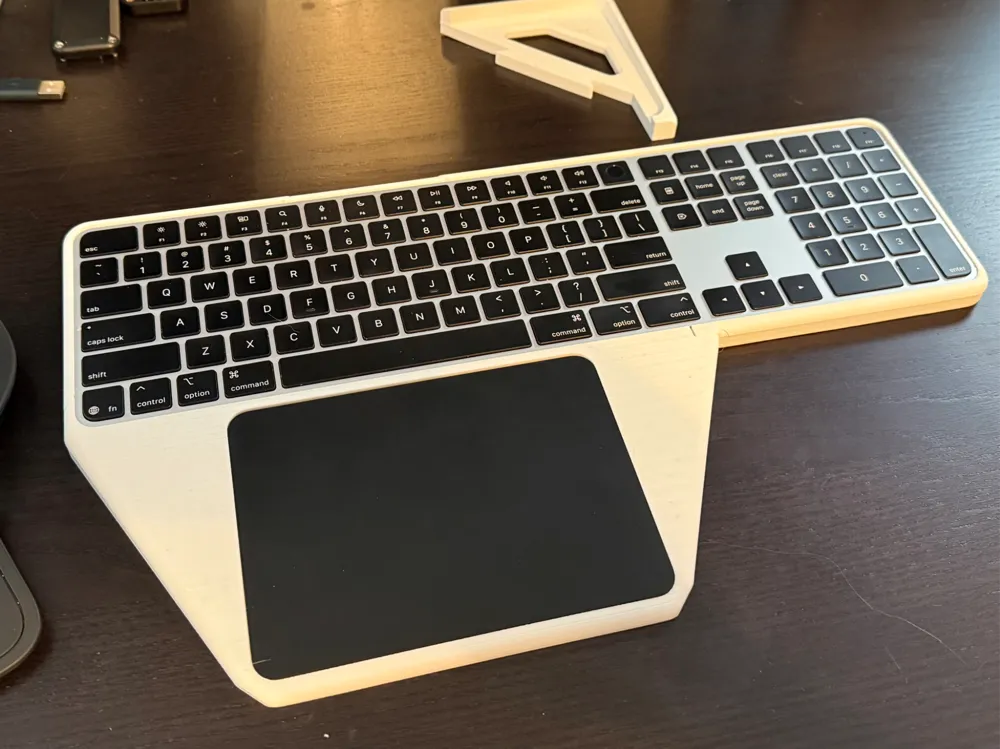
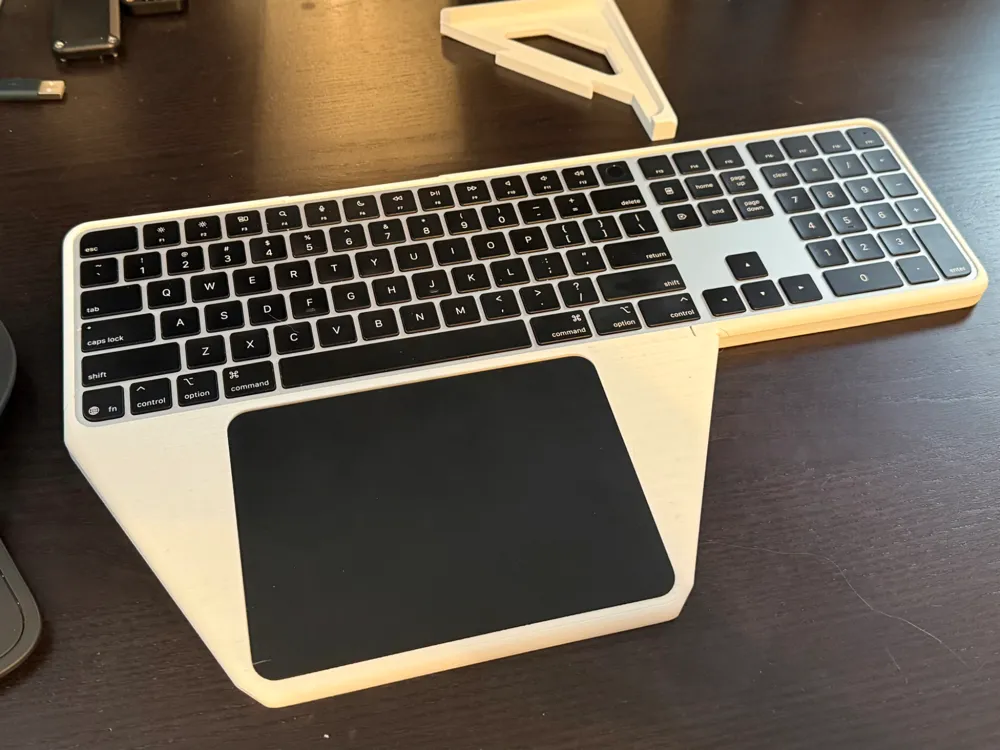
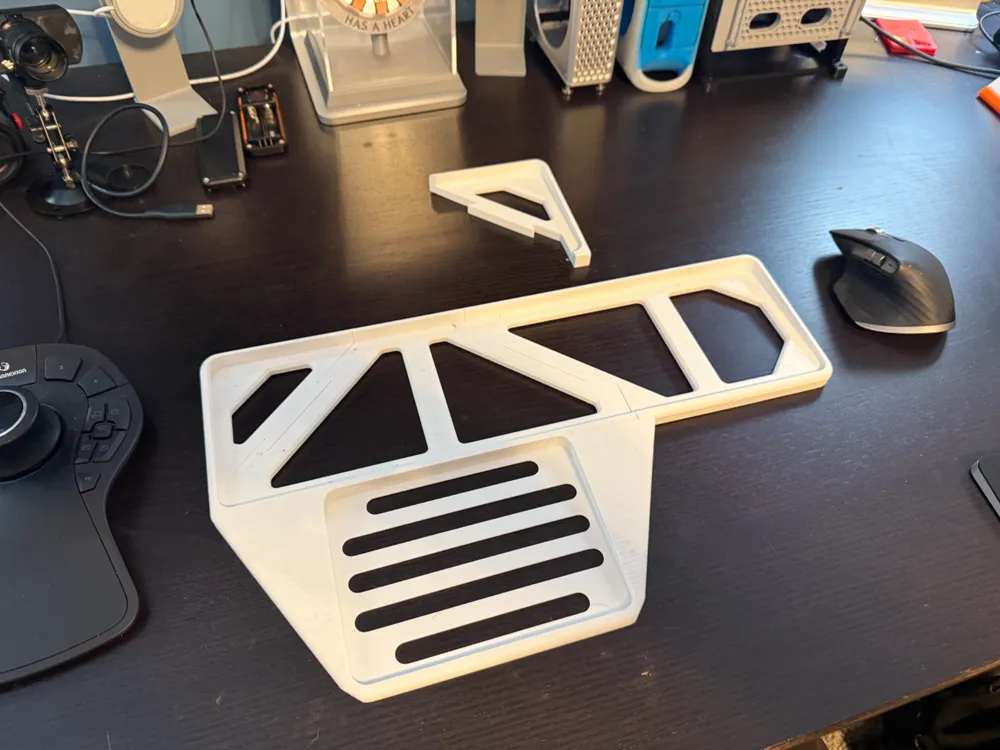
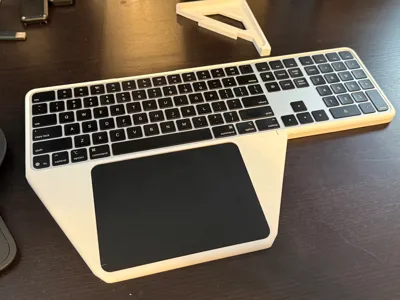
To try and tidy things up a bit, I decided to design a quick tray that holds the Magic Keyboard and Magic Trackpad together in a layout similar to a MacBook.
Caution!
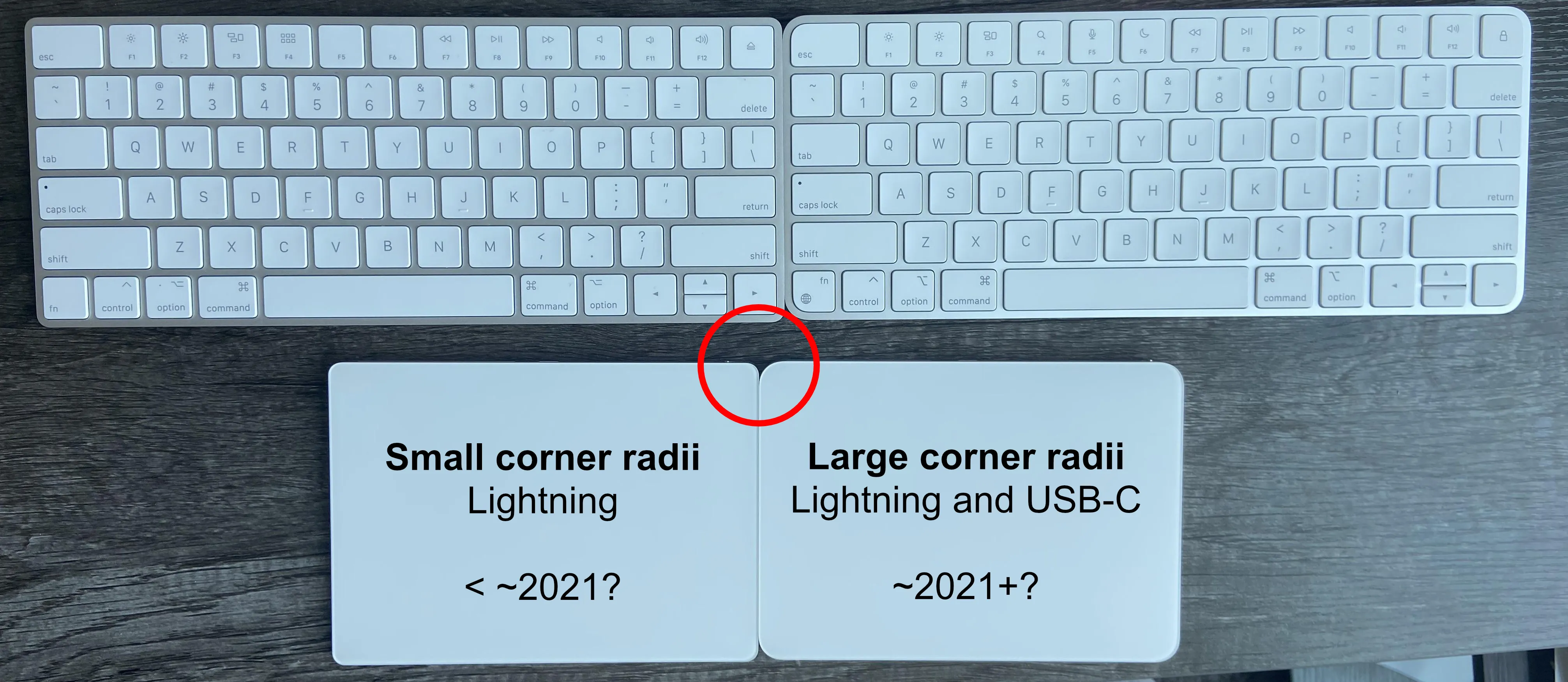
Note - I was recently made aware that there was a mid-cycle revision to the Magic Keyboard and Trackpad that I had forgotten about. The first version of my tray was only compatible with the more-recent (2021+) Lightning and USB-C models with larger corner radii. I have since uploaded a second print profile with a variation suitable for the older, smaller-radii designs.
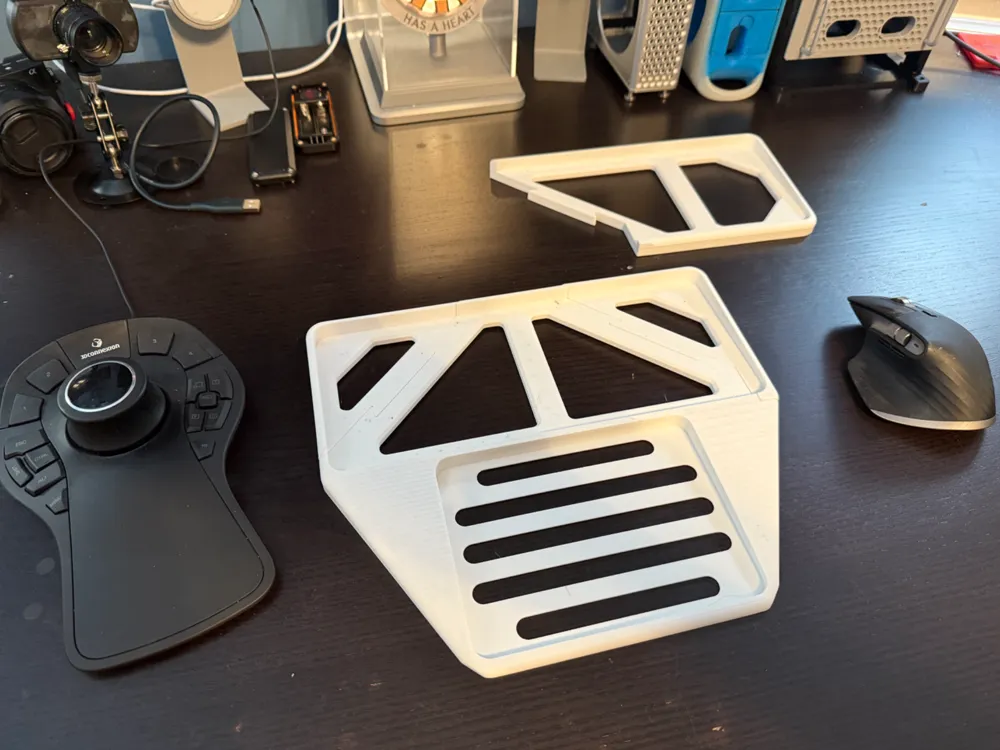
You can see the difference in this photo:
Printing and Assembly
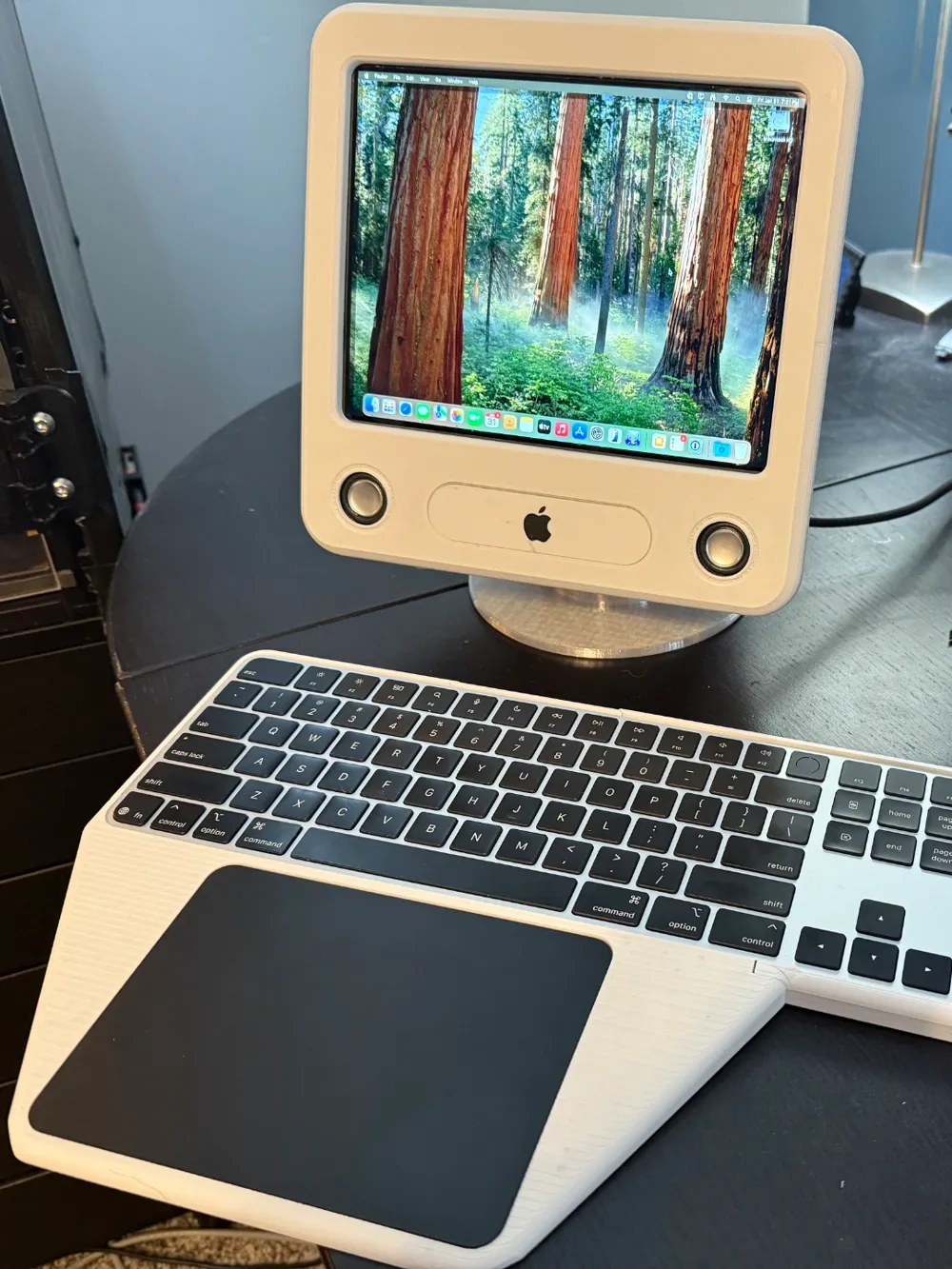
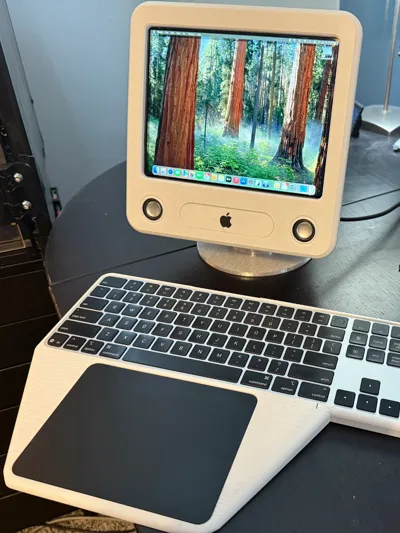
I printed mine in ABS-GF to match my recent eMac mini build, but PETG or even PLA should be fine.
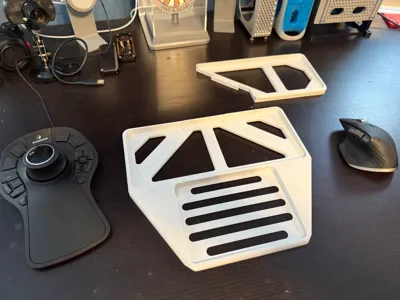
In order to print the tray on a X1C/P1S-size print bed, I had to make the corners separate pieces – they attach with dovetail joints. A side effect of this approach is that it was easy for me to support both the full 104-key Magic Keyboard as well as the more-compact ‘ten-key-less’ size.
Fitment
The keyboard and trackpad fit inside nicely but are easily removable for charging.
This has been fit-tested with the latest USB-C trackpad and full-size keyboard, but it should work with the previous lightning variants as well.
Usage
I am still starting to use this myself, but I think the best approach is to just let the devices rest freely inside the tray as opposed to using double-stick tape to hold them in more securely. This way, they can come out easily for charging.
I plan to add some adhesive rubber feet underneath so it doesn't slide on the desk.
Future
To-do list:
- Include access for power controls and charging ports.
Let me know if you like this and what you'd like to see.
Boost Me (for free)
Please consider boosting my projects -- it really supports my ongoing design efforts on these and other works, like my work on the Modular Wind Tunnel and other interactive projects for STEM education.
Related models for M4 Mac Mini:
- "Mac mini Pro" enclosure, (à la 2019+ Mac Pro)
- “Mac mini Pro Rack" modular system
- “Mac mini Trash Can” enclosure, (à la 2013-2019 Mac Pro)
- “Mac mini G5” enclosure, (à la 2003-2006 PowerMac G5 or 2006-2013 Mac Pro)
- “eMac Mini” enclosure – a fully-functional 55% scale eMac powered by M4 Mac mini
- "M4 Cube" enclosure, (à la PowerMac G4 Cube, modernized)
- "PowerMac G3 Mini" enclosure (Blue-and-white, Graphite, Quicksilver, and MDD PowerMacs G3)
- “Mac mini Pro Max” MagSafe and Apple Watch charging base
- Apple Icon Garden Bouquet for M4 Mac mini
- Nintendo NES enclosure
- Protective bumper case in TPU
- Mac App Icon and Logo “Hats”
- "Gridfinity Hats”
- 6-Color Rainbow Stage MagSafe Charger
- Santa Hat
- Gift Wrap: Ribbon and Bow
Related models for Mac Studio and M1-M2 Mac mini:
- “Mac Studio Pro” enclosure, (à la 2019+ Mac Pro)
- Gridfinity Hats"
Related models, other:
- “iPhone XDR” - for MagSafe and StandBy mode
- Mac Pro Desk Model - standalone 3D printable display model
License

You shall not share, sub-license, sell, rent, host, transfer, or distribute in any way the digital or 3D printed versions of this object, nor any other derivative work of this object in its digital or physical format (including - but not limited to - remixes of this object, and hosting on other digital platforms). The objects may not be used without permission in any way whatsoever in which you charge money, or collect fees.


Comment & Rating (57)