Search models, users, collections, and posts

MaKim
@MaKim
7.7 k
67 k
54 k
18.2 k
Social Media Links
Bio
Hobbyist maker, amateur game developer, modeler & printer based in Arkansas, USA.
Achievements

MakerWorld Guardian
Active more than 20 days out of last 30 days UTC time

Contest Winner
Won 18 model contest awards.
Featured Creator
11 models are featured by MakerWorld.

Maker's Supply Contributor
5 models with Maker's Supply Model Kit achieves 500 successful prints.

Popular Model
1 model more than 5,000 successful prints.

Popular Creator
More than 1,000 followers.

Stellar Reviewer
Rate or Comment 255 different models
Pioneer Maker
Print successful 170 different models and 7,192 hours
Recent Article
Upgrading Prints with Multiple Materials
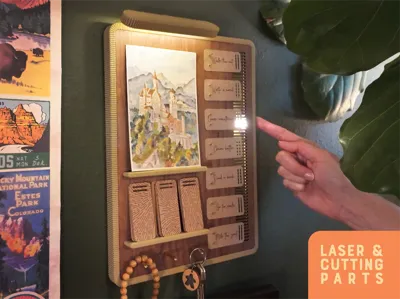
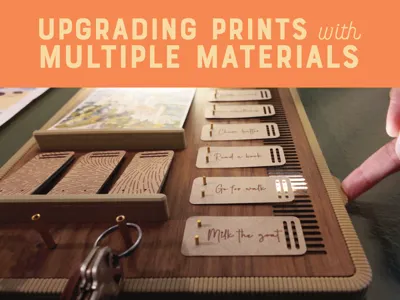
Upgrading Prints with Multiple Materials3D prints are often beautiful all on their own but it can also be fun to combine 3D printing with other materials and processes. For a recent project, I challenged myself to use elements from 3D printing along with hardware & materials utilizing the laser, plotting & cutting module. The easiest part was the plywood - I used the Walnut plywood from Bambu with a light coating of Danish Oil. I’ve also experimented with staining the plywood but it think it’s hard to beat Danish Oil when it comes to speed and ease of application - it’s a really quick way to help the wood look richer.  For the reminder tags, I used the Kraft Paper from Bambu along with the cutting module, pen module and Light Grip cutting mat. In Bambu Suite, you can actually create an easy Array of objects with the button in the toolbar - this is a quick way to bulk-output repeated items like these tags.  I wanted to add a drawn texture to the back of the tags and, through the process, I’ve learned a few ways to translate graphics into formats that work well with a pen plotter. The issue is that most graphics are not formatted for plotting & contain a mix of either raster graphics or filled vector shapes.For graphics that already have the appearance of being constructed of pen strokes, you can use Inkscape to trace the graphic and convert it to an SVG:Open the image in InkscapeOpen the Trace Bitmap tabSelect your image and choose the Centerline Tracking detection modeClick ApplySelect the new vector objectOpen the Export tab, choose the Plain SVG option and Export.Import the SVG into Bambu Suite and choosing Drawing as the processing type For other image types, using a specialized software can help to convert the image. I’ve had really good luck with DrawingBotV3 which is a paid application but also offers a free tier. DrawingBot has a selection of different algorithms that can transition images into strokes - you can then export SVGs to import into Bambu Suite.For this project, I just wanted to create a fun drawn pattern. To do so, I just imported a multi-color vector graphic and applied these settings:  I still have a lot to learn about pen plotting but I’m really enjoying combining the laser, cutting and drawing modules. I’ve been using them to make custom greeting cards, coasters and other gifts & will be incorporating them into even more 3D printing projects in the future!
Prototyping for Big Projects
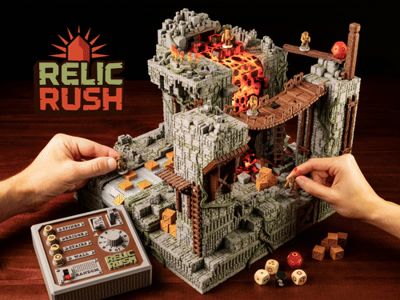
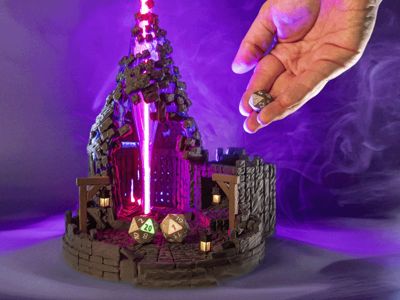
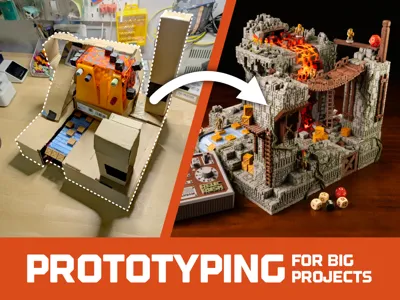
Prototyping for Big ProjectsIt can take a lot to get a big project off the ground. For this scale in particular, prototyping is important. It can be tempting to jump straight to the final version but, in my experience, this can end up wasting time depending on the scale of your build. This is the classic “go slow to go fast” approach. The ChallengeWhen designing a project, I like to take an iterative approach. I'll start with something rough and then slowly add details as I test and learn. With Relic Rush, I realized pretty early on that I would need to do more planning than usual. Because I was adding lots of details and surface textures, late changes to the overall shape would be difficult and time consuming. Realizing this, I slowed down and was more cautious with my process. As you can see below, this meant lots of parts and lots of printing. Believe it or not, this was my workbench on a fairly tidy day.Everybody has a process that works for them - I enjoy seeing how people solve problems and so I wanted to share my process on this project. Of course, I'm not saying this is the best way but it did have some benefits for me. My Prototyping StepsMy first step was to determine a theme. I decided on a ruined temple because it would allow me to use just two main colors for the structure - gray for the stones and green for moss and vines. I gathered reference photos and narrowed down colors in Freeform (which I use for brainstorming and sketching). When I started the project, I chose PETG for the translucent parts but ended up moving to translucent PLA.To determine scale of the project, I chose to build around the largest fixed components. In this case, it was the lava and river conveyor belts - these became the first parts I finalized through many rounds of testing and re-printing - a few examples of those:Then, I needed to decide on the overall project size - knowing that I wanted it to be printable on an A1 Mini. To do this, I took the approach of building a cardboard prototype. This incredibly ugly anonymization fulfilled its purpose: it allowed me to quickly get a rough idea of where the parts would split up and the dimensions for each. This is about as ugly as it gets but it was something I could make quickly. Knowing the overall shape, I sketched the details of traps and movement paths on top of the photo (I use Freeform but any drawing app would work). Duplicating multiple copies of this allows me to quickly work out many options because the first option usually isn’t the best!Because of the complexity of this project, I took an extra step that was unusual for me: creating and printing a blockout version. This is a technique sometimes used in video games to allow a rapid way to judge scale and the flow of a game environment. Essentially, I just built out the board with basic shapes & printed them so that I could see how the scale felt in person. This helped to confirm the spacing of paths and also the relative size of the components Along with how they could be mounted to each other. In many ways, this is a wasteful process - both in materials and time. However, I do feel that it saved me time later in the process by reducing the number of larger-scale revisions - those core elements had already been validated. You'll notice from the filament colors that I actually went through two rounds of blockout after making some substantial changes from the first version. Similar to the earlier sketching step, I then drew movement and layout indicators onto the physical print. Since this project is a game, this step helped me test out the spacing between obstacles and determine the general paths that players might take along with the risks/rewards of each. I like Sharpie Creative markers for this - they have good opacity for writing on many colors. Remember when I said that it could be tempting to jump ahead? I was feeling it at this point because my deadlines were approaching. However, I decided to keep taking things a step at a time and further sketch on top of the photos of the blockout model. This helped me plan some of the “greebles” and other details that would be used to add detail to the various parts. My time was limited, so I wanted to find efficient ways to add detail to the model and ensure that it was distributed evenly.After using all of the steps above, I finally started building out the final geometry for the facades of each piece. In the example below, you can see some of those steps for the slats in the hanging bridge. It moves from blockout (which I printed to validate the scale) through various iterations where I add both detail and the channels needed to support the components. What I learnedForcing myself to slow down and iterate on prototypes took a great deal of time at the beginning of the project - I need to account for this in future project plans because it put me behind schedule. The process was wasteful of filament but also meant that I needed to re-print fewer parts later in the process (due to issues). In the end, I think it was a wash for filament usage but saved a lot of time.Because my focus was on the overall physical size of the final project, I didn’t focus too much on component placement or wiring during the initial prototype. This led some adjustments and challenges late in the process. In the future, I'll include this as an additional step.And… all of this was just to get the shell of a prototype so that I could photograph it for the crowdfunding campaign. After the campaign, I rebuilt every piece although I was able to preserve most of the façade due to the careful planning. It was still a time-saver :) Support for Big ProjectsI was already planning this post when I learned about the new program from Bambu: the Let’s Make It Together Fund. The program lets you submit your big ideas and, if chosen, provides support from the Bambu Lab team to help you out! There are a few projects on in my notebooks that have felt 'too big to tackle' in the past - I may consider submitting a proposal to the program myself. What about you all? Are you going to give it a shot? You can find out more at https://bambulab.com/en/letsmakeitfund#bambuletsmakeit #bambulab
Creating Textures for Relic Rush
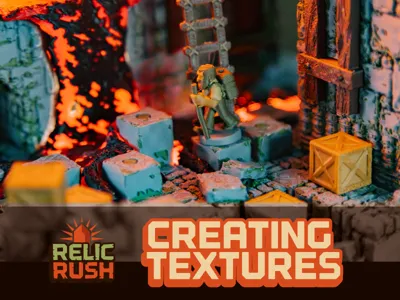
Creating Textures for Relic RushWhen planning my first crowdfunding project, I had one guiding principle: it should be over-the-top. A big part of that was packing in as many details & textures as possible onto the game board. Recognizing that users have different devices and different levels of comfort with painting models, I wanted to provide options for single color + paint, AMS & dual nozzle printers along with variants in the amount of decorative vines (which would require painting for single color models).  Through the process, I’ve learned quite a bit and wanted to share my process in case you’d like to give it a try. Below, I’ll outline 4 of the main techniques I’ve used so far along with some tips. I work in Blender but even CAD users can still utilize these tips through a model import. Painted TexturesAs an option for users with multi-nozzle printers, I wanted to use filament-switching to add colors to the brick surface of the game. With an H2D, this means that you can create detail with color while only generating minimal waste. However, I didn’t have a good way to do this in Bambu Studio that looked organic. To solve for this, I decided to UV paint the mesh and then import it into Studio to assign the colors. Blender has UV painting but I haven't been able to figure out a way to create 'scatter' brushes that don't feel to uniform - I'm sure there's a way to do it but I haven't figured it out yet! Instead, I used this process:Export the mesh from Blender as an OBJ with triangulation.Import the OBJ into Nomad Sculpt.Create a brush with an alpha texture - I just used the triangle scatter image that comes with Nomad. It will take some experimentation to find brush settings that work for your project - I'm not yet experienced in nomad so I had to guess and check.Choose high-contrast colors - this will make it easier to differentiate them later when importing into Bambu StudioFor areas with lower mesh detail, there may not be enough mesh vertices to contain the required brush detail. In these cases, you may need to enable Dynamic Topology. This will result in a larger mesh but should not significantly alter the surface structure.Export from Nomad as an OBJ with vertex colors set to RGBImport the OBJ into Bambu studio. In the Import Color window, change the number of colors to 2 and choose one of your filaments for each.At this point, your model should now slice as 2 colors with the newly added texture.When using an H2D, this means that you can now print the part with the only additional waste being the priming tower. Stamped TexturesFor wooden surfaces, I used two techniques based on the scale of the part and how visible it would be in the final design. For the bridge, I created a mesh in Blender, exported an OBJ, imported into Nomad (using the process described above) and then used the Stamp tool to apply a woodgrain texture. You can import your own alpha image of a grain texture but I just used the included example. Alternately, you could use mesh deformation tools to draw individual grain lines.  For smaller parts, I used a simpler process that works best on the Z axis. In Blender, I used modifiers to subdivide the mesh and then displacement modifiers to move the individual vertices using a noise texture - this adds random variations to the vertices. I used separate modifiers for each axis to control the severity of the effect. These minor height variations result in top surfaces that have a rough appearance. Although it doesn't have significant grain texture on close appearance, this 'roughs up' the surface so that it doesn't appear too smooth. Extruded TexturesFor the river and lava conveyor belts, my design required that they print face-down but I still wanted them to include texture. For each, I started with a vector drawing in Affinity Designer which I then extruded in Blender.The river prints in a single color but for the lava I exported an individual mesh for each color, assigned filaments in Bambu Studio and then merged the meshes into a single object before slicing. Slicer TexturesI wanted to include some additional, backlit lava on the board that 'flowed' around some of the movement spaces. To do this, I used a fluid simulation in Blender to generate a mesh. I then used this mesh as a template to cut out the brick textures so that it could be inset & exported as an STL.  Within Bambu Studio, I started with a transparent red PLA as the base color and then painted on black PLA onto the surface using the paint bucket. By adjusting the smart angle fill, I was able to generate some organic patterns quickly. There are many, more detailed ways to complete this part but this was a time-efficient method and I'm prettyhappy with the results.  ConclusionThese techniques were in addition to the brick and vine geometry which are the base of the model - I’ll be releasing a Creation Kit that include instructions and sample files so that users can release compatible expansions for Relic Rush. Look for that about a month after the campaign ends. This project has been a good opportunity to experiment with new techniques - let me know if any of these seem useful or if you have a go-to method for adding texture to your models!