3D prints are often beautiful all on their own but it can also be fun to combine 3D printing with other materials and processes. For a recent project, I challenged myself to use elements from 3D printing along with hardware & materials utilizing the laser, plotting & cutting module.
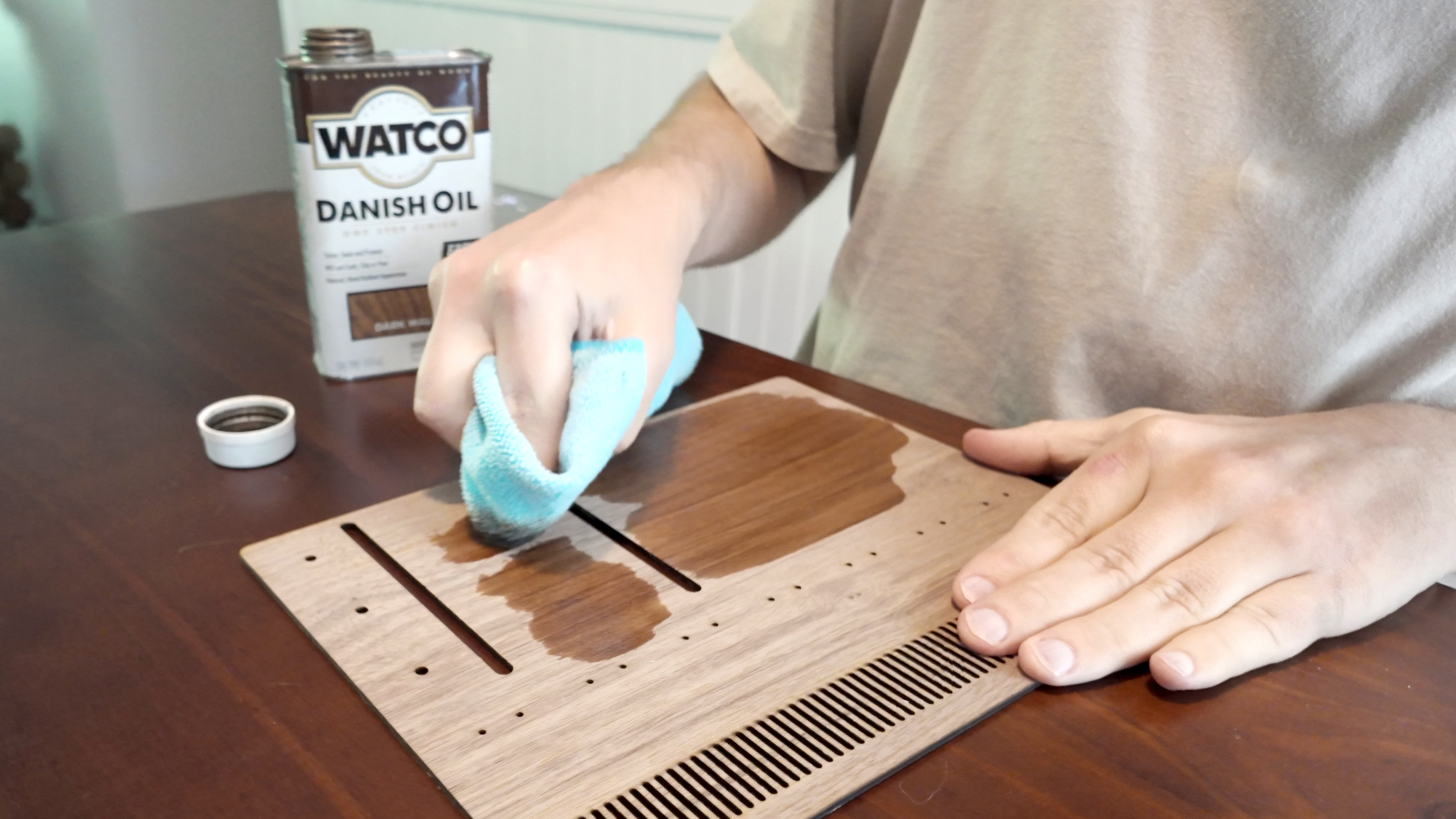
The easiest part was the plywood - I used the Walnut plywood from Bambu with a light coating of Danish Oil. I’ve also experimented with staining the plywood but it think it’s hard to beat Danish Oil when it comes to speed and ease of application - it’s a really quick way to help the wood look richer.
For the reminder tags, I used the Kraft Paper from Bambu along with the cutting module, pen module and Light Grip cutting mat. In Bambu Suite, you can actually create an easy Array of objects with the button in the toolbar - this is a quick way to bulk-output repeated items like these tags.
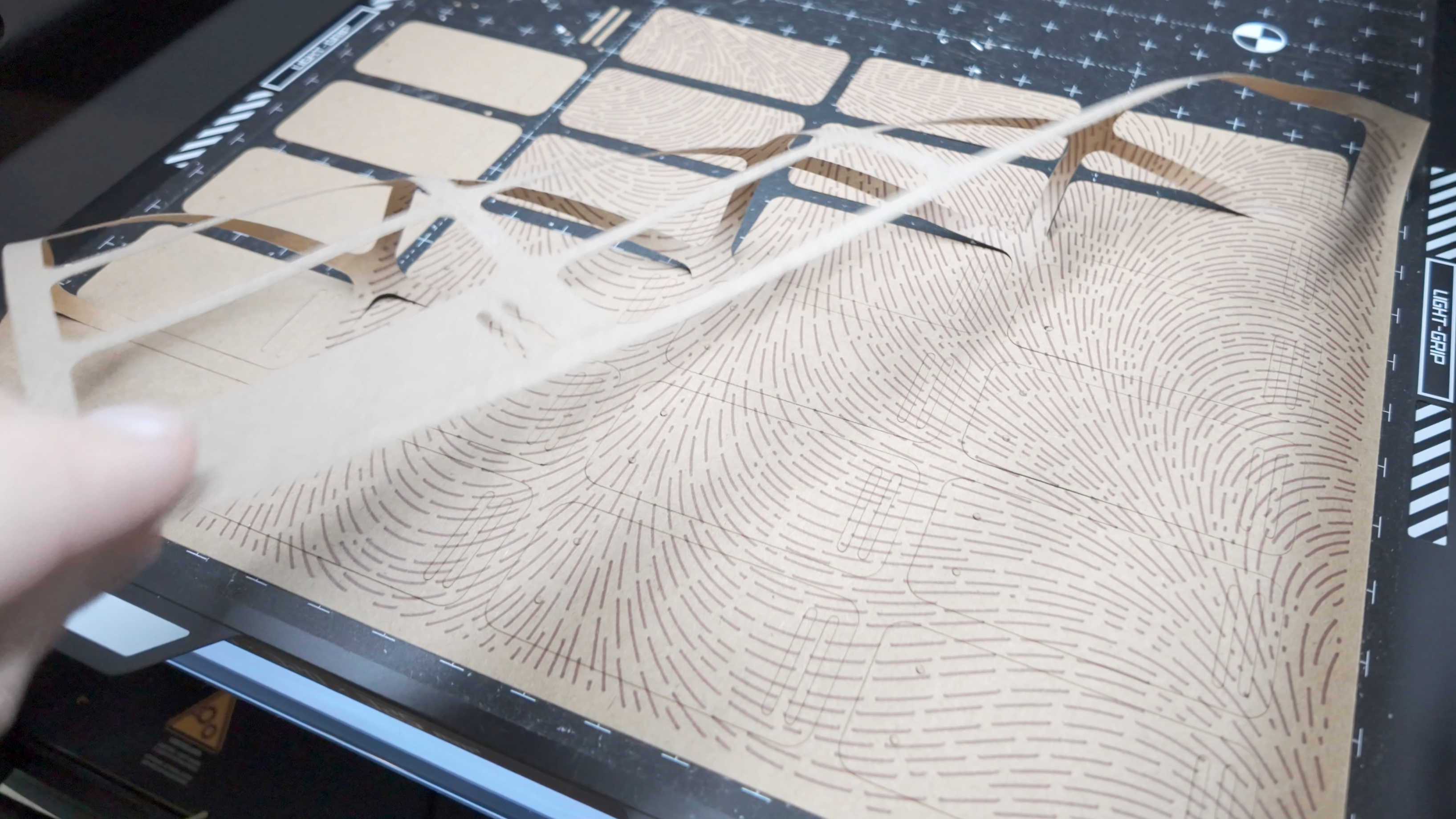
I wanted to add a drawn texture to the back of the tags and, through the process, I’ve learned a few ways to translate graphics into formats that work well with a pen plotter. The issue is that most graphics are not formatted for plotting & contain a mix of either raster graphics or filled vector shapes.
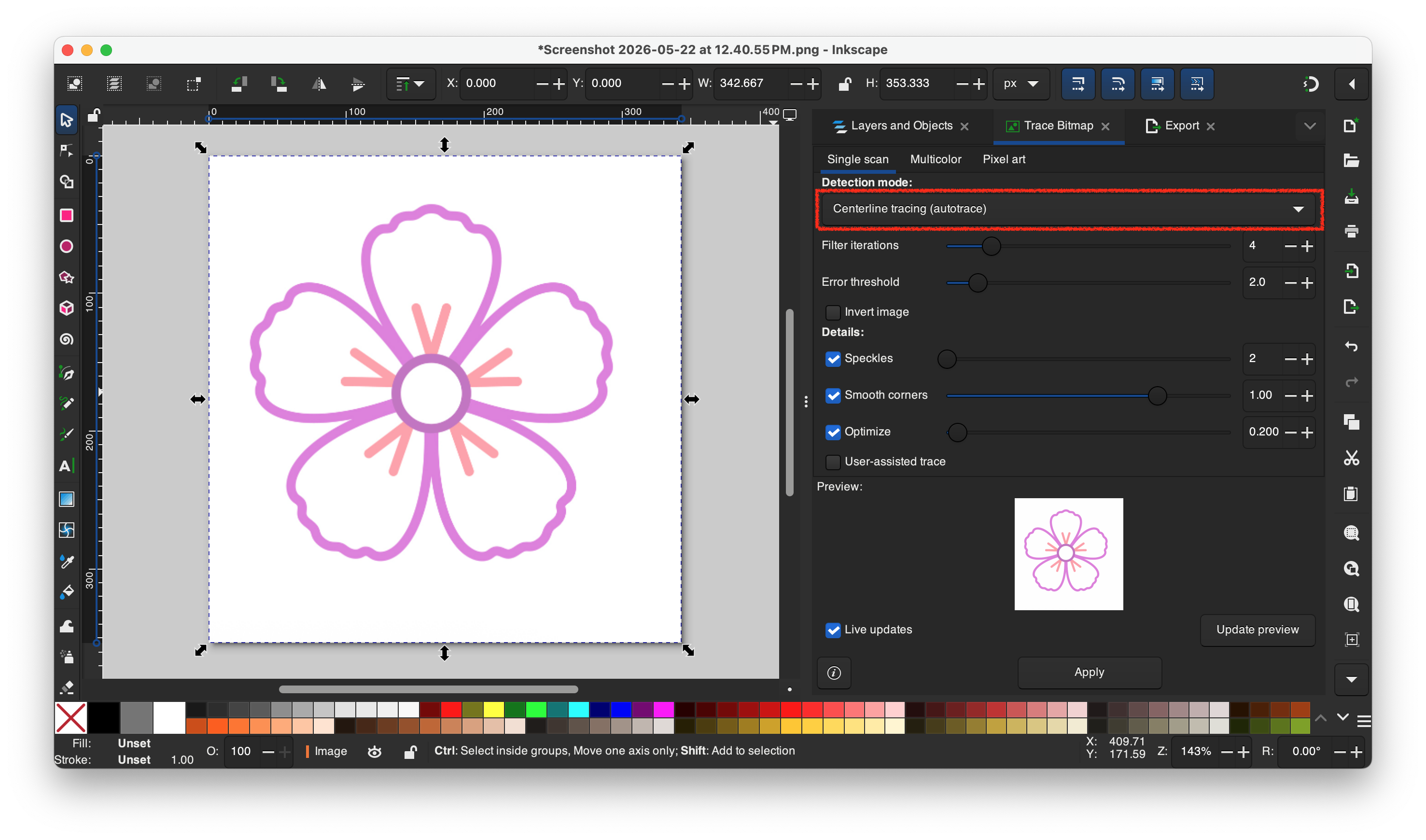
For graphics that already have the appearance of being constructed of pen strokes, you can use Inkscape to trace the graphic and convert it to an SVG:
- Open the image in Inkscape
- Open the Trace Bitmap tab
- Select your image and choose the Centerline Tracking detection mode
- Click Apply
- Select the new vector object
- Open the Export tab, choose the Plain SVG option and Export.
- Import the SVG into Bambu Suite and choosing Drawing as the processing type
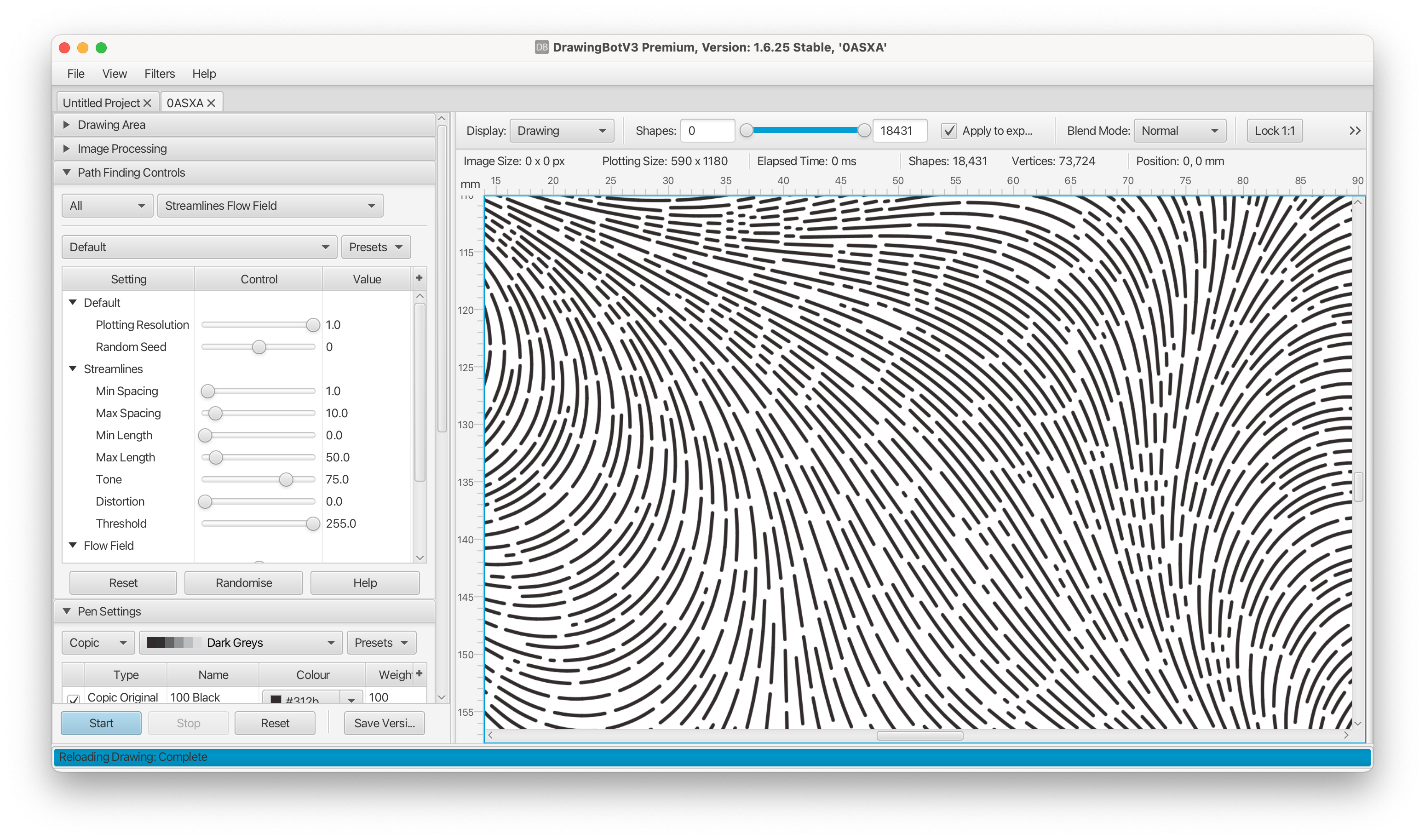
For other image types, using a specialized software can help to convert the image. I’ve had really good luck with DrawingBotV3 which is a paid application but also offers a free tier.
DrawingBot has a selection of different algorithms that can transition images into strokes - you can then export SVGs to import into Bambu Suite.
For this project, I just wanted to create a fun drawn pattern. To do so, I just imported a multi-color vector graphic and applied these settings:
I still have a lot to learn about pen plotting but I’m really enjoying combining the laser, cutting and drawing modules. I’ve been using them to make custom greeting cards, coasters and other gifts & will be incorporating them into even more 3D printing projects in the future!