
Print Profile(8)


Description


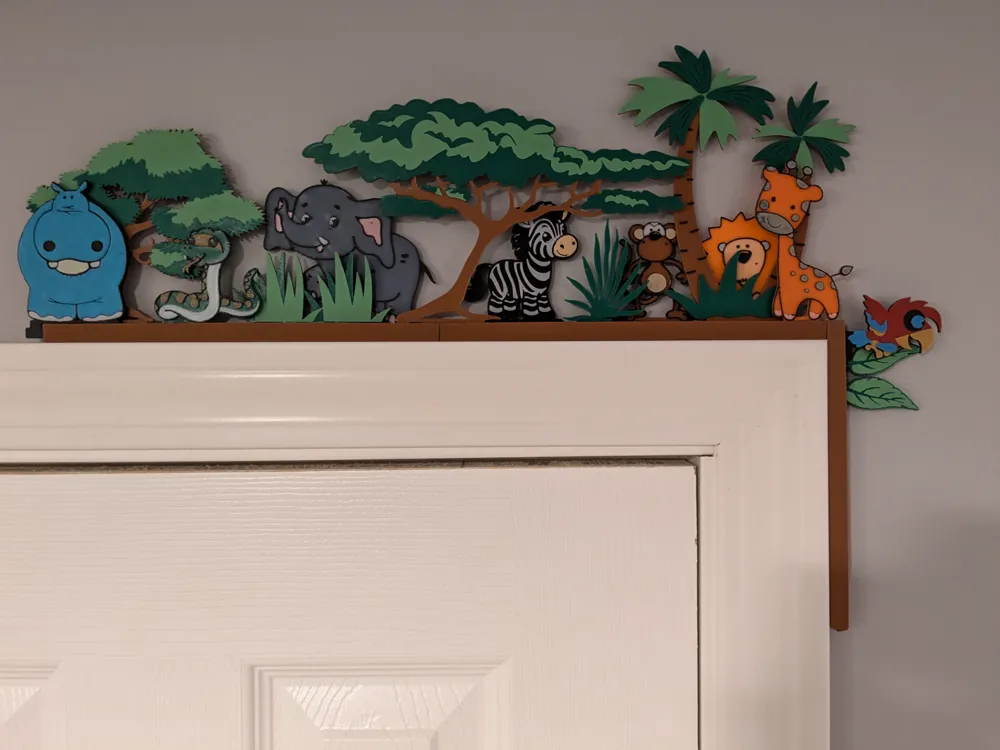
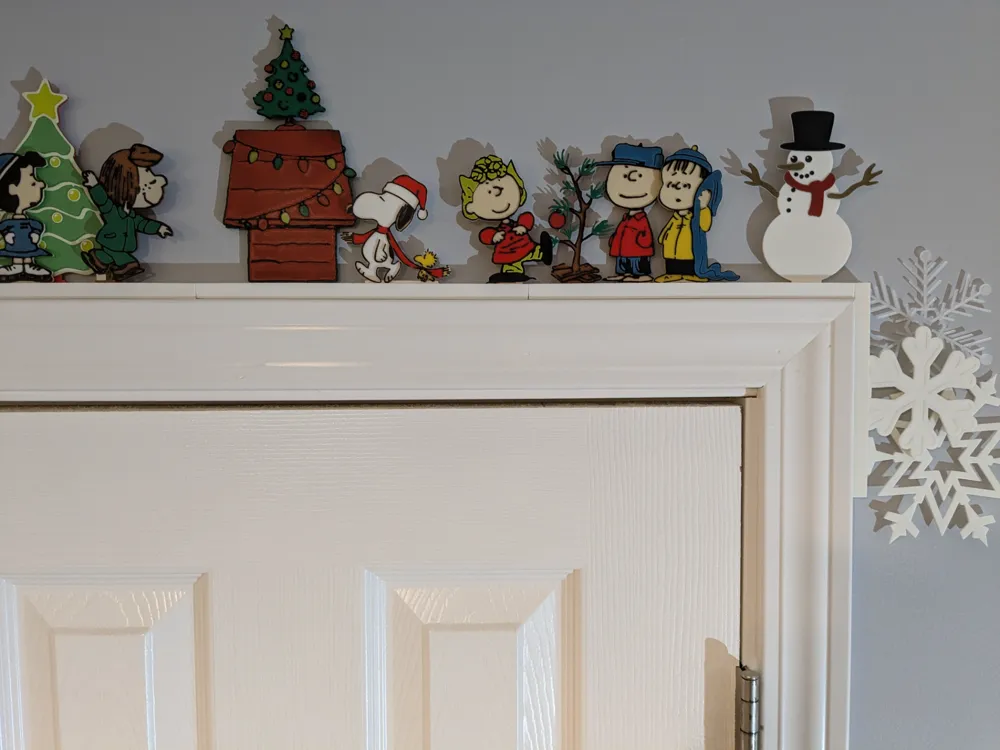
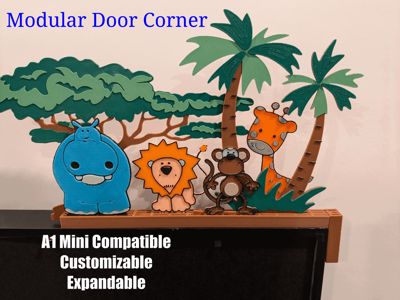
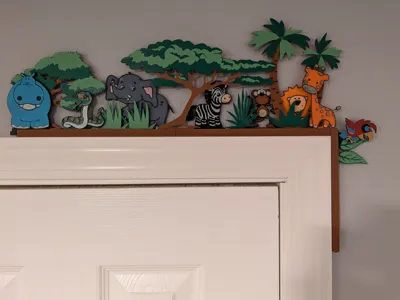
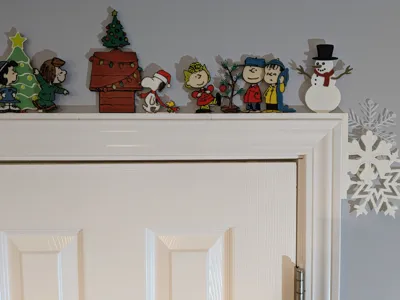
Modular Door Corner (MDC) is my take on the Door Corner decoration. Idea is that one can customize the layout of the decorations as they see fit using what I call Rails and Stand-Ins. This listing represents the Base system and is where you will find the Rails. I include 1 Stand-In pack on this listing (Safari Pack1), here are other Stand-In Packs I've created:
NEW (11/2/25) Peanuts Thanksgiving Stand-ins Modular Door Corner by evets17 MakerWorld: Download Free 3D Models
Halloween Stand-ins for Module Door Corner - P1 by evets17 MakerWorld: Download Free 3D Models
Peanuts Halloween Stand-ins for Module Door Corner by evets17 MakerWorld: Download Free 3D Models
Candy Heart Stand-Ins - Modular Door Corner by evets17 - MakerWorld
Safari Stand-ins for Module Door Corner -Pack 2 by evets17 - MakerWorld
Christmas Stand-ins for Module Door Corner-Pack 1 by evets17 - MakerWorld
Gingerbread Stand-ins for Modular Door Corner-P1 by evets17 - MakerWorld
Peanuts Xmas Stand-ins for Modular Door Corner-P1 by evets17 - MakerWorld
Snowflake Stand-ins for Modular Door Corner-Pack 1 by evets17 - MakerWorld
Simpsons Family Stand-ins for Modular Door Corner by evets17 - MakerWorld
Features of this system
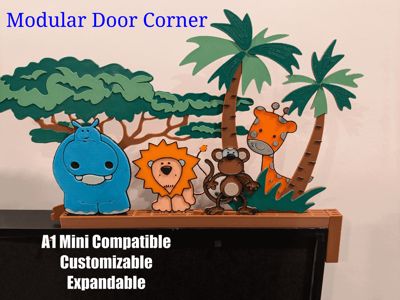
- A1 Mini Compatible - Most door corners are too big for A1 Mini. Given the modular nature of MDC, most items easily fit the A1 Mini.
- Incorporate Many Colors - Can print each stand-in different color schemes, to create a very colorful decoration if desired.
- Customizable - Arrange (and re-arrange) the Stand-ins as you see fit to create a unique piece or to keep things fresh. The multi-slot rails allows for layering and depth.
- Expandable - Mix and Match Stand-ins, Add additional rails and stand-ins, even create your own stand-ins.
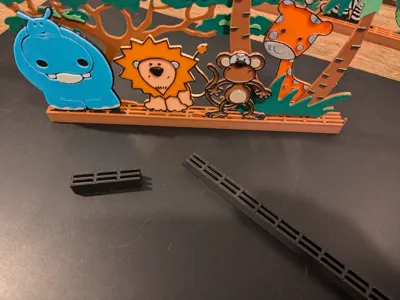
- Breaks down for storage - The rails and stand-ins are designed to attach and detach easily.
- Easy To Print - No Supports Needed. I use Standard .2 layer Height for everything.
How It Works
I created an Overview video:
Also, here is a video that shows how to Mirror(flip), Change Anchor Position, and Scale Stand-ins (All in Bambu Studio):
To get started: Find and print a pack of Stand-ins that fit a theme you want to use (or create your own), and print rails to create the base of the door corner. Then add the Stand-ins to the Rail to create your own Door Corner.
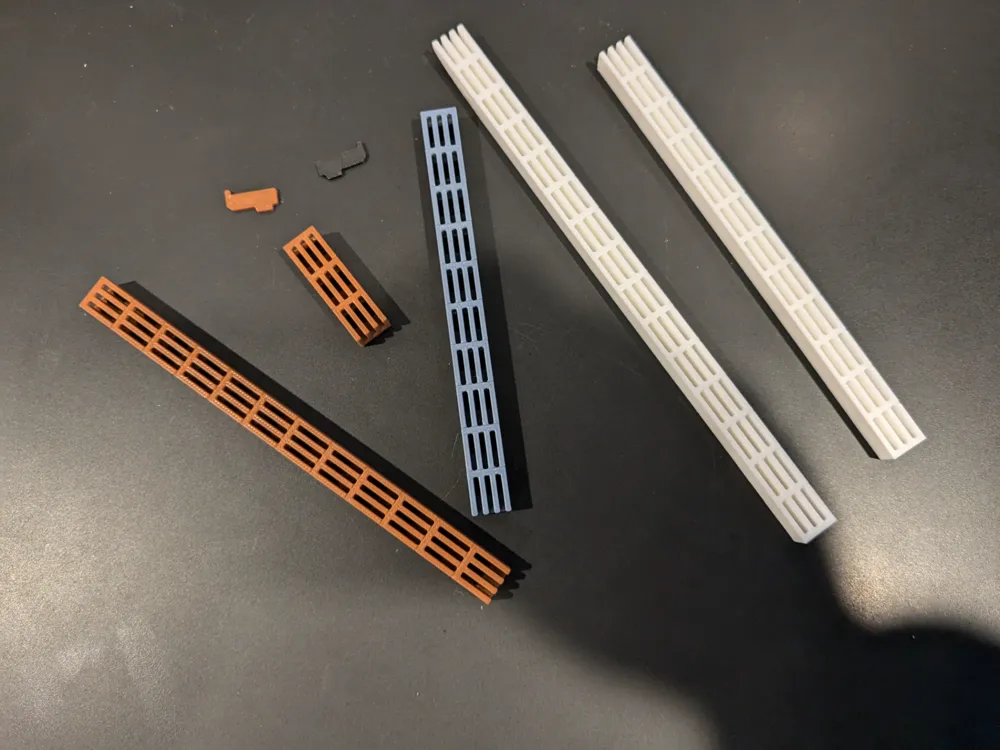
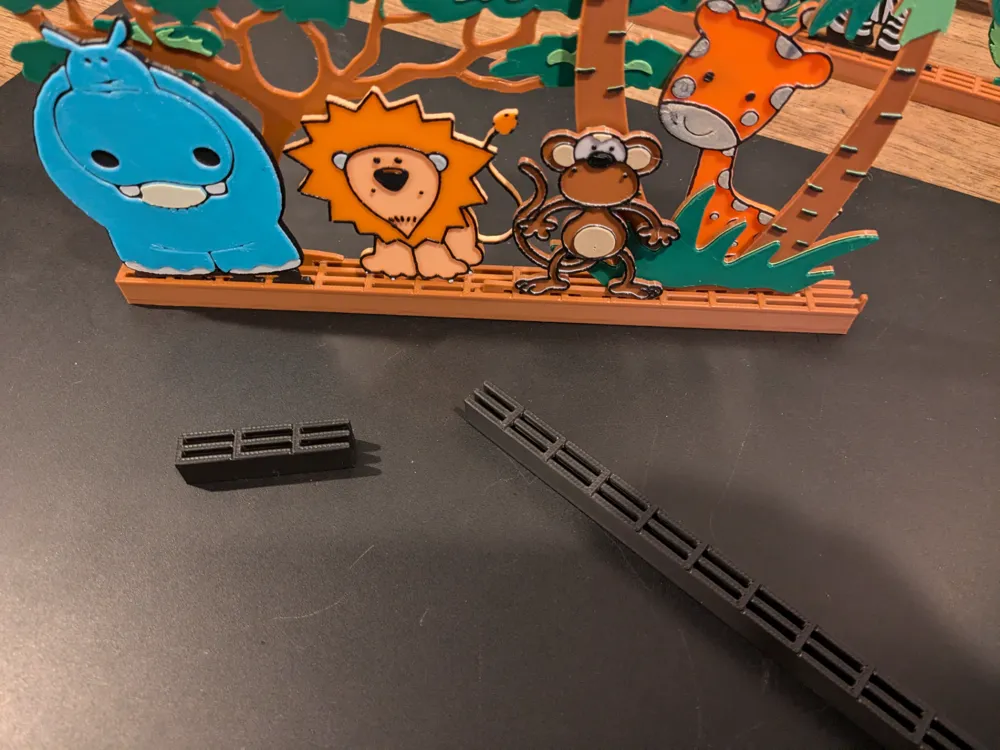
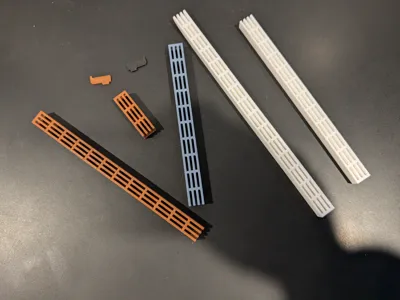
Rails = Rails form the base of the Door Corner, they have slots that the Stand-ins sit in (Horizontally or Vertically).
Rails come in different lengths and can be attached to each other via the Rail_Coupler to create the size you need. The Rails can also attach to each other at a 90 degree angle to form the corner.
I offer Rails with 3 different Slot counts (2 slot, 3 slot, and 4 slot). I consider the 3-slot the "standard" size. The slots allow the stand-ins to be layered when place (i.e. a stand-in can sit behind/in front of each other to create different effects).
All rails stand 10mm high. The print profiles have different length rails.
The width of the rails are as follows: 2 Slot = 9mm, 3 Slot = 12.6mm , 4 Slot = 16.2mm
The A1 Mini Profiles for the Rails don't include the longer rails. Possible could print the 210mm rail at angle (I don't have A1 mini to test).
How to attach rails
The Rail_Coupler "snaps" into the open end of the Rail in one of the slots. It is designed to be a tight fit, so some force is needed to get it seated (Setting it and then pushing down on table top to get it to set in, is technique I use). You can use more than one Rail_Coupler, one for each slot , but I typically just use one, for each connection, and it is fine, as there is no stress when the decoration just sits on the door frame. (NOTE: The rail coupler takes some stress when setting in place and joining rails, so may want to avoid Silk and Matte for the coupler)

Stand-Ins = Stand-Ins are the 'decorations' that make up your door corner (and are the real stars of the show). Each stand-in has an "anchor" that fits into the Rail Slot. This anchor was designed to allow the stand-in to attach to a rail that runs vertical and not fall out.
See the list above in the description of Stand-In packs around different themes.
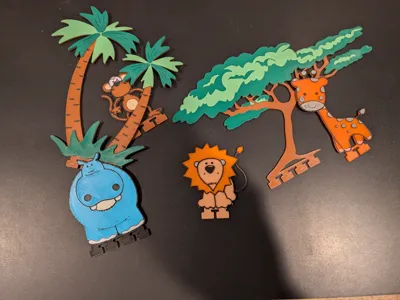
Safari Pack 1
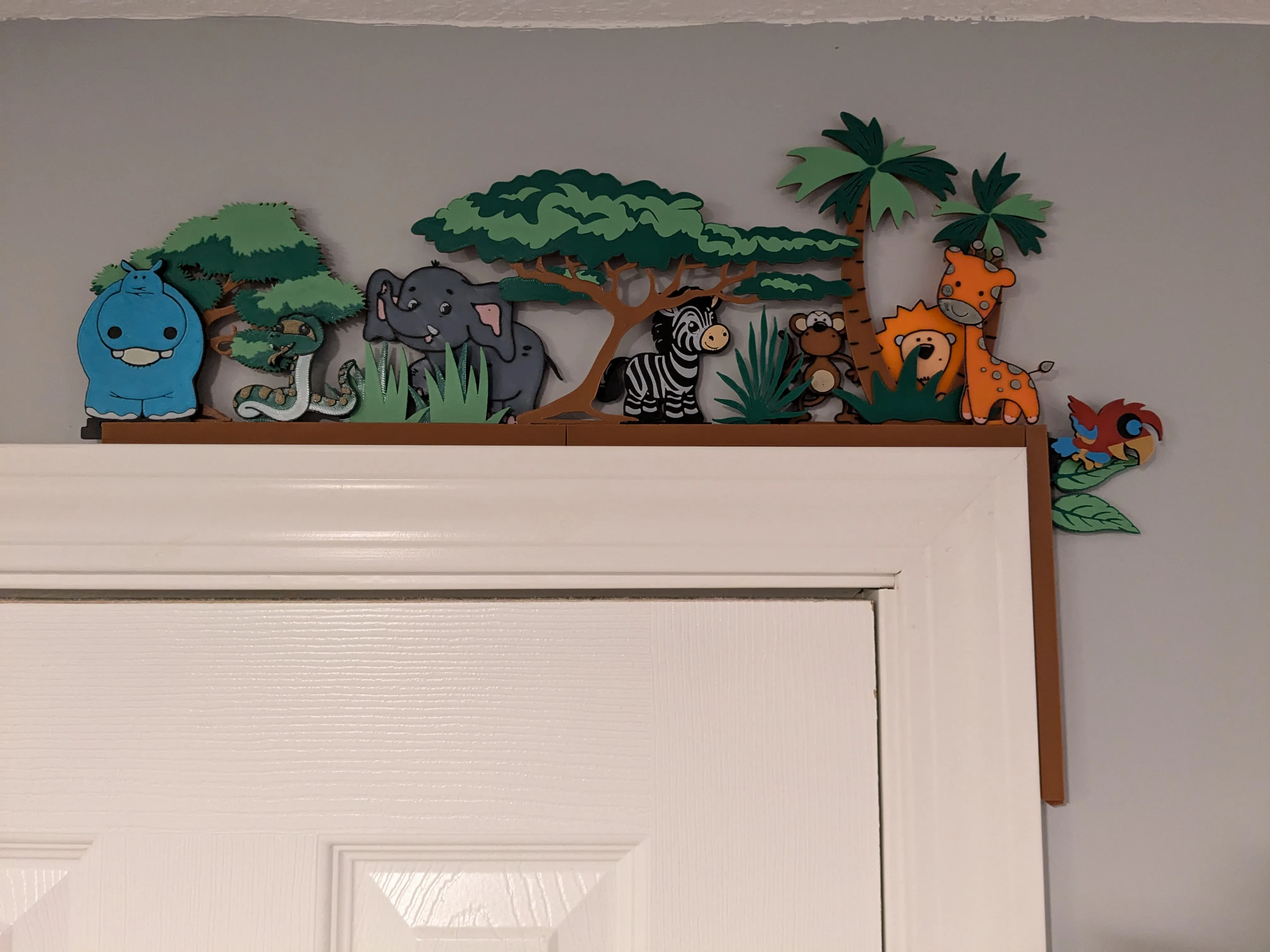
I've included profiles on this listing with an example Stand-in Pack (Safari Pack 1). Note, the A1 Mini profile does not include the 'Tree Wide' Stand-in, but otherwise they are same.
Printing
I print everything with .2 Layer Height, with various PLA.
The Stand-ins are designed to support multi-color by doing layer color swaps (less waste, and can be done without AMS if willing to do manual color swaps). The base color is 1.6mm (8 layers), with each additional "color" .4 mm, meaning each color after the first base will print 2 layers when using .2 layer height.
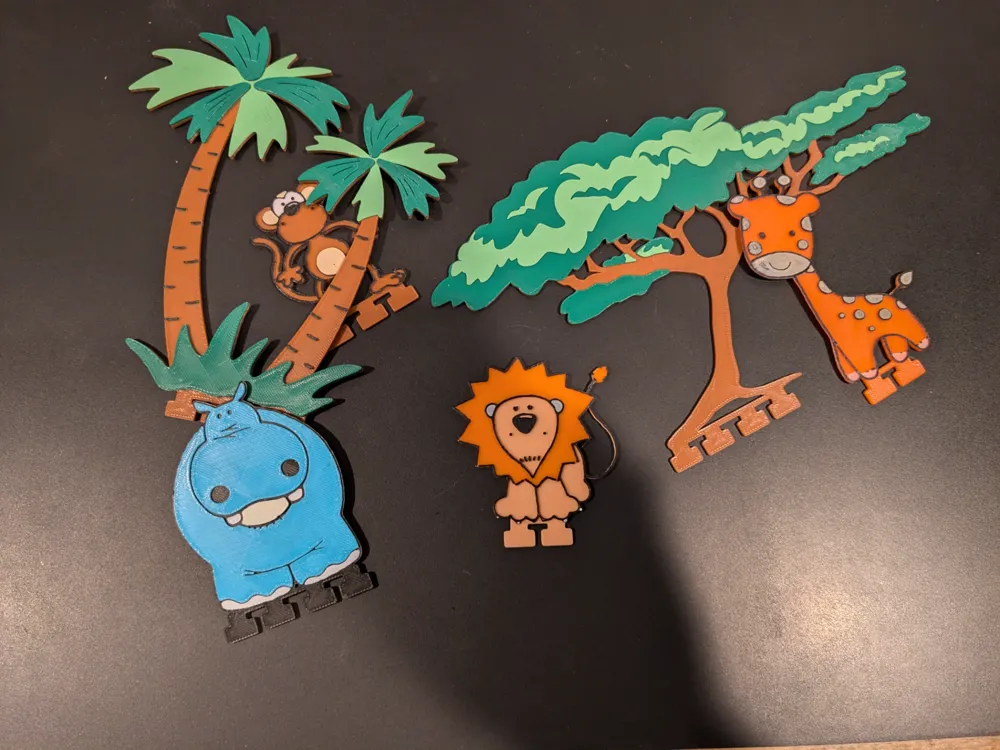
Here is a list of each Stand-in included in the Safari Pack1, along with color swaps, starting with the Base color and going up.
Use Bambu Studio/Slicer preview tab to ensure colors are set as expected before printing each plate.
(Note the colors referenced here are just what I used, obviously can choose any colors you want):
Hippo - Base (Black), Layer 9 (White), Layer 11 (Blue), Layer 13 (Beige)
Monkey - Base (Brown), Layer 9 (White), Layer 11 (Black), Layer 13 (Beige)
Giraffe - Base (Orange), Layer 9 (White), Layer 11 (Black), Layer 13 (Peach)
Lion - Base (Peach), Layer 9 (Orange), Layer 11 (Black), Layer 13 (Gray)
Split Tree - Base (Brown), Layer 9 (Light Green), Layer 11 (Black), Layer 13 (Dark Green)
Tree Wide (Non A1 Mini) -Base (Brown), Layer 9 (Dark Green), Layer 11 (Light Green)
If printing just single of each of these, suggested Rails are one Rail_3Slot_Length3_42mm for Vertical and one Rail_3Slot_Length15_210mm for Horizontal. Feel free to expand by combining stand-ins from Safari Stand-ins for Module Door Corner -Pack 2 by evets17 - MakerWorld or any other stand in pack:
Make your Own Stand-ins
This listing has a Standard License (No remix), however, check out one of my Stand-in Pack listings, those are posted with a remix license, so anyone can create stand-ins. On the Stand-in Pack listings will find .Step files for the Stand-in Anchors that work with the Module Door Corner rails.
Thanks
Thanks so much for reading. If anyone does take time to print this, I would love to see pictures in the comments on your creation. Happy Printing.
License

You shall not share, sub-license, sell, rent, host, transfer, or distribute in any way the digital or 3D printed versions of this object, nor any other derivative work of this object in its digital or physical format (including - but not limited to - remixes of this object, and hosting on other digital platforms). The objects may not be used without permission in any way whatsoever in which you charge money, or collect fees.


Comment & Rating (56)