Search models, users, collections, and posts

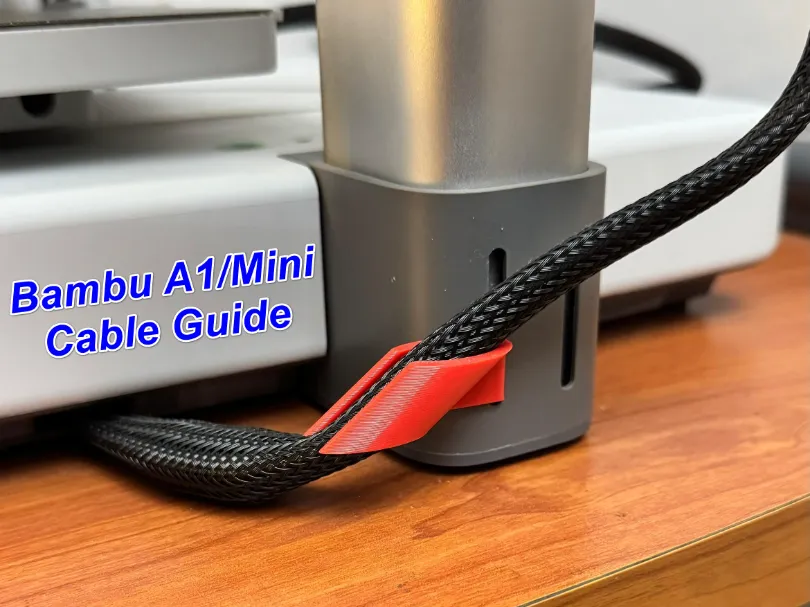
Bambu A1 - Cable Guide / Wire Manager
Print Profile(3)

All
A1
P1S
X1
X1 Carbon
A1 mini
P1P
H2D Pro
H2D
X1E
H2S
P2S
H2C
X2D
A2L

Updated Design -  (No Pop-out at Max Z Height) (Check Pic)
Updated Design - (No Pop-out at Max Z Height) (Check Pic)
Designer
17 min
1 plate
4.7(262)

For Thicker Cable Only - Check Pic & Description B4 Printing
Designer
18 min
1 plate
4.5(57)

Original Design - Suitable for the majority.
Designer
22 min
1 plate
4.7(325)

Open in Bambu Studio
Boost
1302
3535
903
204
4.7 k
4 k
Released 

Description

Boost Me (for free)

Boost me if you like this print. THANK YOU!

Boost Me (for free)

Boosting is always appreciated and make me happy :)

More designs for Bambu A1/Mini  (link below)
 

Cable SupportCable Support - Camera SidePoop BasketAMS Hub Support


1. Bambu A1 - Cable Support/Protector (Hotend Wire)

2. Bambu A1 - Cable Support/Protector (Camera Side) 

3. Bambu A1 - Poop Bucket (Honeycomb Design)

4.Bambu A1 - AMS Hub Support


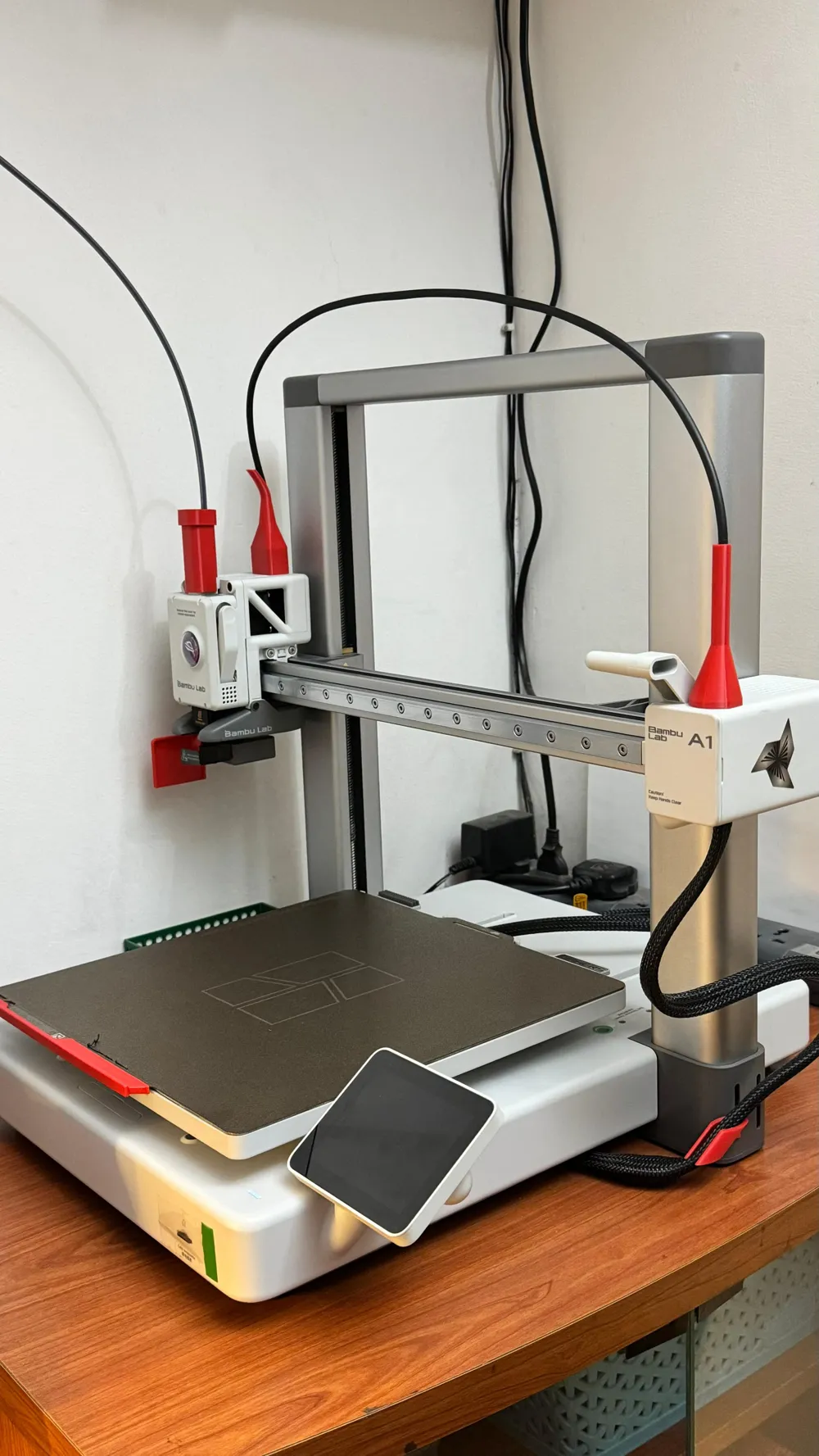
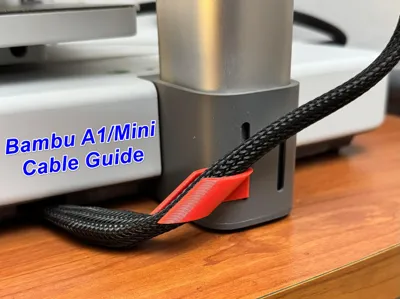
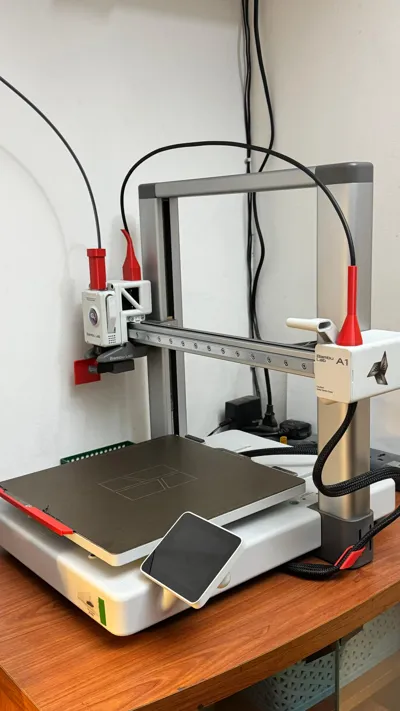
About the model - The model ensures your wire is secure and has a long life, while also making your setup look neat and organized.


Original Design - Suitable for the majority - To install this component correctly, begin by inserting the right side first, then firmly push the left side in. If needed, use sandpaper or a file on the left side to achieve a snug fit. Please note: The design of this part ensures that, at the maximum Z height, the wire will POP-OUT. This feature is intended to prevent damage to both the wire and the printer. Therefore, avoid installing the part upside down.

Updated Design - (No Pop-out at Max Z Height) (Check Pic) - The setup has been tested for both maximum and minimum Z-height (see picture) and is functioning as intended. To install it, begin by inserting the right side first, followed by firmly pushing in the left side. If needed, you can file or sand the left side to achieve a snug fit.


Boost Me (for free)

Boost me if you like this print. THANK YOU!

Comment & Rating (903)

(0/1000)

Pinned by Designer
Superior. I had printed a few different designs prior and wasn't happy with any of them. This one clips in firmly, doesn't fall out and doesn't cause any cable tension when the printer head is at the top of its range. Thankyou!
The designer has replied
designer
1
Reply
Thank You !
0
Reply
Boosted
it’s seems too short? z on max top
The designer has replied
designer
1
Reply
@shaq It is not short, it is designed in that way. Please read the (Please Note) section in the description.
1
Reply
Boosted
okay, I accept it :) good work!
designer
1
Reply
Thank you 🙏
0
Reply
Boosted
Works Great, but does not fit the wider part of the cable, which is on a different position than your pictures.
The designer has replied
designer
1
Reply
@Lars1994 the fat part of the cable in my machine is very near to the base as compared to yours. If you measure the cross section then I can design a part specifically for you and may help other users with the same issue.
0
Reply
Boosted
Replying to @anirban17aug :
Wow, thank you for the quick reply. The fat part is some mm higher than it is wide. This is what I was able to measure. Maybe add some tolerance of + 0.3 mm? Thank you for your help.
(Edited)
designer
1
Reply
Replying to @Lars1994 :
@Lars1994 Print profile for thicker cable added as per the dimension you provided. Can you print > test and let me know if any refinements are needed ? Also, please share pics, I will add to the profile.
0
Reply
Boosted
Simple quick and easy Perfect
The designer has replied
Show original
designer
2
Reply
@Ikowa Please install it other way around. When the z height is at max it is designed for the wire to come out of the opening. In your current setting it will snap the print.
0
Reply
Boosted
Replying to @anirban17aug :
Thanks for the heads up!! I've already changed it
Show original
designer
1
Reply
Perfect thank you!
The designer has replied
designer
2
Reply
thank you
0
Reply
it’s nice
designer
1
Reply
Print Profile
Updated Design - (No Pop-out at Max Z Height) (Check Pic)
Excellent, perfectly resolves the issue of the original version's highest point detaching, thank you for sharing👍
The profile uploader has replied
Show original
0
Reply
Nice that you printed both. Thank you for the support. What is the orange bracket that I see on the camera side, in the picture ?
0
Reply
(Edited)
Show original
0
Reply
Replying to @tiger_kmz :
Thanks, i feel that is too much weight on that part. I agree its sturdy though.
0
Reply
After moving it back one notch, installing it in reverse seems workable Even at its highest point, the cable still has clearance, and at its lowest point, it can avoid hitting the AMS lite Under testing
The designer has replied
Show original
designer
1
Reply
I don't recommend it. So try it at your own risk. I am designing one which should allow something to stay at max Z height. Till then let me know how does your experimenting goes
1
Reply
Replying to @anirban17aug :
Check-out the updated design
0
Reply
Print Profile
Original Design - Suitable for the majority.
Good fit and all but when the extruder is all up the harness is really stretched. Is this normal?
The profile uploader has replied
profile
1
Reply
Yes, it is by design. You can read the description Thank you
0
Reply
Replying to @anirban17aug :
Check-out the updated design
0
Reply
Print Profile
Updated Design - (No Pop-out at Max Z Height) (Check Pic)
Simple easy print that fit. let's see how long it will last.
The profile uploader has replied
profile
1
Reply
It should last you long. Thanks for the comments
0
Reply
Print Profile
Updated Design - (No Pop-out at Max Z Height) (Check Pic)
Great model and profile! Now I can bring the two printers closer together without fear of them getting stuck against each other 😊
The profile uploader has replied
Show original
profile
1
Reply
Great, do just other models as well. Thanks
(Edited)
1
Reply
Print Profile
For Thicker Cable Only - Check Pic & Description B4 Printing
Works well with the fat part of the cord. It's a nice design, but could use some minor tweaks. The back clip feels pretty secure and takes quite a bit of effort to put in and out, but it's the only support. Sadly, the forward "tab" doesnt have a lip or anything to hold it in place, so it kind of just naturally wants to separate from the unit. Overall, it does the job better than my previous model and doesn't seem to be going anywhere. Made with eSun PLA+ (Milky White). New Bambu A1 bought before Jan. 2026.
The profile uploader has replied
profile
1
Reply
Thanks for detailed feedback. This will help users who have the fat part of the cord at the different place than other. I kept it open without a lip so that at max z height the wire pops outs without damaging the printer, print or the wire.
(Edited)
1
Reply

License

This user content is licensed under a Standard Digital File License.

You shall not share, sub-license, sell, rent, host, transfer, or distribute in any way the digital or 3D printed versions of this object, nor any other derivative work of this object in its digital or physical format (including - but not limited to - remixes of this object, and hosting on other digital platforms). The objects may not be used without permission in any way whatsoever in which you charge money, or collect fees.