
A1 Purge Waste Bin and Deflector






Print Profile(12)
![Standard version [A1]](https://makerworld.bblmw.com/makerworld/model/US5db80df2623e3d/815371407/instance/2024-07-28_7305f9addd1cb.jpg?x-oss-process=image%2Fresize%2Cw_100%2Fformat%2Cwebp)
![Z-axis stiffener version [A1]](https://makerworld.bblmw.com/makerworld/model/US5db80df2623e3d/815379141/instance/2024-08-11_0570924016323.jpg?x-oss-process=image%2Fresize%2Cw_100%2Fformat%2Cwebp)
![Standard version [X, P, H]](https://makerworld.bblmw.com/makerworld/model/US5db80df2623e3d/803413801/instance/2024-12-16_8becd5dfa9f57.jpg?x-oss-process=image%2Fresize%2Cw_100%2Fformat%2Cwebp)
![Z-axis stiffener version [X, P, H]](https://makerworld.bblmw.com/makerworld/model/US5db80df2623e3d/803414714/instance/2024-12-16_69f3bf0f63896.jpg?x-oss-process=image%2Fresize%2Cw_100%2Fformat%2Cwebp)
Description
Introduction
Please read and follow the instructions below before printing.
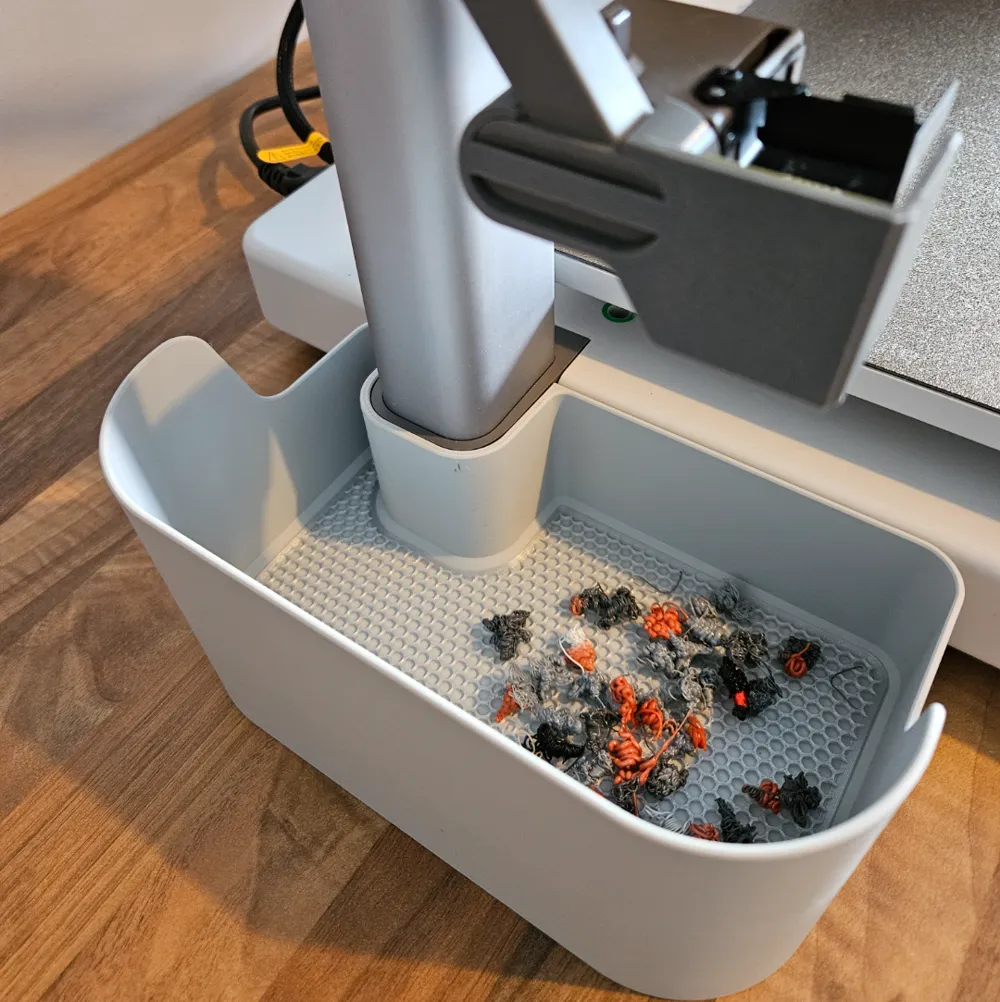
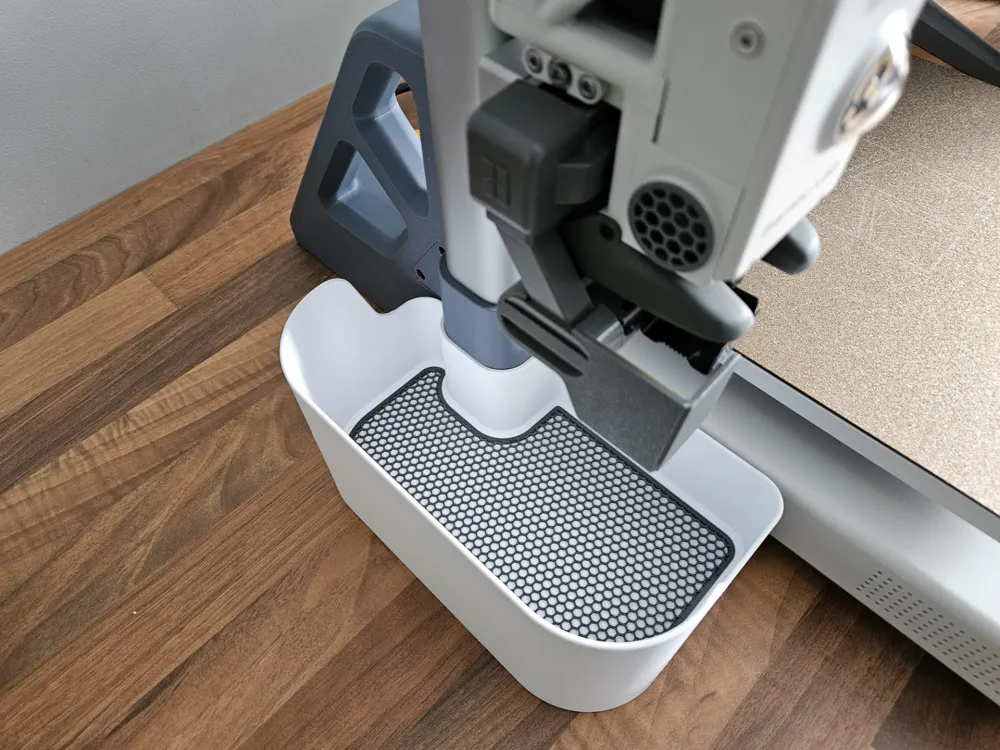
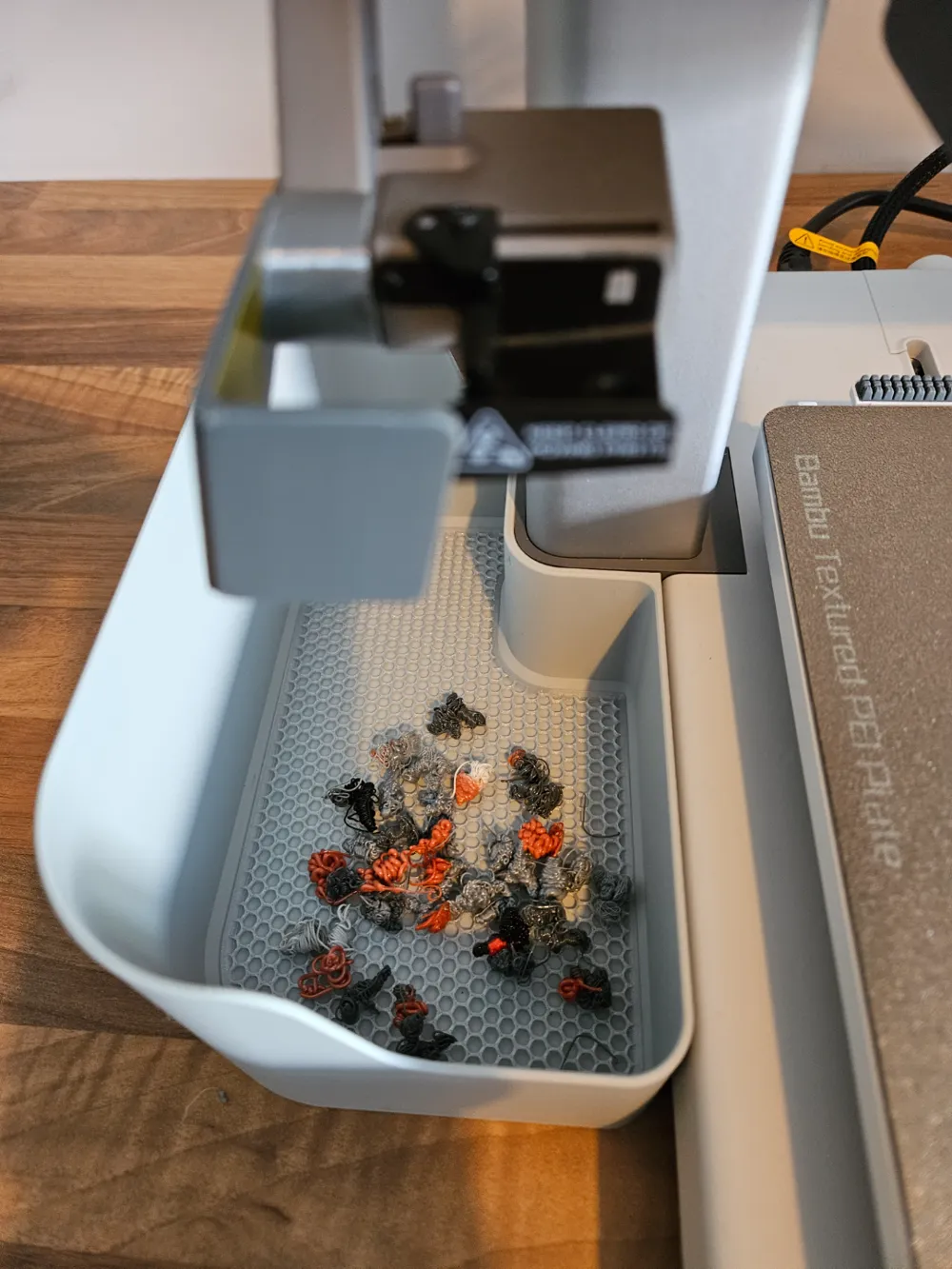
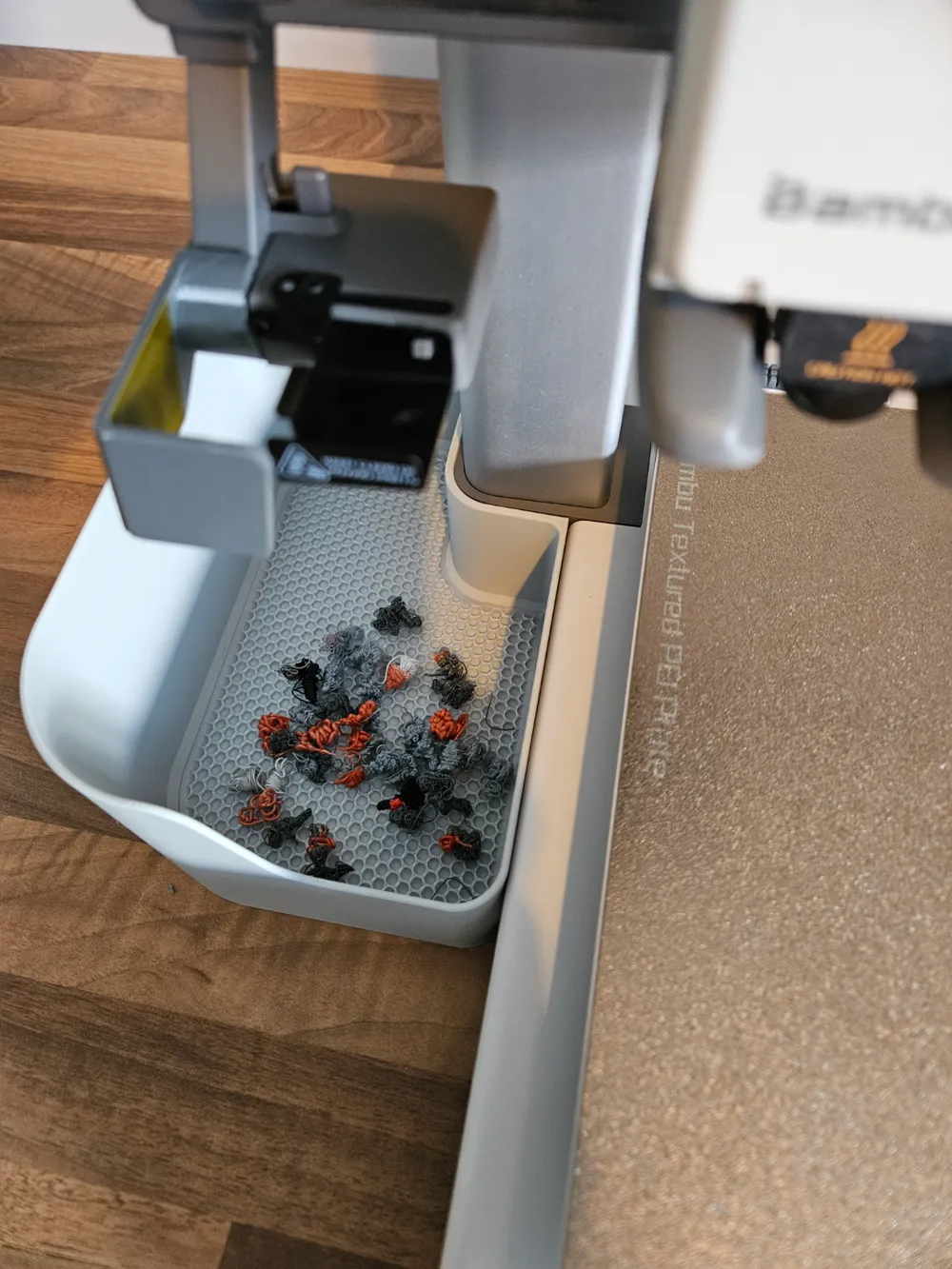
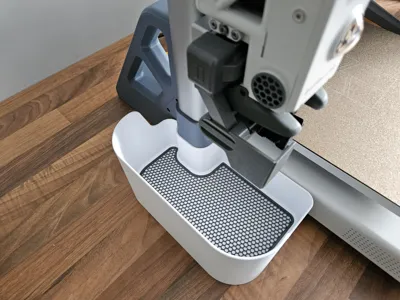
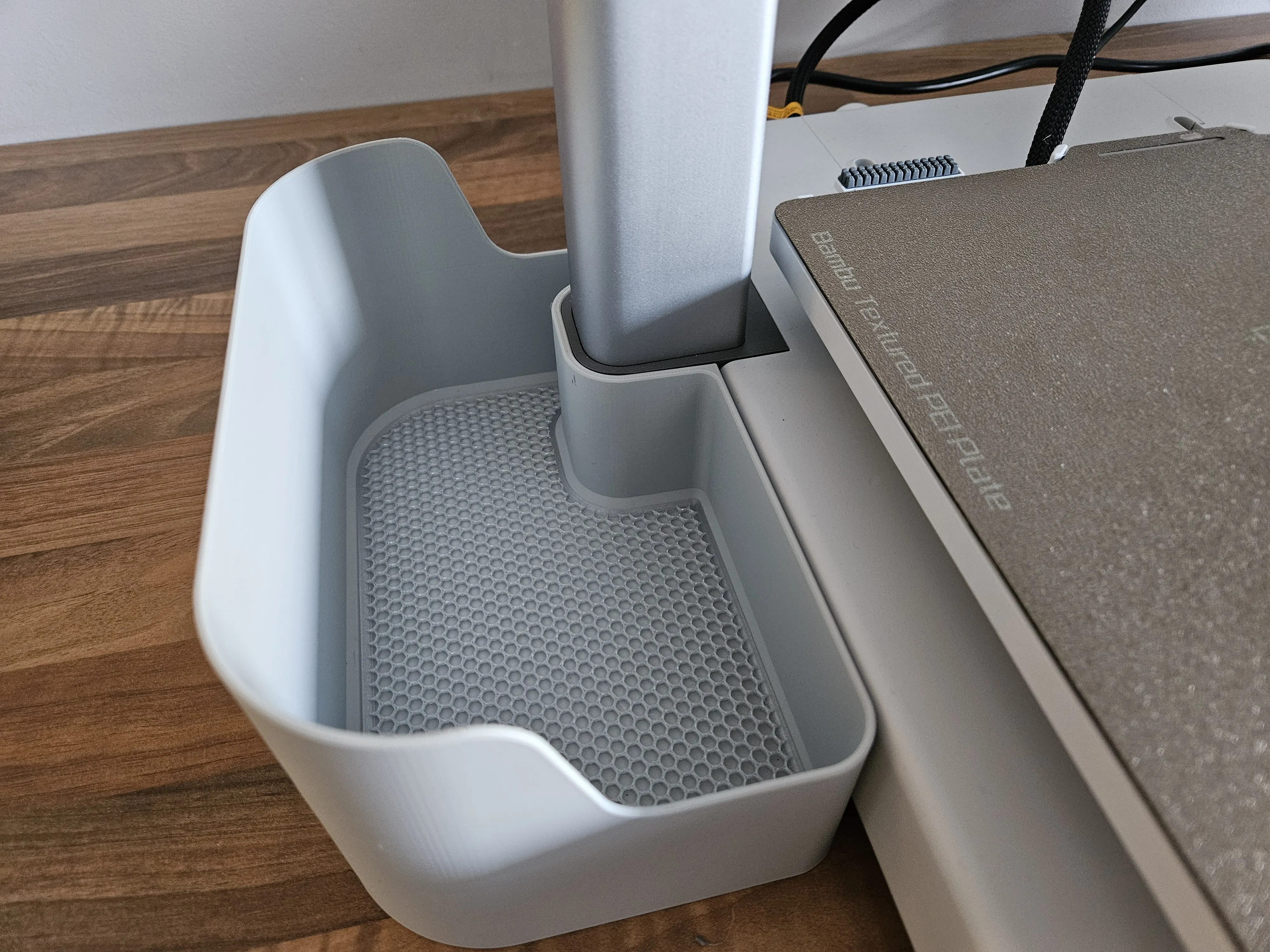
A purge bin and deflector for the Bambu A1 printer with a clean look designed to complement the aesthetic of the A1 printer
Please note that this will only fit the A1 and will not fit the A2L (or the A1 Mini)
I really liked the A1 Poop / Purge Management System (PMS) from thrutheframe - , but I wanted a cleaner look, a slightly smaller bin, and for it to line up with the top of the z-axis moulding. I also found that over time the poop deflector became a little loose.
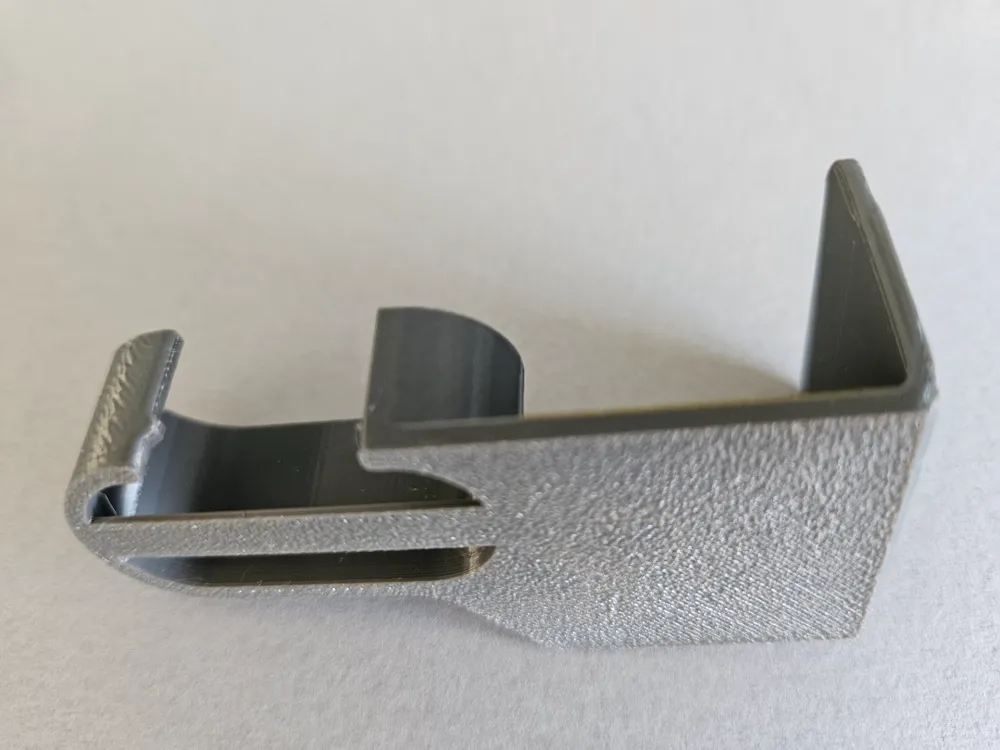
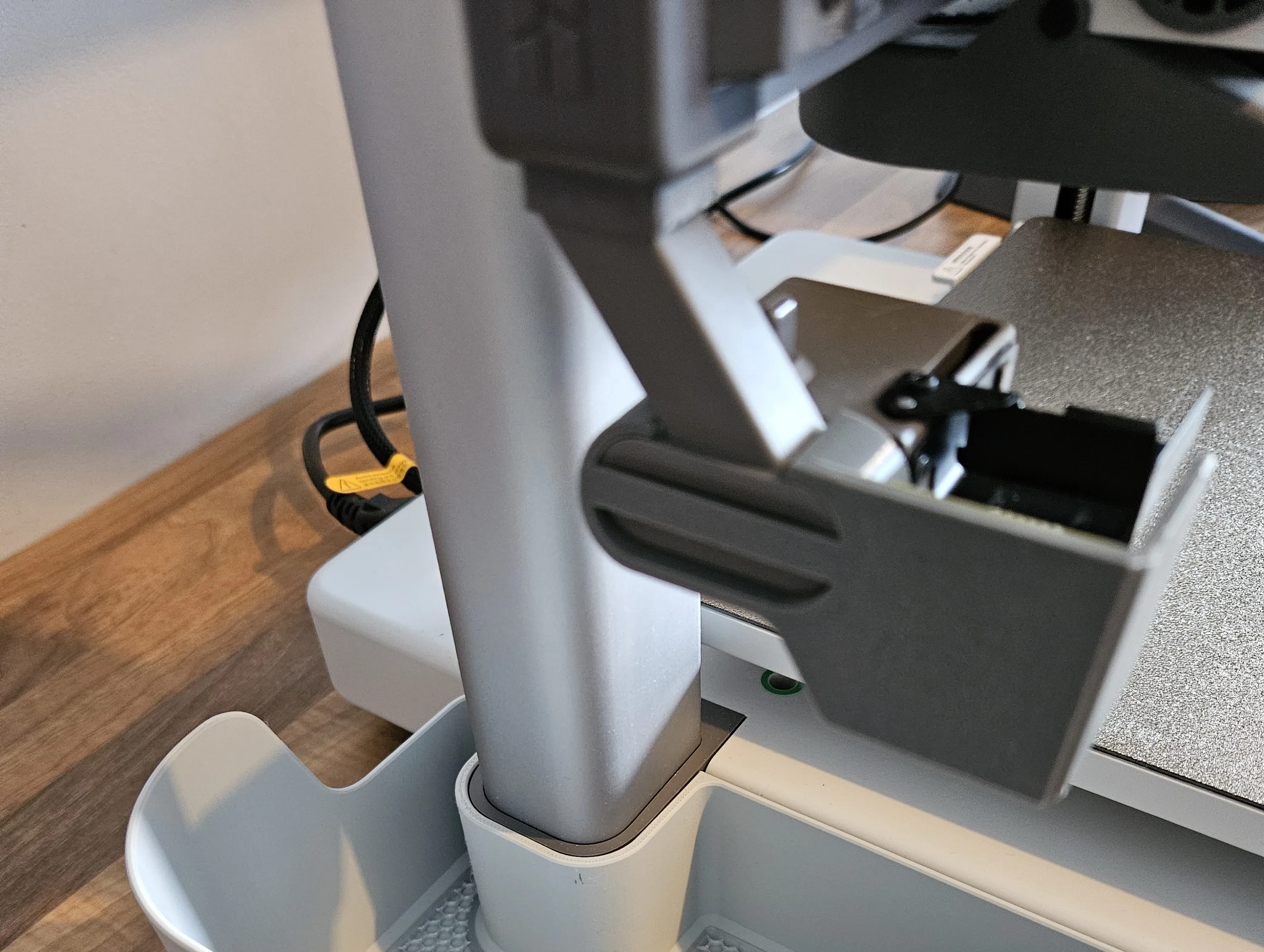
This consists of a purge bin, an optional protector for the base of the purge bin and a purge deflector that clips on to the purge wiper. The deflector locks in place by means of a small nub on the rear of the mounting, the addition of a strengthening bar in the middle should prevent the mounting from deforming over time. Occasionally a hot sticky purge, particularly TPU, would stick to the base of the bin and it's removal would cause a little damage, so I added the optional base protector, which I printed in PETG. This aids in removal and is also easily replaced if it becomes damaged.
There are two versions available: the Standard version which surrounds the z-axis, and the Z-axis stiffener version that leaves clearance around the Z-axis to accomodate the AMS lite Top Mount Z-axis stiffener bracket


Instructions
Please be aware that a number of the third party Print Profiles have issues and may lead to an unsatisfactory experience, such as printing the base protector as a solid block, rather than a honeycomb mesh. In particular A1 mini - 85% - 0.2mm layer, 2 walls, 10% infill Print Profile, which has been scaled down to 85% and therefore will not fit around the Z-axis.
- Select from the Designer supplied Print Profiles as follows:
- Printing on an A1 or A2L
- Standard version [A1] - No AMS lite Top Mount
- Z-axis stiffener version [A1] - AMS lite Top Mount installed
- Printing on an X, P, or H series printer
- Standard version [X, P, H] - No AMS lite Top Mount
Z-axis stiffener version [X, P, H] - AMS lite Top Mount installed
- Printing on an A1 or A2L
- I recommend printing the deflector and base protector in PETG
- Print plate 1 (the bin), plate 3 (the deflector), and optionally print plate 2 (the base protector - note that the honeycomb pattern is created in the slicer, so it will appear solid until sliced)
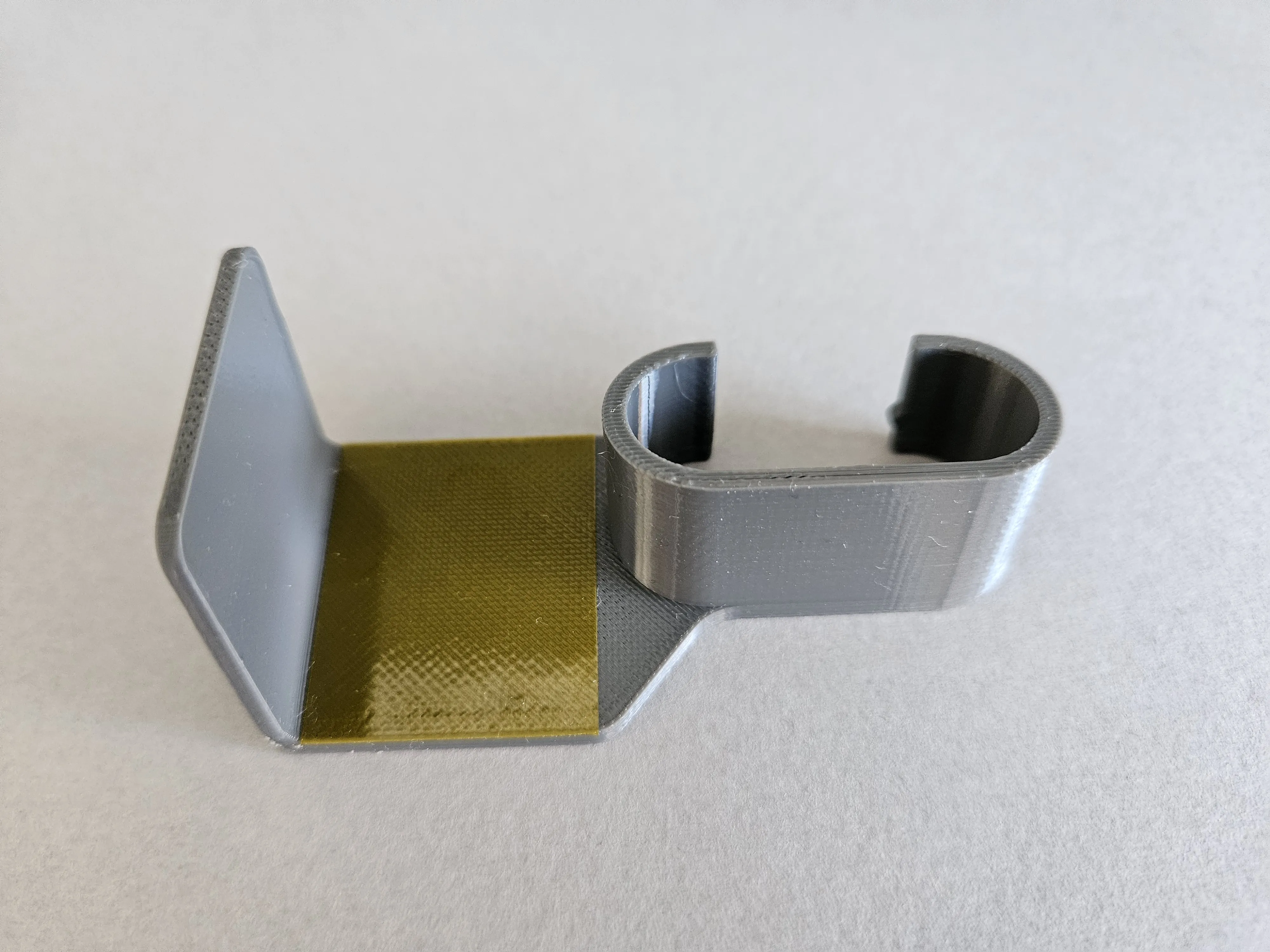
- It is highly recommended to place a piece of tape (kapton, aluminium or some other heat resistant tape) onto the purge deflector as shown below. This reduces the chances of purge waste sticking to the wall of the deflector
- Clip the deflector on to the purge wiper, there is a small nub on the deflector, at the back, that will lock it in place
- Optionally place the base protector in the bin
- Finally place the bin in place around the z-axis and enjoy a lovely clean workspace.
An attachment to clip the Bambu scraper on to the edge of the bin can be found here - Clip-on Bambu Scraper Holder

Featured Filaments
- Hatchbox Matte PLA Grey
- Fiberlogy Easy-PETG Silver
- Fiberlogy Easy-PETG Graphite
- eSun PLA+ Cold White
This remix is based on


License



Comment & Rating (14471)