Search models, users, collections, and posts

Filament Clip for bambu spools
GIF

Print Profile(7)

All
P1S
H2S
H2C
H2D Pro
X1 Carbon
A1
X1E
X1
H2D
A1 mini
P2S
P1P
X2D
A2L

10x Filament clip + 1x Remover
Designer
51 min
1 plate
4.9(932)

Clear PETG Translucent — 10 Filament clips + 1 Remover
1.7 h
1 plate
4.8(42)

0.2mm layer, 4 clips 1 remover
22 min
1 plate
4.8(40)

ABS, 0.24mm layer, 2 walls, 8% infill
26 min
2 plates
4.8(28)
Click to see more

Open in Bambu Studio
Boost
1764
5720
1391
715
9.3 k
7.5 k
Released 

Description

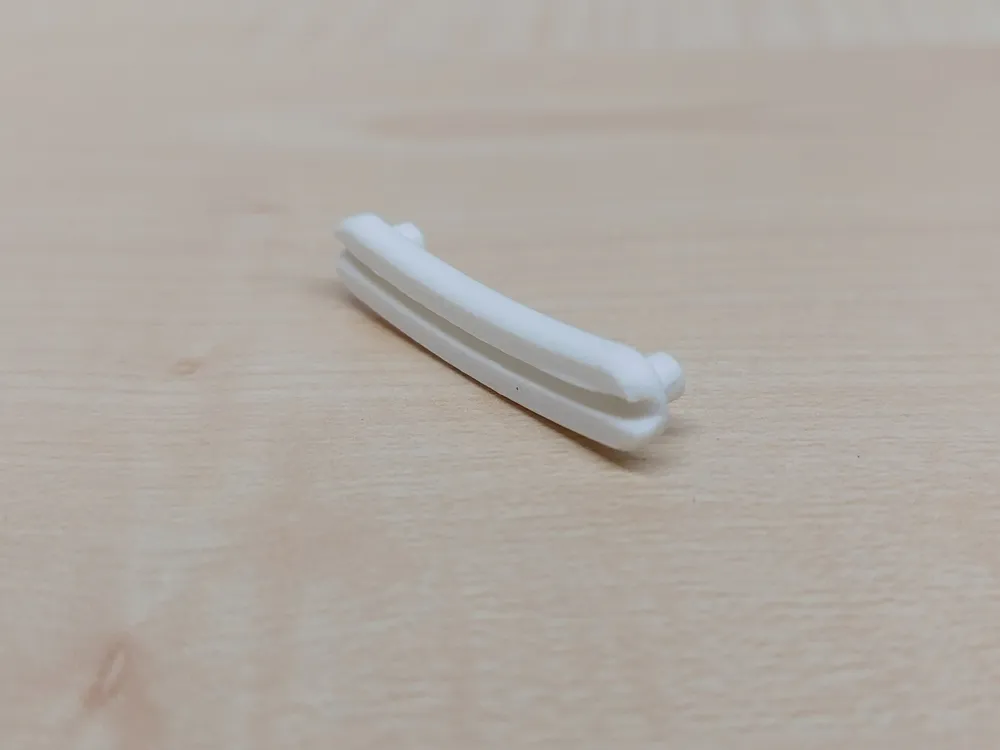
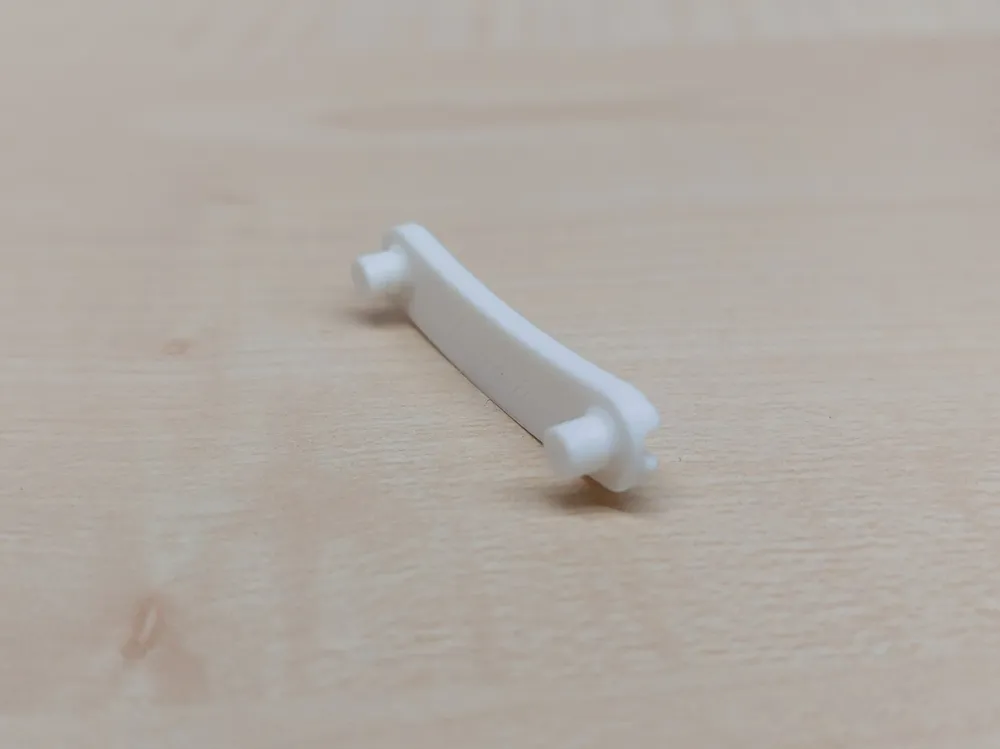

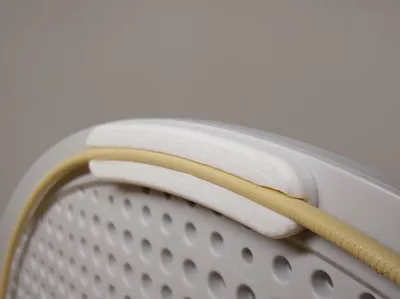
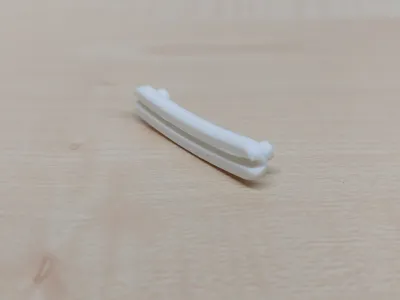
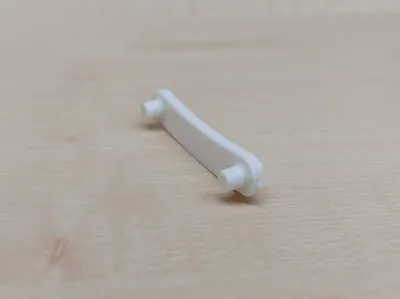
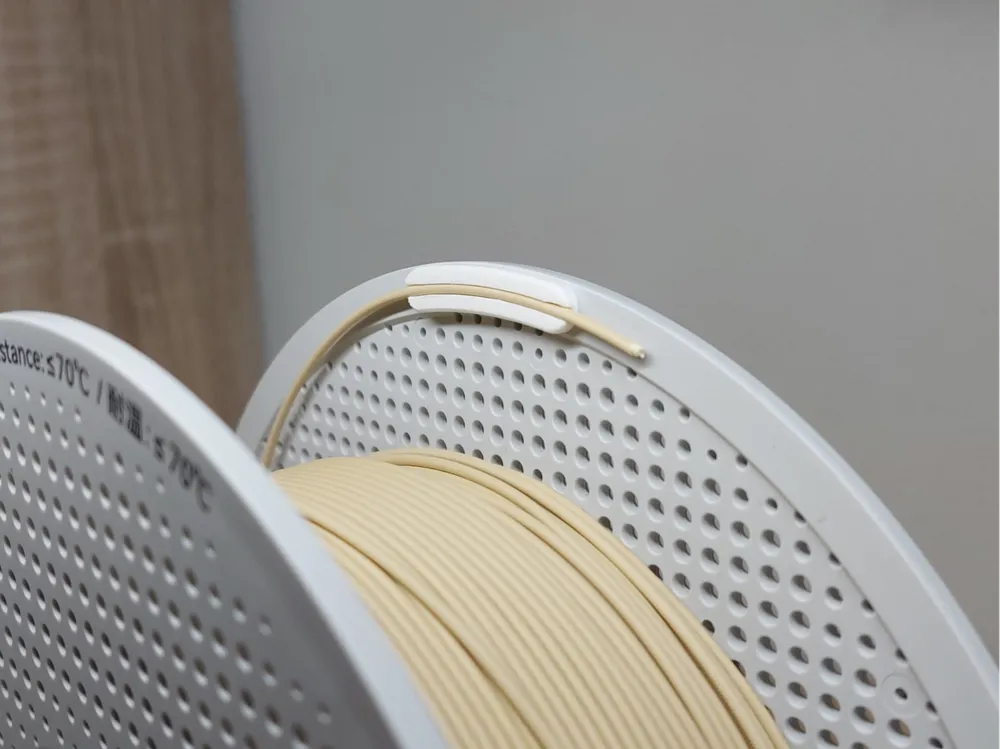
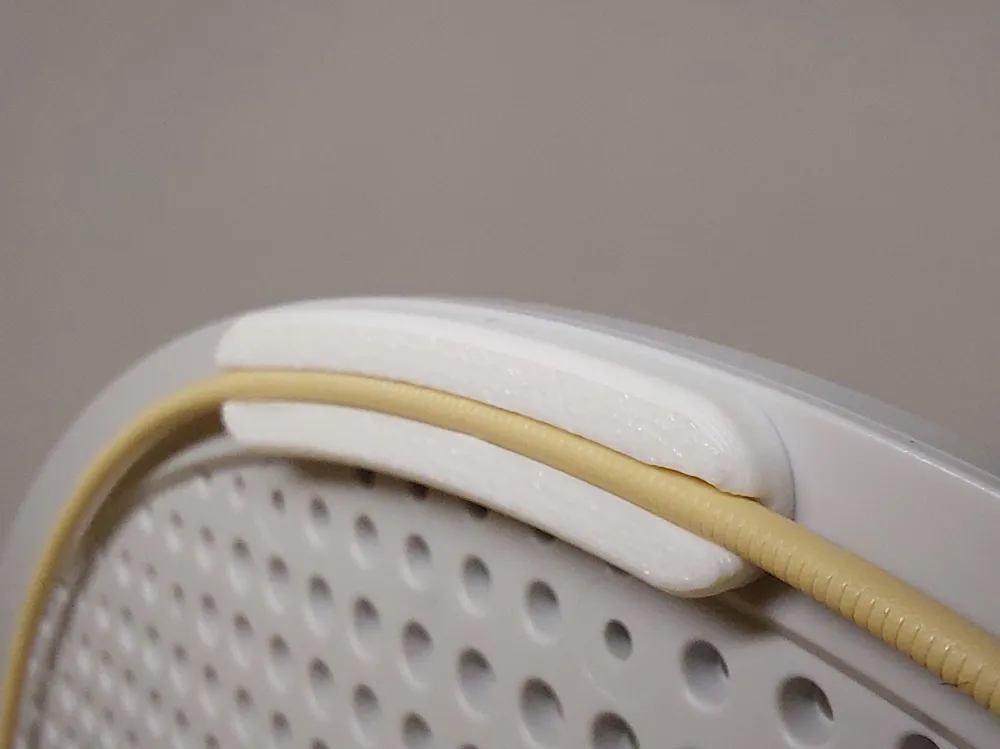
This filament clip is designed in such a way that you can easily press it into the holes of the Bambu Lab spools. Then the filament can be clipped into the holder or you can push the filament sideways through it. This prevents uncontrolled unwinding.

It can be left permanently on the spool without causing any issues, even in the AMS. Important!!! It may only be placed on the right side of the spool (As can be seen in the GIF). If it is placed on the other side, it will get stuck in the AMS. 

There is a big problem with the new AMS 2 Pro. In the old AMS, the guide is placed in such a way that you have to use the clip on the right side everywhere. In the new AMS 2 Pro, it is unfortunately the case that the guides are not always on the same side, which means that the clip has to be placed differently depending on the compartment. (see image of AMS 2 Pro)
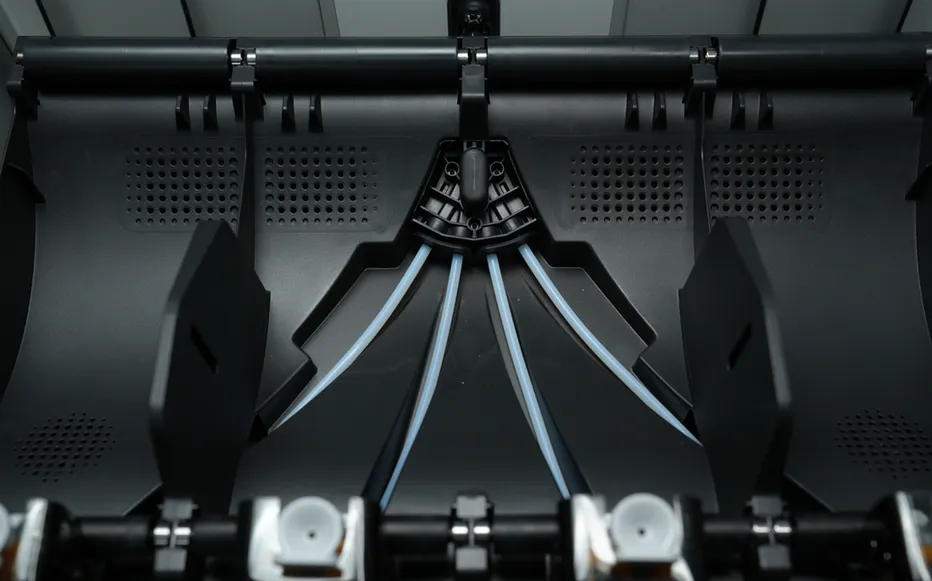
image-2.png
https://makerworld.bblmw.com/makerworld/model/DSM00000000521654/design/c4ff2fec-95ea-4908-b098-e4226873aa8a.png

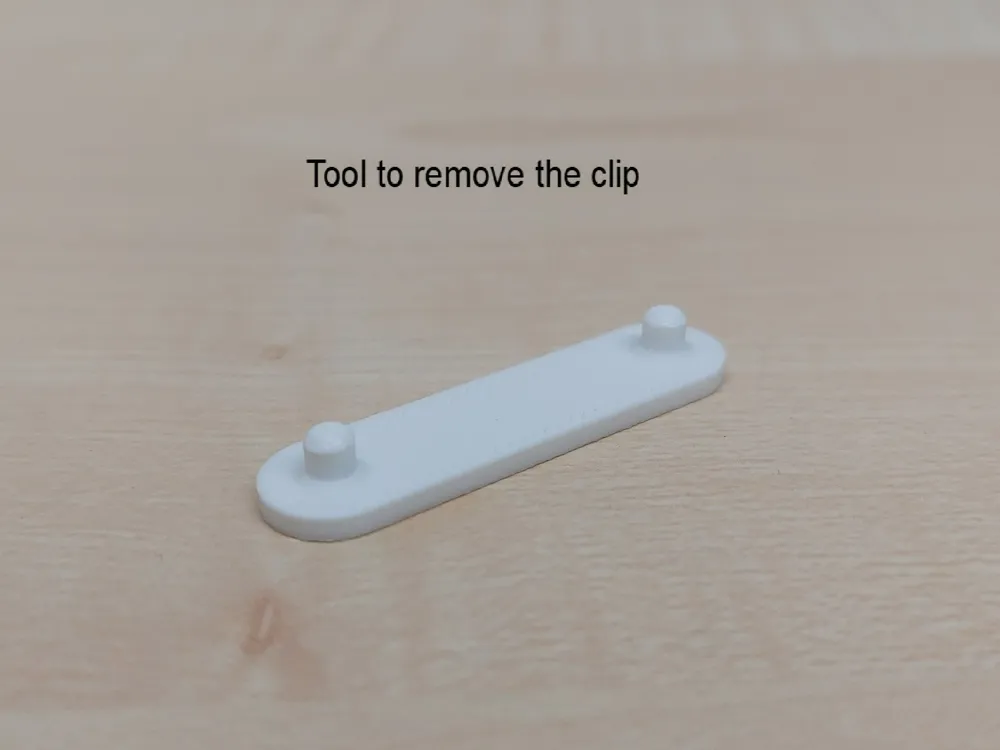
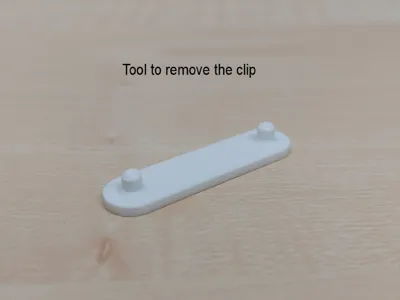
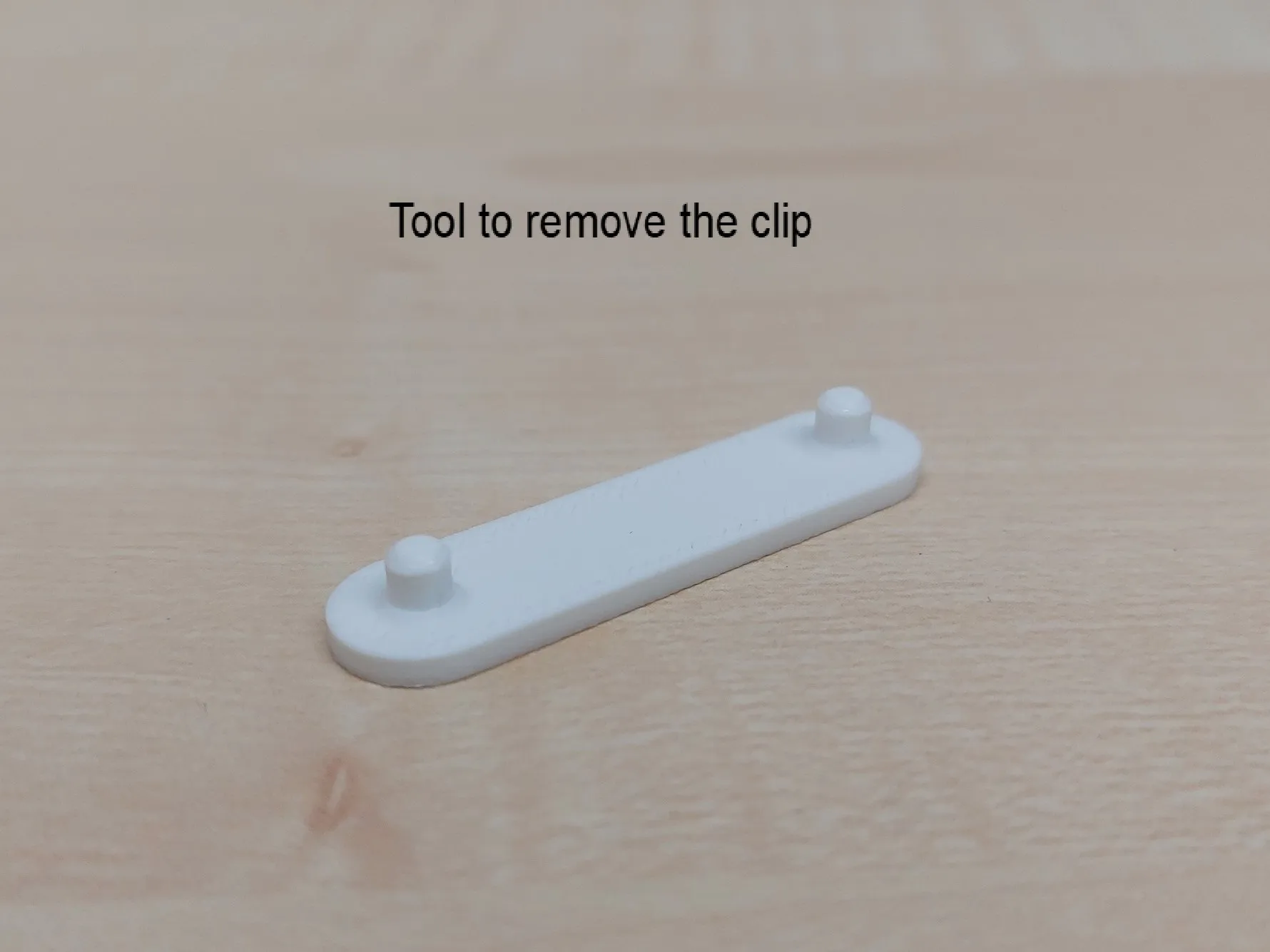
In case you want to remove the clip from the spool, I have created this here. It is needed because the clips clamp very stable in the spool.
Printing setting

-Layer height: 0,12 mm

-Infill: 50%

For the rest you can use standart settings

Comment & Rating (1391)

(0/1000)

Print Profile
10x Filament clip + 1x Remover
Thanks for the model! This is the 5th filament clip I've printed, almost the best. But two fatal flaws: 1. If you use AMS, you can only use the 2 sets of holes on R, 180° apart; AMS gets stuck if you insert on L side. 2. Only works w/ Bambu Lab spools. I LOVE this solution, super simple and elegant. Sadly, it's a no-go d/t above flaws. For non-AMS users it might be a great solution!
(Edited)
The profile uploader has replied
7
Reply
I'm glad you like the model. Since I unfortunately forgot to mention it first, I would like to point out that if you want to use the spool in the AMS, then you have to place the filament clip on the right side (seen from the front), otherwise it will get stuck in the AMS. So you shouldn´t place 4 clips per roll.
(Edited)
4
Reply
Replying to @Florian566 :
Thanks for letting me know. That's a bummer; that does seriously limit the usefulness, as there are only 2 locations per spool 180° apart, and it's 50/50 whether the clips will be in a convenient location to the end of the filament.
(Edited)
4
Reply
Replying to @Florian566 :
Yikes! OK then. Thanks for the heads up.
(Edited)
1
Reply
Print Profile
10x Filament clip + 1x Remover
Printed in ASA so I don’t need to worry about them melting in a dryer. Came out great!
4
Reply
Boosted
Print Profile
Clear PETG Translucent — 10 Filament clips + 1 Remover
fit nicely onto Bambu spools
profile
1
Reply
Do they fit (and stay) on the cardboard spools like you have behind the first one in the photo?
(Edited)
1
Reply
Boosted
Replying to @JonesFam3D :
No, they do not, those spools have different dimensions than the Bambu Lab ones
(Edited)
2
Reply
Print Profile
Flat Back Version x4 | Super Glue
I glue these to all my spools that need them. They are great. Thanks very much.
2
Reply
Do you know why there is a hole in this model or why it slices with a void and bridge here ? I was wondering why my plates kept failing trying to print this. 100% infill it leaves this void for 1 layer at .2.
The designer has replied
0
Reply
The hole wasn’t intentional. I made a mistake in the CAD program that I never noticed. I fixed it immediately. I also ran a test and found that the hole doesn’t affect the stability at all. Still, it’s obviously better if the hole isn’t there in the first place. I hope your print won’t fail anymore. Thanks a lot for your comment!
0
Reply
Replying to @Florian566 :
Will check it thanks, I was having some pegs break off at this location also when removing from spools
0
Reply
Boosted
Print Profile
10x Filament clip + 1x Remover
printed a dozen of them only the ams hate them . ams gets stucked. :( thanks for the print
The profile uploader has replied
0
Reply
Did you place the Clip on the right side of the spool?
0
Reply
Boosted
Replying to @Florian566 :
lol ... ;) it works perfect haha boost for u
(Edited)
1
Reply
Print Profile
10x Filament clip + 1x Remover
Printed in PETG and they fit onto the Bambu spools perfectly. Lost count on how many I have printed so far. Thanks!
2
Reply
Print Profile
10x Filament clip + 1x Remover
Simple and working.
2
Reply
Print Profile
Clear PETG Translucent — 10 Filament clips + 1 Remover
Printed perfectly using BambuLab's PETG HF Translucent Clear.
profile
1
Reply
Print Profile
Clear PETG Translucent — 10 Filament clips + 1 Remover
Hello, Precise part, the filament holds well. On the other hand, the tool in my case is not useful to me because the clip does not hold too well on the spool!
Show original
profile
1
Reply

License

This user content is licensed under a Standard Digital File License.

You shall not share, sub-license, sell, rent, host, transfer, or distribute in any way the digital or 3D printed versions of this object, nor any other derivative work of this object in its digital or physical format (including - but not limited to - remixes of this object, and hosting on other digital platforms). The objects may not be used without permission in any way whatsoever in which you charge money, or collect fees.