
3D Printing level UP! - Full color on ANY printer
Print Profile(1)
Description
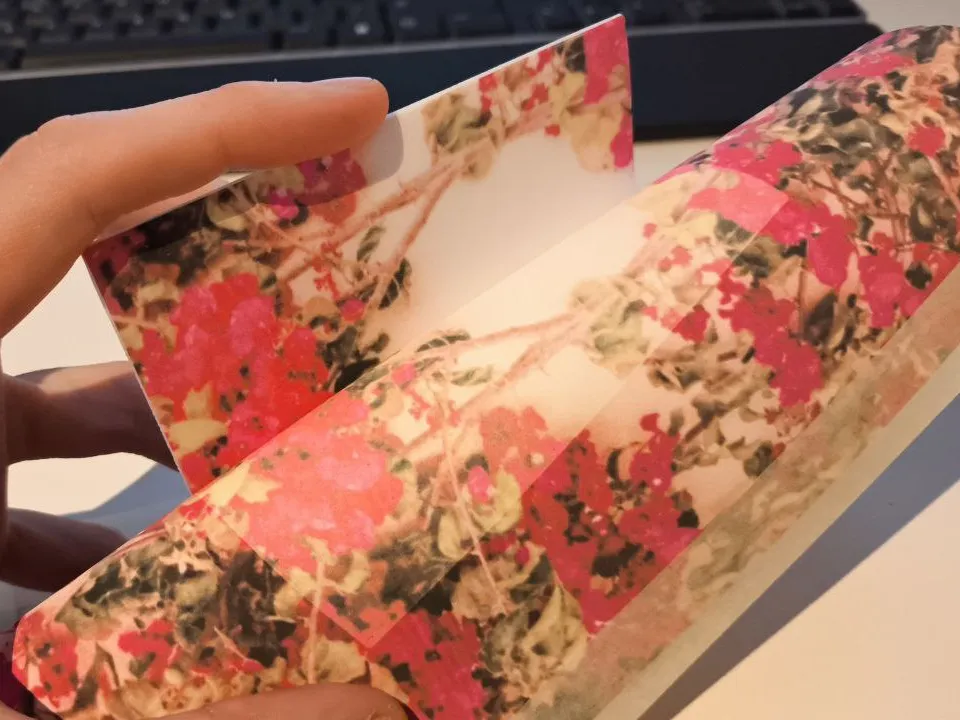

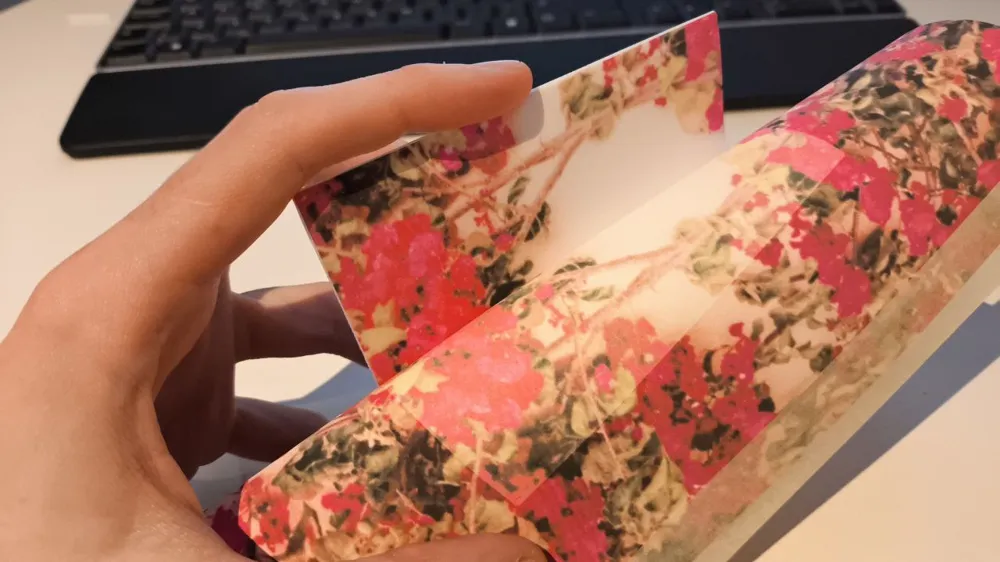
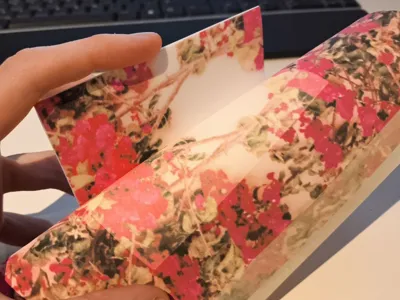
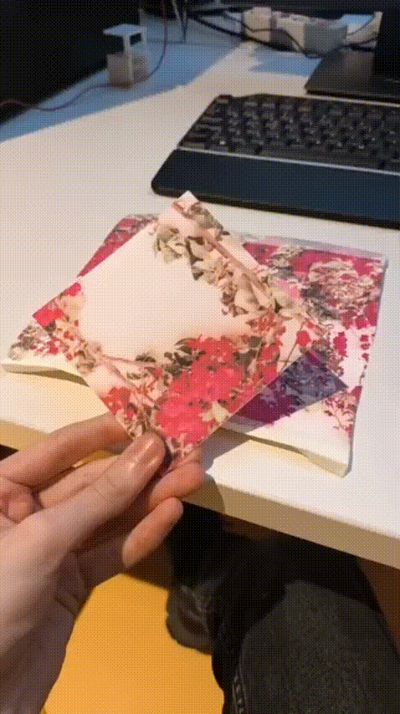
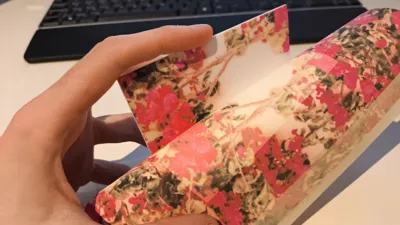
This is a guide on how to get a full color first layer on any 3D FDM printer.
-------------------------------------------------------------
This guide uses a proccess called sublimation, which requires both heat and pressure to transfer ink from the paper to the desired container
--------------------------------------------------------------
First of all, you'll need an ink printer with sublimation ink. Those are usually available specifically for commercial purposes and not for hobbyists, but there are some solutions out there. This is the cheapest kit that I found on internet (at least for Spain):
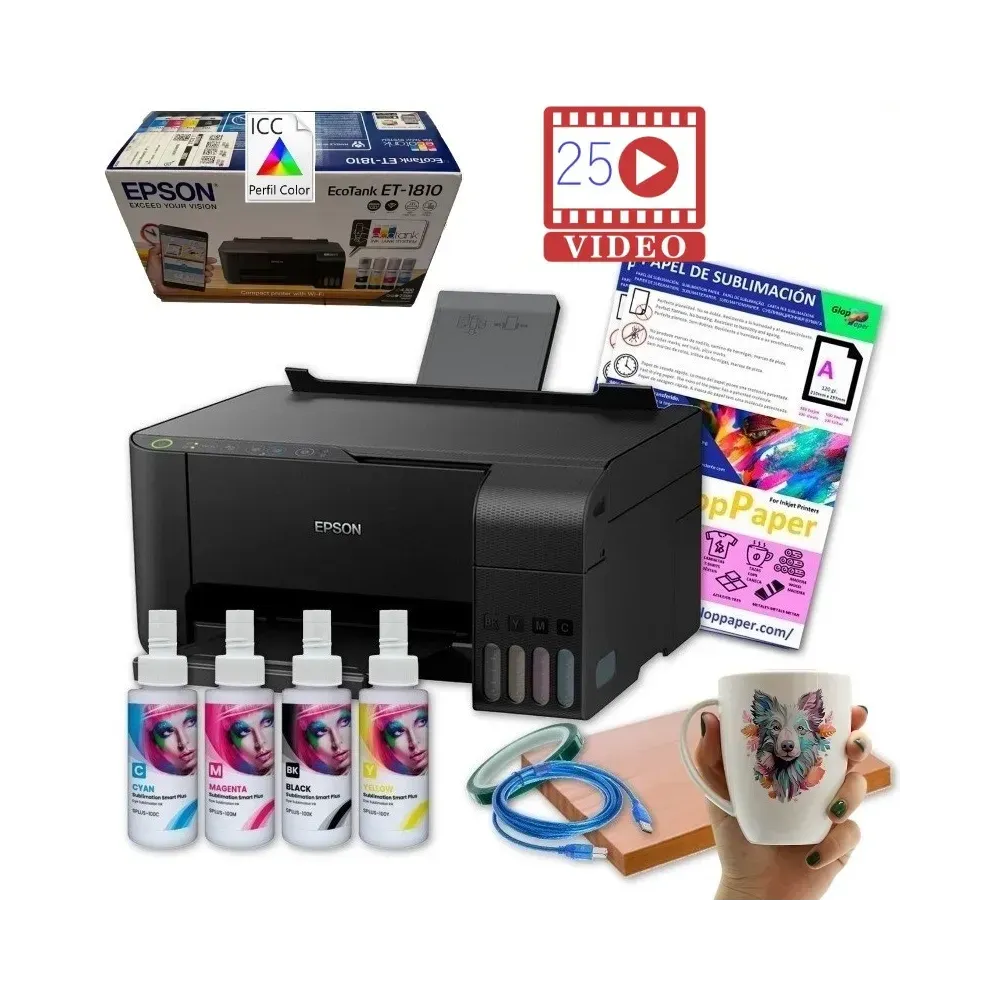
Link to buy (no affiliate) This goes for 250€ and it's a really good price in my opinion for the possibilities that it opens to you
If you already have this specific printer (Epson EcoTank), there's also conversion kits for sublimation:
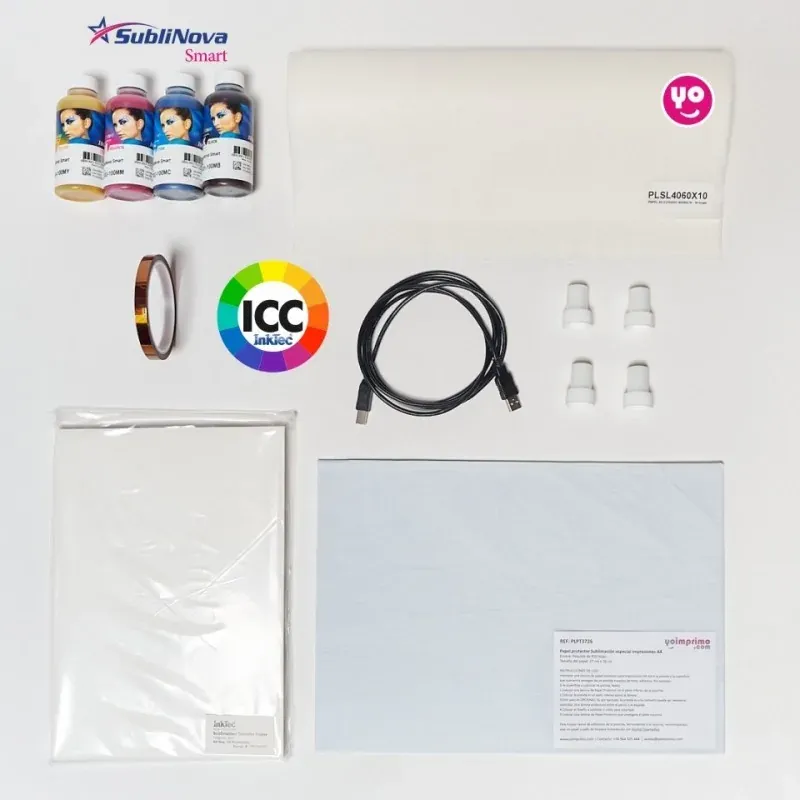
Link to buy (still no affiliates)
---------------------------------------------------------------------------
You'll also need sublimation paper that fits the printer, a quick search on amazon should do the trick.
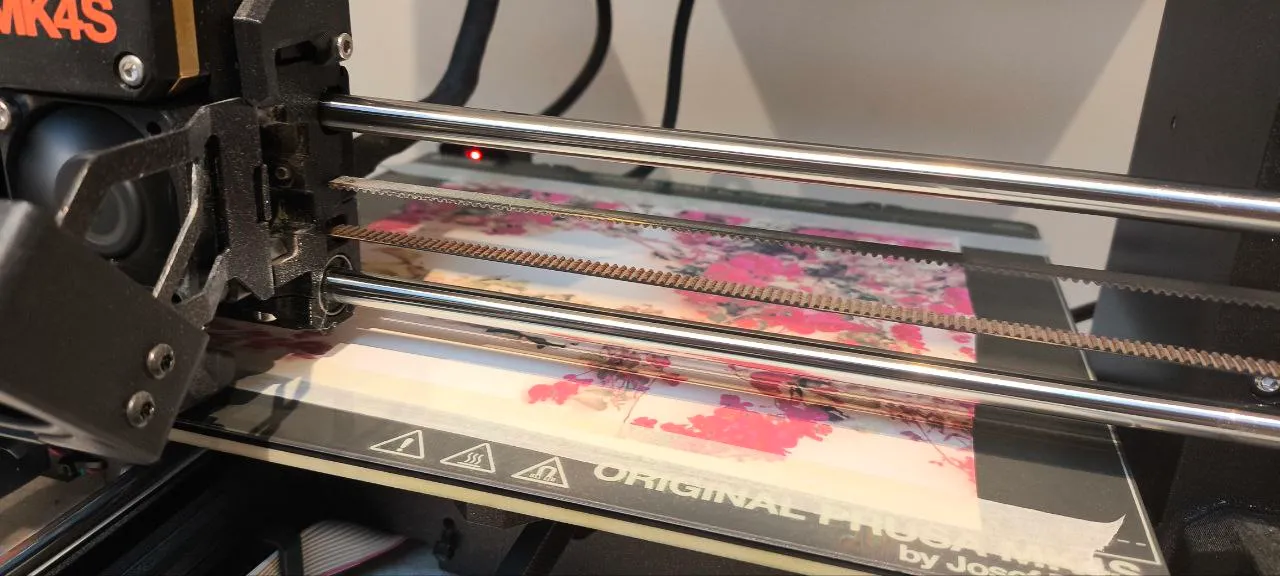
Print your desired image on one piece of paper, cut it to the size of your printer's bed (a bit smaller if you can, this depends on the size of the model you want to print) then secure it to the bed with a bit of masking tape. Make sure the paper is fully flat and tight.
Be aware: this only works with FLAT beds, no textured ones (at least I haven't tried, but theoretically it shouldn't work)
The trickiest part is to get the alignment correctly between the paper and the print itself
-------------------------------------------------------------------------
You will have the best results with an auto leveling bed, because you won't have to level it each time to get the paper thickness in consideration. You can also (just in case) add some brim loops so you can regulate the height of the first layer without issues.
The first layer should go slow and very good leveled for the squisnhness (you can also babystep it down a little bit to ensure that)
The bottom pattern also influences how the print will look, I found “hilbert's curve” to be the better looking one but you can experiment on your own.
-------------------------------------------------------------------------
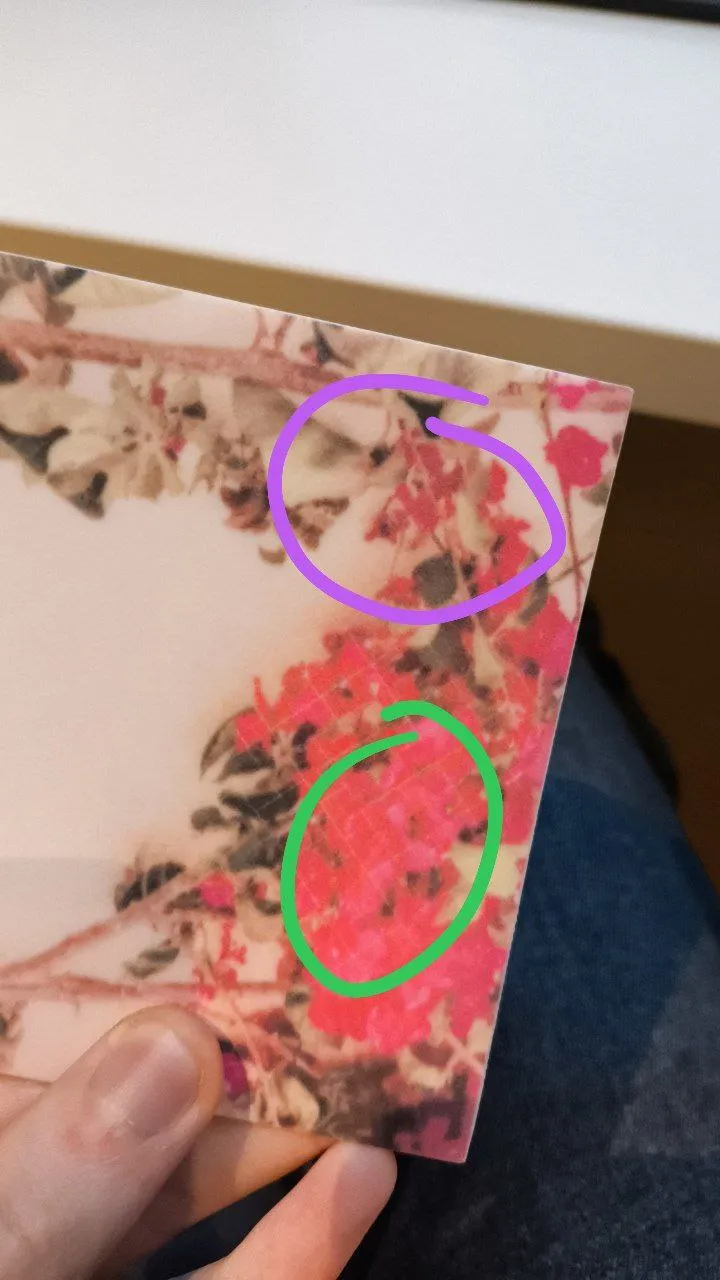
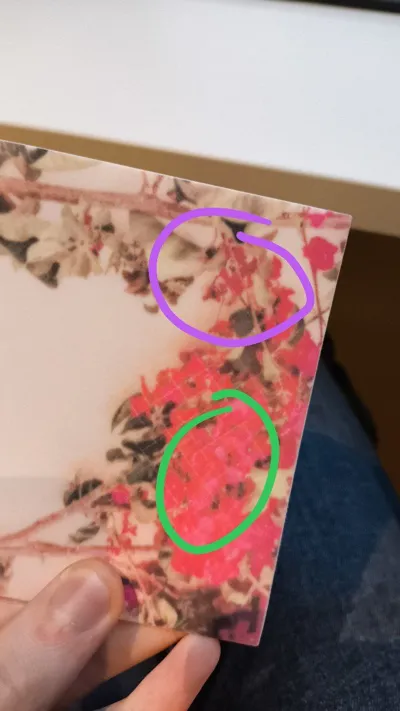
As sublimation is a proccess that requires both heat and pressure to be fully completed, your print will lose color if you try and wash it (as you can see on the photo:
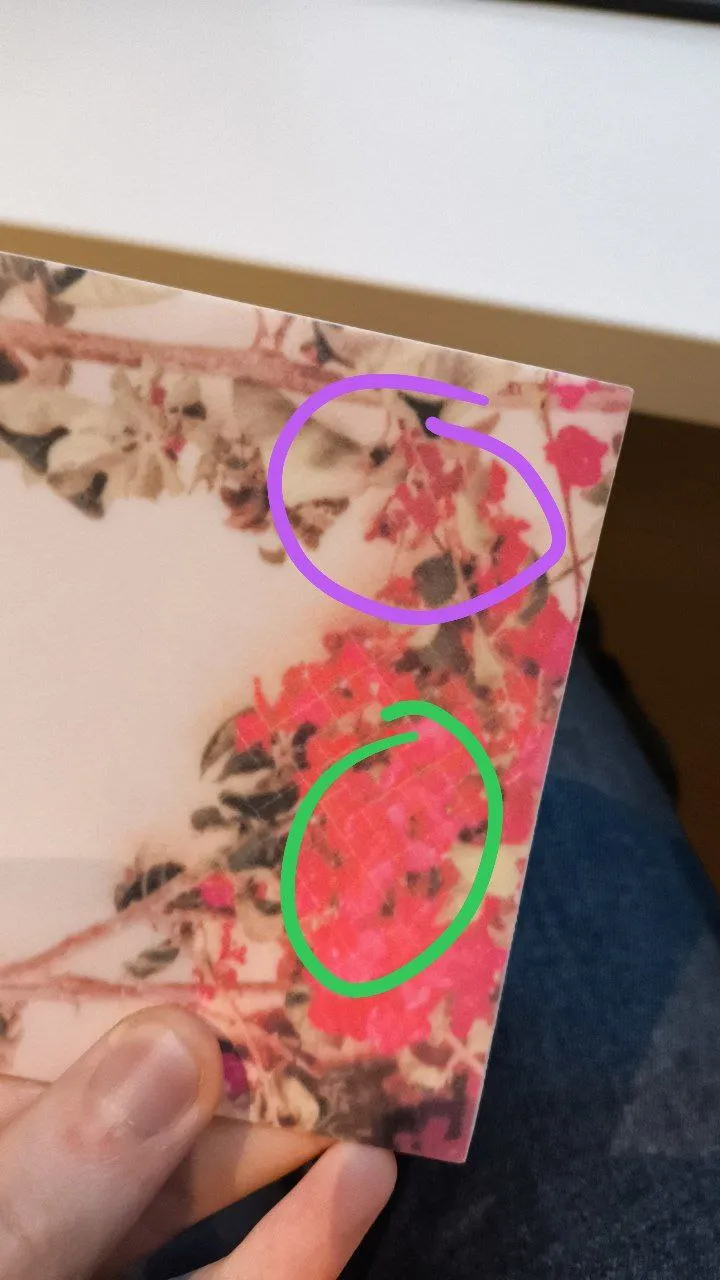
In purple, you see the unwashed part, in green I've put it through water and rubbed my finger with a bit of pressure
-----------------------------------------------------------
TIPS:
- Sublimation ink tends to clog a LOT, so I'd recommend AT LEAST one or 2 prints per week to keep the injectors safe
- You can use the setup you bought to also make your own shirts if you also buy one cheap heat press (can be found for like 80€ or less). Same for mugs and a mug press (this goes for 200€ approximately)
- You can also use a heat press to press the paper into the print, but this only works with a flat surface and not a 3D itself, and will deform it on the proccess
-----------------------------------------------------------
Thank you so much for experimenting with me, if you liked this guide I'd appreciate a boost. I love to experiment with FDM and I'll be focusing my posts on making weird but cool guides like this one
Boost Me (for free)
License

You shall not share, sub-license, sell, rent, host, transfer, or distribute in any way the digital or 3D printed versions of this object, nor any other derivative work of this object in its digital or physical format (including - but not limited to - remixes of this object, and hosting on other digital platforms). The objects may not be used without permission in any way whatsoever in which you charge money, or collect fees.


Comment & Rating (2)