
6-Cavity Custom Text Soap Mold for Silicone Molds
Print Profile(1)

Description
Boost Me (for free)
If you find this model useful or inspiring, a Boost would be greatly appreciated — it really helps support my work and future designs. Thank you for checking it out! 🙏
⚠️ Please read all model descriptions, warnings, licensing terms, and copyright notices before downloading, printing, selling, or using any model. Users are responsible for ensuring compliance with applicable laws, intellectual property rights, and the specific needs of their animals or intended use.
This 3D model was created and published by SB (Joanna0o), unless otherwise stated. Any third-party intellectual property belongs to its respective owner.
Official MakerWorld Profile: https://makerworld.com/en/@Joanna0o
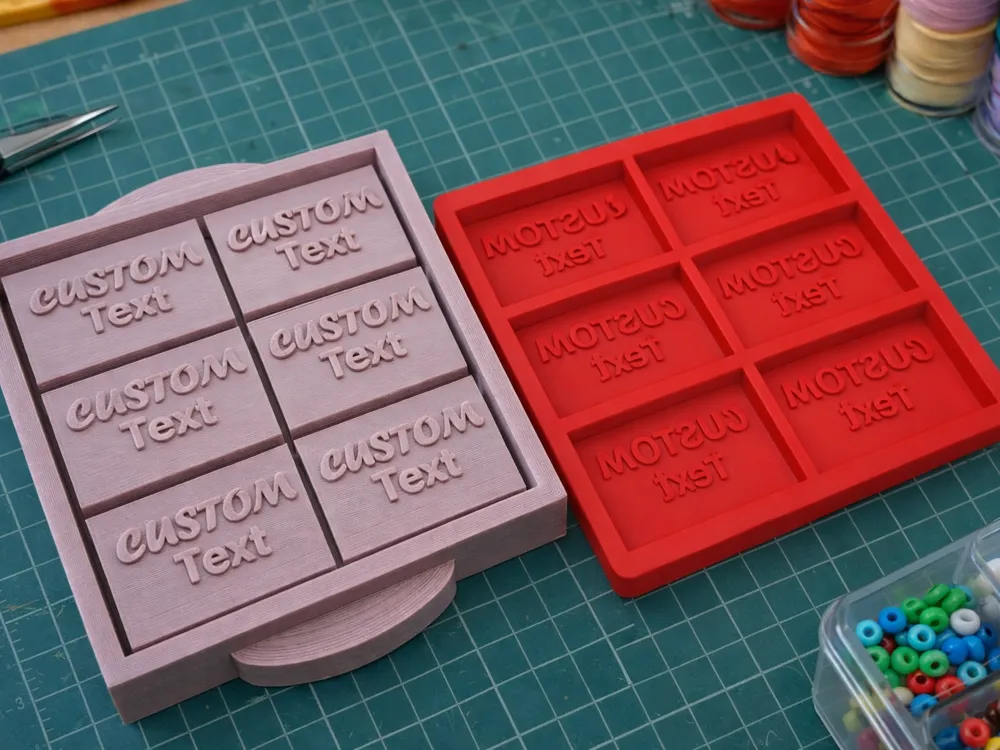
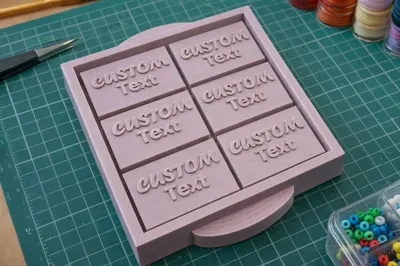
🧼 6-Cavity Custom Text Soap Mold – 3D-Printed Master for Silicone Molds
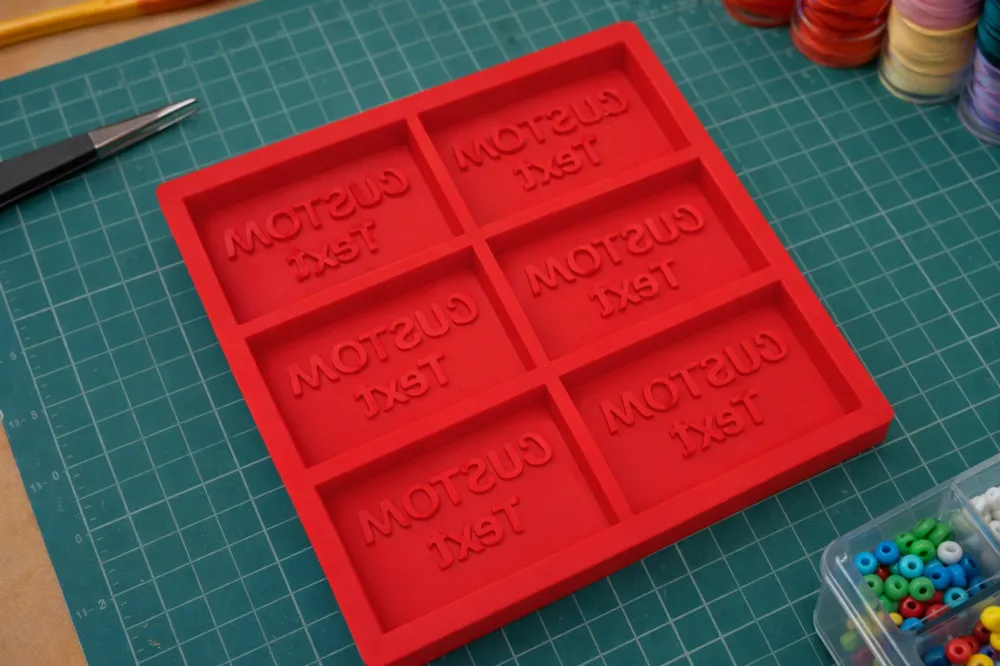
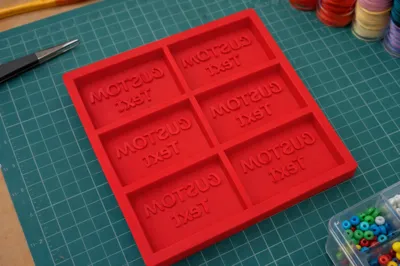
This item is a 3D-printed master mold designed specifically for creating a silicone mold used in soap making, bath products, wax melts, or similar crafts.
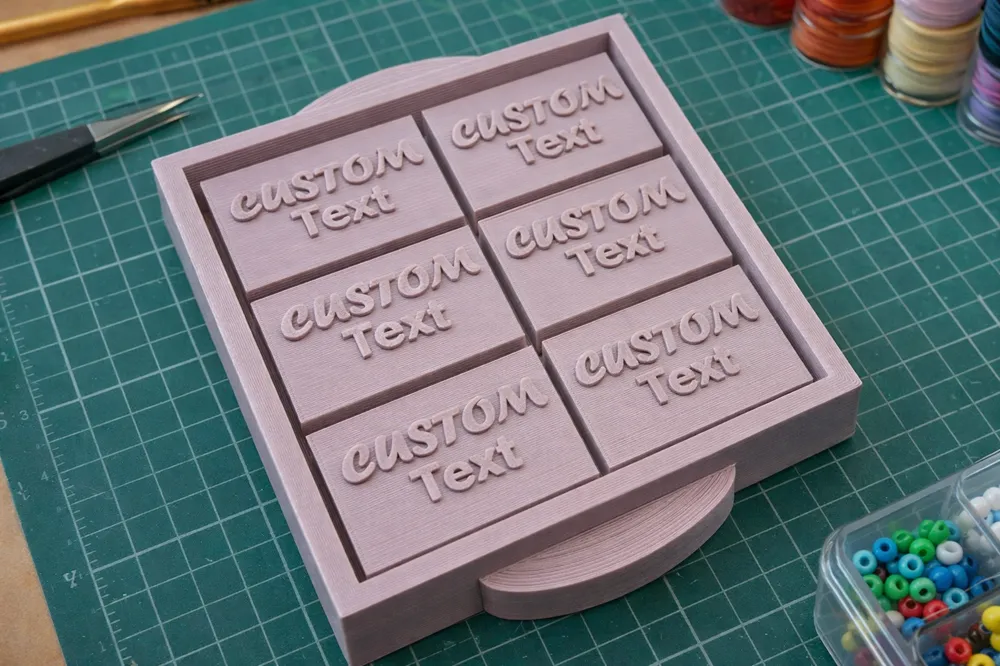
Each tray features 6 rectangular cavities, each customizable with your own text or wording.
✏️ Customization Instructions (Text Editing)
Follow these steps to customize the text on your model before printing.
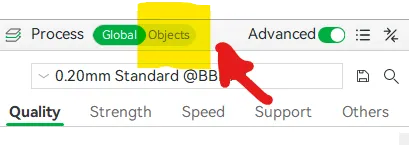
Step 1: Select the Model & Enable Object Settings
- Make sure your model is selected on the build plate.
- On the left-hand Process panel, switch from Global to Objects.
- Turn Advanced settings ON.
(See Image 1)
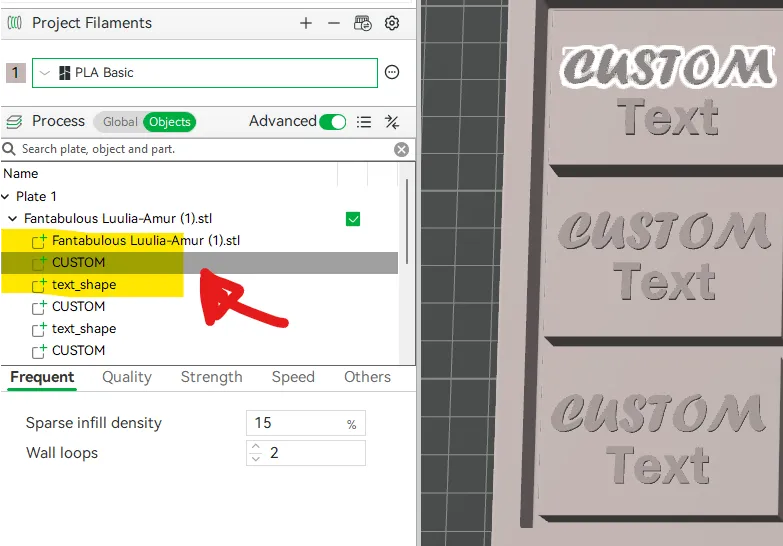
Step 2: Select the Text You Want to Edit
- In the Objects panel, expand Plate 1.
- Expand the model name.
- Locate the items labeled text_shape.
- Click on one text_shape.
- The selected text will highlight on the model, confirming it is active.
- Note: If you click the model instead of text_shape, the Text tool will not work.
(See Image 2)
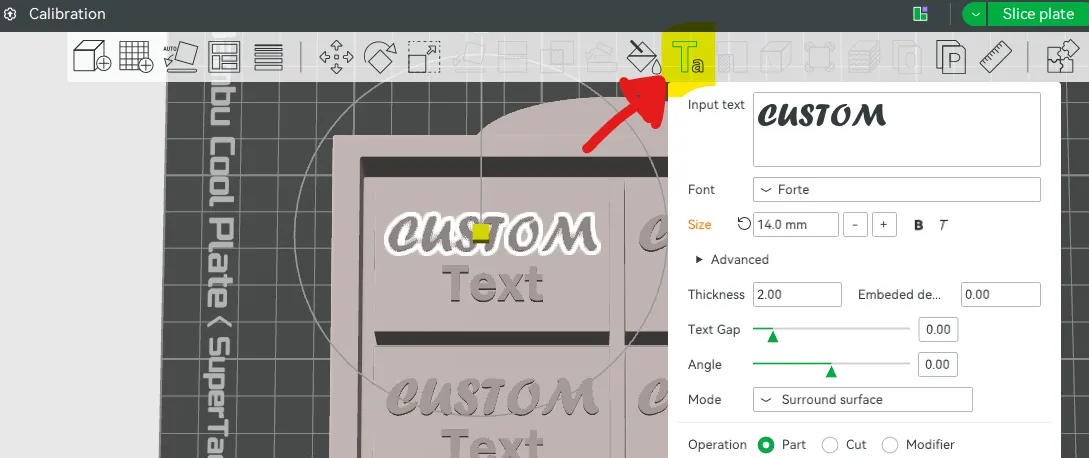
Step 3: Edit the Text
- With the text highlighted, go to the top toolbar.
- Click the Text tool (T icon).
- You can now:
- Change the text content
- Adjust the font
- Modify the size
- Adjust the thickness
- Repeat these steps for each text field you want to customize.
(See Image 3)
⚠️ Important:
This product is NOT a silicone mold and is NOT intended for direct use with soap, wax, or food. It is used to cast a silicone mold, which then becomes your reusable production mold.
✨ Features
- 6 individual cavities per tray
- Raised custom text in each cavity (fully customizable)
- Designed for pouring silicone over the master
- Clean, straight walls for easy silicone release
- Durable 3D-printed construction
- Includes alignment-friendly tray design
🛠 How It’s Used
- Place this 3D-printed master mold in a silicone-safe container
- Pour liquid silicone over the entire tray
- Allow silicone to cure fully
- Remove the printed master
- Use the finished silicone mold for soap, wax, resin, or bath products
⚠️ Important Summary
• This model is provided free of charge and "as is" without warranties or guarantees.
• Users are responsible for determining whether a model is safe, suitable, legal, and appropriate for their intended use.
• 3D printed objects may vary in strength, durability, and performance depending on materials, settings, modifications, and environmental conditions.
• Inspect printed objects regularly and supervise animal use.
• These models are not certified for animal safety, food safety, structural use, or any specific application unless expressly stated.
• Commercial licensing applies only to eligible original SB (Joanna0o) designs.
• Fan art, remixes, adaptations, and third-party intellectual property are generally not included in commercial licensing unless expressly stated otherwise.
• Commercial sellers are solely responsible for product safety, compliance, and sales.
• No download or license grants rights to third-party intellectual property.
• By downloading, printing, modifying, sharing, selling, or using this model, you accept these responsibilities and assume all associated risks.
📄 Please review the full Model Usage Disclaimer & Terms for complete details. [https://docs.google.com/document/d/1oJr19GCHtB74l7lsS9sjI4GWSOtzknKkiI-ASEzTUrU/edit?usp=sharing].
© 2026 SB (Joanna0o). All rights reserved.
Membership
Want to support SchmerBle and sell physical prints of my original designs? Commercial memberships are available through MakerWorld. Third-party copyrighted and trademarked material is excluded.
License

You may create derivative works based on this object, provided that all such derivative works are published exclusively on the MakerWorld platform and include proper attribution to the original creator. You may not share, upload, host, distribute, or publish this object—or any derivative work of this object—on any other digital platform, marketplace, or distribution channel. Commercial use of this object and any derivative works is strictly prohibited. This includes, but is not limited to, selling, renting, sublicensing, or using the object in any context in which you receive monetary compensation or other financial benefits.


Comment & Rating (2)