
A1 Hula Hoop Frame with Plate Holder for 3 Plates

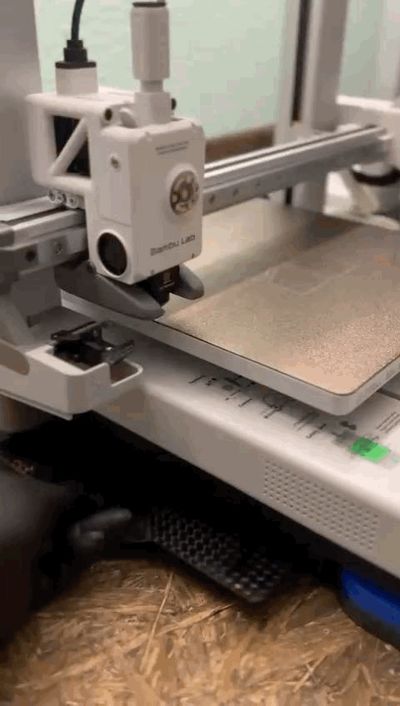
Print Profile(1)

Bill of Materials


Description
Greetings, fellow 3D printing enthusiasts!
Today I wish to address a challenge I’ve overcome: mitigating vibration in A1 printers. I own two P1S printers, equipped with Hula feet and a custom-designed frame (spoiler alert! :-)
(https://makerworld.com/en/models/539757#profileId-457115)
And I must say, I am exceptionally pleased with the feet—their efficacy is undeniable!
I have five printers arranged contiguously (two P1S and three A1), and since implementing these feet, print quality has markedly improved!
However, a significant hurdle exists for A1 users: A1 feet are currently in beta, and their mounting mechanisms are not yet fully optimized. The recommended attachment method is double-sided tape—a solution I found unsatisfactory. Unwilling to forgo the feet yet averse to adhesive solutions, I embarked on a creative endeavor. The result is this model!
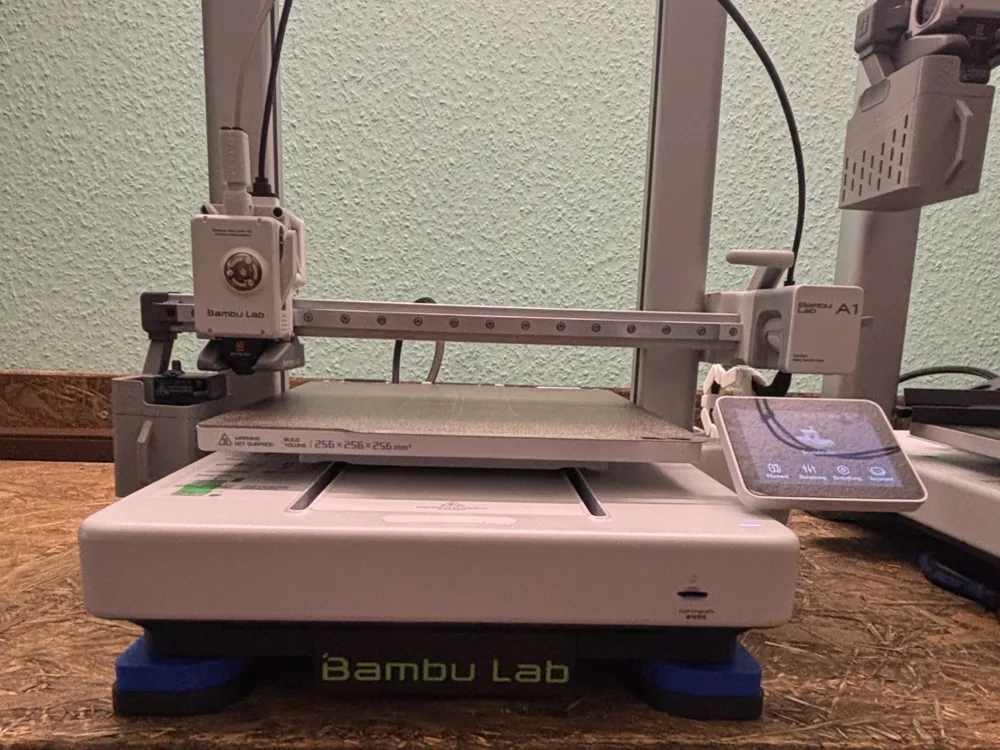
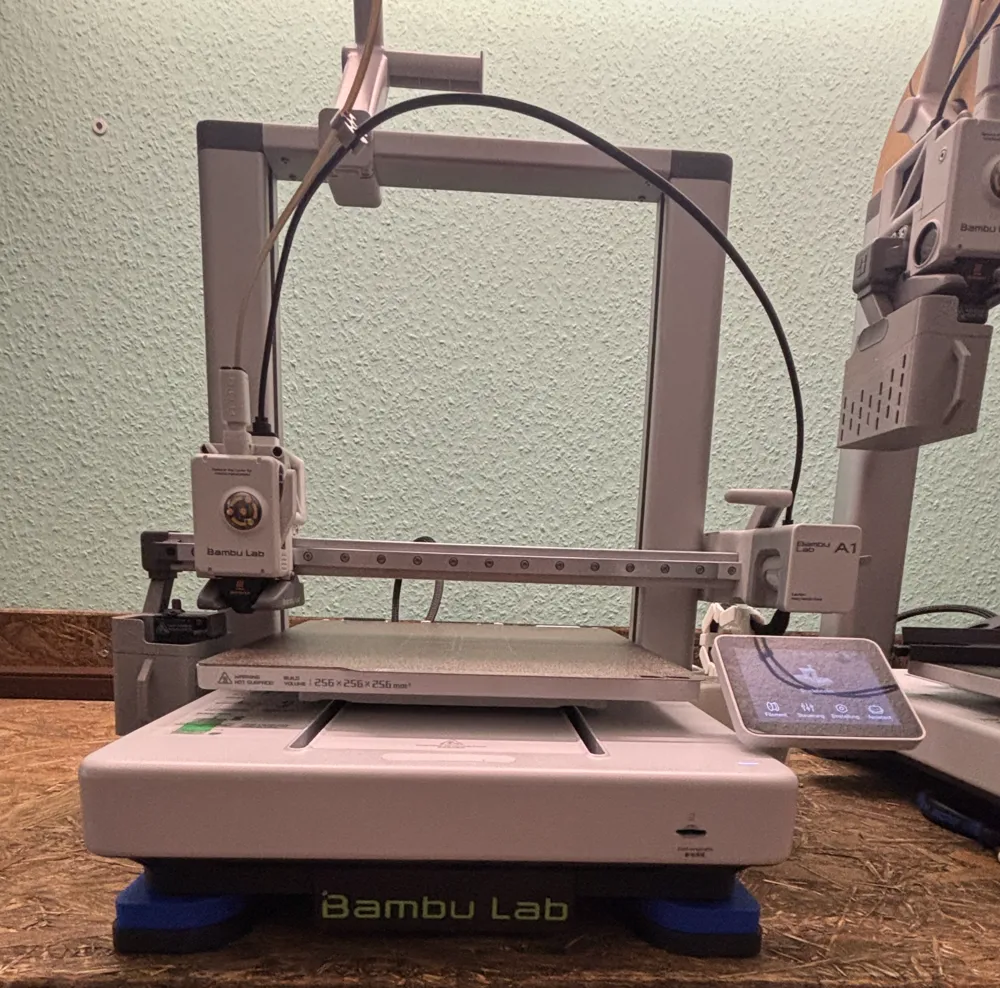
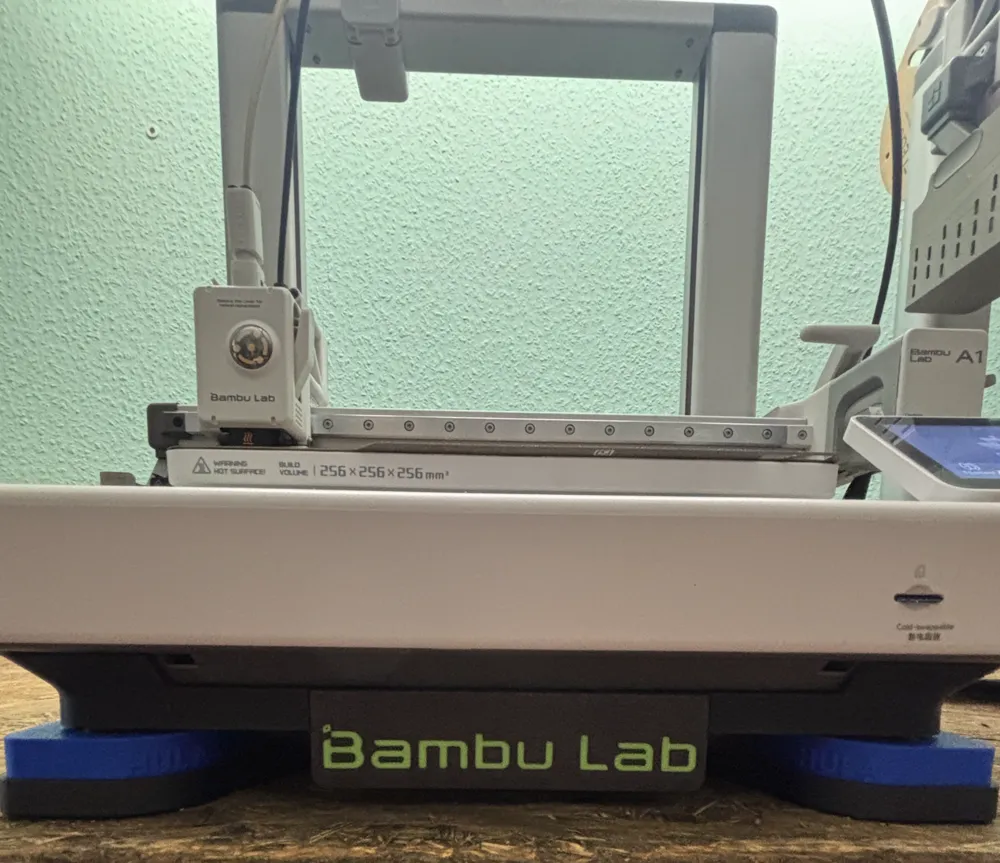
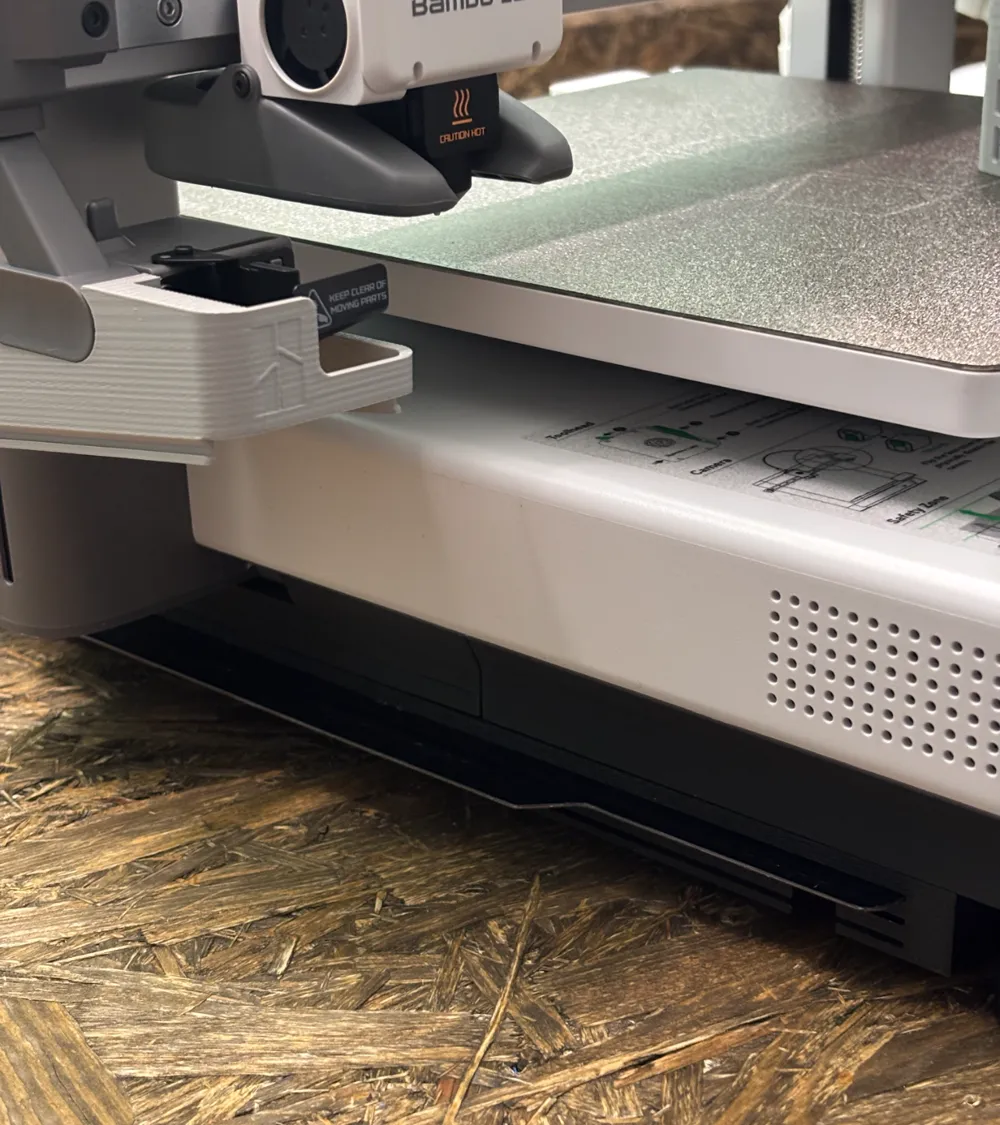
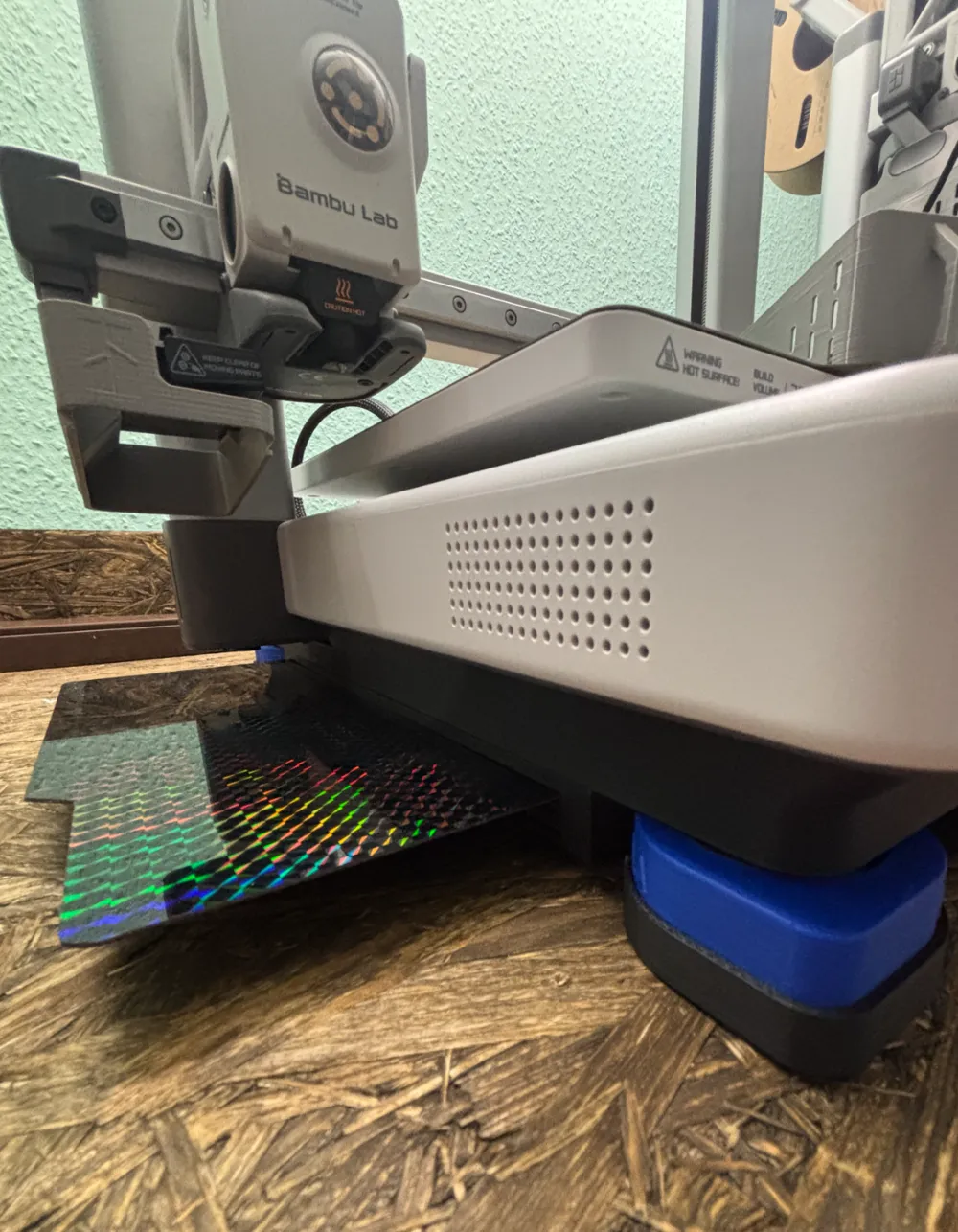
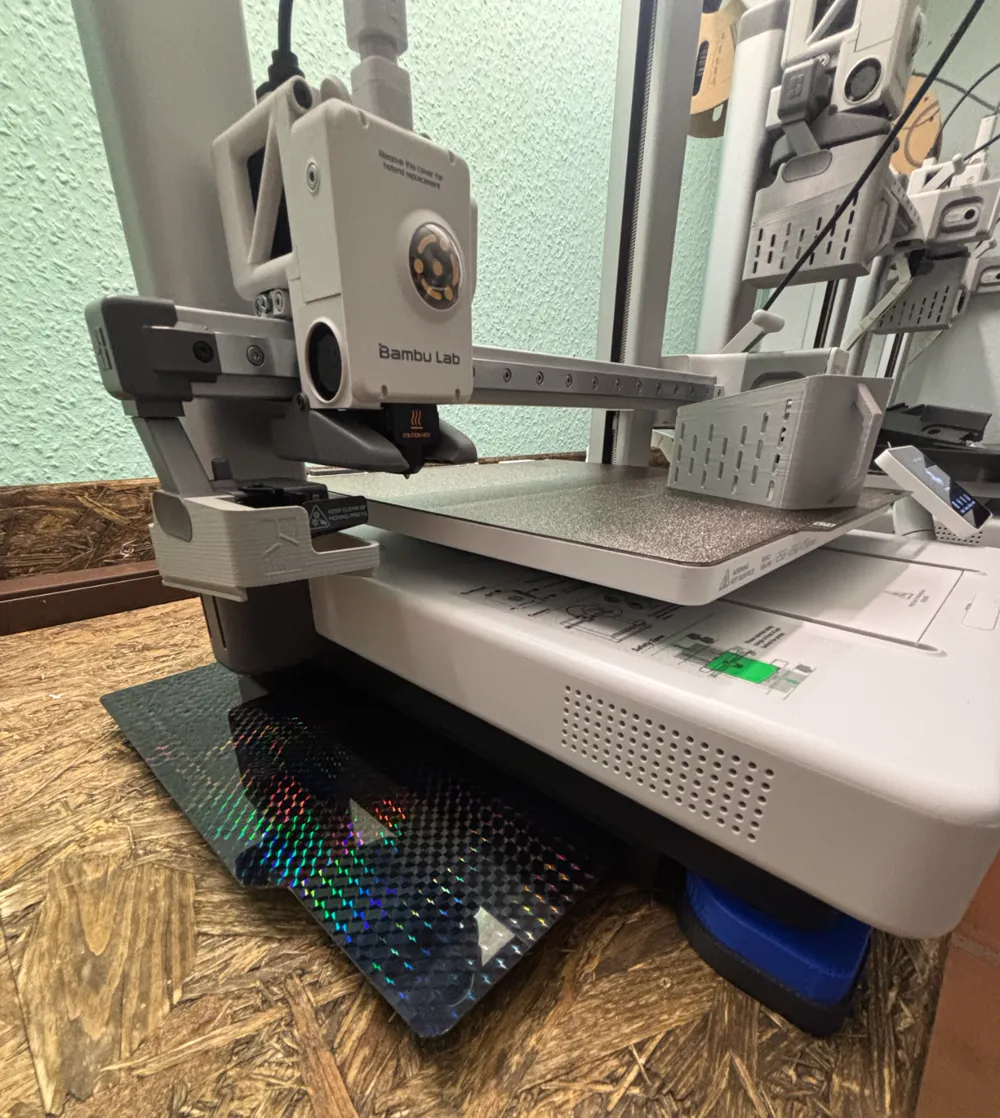

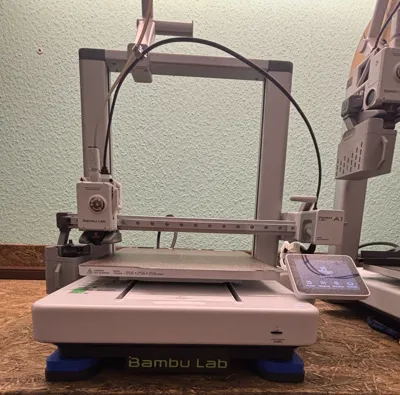
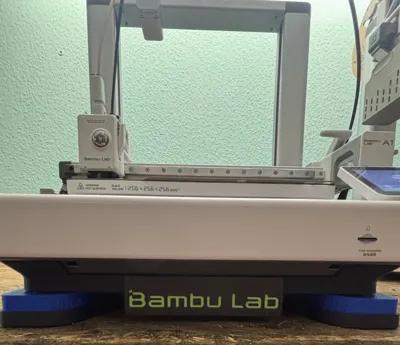
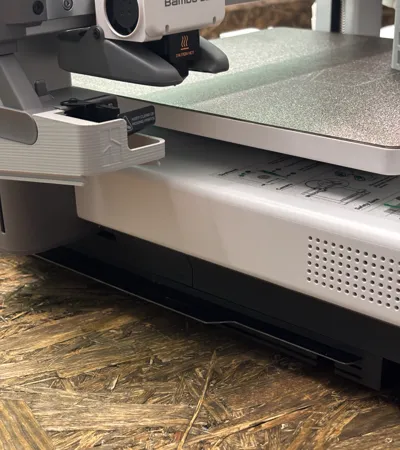
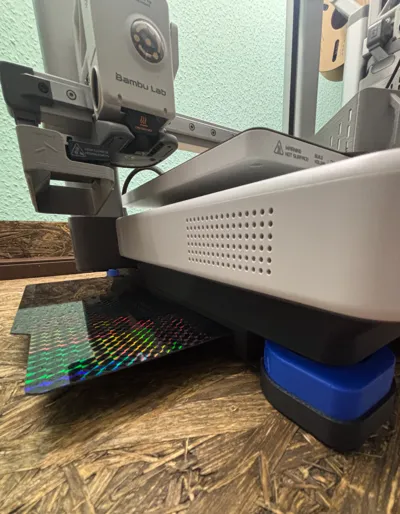
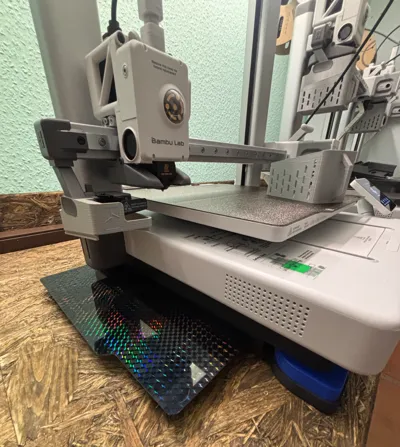
I have engineered a frame to which the feet are affixed via screws, and the printer is simply inserted. Given the frame’s identical base profile to the printer, it fits seamlessly. The angled walls facilitate self-alignment and secure positioning—eliminating the need for tape and ensuring stability. And the pièce de résistance: you now have ample space beneath the printer for three build plates, easily slid into place from the side :-)
Witness the results for yourselves!
A special commendation is due to the Hula system designer—truly exceptional work! :)
Hello, my 3D printing friends!
Today, I want to address a problem I've been working on: vibration reduction for A1 printers. I own two P1S printers, which I've equipped with Hula feet, as well as a frame I developed myself (Spoiler alert! :))
(https://makerworld.com/en/models/539757#profileId-457115)
And I have to say, I'm really happy with the feet – they do exactly what they’re supposed to!
I have a total of five printers standing side by side (two P1S and three A1), and since I started using the feet, the print quality has significantly improved!
However, there’s a big issue for A1 users: the A1 feet are only available in a beta version, and the mounts are not fully refined yet. The recommendation is to attach the feet with double-sided tape – but that’s not really my thing. I didn’t want to give up on the feet, but I also didn’t want to use tape. So, I sat down at my computer and let my creativity run wild. That’s how this model came to be!
I developed a frame to which the feet are screwed, and the printer is simply placed into the frame. Since the frame has the same lower contour as the printer, it fits perfectly. The angled walls allow the printer to self-position and stay securely in place – without any tape and without worrying about it slipping off the feet. And the best part comes at the end: you now have space under the printer for 3 construction plates that you can slide in from the side :-)
See for yourself!
Also, I want to give a big shout-out to the designer of the Hula system – truly excellent work! :)
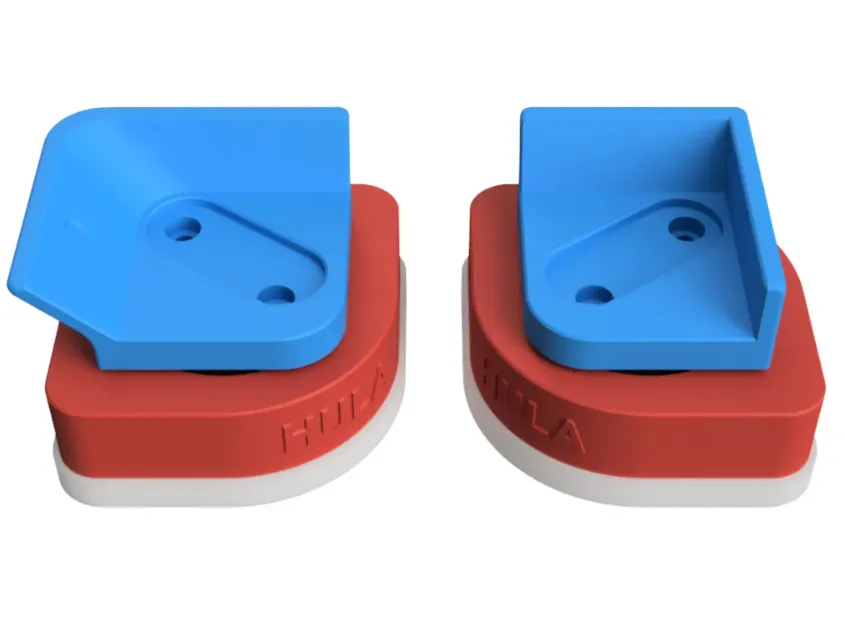
For those possessing Hula feet for the A1: the upper, blue component in the image must be unscrewed!
For anyone who already owns the Hula feet for the A1: The upper blue part in the image needs to be unscrewed!
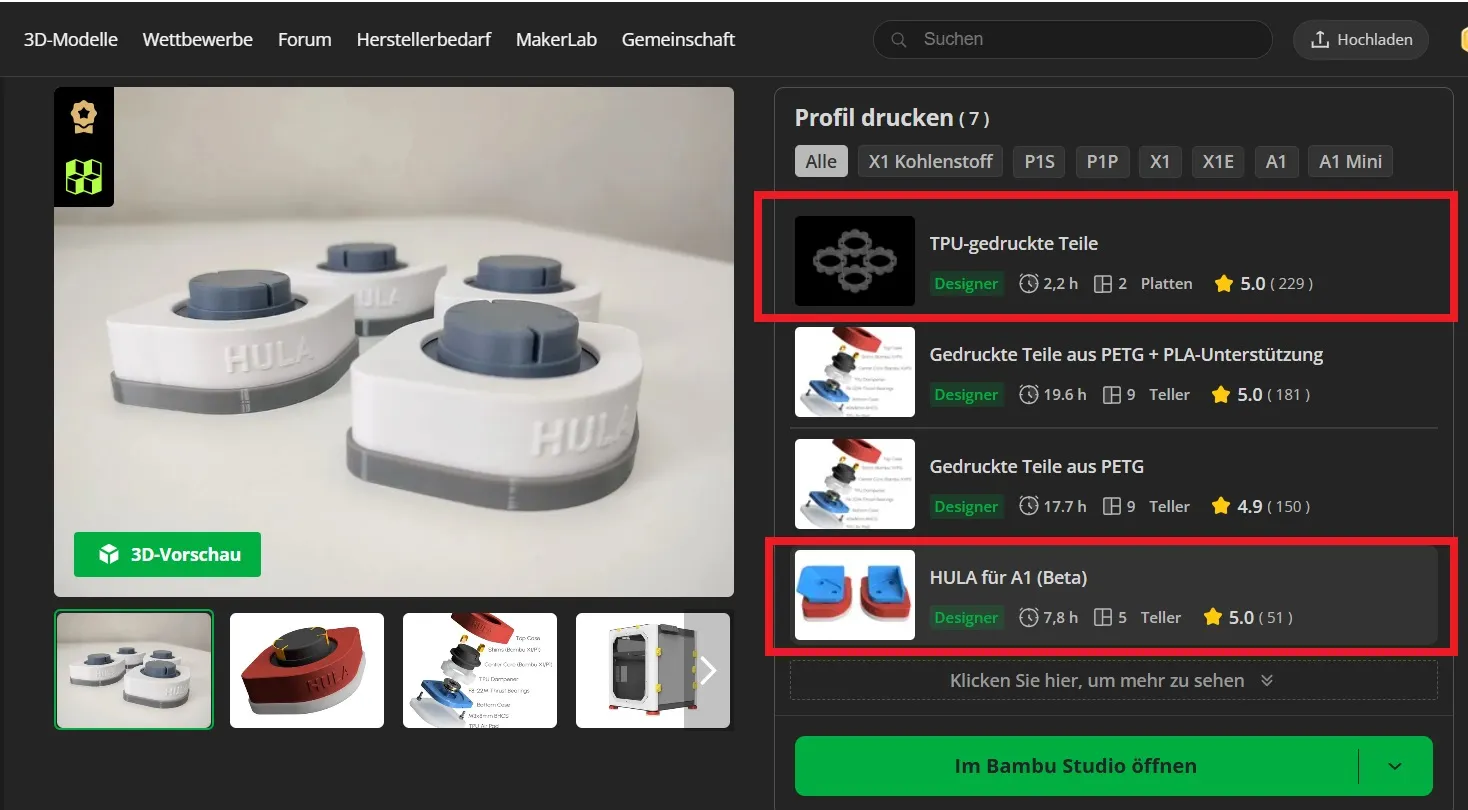
For those yet to acquire the feet and require printing: the necessary components are highlighted! TPU parts must be printed precisely as depicted!
For anyone who doesn't have the feet yet and still needs to print them, I've marked the parts you’ll need! The TPU parts must be printed completely as shown in the photo!
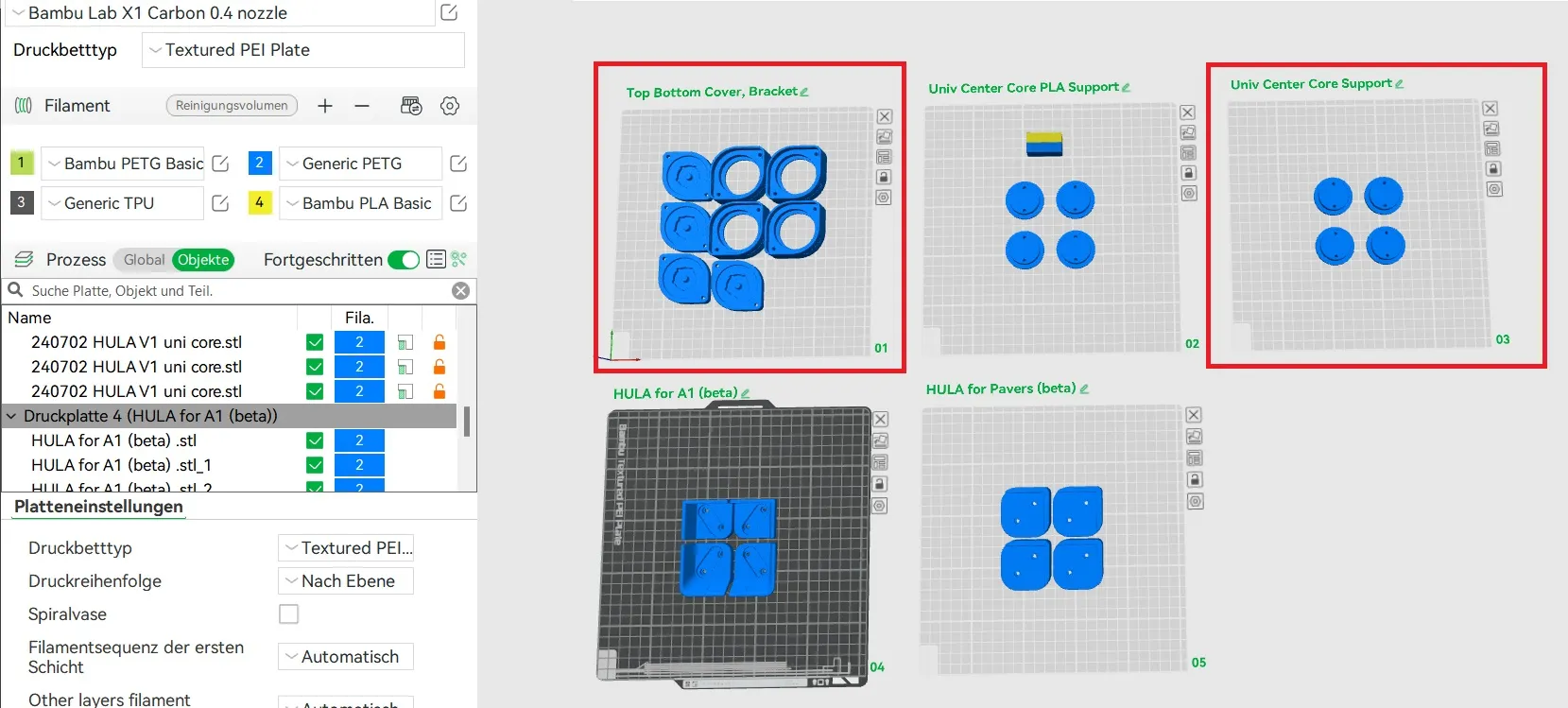
The highlighted components on the plate: print 1 and 3! Other plates are unnecessary.
Here are the marked parts on the plate: print 1 and 3! You don't need the other plates and don't have to print them!
Regarding external components: The parts listed pertain solely to my frame. Consult the feet’s page for the necessary parts for the feet themselves! The link is provided below for your convenience :-)
Now, for the parts you need that don't come from the printer: The parts I’ve listed here are only for my frame! For all the parts you need for the feet, please check the feet’s page! I’ll link the feet below so you don’t have to search for them. :-)
M3x12 cylinder head screws, 8 pieces (available at Maker Lab Store, other items unfortunately not!!!)
Cylinder head screws M3x12 8 pieces
M4x12 countersunk screws, 8 pieces
countersunk screws M4x12 8 pieces
M4x16 countersunk screws, 4 pieces
countersunk screws M4x16 4 pieces
M4 nuts, 12 pieces
Nuts M4 12 pieces
Enough discussion, let’s commence assembly! :-)
Enough talk, now let's start assembling! :-)
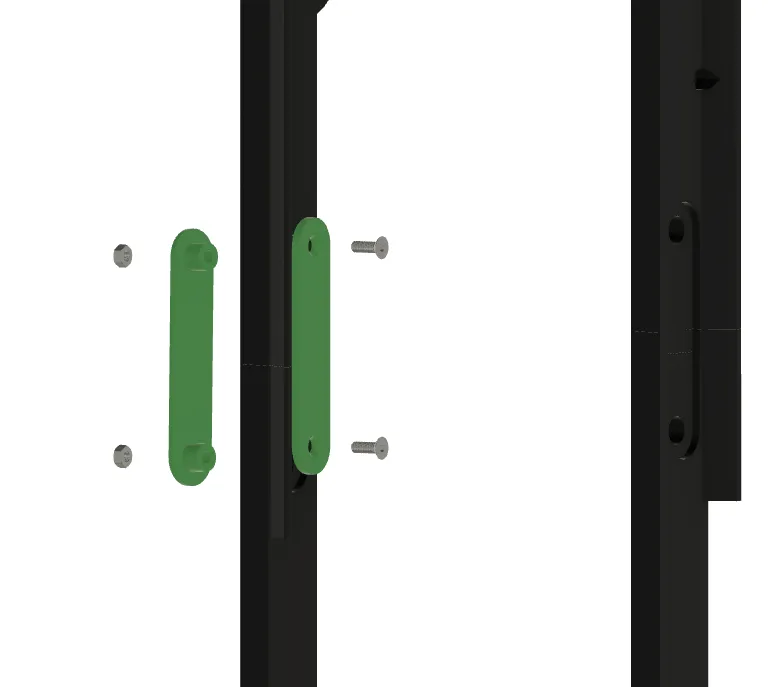
Insert connectors at all four positions, secure with M4 nuts and M4x12 countersunk screws!!
Insert the connectors at all 4 positions, and fasten with the M4 nuts and countersunk screws M4x12!!
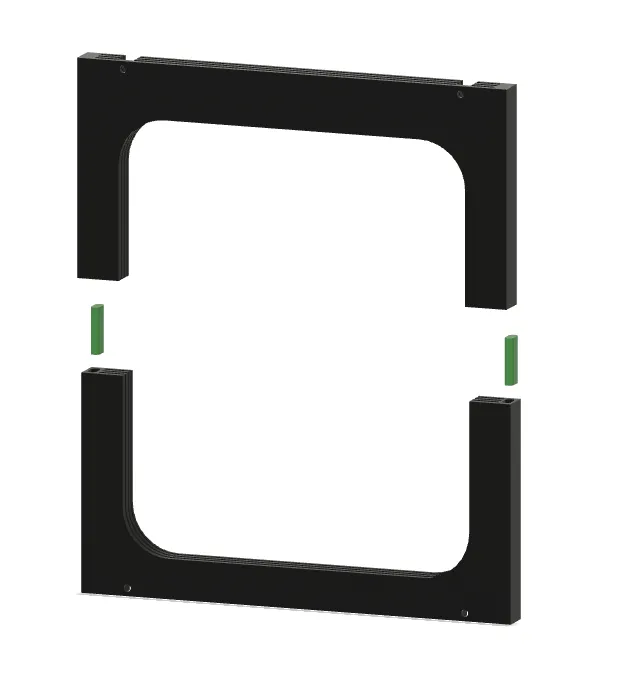
Next, affix bolts with adhesive and join the two halves!!
In the next step, glue the bolts in place and connect the two halves!
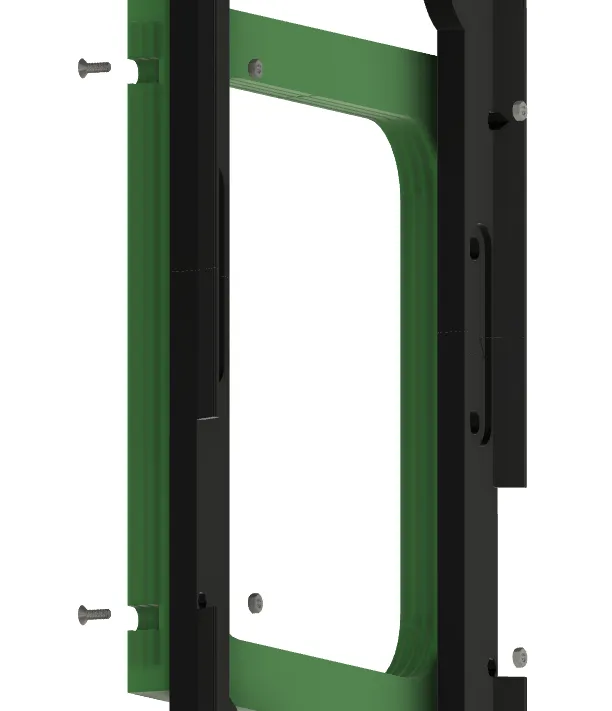
Attach the plate holder to the frame using M4 nuts and M4x16 countersunk screws!!
Now, attach the plate holder to the frame using the M4 nuts and the M4x16 countersunk screws!!
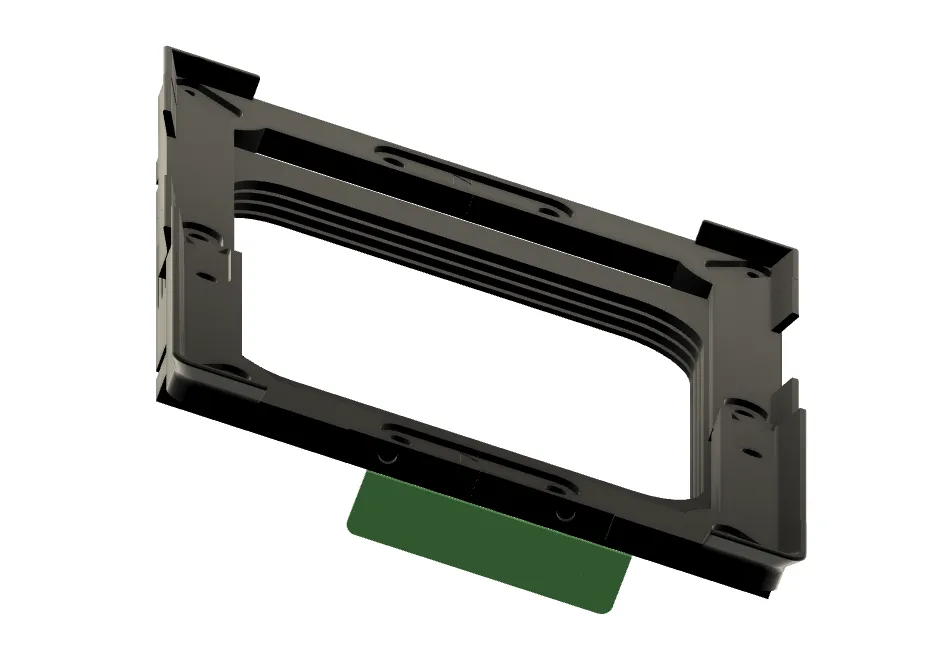
Affix the logo using adhesive!
Now you can attach the logo with some glue!
Finally, secure the Hula feet to the frame using M3x12 cylinder head screws!
And finally, screw the Hula feet onto the frame using the M3x12 cylinder head screws!
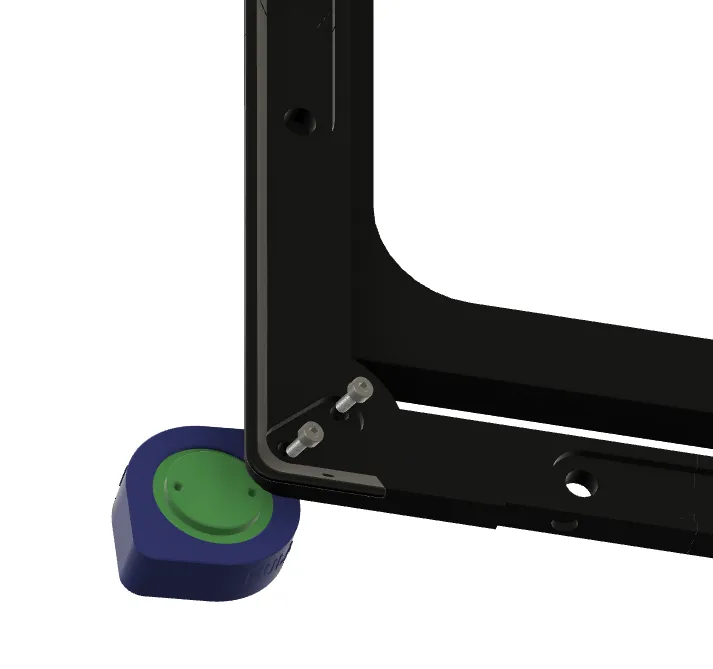
And there you have it, friends! A splendid project completed. You’ll be astonished by the printer’s newfound quiet operation once the feet have settled in! The Hula feet link is below. Find the necessary screws in the Bambu Lab accessories section. As always, feel free to reach out with any questions. A like, subscription, or boost for my work are always welcome! :-)
So, my friends, that’s it! You’ve completed a great project, and I promise you, you’ll be amazed at how quietly the printer runs once the feet are broken in! I’ll link the Hula feet below. You can find the screws in the accessories section on Bambu Lab if you want to get them there! As always with my models, if you have any questions, just reach out. I’d really appreciate a like or a subscription – a boost for my work is always welcome too! :-)
Hula
https://makerworld.com/en/models/417509?from=search#profileId-502144
Boost Me (for free)
I exclusively develop unique models that I print and optimize multiple times until they fit perfectly and meet my quality standards one hundred percent. I invest many hours of work and a lot of filament to provide you with the best quality models. With a boost, you appreciate my work and give me the opportunity to earn points to finance my future projects.
License

You shall not share, sub-license, sell, rent, host, transfer, or distribute in any way the digital or 3D printed versions of this object, nor any other derivative work of this object in its digital or physical format (including - but not limited to - remixes of this object, and hosting on other digital platforms). The objects may not be used without permission in any way whatsoever in which you charge money, or collect fees.


Comment & Rating (26)