Search models, users, collections, and posts

Printer and slicer test
Print Profile(2)

All
A1 mini
P1S
A1
P1P
X1E
H2D
X1
X1 Carbon
H2D Pro
H2S
P2S
H2C
X2D
A2L

Complete test
Complete test
Designer
2.2 h
1 plate
4.9(496)

1hour Benchmark, 0% Infill, 200% Speed, Decent Quality
1.1 h
1 plate
4.8(26)

Open in Bambu Studio
Boost
4313
11128
601
206
13.5 k
6 k
ReleasedĀ 

Bill of Materials

Bambu Filaments
Select all
Gold (10401) / Refill / 1kg

Description

Membership

Do you have a business and would like to sell this model in your shop? No problem, sign up and help me support my work, I would be grateful.

Join

Boost Me (for free)

If you appreciated my work I would be really happy if you gave me a Boost. Thank you very much!


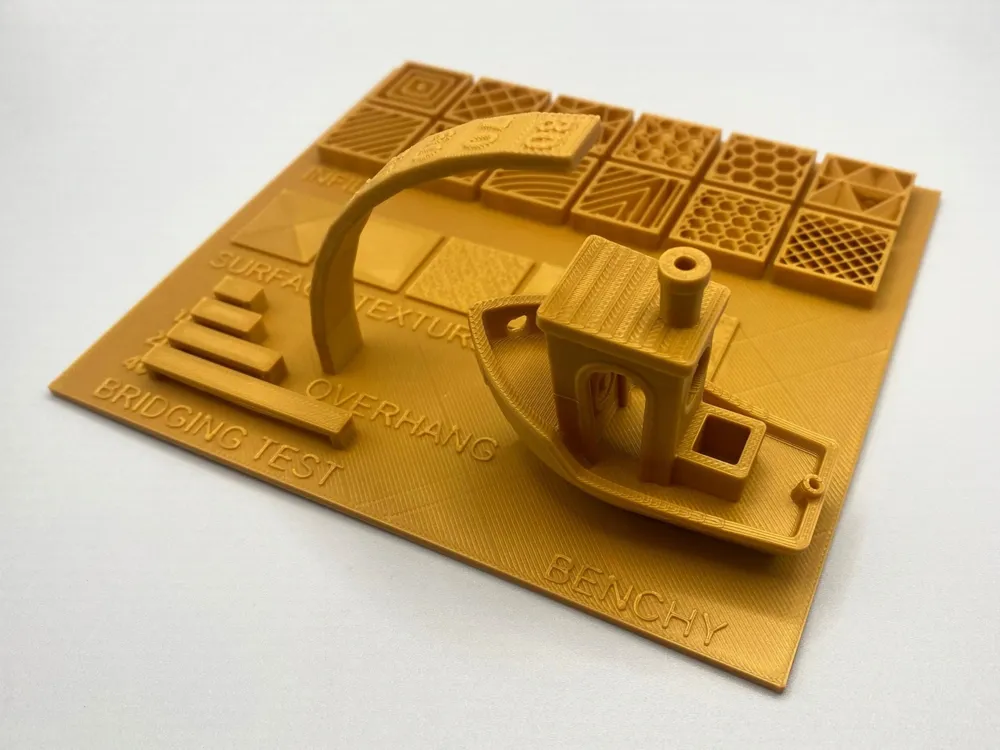
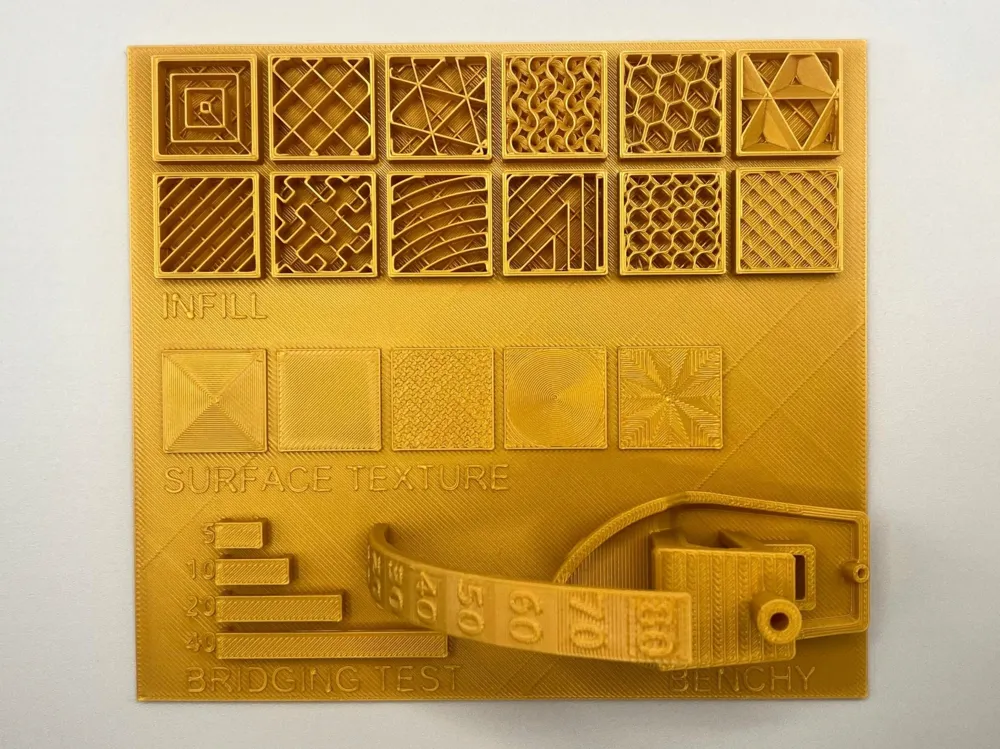
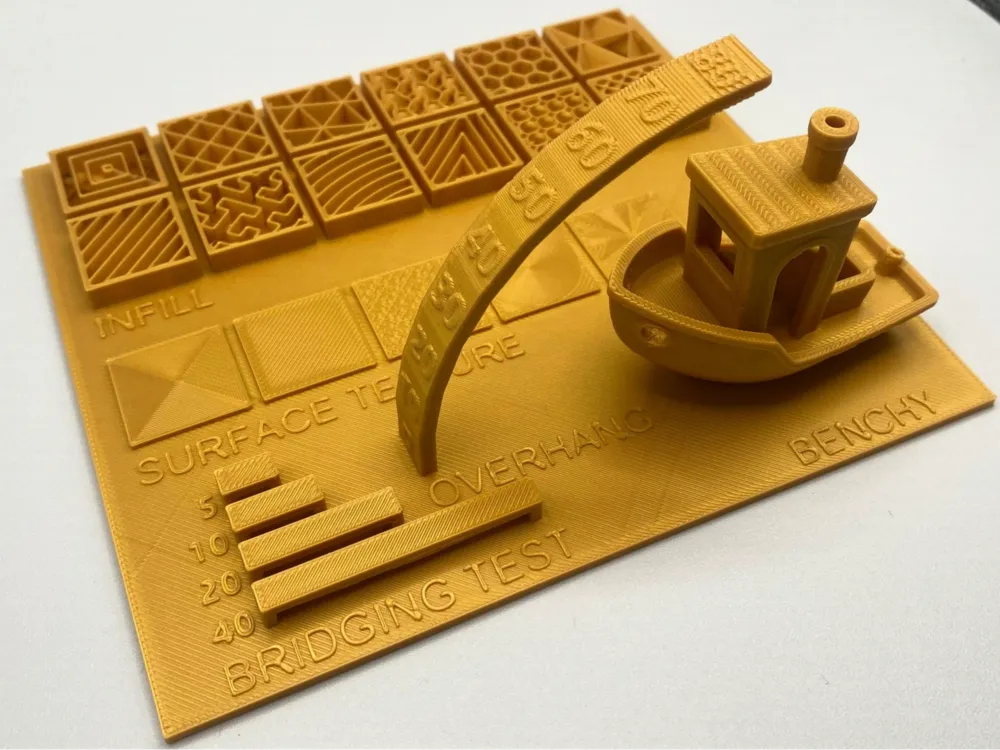
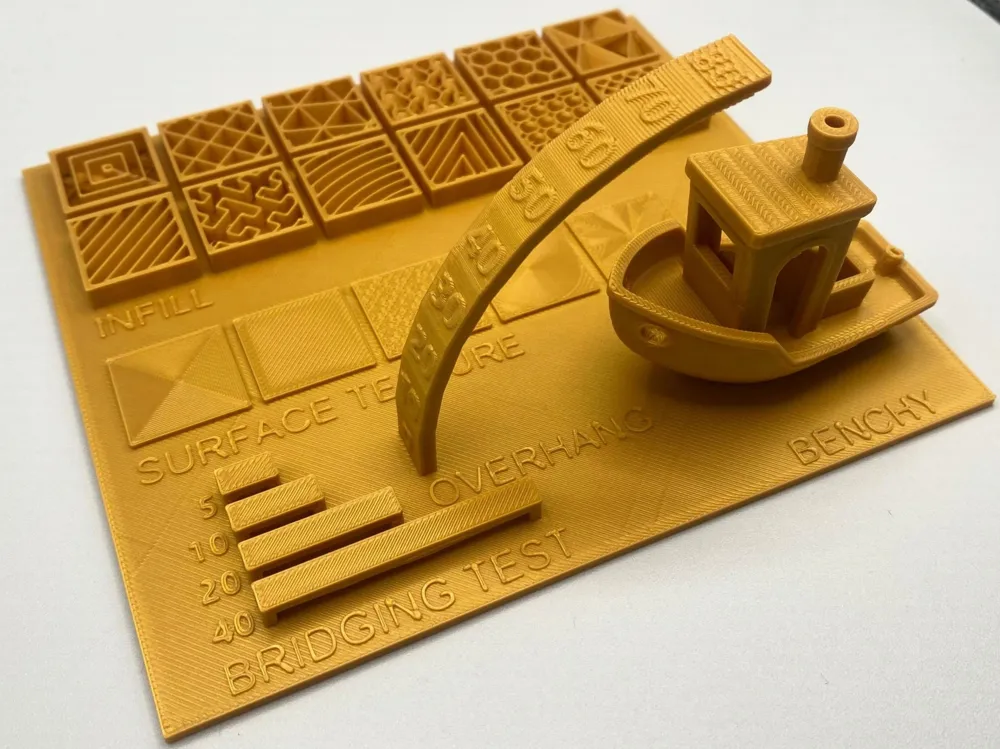
šŸ› ļø 3D Printer Calibration Test Collection

This set of prints is designed to help calibrate your 3D printer and fine-tune settings within Bambu Studio, the slicing software for Bambulab printers.

Included Tests:

  • 🧩 Infill: A collection of the main infill patterns available in Bambu Studio. Useful for comparing strength, print time, and visual effect.
  • šŸŽØ Surface Texture: Tests the different surface finishes you can apply via the slicer, to evaluate aesthetic results and detail clarity.
  • šŸ“ Overhang Test: Helps determine the maximum angle your printer can handle without supports — great for optimizing challenging geometries.
  • šŸŒ‰ Bridge Test: Evaluates your printer’s ability to create clean, support-free bridges.
  • ⛵ Benchy: The classic benchmark print to assess overall printer performance including speed, dimensional accuracy, and quality.


File CAD STEP di 3DBenchy originale a dominio pubblico

Comment & Rating (601)

(0/1000)

Good overall test. But not much given on how to interpret the results of the print and then how to adjust slicer settings and/or do calibrations to get better results. Feel this is a major missing link. How should you address this? What resources are available to help one complete this print and then assess result and make updates? How have others done this?
(Edited)
57
Reply
Indeed, this information is crucial! I haven't found it anywhere, does anyone know?
Show original
0
Reply
Replying to @Duend3 :
1
Reply
Print Profile
Complete test
I picked up a bunch of this Creality Soleyin PLA (it’s junk don’t use it) and needed to get my settings dialed in. After a bit of work I printed this and it looks pretty good. For anyone using the Soleyin, I have to do initial base layer 50mm/s with infill at 55, then all other walls and infill at 180mm/s. I don’t have any issues with any other filament on my A1 but have had nothing but issues with this stuff; takes me back to my Ender 3 days and I don’t like it. lol
profile
12
Reply
getting ready to print this myself and yep the Soleyin is a terrible filament. Which is sad as normally I have great luck with creality filaments.
0
Reply
I just have normal Creality filament and every second print has defects
0
Reply
Print Profile
Complete test
used it to test printing PETG with my A1 mini
profile
8
Reply
What am i missing, the infils are not shown, i just see a solid skin over the patterns. The different top layers are not showing, its just doing the std top layer. There are no instructions as to how this needs setting up. New to the Bambu Lab printers and Bambu Studio
0
Reply
nothing, slice it and it will show you the infill. everything is a seperated .stl here, the way those cubes work is he removed the top shell individually
0
Reply
Replying to @szalay :
I did slice it, nothing else and thats how it came out. As tbis is how it shows in studio, no infil or top layer changes. This is a photo of the n studio, before and after slicing
(Edited)
0
Reply
I had the same issue, im very new to this, and didnt notice it at first, but when the print was about halfway through i saw that it was only printing one infill setting for every box, (as in it was the same settings in each one) if anyone knows how to fix it it would be much apreatiated
0
Reply
Print Profile
Complete test
perfect
profile
3
Reply
nice it’s just sad that it takes so long unlike a normal bench
0
Reply
Print Profile
Complete test
failed
The profile uploader has replied
1
Reply
…..
(Edited)
1
Reply
…..
(Edited)
1
Reply
Replying to @rowenrohan :
it worked sort of
0
Reply
ok so how do i read this?
0
Reply
Did you find resolution of your trouble? If yes, what did you change? If not, I believe there are two possible things to fix it: to dry filament and/or reduce temperature of the nozzle.
0
Reply
no i didnt but ill try that
0
Reply
made by Spider-Man
Show original
4
Reply
Print Profile
Complete test
first project on a new p1s. awesome test, thank you for sharing it
1
Reply
what do you rate the p1s
0
Reply
Print Profile
Complete test
definitive benchy šŸ˜„ My A1 print still good after more than a year and with a heatbed replacement
profile
2
Reply
Print Profile
Complete test
super helpful
profile
2
Reply

License

If you want to use this model commercially, please join my membership.
Join Now
This user content is licensed under a Standard Digital File License.

You shall not share, sub-license, sell, rent, host, transfer, or distribute in any way the digital or 3D printed versions of this object, nor any other derivative work of this object in its digital or physical format (including - but not limited to - remixes of this object, and hosting on other digital platforms). The objects may not be used without permission in any way whatsoever in which you charge money, or collect fees.