
testing support settings
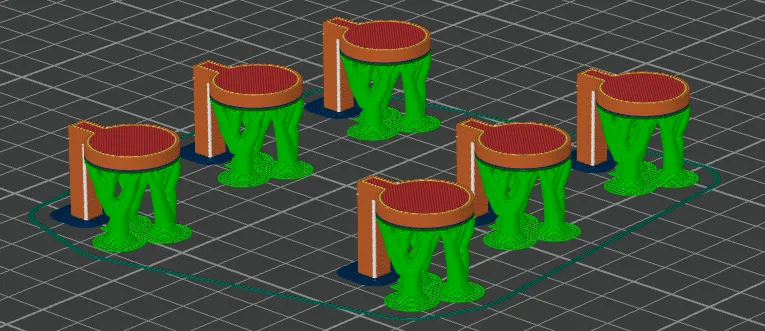

Print Profile(3)



Description
Support Tuning Test – Find the Sweet Spot for Easy Removal and Clean Surfaces
This test model is designed to help you fine-tune your support settings for the best balance between strong support and easy cleanup. If you've ever struggled with supports that are too hard to remove or leave rough marks behind, this print is for you!
What it does:
- Lets you test different support settings in one quick print
- Helps you find the best combination for clean overhangs and easy support removal
- Shows how changes in settings like Z-distance, XY offset, and pattern type affect results
How to use it:
Slice the model with your usual settings, but try varying your support options—either by printing multiple versions or using modifier blocks. After printing, compare how easily the supports detach and how smooth the surface underneath looks.
This is a great tool to dial in your printer for detailed or delicate prints where support clean-up really matters.
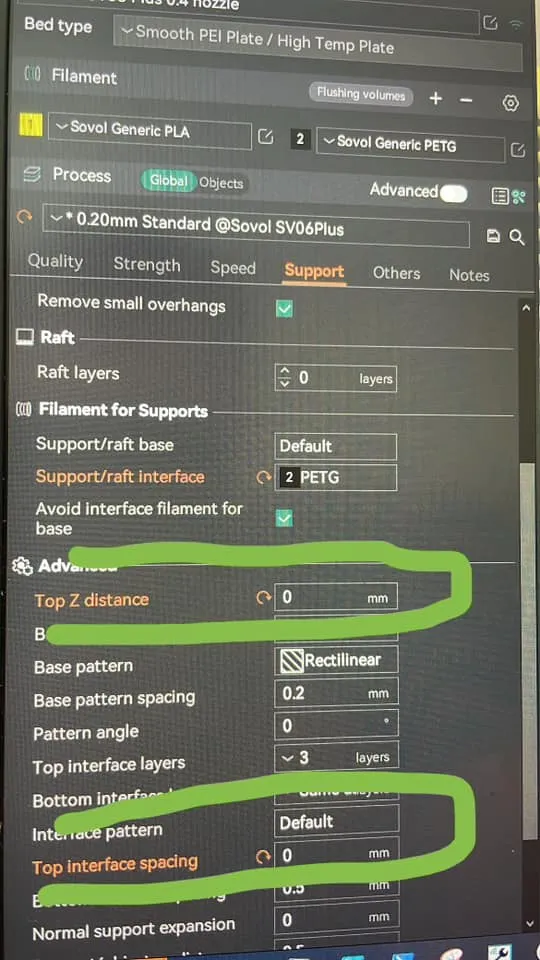
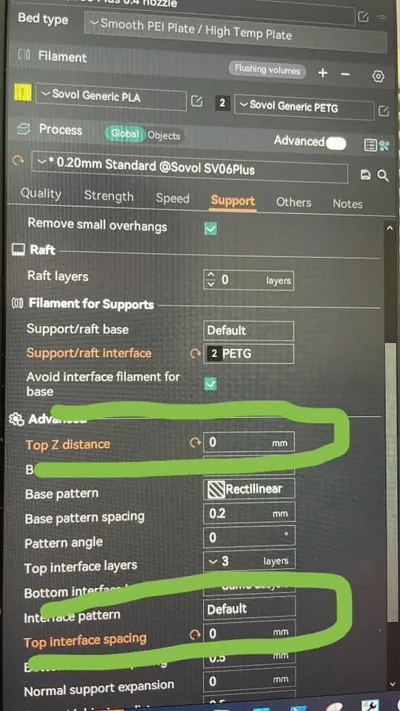
Additionally, if you have AMS, you can print interface layers (only interface layers, no need for whole support) from other material type.
if print from PLA = interface from PETG and reverse.
In that case you can set “Top Z distance” to ZERO, and your supported area will be much much more cleaner, and supports will be detaching super easily.
Obviously there is special support materials, which can be handy with other types of filament, but with PLA you can use just PETG.
Also, if you sometimes struggle to chose what layer height will be good for this or that model, I made a super quick and easy test print that will display all default layer height's for every nozzle.
Come check those out: https://makerworld.com/en/models/1456930-chose-your-best-layer-height-only-10-gram
License

You shall not share, sub-license, sell, rent, host, transfer, or distribute in any way the digital or 3D printed versions of this object, nor any other derivative work of this object in its digital or physical format (including - but not limited to - remixes of this object, and hosting on other digital platforms). The objects may not be used without permission in any way whatsoever in which you charge money, or collect fees.


Comment & Rating (557)