
Surface Finish Test Strips - Multi-Speed
Print Profile(3)


Description
Introduction
In the era of high-speed printing, tuning your filament with a temperature tower only gives small clues as to what your settings should be as the actual filament temperature coming out of the nozzle is highly dependent on speed and layer time. The manufacturer's recommendations and the printer's default profiles already give quite a good indication of what temperature ranges to assess anyway. Even with a set temperature, you need to know how your filament behaves at different speed ranges with a larger model (for a reasonable layer-time) to get good results.
Features
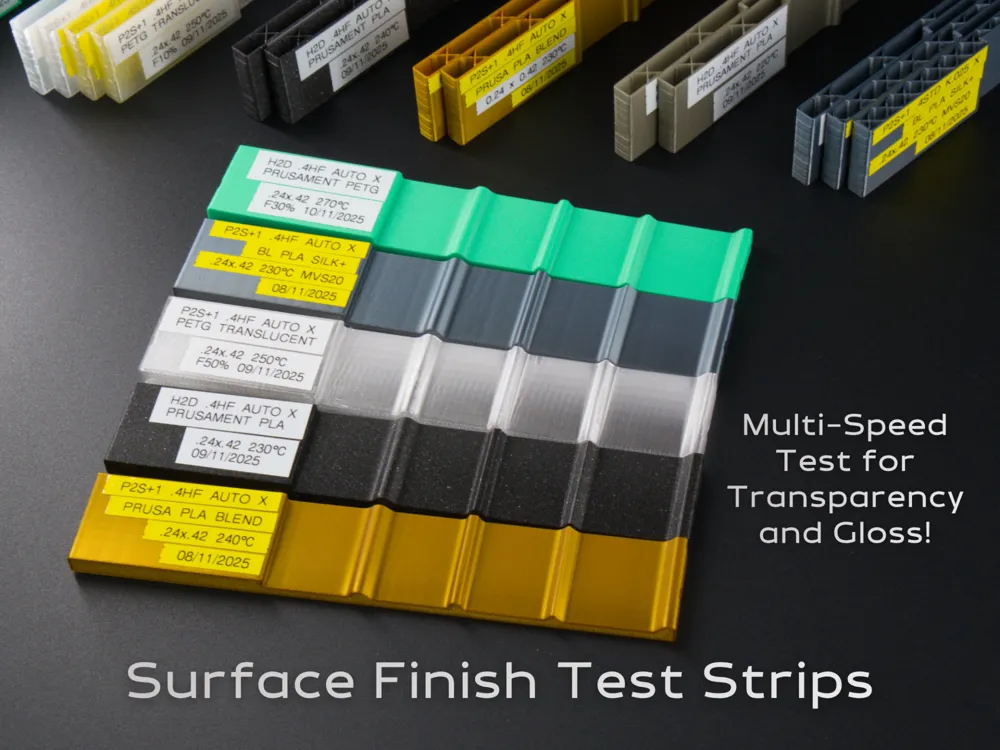
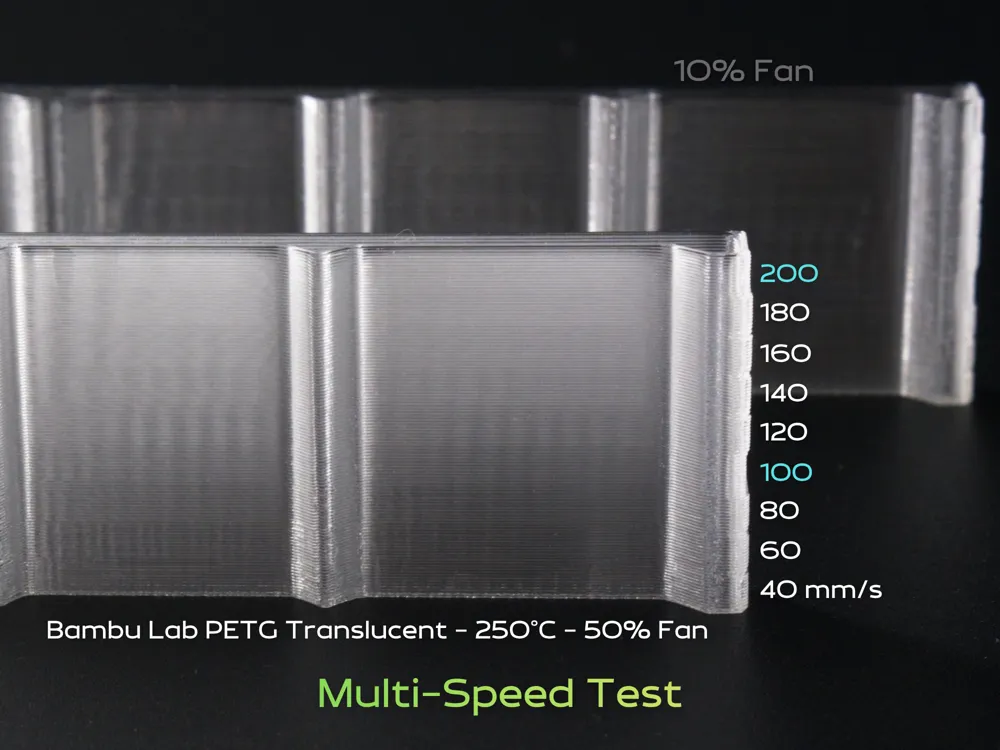
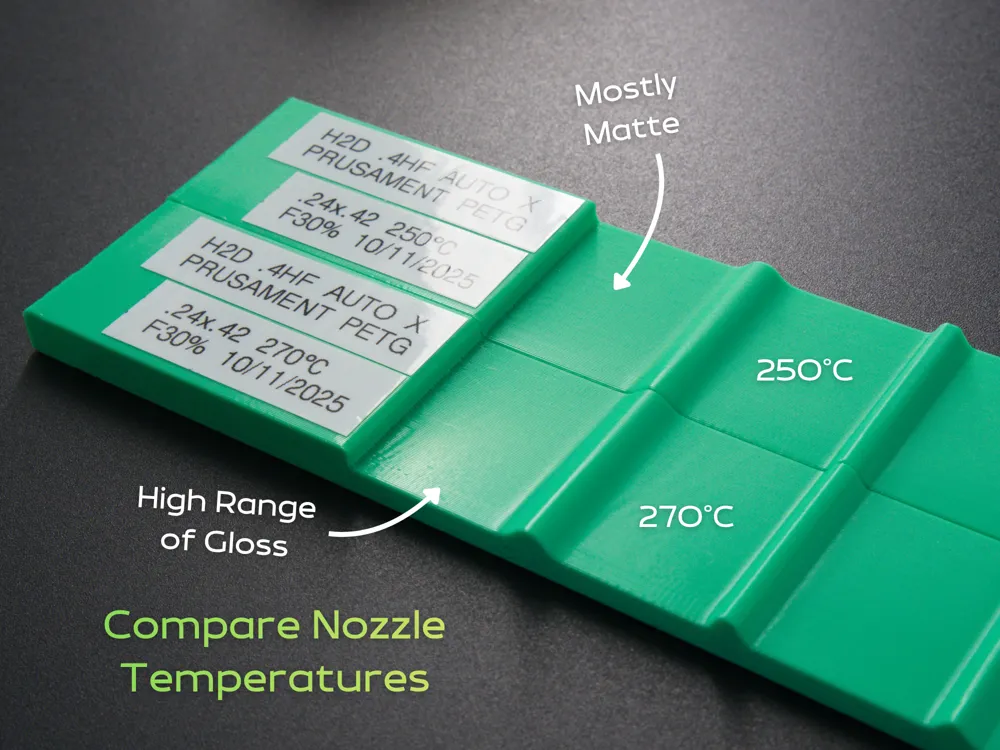
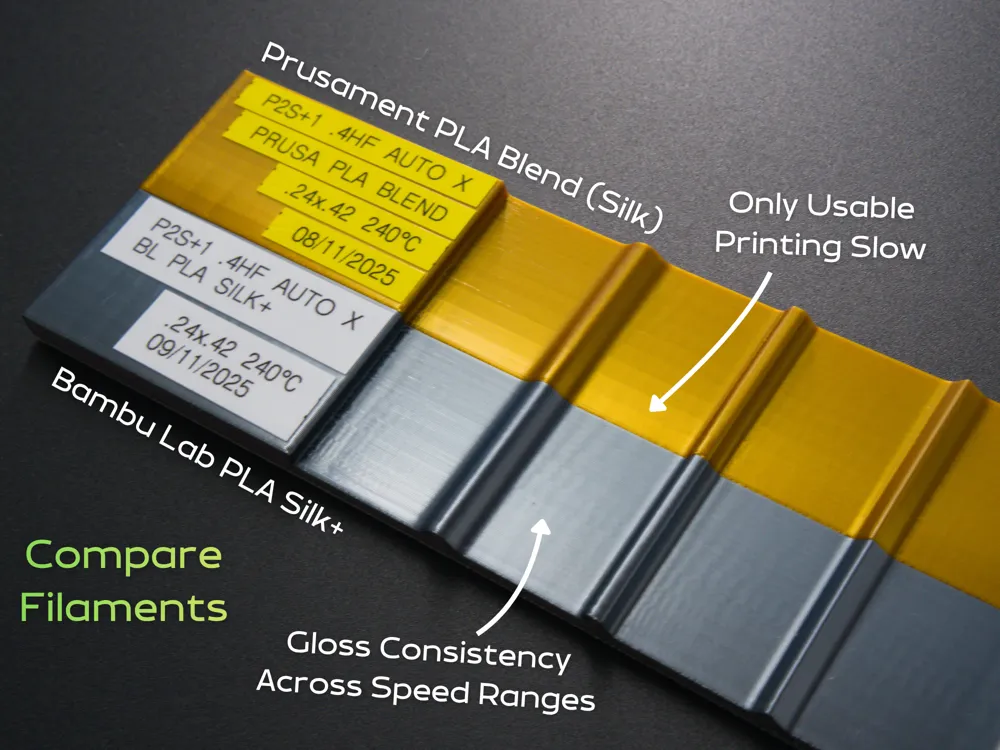
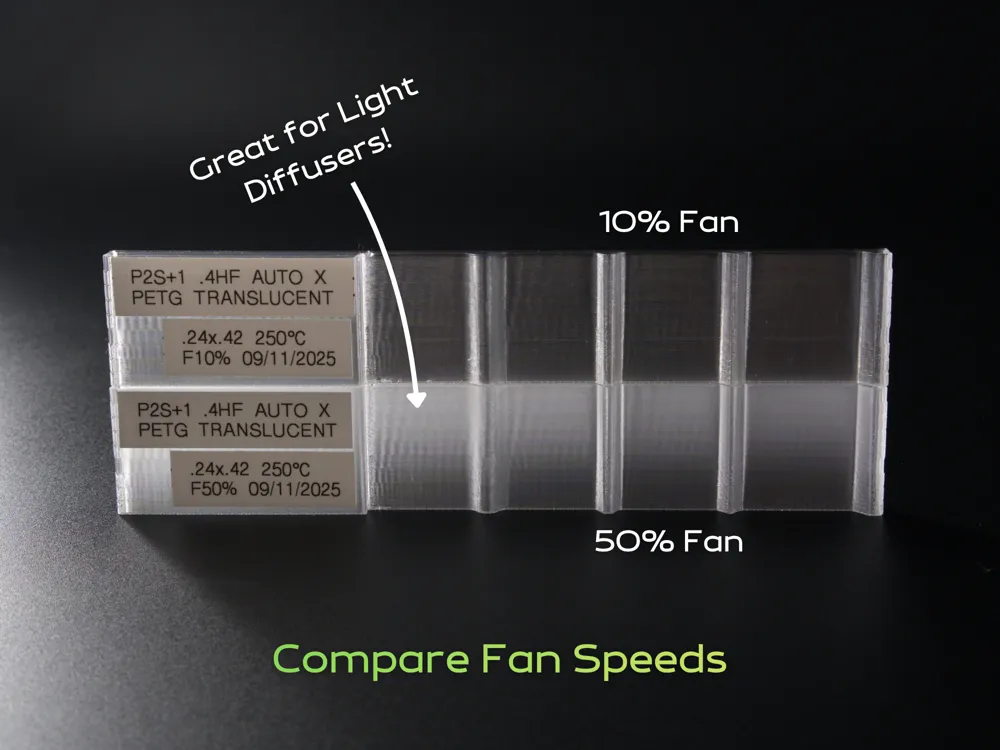
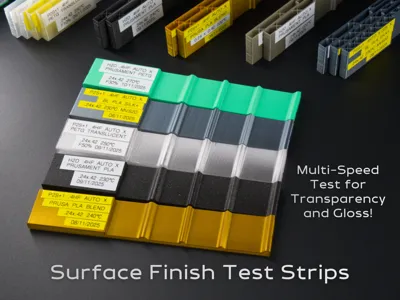
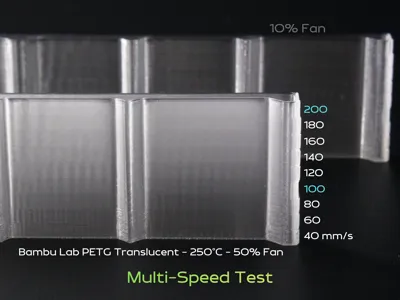
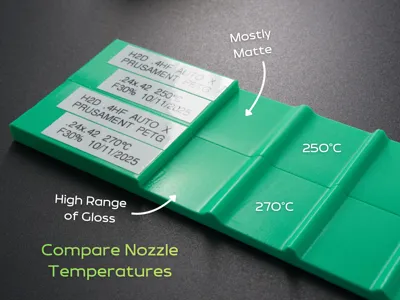
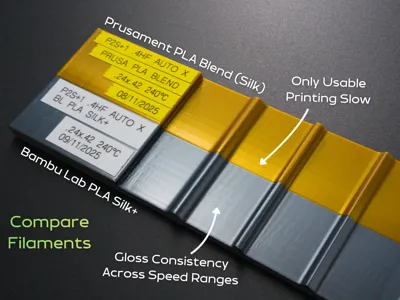
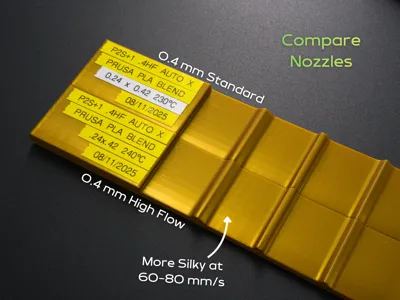
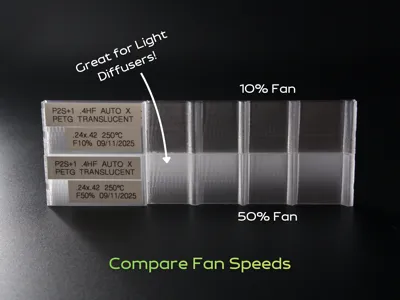
This test print's main intent is to assess the surface finish (fidelity and gloss level) across several outer wall print speeds. This helps you save time if you find you can print faster without losing surface finish quality. It can also help tune glossy filaments if you want a more matte look or translucent filaments for different levels of transparency. This can also be used to compare and tune:
- Different print temperatures (temperature towers do not print anywhere near the maximum volumetric speed and look different)
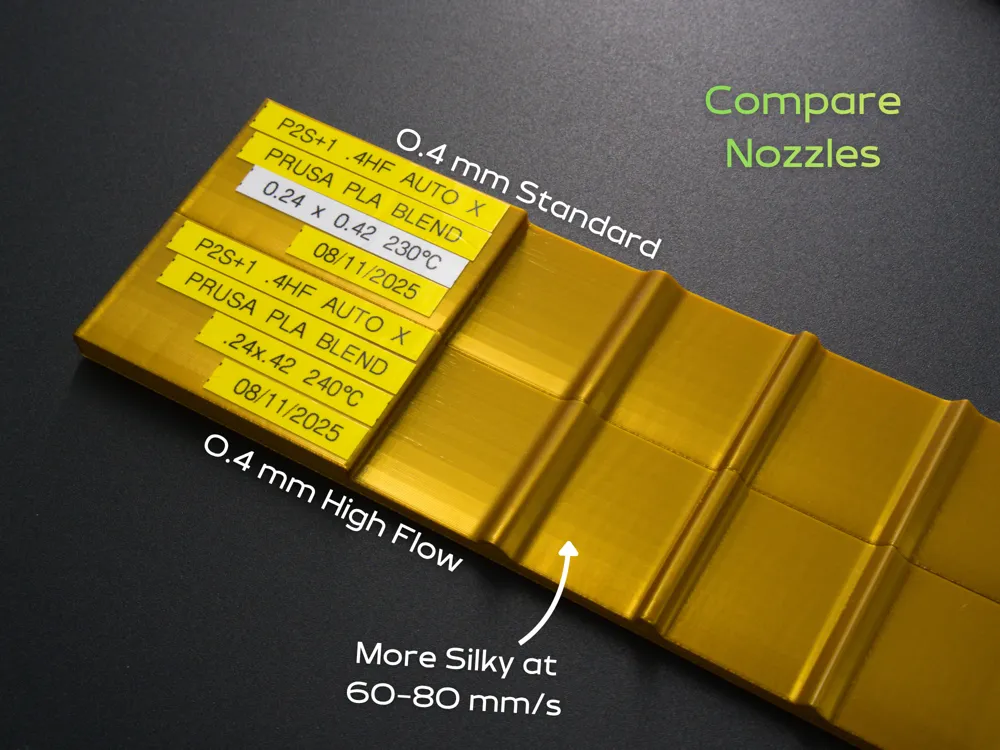
- Different nozzles (can help tune a new outer wall speed for high flow nozzles)
- Different printers (if you usually print something with one printer and want to tune the print for another printer)
- Different line widths, layer heights, fan speeds, etc…
This is not a VFA test as this only prints along one axis (for easy storage of multiple samples). This primarily tests for surface finish, gloss and K factor (pressure advance) for different filaments and print settings. It will give some indication of ringing but only in one axis. For VFA testing, use the built-in VFA test print built into Bambu studio or this VFA Test designed for Core XY Machines. The VFA test print is not a compact model but you only need one as it's mostly a function of the printer's motion system and firmware.
Printing Tips
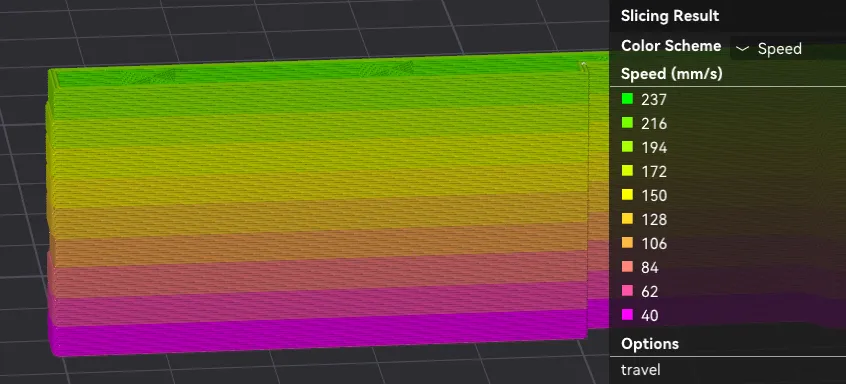
If you change the filament profile or printer, check the “speed” preview to ensure that the outer wall speeds do have the step changes, like so:
If the preview looks something like below, you could be layer-time limited in the upper speed ranges. Untick “Slow printing down for better layer cooling”. Note that this is not always appropriate if the layer does not have enough time to cool down for the next layer. You may need to add copies of the object instead to increase the layer time (then you can put one along the X axis and one along the Y axis to test them at once).
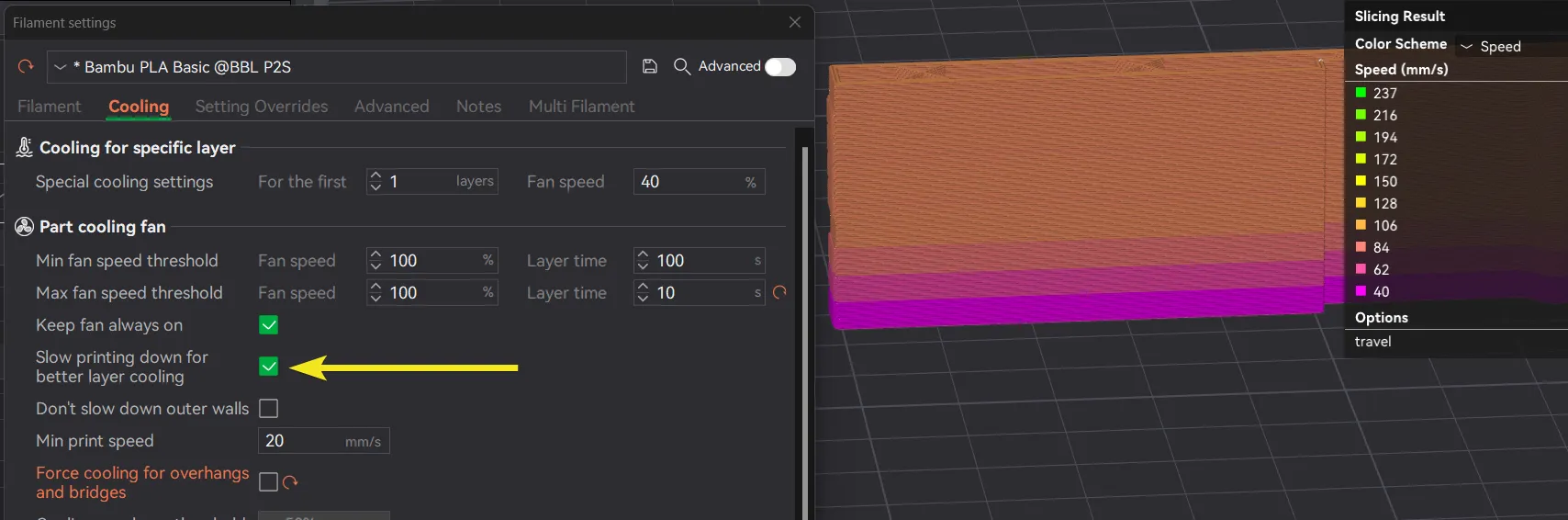
Also untick “Force cooling for overhangs and bridges” as the overhangs are only on the segment markers at the ends and we don't want the fan trying to speed up and slow down everywhere, we want a known fan speed.
If that doesn't fix it, you could be limited by the maximum volumetric speed (MVS). In this case, you can either increase this value (based on a maximum volumetric speed, perhaps together with a nozzle temperature increase):
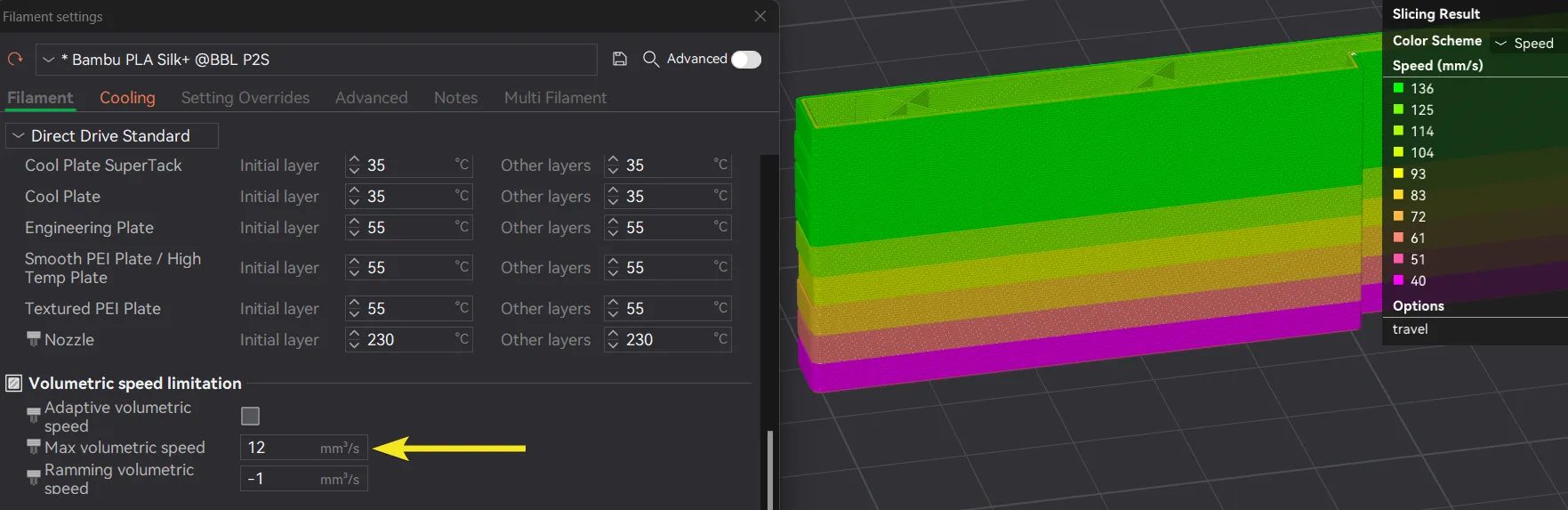
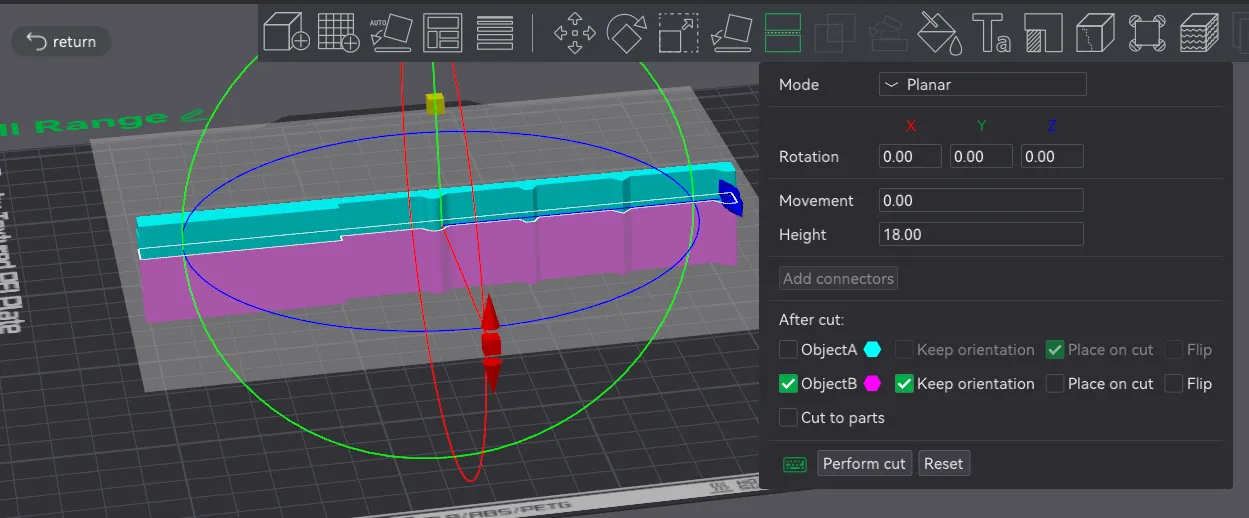
Or crop the part to test a narrower speed range (the segments are 3 mm high so set “Height” to a multiple of 3 mm):
Change Log
11/11/2025 Update 1: Model completely revised to print much faster.
License

You shall not share, sub-license, sell, rent, host, transfer, or distribute in any way the digital or 3D printed versions of this object, nor any other derivative work of this object in its digital or physical format (including - but not limited to - remixes of this object, and hosting on other digital platforms). The objects may not be used without permission in any way whatsoever in which you charge money, or collect fees.


Comment & Rating (5)