
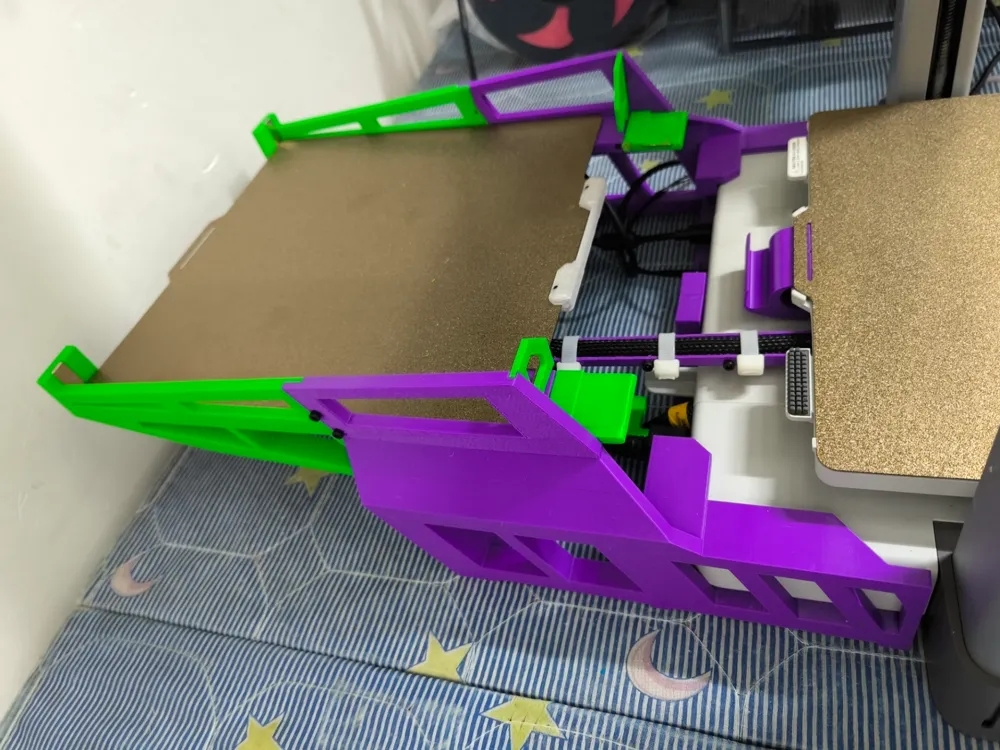
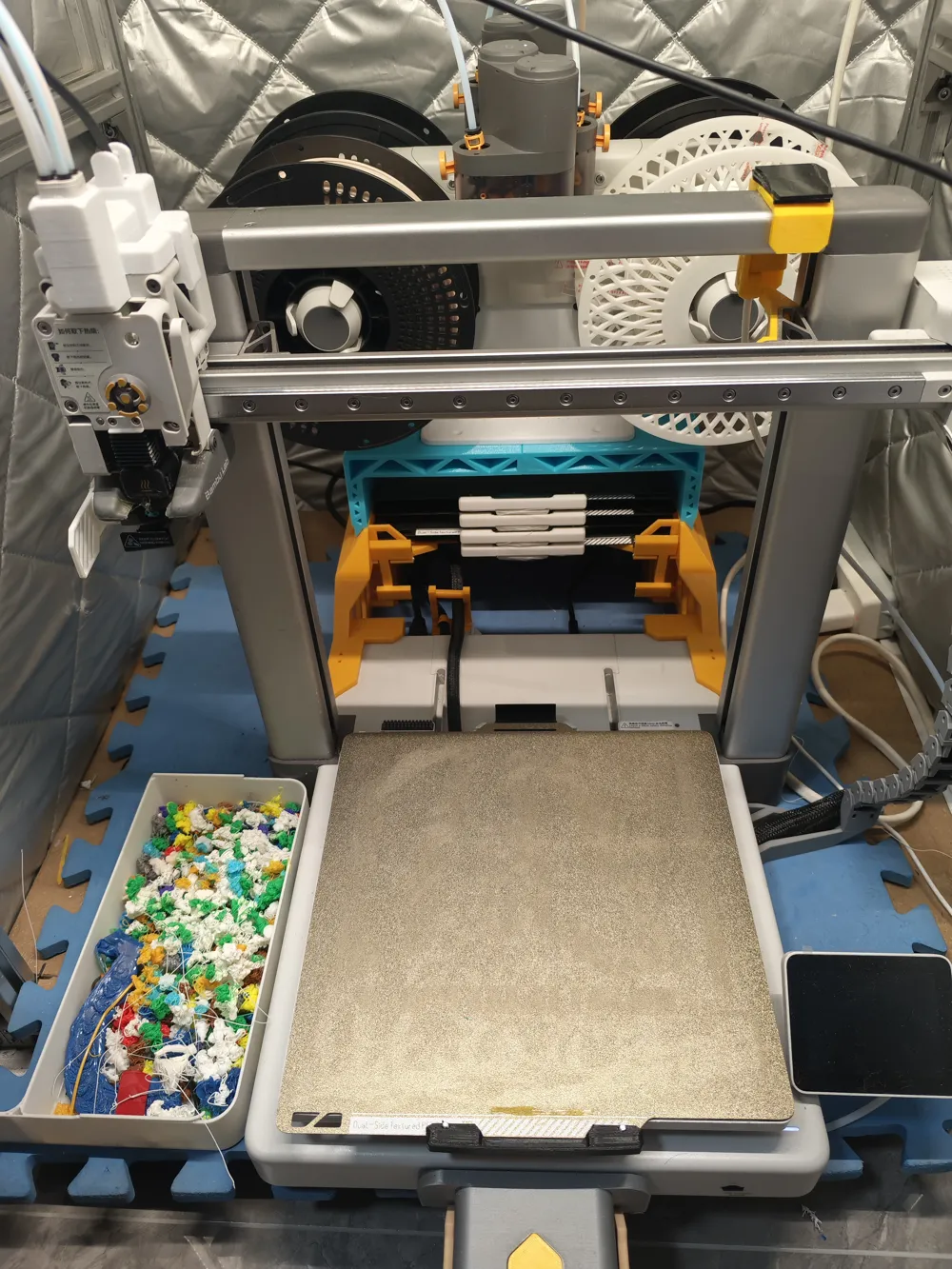
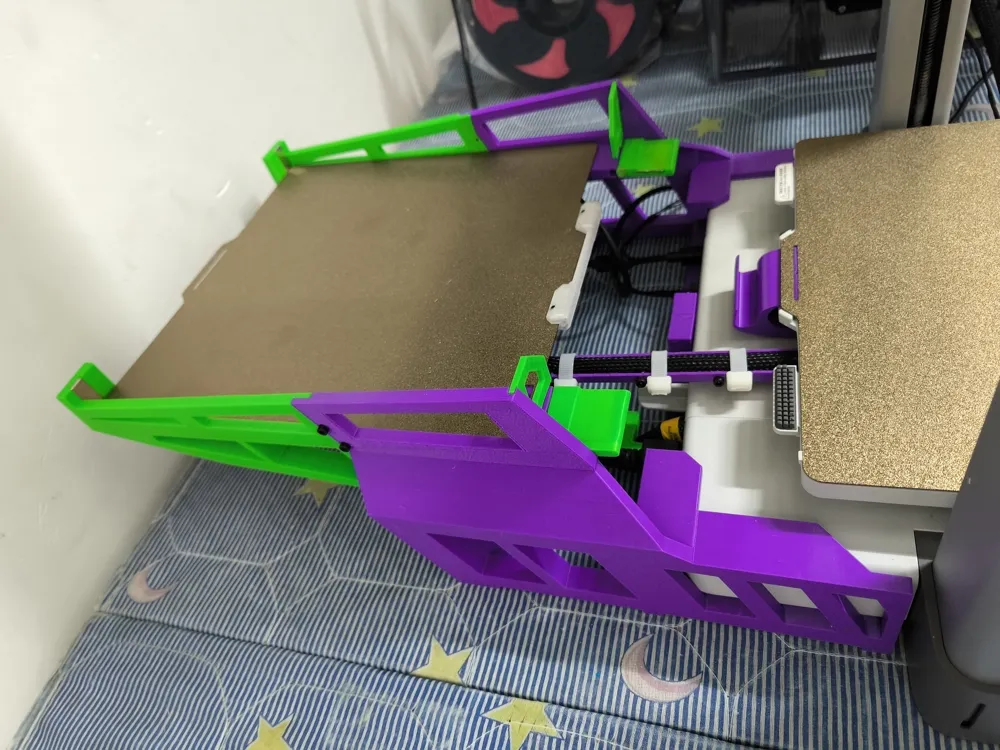
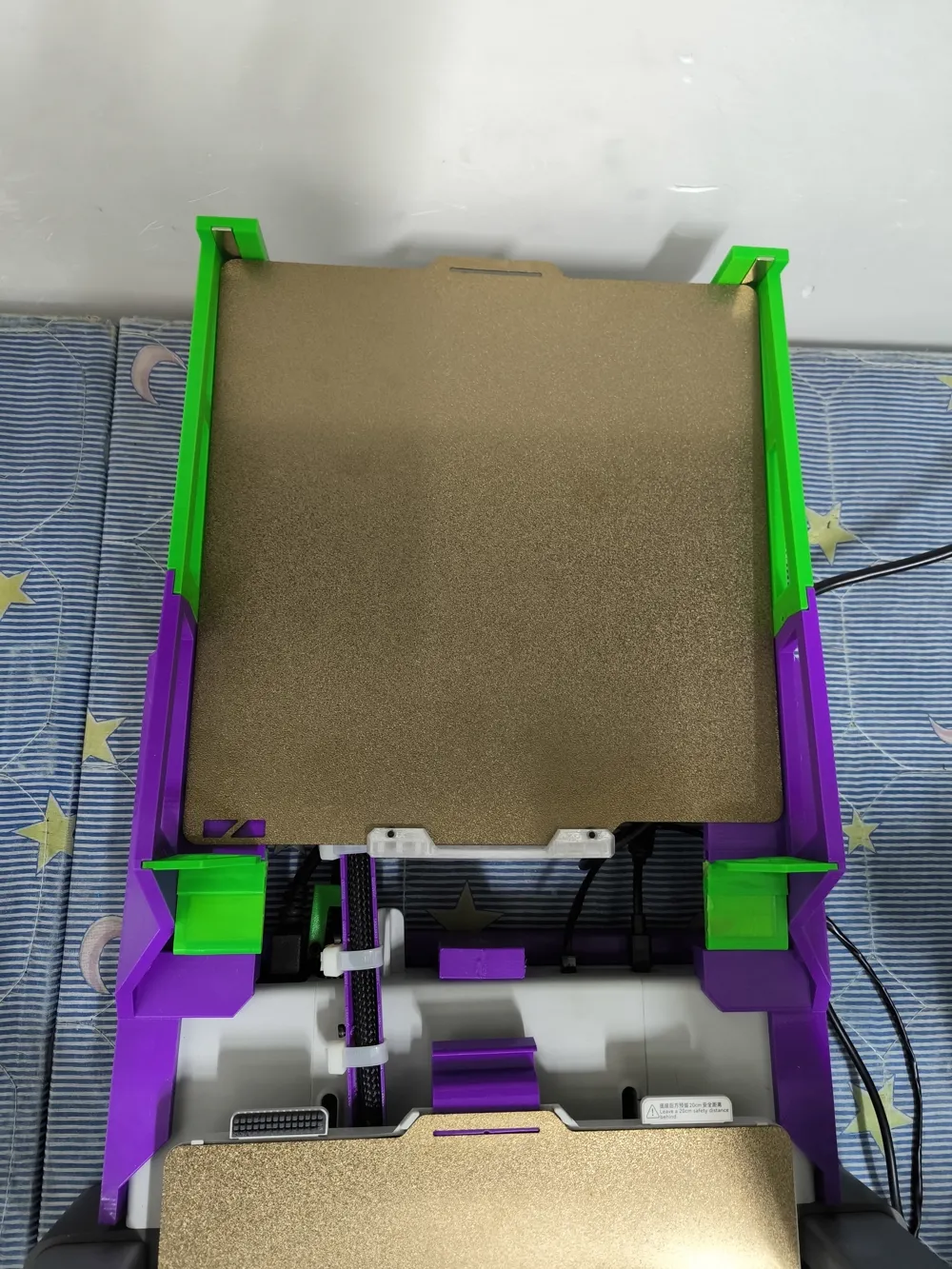
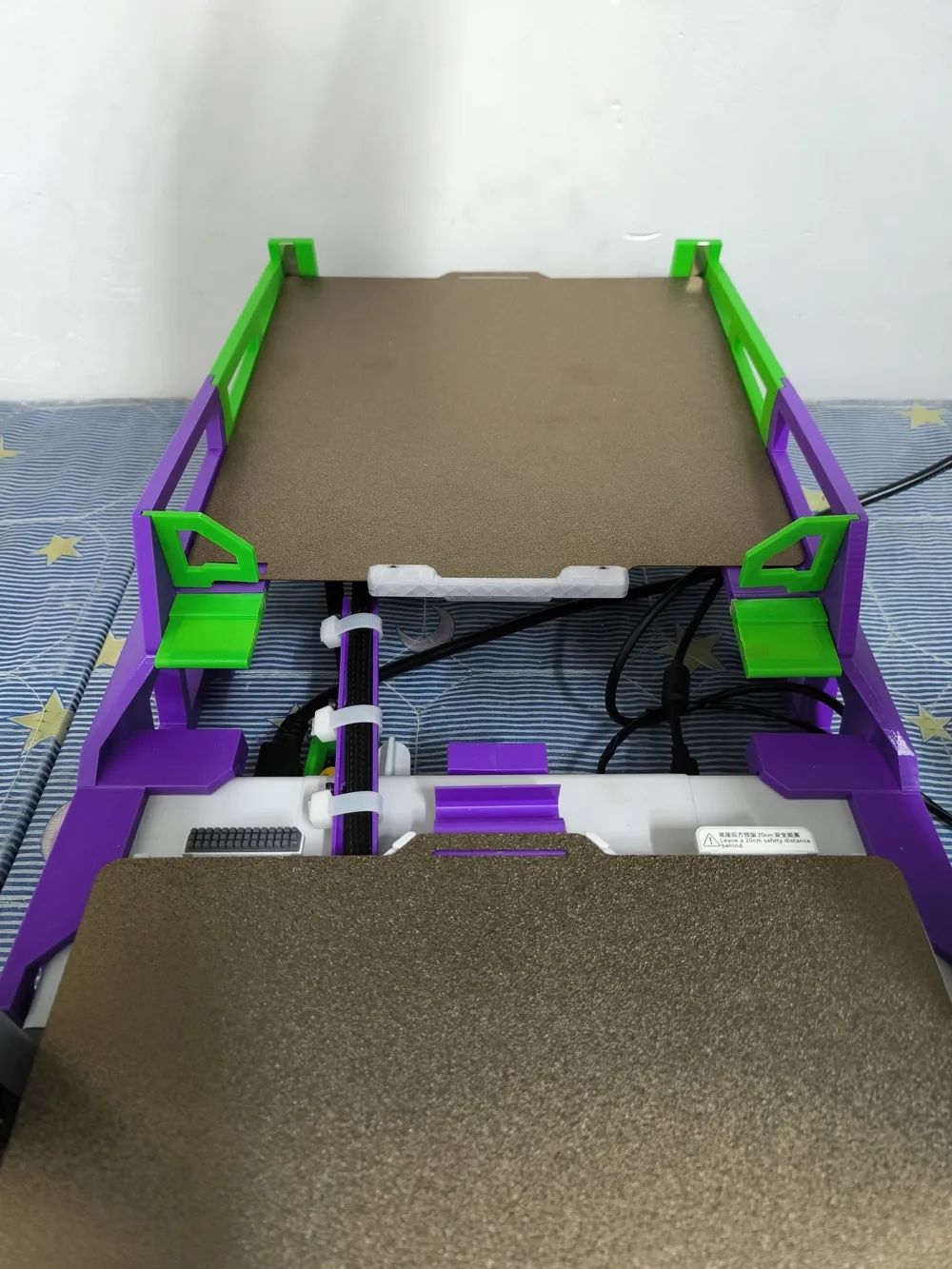
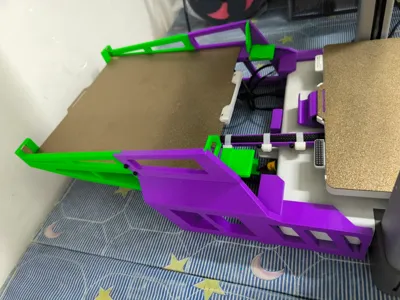
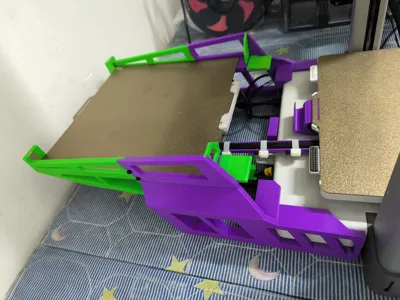
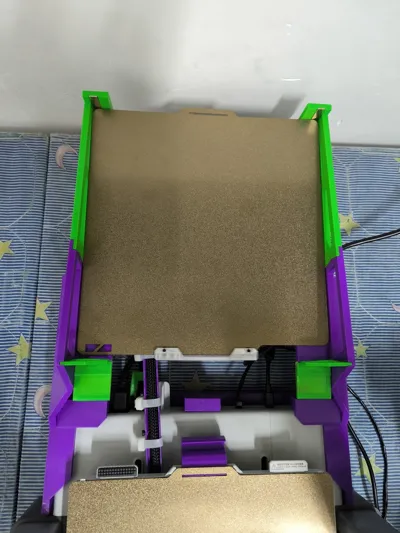
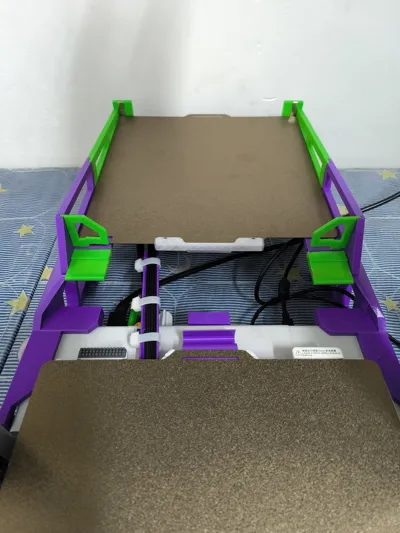
A1 Automatic Plate Changer Rear Tray V3.0 supports more plate changes, updated June 10th
Print Profile(5)


Description
Boost Me (for free)
The platform prohibits external links, so the group chat has been removed Please direct message for inquiries
Plate change video:
The plate change video has been temporarily removed from Bilibili Please search for it yourself
This plate holder is a rear plate holder accessory for the A1
Recommended first layer print height: 02mm, layer height: 028mm, for faster printing approximately 14 hours divided into three plates, if you wish to use different colors you can arrange the plates yourself
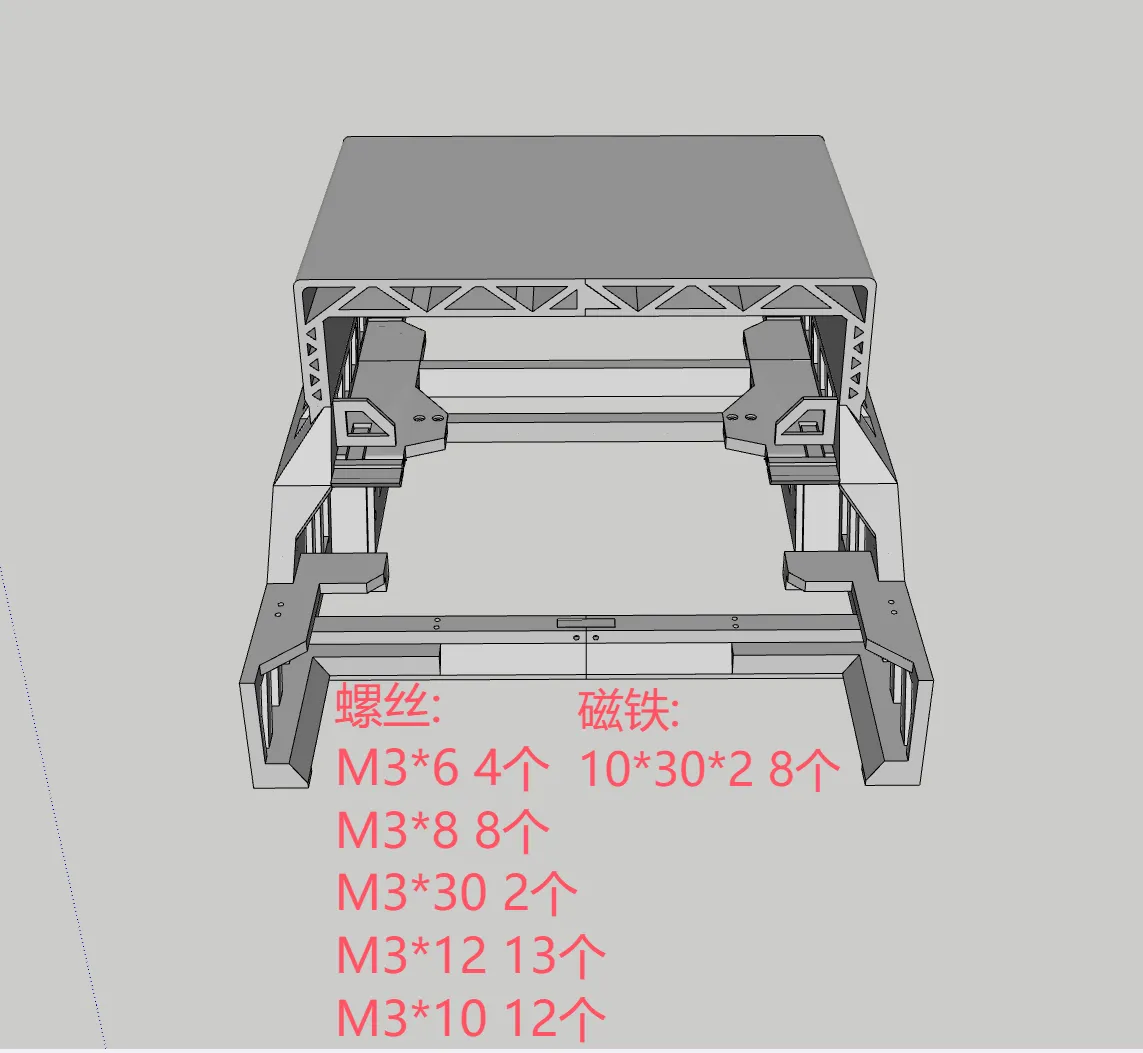
Required Parts:
Countersunk Screws:
M3*6 4
M3*8 8
M3*35 or 40 2
M3*12 13
M3*10 14
Magnets:
10*30*2 12
Update Log:
June 10, V302:
1. Resolved the issue of the rear plate being too tight
May 27, V301:
1. Removed the rear support line, please click the following link for the rear support line: https://makerworld.com.cn/models/1260269
May 13, V30:
1. Updated the model for improved printability
3. Increased load capacity, supports up to 20 plates (theoretically more)
4. Added a rear plate holder to fully utilize the rear space
April 29 update, rear cable routing version:
New rear cable slot added to the print profile (required download)
April 10, V22:
1. Enhanced stability,
2. Fixed the issue of the front stop potentially being bumped or scratched,
4. Users who printed before April 10 need to download the new profile (named: Latest Patch)
April 7, V21:
1. Enhanced stability,
2. Fixed the issue of the front stop not being able to stand upright,
3. Removed the need for hot melt nuts (M3*14 half-threaded screws can be used directly)
4. Users who printed before April 7 need to download the new profile (named: Latest Patch)
April 6, V20:
1. New version allows for full plate placement (versions prior to 20 require leaving some space)
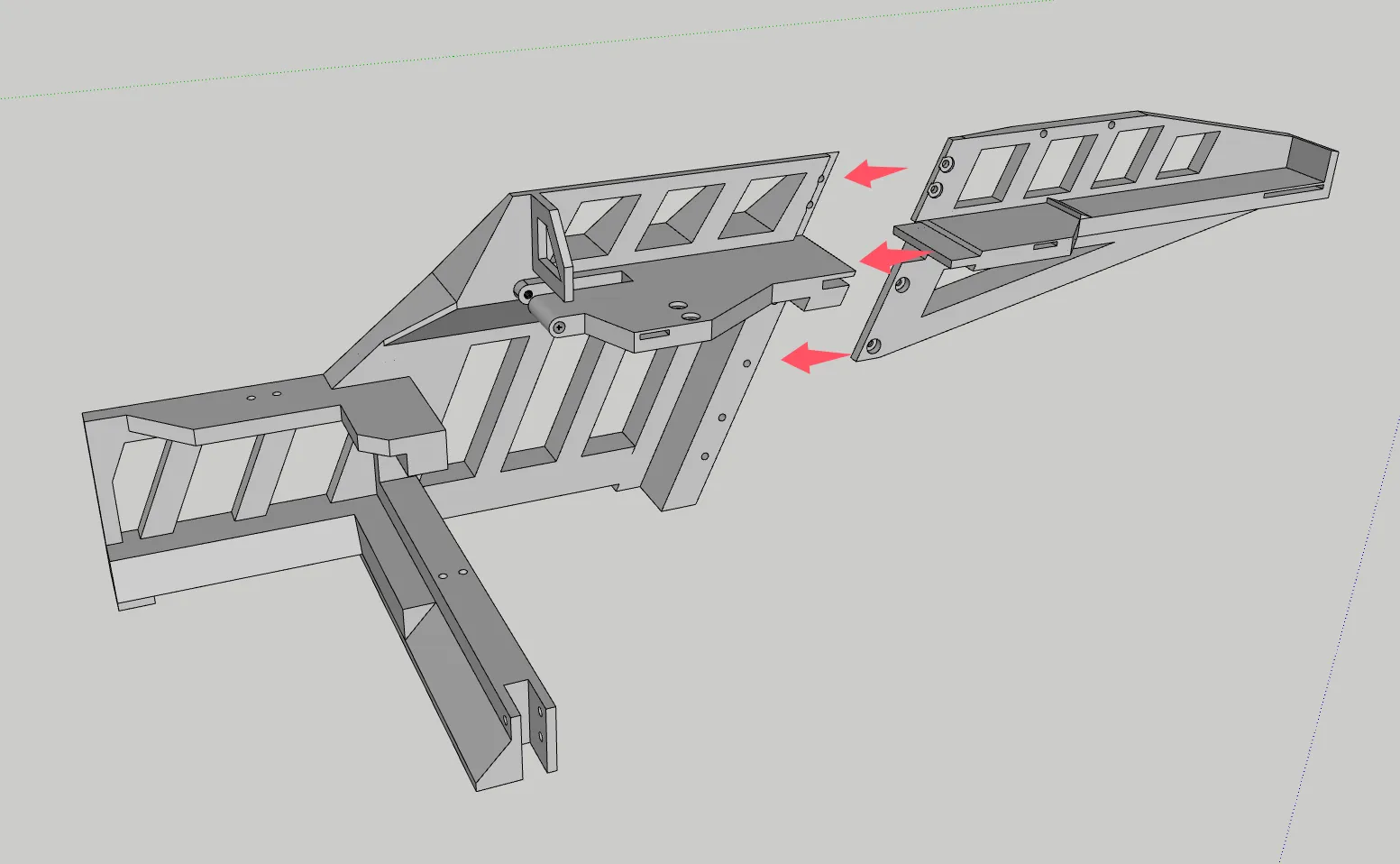
Installation Guide:
Step 1:
Step 2:
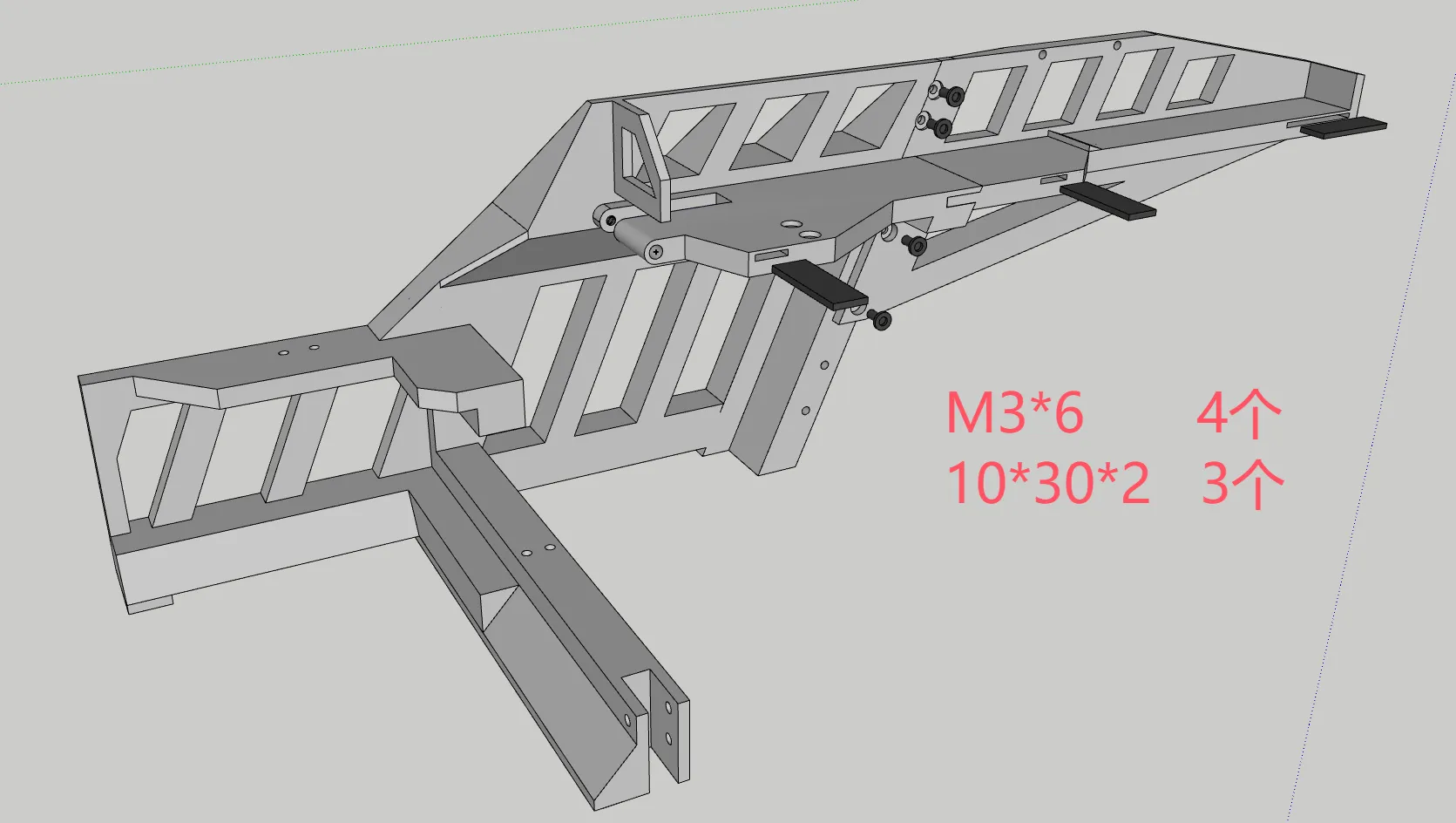
Step 3:
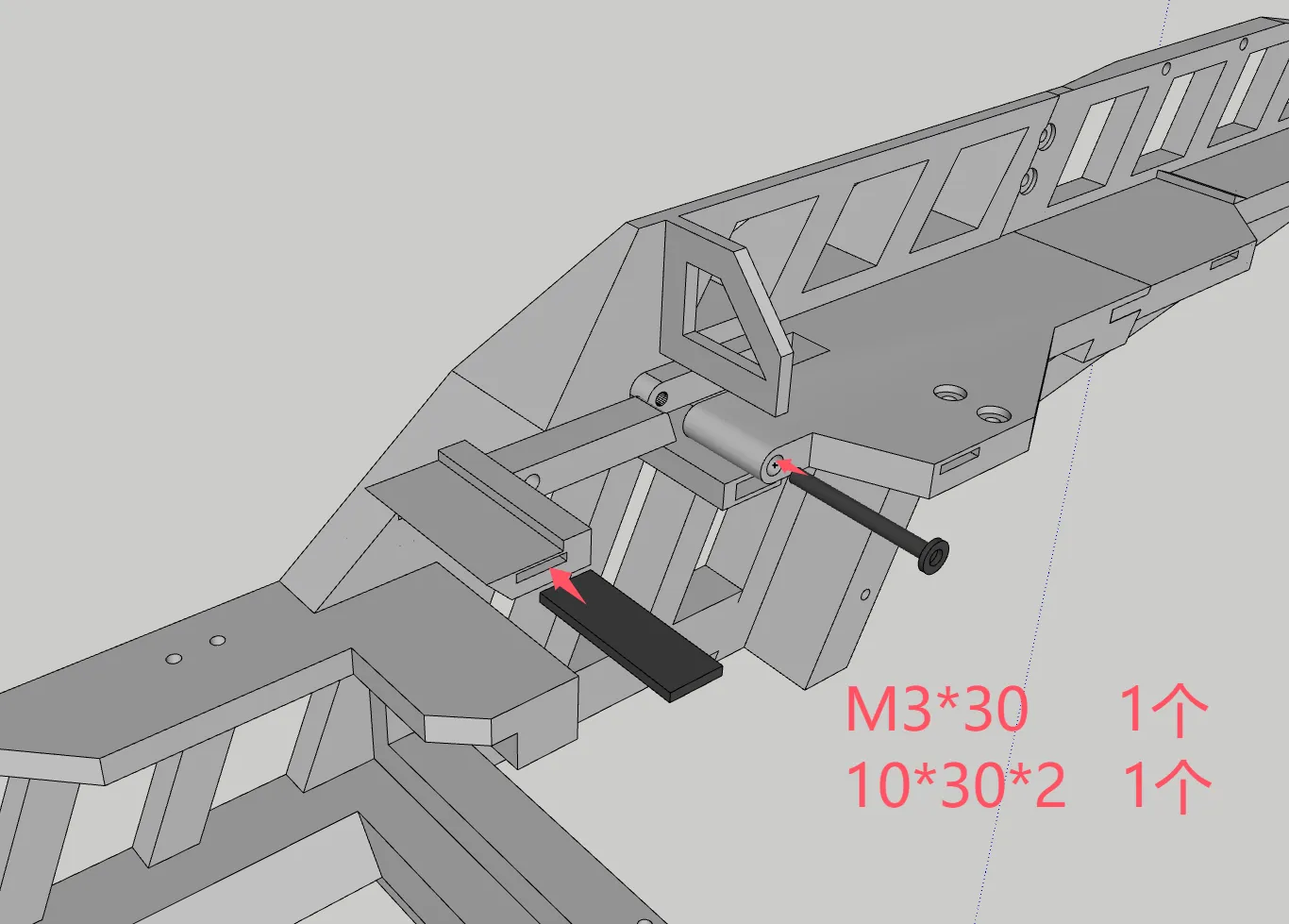
Step 4:
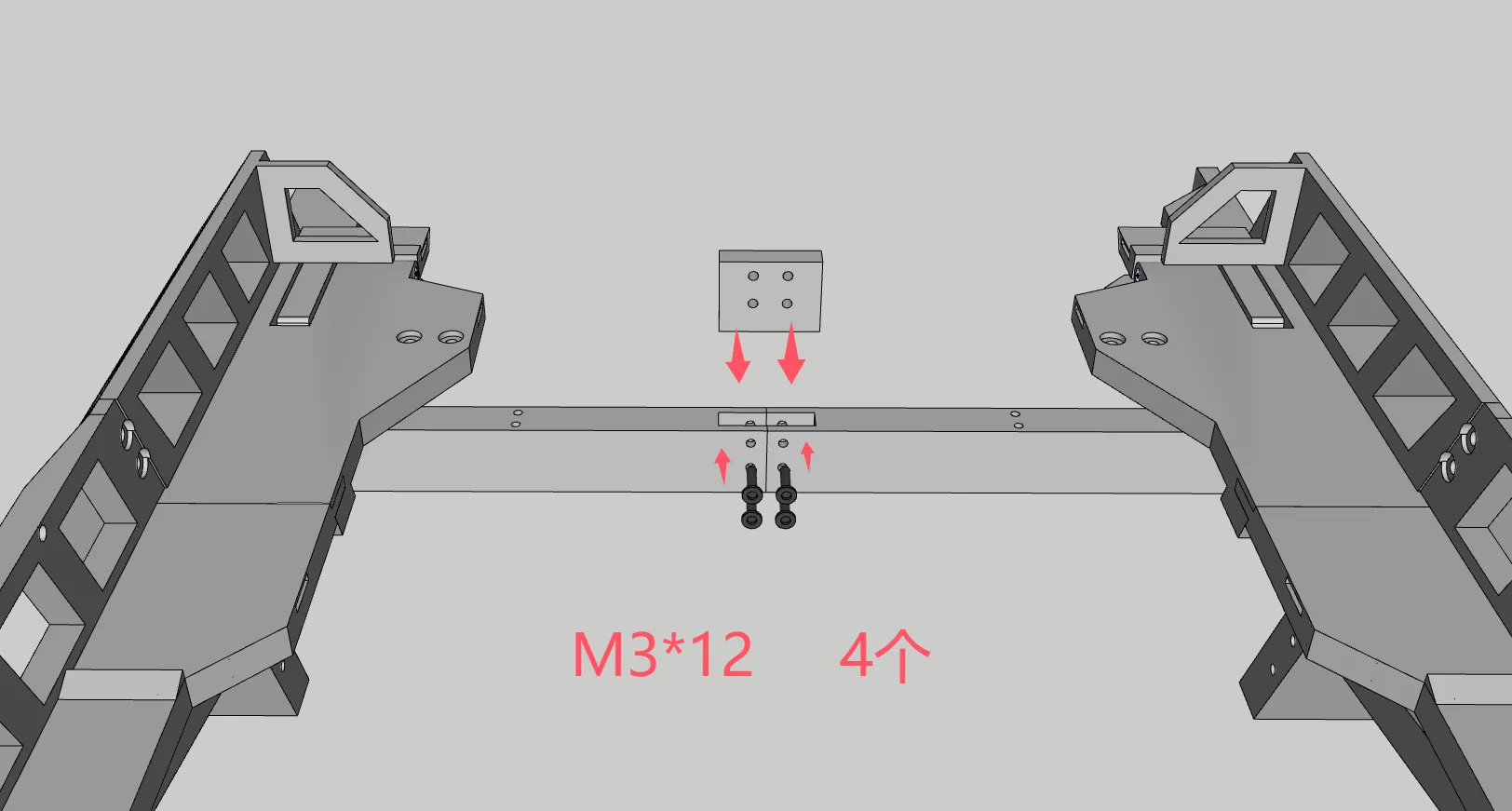
Step 5:
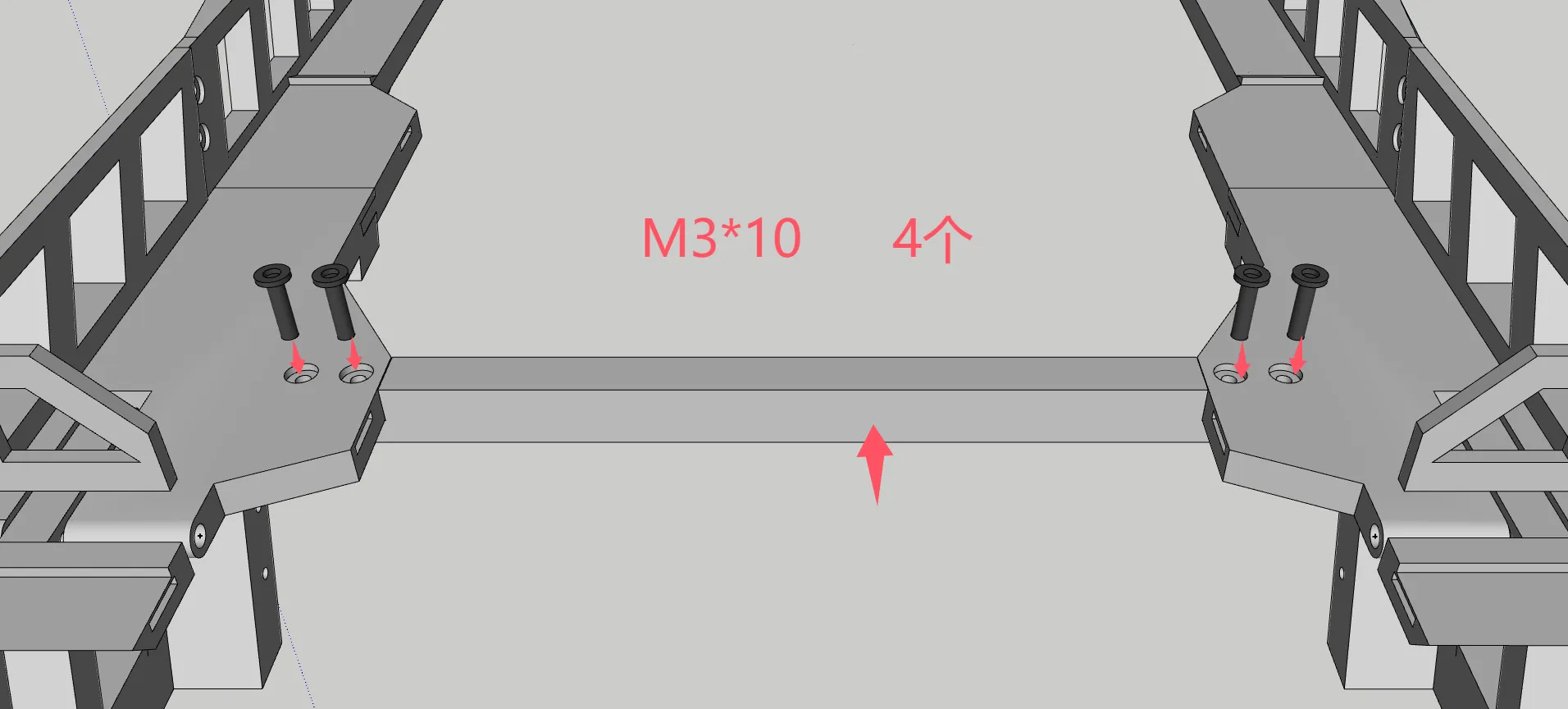
Step 6: (Install this step based on need)
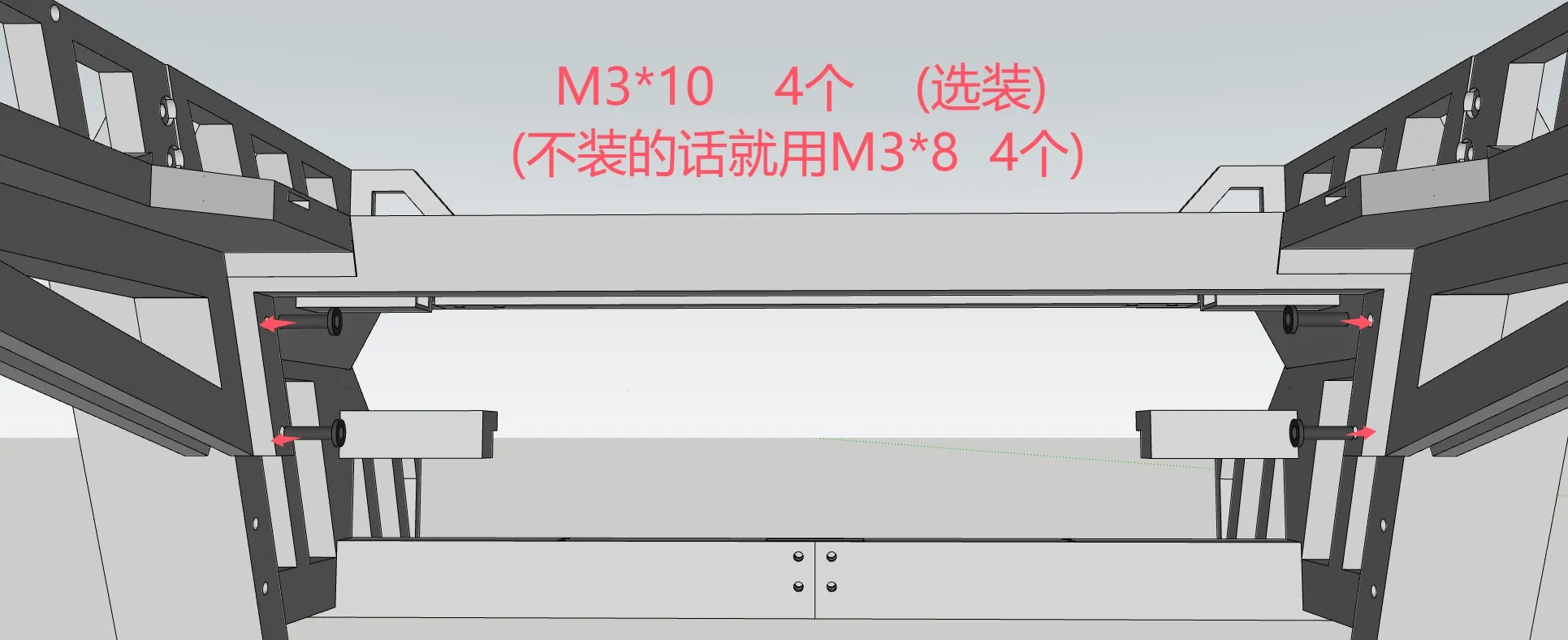
Step 7:
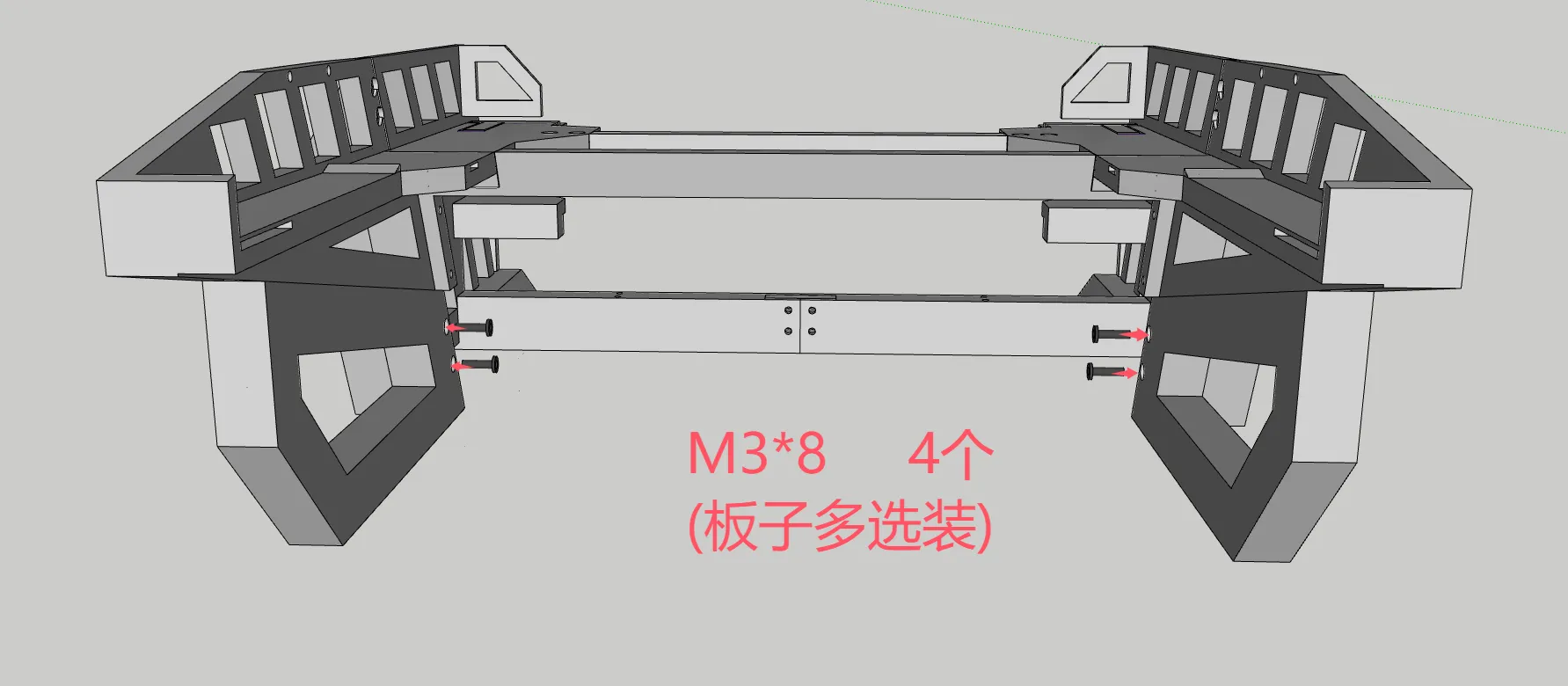
Step 8:
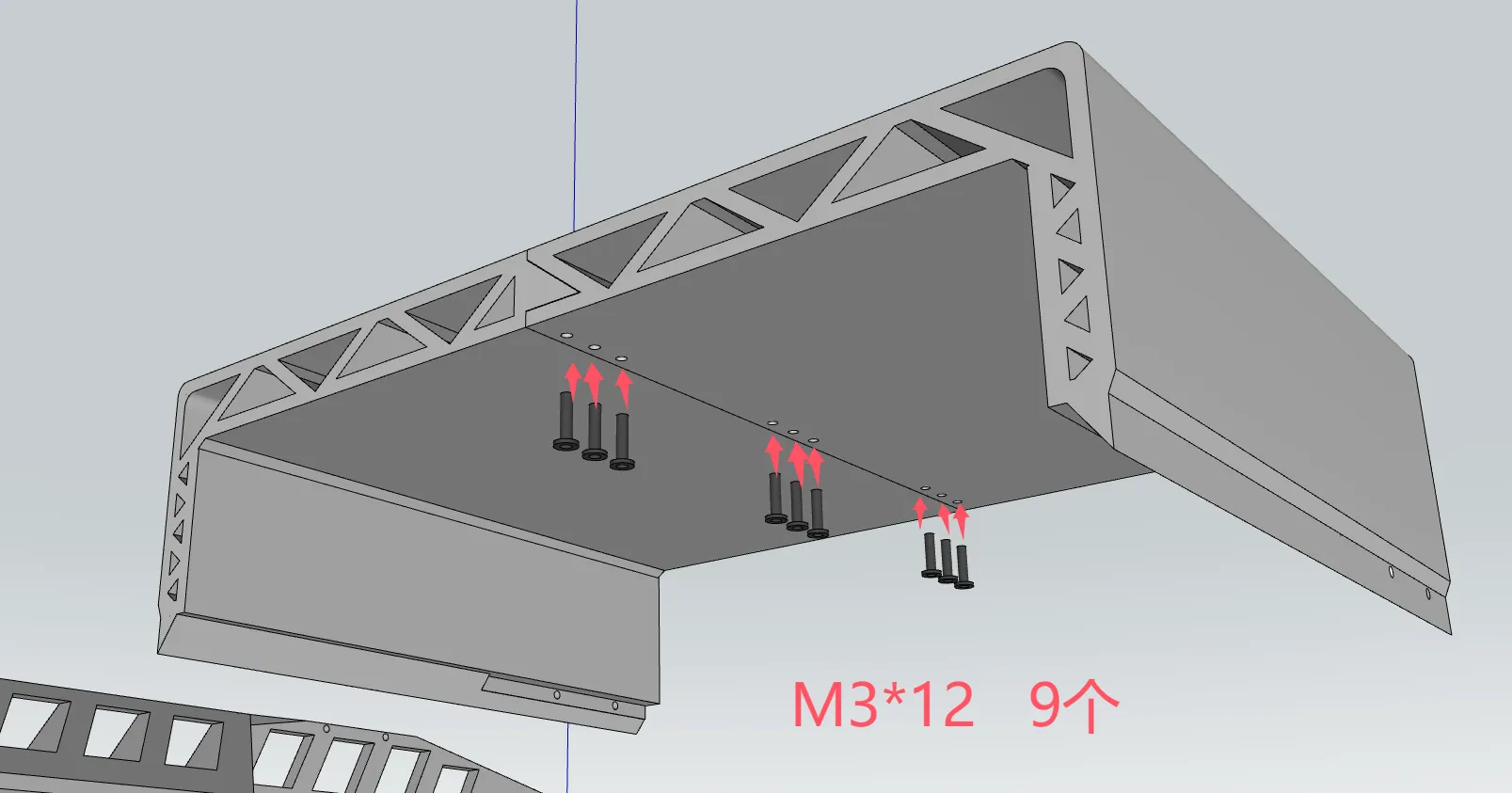
Step 9:
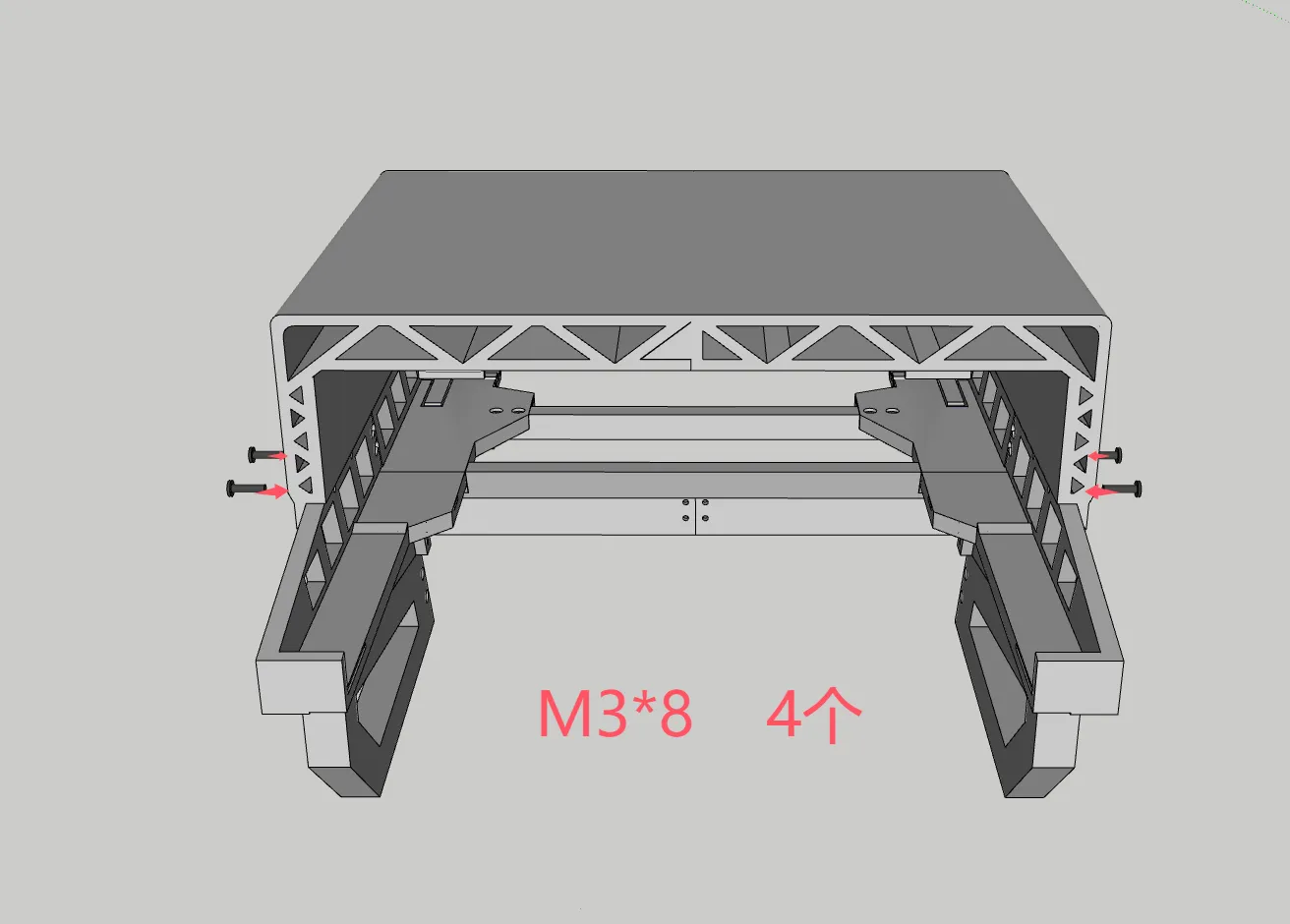
Documentation (1)
License

You shall not share, sub-license, sell, rent, host, transfer, or distribute in any way the digital or 3D printed versions of this object, nor any other derivative work of this object in its digital or physical format (including - but not limited to - remixes of this object, and hosting on other digital platforms). The objects may not be used without permission in any way whatsoever in which you charge money, or collect fees.


Comment & Rating (21)