Search models, users, collections, and posts

sdaendi
@sdaendi
7.1 k
80.8 k
149.1 k
90.3 k
Social Media Links
Bio
I'm a student and have been into 3D printing as a hobby for several years. I enjoy taking part in design challenges and creating functional and fun mechanical models. I like sharing my work so others can enjoy it too, feel free to support me with a boost, follow or like, I really appreciate it!
Achievements

MakerWorld Guardian
Active more than 20 days out of last 30 days UTC time

Contest Winner
Won 4 model contest awards.

Featured Creator
2 models are featured by MakerWorld.

Maker's Supply Contributor
1 model with Maker's Supply Model Kit achieves 500 successful prints.

Popular Model
6 models more than 5,000 successful prints.

Popular Creator
More than 1,000 followers.
Pinned Models
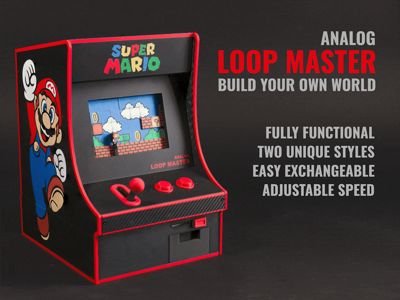
Loop Master
GIF
1.9 k
123
629
46
Mini Roulette
14.8 k
1.4 k
13.5 k
3.1 k
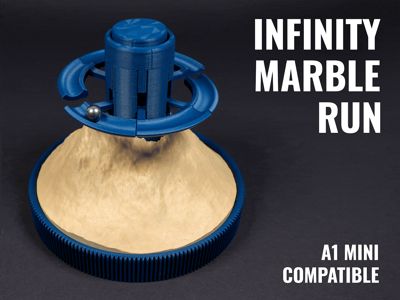
Infinity Marble run
GIF
2.4 k
112
2.2 k
428
Recent Article
CaseStudio Update - The Biggest Release Yet
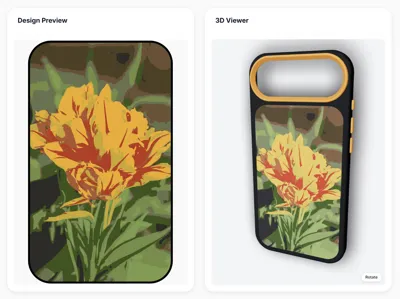
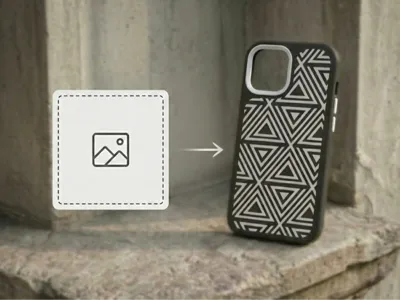
CaseStudio Update - The Biggest Release YetThis is the update we've been building toward. New tools, smarter workflows, and features the community has been asking for since day one. Let's get into it. New FeaturesSVG Export for Laser CuttingExport a precise SVG of your backplate and use it to laser-cut your own backplate from wood or any other material. Just set the Backplate Thickness under Case Parameters on the Config page to match your material thickness, then hit "Export SVG for Laser Cutting" on the Decorate page and you're good to go. For everyone who ordered a wooden backplate: this isn't supported just yet, but it will be possible in the future.Custom Image UploadIt's finally here. This has been the most requested feature since launch, and we're incredibly happy to say it's live. Upload any image, save it, and use it across as many designs as you want. Choose between Color mode (up to 12 colors) or Black & White mode (single color, transparent background, ideal for patterns and logos). Colors can be picked automatically or dialed in manually, and with the Color Library integration, you can limit the selection to only the filaments you actually own. Use the SVG Quality settings to fine-tune the output until it looks exactly right. Flip Pattern TextureThe entire pattern library has been reworked from the ground up. A number of patterns had subtle errors that have now been corrected, .and you can now invert any pattern, flipping what was solid into transparent and vice versa. It's a small addition that opens up a surprising amount of creative flexibility.Color LibraryNo more guessing what your print will look like. Add all the filaments you own to your Color Library, then apply your exact colors to any field on the Decorate page for a preview that actually matches reality. Over 200 Bambu Lab filaments are already in the built-in library, ready to go. Custom filaments can be added manually, and you can mark any as "run out" so your library always stays accurate. Combined with the Custom Image Upload, this becomes incredibly powerful: enable "Only use my Color Library" and every generated design will work with exactly what you have on hand.Community LibraryThis was originally planned as a 100k stretch goal, but the community asked for it early and we built it ahead of schedule. The Community Library is live, and it's exactly what it sounds like: a shared space where you can publish your models, browse what others have created, leave ratings, and share photos of your finished prints. To keep things appropriate, uploads require a photo of your case. However we made that as easy as possible: scan a QR code to upload from a second device with no login required, and it shows up live on your PC instantly. Element AlignmentPlacing elements precisely used to take patience. Not anymore. Elements now snap to each other, align in parallel, or center themselves within the case automatically. Hold Shift for advanced control when you need it.Live 3D ViewThe 3D viewer now updates in real time as you make changes. The "Update 3D View" button is gone. What you see is always what you've got.Save DesignsSave any design and bring it back in seconds. You can also switch phone models directly from the Design page without touching the Config page. Faster, cleaner, exactly how it should work. Important: You'll need to regenerate your existing models since the old files aren't compatible with the new system. Don't worry though, all your measurements and settings are saved. One click and you're back. Bug FixesSTEP export was broken for some users. Fully fixed.Text alignment between the 2D and 3D viewers was sometimes off. Also fixed. This is just the beginning. CaseStudio is still in beta, and this update doesn't yet count toward your license, but we're moving fast and there's a lot more coming. Thank you for being part of this from the start. Happy printing!
CaseStudio Beta V2: Update & Bug Fixes
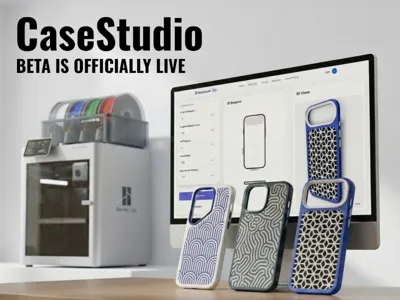
CaseStudio Beta V2: Update & Bug FixesIt has been a really busy week behind the scenes here. First of all, thank you to everyone who has been testing the beta and sending in feedback. It is incredibly helpful to see how you are using the tool. We spent a lot of time this week digging through your reports, fixing some critical bugs, and improving the overall workflow. CaseStudio Beta V2 is now live, and we want to give you a closer look at what has changed.What's new and improved:Images for all input fields: We noticed that some of the terminology used for the case dimensions might not have been immediately clear. To clear up any confusion, we have added reference images right next to the input fields. Now, when you adjust a setting, it should be much easier to see exactly which part of the case you are tweaking, taking the guesswork out of the design process.  A much more detailed tutorial:3D printing a phone case that fits perfectly can be a bit tricky if you are new to the hobby. To help you get the best possible results, we wrote a comprehensive, step-by-step guide. It explains exactly how to set up your custom case for printing, so you can get a great result on your first try.  Better file export and pre-orientation:Downloading multiple individual files can be tedious. You can now download all your generated files nicely packed in a single zip folder. Even better, all parts are now automatically pre-oriented for 3D printing. This means you can just extract the folder, drag and drop everything directly into your slicer, and hit print without having to manually rotate the models first. Bug fixes:Model generation error resolved:A lot of you reported a frustrating issue where the models were generating incorrectly, resulting in a backplate that came out way too large compared to the rest of the case. Thank you to everyone who sent in examples of this. We managed to track down the root cause in the generation logic, and this bug should now be completely fixed.Buttons and cutouts fix:We also addressed another annoying bug regarding the phone's cutouts and buttons. Sometimes, specific cutouts would simply not show up in the final model, or the buttons would be mirrored and placed on the wrong side of the case. We have reworked how these features are placed, so everything should now be exactly where it belongs.New supported phones:We are actively expanding our device library. We know many of you have been waiting for more phones, so we added support for the following devices in this update:Google Pixel:Google Pixel 9Google Pixel 9 ProGoogle Pixel 9 Pro XLGoogle Pixel 9aGoogle Pixel 10Google Pixel 10 ProGoogle Pixel 10 Pro XLSamsung Galaxy:Samsung Galaxy S25Samsung Galaxy S25+Samsung Galaxy S25 FESamsung Galaxy S25 EdgeSamsung Galaxy S25 UltraSamsung Galaxy S24Samsung Galaxy S24+Samsung Galaxy S24 FESamsung Galaxy S24 UltraWe had our hands full with bug fixes and quality-of-life improvements this week, but please know that we will be adding more phone models and new brands over the next few weeks. Also, I will be setting up an official CaseStudio Discord server next week. I want to create a dedicated place where we can chat, you can share pictures of your successful prints, discuss slicer settings, and give direct feedback on what features you want to see next. I will share the invite link as soon as it is ready. Thanks again to everyone who reported bugs and helped improve the beta!
Thank you for $20,000!
Thank you for $20,000!We’ve officially reached $20,000, and I want to sincerely thank every single one of you who has supported CaseStudio so far. The feedback, messages, comments, and support from this community have been absolutely incredible and truly motivating. Reaching this milestone means that MagSafe support is now officially unlocked. This feature will be integrated directly into CaseStudio and will allow you to generate cases that are fully compatible with MagSafe accessories, without compromising on design freedom or printability.With this milestone achieved, I’ve now revealed the next Stretch Goals, which are focused on making customization even deeper and more unique, while fully embracing what 3D printing does best. CaseStudio: https://makerworld.com/en/crowdfunding/166-casestudio-custom-phone-case-generator Tactile BackplatesThese backplates are designed to go beyond visuals. Patterns will have real depth and texture, creating surfaces you can actually feel. This opens the door to bold, expressive designs that clearly stand out from traditional mass-produced cases.Custom Patterns & TextYou’ll be able to upload your own patterns or add custom text directly to the backplate. Whether it’s a logo, a name, or a personal graphic, this feature allows every case to become truly one of a kind.Emoji LibraryA large built-in library of emojis that can be used on backplates, making it easy to create playful, expressive, and highly personalized designs. Community Phone LibraryA shared library where the community can upload, share, and review phone case sizes and device profiles. Discover new models, rate their accuracy, and help keep the library up to date so everyone can design perfectly fitting cases with confidence.  All of these features will be unlocked progressively as the campaign continues to grow. Thank you again for being part of this journey. Your support is what makes it possible to keep improving CaseStudio and pushing customization further