
This is the update we've been building toward. New tools, smarter workflows, and features the community has been asking for since day one. Let's get into it.
New Features
SVG Export for Laser Cutting
Export a precise SVG of your backplate and use it to laser-cut your own backplate from wood or any other material. Just set the Backplate Thickness under Case Parameters on the Config page to match your material thickness, then hit "Export SVG for Laser Cutting" on the Decorate page and you're good to go.
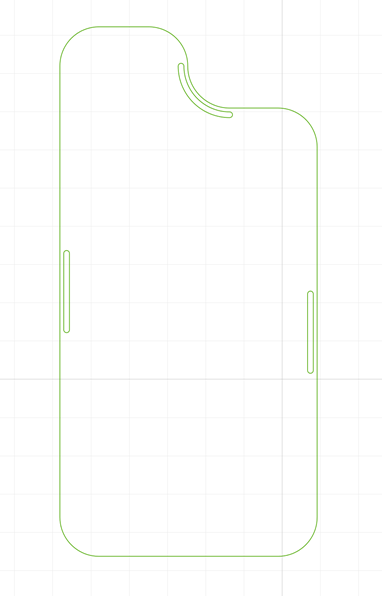
For everyone who ordered a wooden backplate: this isn't supported just yet, but it will be possible in the future.
Custom Image Upload
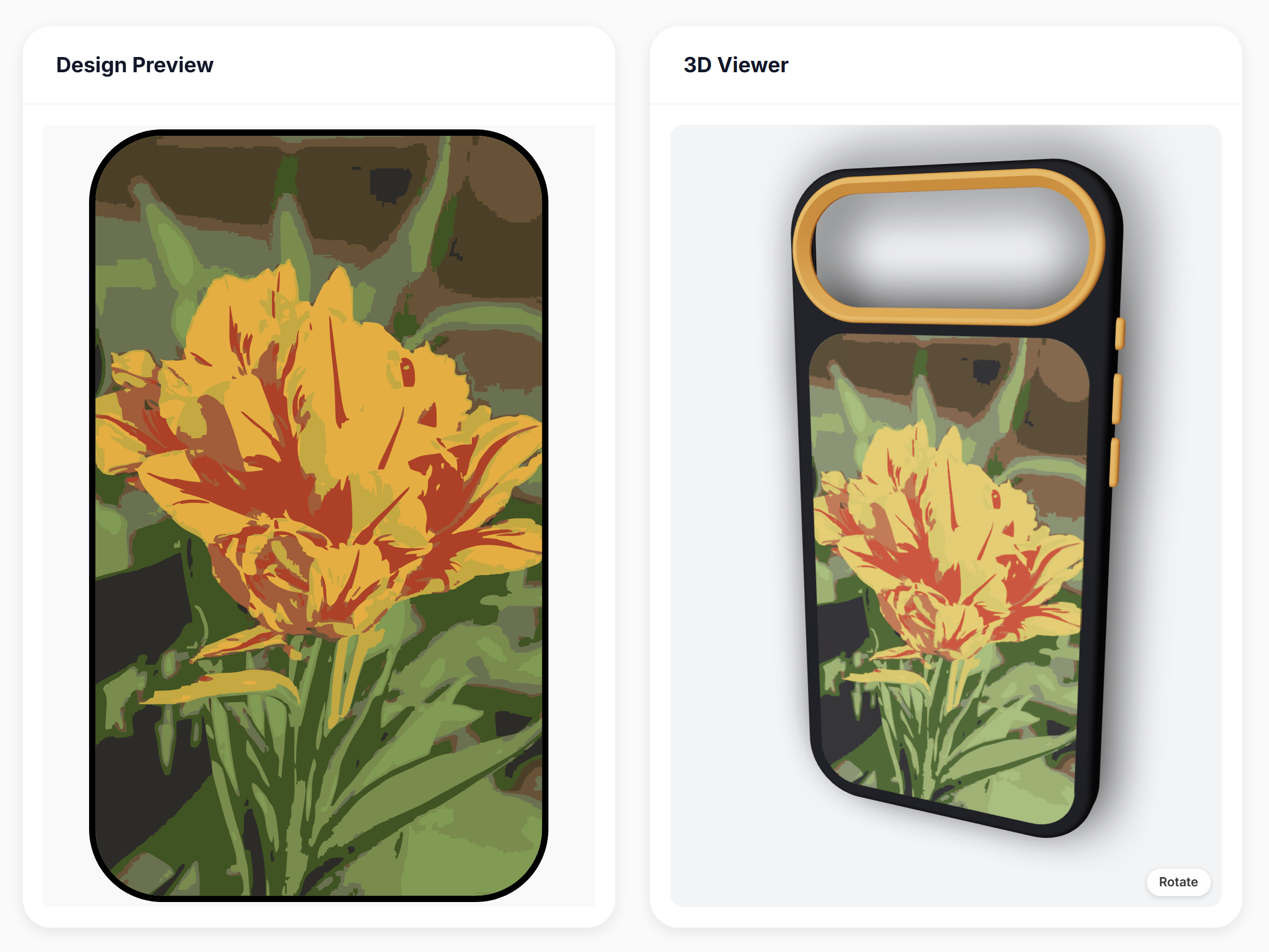
It's finally here. This has been the most requested feature since launch, and we're incredibly happy to say it's live. Upload any image, save it, and use it across as many designs as you want. Choose between Color mode (up to 12 colors) or Black & White mode (single color, transparent background, ideal for patterns and logos). Colors can be picked automatically or dialed in manually, and with the Color Library integration, you can limit the selection to only the filaments you actually own. Use the SVG Quality settings to fine-tune the output until it looks exactly right.
Flip Pattern Texture
The entire pattern library has been reworked from the ground up. A number of patterns had subtle errors that have now been corrected, .and you can now invert any pattern, flipping what was solid into transparent and vice versa. It's a small addition that opens up a surprising amount of creative flexibility.
Color Library
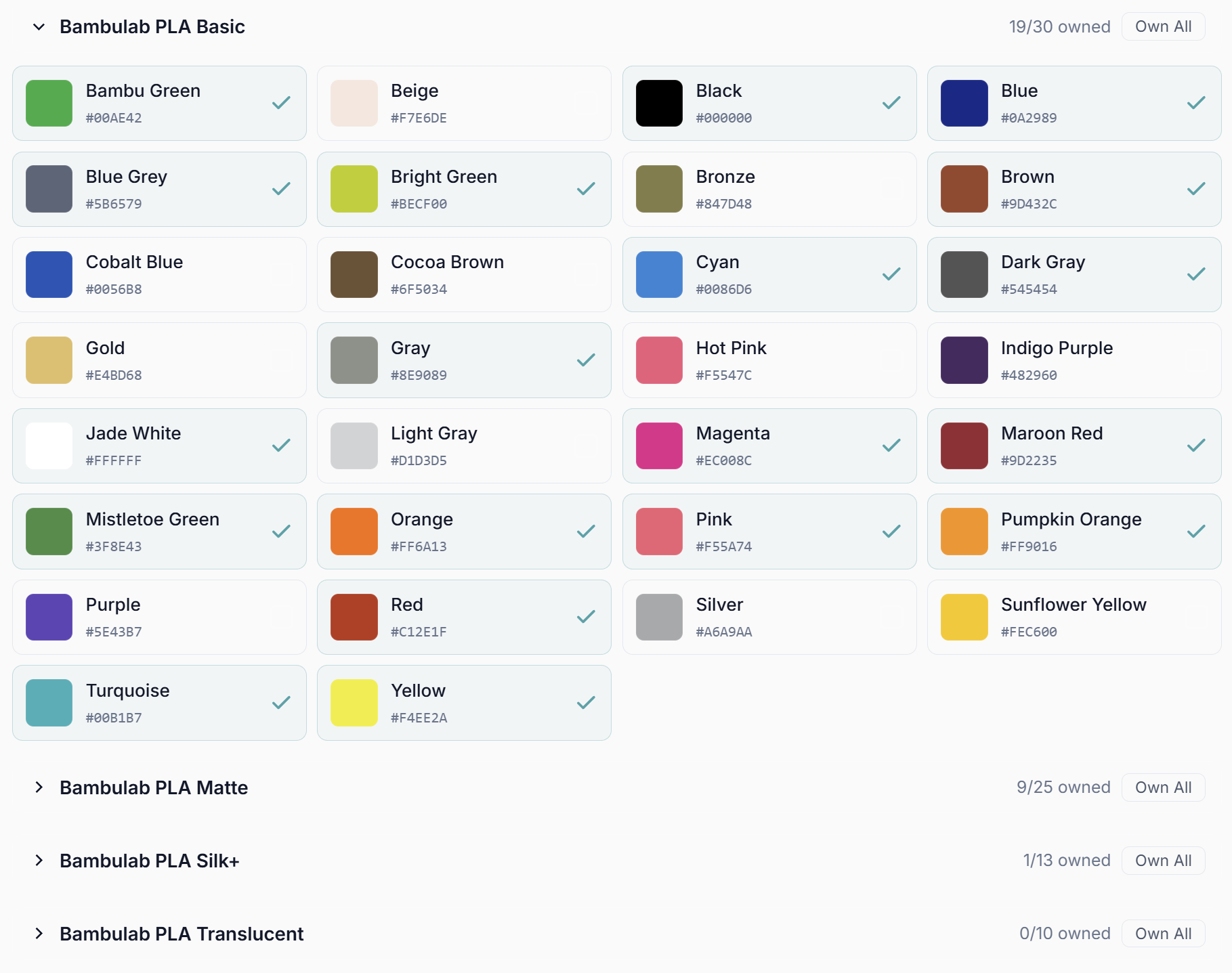
No more guessing what your print will look like. Add all the filaments you own to your Color Library, then apply your exact colors to any field on the Decorate page for a preview that actually matches reality. Over 200 Bambu Lab filaments are already in the built-in library, ready to go. Custom filaments can be added manually, and you can mark any as "run out" so your library always stays accurate. Combined with the Custom Image Upload, this becomes incredibly powerful: enable "Only use my Color Library" and every generated design will work with exactly what you have on hand.
Community Library
This was originally planned as a 100k stretch goal, but the community asked for it early and we built it ahead of schedule. The Community Library is live, and it's exactly what it sounds like: a shared space where you can publish your models, browse what others have created, leave ratings, and share photos of your finished prints. To keep things appropriate, uploads require a photo of your case. However we made that as easy as possible: scan a QR code to upload from a second device with no login required, and it shows up live on your PC instantly.
Element Alignment
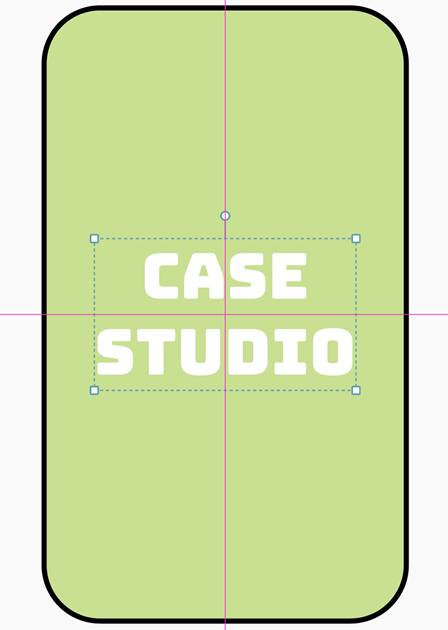
Placing elements precisely used to take patience. Not anymore. Elements now snap to each other, align in parallel, or center themselves within the case automatically. Hold Shift for advanced control when you need it.
Live 3D View
The 3D viewer now updates in real time as you make changes. The "Update 3D View" button is gone. What you see is always what you've got.
Save Designs
Save any design and bring it back in seconds. You can also switch phone models directly from the Design page without touching the Config page. Faster, cleaner, exactly how it should work.
Important: You'll need to regenerate your existing models since the old files aren't compatible with the new system. Don't worry though, all your measurements and settings are saved. One click and you're back.
Bug Fixes
STEP export was broken for some users. Fully fixed.
Text alignment between the 2D and 3D viewers was sometimes off. Also fixed.
This is just the beginning. CaseStudio is still in beta, and this update doesn't yet count toward your license, but we're moving fast and there's a lot more coming. Thank you for being part of this from the start.
Happy printing!


