Search models, users, collections, and posts

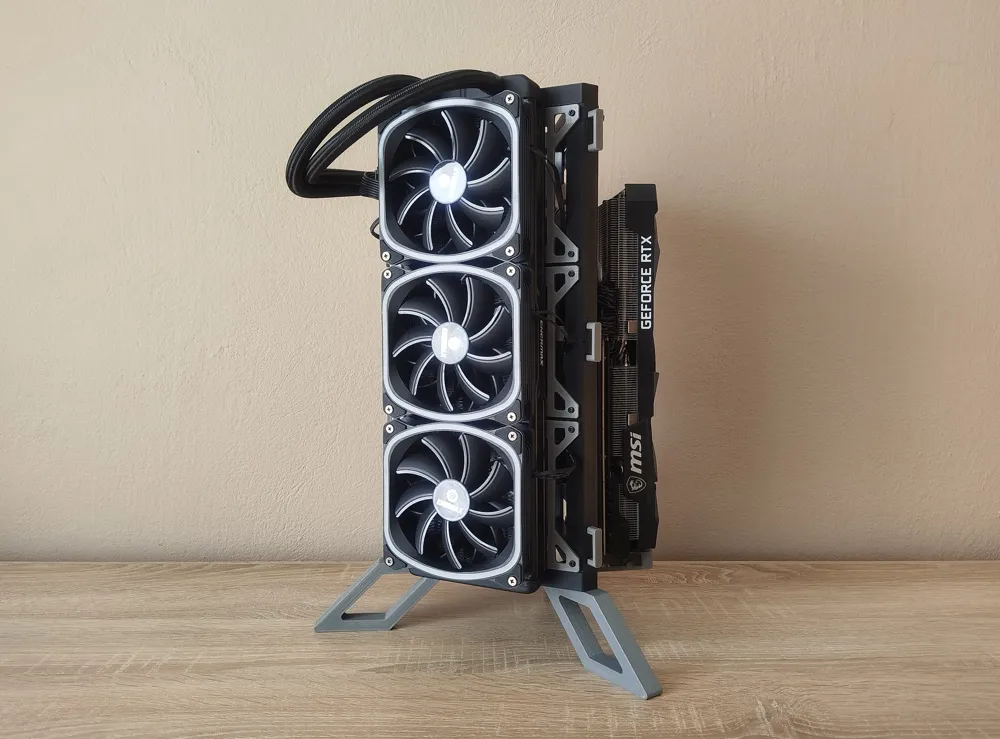
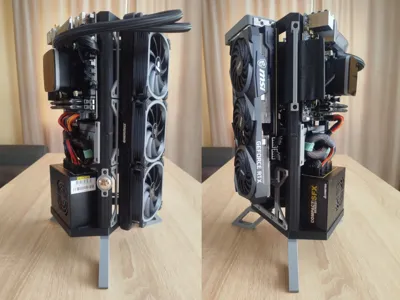
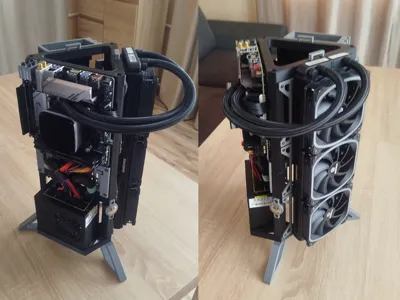
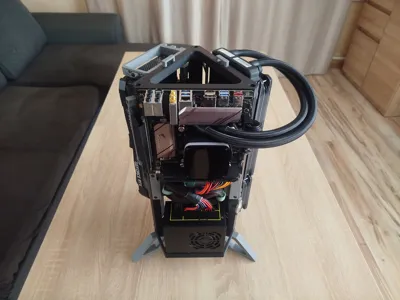
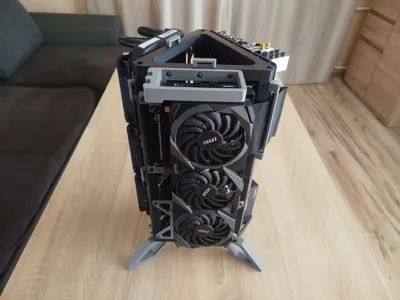
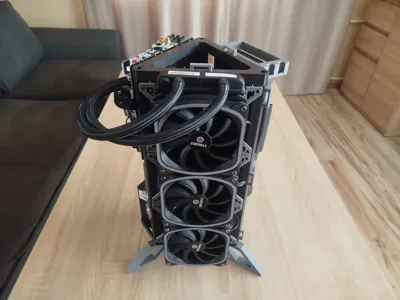
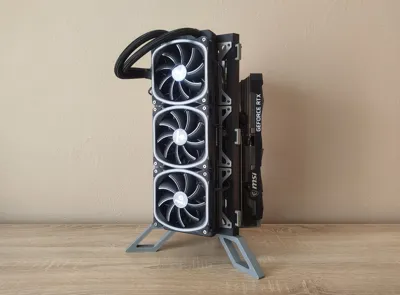
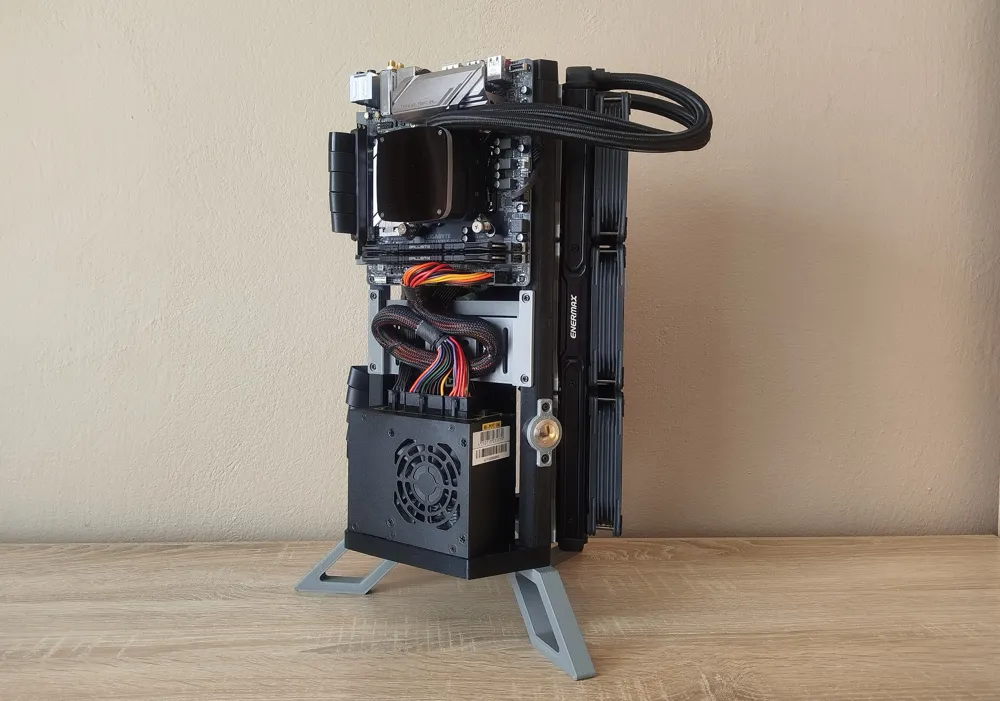
Triangulus ITX Tower
GIF

Print Profile(5)

All
P1S
P1P
H2D
H2S
X1 Carbon
H2C
P2S
H2D Pro
A1
X1E
X1
X2D
A2L
A1 mini

Triangulus ITX Tower v2
Designer
16.5 h
7 plates
4.5(4)

Triangulus_ITX_Tower_2.5"_/_3.5"_Drive_Bracket
Designer
46 min
1 plate

Triangulus_ITX_Tower_GPU_Bracket_x3
Designer
51 min
1 plate

Triangulus ITX Tower v2 for a1 mini
Designer
19.2 h
13 plates
Click to see more

Open in Bambu Studio
Boost
1655
3529
76
132
576
78
Released 

Bill of Materials

Maker's Supply Kits and Parts
Select all
M3x5x4 Round Threaded Brass Heat-Insert Nut (20PCS) - AB012
M3x8 BHCS Machine Screw (20PCS) - AA058
M3x12 BHCS Machine Screw (20PCS) - AA059
Bambu Filaments
Select all
ABS Black (40101) / Filament with spool / 1kg
ABS
x1
ABS Silver (40102) / Filament with spool / 1kg
ABS
x1
List other parts
  • Screw M3 l=5 for motherboard, GPU and 2.5" Drives x 1: You probably already have one from another PC case. Anyway, here's the link: https://ultrashort.info/0v8gIz , One set is 25 pieces.
  • Screw #6-32 l=5 for PSU and x 1: You probably already have one from another PC case. Anyway, here's the link: https://ultrashort.info/0v8gIz , One set is 25 pieces.
  • 19mm Power Button x 1: Example link: https://ultrashort.info/H5u9zR
  • Riser PCI-E 180o 60cm OR Riser PCI-E 180o 30cm x 1: https://tiny.pl/tkw9mwh7z OR https://ultrashort.info/O4VpWh
  • Cable Ties x 1: Optional but useful, one set of 100 pieces is enough: https://ultrashort.info/pjdqD1

Description

Boost Me (for free)

Support me in developing new, interesting projects.

Membership

Become a commercial member and sell physical prints.

Join

Update 15.03.2026

  • Triangulus ATX Tower - Released!


    The Triangulus ITX Tower couldn't meet the requirements for ATX hardware, so the Triangulus ATX Tower was completely redesigned. The new project was inspired by the triangular shape but significantly changes structure and dimensions and also improves functionality. Now you can enjoy attractive design without purchasing expensive ITX/SFX hardware.
     

    Check my designs!

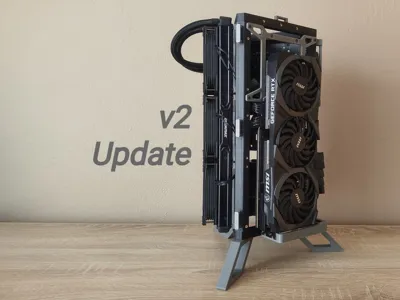
v2 Update 27.01.2026

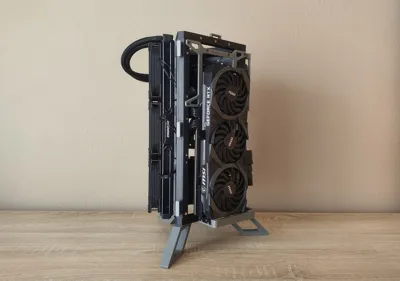
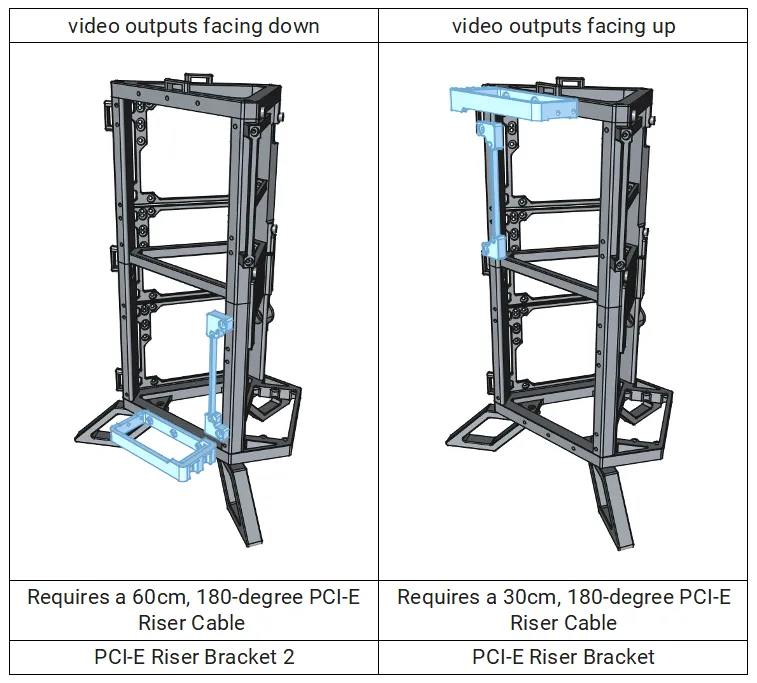
  • Added GPU mounting position with video output facing down
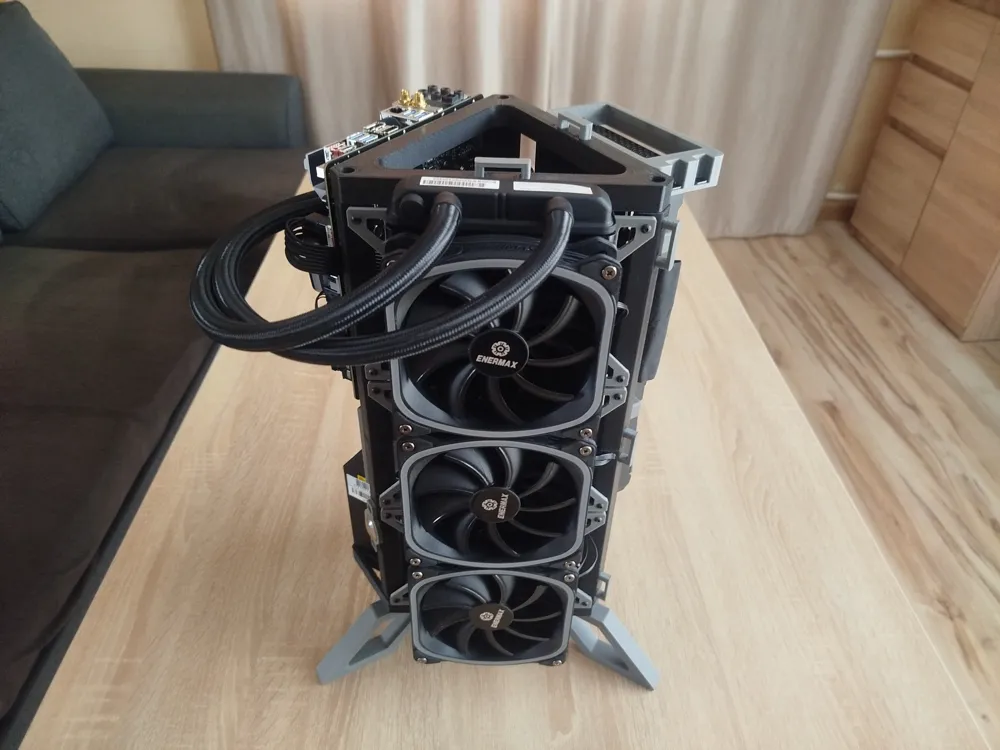
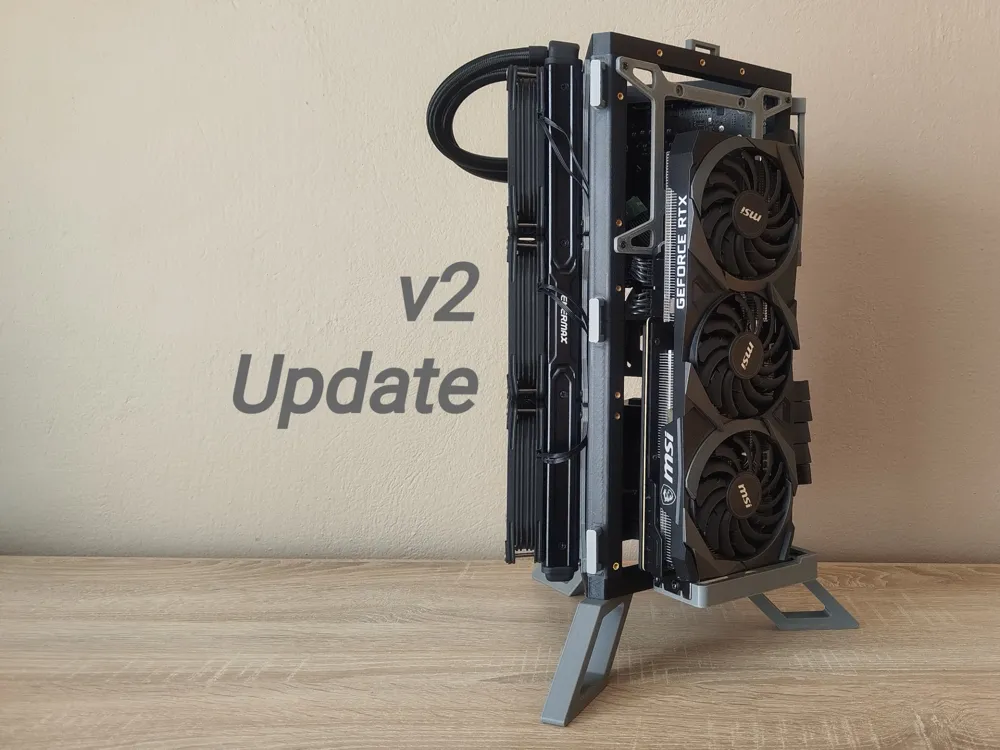
  • Added support for 140 / 280 / 420 AIO Coolers
  • Added Print Profile for A1 mini printer
  • Improves AIO backplates compatibility
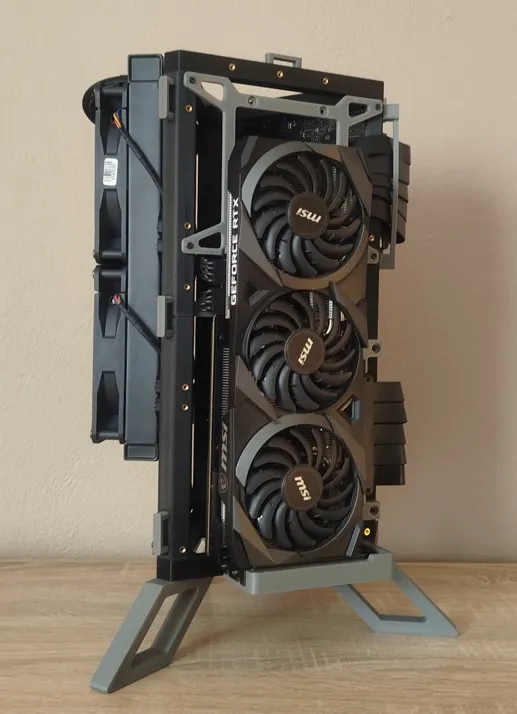
GPU mounted with video output facing down
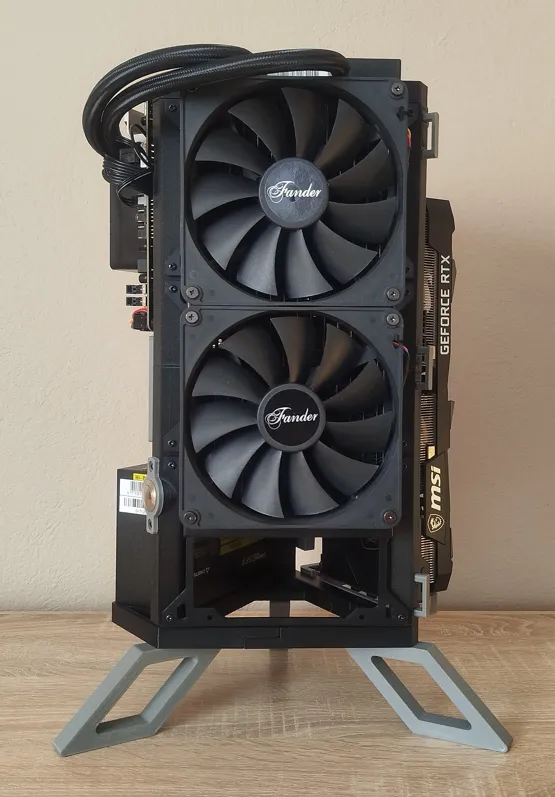
280 mm AIO cooler

What makes this project interesting:

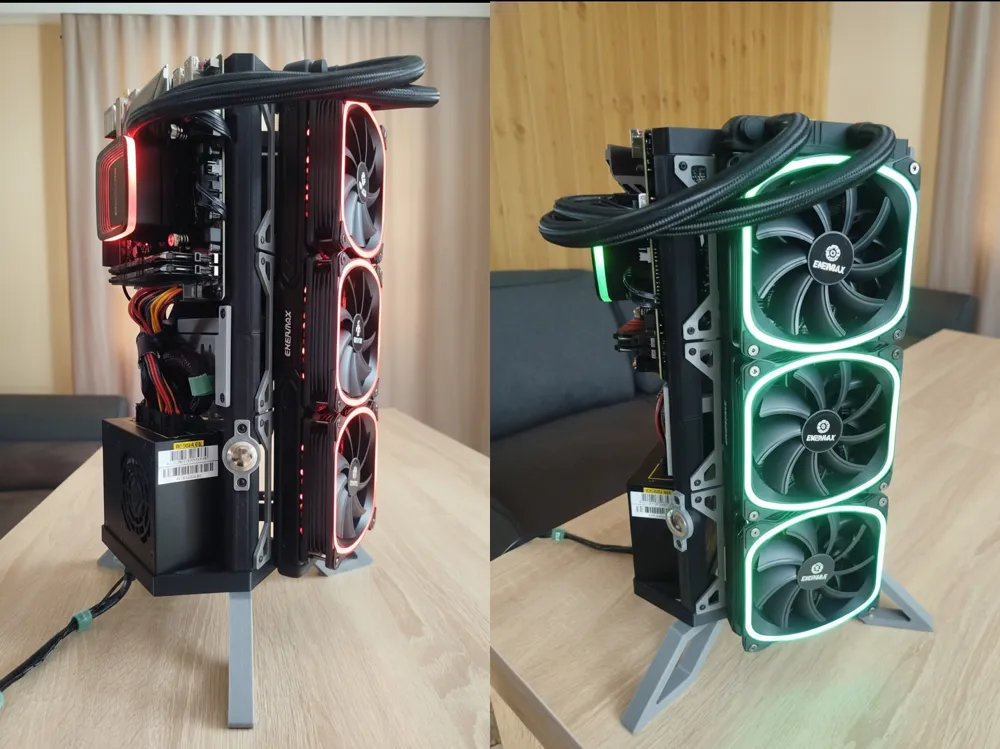
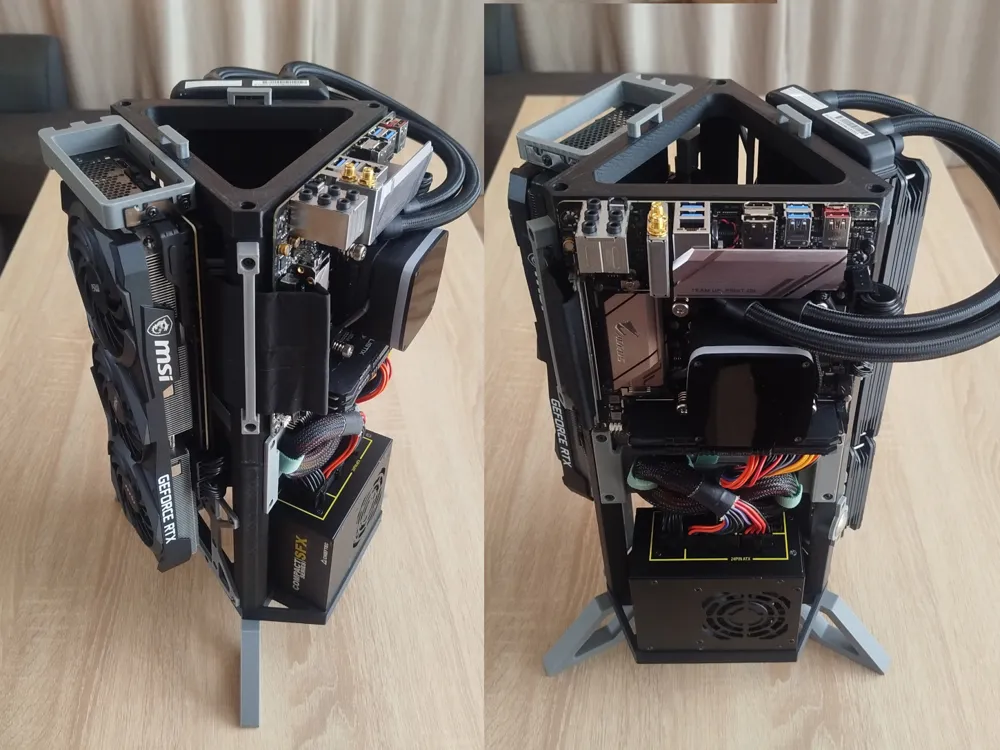
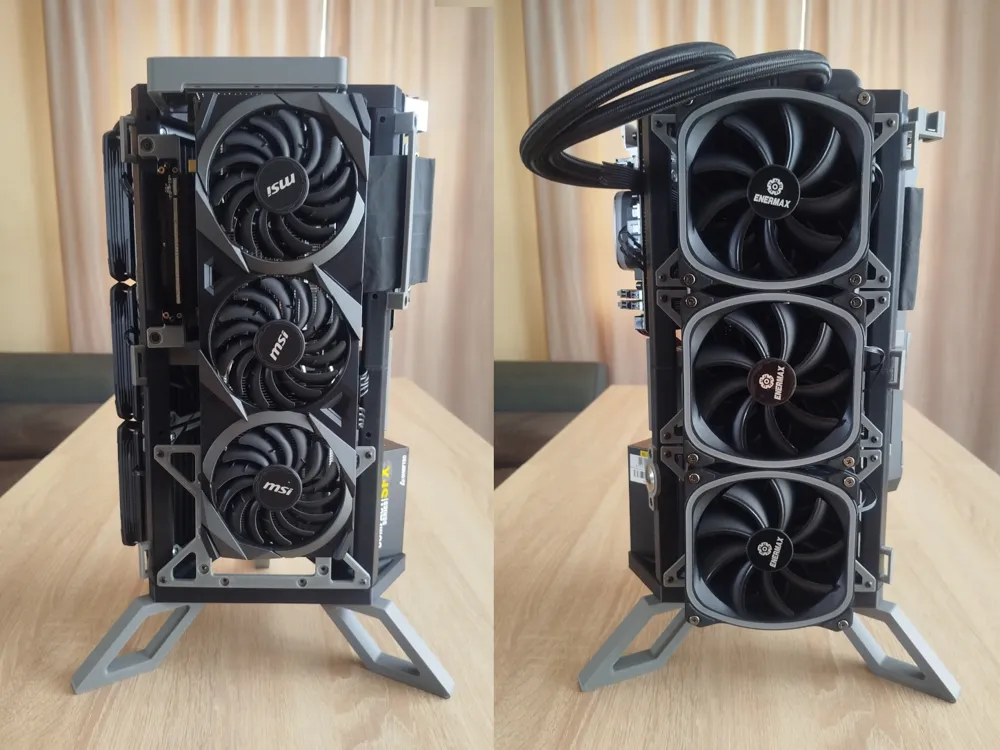
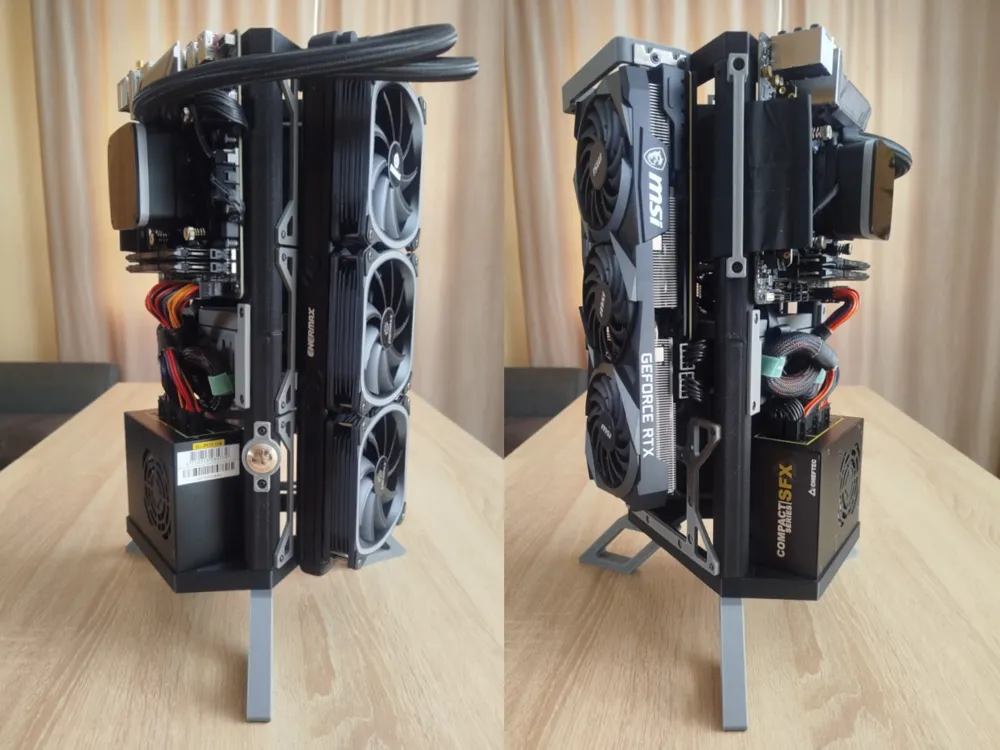
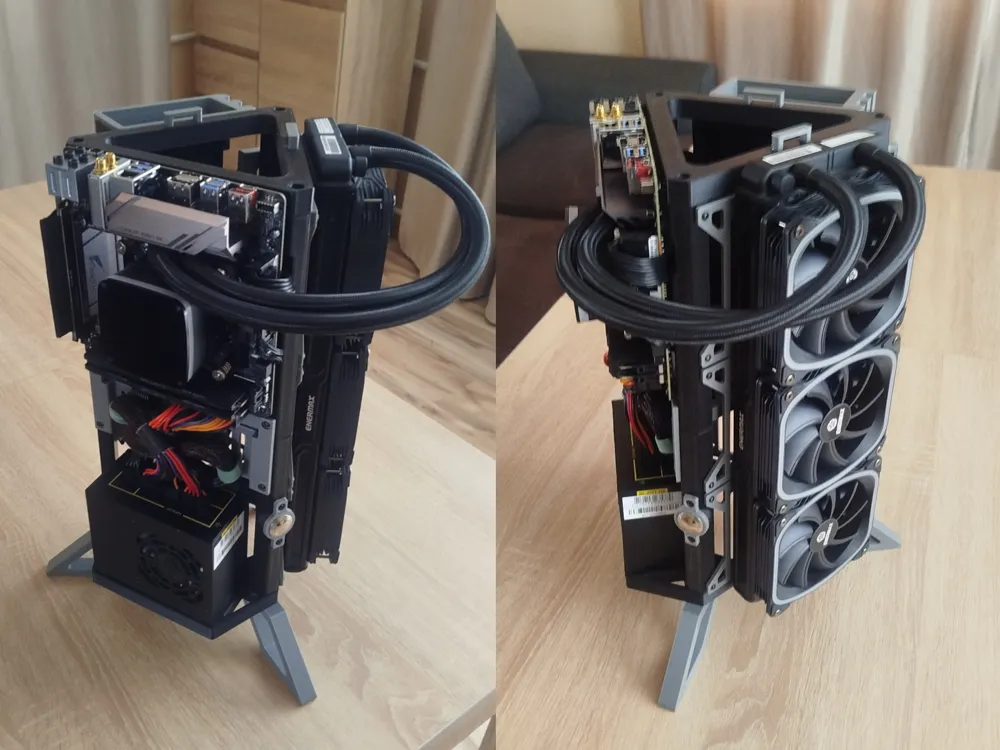
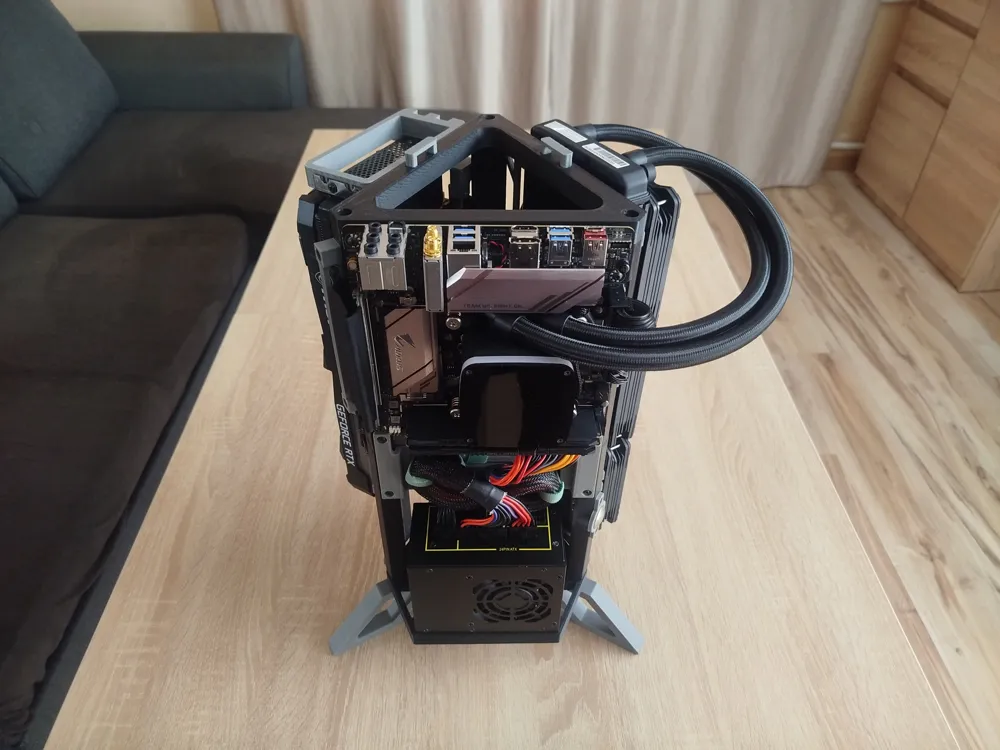
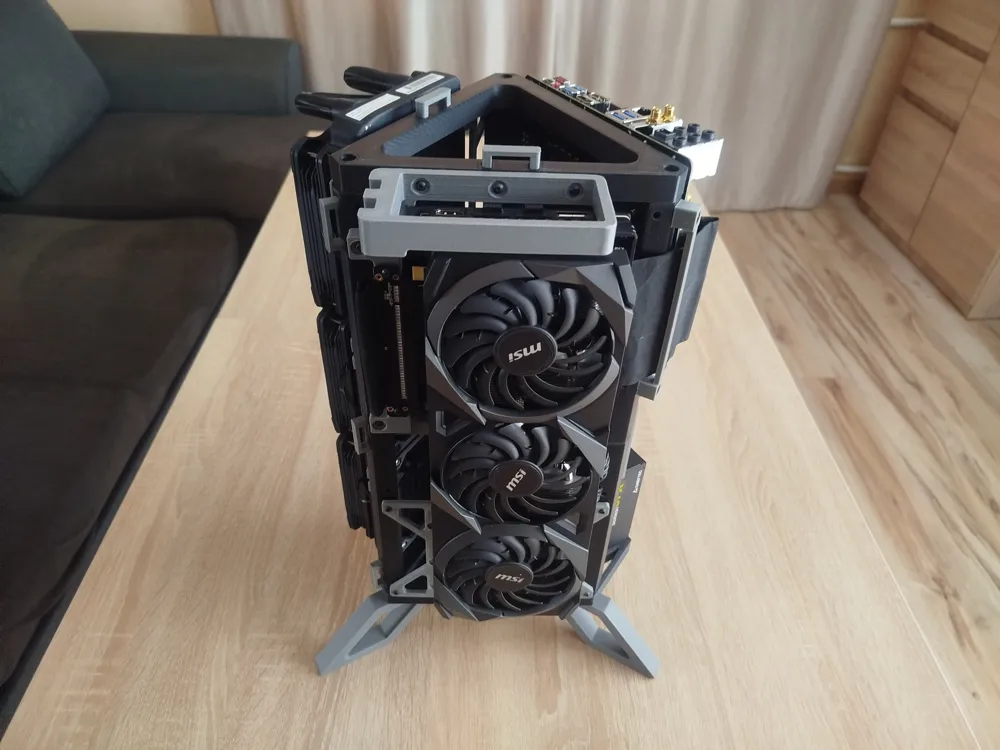
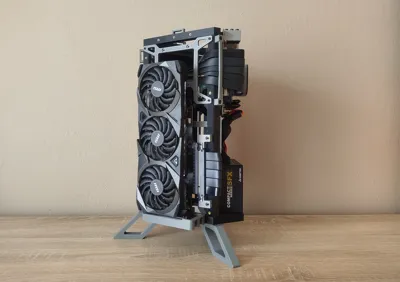
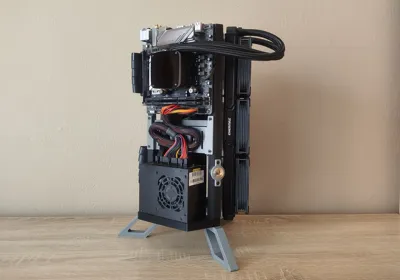
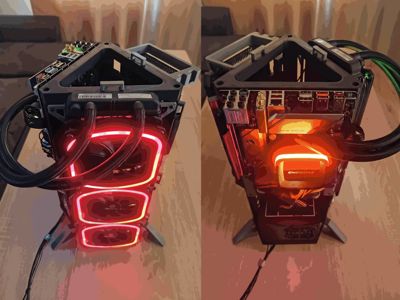
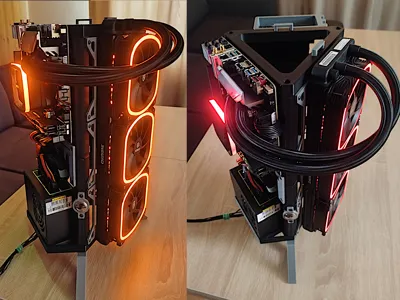
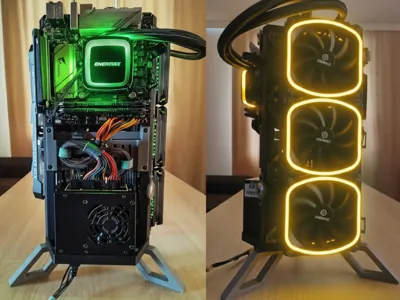
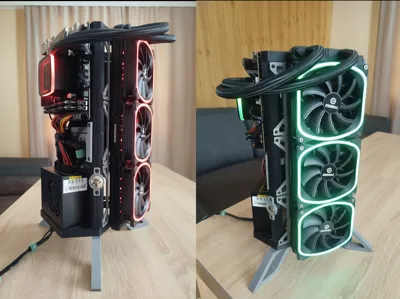
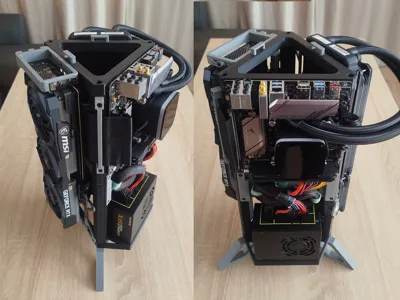
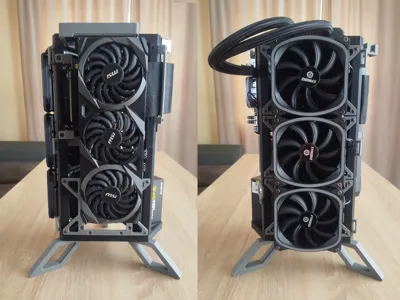
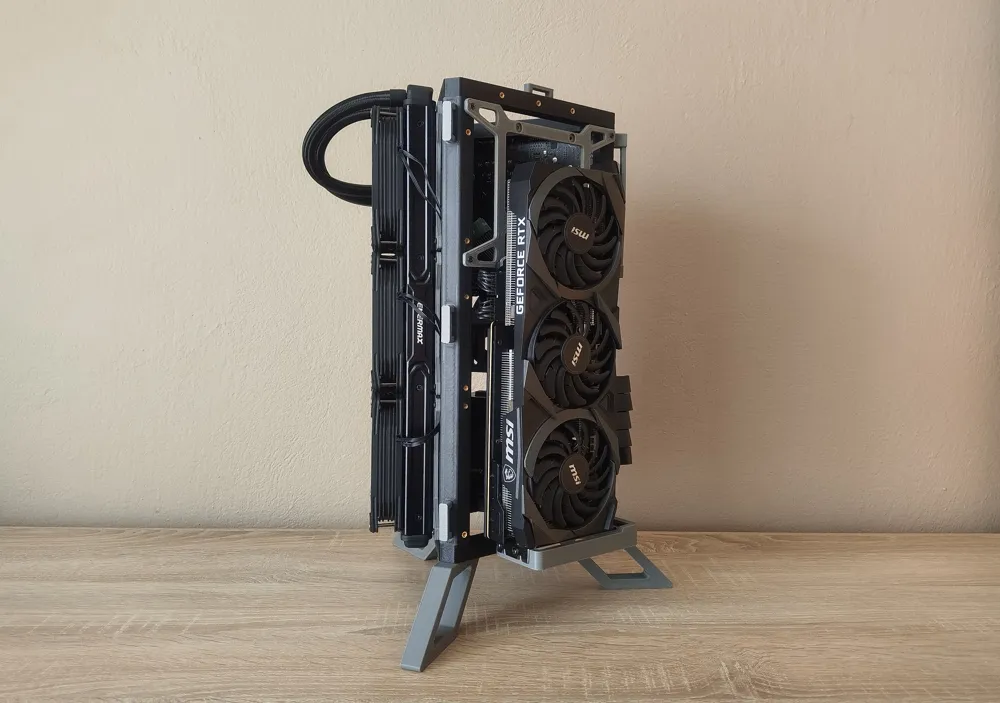
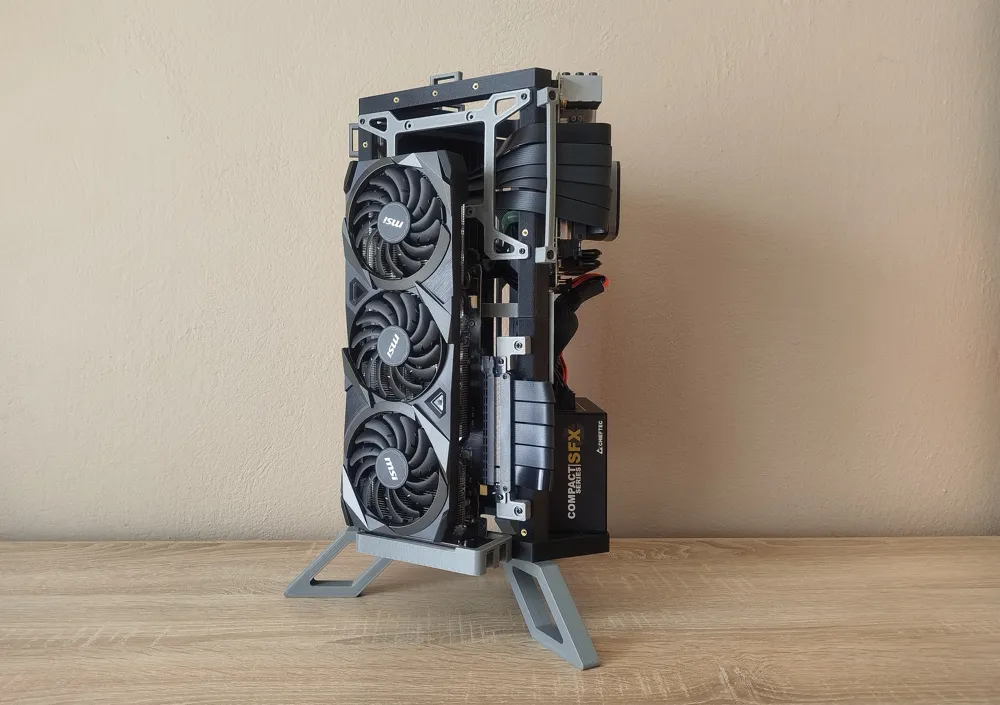

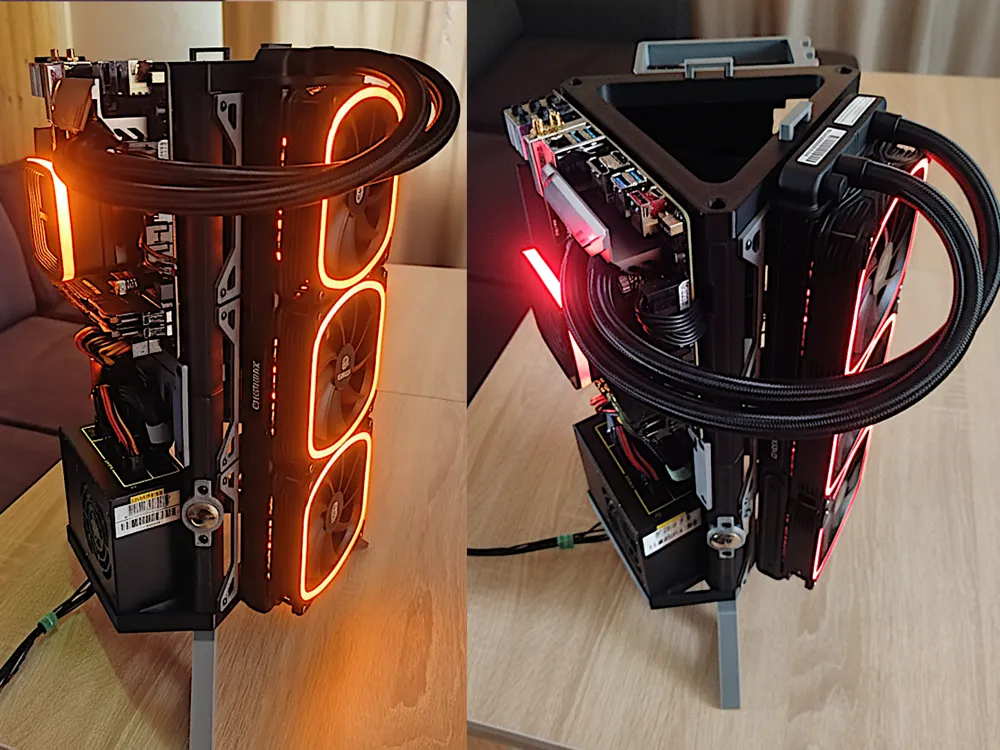
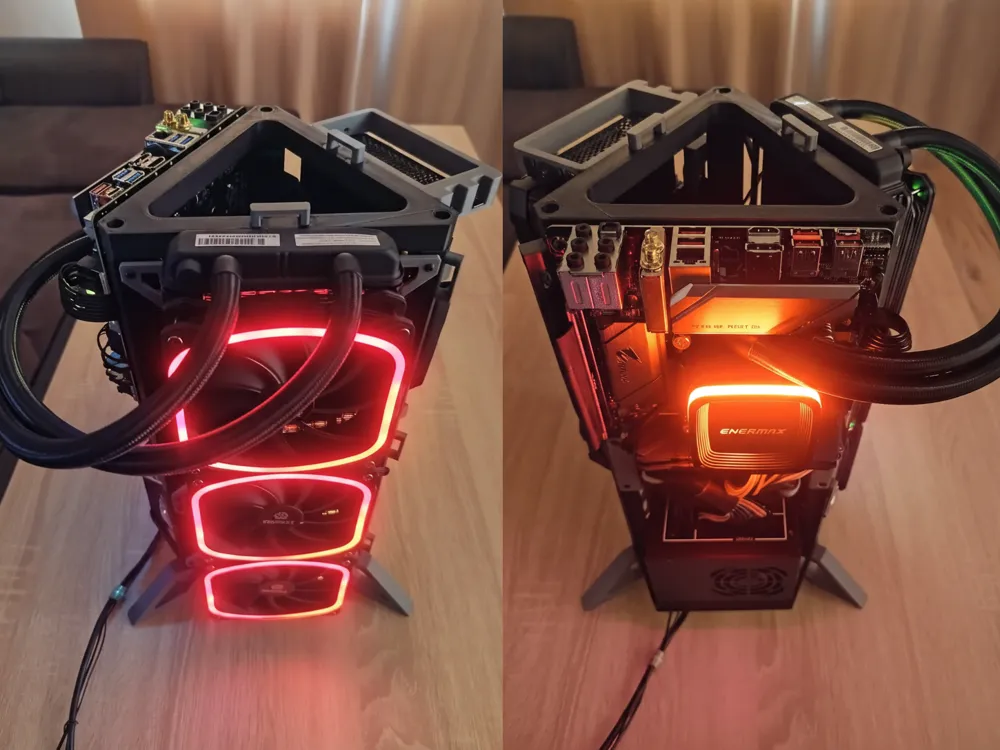
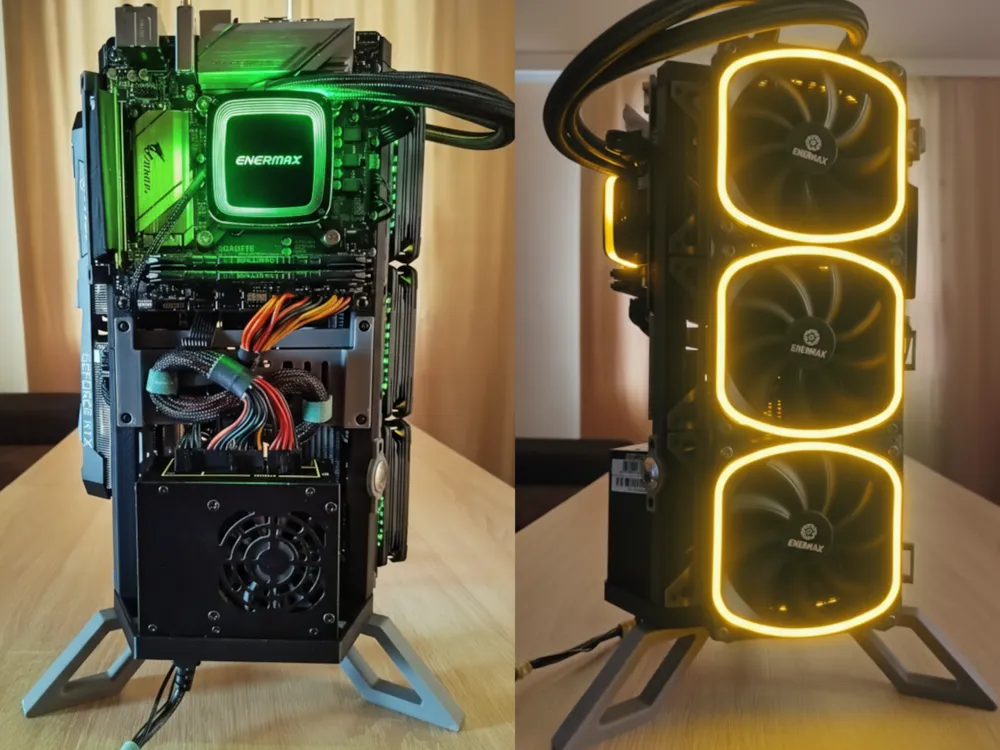
A unique triangular design. The open-air structure provides excellent hardware display, especially for AIO water coolers. It allows you to build a PC in a new, unparalleled form. Each of the three sides of the tower can be displayed according to your preferences. The case is multifunctional, allowing you to build a spectacular PC or file server.  It is easy to print and assembly is straightforward.


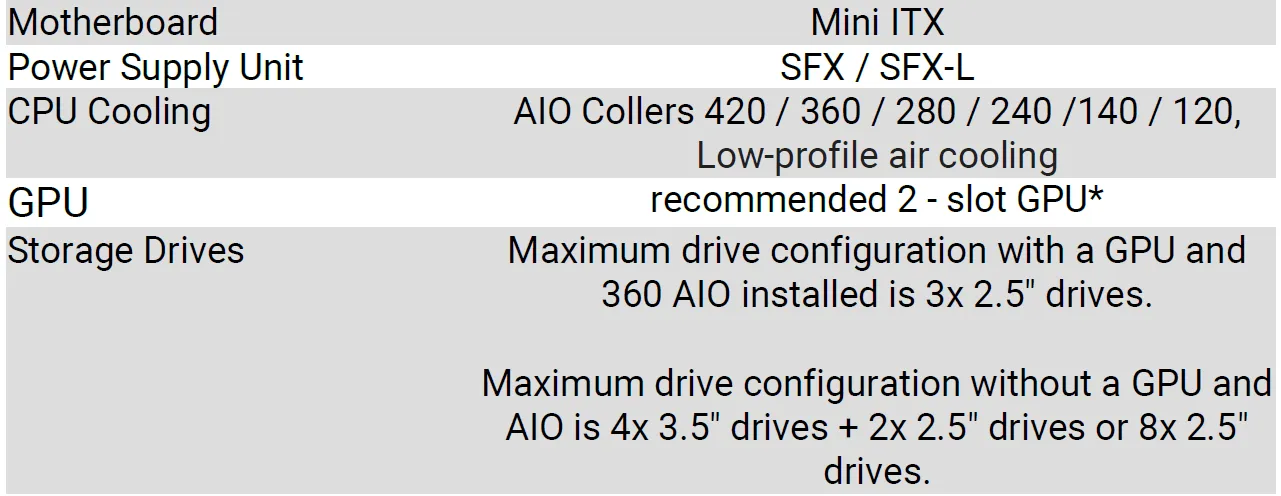
Hardware Compatibility

* tested with MSI RTX 3070 Ventus x3 ~1Kg

Printing

For maximum durability, print with ABS in a closed chamber. You can also print with PETG using an A1 and A1 mini printers.

Basic parameters

• nozzle 0.4
• layer height 0.2
• wall count 3
• top layers 5
• infil 20%


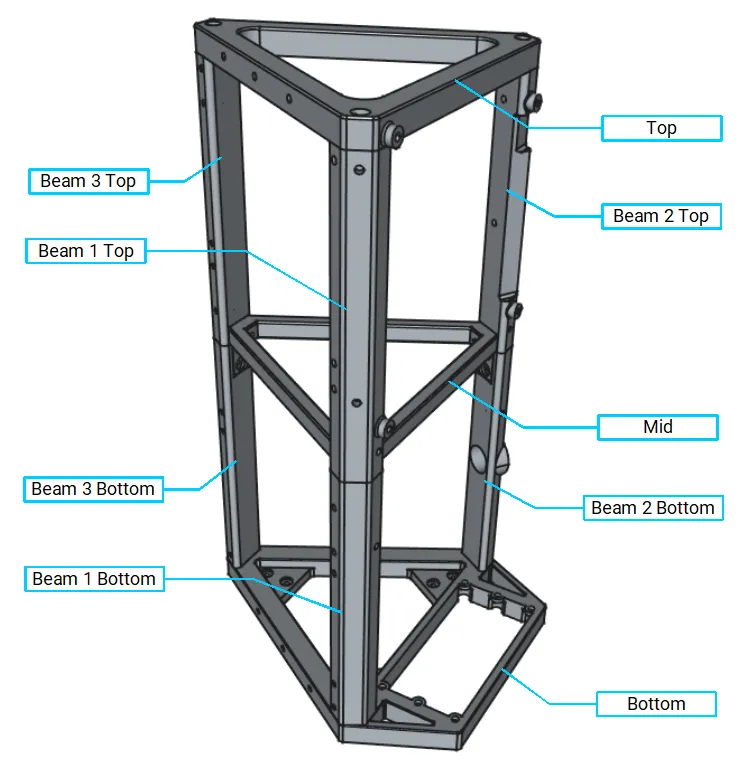
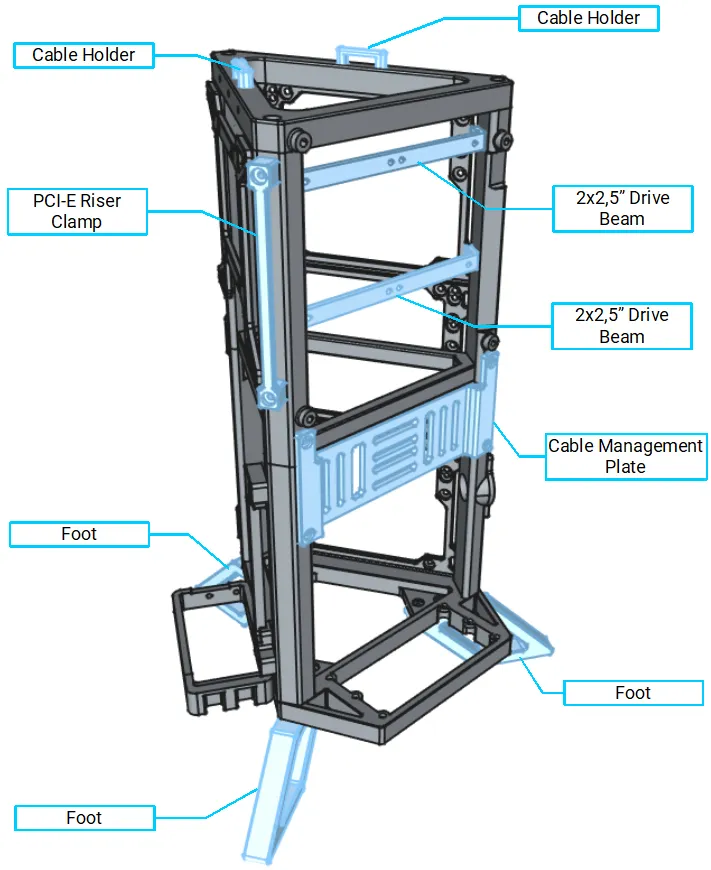
3D Printed Parts Overview
Core


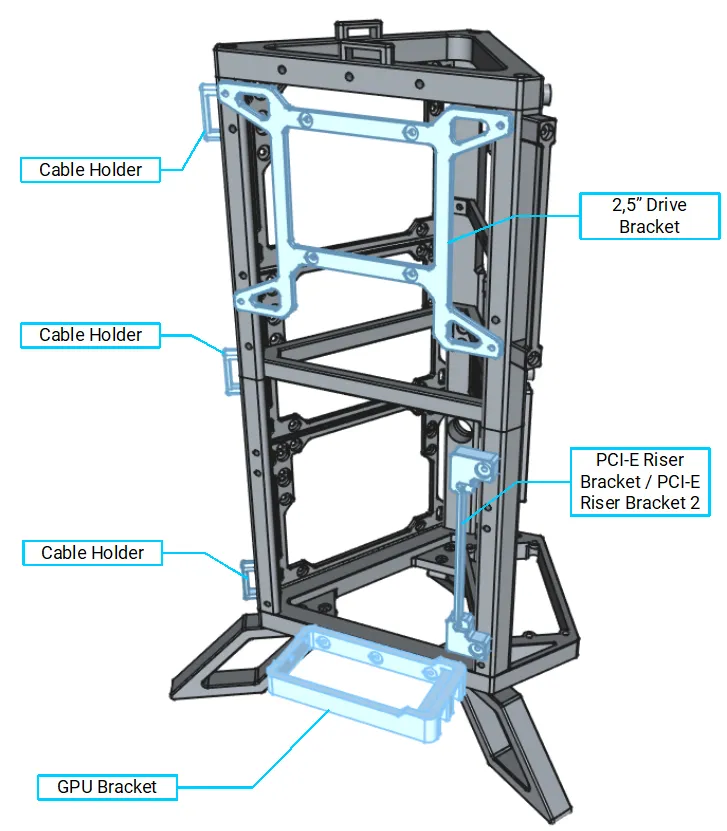
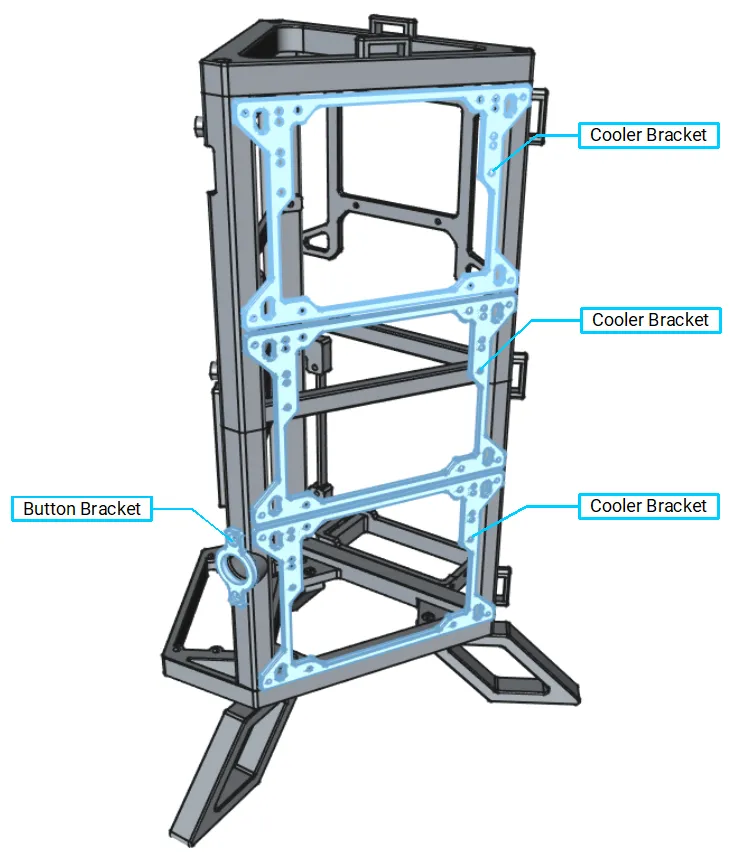
3D Printed Parts Overview
Additional parts


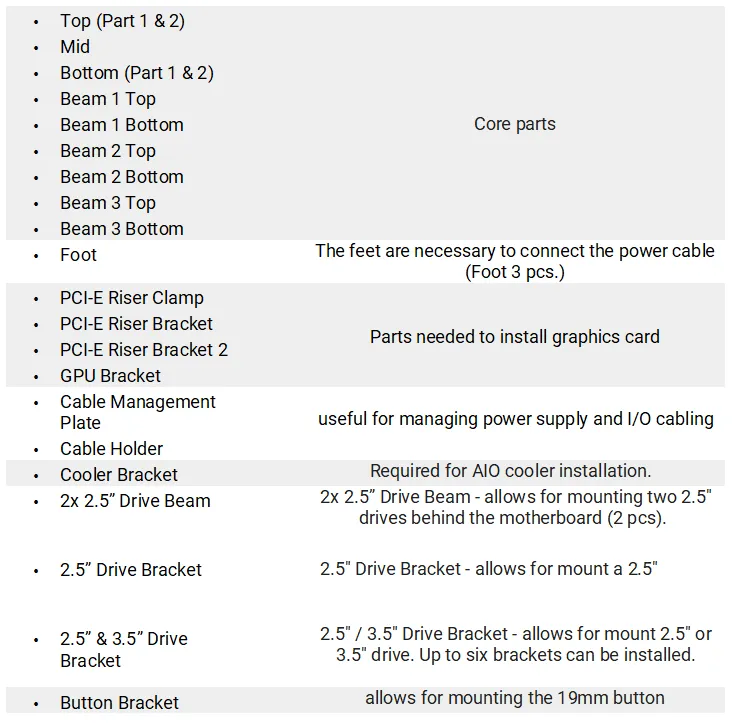
3D Printed Parts description 


Optional parts

Optional parts can be found in print profiles.

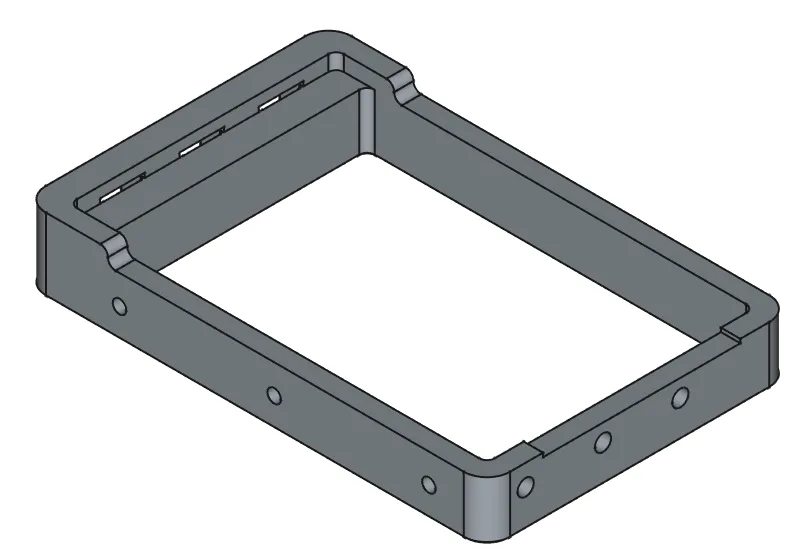
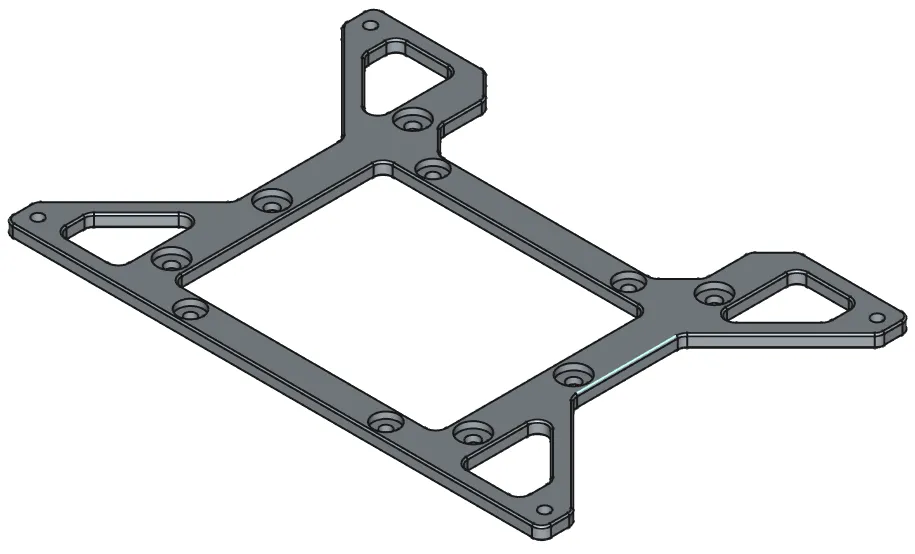
Three slot GPU Bracket

Allows the installation of a three-slot graphics card. 

2.5” / 3.5” Drive Bracket

Allows to mount a 2.5" or 3.5" drive.

Assembly

Below in the Triangulus_ITX_Tower_Asswmbly_Manual_v2.pdf file you will find a detailed description of the assembly.


Hardware Assembly
GPU Mounting position

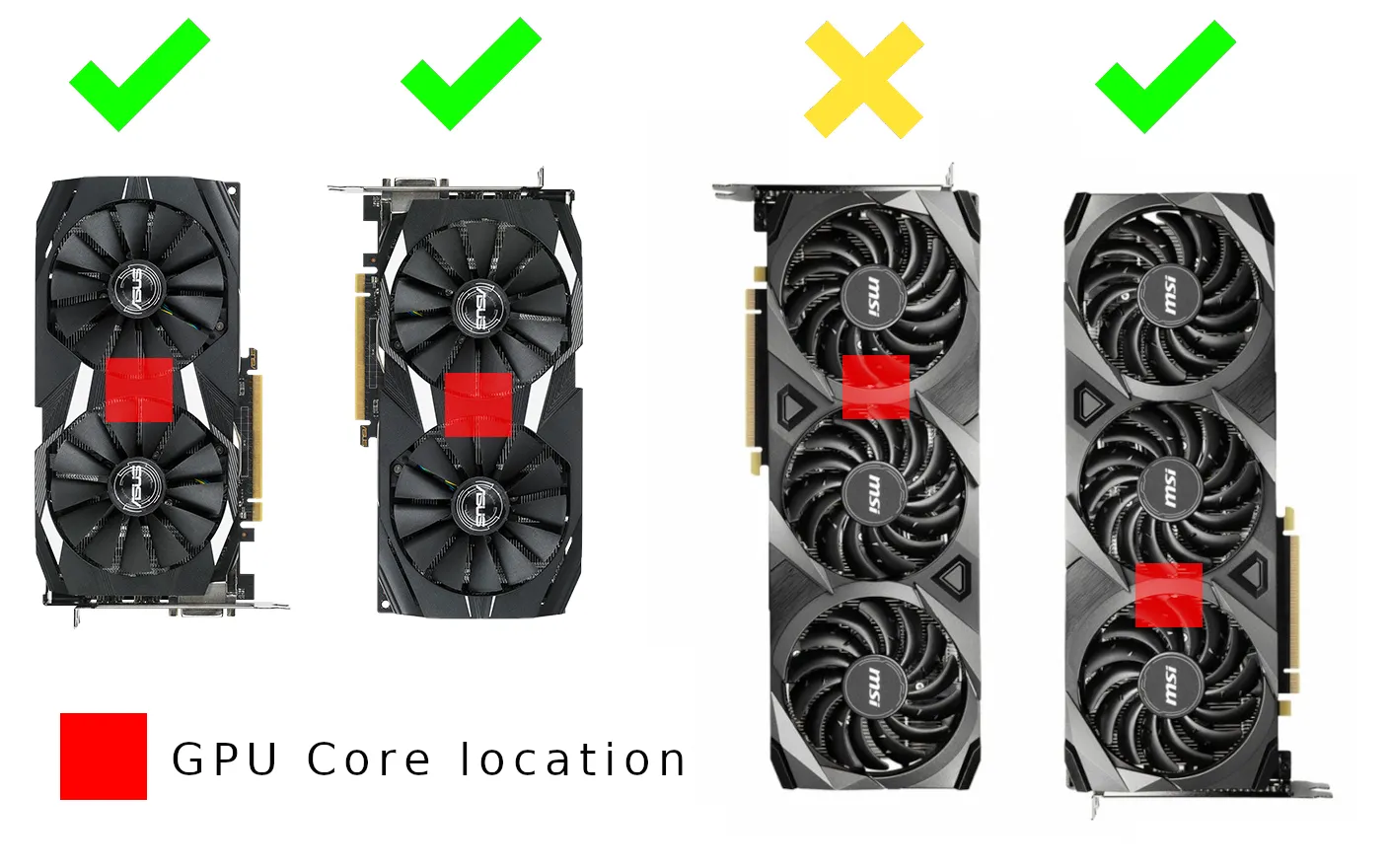
It is possible to mount the graphics card with the video outputs facing up or down. This is an individual matter and depends on the GPU model. In some cases, the graphics card cooling may operate at lower efficiency whan video outputs facing up.


Generally heat pipes works better when heating source is lower than cooling side. It can be assumed that the GPU cooler has two sides and between them there is the core. The cooling side, which is larger, should be placed higher, than cooling performance will be similar to standard mounting position.

For simplicity, it can be assumed that: Video output position facing UP is good for GPUs: 

  • with two fans and the core centered between them
  • without heat pipes
  • with blowair cooling
  • some ITX GPUs with one fan like a Sapphire Pulse RX 570 ITX  

Video output position facing Down is good for GPUs: 

  • with three fans
  • with two fans but core placed not central, is nearer video output ports
  • some retro GPUs with one fan like Asus GTX 460 DirectCU
Riser 60 cm - Link , Riser 30 cm - Link

Hardware Assembly
AIO Cooler

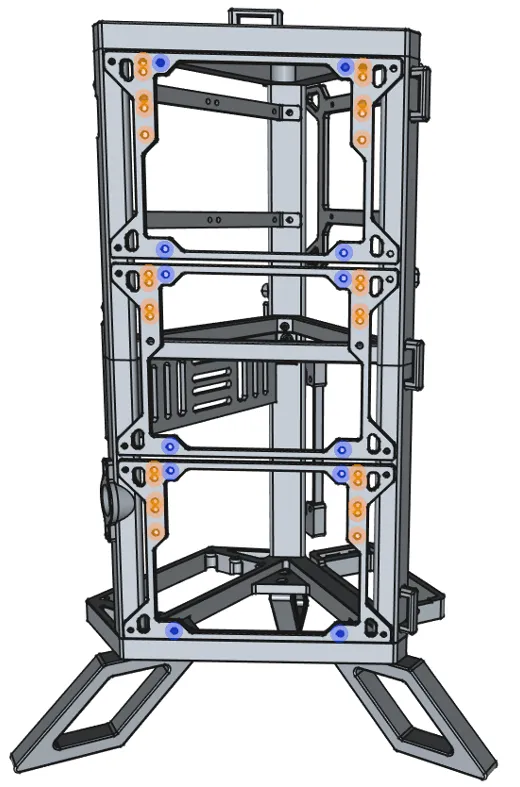
Blue dots shows mounting points for 120 / 240 / 360 AIO coolers. Orange dots shows mounting points for 140 / 280 / 420 AIO coolers.

PCI-E Riser

Unfortunately, not every riser has identical mounting points. If you have problem to mount different riser, send me private message. I'll try to resolve the compatibility issue.

As a file server

The Triangulus ITX Tower case can be used as a home file server. Instead of mounting an all-in-one water cooler and a graphics card, you can use drive brackets. Below is an example configuration. An additional print profile for a single drive bracket is included.
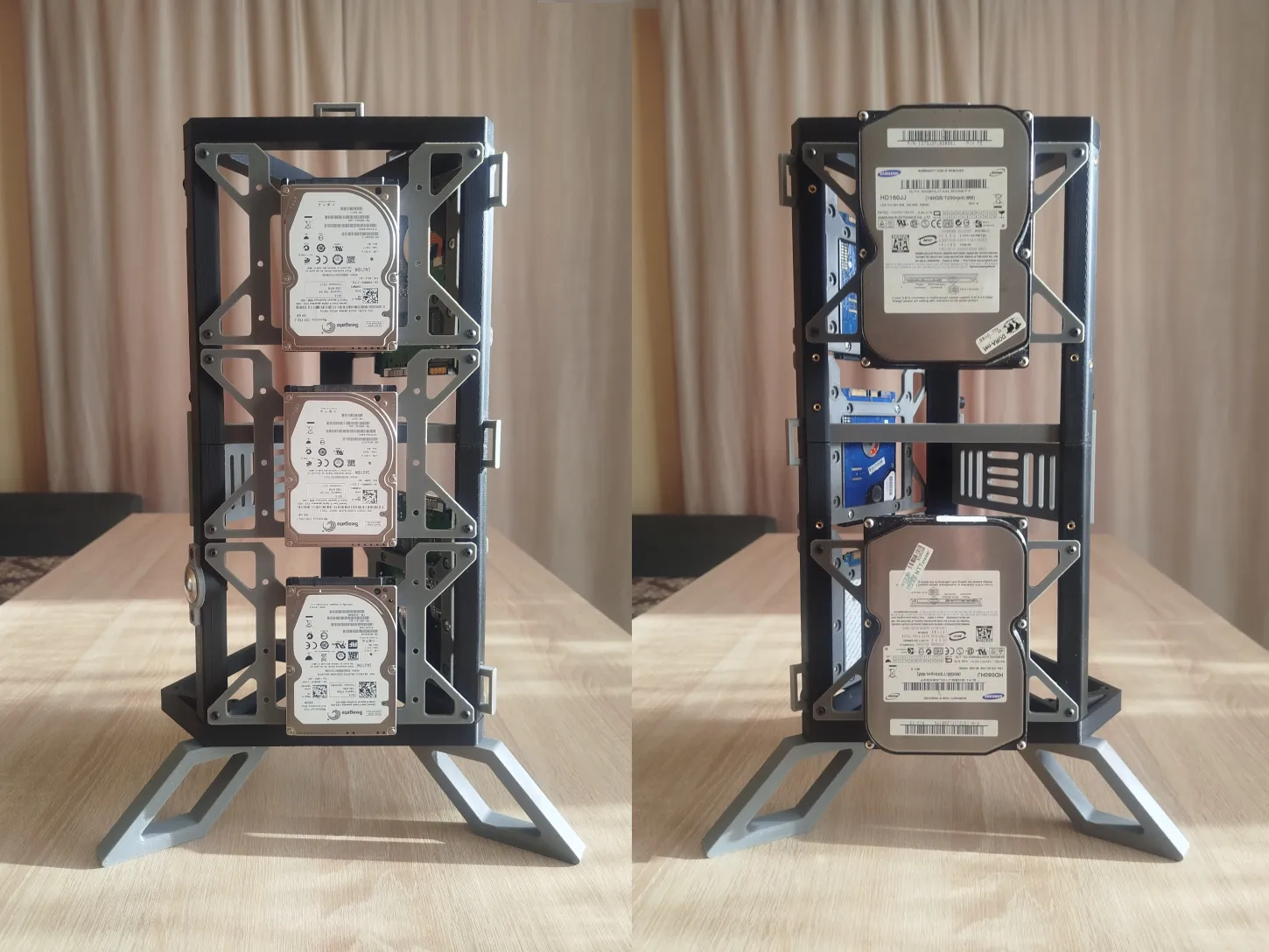
 

On the left, mounting three 2.5" drives on one side of the case. On the right, mounting two 3.5" drives on the other side of the case.


Boost Me (for free)


Documentation (1)

Assembly Guide (1)
Triangulus_ITX_Tower_Asswmbly_Manual_v2.1.pdf

Comment & Rating (76)

(0/1000)

Boosted
Pinned by Designer
My favorite practical print I've ever done. I had so much fun building this machine I cant remember last time I had this much fun doing anything. print is amazing thank you for such well thought out design.
The designer has replied
designer
4
Reply
Thank you for your opinion, boost and attached pictures. It looks interesting. I hope that you will attach pictures with fully assembled PC.
1
Reply
Boosted
Replying to @Maker_3D_PC :
Yes please forgive the color choice I have an affinity for orange and black theme in my home lab here :)
0
Reply
Replying to @blevenzon :
In my opinion it's looks great. This orange color gives something fresh to this design.
1
Reply
Have you considered making a version where the GPU has its connectors facing downwards?Some testing suggests that the ‘hanging’ mounting position will cause bad thermal performance when GPU is not equipped with heat pipes specifically designed for the situation as the heating end now sits higher than the evaporation end. (This may also require the motherboard & its connectors to face downward) Great design though! Bravo!
(Edited)
The designer has replied
designer
4
Reply
Thank you for this question it is interesting topic. I think that every modern GPUs have heat pipes that works independent of position. Maybe in some retro GPUs it was a case. Maybe some coolings with vapor chamber could may have an issue. Could you send me some link to this tests it interest me. Look on a standard GPU cooler mounted in PCI-E slot. Evaporation part of heat pipe is always on top. Look into the picture in attachment. In my opinion in 99% of cases transfer of coolant will be look that, independent of position. Putting GPU into 'hanging' position is similar to the CPU tower cooler. Some heat pipes are higher than CPU some lower but it works fine. Inside heat pipe should be internal pressure. Evaporation on the hot side push liquid coolant from cool side to hot side.
(Edited)
0
Reply
Replying to @Maker_3D_PC :
The testing videos are in Chinese, here are the video links: https://www.bilibili.com/video/BV1dBp3zvESf and https://www.bilibili.com/video/BV1eS4y1Z7mr In one of the videos, they tested four different GPUs sent by MSI in five different mounting orientations (none of which had specially designed heatpipes), and all of them showed worse thermal performance when mounted in the hanging orientation, even the one with a vapour chamber (although there was no impact on framerate). This will have impact on the noise level and, in the long-term, affect the longevity of the GPU. This is largely due to how conventional heat pipes work. When mounted in a hanging position, the liquified coolant needs to overcome the gravity to return to the heating end after cooling down, which is suboptimal in normal heatpipes without a specially designed capillary structure.
1
Reply
Replying to @Maker_3D_PC :
To my knowledge, on this generation of GPU (Nvidia RTX50 series and AMD 9000 series), only some flagship models from ASUS, Gigabyte and XFX are equipped with specially enginnered heatpipes that can work properly even in hanging orientation (and it still will be worse than other orientation cuz the gravity). This would not been problematic in the past generations of hardware since they do not produce as much heat, the widely seen passthrough heatsink design on the recent generation of GPUs have also effectively made the issue worse.
0
Reply
whenever I have enough money to upgrade to am5 I will be using this case
The designer has replied
designer
6
Reply
I hope that you're PC upgrade will happen soon. Be sure to post a photo when you do it. Thanks for the boost.
1
Reply
I just got an upgrade for Christmas with a aorus elite ax b650 motherboard, 7800 x3d, and 32 gb ddr5. I'm not rich but we are close to rich and very well off. sorry you can't afford it but I hope you get enough money soon.
(Edited)
0
Reply
Replying to @ElijahEllis :
thanks, might be a while with these ram prices.
0
Reply
Boosted
I absolutely loved printing and building this! Definitely fixed my pc building itch! thanks for the awesome design!
The designer has replied
designer
1
Reply
Thank you for this photo. It looks cool.
0
Reply
Printed only plate 6 and 7 of this on both a Bambu A1 and P1S as I'm testing for my own PC case design. Plate 6 was printed on the A1 and Plate 7 on the P1S. The A1 was using some 'eSun basic white PLA', and the P1s was using 'Bambu Labs PLA basic'. The A1 profile worked like a charm with no issues. First layer in particular was very good, and the top layer turned out better than I expected. On the other hand, the P1S profile had some issues. For starters, the print overlapped with the purge line which caused adhesion issues, and some of the holes didn't stick correctly onto the plate (admittedly, this might just be a printer issue and not an issue with the profile itself. I'll have to do some further testing). Despite those issues, the first layers turned out great. Overall, a good print to do if you've got some spare pc parts kicking about. looking forward to print out the rest.
The designer has replied
0
Reply
Thanks for your feedback. Print profile is already fixed. Apologize for this issue. I discovered that in the preview on the website, plate 7 was upside down. That's why the holes didn't turn out right. That's strange. In my local file, the collision with the purge line was there, but with a different body.
0
Reply
Boosted
nice one, i like it, can't wait for the normal psu support
The designer has replied
designer
1
Reply
Thank you. I have a working prototype designed for mATX and ATX motherboards, and standard ATX power supplies. I hope to release it this week. I think it will be a new project due to the significant differences. It's essentially a complete redesign.
(Edited)
0
Reply
Boosted
Replying to @Maker_3D_PC :
thank you, i can't wait
0
Reply
Replying to @kat2 :
0
Reply
Can I mod this to fit ATX?
The designer has replied
1
Reply
I prefer to do it myself but it will take me some time.
1
Reply
Replying to @Maker_3D_PC :
ATX version would be fantastic. Boosted!!
0
Reply
Great design. Just need an ATX version now!!
The designer has replied
designer
1
Reply
I appreciate your enthusiasm but ATX version will not be released immediately. It is not only to resize some parts. It is another project with another problems to solve.
0
Reply
Boosted
while I can't use this (need ATX size version!) I'm giving you my last boost because I love this
The designer has replied
designer
1
Reply
Boosted
Replying to @Maker_3D_PC :
saved and waiting for me to order more filament! thanks!
0
Reply
I love it! looks awesome 👍
The designer has replied
designer
2
Reply
Thanks
0
Reply
Your project is lovely, would you be able to make an M-ATX version? I'm really wanting to print a different case for my setup. Thank you in advance
The designer has replied
Show original
designer
1
Reply
Thanks. This project is designed for mITX. Redesigning it for mATX would completely change the character of this project. I might add it to my list of future projects, but I'm not making any promises. I'm currently working on another open-frame PC project that will support ATX motherboards, ATX PSUs, and AIO water cooling. Just follow my profile and wait for new projects.
1
Reply

License

If you want to use this model commercially, please join my membership.
Join Now
This user content is licensed under a Standard Digital File License.

You shall not share, sub-license, sell, rent, host, transfer, or distribute in any way the digital or 3D printed versions of this object, nor any other derivative work of this object in its digital or physical format (including - but not limited to - remixes of this object, and hosting on other digital platforms). The objects may not be used without permission in any way whatsoever in which you charge money, or collect fees.