
Stackable SHIKIRI Rack
Print Profile(2)
Description
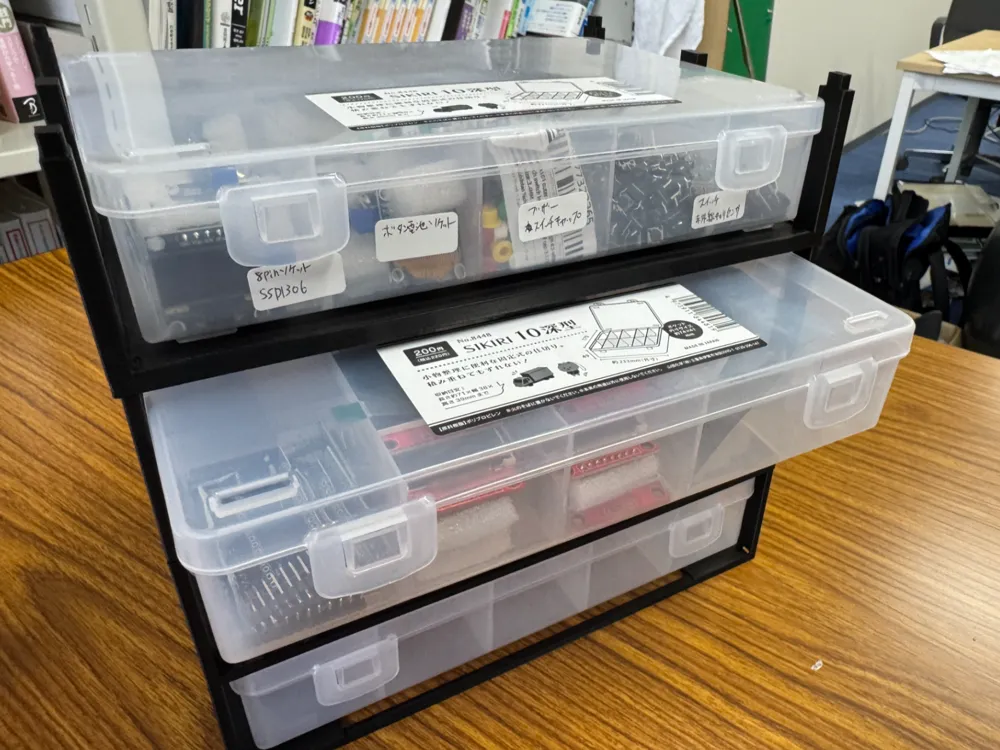
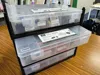
Side-Pull Out Stacking Rack for SIKIRI10
Compatible with both Standard and Deep Versions
This stacking rack allows you to pull out SIKIRI10 cases individually from the side, even when they are stacked
If you stack SIKIRI10 cases directly, you have to lift the upper case every time you want to retrieve a lower one. This rack allows you to pull out each case from the side, like a drawer
Compatible with both SIKIRI10 standard and SIKIRI10 deep versions.
Since the case heights differ, separate STL data is provided for the standard and deep versions. Please select the model appropriate for the case you are using
Compatible Cases
SIKIRI10 Standard Version
External dimensions: approx 233 x 170 x 34mm
Files to use:
SIKIRI10_standard
SIKIRI10 Deep Version
External dimensions: approx 233 x 170 x 49mm
Files to use:
SIKIRI10_deep
* The rack height differs between the standard and deep versions.
* The width, depth, reinforcement structure, and stacking structure are common
Features
- Compatible with both SIKIRI10 standard and deep versions
- Allows cases to be pulled out from the side
- Can be expanded one tier at a time as needed
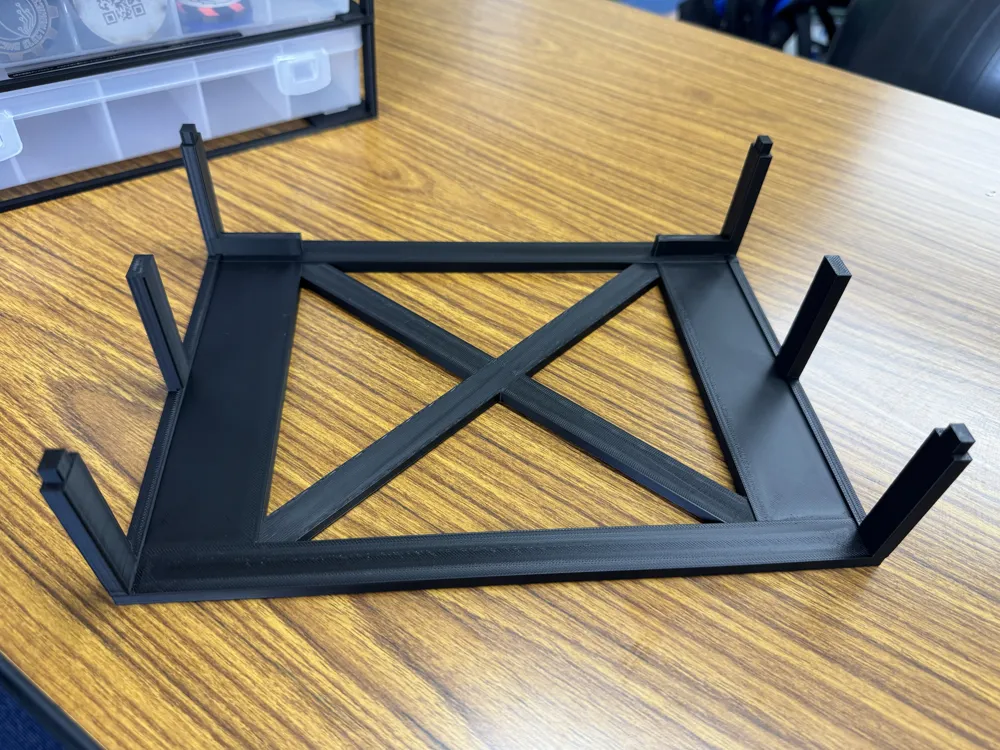
- Alignment via protrusions on the top and holes on the bottom
- Wide rails to support protrusions on the bottom of the cases
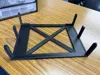
- X-shaped reinforcement in the center
- Side guides to prevent cases from slipping out sideways
- Printable without support material
- No assembly required as it is a single-piece model
Printing Direction
Please print with the bottom of the STL model directly on the build plate
It is recommended to print without changing the model's orientation
Recommended Print Settings
- Material: PLA or PETG
- Nozzle diameter: 0.4mm
- Layer height: 0.20-0.28mm
- Wall lines: 3-4
- Infill: 15-25%
- Supports: None
- Brim: Use if necessary
When stacking multiple tiers, using 4 wall lines increases stability
How to Use
- Check if the case you are using is the standard or deep version
- Select the STL that corresponds to your case
- Print the required number of tiers
- Align the protrusions on the top with the holes on the bottom of the next tier and stack them
- Insert the SIKIRI10 from the front
- When using, pull out the case horizontally
You can also combine the standard and deep versions.
Print racks with heights corresponding to each case, and stack them by aligning the top and bottom alignment features
Precautions
- Always use the corresponding STL for the standard and deep versions
- Due to printer and material shrinkage, the fit of the case and the tightness of the stacking parts may vary
- It is recommended to print only one tier first to check the case fit
- If stacking high, consider fixing it to a wall to prevent tipping
- When storing heavy items, limit the number of stacked tiers
- SIKIRI10 cases are not included
- This model is an unofficial accessory unrelated to the manufacturer of SIKIRI10
This was created because it was difficult to remove bottom cases when stacking SIKIRI10 directly
Recommended for storing items with frequent access, such as electronic components, screws, tools, craft supplies, and stationery
License

You may create derivative works based on this object, provided that all such derivative works are published exclusively on the MakerWorld platform and include proper attribution to the original creator. You may not share, upload, host, distribute, or publish this object—or any derivative work of this object—on any other digital platform, marketplace, or distribution channel. Commercial use of this object and any derivative works is strictly prohibited. This includes, but is not limited to, selling, renting, sublicensing, or using the object in any context in which you receive monetary compensation or other financial benefits.


Comment & Rating (0)