Search models, users, collections, and posts

iMac 5k Switch Panel Holder for External Display
IP Report
Print Profile(1)

0.2mm layer, 2 walls, 15% infill
Designer
25 min
1 plate
Open in Bambu Studio
Boost
5
28
4
0
18
13
Released
Description
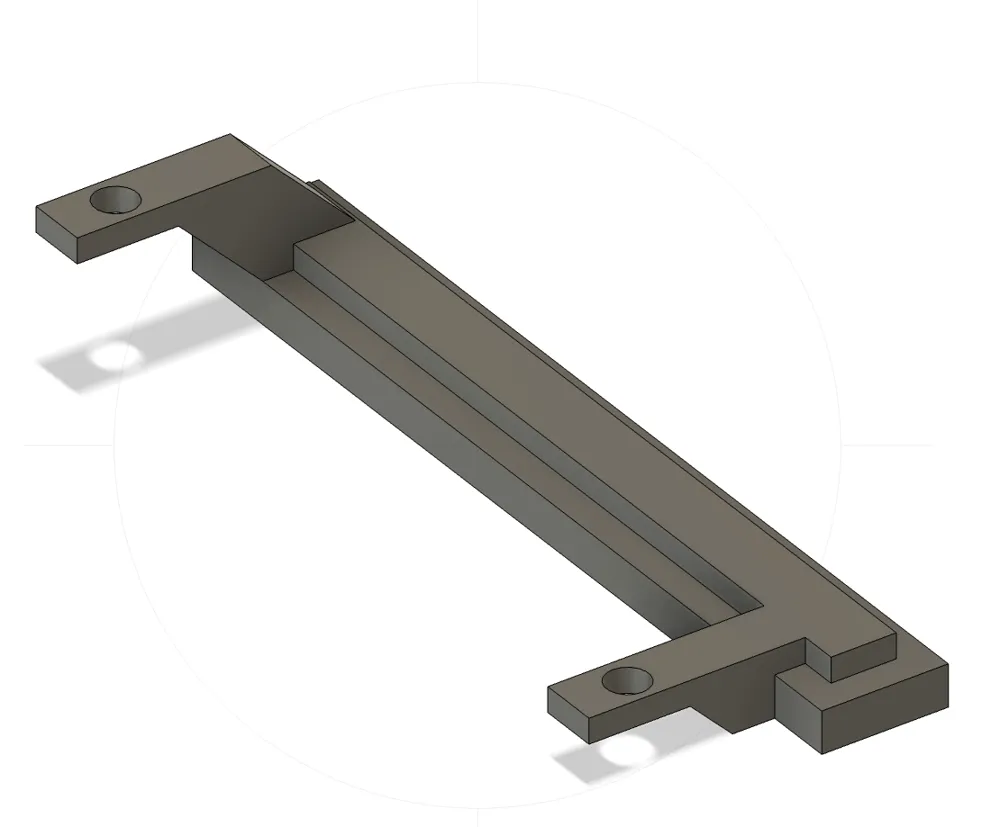
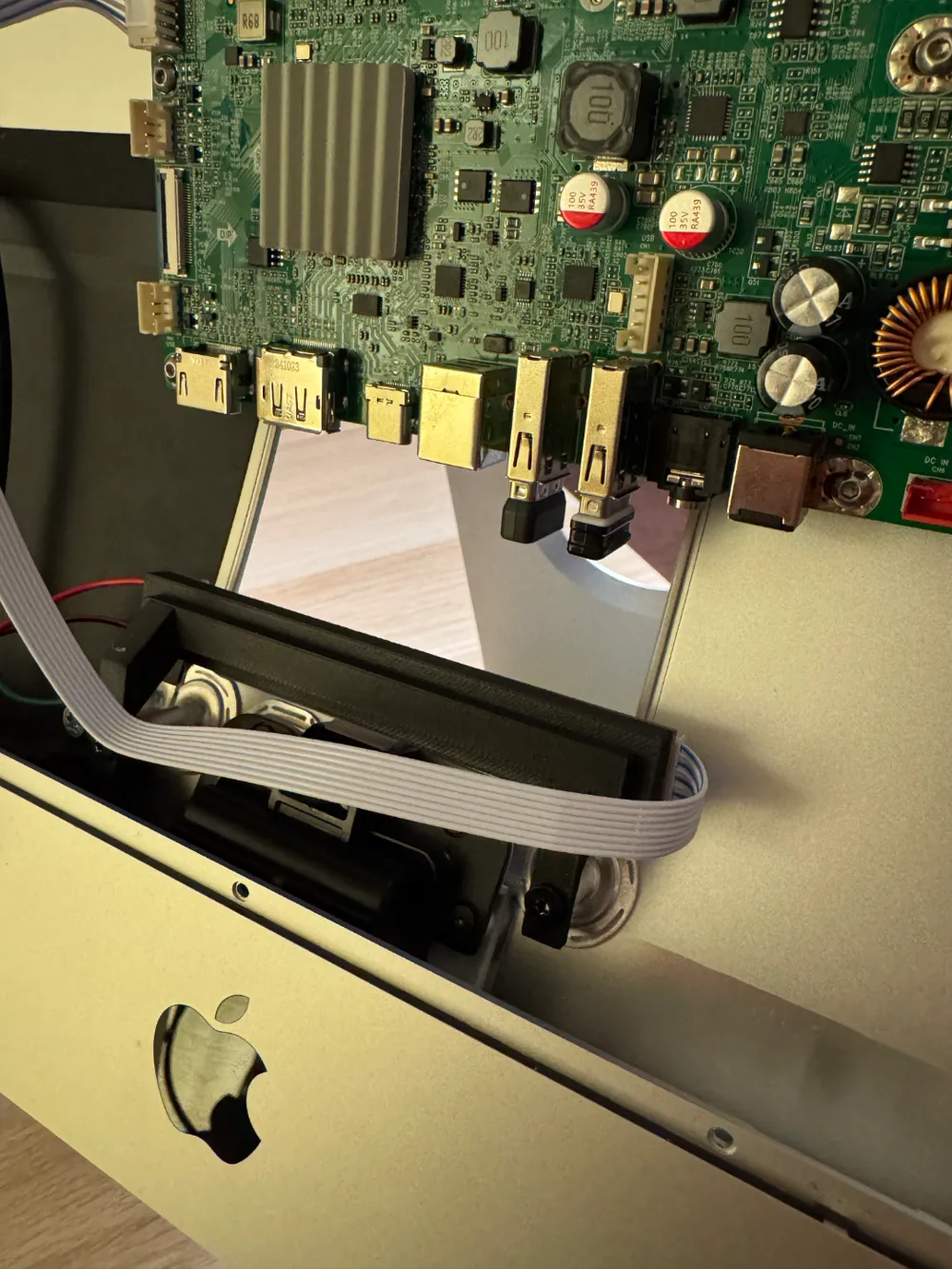
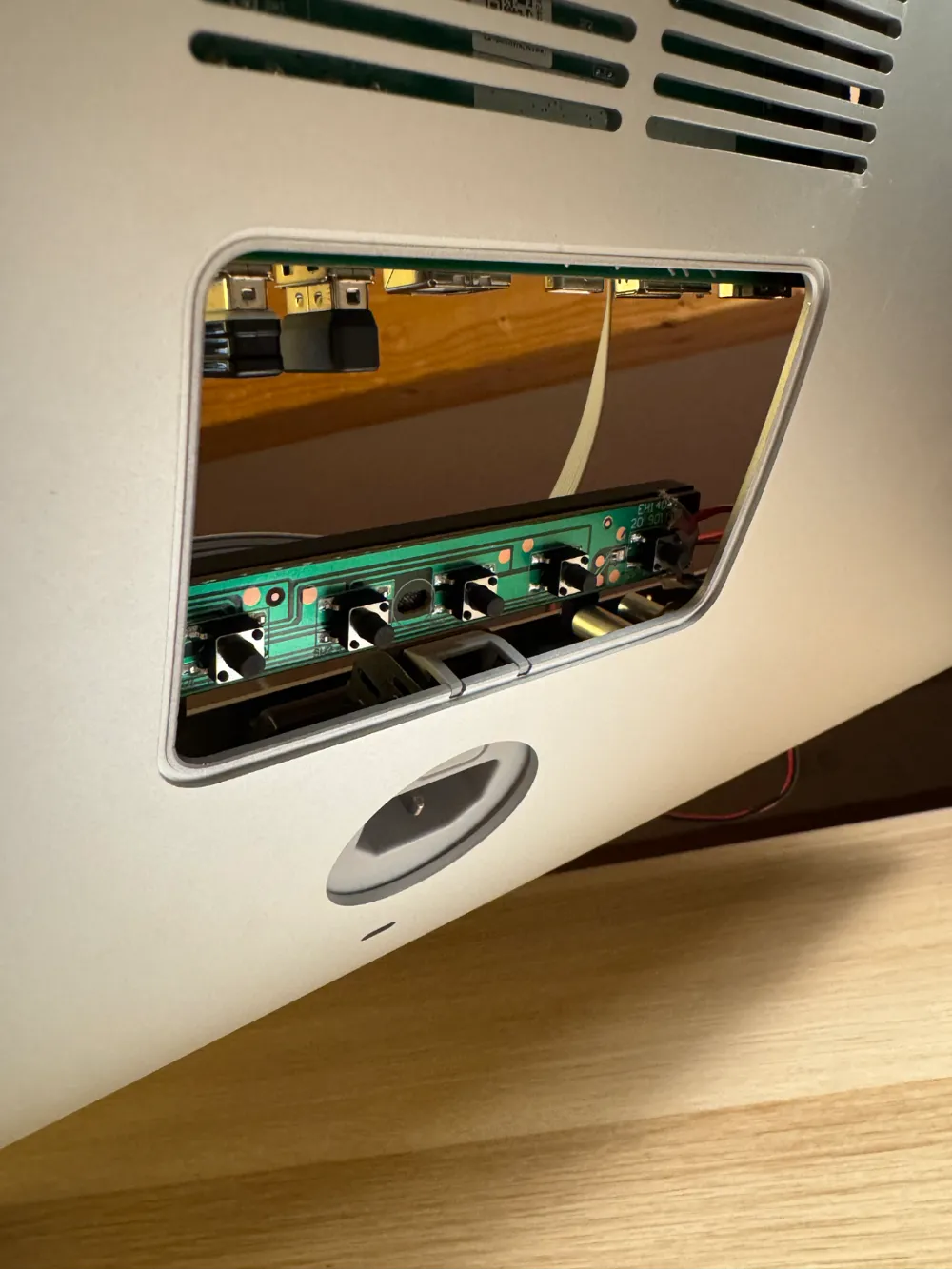
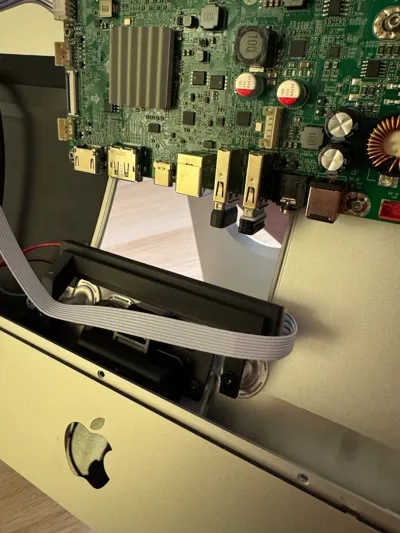
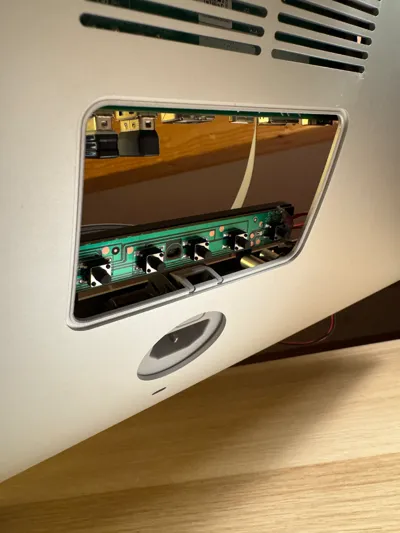
This holder is designed for converting a 5k iMac into an external display by securely mounting the monitor control buttons, which can be accessed through the RAM compartment. It provides a robust and easily operable solution while maintaining the sleek, modern aesthetic of the iMac.
Installation Guide:
- Prepare the Holder:
- Solder M3 Ruthex threaded inserts into the designated holes on the holder to provide a secure threading for the screws.
- Attach the Control Board:
- Place the control board onto the holder and secure it using M3 screws into the prepared threaded inserts. Ensure the board is tightly fixed but avoid over-tightening.
- Mount the Holder:
- Align the holder with the iMac’s existing screw threads and attach it using appropriate screws to ensure it is firmly mounted.
- Route the Flat Cable:
- Position the flat ribbon cable either under or behind the holder, taking care to avoid any pinching. Ensure the cable is flat and securely positioned.
- Testing:
- Test the control buttons through the RAM compartment to verify functionality. Adjust as needed for optimal performance.
This installation not only facilitates the use of a 5k iMac as an external display but also integrates cleanly with the original design, requiring minimal modifications.
License

This user content is licensed under a
Creative Commons Attribution-Noncommercial


Comment & Rating (4)