
MINI VAULT


Print Profile(5)


Description
This miniature safe is 100% 3D printed and uses no additional parts. While not as secure as a steel safe, it offers childproofing and a practical learning experience in safe mechanics. It boasts 2,730 possible combinations for your chosen code.
Security:
The safe’s recessed hinges enhance tamper resistance. Once closed, only the correct code unlocks it. The design thwarts prying attempts, and no component is easily removable without significant force. The construction prioritizes stability and security.
Before Printing:
Ensure precise part dimensions before printing, as they are crucial for functionality. Parts requiring interaction or movement have a 0.2mm tolerance for smooth operation. Printing only a few components simultaneously improves quality and minimizes errors. The parts are strategically distributed across the build plates accordingly.
ADD-ONS: https://makerworld.com/en/models/977368
Boost Me (for free)
This mini-safe represents considerable effort. Your boost would be greatly appreciated!
Membership
Support my work and obtain commercial rights!
Assembly:
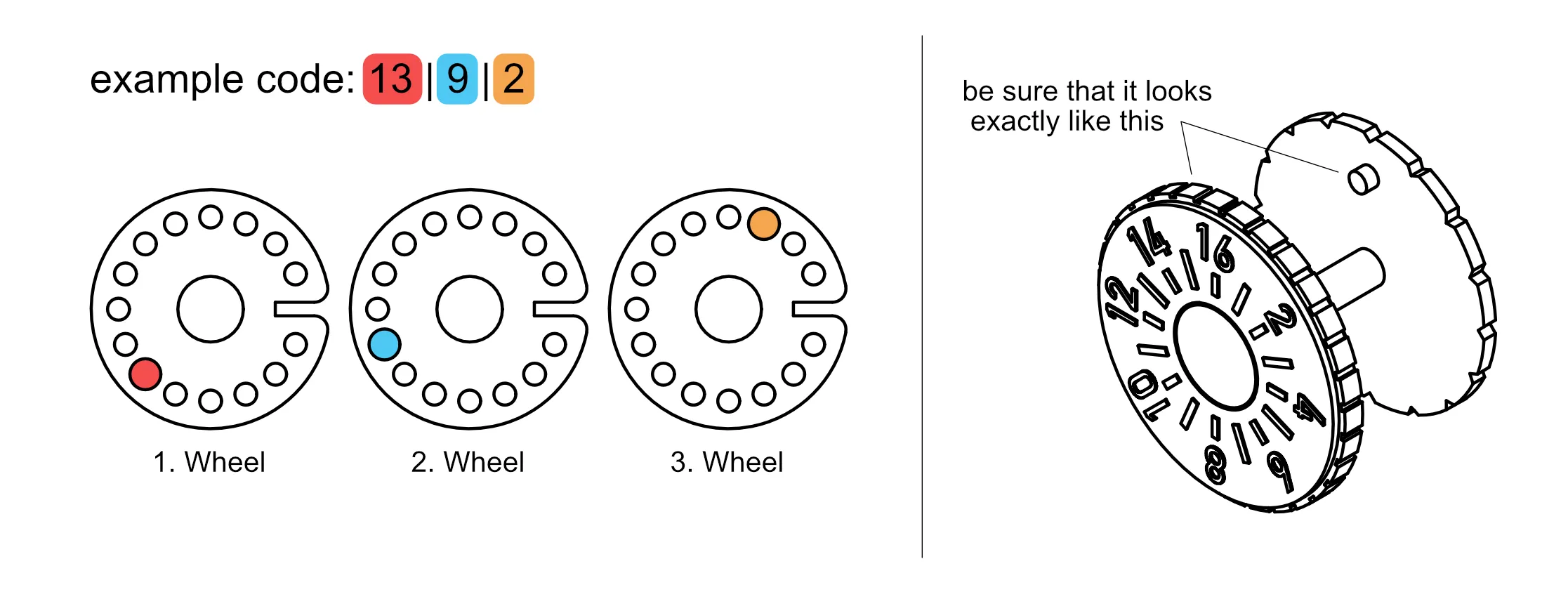
Setting the Code:
Carefully read the instructions and test your code before closing the safe.
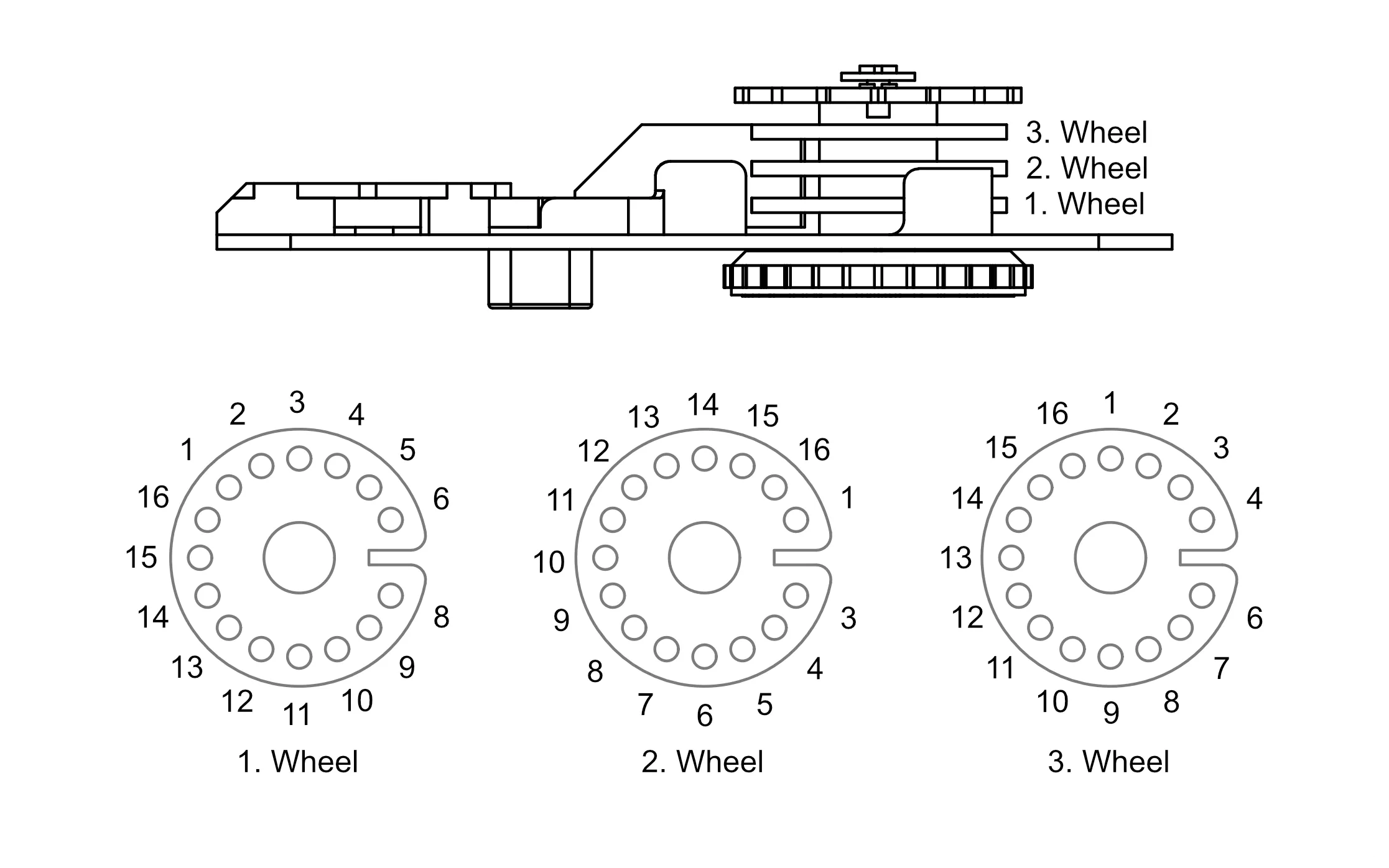
To ensure your code functions correctly, observe the rotation direction (⭮ ⭯ ⭮):
- ⭮ Rotate clockwise until all three wheels turn, then set the first digit.
- ⭯ Rotate counter-clockwise until wheels 2 and 3 turn, then set the second digit.
- ⭮ Rotate clockwise until wheel 3 turns, then set the third digit.
License

You shall not share, sub-license, sell, rent, host, transfer, or distribute in any way the digital or 3D printed versions of this object, nor any other derivative work of this object in its digital or physical format (including - but not limited to - remixes of this object, and hosting on other digital platforms). The objects may not be used without permission in any way whatsoever in which you charge money, or collect fees.


Comment & Rating (941)