
A1 mini X-axis Cable Chain

Print Profile(4)



Description
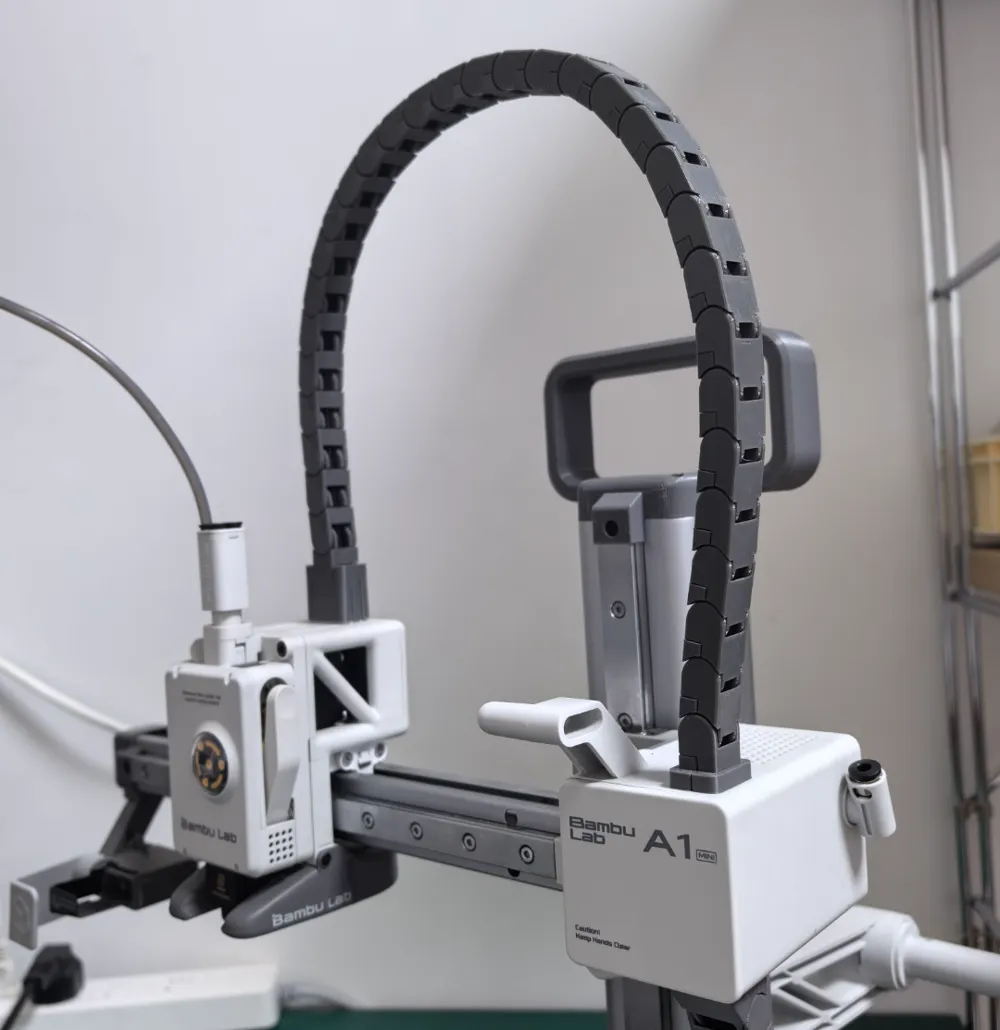
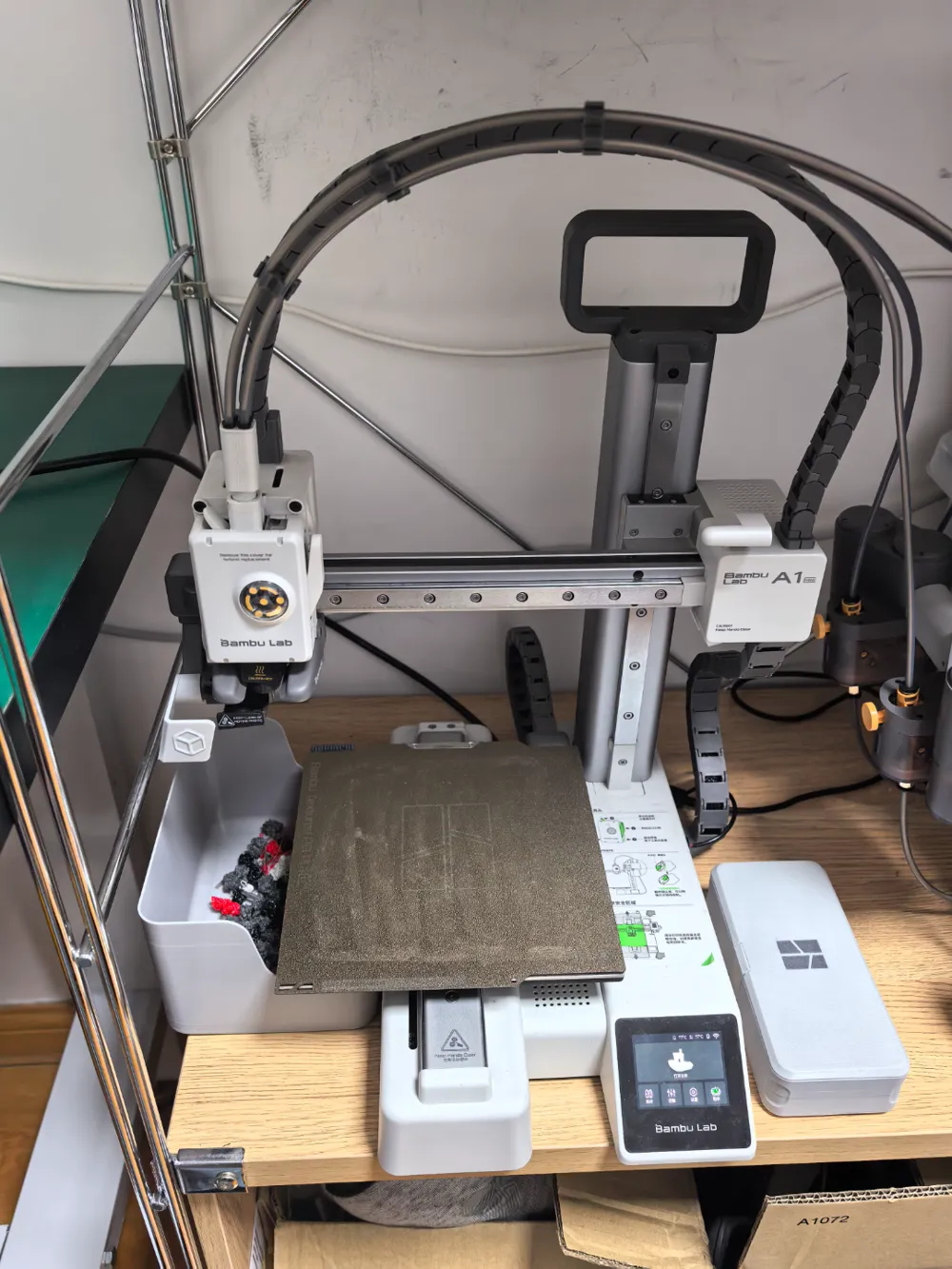
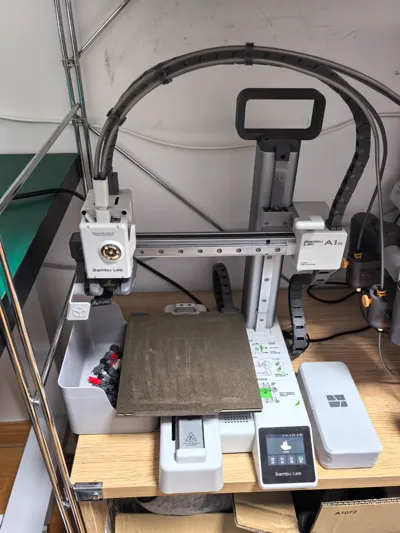
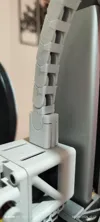
The A1 mini's x-axis cables, due to their excessive flexibility, often rub against the z-axis, leading to printing failures and potential printer damage. Therefore, this x-axis cable chain has been designed to constrain the cables' movement.
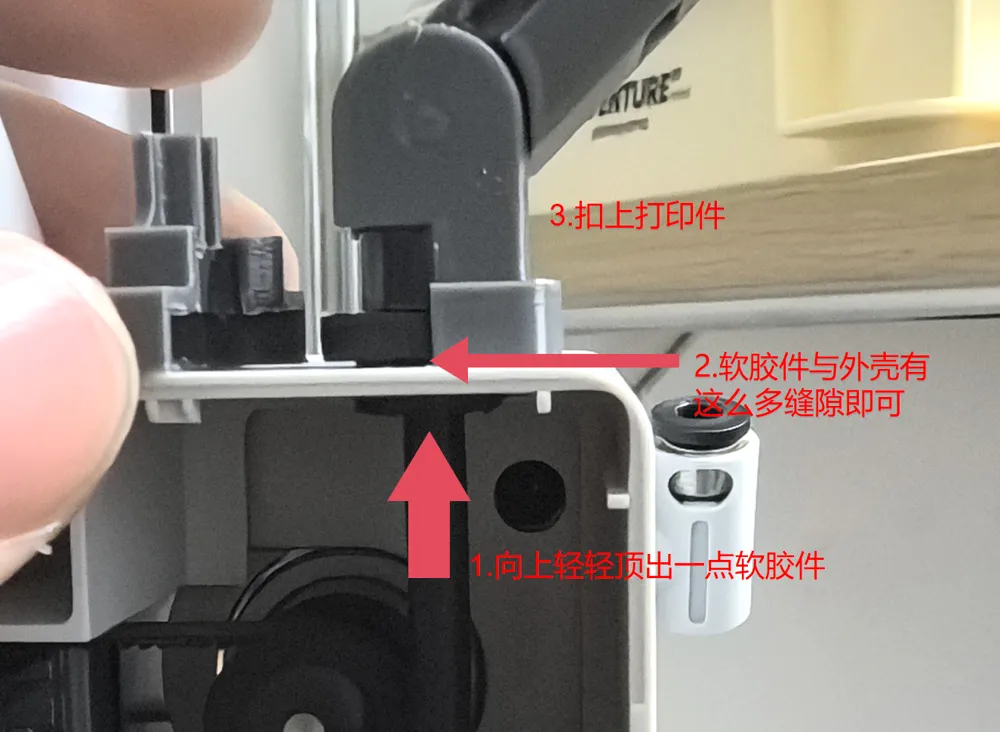
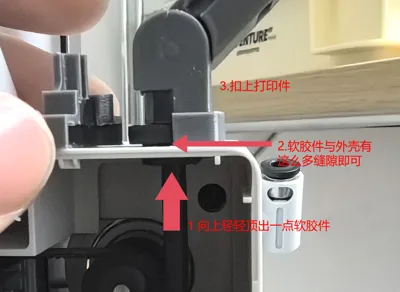
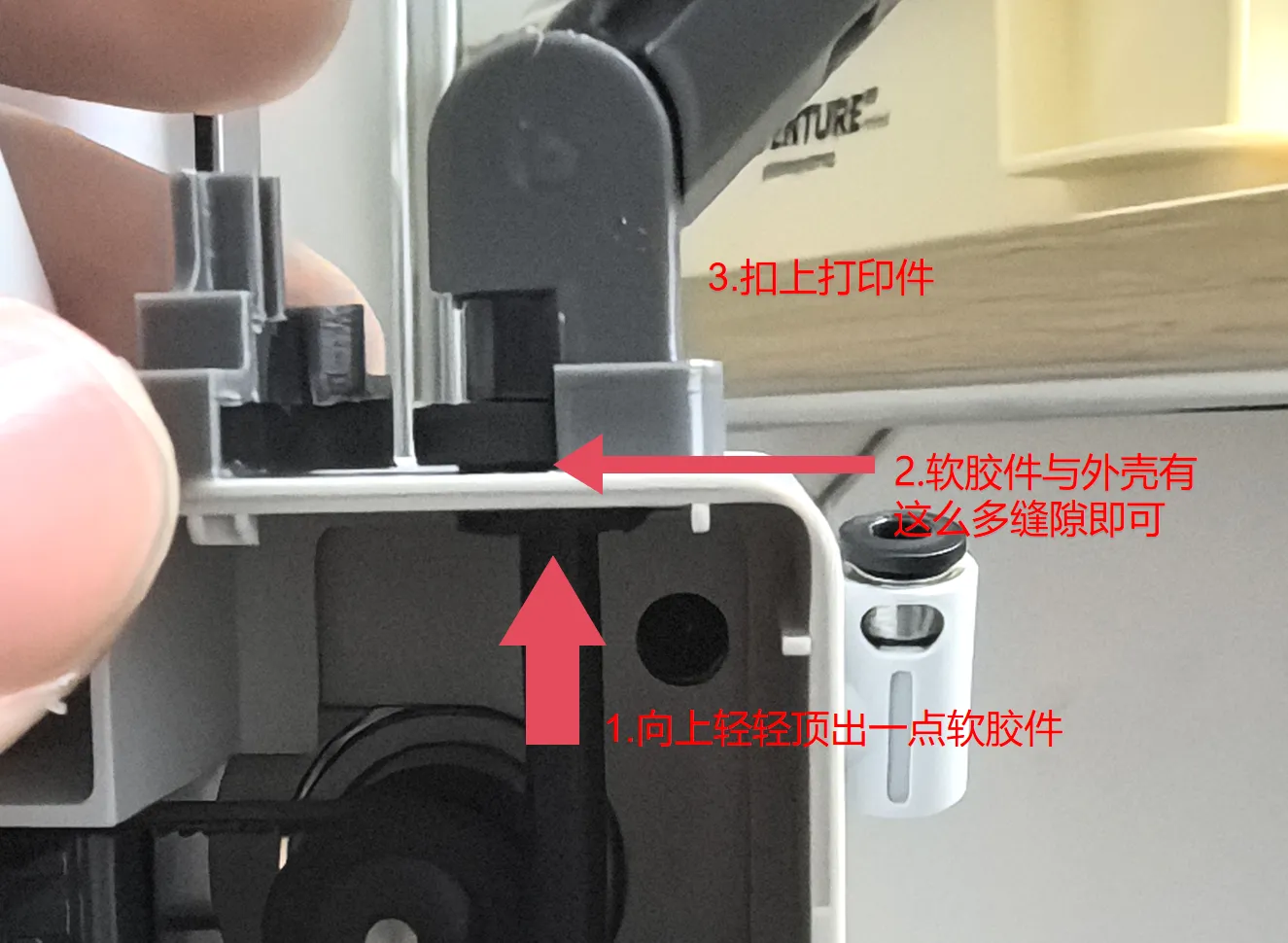
When installing the chain at the x-axis motor end, gently push upward on the cable's soft rubber component, but do not push it out entirely.
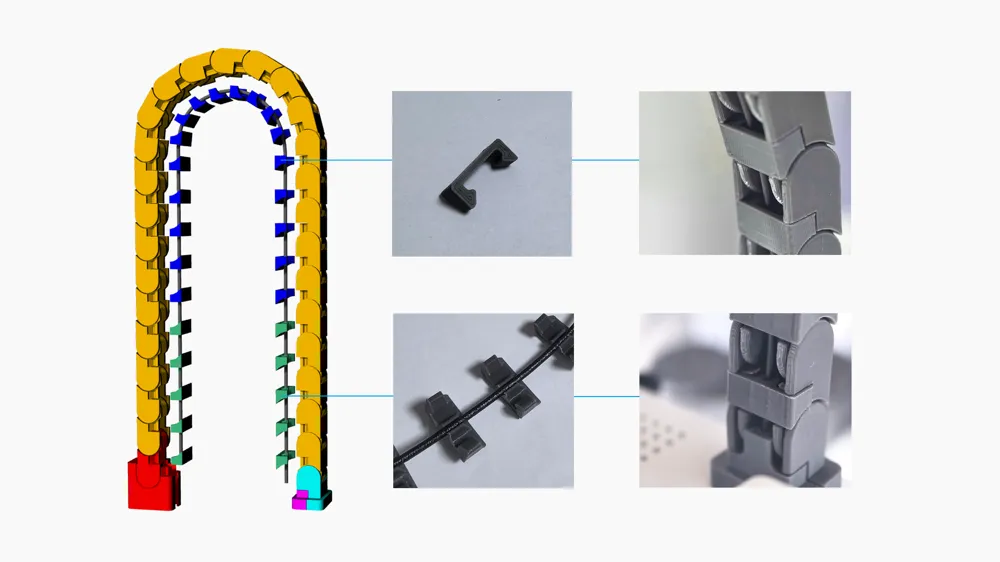
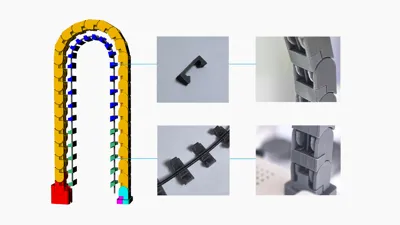
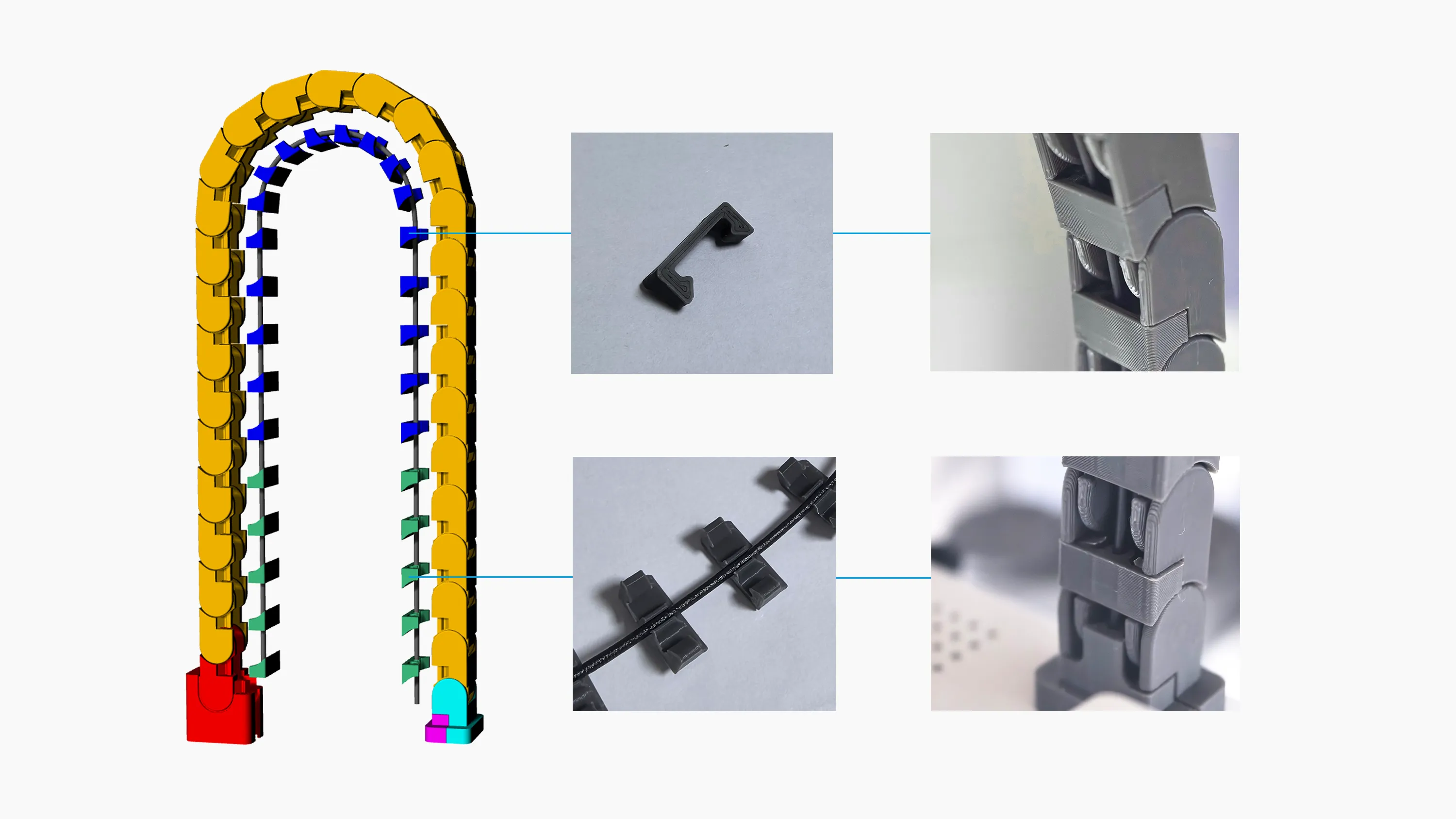
To prevent the chain from sagging, place a filament, preferably a stiff one, in the middle. Refer to the image for installation guidance.
License

You shall not share, sub-license, sell, rent, host, transfer, or distribute in any way the digital or 3D printed versions of this object, nor any other derivative work of this object in its digital or physical format (including - but not limited to - remixes of this object, and hosting on other digital platforms). The objects may not be used without permission in any way whatsoever in which you charge money, or collect fees.


Comment & Rating (417)