
Star Trek A1 Mini Startup Sound


Print Profile(0)
Description
Boost Me (for free)
Help me to create more!
Star Trek sound for your A1 Mini.
Are you looking for “ The next Generation ” ? TNG Sound
Copy the saved G-Code to a Micro SD Card, and plug it into A1 mini. Select the G-Code and press print, then enjoy the music.
You can also edit the A1 mini start sound -
FOLLOW THE INSTRUCTION (from the A1 mini Wiki):
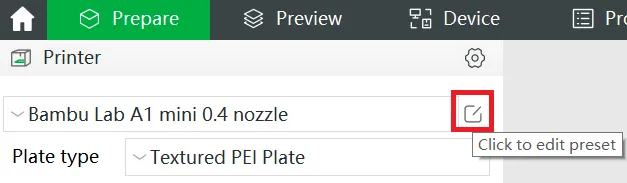
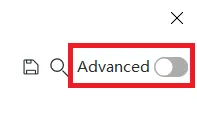
Click the edit preset button to open printer settings, and then click the advanced switch on the top right corner to enable advanced settings.
To set the start sound, find start printer sound divider in Machine start G-code section,

and replace all the code between this divider ( ;===== start printer sound =================== ) and next one with the code in the gcode attached (open it with a text editor).
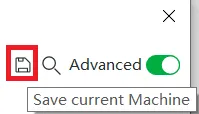
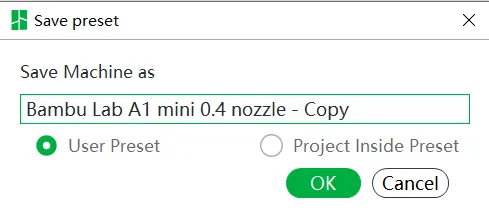
Click Save button on the top right corner to save the current preset. You can choose to save it as a user preset or project inside(internal) preset according to the frequency you want to use it.
 |  |
If the sound is not enabled in the setting, the printer will ignore all sound commands. You can enable sound on the printer or on your computer.
- On printer: Setting->Print options->Sound
- On Computer: Bambu Studio->Device->Print Options->Allow Prompt Sound
License



Comment & Rating (13)