Search models, users, collections, and posts

21 Key Mechanical Numpad
Print Profile(1)

All
A1
P1S
P1P
X1 Carbon
X1E
X1
A1 mini
H2D
H2D Pro
H2S
P2S
H2C
X2D
A2L

0.2mm layer, 4 walls, 30% infill
Designer
4.7 h
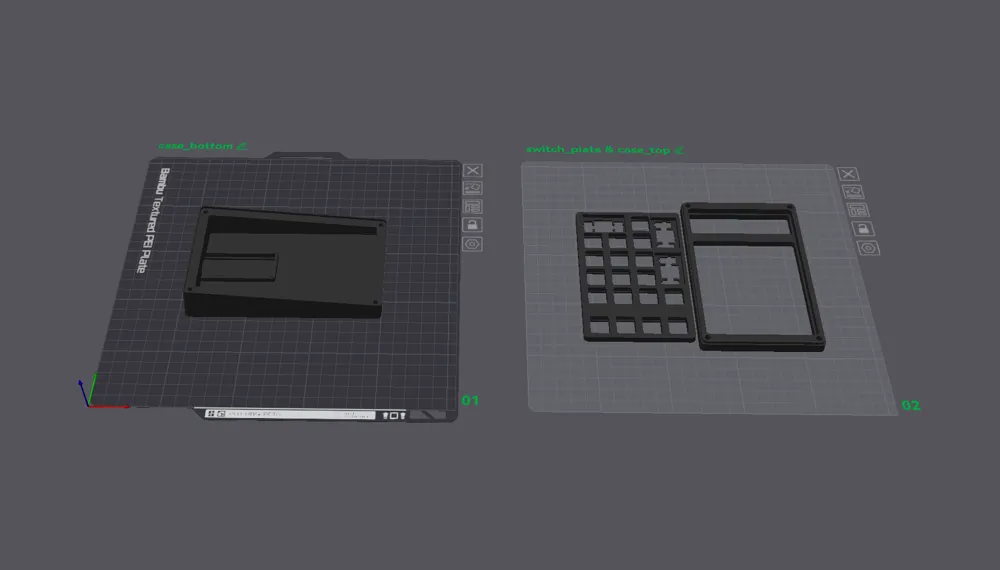
2 plates
5.0(7)

Open in Bambu Studio
Boost
120
300
16
17
258
96
Released 

Bill of Materials

List other parts
  • Mechanical Keyboard Switches x 21:
  • Keycaps x 21:
  • YD-RP2040 Raspberry Pi Pico x 1:
  • M3 x 16 mm flat head machine screws x 4:
  • Brass heat set inserts (M3 x 4 mm x 4.5 mm) x 4:
  • 2U Cherry Clip-In Stabilizers x 3:
  • Wiring x 1: I used 24 AWG solid core wire but pretty much anything will work

Description

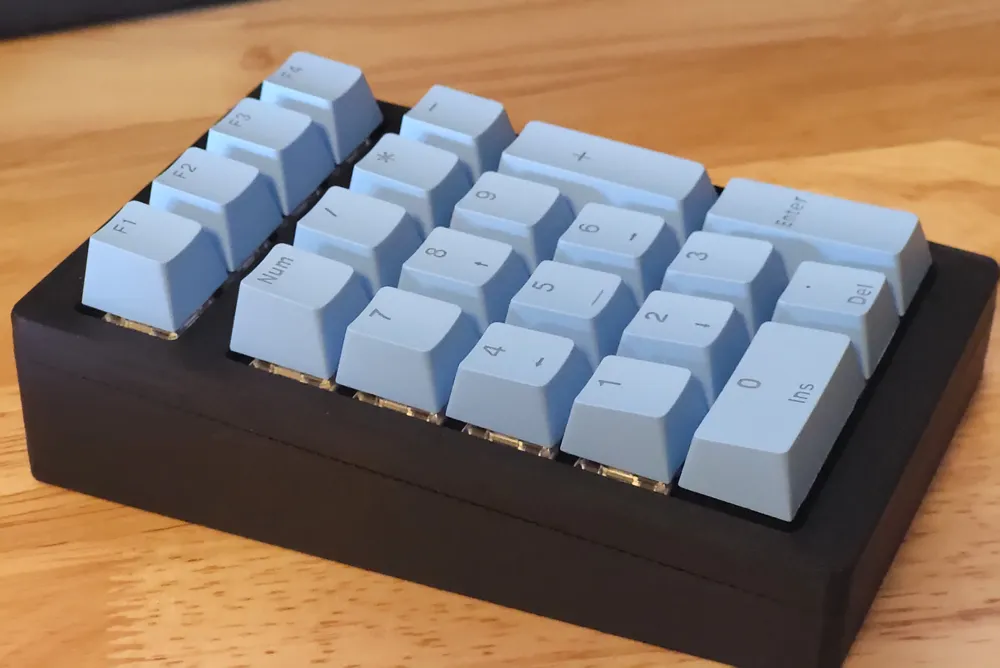
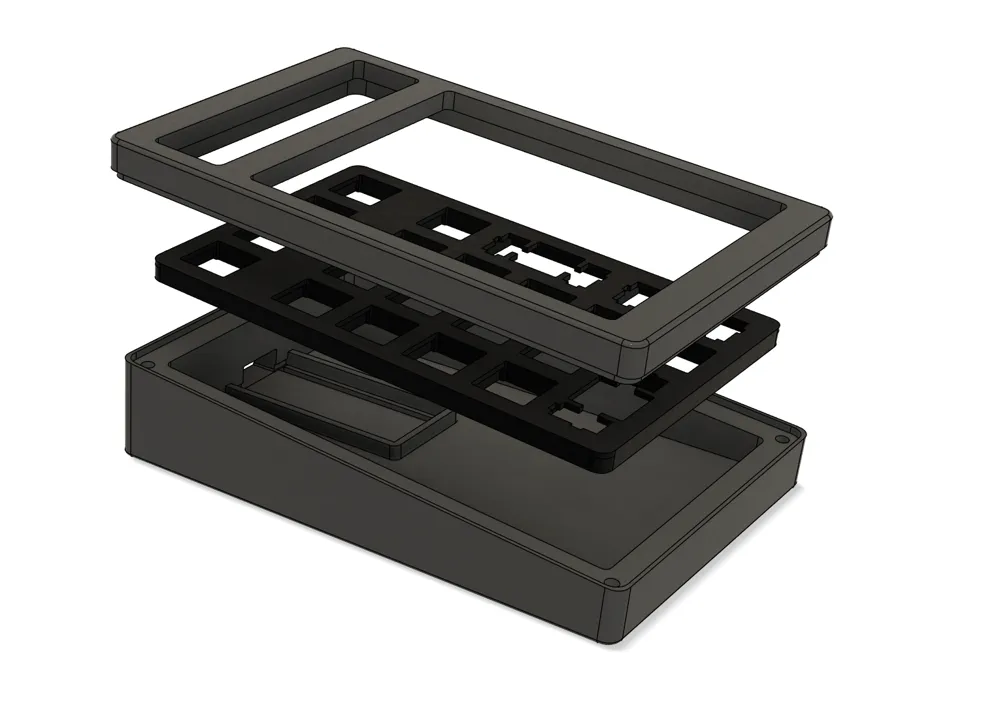
A 21 key hand-wired mechanical numpad.


Designed to be used with a YD-RP2040 Raspberry Pi Pico, but I've included the STEP files if anyone wants to tweak it to hold a different microcontroller.


I'm personally running KMK firmware on it (there's a great tool called pog that makes it super easy to program your keyboard), but it can also be configured to run with QMK if you want.

Assembly:

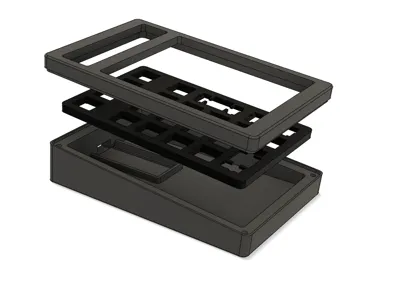
For easier printing, I've made the case_top and the switch_plate separate pieces that fit snugly together.

The switches and stabilizers should click into the plate easily. Heat set inserts go into the four holes in the back of the case_top.


Since the Pico has more than enough pins, I just wired each switch directly to the board and daisy chained them all to a ground pin. I used double sided foam tape to secure the Pico to the case_bottom.

The case is then fastened together from the bottom with four M3 x 16 countersunk screws.


Boost Me (for free)

If you like this design, I'd appreciate the support :)

Comment & Rating (16)

(0/1000)

Boosted
Pinned by Designer
Print Profile
0.2mm layer, 4 walls, 30% infill
I like the overall design choice of this numpad as it incorporates macros. Here is the code: https://github.com/jerrf010/Macro_Numpad
The profile uploader has replied
profile
1
Reply
Wow, this is great! Love the additions you made. Thanks for sharing :)
0
Reply
Print Profile
0.2mm layer, 4 walls, 30% infill
printed great and wasn't to bad to put together
The profile uploader has replied
profile
2
Reply
Glad to hear it. It looks great! Thanks for the boost :)
0
Reply
Boosted
Print Profile
0.2mm layer, 4 walls, 30% infill
tutto ok printed with esun pla+
profile
2
Reply
Boosted
Print Profile
0.2mm layer, 4 walls, 30% infill
Excellent 👌🏼
0
Reply
Boosted
I like this aesthetic any plans to make a full keyboard?
The designer has replied
designer
2
Reply
Thanks! I wasn't planning to, but I may consider it now. This was my first time designing anything in Fusion so maybe once I've learned a bit more.
1
Reply
Boosted
Awesome Design
The designer has replied
1
Reply
Thank you!
0
Reply
Hello, do the switches have to be Cherry MX or can I use Gateron?
The designer has replied
0
Reply
Any brand of normal profile MX-style switches will work! I'm using Gateron Jupiter Banana switches myself.
0
Reply
Boosted
Thank you Again
0
Reply
Print Profile
0.2mm layer, 4 walls, 30% infill
0
Reply
Print Profile
0.2mm layer, 4 walls, 30% infill
0
Reply
Print Profile
0.2mm layer, 4 walls, 30% infill
0
Reply