
Parametric Toolbox Magnetic Label Maker (US Gen)

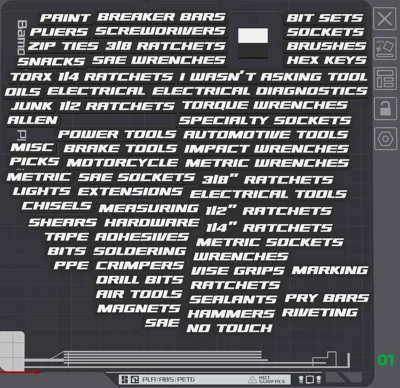
Print Profile(2)

Bill of Materials




Description
Boost Me (for free)
If you feel this model worthy of one of your boost tokens, just know that it would be greatly appreciated. I’m a hobbyist who loves creating open source software and design, and sharing my work. I build tools I find useful, so follow me if you’re interested in more (hopefully useful) projects in this theme.
Introduction
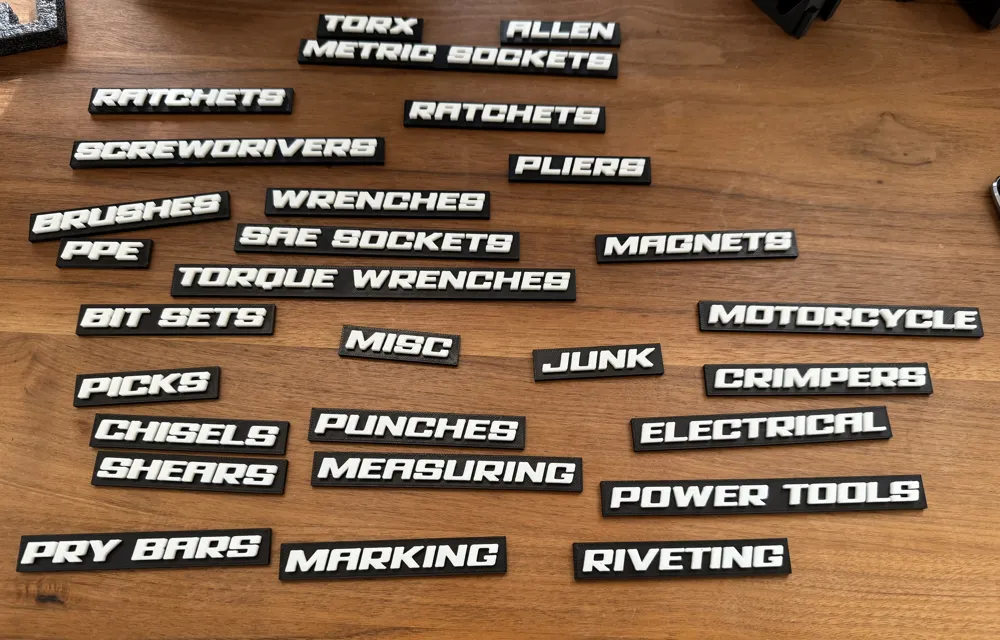
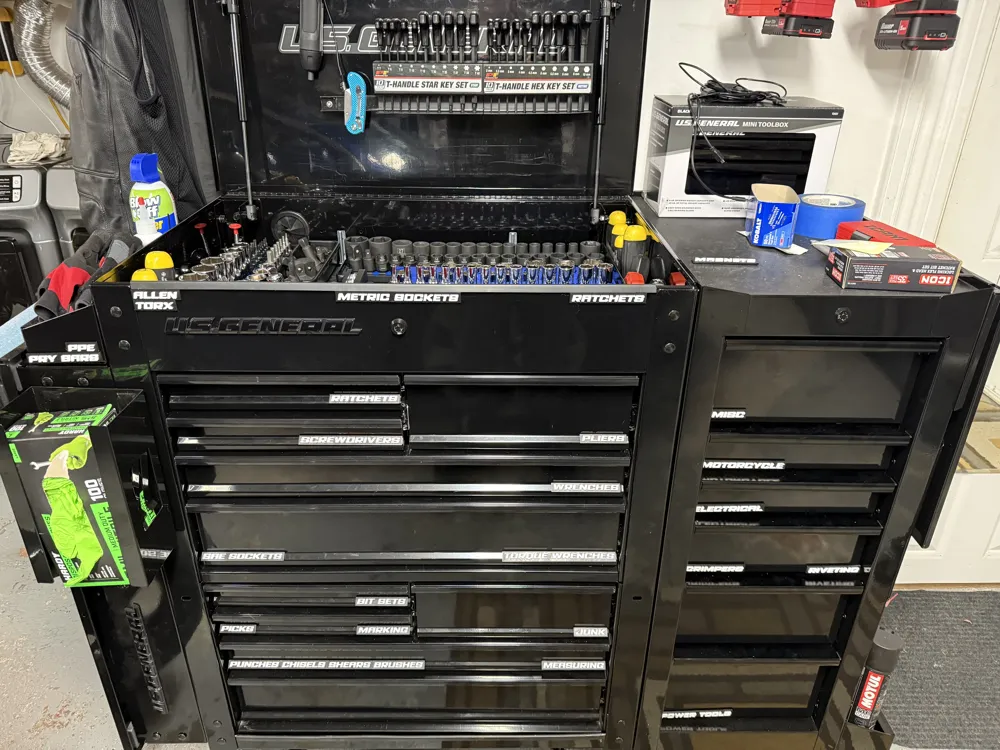
This is a magnetic label generator that I use to create my labels for my Harbor Freight US General series 3 tool boxes/tool carts.
You can easily make a batch of custom labels for tool carts and tool boxes.
The label generator is written to work either with the Makerworld Parametric Model Maker (aka the Customize button) or on a local copy of OpenSCAD.
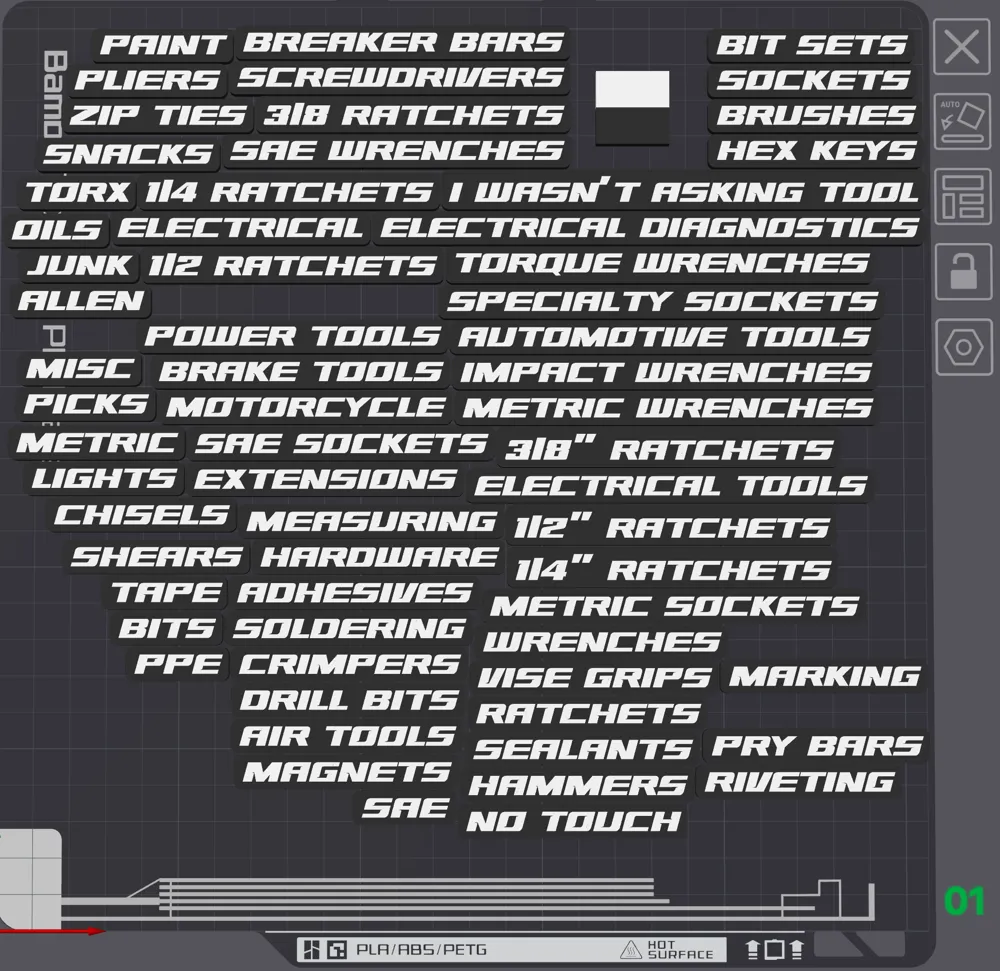
The included .3MF project includes a ton of labels you can use on their own, but it was my intention that you would use this to make your own custom labels.
We print these labels with the magnet side down to the bed. The little amount of bridging needed means that supports should not be needed.
Boost Me (for free)
If you feel this model worthy of one of your boost tokens, just know that it would be greatly appreciated.
Remix Differences
Originally written by Josh who produced a single label. This is complete rewrite of that code to support batch generation, the customizer, guardrails, and multi-part and multi-plate printing. His code was the inspiration for this code.
Usage
Option 1: Makerworld Customizer Button
Pros:
- Nothing to install, just customize, import, paint, and print.
- Supports generating up to 4 plates at once.
Cons:
- You must use one of the fonts supported by the customizer, which does not include any that match the US General font. Montserrat is kind of close, but not fantastic.
- Use the customizer to set the labels you wish to print. Labels are delimited with the “|” character.
- Generate, download
- Slice and print.
Option 2: Local OpenSCAD
Pros:
- Not limited to Makerworld's font library.
Cons:
- More complicated
- Requires OpenSCAD and font installation
- Only supports one plate at a time.
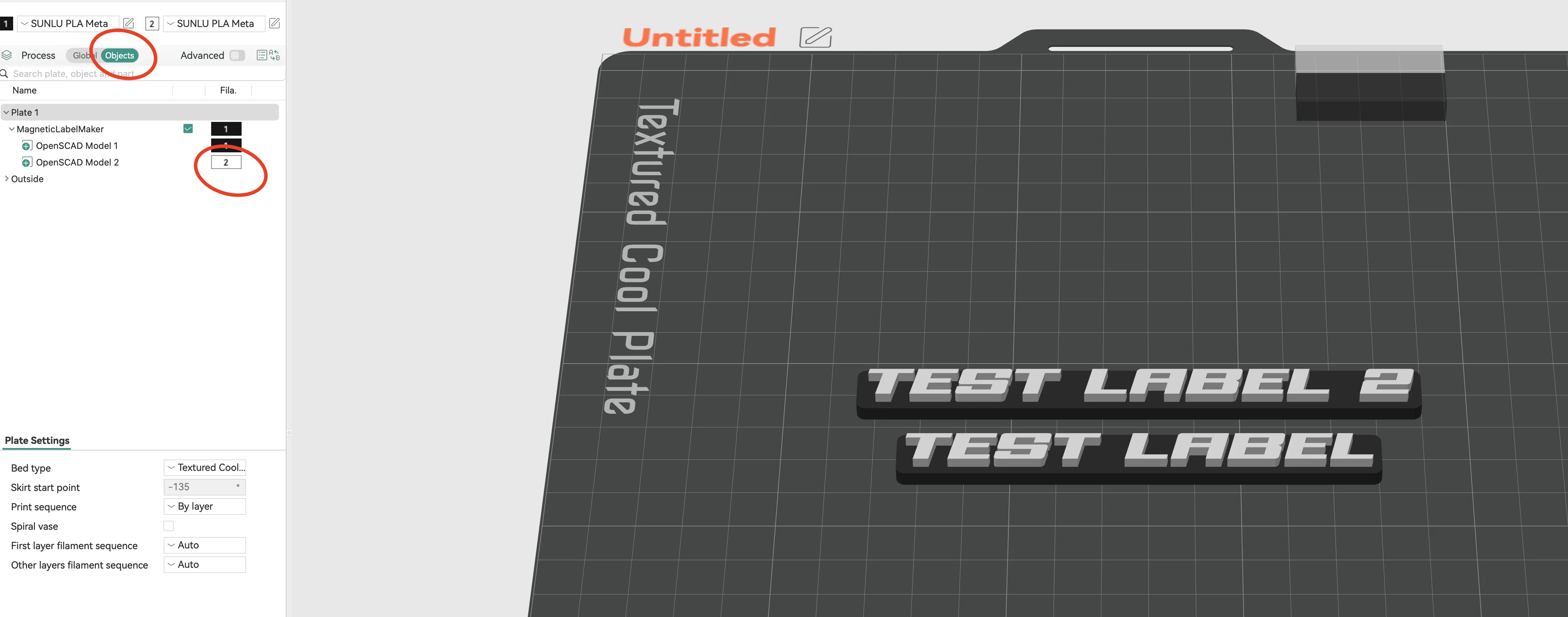
- Base and text are exported as two different parts of the object--just select which color filament to use for each part.
- Install OpenSCAD development snapshot. The last official release is from 2021 but it is actively maintained and we use features that do not exist in the official release. Hint: if using a recent MacOS, you may need to remove the quarantine flag from the downloaded file before it will run.
- Download/install desired fonts (see Getting the Fonts below).
- Go to OpenSCAD > Preferences > Features and enable lazy-union and text-metrics.
- Go to OpenSCAD > Preferences > Advanced and set the 3D Rendering backend to Manifold.
- Download the `.SCAD` file, edit it and set the local_openscad variable to 1 or true.
- Use the OpenSCAD customizer window or edit the source code to set the labels you wish to print. Labels are delimited with the “|” character.
- If using a different font, set the name of the font in OpenSCAD.
- Do a preview rendering (F5), if it looks good, do a slower full rendering (F6) , then Export the output as a .3MF file.
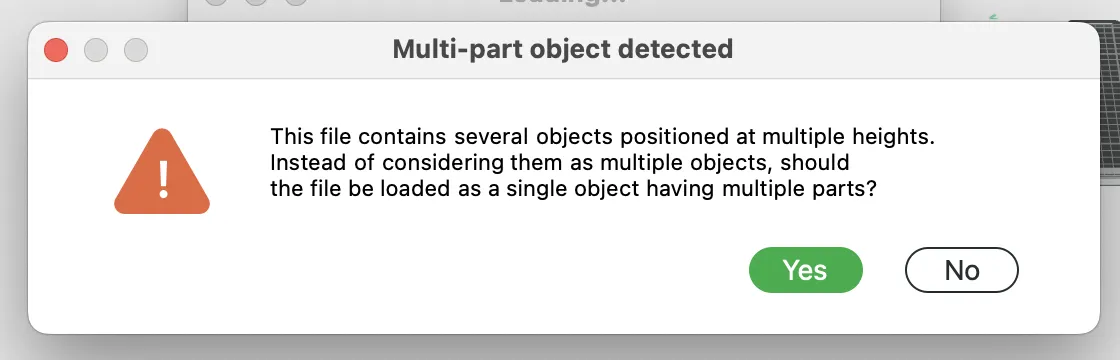
Load the .3MF file into your slicer, answer Yes when the slicer prompts “Multi-part object detected.”
Go to Objects menu, “OpenSCAD Model 1” represents all the bases, “OpenSCAD Model 2” is all of the text parts. Set desired colors or filament for each:
Getting the fonts
You can use any TTF font you want. You can either copy the font file into the same directory as the .scad file and uncomment one of the “use” directives, or install the new font it in your system fonts (I do this). The font that I use came from Fontspring and is their Avionic Wide Oblique Black. In the sample code, I have referred to their Demo license copy. You can do all of your testing and print samples using the demo font, it will work just fine, but please consider changing fonts or buy a personal license for this font should you use this for a finished project or commercially. Artists need to get paid.
Interesting Customization Parameters/Variables
- labels: label names, delimited with “|” like “SOCKETS|RATCHETS|ALLEN WRENCHES”
- font: font to use
- letter_size: 8mm default
- label_depth: 5mm default
- magnet size: 8x3mm default
- base_shape:
- 0 default, a rectangle with rounded corners
- 1 = experimental: Flows base shape to follow letter outlines. May produce more aesthetic results but can also look strange for letters with descenders or trailing Ls. Slower to render, but could be really cool for you.
It will only generate as many labels as will fit on the plate vertically, batch your jobs as necessary.
Source control
Original development sources are maintained in my repository GitHub if you want to collaborate with me. Please feel free to open issues or better yet send contributions via pull requests.
Previous updates
2026-05-31 v100: Massive rewrite, customizer now packs plates. Assisted with claude, but I hand verified any suggested code and did my own code review and fixes, so “ai-enhanced” but not “ai-written” as it should be.
2025-11-12 v12: Fix Autodetect for new version of MakerWorld PMM, allow override if it changes again.
2025-09-22 v11: Autodetect MakerWorld PMM, calculate Y label distance correctly, error if model is bigger than plate dimensions since PMM hides warnings.
2025-0917 v9: Allow for embedded magnets, larger fonts, clean up depth calculations for magnet holes
2025-08-04 v7: Multiple plate support, better fonts, better color and font picker, better documentation
This remix is based on

License



Comment & Rating (279)