Search models, users, collections, and posts

A1 Mini Top Spool Mount

Print Profile(4)

All
A1 mini
P1S
P1P
X1
X1 Carbon
X1E
A1
H2D
H2D Pro
H2S
P2S
H2C
X2D
A2L

0.16mm layer, 3 walls, 20% infill
Designer
3.4 h
1 plate
4.8(149)

0.12mm with Bambu Logo
4.2 h
1 plate
4.9(29)

0.2mm layer, 2 walls, 15% infill
9 min
1 plate
4.2(6)

Spool support - ball joint - 0.16mm layer, 2 walls, 15% infill
35 min
1 plate

Open in Bambu Studio
Boost
865
2394
244
255
3 k
1.7 k
Released 

Description

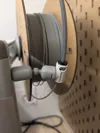
Mount the spool on top of the A1 Mini Z-axis using only the original hardware from the printer. The PTFE mount allows for slight movement along with the print head.
 

1. Use the three screws to attach the main body to the top of the Z-axis.
2. Slide on the front cover and the original spool holder arm.
3. Insert the pins into the internal cap and set it in place on the main body. (Ensure the correct orientation.)
4. Attach the main cap using the longer screw to secure it.
5. Reattach the PTFE mount, positioning it on the back of the main body.
 

Boost Me (for free)

Comment & Rating (244)

(0/1000)

Boosted
Excellent. I have made a minor adjustment to add a stop to the inside of the "PTFE Boom" so that the clip on the opposite side of the shaft can freely rotate 30° to accommodate the decreasing diameter of the filament wound on the spool due to consumption. The modification consists of: 1) A 1.8mm hole on the inner part of the "PTFE boom" for inserting a 2mm diameter screw to secure the stop. 2) A 6mm diameter hole on the "AM1 Spool Top Mount" angled to the right (invisible as it is hidden by the "Front Cover") to insert a small screwdriver. 3) Construction of the stop. I would like to include the STL file but I don't see the option, so I'm including a photo for better understanding, so that anyone who wants to can make it themselves
(Edited)
The designer has replied
Show original
designer
4
Reply
Thank you! I am working on another solution for this, but you could upload yours as a print profile if you like.
0
Reply
Boosted
Replying to @Barl :
Done I hope I haven't made any mistakes
Show original
0
Reply
Boosted
I printed this a while back as I was wanting to move the spool up and behind the printer to save on desk space. It printed good and while the spool arm does fit a little tight on the mounting plate it worked okay. As it turns out, I ended printing out another spool arm and kept the original white/gray spool arm where it was at on the side. After buying another PTFE adapter and Tube, I now have two spools that I can feed from. Not a AMS system by any means, but it's a little quicker manually changing colors now. Thanks for sharing this with us.
designer
9
Reply
awesome! I wanted to hear good feedback about this before I tried it, and this is exactly what I want to do
1
Reply
This solved one of my biggest problems: too little space. In a 20" space, even an extra 2" regained can be a lot!
designer
1
Reply
what is that storage thing under the printer? is it on makerworld?
1
Reply
Replying to @3DPrintingGeek :
It's this: https://makerworld.com/en/models/176288-a1-mini-all-in-one-organizer-purge-poop-tools-swat#profileId-193809 The A1 Mini All-in-One Organizer. I couldn't live without it, lol. The top of my cart is so small. (Sorry it took me so long to answer - I was minus my computer for several months!)
0
Reply
Print Profile
0.16mm layer, 3 walls, 20% infill
Printed with no problems, went together super fast and easy with just an Allen wrench and I needed a pair of pliers to push the 3 pins through. I used 2 drops of super glue in the outside post connector and that solves the loose issue. maybe if that were threaded or snap connector it would be a better fit. but 💯 happy with the design and function. thank you so much.
profile
3
Reply
Just printed and assembled in less than 5 minutes . Parts are a little tight - i used rubber mallet (very light one) to help sliding them in place. 0.1mm less PLA here and there and it would be practically tool-less process (only Allen key). Great design that you do not need anything extra, no extra screws or other items.
2
Reply
Sorry I can't fix it on the axis can you help me I don't understand which screws to insert
Show original
0
Reply
Hello, I made a modification to the support, now it is attached to the trunk and it is the ball joint that allows movement And thank you very much for your model I added it as a print profile
Show original
1
Reply
Print Profile
0.16mm layer, 3 walls, 20% infill
Got my A1 recently and this was my first print with it. Looks good and works like a charm.
profile
1
Reply
Print Profile
0.16mm layer, 3 walls, 20% infill
It does what it should! Excellent fit and easy printing Thank you for that!
Show original
profile
1
Reply
Print Profile
0.16mm layer, 3 walls, 20% infill
Exactly what I was looking for A truly excellent print I am truly thrilled
Show original
profile
1
Reply
Print Profile
0.16mm layer, 3 walls, 20% infill
Great fit, Perfect!
1
Reply
