
Starship Flight Test 5

Print Profile(1)

Description
Created exclusively for the MakerWorld Master Challenge: Space Exploration
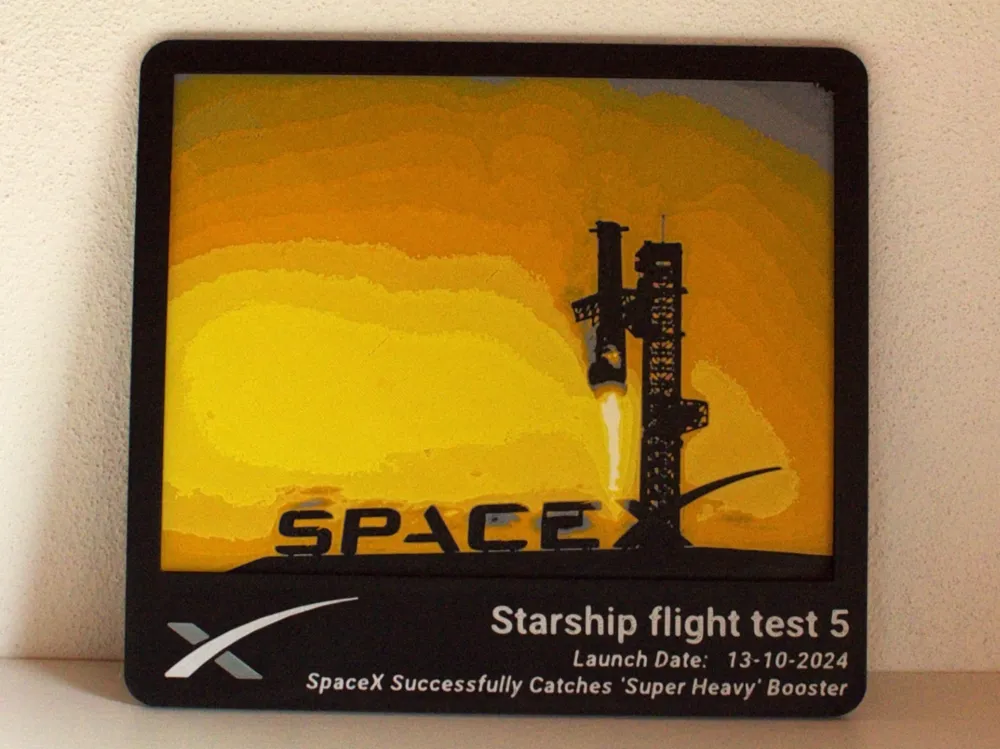
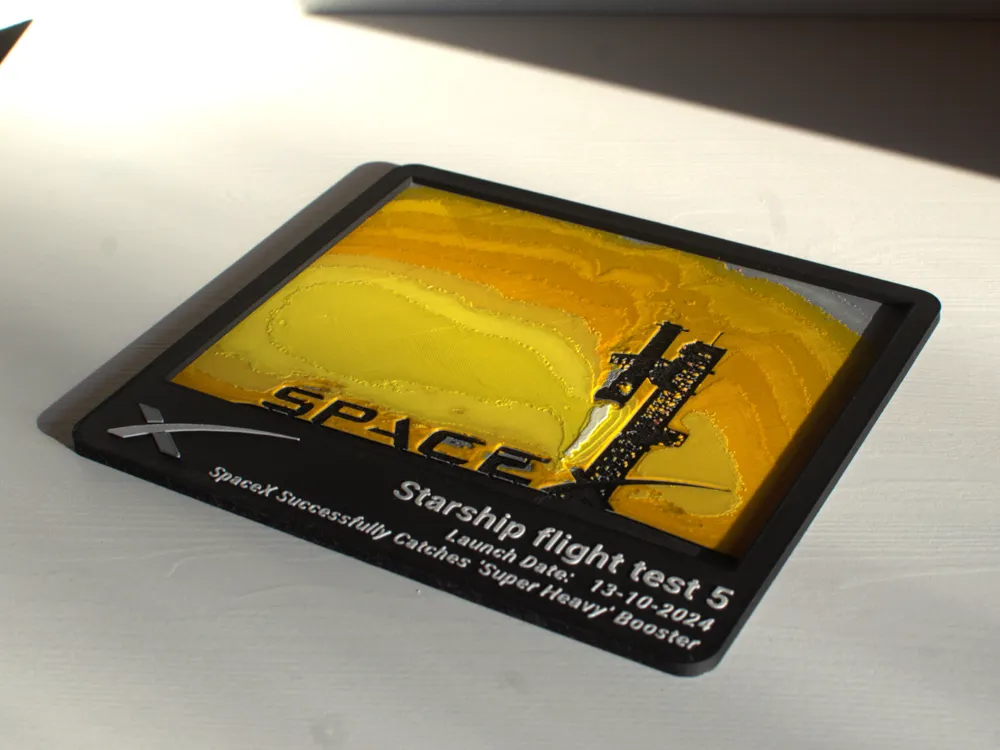
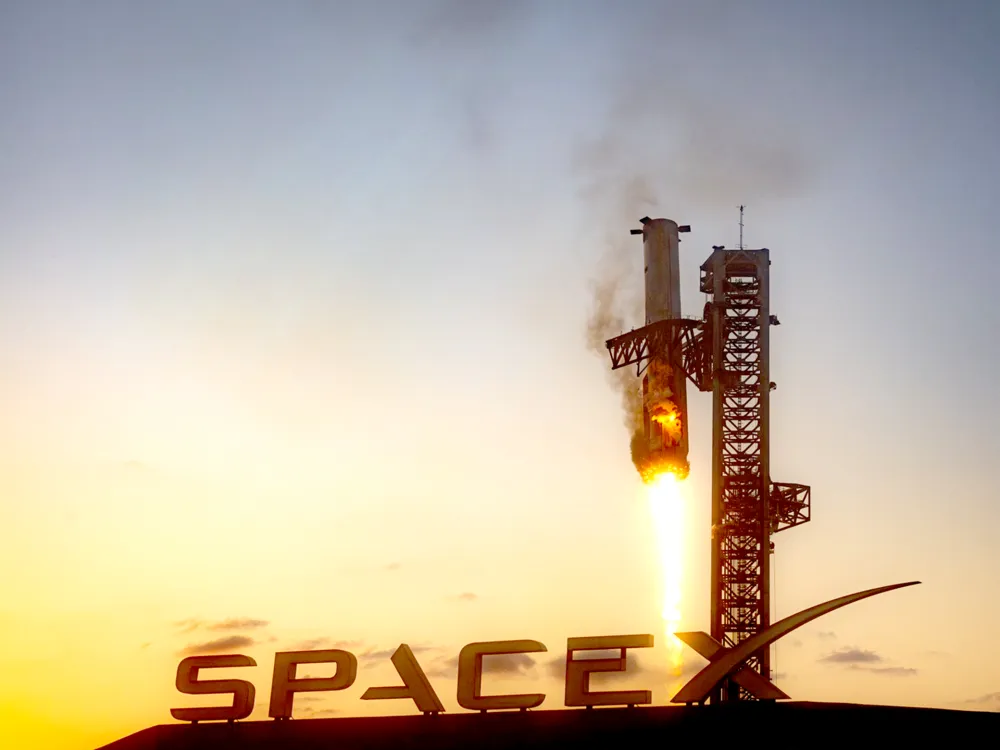
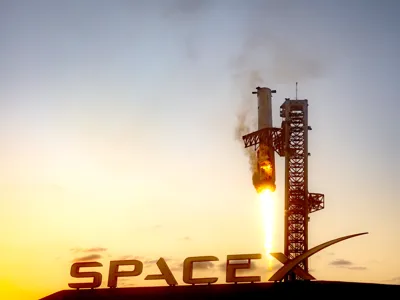
Starship Flight Test 5 is the 5th flight of Starship. Launched on 13 October 2024, Ship 30 (S30) and Booster 12 (B12) have been used for this mission.
Starship 12/30 lifted off from launch pad one (OLIT-1) at SpaceX's Boca Chica Starbase launch site at 07:25 am CT. All 33 booster engines ignited. After hot staging, the ship continued towards space and the booster started its boost-back burn to get back to the launch site. SpaceX checked both the booster and the tower infrastructure and manually commanded Go for the catch attempt. The tower chopsticks successfully caught Booster 12 at 07:31, completing SpaceX's first main goal for this launch. At 07:48, the Ship engines were shut down and S30 entered a roughly 25 minutes coast phase. After reentry, Ship 30 landed precisely on target in the Indian Ocean, which was SpaceX's second main goal. S30 blew up after tipping over in the ocean. If it hadn't exploded, SpaceX would have planned to get some images from the heat shield tiles to assess their condition after reentry.
Accompanying the test, SpaceX released a small Starship Web game.
Print at 100% infill with a layer height of 0.08mm with a base layer of 0.16mm
The Model is 200x150mm in size You may print at higher layer heights below the Min Depth of 0.48mm The Max Depth is 2.2mm and the Actual Depth is 2.2mm
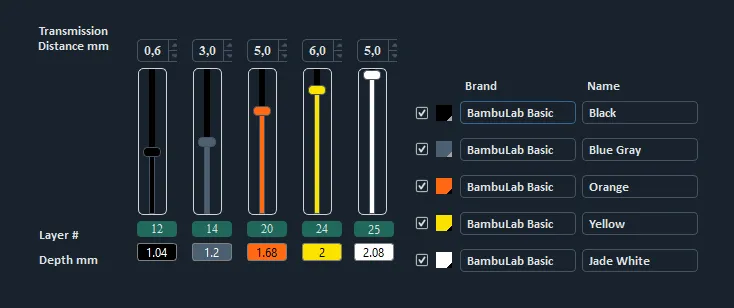
Filaments Used: PLA BambuLab Basic Black Transmission Distance: 0.6 PLA BambuLab Basic Blue Gray Transmission Distance: 3 PLA BambuLab Basic Orange Transmission Distance: 5 PLA BambuLab Basic Yellow Transmission Distance: 6 PLA BambuLab Basic Jade White Transmission Distance: 5 This print uses 5 unique filaments
Swap Instructions: Start with Black At layer #12 (1.04mm) swap to Blue Gray At layer #14 (1.2mm) swap to Orange At layer #20 (1.68mm) swap to Yellow At layer #24 (2mm) swap to Jade White for the rest.
|
You can print only the image itself or use the attached thematic frame as well.
Created with the tool HueForge
Also check out my other models themed around major events in space exploration and iconic images from these missions. Consider hitting the Follow button if you're interested in this topic. Thank you very much for your interest and I will be very happy for any feedback.
Boost Me (for free)
I really appreciate every support, it helps me to create.
License



Comment & Rating (14)