
Parametric Quick & Simple Label Maker

Print Profile(1)

Description
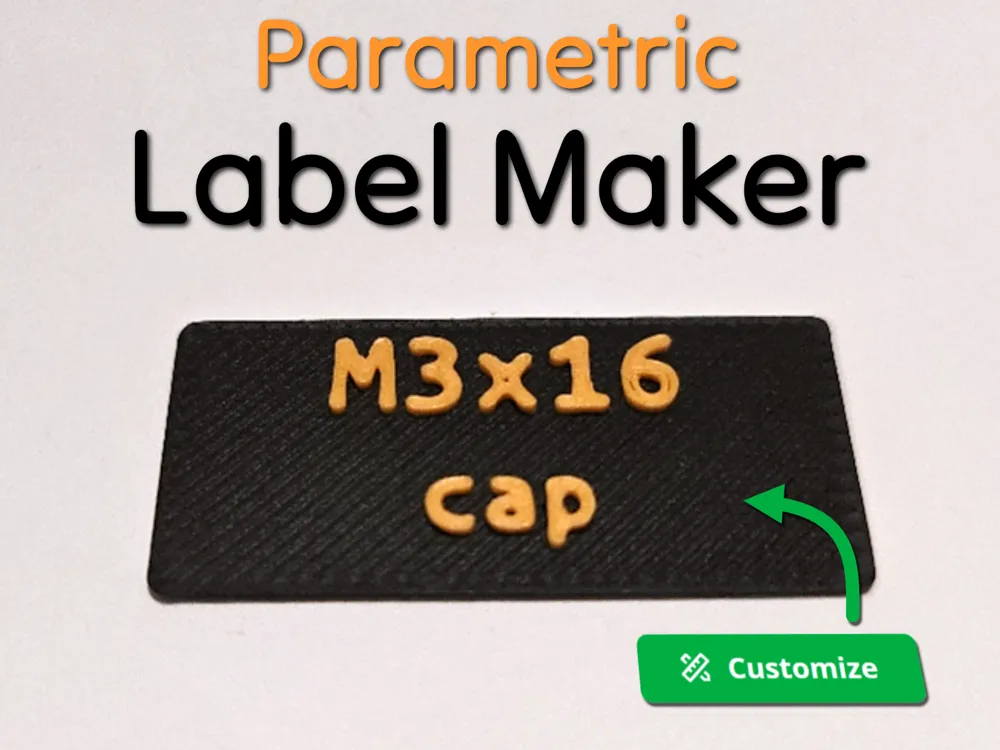
Parametric Quick & Simple Label Maker 🔠
This parametric model generates easy, customizable labels for any purpose. Originally designed to streamline the creation of screw labels for this project, but I thought this design might be useful for much more !
V3 is live !
- Better implementation of dynamic text sizing
- You can directly generate 10 labels without using the python code
- Multi-line support using a custom separator
- Support for sub-folder when automatic label generation
Usage Guide (for automatic label generation)
1. Setup
- Make sure you have OpenSCAD installed and accessible via command line.
See documentation for instructions on making openscad accessible via command line.
To verify, simply write openscad in a terminal and it should open the application.
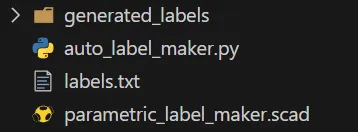
2. Download and unzip the automatic_labelling folder
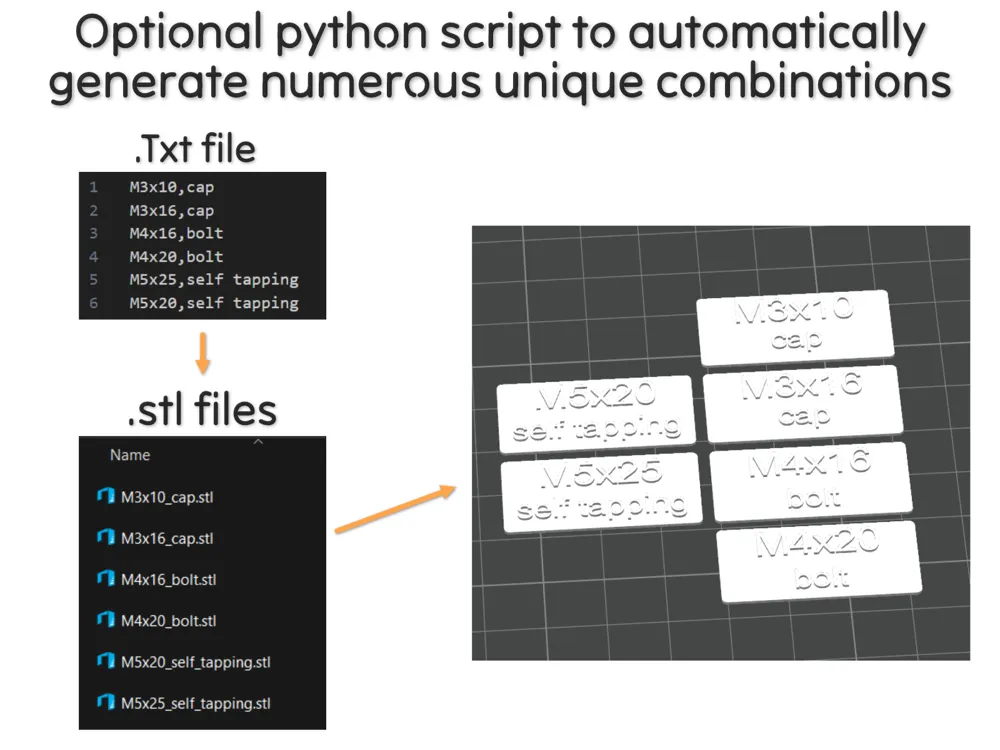
- Modify labels.txt to generate your custom labels
In the python script, you can change the default separator ("/")

3. Run the Script
- Change your labels dimensions in parametric_label_maker_V3.scad as you want
- Open a terminal in the working directory
Run the script in a command line:
python generate_labels.py - The script will read each line in labels.txt, parse them, then generate an STL file in a folder called generated_labels.
4. Output
- The generated .stl files are saved in generated_labels, with filenames based on the label values (e.g., M3x16_cap.stl).
- Drag and drop the stls inside the 3mf file and colorize them.
- I use the preview window to set a color change from a specific layer. This way, it applies to all stls directly
Feel free to reach out if you have any questions or suggestions for improvement. I’m always open to feedback and eager to enhance the design. Enjoy your making journey! 🛠️💬
Boost Me (for free)
If you like this model, a boost is always appreciated ! 😊 Thank you very much !
If you really like what I do, you can also buy me a beer🍺! Happy printing!
Documentation (2)
License



Comment & Rating (9)