
Kingroon RFID Spool Adapter Reuse Bambu RFID Chips


Print Profile(3)



Description
If you like this model and it's not too much trouble, please hit the 👍 button - it helps out a lot 😀
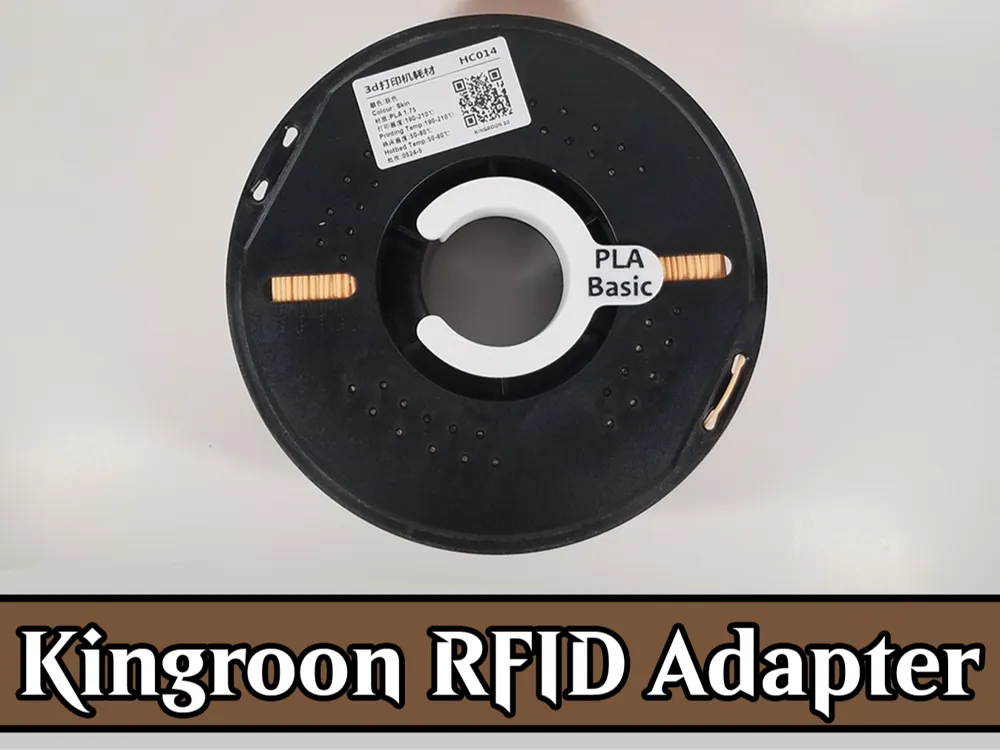
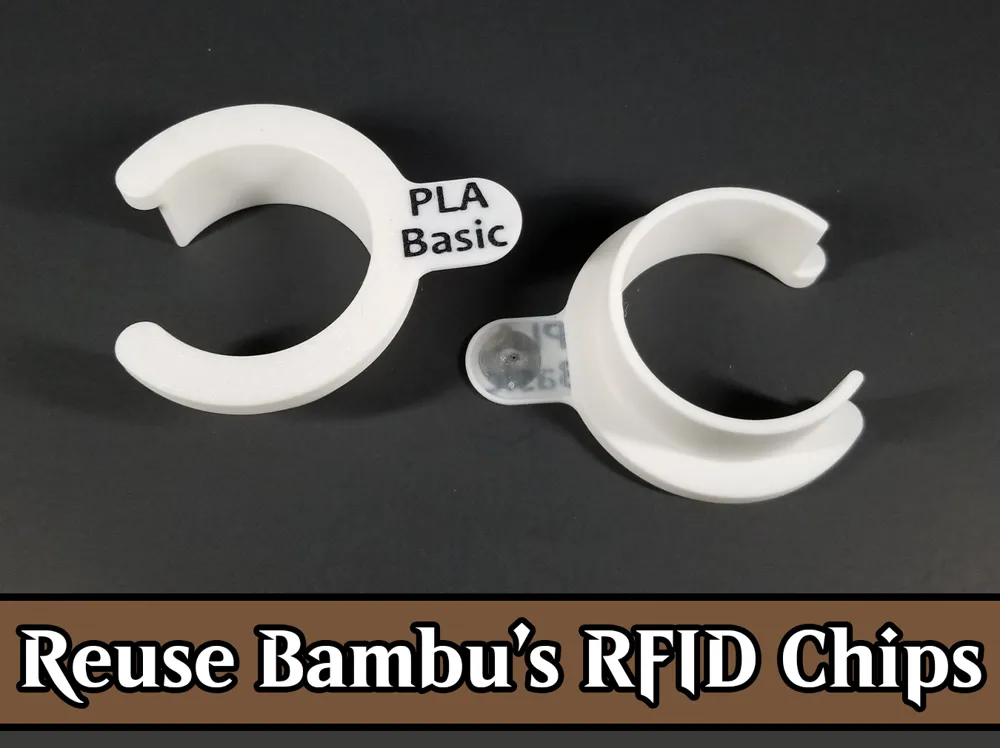
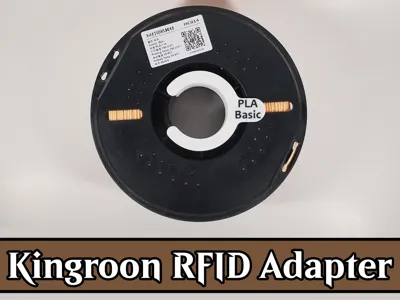
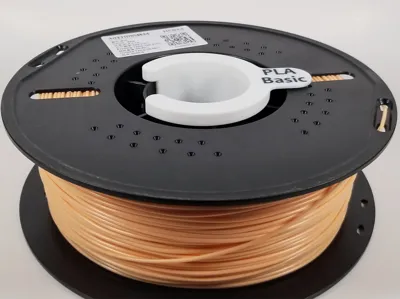
This is a spool adapter for Kingroon plastic spools with a space for Bambu's RFID chips to be inserted into them. I recently purchased a (affiliate link) Kingroon 10kg Variety Color Pack and have been using Bambu PLA Basic profiles when printing. This stuff is dirt cheap, coming in at around $11 per spool and prints flawlessly with the Bambu profiles.
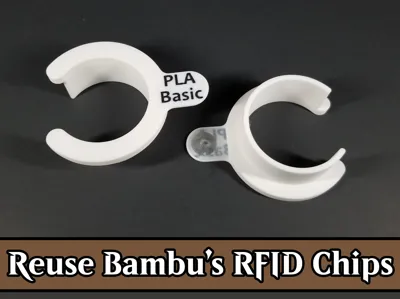
The problem is that I have to manually set the filament when swapping spools around. That is where these Kingroon RFID Adapters come in. These allow me to reuse the Bambu RFID chips so my AMS will automatically register these spools as Bambu spools and use Bambu filament settings.
I was inspired by @Shaztech.info's model RFID Clips for Bambu Spools when designing this.
⭐⭐⭐⭐⭐
Don't forget to leave a review and maybe even a photo!
MakerWorld gives YOU reward points just for posting reviews!
⭐⭐⭐⭐⭐
Boost Me (for free)
Show your support by boosting this model. Any support is highly appreciated!
Assembly
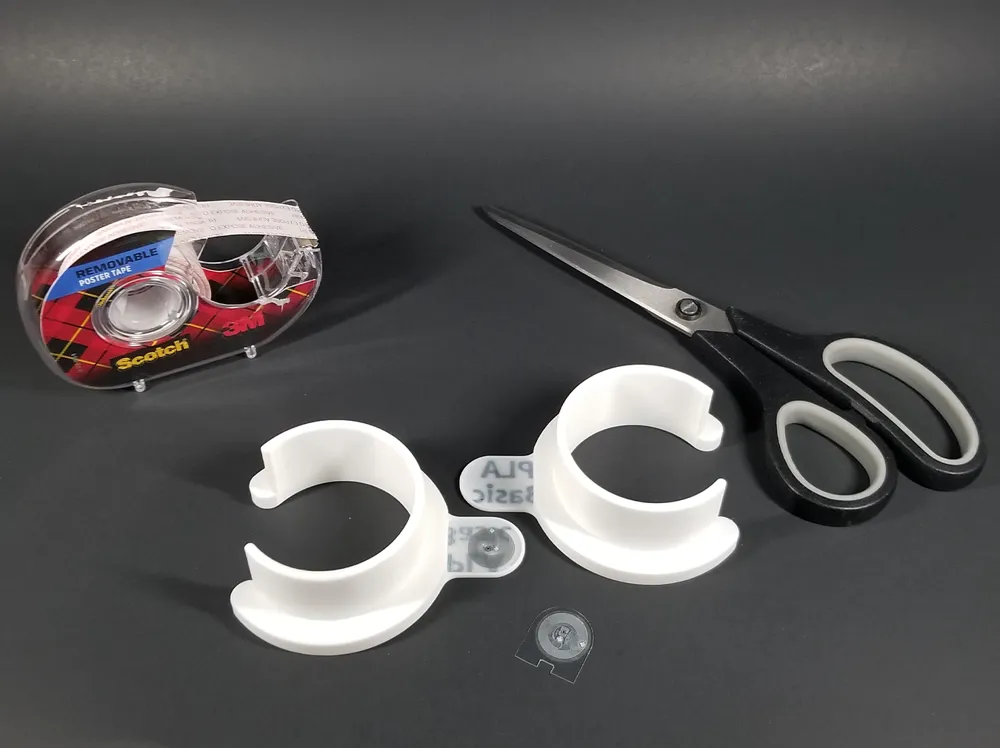
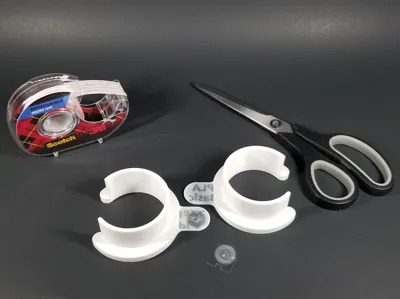
You will need:
- a pair of scissors to cut out the RFID chip
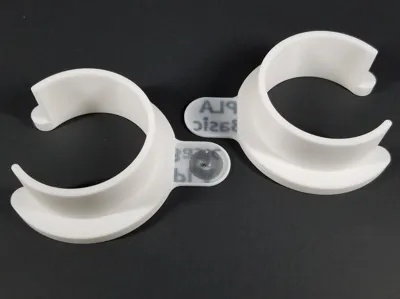
- the 3D printed adapter
- (affiliate link) double sided tape - this the exact tape I use and have had zero issues with it
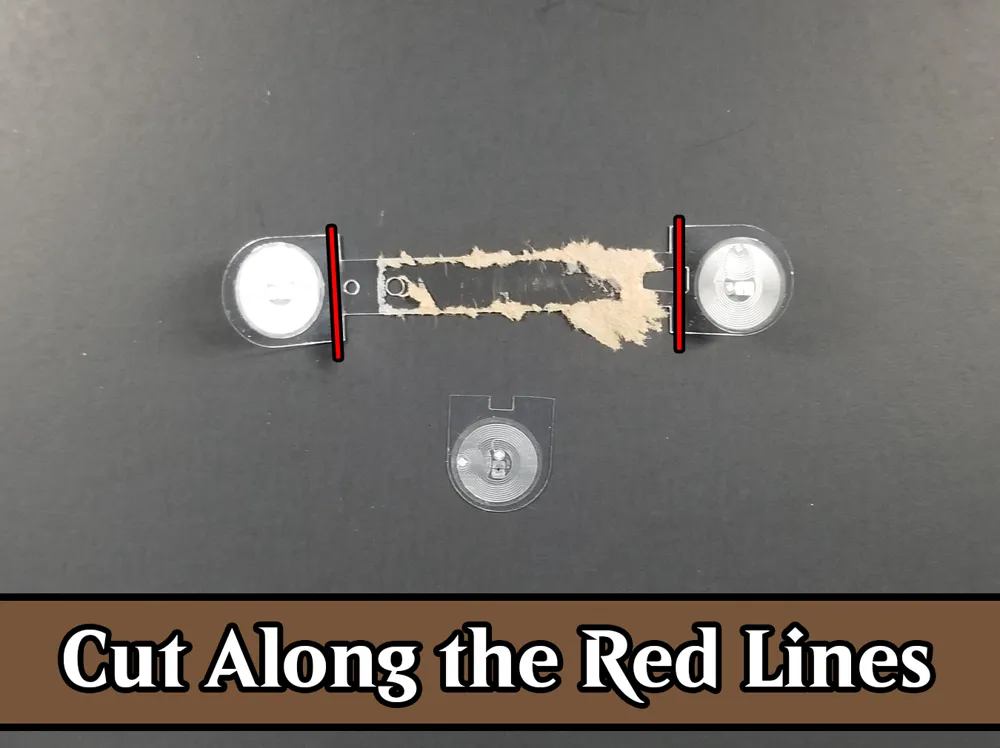
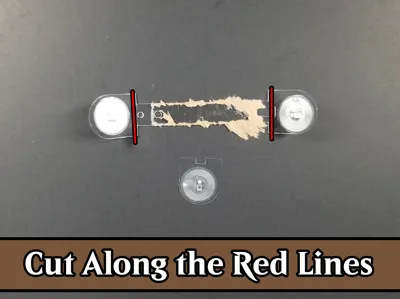
Assembling the Kingroon RFID Adapter is very straightforward. All you need to do is cut the RFID chip from Bambu filament spools (use the attached image for reference). Then use double sided tape (glue may also work) to stick the cut out RFID chips into the printed out adapter. Then you just insert the adapter into your Kingroon filament spools and you're done!
The adapter is purposely bigger than the Kingroon spool's hole, so just lightly squeeze the adapter to get it to fit inside. Then it should be a snug, friction fit!
Using the Kingroon RFID Adapter
Technically speaking, you really only need a single adapter per spool. But, if you want to make things easier for yourself, go ahead and print one for each side. The reason being is that there are only 2x RFID readers in the AMS, one between slots 1 and 2 and another between slots 3 and 4.
With only a single adapter per spool, you will need to make sure the adapter is installed on the right side of the spool if using the filament in slot 1 or slot 3. The opposite is true for using the filament in slot 2 and slot 4 - install the adapter on the left side of the spool. If you have adapters installed on both sides, then this is not an issue since the RFID chip will be read on either side no matter which slot the filament is seated in!
Disclosure: As an Amazon Associate, I earn from qualifying purchase
License

You shall not share, sub-license, sell, rent, host, transfer, or distribute in any way the digital or 3D printed versions of this object, nor any other derivative work of this object in its digital or physical format (including - but not limited to - remixes of this object, and hosting on other digital platforms). The objects may not be used without permission in any way whatsoever in which you charge money, or collect fees.


Comment & Rating (28)