Search models, users, collections, and posts

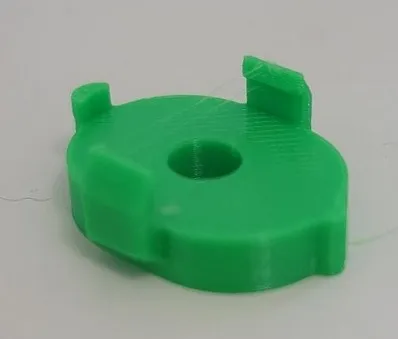
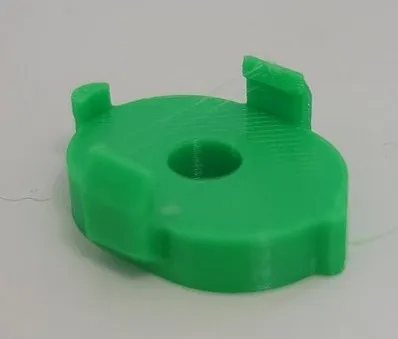
AMS Lite Feeder connector for ptfe tube
Print Profile(1)

All
A1 mini
P1S
P1P
X1
X1 Carbon
X1E
A1
H2D
H2D Pro
H2S
P2S
H2C
X2D
A2L

0.2mm layer, 2 walls, 15% infill
Designer
14 min
1 plate
4.6(221)

Open in Bambu Studio
Boost
853
2447
278
155
2.6 k
1.9 k
Released 

Description

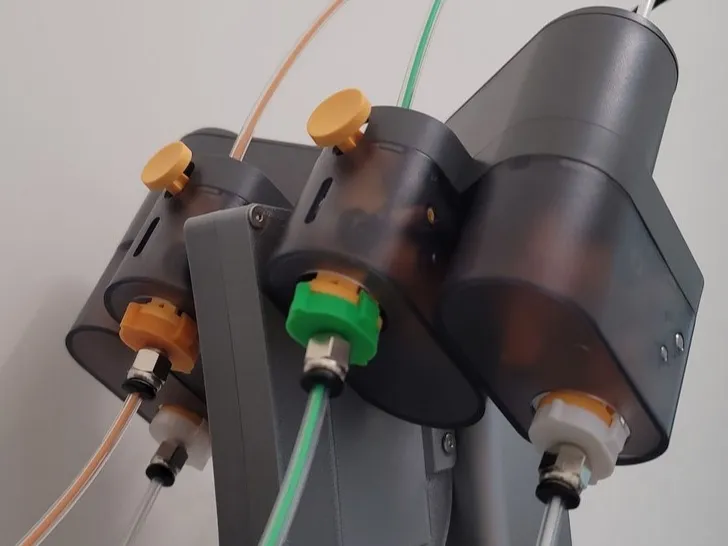
Designed for 4mm tube connector with M6 thread.

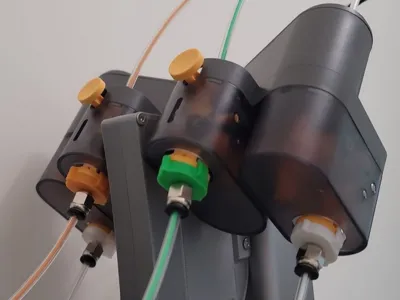
Clip on to AMS lite feeder input

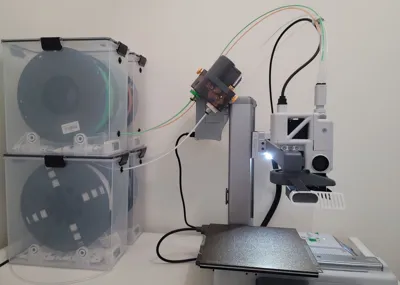
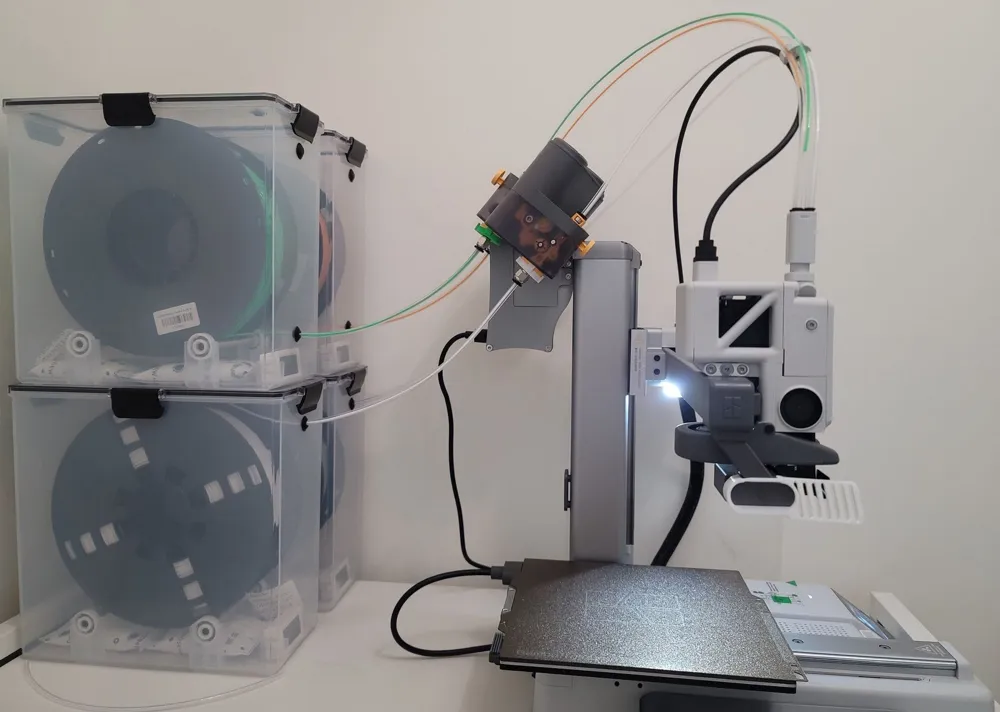
Allow full filament enclosure from dry box to extruder


Install

When installing, notice the feeder input has some gap on top or bottom

1 and 4 input has gap on bottom, 2 and 3 has gap on top

Slide the connector parallel from the gap on to feeder input


Remark:

I am using the 2mm inner, 4mm outer diameter transparent FEP tube

The tube has 2mm thick wall, it's a little hard to bend,

which put excessive force on the connector, sometime displacing the connector,

Will switch to 2.5 mm x 4mm tube later, just like the tube that comes with the printer


The AMS Lite modification is from this print

https://makerworld.com/models/84756


Other useful stuff

PTFE Quick Disconnect


Comment & Rating (278)

(0/1000)

Works well in PETG with careful sliding. Very fragile in PLA.I adapted it for M10 threads from another project. Not sure if the license was intentional, but I'd love to publish my version if you allow it, @miccode
11
Reply
Could you share the M10 files for me to print? I need it urgently
Show original
2
Reply
can you share it? please , tyvm!
0
Reply
Replying to @Haldwyn :
I'm sorry both, but I can't share the adapted version with the license this model currently has. That's why I asked permission to @miccode , but I didn't get an answer yet.
0
Reply
Print Profile
0.2mm layer, 2 walls, 15% infill
Works well I used them in combination with several other mods to connect my new space pi X4 to my A1
(Edited)
1
Reply
thats awesome! do you have a link for the ptfe holder on your a1? do I Need the PC4-M6 for it?
(Edited)
1
Reply
Because of your picture I just now know the space pi x4 also has ptfe tubing on the back, hahaha thanks man I will do the same design now
0
Reply
Boosted
Print Profile
0.2mm layer, 2 walls, 15% infill
Worked great
0
Reply
could you please suggest which parts did you use with the printed model? I read the description but don't quite understand. thanks!
0
Reply
Replying to @findapenny :
Thanks!
0
Reply
Print Profile
0.2mm layer, 2 walls, 15% infill
Seems to hold up in pla, been using it for a week.
0
Reply
Hello, where can I find this STL project ?
0
Reply
Mind me asking what's your process to switch filaments in the AMS? Do you disconnect the tube? Then what? What do you do with the extra filament from the AMS to the hot end? Cut it? Or do you open the box to reel the spool back?
0
Reply
Print Profile
0.2mm layer, 2 walls, 15% infill
The coupling hasn’t arrived in the mail yet. But, it slid/snapped on there nicely. Be sure to slide it on. If I used PETG it might be able to snap, but I used PLA.
2
Reply
what's box you using? and the stl file for the red mark i made, thanks you for helping.
The designer has replied
0
Reply
The box is bought as is, come with the bearing and rod, no 3d printed parts
0
Reply
Replying to @miccode :
Where did you bought the boxes with everything in it? do you have a link?
1
Reply
Print Profile
0.2mm layer, 2 walls, 15% infill
Super
0
Reply
The parts are not threaded are they?
0
Reply
Print Profile
0.2mm layer, 2 walls, 15% infill
Works for my use. Using it on my ams mini setup for my second a1. Used translucent petg and did a cross orientation when printing to maintain structural integrity.
1
Reply
Print Profile
0.2mm layer, 2 walls, 15% infill
Nice design but breaks too easily. May be a problem with PETG brand I use. Will give it another go later.
0
Reply
“Hey everyone! I have a Bambu Lab A1 set up inside a custom enclosure, connected to an AMS Lite for multi-filament printing. On top of the enclosure I also have an external dry box feeding filament directly into the AMS Lite through a PTFE tube. My question is: every time I need to load filament, I have to physically press the buttons on the AMS Lite to feed it in. Is there any printable STL — like a clip or latch — that keeps the button pressed permanently so the filament feeds through automatically without me having to press it manually every time?
0
Reply

License

This user content is licensed under a Standard Digital File License.

You shall not share, sub-license, sell, rent, host, transfer, or distribute in any way the digital or 3D printed versions of this object, nor any other derivative work of this object in its digital or physical format (including - but not limited to - remixes of this object, and hosting on other digital platforms). The objects may not be used without permission in any way whatsoever in which you charge money, or collect fees.