
A1 custom gcode prevent oozing V4
Print Profile(0)
Description
Boost Me (for free)
boost me
new A1 end G-code click here 👈👈👈
V4 2024-07-15
1- fix z axis hit the top , now when you start a print z go down first -90 then up +90
you must have 90mm of clearance under the nozzle otherwise the nozzle will hit the bed
2- lower the z-motor current in case of collision
because when you home the printer it will go up 90mm by default and cannot be changed with gcode
even if you're nozzle at maximum height it will be fine
V3 2024-07-14
1- fix z axis hit the top @Ogram92 , now when you start a print z go down first -25 then up +25
you must have 25mm of clearance under the nozzle
2- before the waste was 105mm now 95mm for cleaner nozzle and no oozing
3- added 5 seconds before throwing the poop to make sure the temperature at 170c and no oozing
V2.1 2024-07-13
delete extra wipe
V2 2024-07-12
now it work with or without auto flow dynamics calibration
V1 2024-07-08
only work with auto flow dynamics calibration
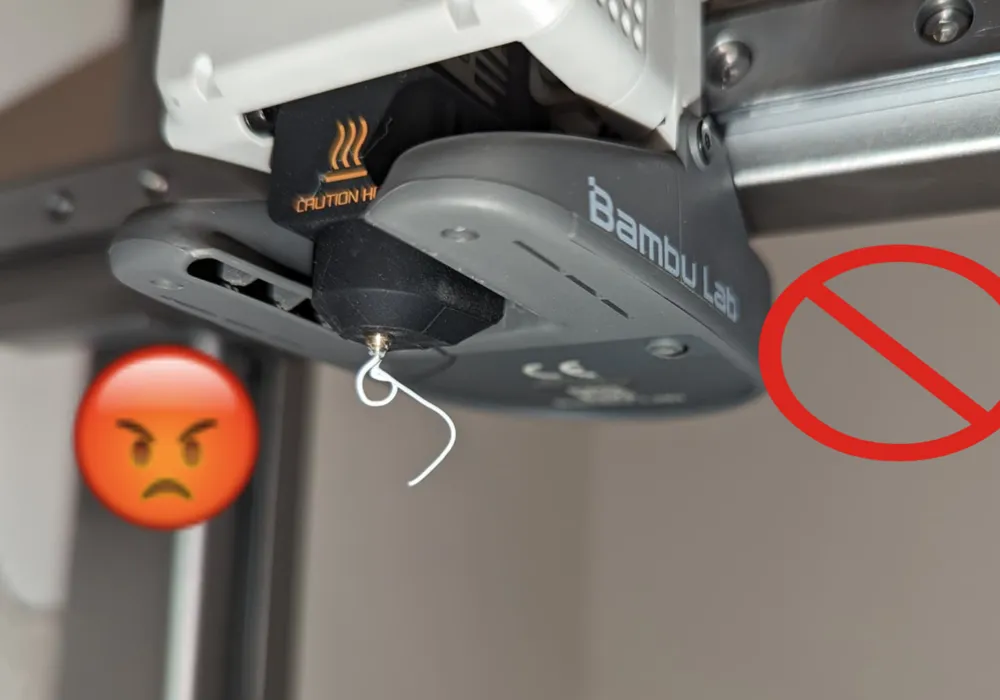
A1 custom gcode to prevent oozing in the beginning so it can do good bed leveling
how dose it work :
It does the color change purge, then the flow rate purge, then another purge but waits when that is finished till it gets to the 170c range and 20% fan then wipes it off and no more comes out
A1 only , does not work on A1 mini
How to use it:
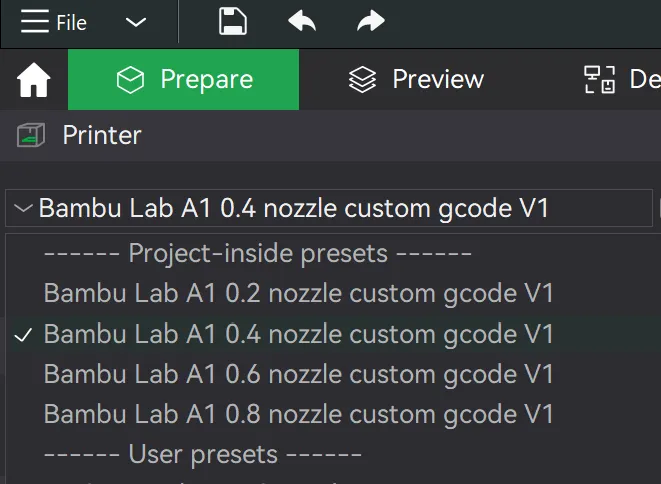
Open the 3mf file and save the Nozzle Profiles of your Printer to your User Presets. It will tell you that the G-Code was changed, confirm with OK, as this is exactly how the profile works. The profile name has to be changed to save it.
how to save it :
The profile name has to be changed to save it.
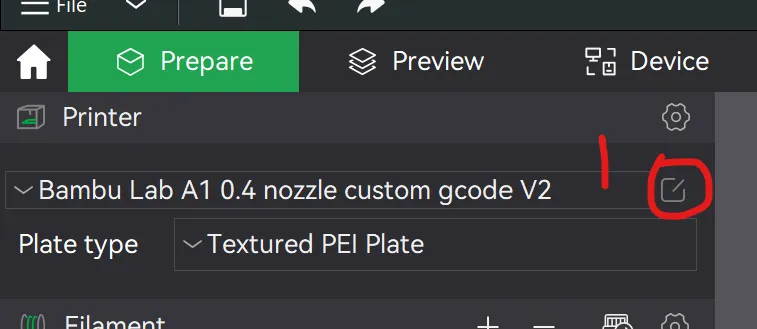
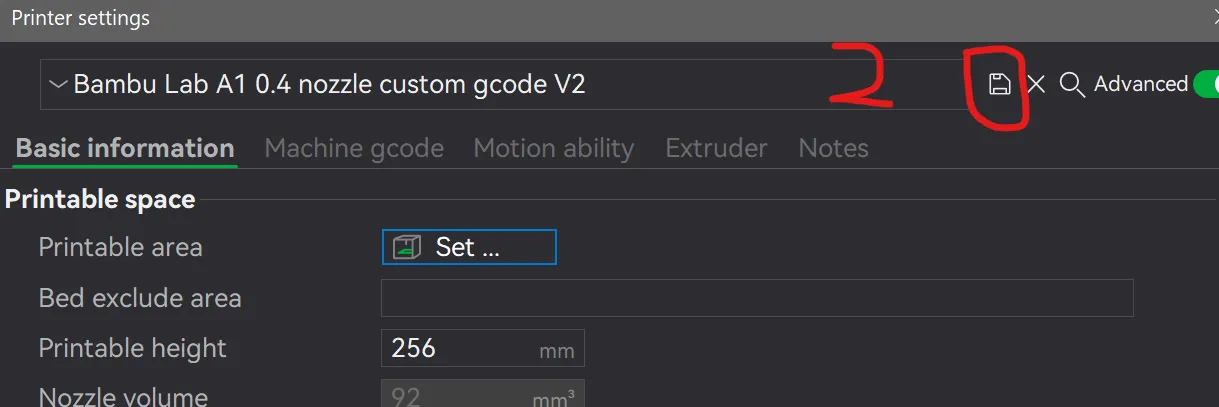
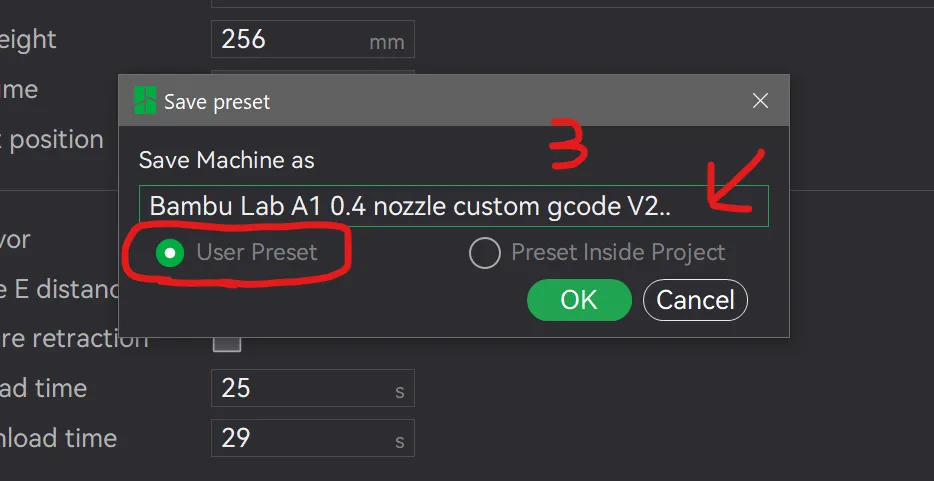
I hope you like it and please give me some feedback so I can improve it , I will keep updating the G code whenever bambu lab update the start G code or i try to make it better
So keep following me for V3 and give me feedback
and please post some pictures of your nozzle
feel free to contact me on discrod control_8



Comment & Rating (88)