
4-Drawer Parts Tower + Music Instruments:GROUP 19
Print Profile(1)
Description
4-Drawer Parts Tower + Music Instruments:GROUP 19
Plain & “Pegged” for Art Panels
(these are found in the Root folder)
Functional Storage with Optional Decorative Art Panels
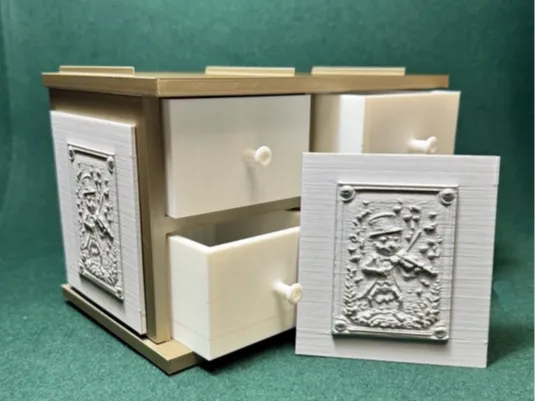
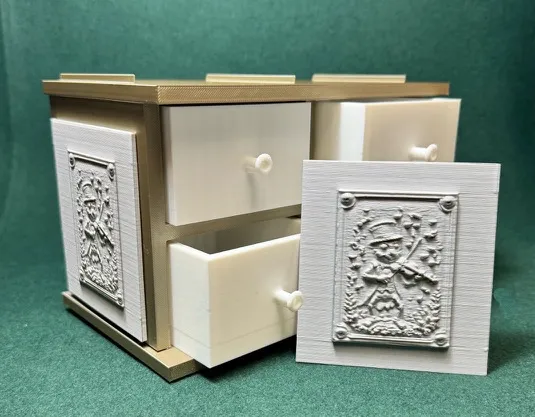
The 4-Drawer Parts Tower was designed as a practical storage solution for makers, hobbyists, artists, model builders, and anyone who appreciates keeping small parts organized and within easy reach.
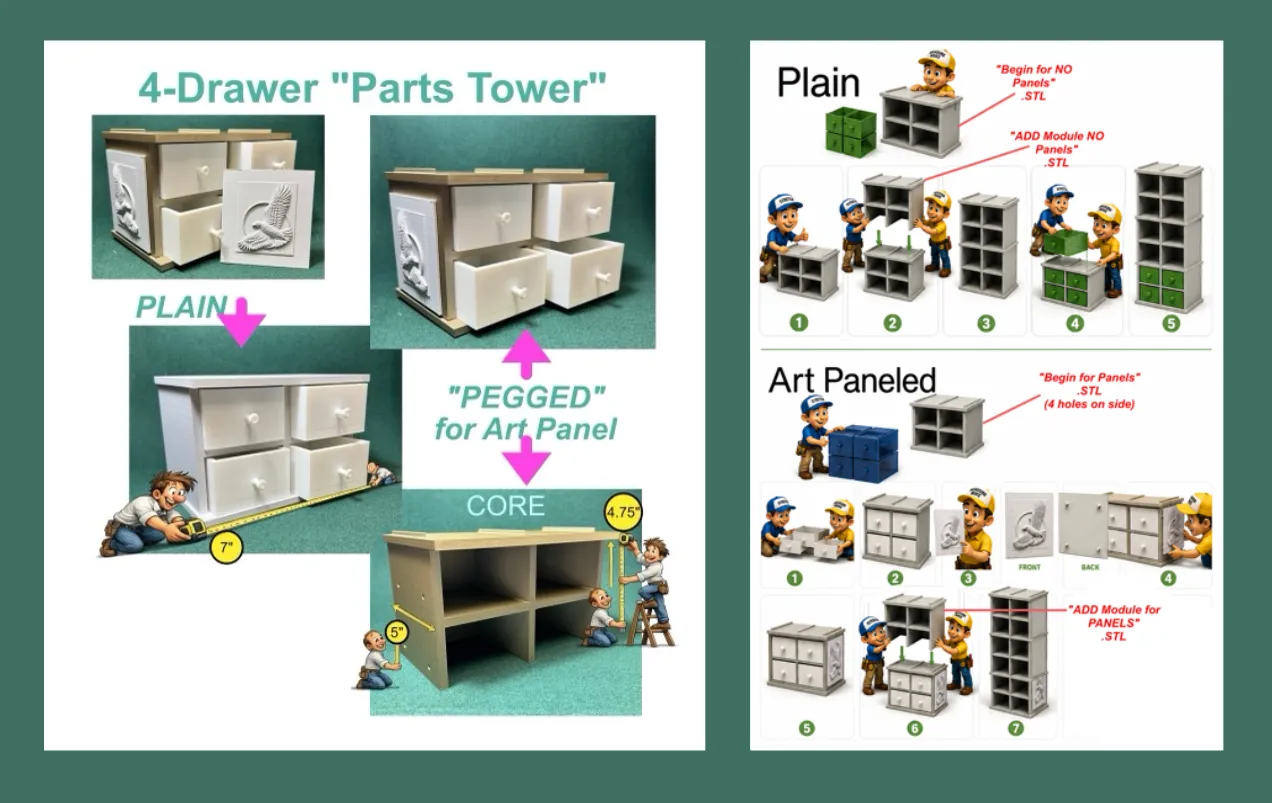
The system consists of a modular tower core and two drawer options:
• Plain drawers for a clean, traditional appearance.
• Enhanced drawers designed to accept decorative art panels on both sides.
The removable art panels allow the tower to become more than simple storage. Panels can be mixed, matched, replaced, or updated at any time, allowing you to customize the appearance of your workspace while maintaining full drawer functionality.
The drawers feature a smooth sliding fit, generous storage capacity, and a compact footprint suitable for workshops, studios, craft rooms, hobby areas, desks, and workbenches.
Whether you prefer a simple utility organizer or a storage system that reflects your personal interests, the Parts Tower was designed to provide both function and customization in a single modular design.
❖❖❖❖❖❖❖❖❖❖❖❖❖❖❖❖❖❖❖❖❖❖❖❖❖❖❖❖❖❖❖❖❖❖❖❖❖❖❖❖❖❖❖❖
Art Panel Theme

⇧ Find these included with the upload. ⇧
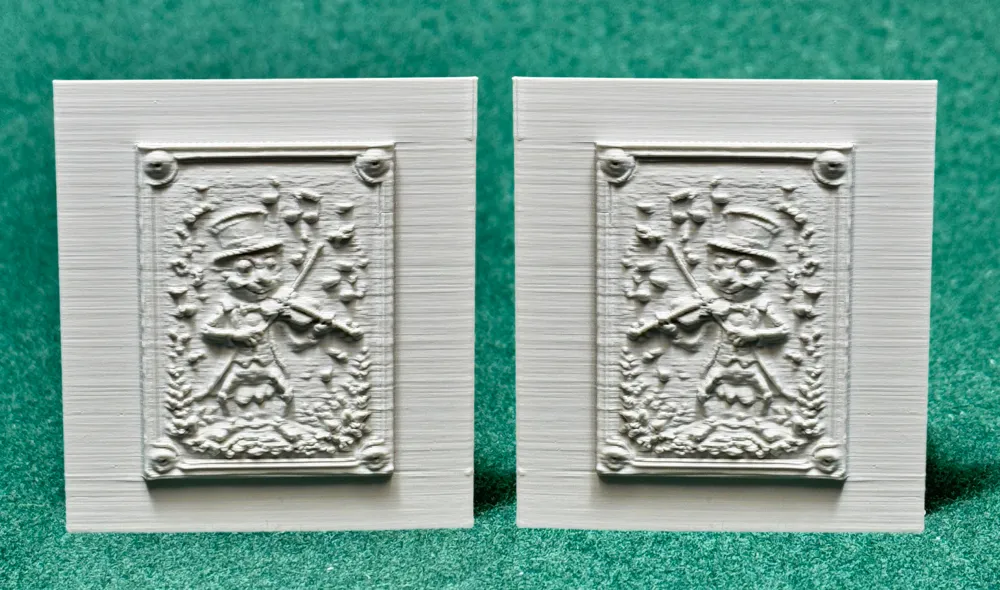
Music Instrument Art Panels
Music has always been one of humanity's universal languages, but perhaps we are not its only speakers.
This whimsical collection imagines a woodland orchestra where insects, birds, mice, frogs, butterflies, and other curious creatures gather to create their own symphony. Armed with violins, harps, guitars, drums, pianos, trumpets, and more, these talented performers transform the forest into a concert hall beneath the trees.
Each panel captures a different musician, instrument, and personality. Some perform with elegance, some with enthusiasm, and a few appear convinced they are the stars of the show whether anyone agrees or not.
The featured panel showcases a distinguished cricket violinist whose performance seems to fill the air with music. Surrounded by floating notes and dressed for the occasion, he stands ready to lead the woodland orchestra through another unforgettable evening performance.
Whether displayed by musicians, music lovers, teachers, performers, or anyone who appreciates imaginative artwork, these panels bring rhythm, character, and a touch of woodland magic to the 4-Drawer Parts Tower.
❖❖❖❖❖❖❖❖❖❖❖❖❖❖❖❖❖❖❖❖❖❖❖❖❖❖❖❖❖❖❖❖❖❖❖❖❖❖❖❖❖❖❖❖


❖❖❖❖❖❖❖❖❖❖❖❖❖❖❖❖❖❖❖❖❖❖❖❖❖❖❖❖❖❖❖❖❖❖❖❖❖❖❖❖❖❖❖❖
-------------------------------
Helpful Information
-------------------------------
⚠️ Print & Handling Notes
These models include fine, delicate details.
A strong filament is recommended — or anneal your set for additional strength (see below).
Bambu Studio Settings
Printer Settings
• Nozzle Diameter → 0.4 mm
• Compatible Material → PLA+
Filament Settings
• Nozzle Temperature (first layer) → 205 °C
• Nozzle Temperature (others) → 200 °C
• Bed Temperature (first layer) → 60 °C
• Bed Temperature (others) → 50–55 °C
• Cooling Fan:
◦ Layer 1–2 → OFF
◦ Layer 3+ → 100%
Quality
• Layer Height (Standard) → 0.20 mm
• Initial Layer Height → 0.20 mm
• Line Width → 0.45 mm
• Elephant Foot Compensation → 0.15 mm
Speed
• First Layer Speed → 20 mm/s
• Outer Wall Speed → 35 mm/s
• Inner Wall Speed → 50 mm/s
• Infill Speed → 50 mm/s
• Travel Speed → 120 mm/s
Acceleration / Jerk
• Default Acceleration → 1000 mm/s²
• Outer Wall Acceleration → 500 mm/s²
• First Layer Acceleration → 300 mm/s²
• Travel Acceleration → 2500 mm/s²
• Jerk (XY) → 8 mm/s
Strength / Infill
• Wall Loops → 3
• Top Layers → 4
• Bottom Layers → 4
• Infill Density → 20%
• Infill Pattern → Gyroid
• Sparse Infill Anchor Length → 5 mm (🔔 Note: increase to 10 mm if you see weak infill connections)
Skirt & Brim
• Skirt Loops → 3
• Skirt Distance → 2 mm
• Skirt Layers → 1
Retraction
• Retraction Distance → 4 mm
• Retraction Speed → 40 mm/s
• Z-Hop → 0.2 mm
• Wipe While Retracting → Enabled
• Retract on Layer Change → Disabled
• Minimum Travel Before Retraction → 1.0 mm
Supports
• Support Style → Tree
• Top Contact Z Distance → 0.25 mm (detachable, fixed)
• Support Density → 15%
• Support Interface Pattern → Grid
• XY Distance → 0.5 mm
• First Layer Support Gap → 0.3 mm
—♚—♛—♝—♞—♜—♟—
♨️ ANNEALING — Hardening Your Chess Pieces
Annealing your PLA models can improve strength by 10 – 20 %.
If you plan to play with these sets regularly, annealing is highly recommended.
If your goal is display or occasional play, annealing is optional.
The appearance and finish remain unchanged.
🔗 More info: Annealing PLA Prints for Strength — Easy Ways (All3DP)
https://all3dp.com/2/annealing-pla-prints-for-strength-easy-ways/
—♚—♛—♝—♞—♜—♟—
Please note:
Because I’m retired and on a fixed income, I print these models at a smaller scale to save on filament. All of these models are printed at 70% - 80% of the model uploaded size.
♟️
Thank you! Thank you! To all of you who Boost my uploads. Because of YOU I can get my filament now from “Maker's Supply”, saving me from using real money.
♟️
These creations are made purely for the joy of sculpting and sharing. Printing at a reduced scale can sometimes affect the quality of fine details; printing at full or larger sizes will yield smoother, more refined results.
♟️
Also, as a 77-year-old maker with hands that sometimes have a mind of their own, I occasionally have to use a little hot-glue surgery to reattach delicate parts. Please handle models with care—especially thin necks, joints, and fragile connectors. Take a moment to study your model before removing supports… or you might find yourself reaching for the glue gun too! 🥲
License



Comment & Rating (0)