
4-Drawer Parts Tower + Lighthouse: GROUP 17
Print Profile(1)
Description
4-Drawer Parts Tower + Lighthouse: GROUP 17
Plain & “Pegged” for Art Panels
(these are found in the Root folder)
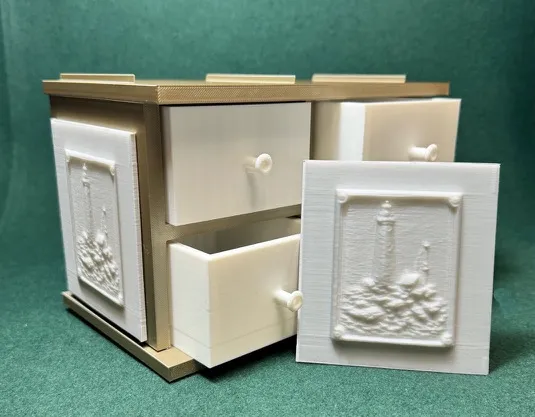
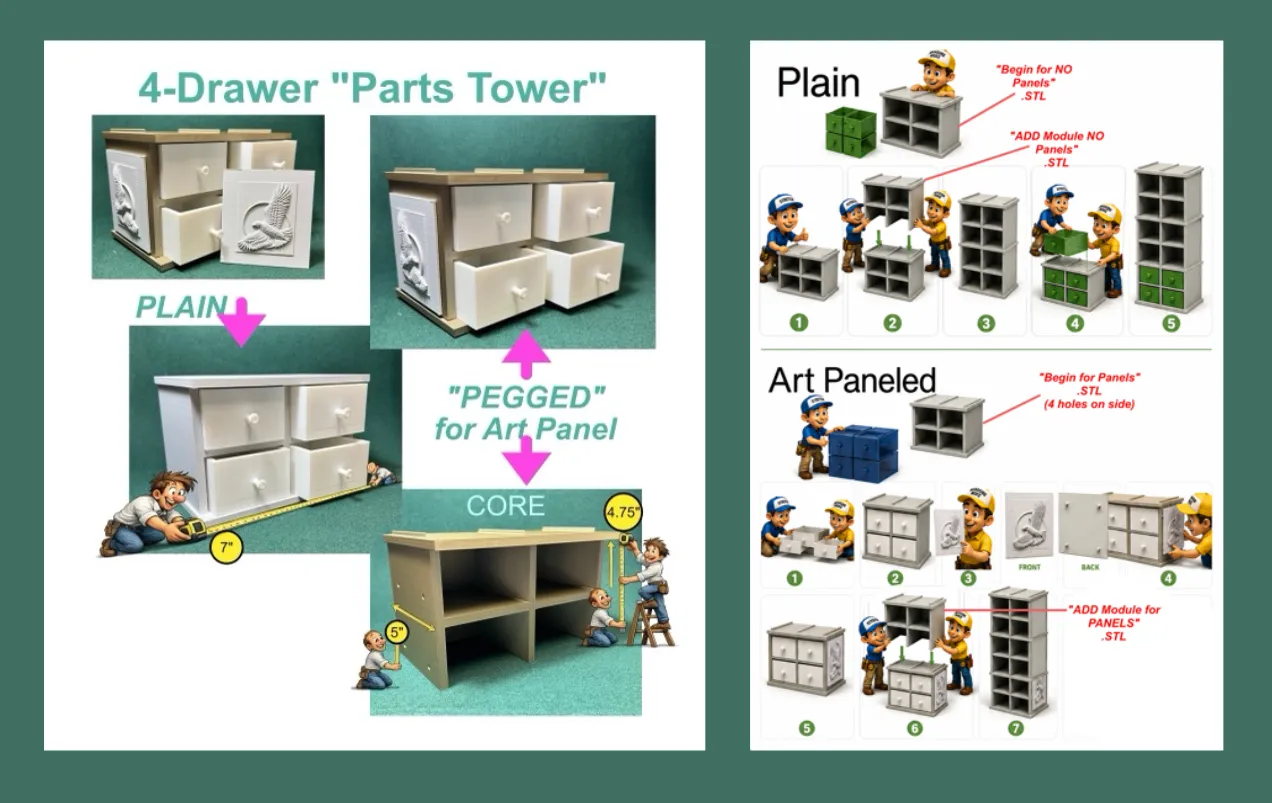
Functional Storage with Optional Decorative Art Panels
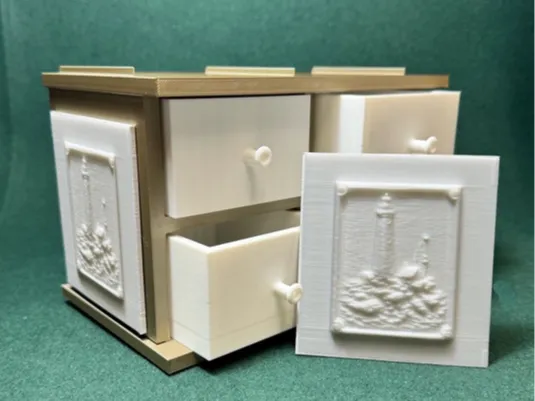
The 4-Drawer Parts Tower was designed as a practical storage solution for makers, hobbyists, artists, model builders, and anyone who appreciates keeping small parts organized and within easy reach.
The system consists of a modular tower core and two drawer options:
• Plain drawers for a clean, traditional appearance.
• Enhanced drawers designed to accept decorative art panels on both sides.
The removable art panels allow the tower to become more than simple storage. Panels can be mixed, matched, replaced, or updated at any time, allowing you to customize the appearance of your workspace while maintaining full drawer functionality.
The drawers feature a smooth sliding fit, generous storage capacity, and a compact footprint suitable for workshops, studios, craft rooms, hobby areas, desks, and workbenches.
Whether you prefer a simple utility organizer or a storage system that reflects your personal interests, the Parts Tower was designed to provide both function and customization in a single modular design.
❖❖❖❖❖❖❖❖❖❖❖❖❖❖❖❖❖❖❖❖❖❖❖❖❖❖❖❖❖❖❖❖❖❖❖❖❖❖❖❖❖❖❖❖
Art Panel Theme
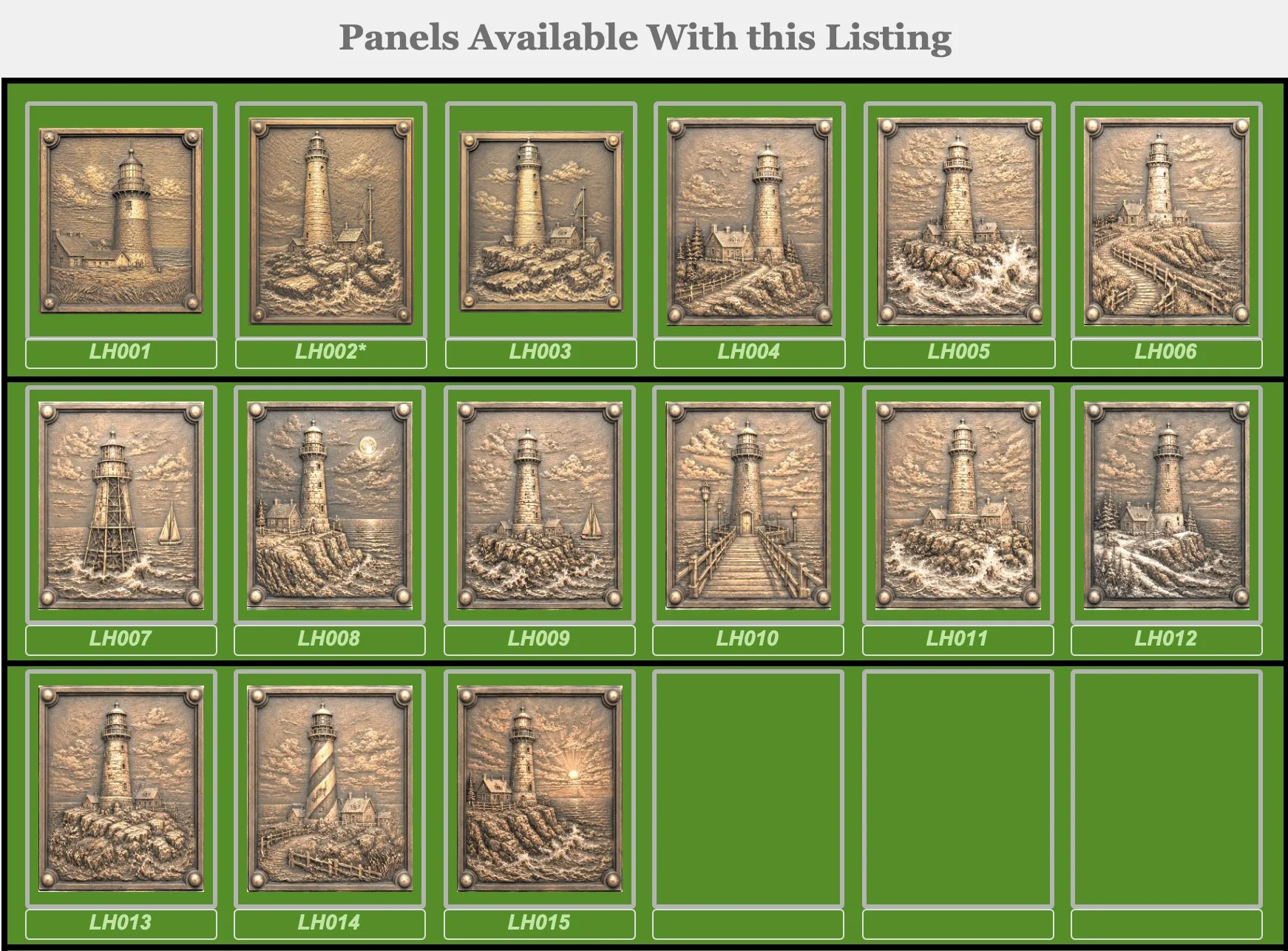
⇧ Find these included with the upload. ⇧
Lighthouse Art Panels
For centuries, lighthouses have stood watch along coastlines, cliffs, harbors, and dangerous waterways. Built to guide sailors safely home, they became symbols of vigilance, endurance, independence, and hope.
This collection celebrates the timeless beauty of these coastal sentinels. Some stand atop rocky shorelines battered by waves. Others overlook quiet waters beneath peaceful skies. Each panel captures a different mood, season, or moment in the life of a lighthouse and the waters it protects.
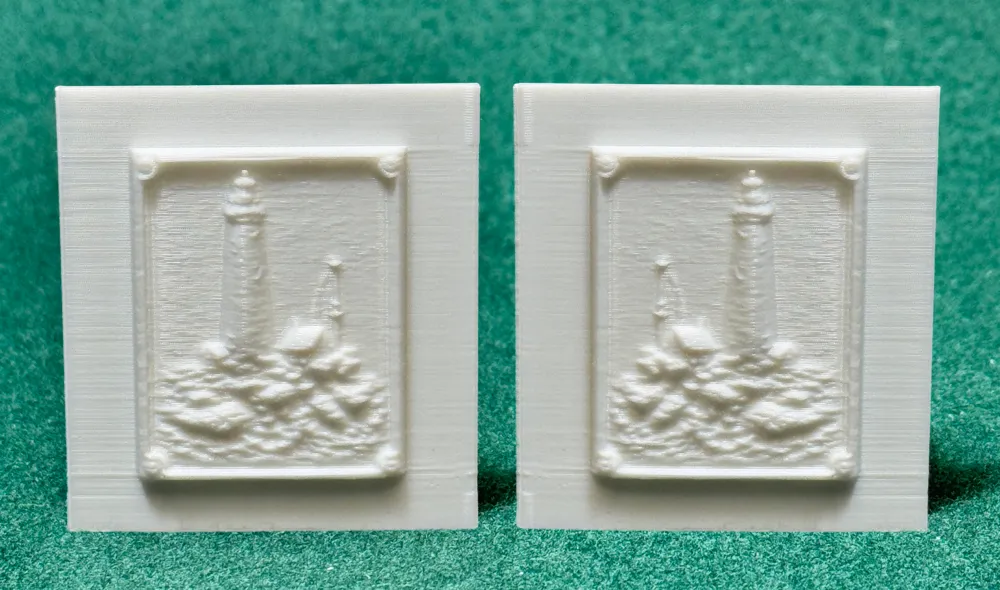
The featured panel presents a solitary lighthouse rising above rugged rocks and restless seas. Unmoved by wind, weather, or passing storms, it continues its purpose exactly as intended—guiding others through uncertain waters.
Whether displayed by maritime enthusiasts, coastal decorators, history lovers, sailors, or collectors of nautical artwork, these panels bring a sense of strength, calm, and timeless character to your Parts Tower.
❖❖❖❖❖❖❖❖❖❖❖❖❖❖❖❖❖❖❖❖❖❖❖❖❖❖❖❖❖❖❖❖❖❖❖❖❖❖❖❖❖❖❖❖
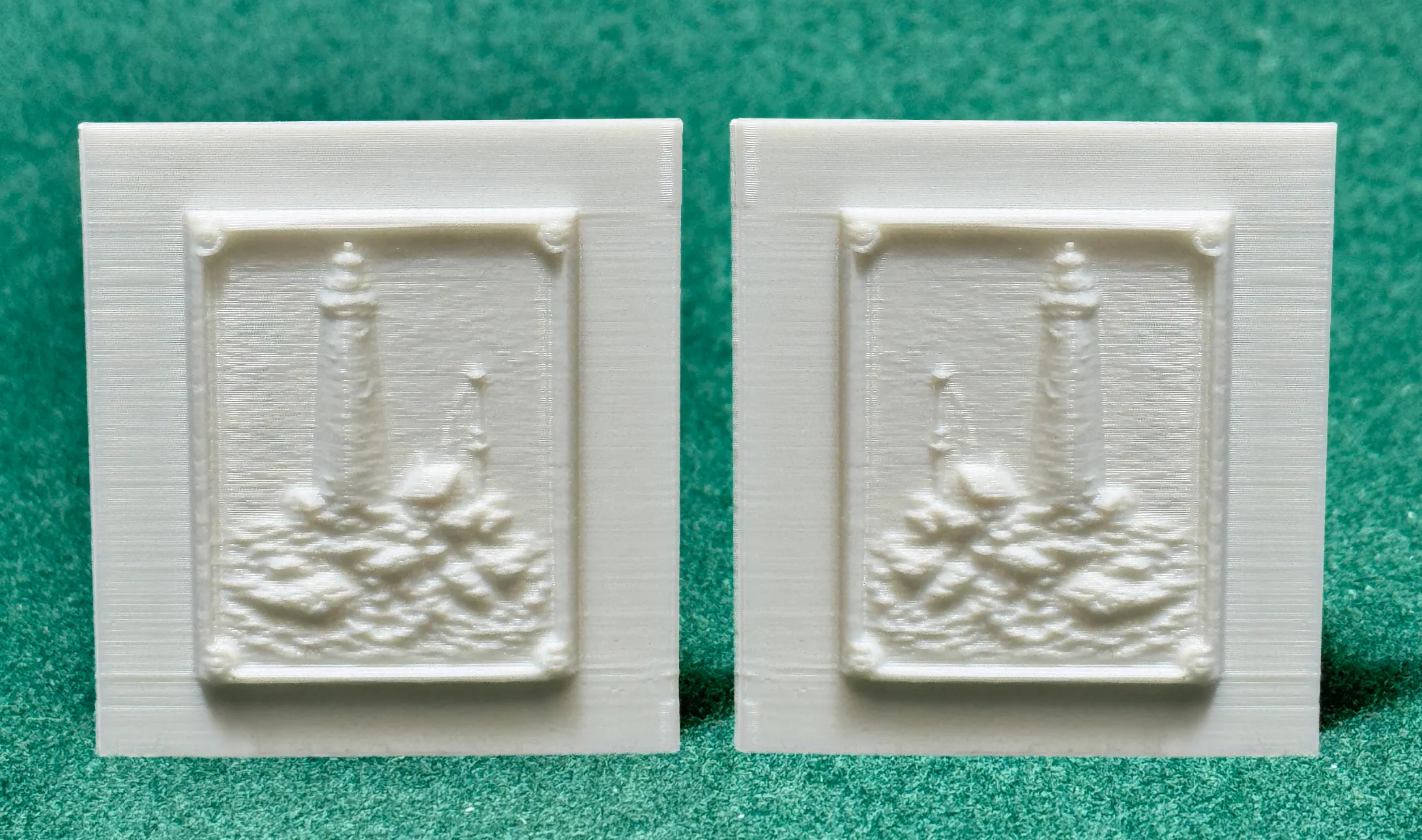
Important
The panel you choose has a number assigned to it. In your slicer find that numbered file.
1 Separate the panel from the other panels.
2 Make a copy of it (Clone or Copy/Paste).
3 Mirror the copy.
4 Print both panels.
Why?
The mirrored copy allows both panels to face the same direction when mounted on the drawer tower.
For example:
• AR008 originally faces right.
• The mirrored AR008 faces left.
When mounted on opposite sides of the tower, both images will appear to face forward correctly.
If you skip the mirror step, one side of the tower will look correct while the other side will appear backwards.
Trust me... it will eventually bother you. 😄
❖❖❖❖❖❖❖❖❖❖❖❖❖❖❖❖❖❖❖❖❖❖❖❖❖❖❖❖❖❖❖❖❖❖❖❖❖❖❖❖❖❖❖❖


❖❖❖❖❖❖❖❖❖❖❖❖❖❖❖❖❖❖❖❖❖❖❖❖❖❖❖❖❖❖❖❖❖❖❖❖❖❖❖❖❖❖❖❖
More information:
⚠️ Print & Handling Notes
These models include fine, delicate details.
A strong filament is recommended — or anneal your set for additional strength (see below).
Bambu Studio Settings
Printer Settings
• Nozzle Diameter → 0.4 mm
• Compatible Material → PLA+
Filament Settings
• Nozzle Temperature (first layer) → 205 °C
• Nozzle Temperature (others) → 200 °C
• Bed Temperature (first layer) → 60 °C
• Bed Temperature (others) → 50–55 °C
• Cooling Fan:
◦ Layer 1–2 → OFF
◦ Layer 3+ → 100%
Quality
• Layer Height (Standard) → 0.20 mm
• Initial Layer Height → 0.20 mm
• Line Width → 0.45 mm
• Elephant Foot Compensation → 0.15 mm
Speed
• First Layer Speed → 20 mm/s
• Outer Wall Speed → 35 mm/s
• Inner Wall Speed → 50 mm/s
• Infill Speed → 50 mm/s
• Travel Speed → 120 mm/s
Acceleration / Jerk
• Default Acceleration → 1000 mm/s²
• Outer Wall Acceleration → 500 mm/s²
• First Layer Acceleration → 300 mm/s²
• Travel Acceleration → 2500 mm/s²
• Jerk (XY) → 8 mm/s
Strength / Infill
• Wall Loops → 3
• Top Layers → 4
• Bottom Layers → 4
• Infill Density → 20%
• Infill Pattern → Gyroid
• Sparse Infill Anchor Length → 5 mm (🔔 Note: increase to 10 mm if you see weak infill connections)
Skirt & Brim
• Skirt Loops → 3
• Skirt Distance → 2 mm
• Skirt Layers → 1
Retraction
• Retraction Distance → 4 mm
• Retraction Speed → 40 mm/s
• Z-Hop → 0.2 mm
• Wipe While Retracting → Enabled
• Retract on Layer Change → Disabled
• Minimum Travel Before Retraction → 1.0 mm
Supports
• Support Style → Tree
• Top Contact Z Distance → 0.25 mm (detachable, fixed)
• Support Density → 15%
• Support Interface Pattern → Grid
• XY Distance → 0.5 mm
• First Layer Support Gap → 0.3 mm
—♚—♛—♝—♞—♜—♟—
♨️ ANNEALING — Hardening Your Chess Pieces
Annealing your PLA models can improve strength by 10 – 20 %.
If you plan to play with these sets regularly, annealing is highly recommended.
If your goal is display or occasional play, annealing is optional.
The appearance and finish remain unchanged.
🔗 More info: Annealing PLA Prints for Strength — Easy Ways (All3DP)
https://all3dp.com/2/annealing-pla-prints-for-strength-easy-ways/
—♚—♛—♝—♞—♜—♟—
Please note:
Because I’m retired and on a fixed income, I print these models at a smaller scale to save on filament. All of these models are printed at 70% - 80% of the model uploaded size.
♟️
Thank you! Thank you! To all of you who Boost my uploads. Because of YOU I can get my filament now from “Maker's Supply”, saving me from using real money.
♟️
These creations are made purely for the joy of sculpting and sharing. Printing at a reduced scale can sometimes affect the quality of fine details; printing at full or larger sizes will yield smoother, more refined results.
♟️
Also, as a 77-year-old maker with hands that sometimes have a mind of their own, I occasionally have to use a little hot-glue surgery to reattach delicate parts. Please handle models with care—especially thin necks, joints, and fragile connectors. Take a moment to study your model before removing supports… or you might find yourself reaching for the glue gun too! 🥲
License

You shall not share, sub-license, sell, rent, host, transfer, or distribute in any way the digital or 3D printed versions of this object, nor any other derivative work of this object in its digital or physical format (including - but not limited to - remixes of this object, and hosting on other digital platforms). The objects may not be used without permission in any way whatsoever in which you charge money, or collect fees.


Comment & Rating (0)