
Custom Bookend Generator – Text & SVG Bookends
Print Profile(1)

Description
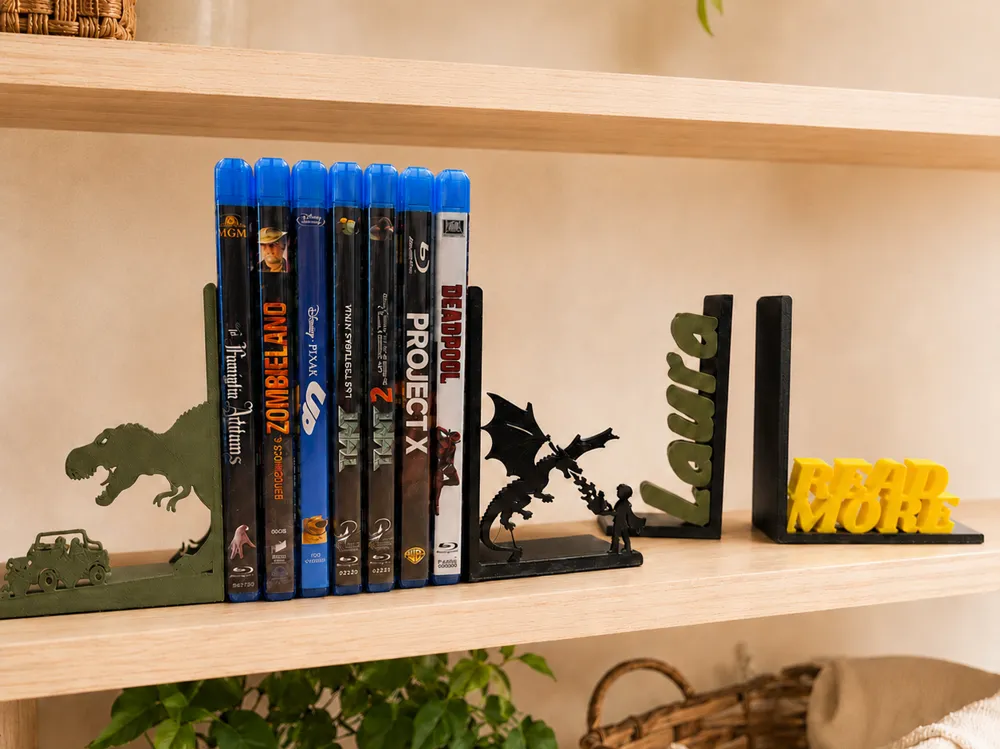
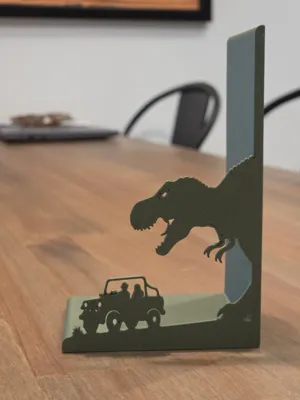
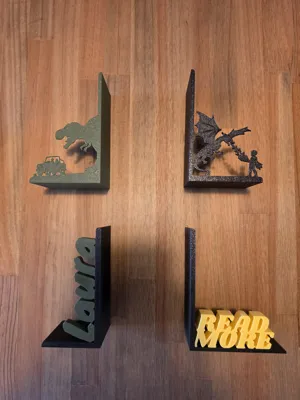
Create fully customizable bookends featuring your own text or SVG artwork.
This generator allows you to design a personalized bookend side with raised lettering or imported SVG graphics directly integrated into the structure. Whether you're creating decorative bookends for a library, bookshelf, office, gaming room, classroom, or gift, the design automatically scales and positions your content to fit the available space.
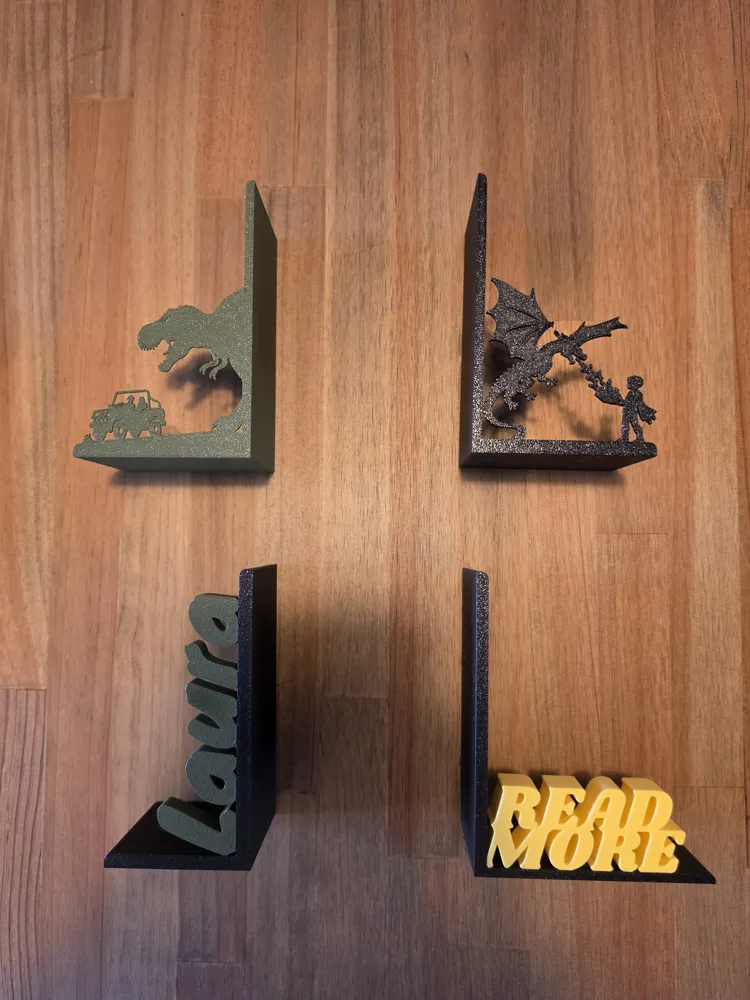
Generate either the left or right side individually, customize the dimensions, typography, colors, depth, orientation, and even import your own SVG designs for completely unique creations.
Boost Me (for free)
Boosts really help me continue designing, so if you like my work, it's a great way to say thank you at no cost to you.
How to Use
The generator creates one bookend side at a time.
Use the Bookend Side option to choose:
- Left → Generates the left bookend
- Right → Generates the right bookend
Print both sides separately if you want a matching pair.
Text Mode
When Design Type is set to Text, the raised design is generated from custom text.
Use the * character to create multiple lines.
Examples
Single line:
READ MORE
Two lines:
READ*MORE
Three lines:
JUST*ONE*MORE
The generator automatically scales the text to fit within the available printable area.
SVG Mode
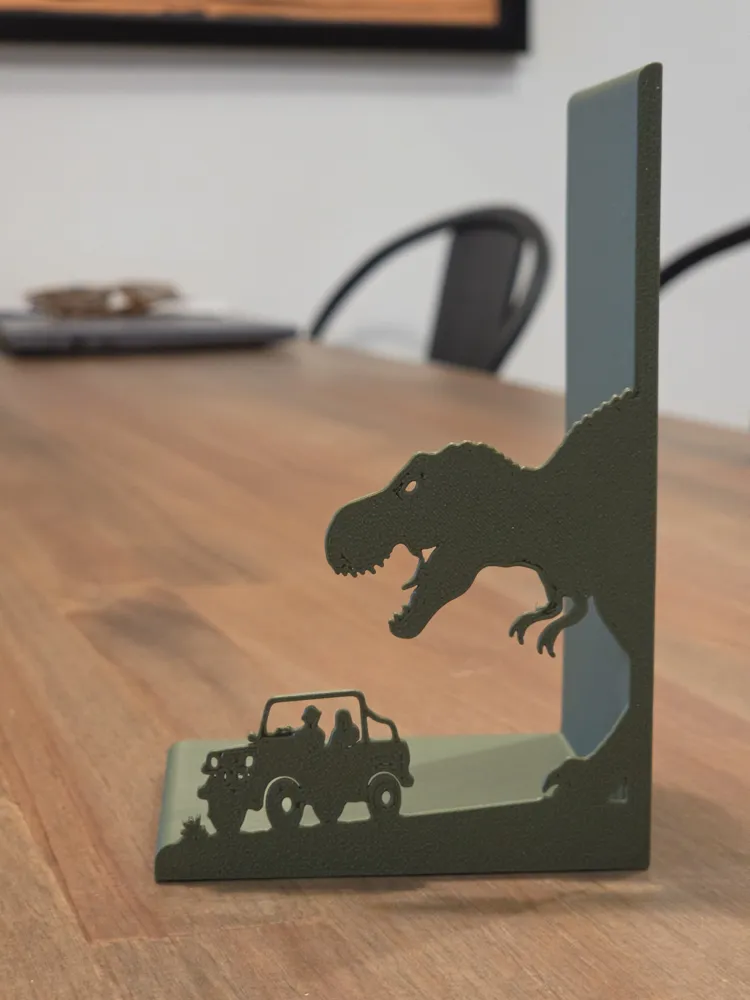
When Design Type is set to Image, the generator imports an SVG file and places it on the bookend.
You can customize:
- SVG scale
- Horizontal position
- Vertical position
- Extrusion depth
- Horizontal mirroring
This allows the creation of themed bookends featuring logos, silhouettes, characters, icons, or custom artwork.
Customization Options
Bookend Side
- Bookend Side (bookendSide): Generate either the left or right side.
Design Type
- Text: Creates a raised text design.
- Image: Creates a raised SVG design.
Text Options
Content
- Custom Text (customText): Text displayed on the bookend.
- Use * to create multiple lines.
Typography
- Text Font (textFont): Font used for the design.
- Text Scale (textScale): Additional scaling applied after automatic fitting.
- Text Angle (textAngle):
- 0° = horizontal text
- 90° = vertical upward text
- 270° = vertical downward text
Extrusion
- Text Extrude Depth (textExtrudeDepth): Depth of the raised text.
Layout
- Text Horizontal Alignment (textHorizontalAlignment):
- Left
- Center
- Right
- Text Depth Placement (textDepthPlacement):
- Front
- Back
- Full depth
Advanced Positioning
- Line Gap (lineGap): Space between text rows.
- Text Padding (textPadding): Margin around the fitted design.
- Text Lean Angle (textLeanAngle): Tilts the text backward or forward.
- Text Vertical Offset (textVerticalOffset): Moves the design up or down.
- Text Panel Overlap (textPanelOverlap): Controls how deeply the design intersects the vertical support panel.
- Fill Text (fillText): Fills enclosed areas in letters for a stronger design.
SVG Options
When using image mode:
- Image File (imageFile): SVG artwork to import.
- Image Scale (imageScale): Overall artwork size.
- Image Extrude Depth (imageExtrudeDepth): Thickness of the raised design.
- Image Offset X (imageOffsetX): Horizontal adjustment.
- Image Offset Z (imageOffsetZ): Vertical adjustment.
- Image Flip Horizontal (imageFlipHorizontal): Mirrors the artwork.
Colors
- Bookend Color (bookendColor): Structural body color.
- Design Color (designColor): Text or SVG color.
Bookend Geometry
Overall Size
- Base Width (baseWidth): Distance from support panel to outer edge.
- Base Depth (baseDepth): Front-to-back footprint.
- Side Height (sideHeight): Height of the vertical support.
Structure
- Base Thickness (baseThickness): Thickness of the bottom plate.
- Side Thickness (sideThickness): Thickness of the vertical support.
- Edge Radius (edgeRadius): Rounded exposed corners.
License

You shall not share, sub-license, sell, rent, host, transfer, or distribute in any way the digital or 3D printed versions of this object, nor any other derivative work of this object in its digital or physical format (including - but not limited to - remixes of this object, and hosting on other digital platforms). The objects may not be used without permission in any way whatsoever in which you charge money, or collect fees.


Comment & Rating (0)