
Twisty Fidget Generator (Negative Modifier Tool)
Print Profile(2)
Description
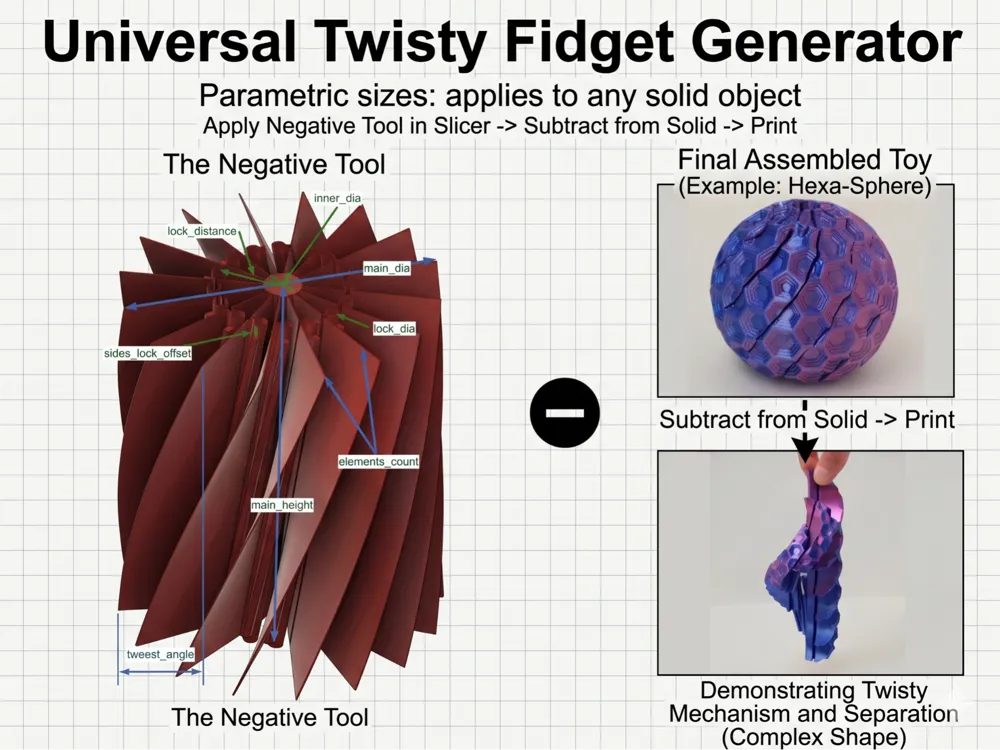
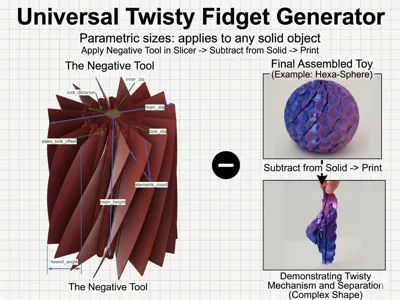
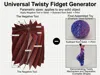
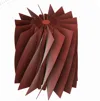
Turn ANY solid 3D model into a satisfying, twisting fidget toy!
This is a parametric Negative Modifier Tool designed specifically for slicers like Bambu Studio and OrcaSlicer. Instead of downloading pre-made fidgets, you can use this tool in your slicer, scale it, change the parameters, and subtract it from your favourite model (like the Hexa-Sphere shown in the examples) to create custom, interconnected, twisting mechanisms effortlessly.
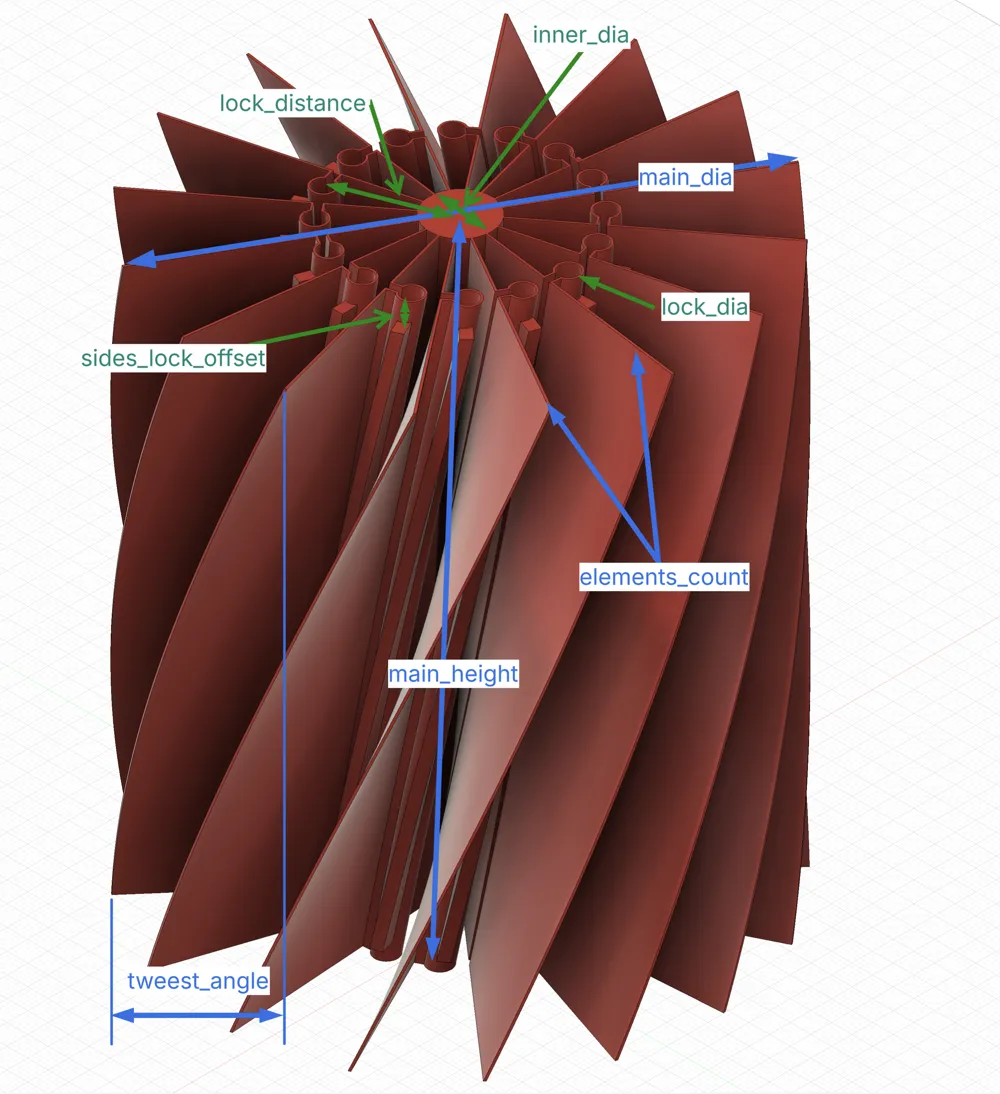
The internal mechanism features built-in sliding tracks and end-stops (sides_lock_offset), ensuring the pieces slide perfectly past each other without falling apart when picked up.
How to Use It in Your Slicer
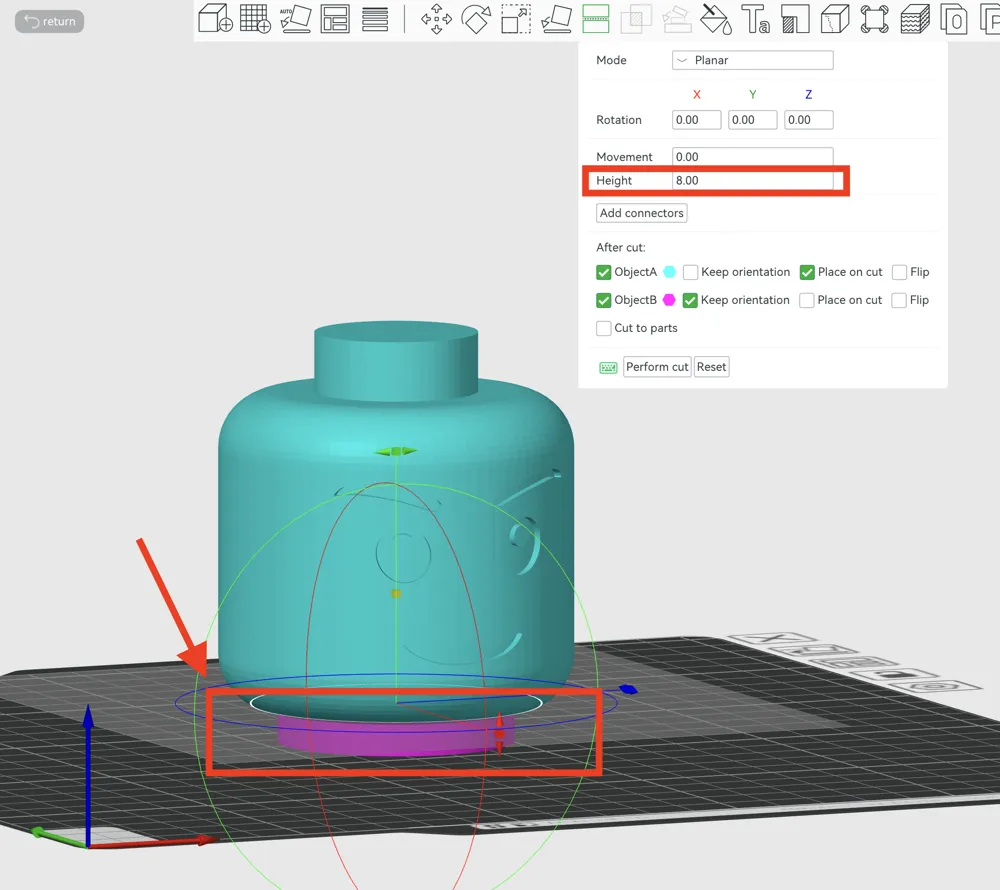
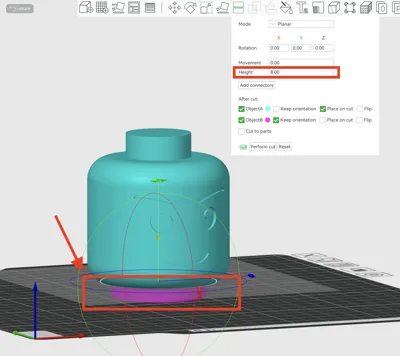
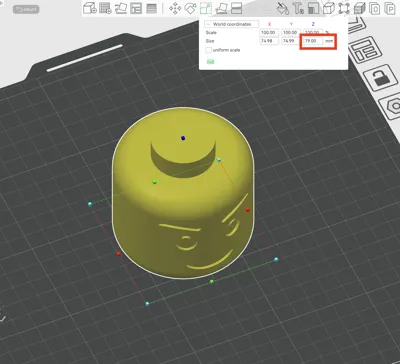
Import your target solid model and remove high-degree overhang by splitting into 2 parts
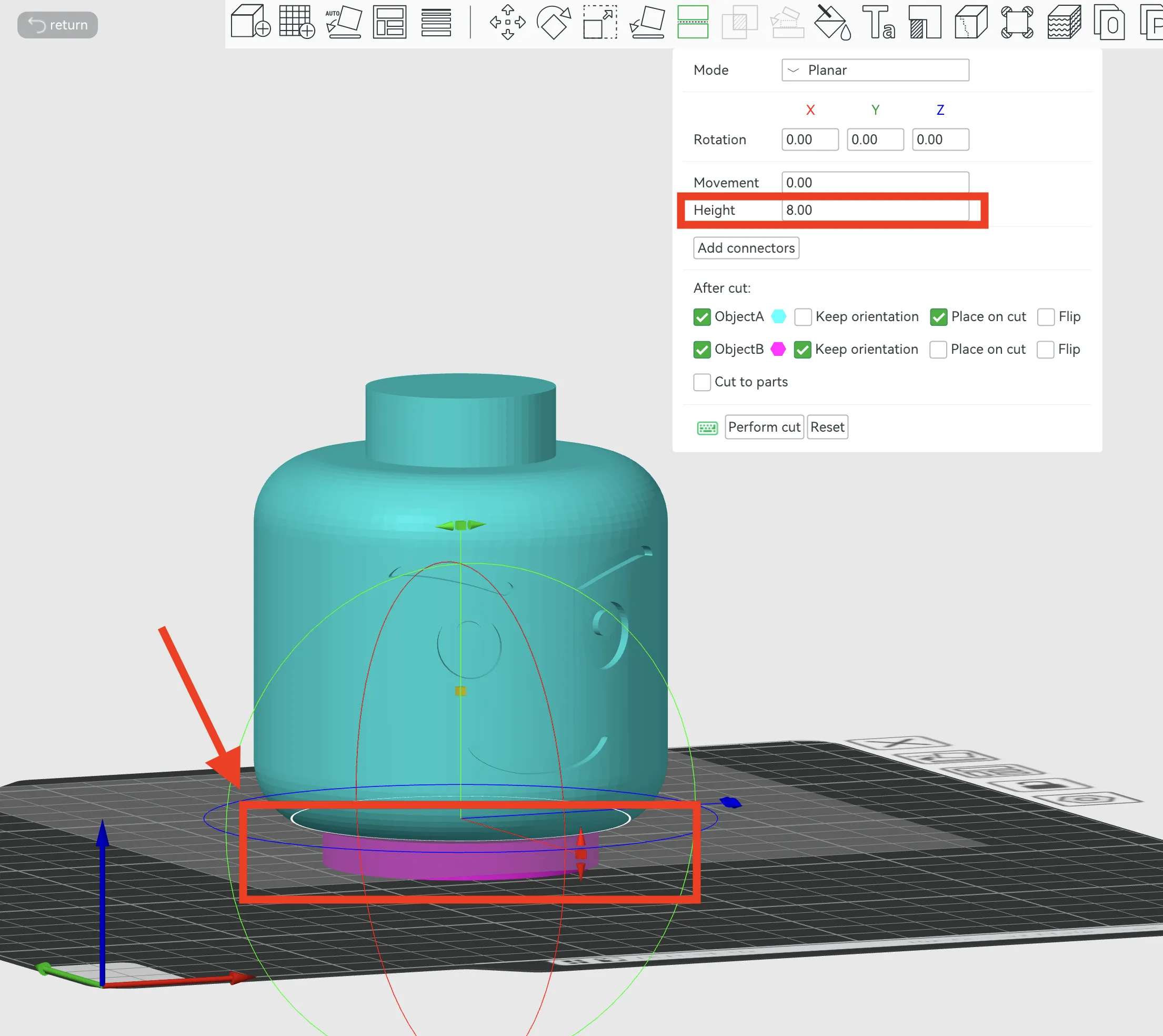
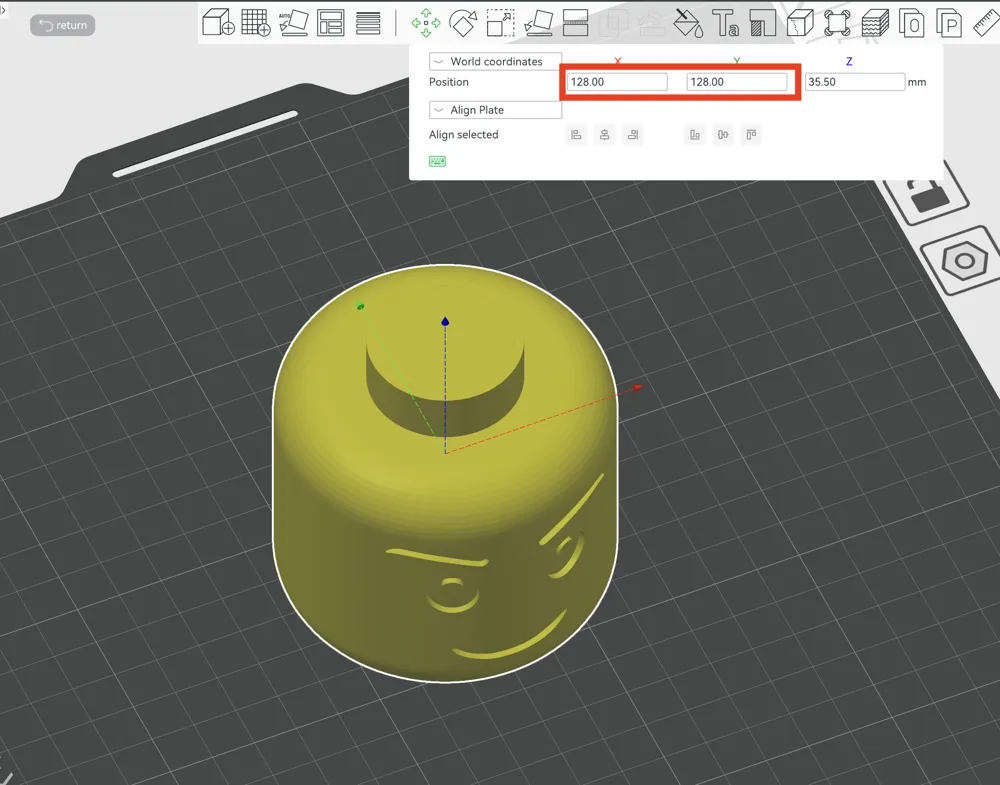
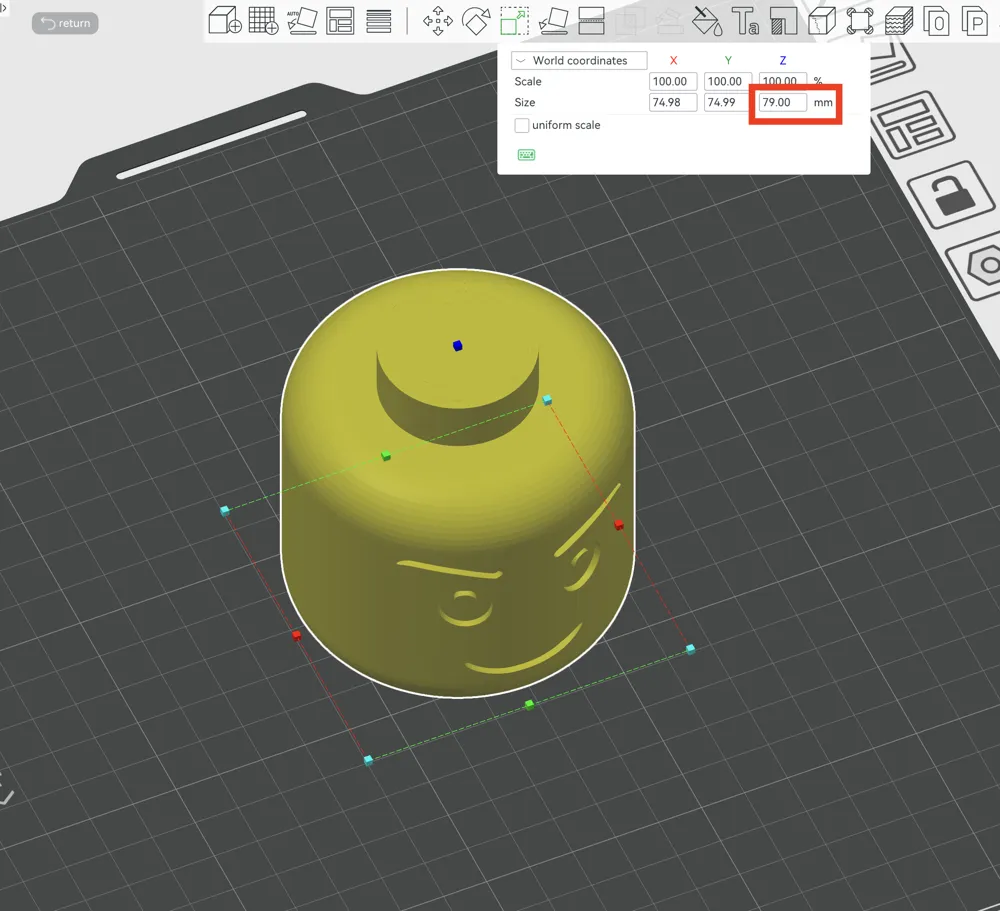
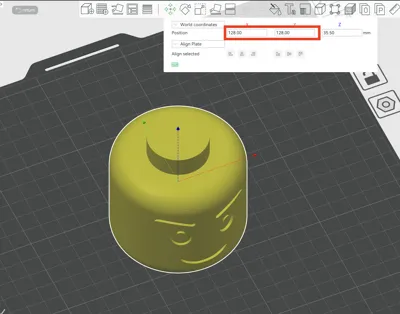
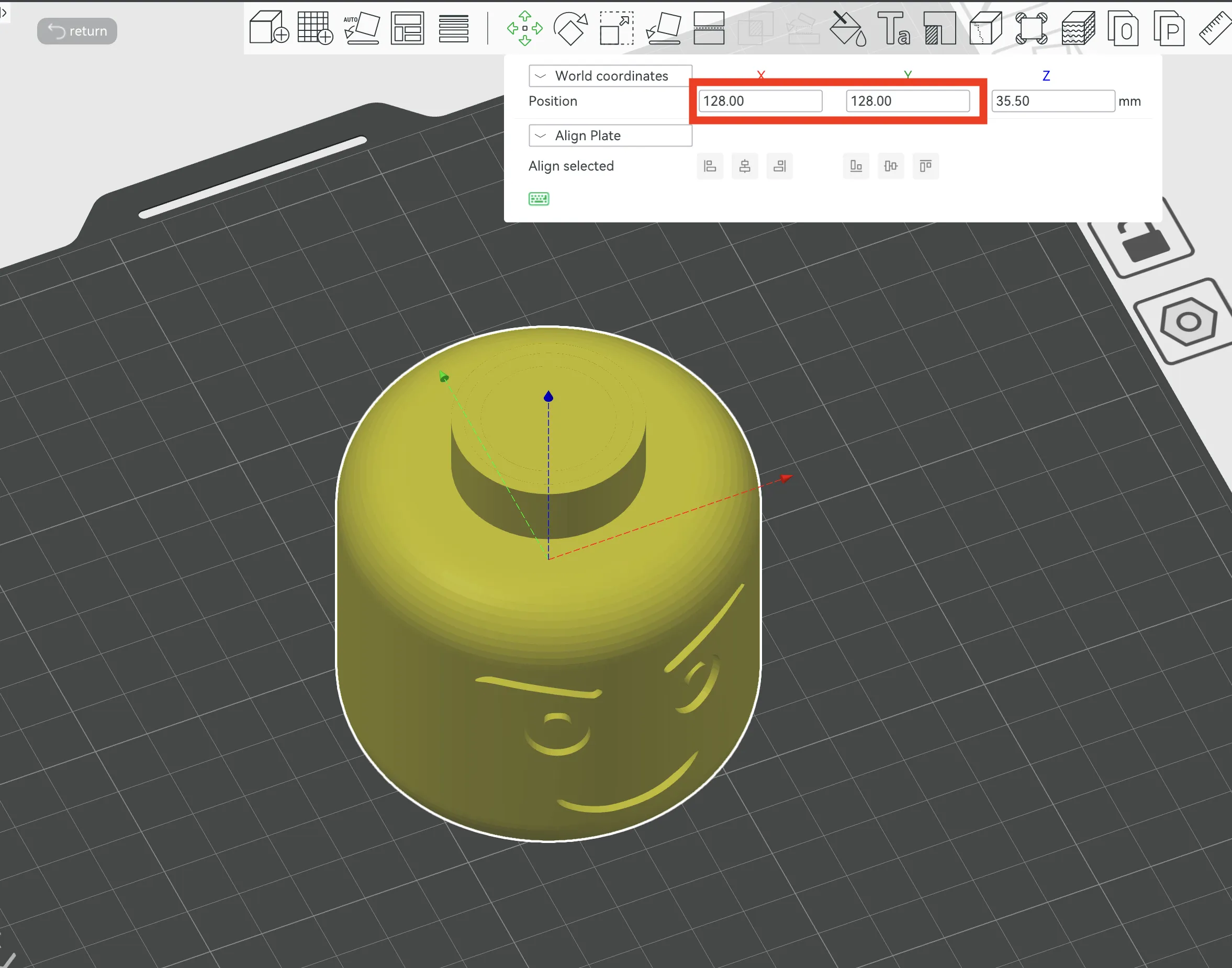
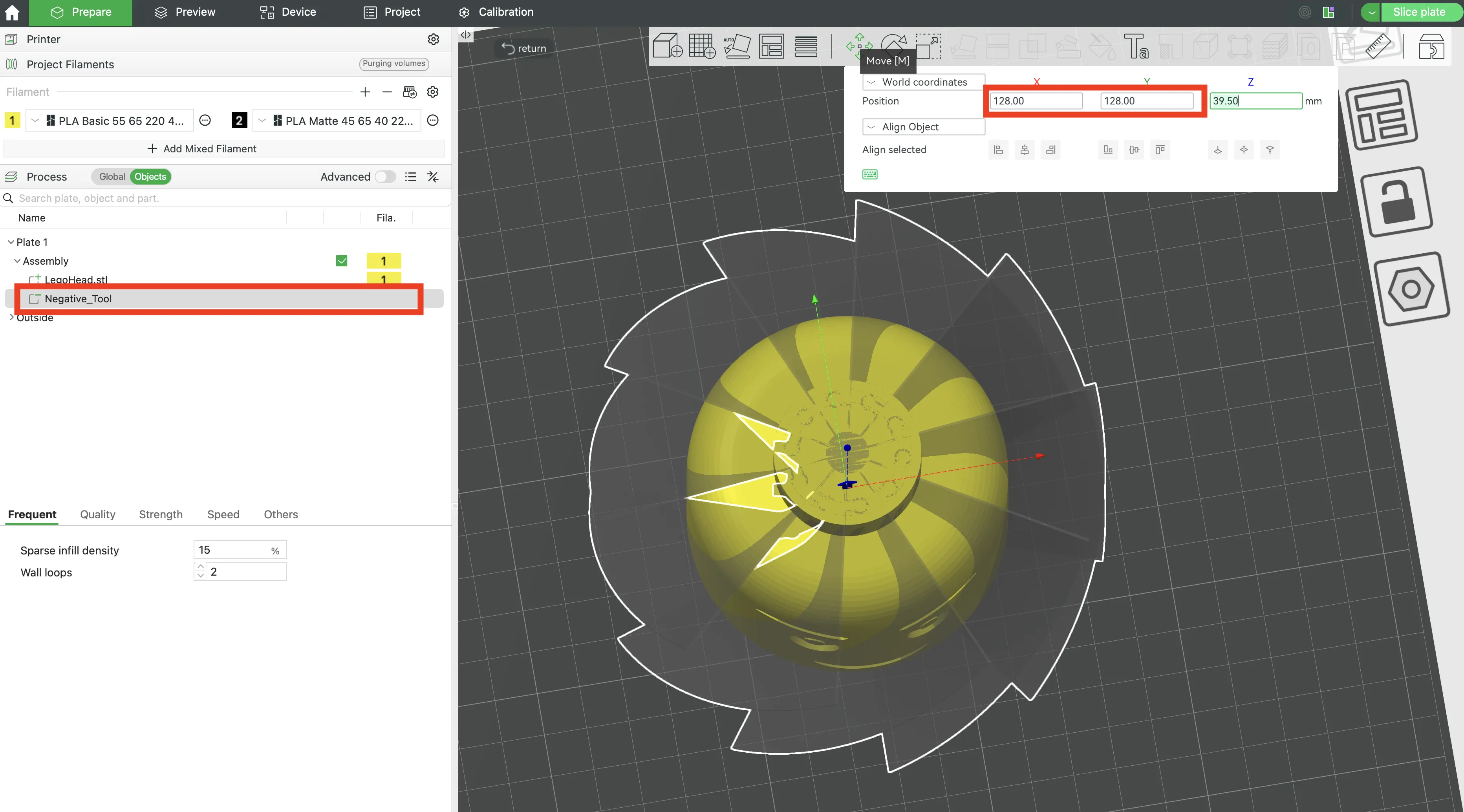
Remove the bottom part and place the main model at the central point (128 and 128)
Check dimensions and set up your parameters using the Parametric Model Maker
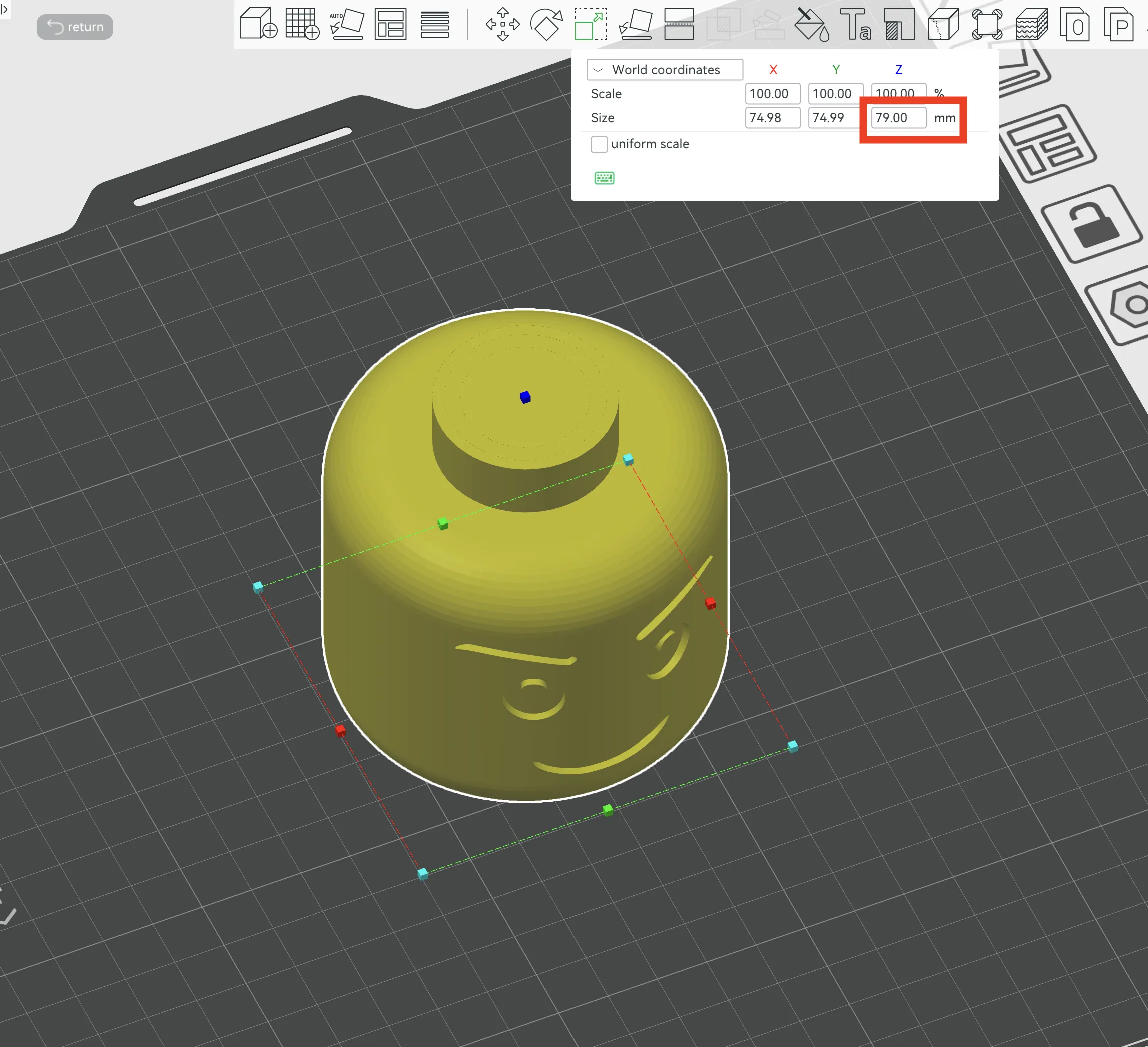
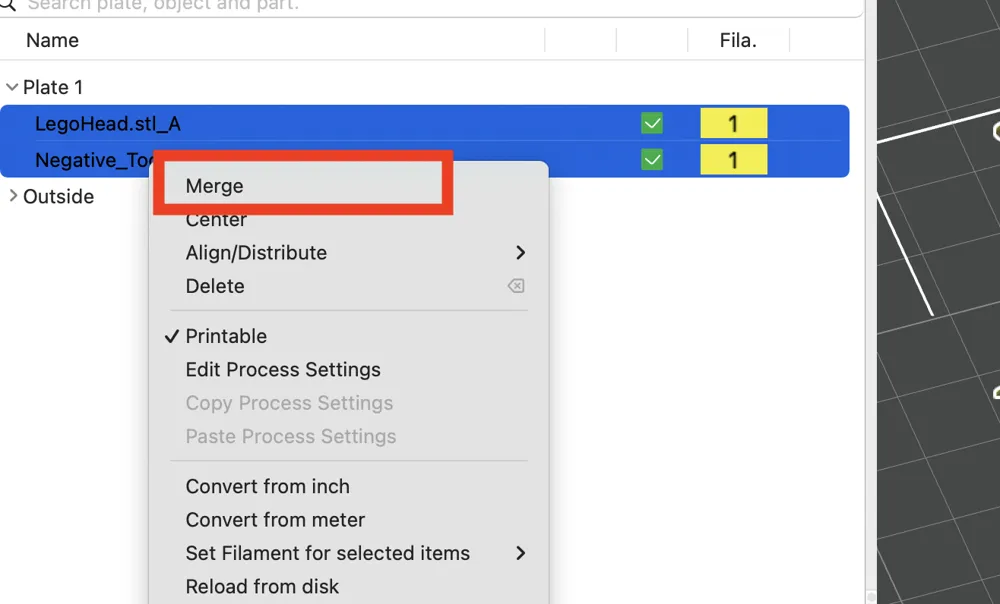
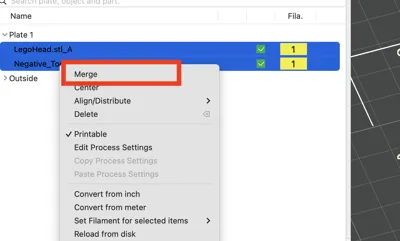
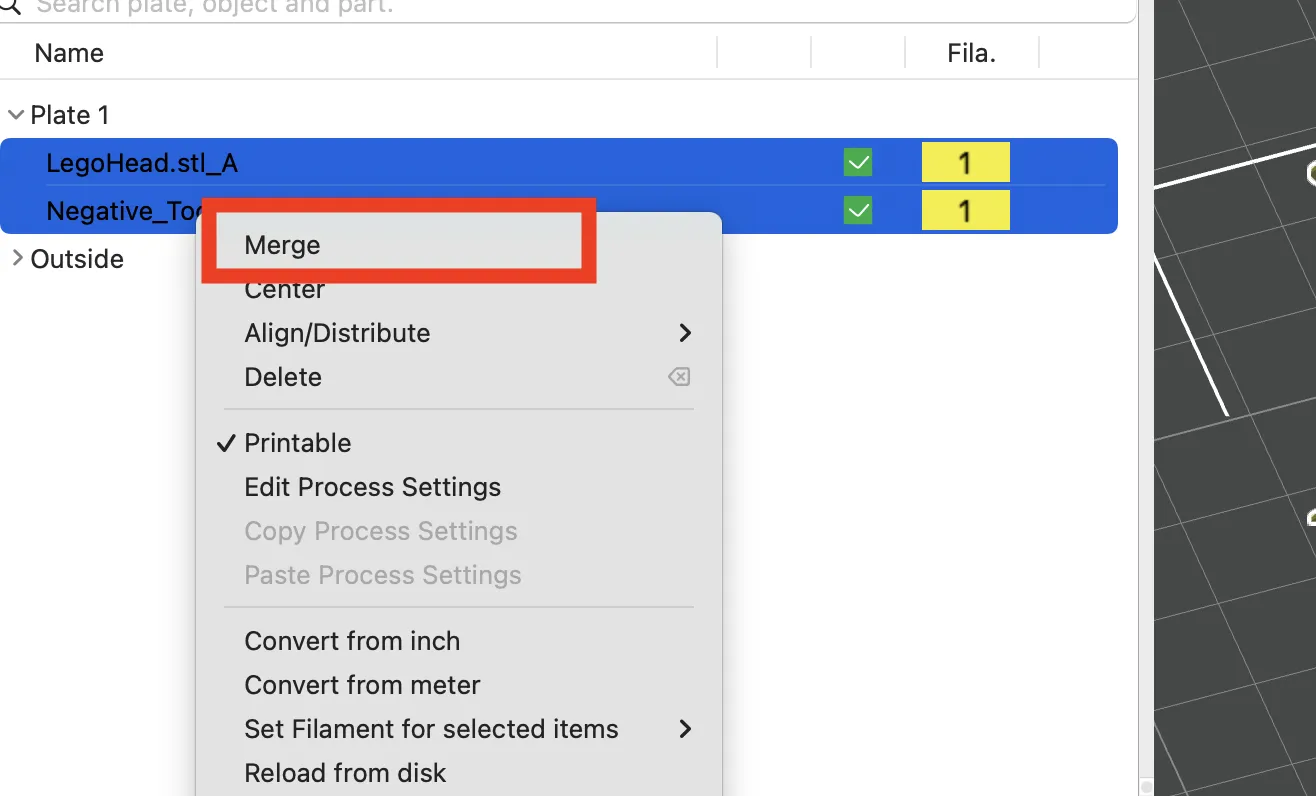
Import the modifier tool into the same project. Merge both objects.
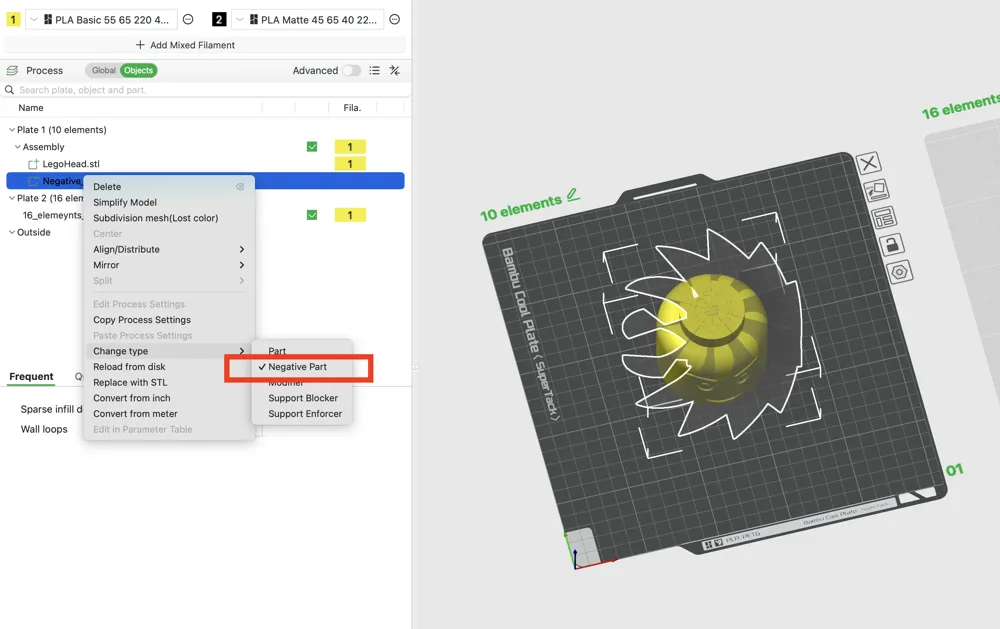
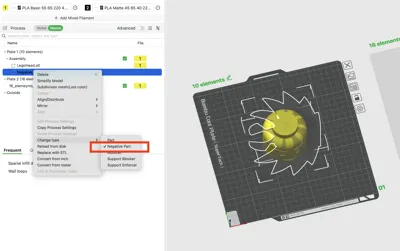
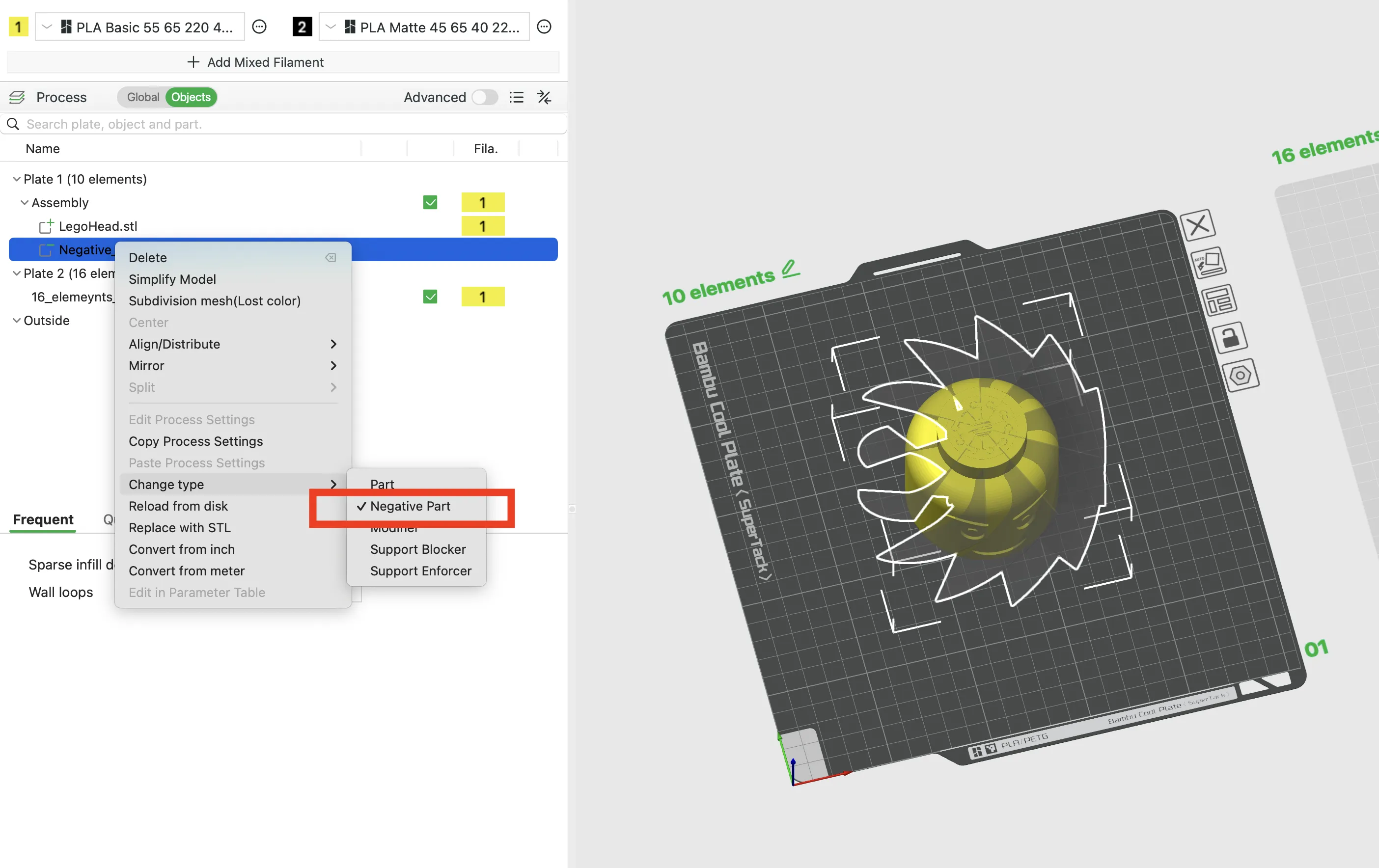
Change the tool's object type to a Negative Part.
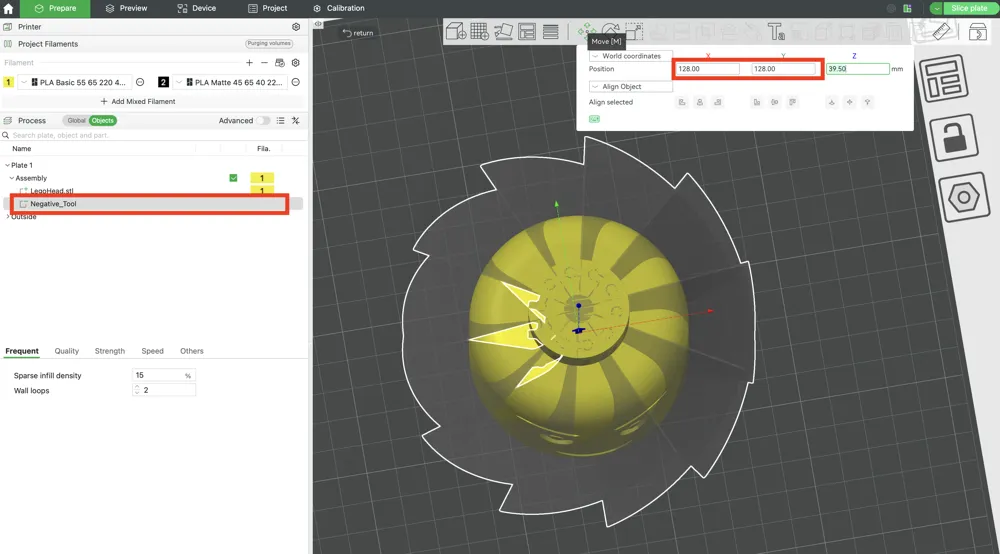
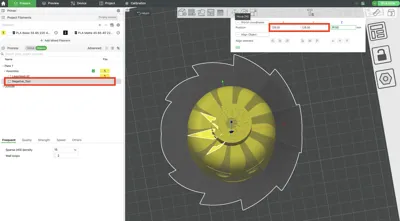
Adjust the Negative tool position by moving it to the central point (128/128)
- Slice and Print!
Adjustable Parameters
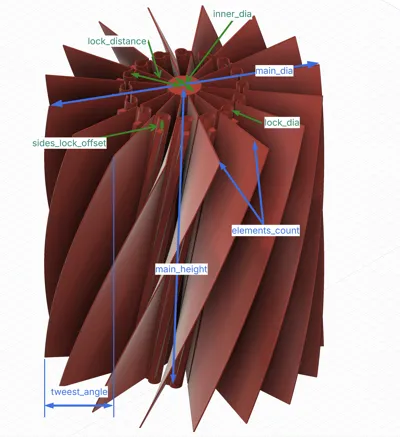
You can tweak the following variables to fit any model perfectly:
- main_height: Match this to your target model's total height.
- main_dia: Match this to your model's maximum width or depth.
- elements_count: The number of twisting wedge sections your model will be cut into.
- tweest_angle: The total rotation angle of the twist from the bottom to the top.
- lock_dia: The diameter of the interlocking sliding mechanism.
- lock_distance: The radial distance from the centre core to the locking mechanism.
- inner_dia: The central hollow core diameter that allows the parts to move smoothly.
- sides_lock_offset: The safety boundary offset at the top and bottom to prevent the pieces from sliding completely out.
- main_print_offset: The tolerance gap between the moving parts (adjust based on your printer's accuracy).
License

You may create derivative works based on this object, provided that all such derivative works are published exclusively on the MakerWorld platform and include proper attribution to the original creator. You may not share, upload, host, distribute, or publish this object—or any derivative work of this object—on any other digital platform, marketplace, or distribution channel. Commercial use of this object and any derivative works is strictly prohibited. This includes, but is not limited to, selling, renting, sublicensing, or using the object in any context in which you receive monetary compensation or other financial benefits.


Comment & Rating (5)