
Parametric Label Block - Custom Bookshelf Label
Print Profile(1)

Description
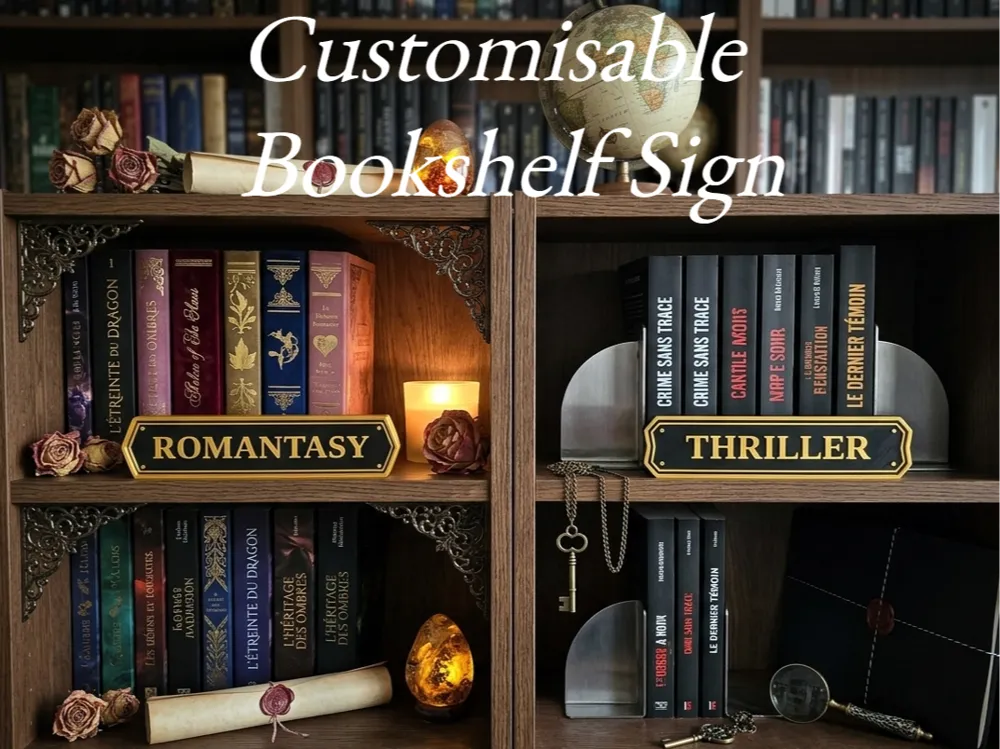
This parametric bookshelf label block is made to help organize your shelves with clean, readable category signs. It works well for genres like romantasy, thriller, fantasy, horror, mystery, or any custom label you want to display on a bookshelf.
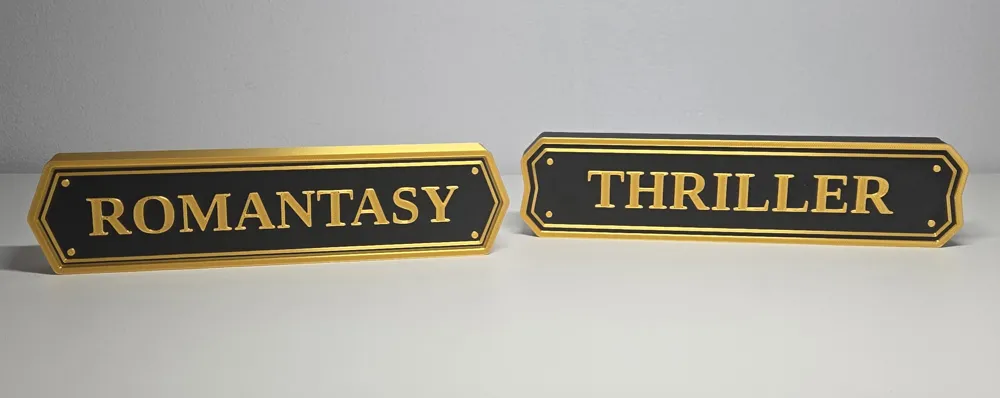
The design has a classic nameplate look with raised text, layered borders, and corner pin details that give it a polished decorative finish. It is simple enough to fit into many shelf styles, while still standing out clearly once placed in front of books.
One of the best parts of this model is that it is fully customizable in the parametric file. You can change the text, adjust the overall size, choose different end shapes, and preview different color combinations before exporting your final version.
Customization Guide
This model includes several customizable settings in the OpenSCAD file:
1. Label text
Change the displayed word or category with:
label_text = "ROMANTASY";
You can replace it with any genre, section name, or custom label.
2. Sign width
Controls the total width of the label block:
sign_width = 213.36;
Useful for shorter or longer words.
3. Sign height
Controls the overall height of the block:
sign_height = 50.8;
4. Sign depth
Controls how deep the block is from front to back:
sign_depth = 17.78;
5. Maximum text size
Sets the largest text size allowed before the auto-fit system scales it down:
max_text_size = 20;
Longer words will automatically shrink if needed.
6. End shape style
You can switch between multiple end styles with:
end_style = 1;
Available options:
0 = Straight
1 = Beveled
2 = Pointed
3 = Notched
4 = Double bevel
5 = Ticket corners
6 = Shield
7. Preview colors
The SCAD file also includes preview color settings:
block_body_color
front_face_color
accent_color
These are for visual preview only. STL export does not keep colors.
License

You shall not share, sub-license, sell, rent, host, transfer, or distribute in any way the digital or 3D printed versions of this object, nor any other derivative work of this object in its digital or physical format (including - but not limited to - remixes of this object, and hosting on other digital platforms). The objects may not be used without permission in any way whatsoever in which you charge money, or collect fees.


Comment & Rating (3)