
Playing Card Holder / Book Storage Box
Print Profile(5)



Bill of Materials

Description
Update - 18.06.2026
A new version of the boxes has been released introducing an optional magnetic closure system.
This update adds a “With Magnets” variant for the Box and Door components, designed to provide a more secure and satisfying closing mechanism. The previous mechanical “Without Magnets” version is still fully available and supported.
Print Profiles
There are 5 print profiles available:
Complete versions (AMS not required)
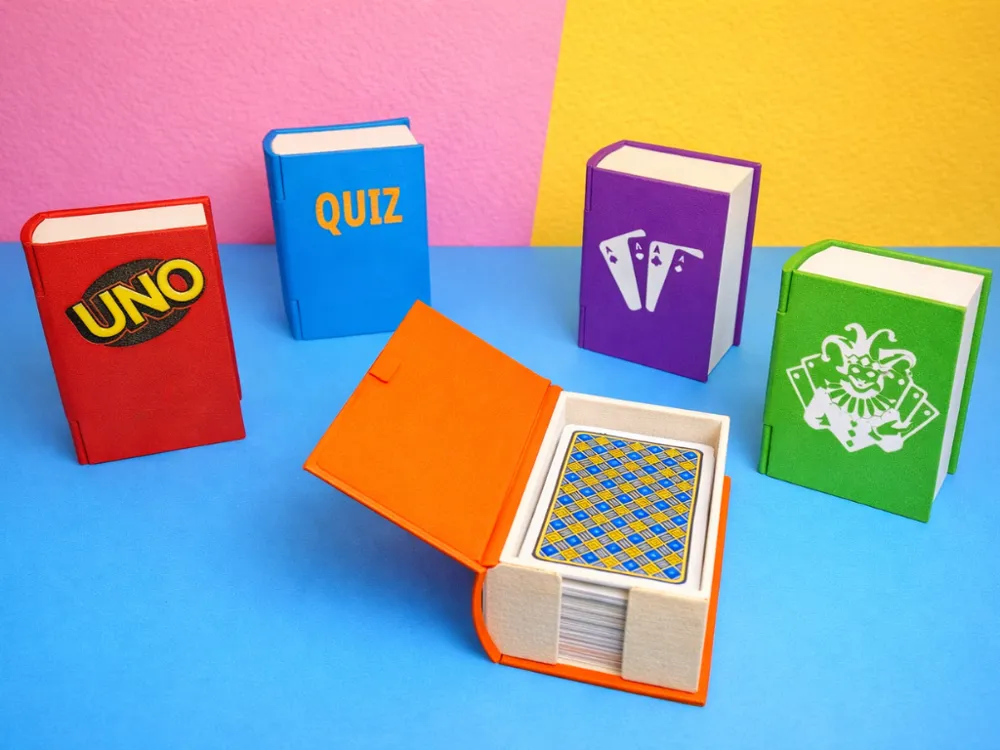
Standard (H28 mm) – 64 × 101 × 28 mm (NO Magnets version)
60 x 101 x 33 mm (Magnets version)
Recommended for smaller or compact card decks.Large (H42 mm) – 64 × 101 × 42 mm (NO Magnets version)
60 x 101 x 47 mm (Magnets version)
Recommended for larger decks (e.g. double decks like Rummy / Scala 40, ~104+ cards).
Both versions include a single-color cover.
Custom cover versions (AMS required)
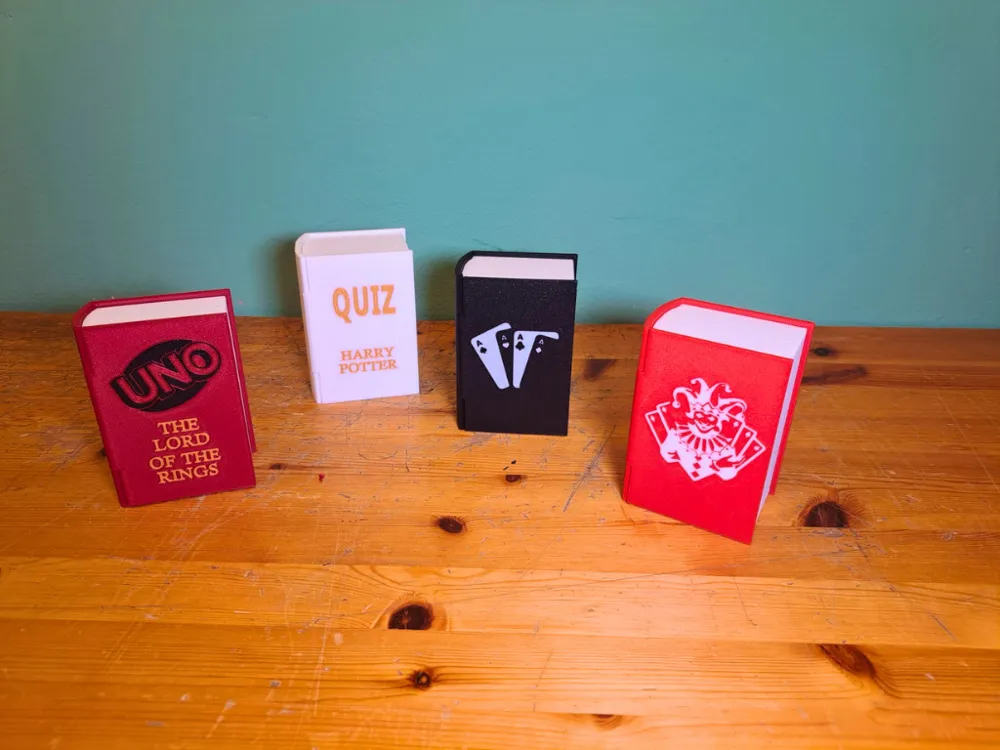
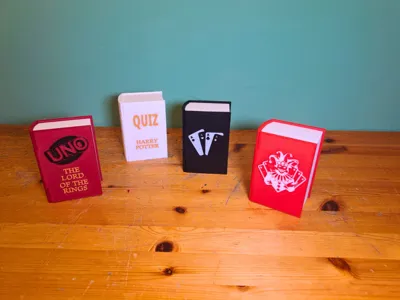
- Playing Cards Book Door
Includes two different graphics dedicated to playing cards. - UNO Book Door
- Quiz Book Door
For all print profiles, Box and Door components are available in two variants:
- Without Magnets
Uses a mechanical locking system and requires no additional components. - With Magnets
Requires 6 magnets (4 × 2 mm) and provides a more reliable and satisfying closing mechanism during use.
Both versions are included in all print profiles, allowing users to choose their preferred option. Personally, I recommend the magnetic version for the best user experience and improved closing reliability.
2. Assembly
Assembly is simple and does not require a tutorial.
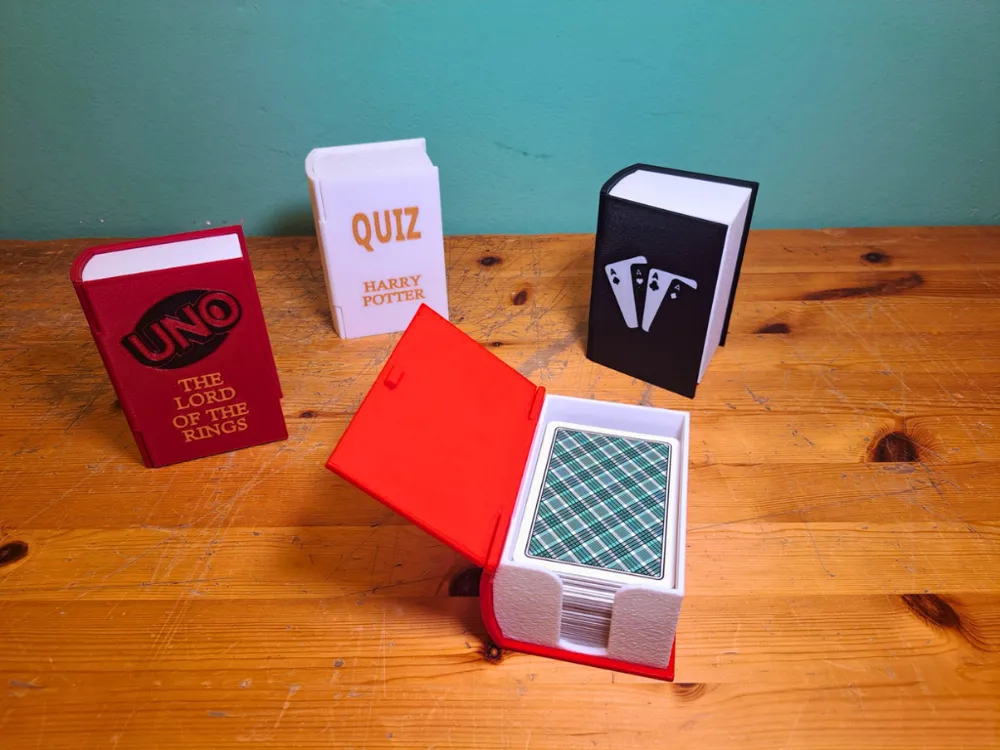
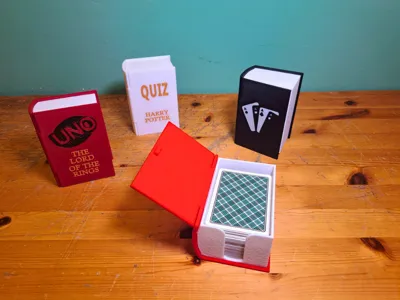
The part that simulates the book pages (made with fuzzy skin) must be glued to the main structure.
An alignment guide is included to ensure correct positioning.
The hinge is created using a piece of filament:
- insert the filament as a pin
- slightly heat both ends
- press them to lock it in place and make it less visible
To make opening easier, apply light pressure to the white part (page simulation) to release the latch more easily.
If you choose the With Magnets version, 6 magnets (4 × 2 mm) are required.
The white page-simulation part contains three dedicated magnet slots, while the Door contains the corresponding three slots. Simply insert the magnets into the designated spaces, paying attention to polarity orientation.
3. Customization
In addition to the included versions, custom covers can be created.
You can send your graphics via MakerWorld private chat. If they are suitable for 3D printing and consistent with the project, new variants can be developed.
Alternatively, you can customize the blank covers yourself using your slicer by:
- adding text
- importing SVG files
All graphics included in this project were created using the same approach, so they can be easily modified by editing text and SVG elements.
4. Tolerances and Printing
This project uses only filament and does not require external components, except for the optional With Magnets version.
Tolerances may vary depending on:
- material
- print settings
- printer calibration
A properly calibrated printer is recommended to achieve optimal fits.
The magnetic version was tested using a properly calibrated and recently maintained Bambu Lab A1, along with Bambu Lab filaments. Under these conditions, all magnet slots provided a perfect press-fit without modifications.
Since tolerances may vary between printers, small adjustments might be necessary:
- if the magnet slots are too tight, gently heat the magnet before inserting it; the heat will slightly increase the clearance
- if the slots are too loose, a small amount of glue can be used to secure the magnets in place
If the locking mechanism feels too loose or ineffective, it can be slightly heated and adjusted with pliers to improve grip.
5. Disclaimer
The first image has been modified using AI (colors and background).
The following images show the real product, with only minor filter adjustments.


Boost Me (for free)
🚀 Thank you for downloading my model! If you enjoyed it and would like to support me even more, you can use the Boost.me feature: every contribution helps me keep creating new projects.
License

You shall not share, sub-license, sell, rent, host, transfer, or distribute in any way the digital or 3D printed versions of this object, nor any other derivative work of this object in its digital or physical format (including - but not limited to - remixes of this object, and hosting on other digital platforms). The objects may not be used without permission in any way whatsoever in which you charge money, or collect fees.


Comment & Rating (61)