
Deye Inverter Cooler – Dual 120mm Fan Mount
Print Profile(1)
Description
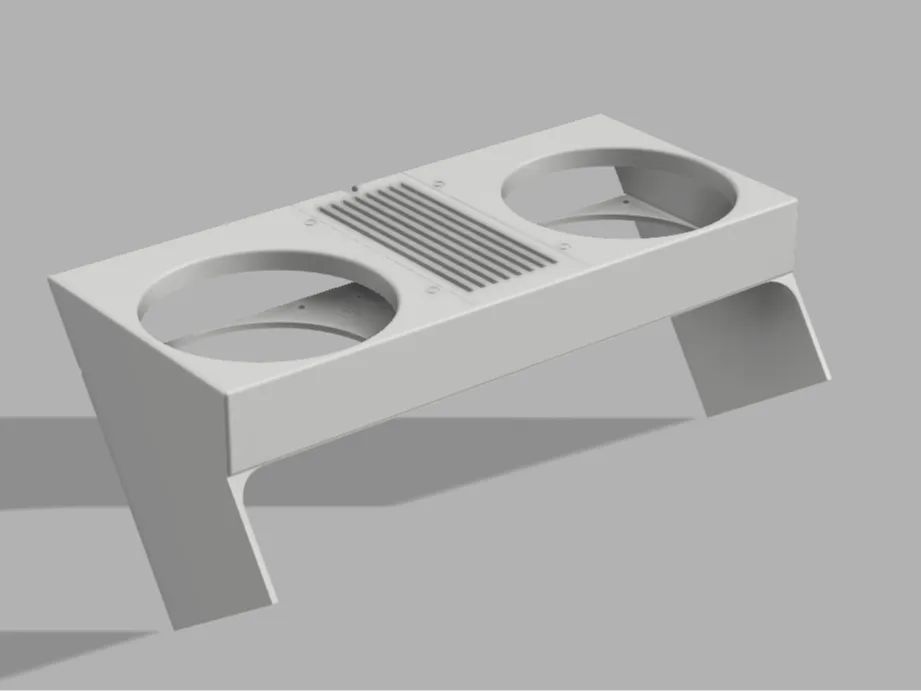
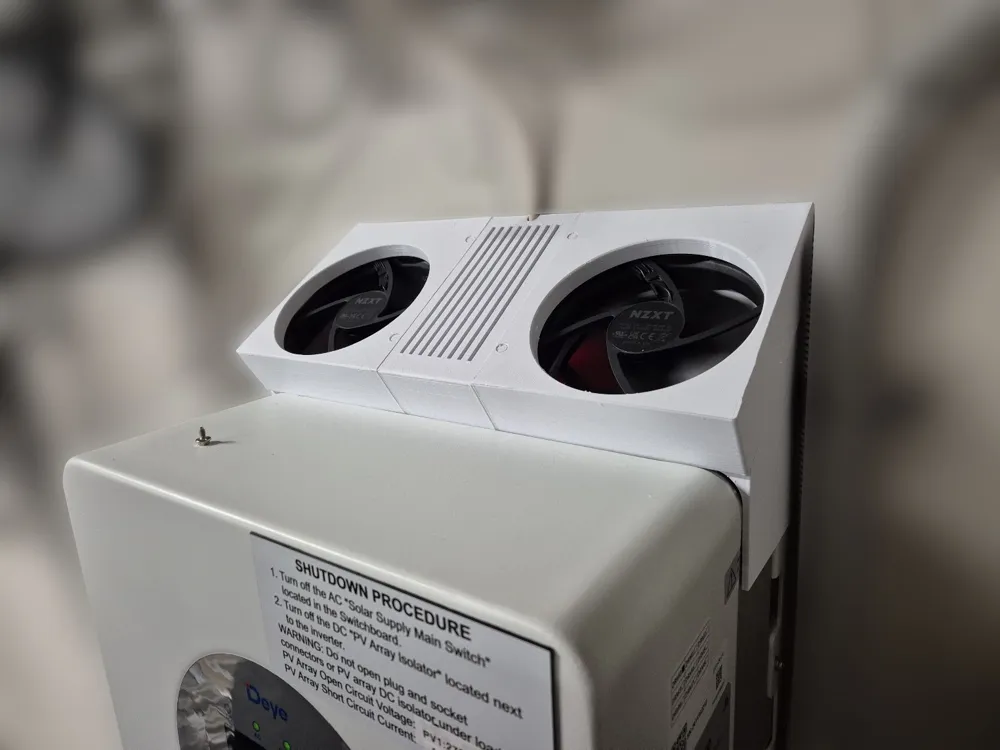
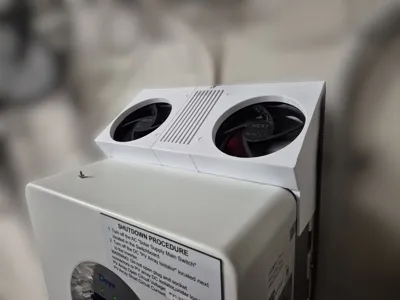
This cooling shroud is designed to improve airflow around Deye hybrid inverters, specifically designed around the Deye SUN-5K-SG04LP1-AU.
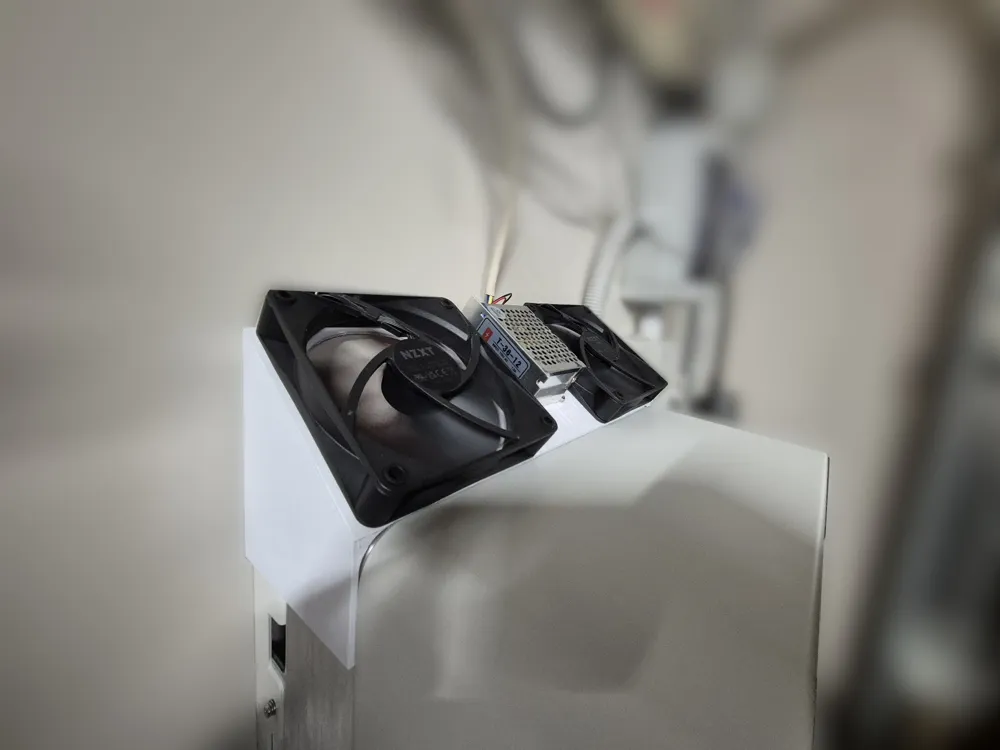
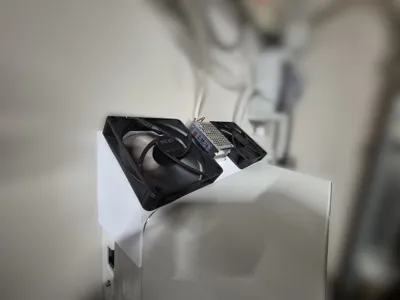
The design mounts two standard 120mm fans to actively pull heat away from the inverter cooling area while providing a central compartment for electronics such as fan controllers, relays, or ESP modules. In my example I have a simple 240v to 12v PSU with a PWM fan controller that will ramp up fan speed depending on the temperature.
⚠️ Since inverter dimensions may vary slightly between models, please check your inverter dimensions before printing.
Features
- Dual 120mm fan mounts for strong airflow - use standard fan screws to secure the fan to the lower portion of the model
- Central electronics compartment for controllers, relays, or ESP modules
- Designed around Deye SUN-5K-SG04LP1-AU
- No fixings required for the fan unit – the unit simply rests on top of the inverter
- Clean airflow path across the inverter cooling area
Assembly
The print consists of 6 parts.
- Parts are designed to be super glued together
- The top shell sits on top of the bottom shell
- The assembled unit is then placed directly on top of the inverter
Because the design is self-supporting, no screws or mounting brackets are required.
Please let me know id assembly instructions are required, I allowed for them to fit together easily.
Electronics Compartment
The middle section provides space to install small electronics such as:
- ESP32 / ESP8266 fan controller
- Temperature controller
- Relay modules
- PWM fan controller
This allows you to automate cooling based on inverter temperature or load.
Fans
Supports standard 120mm PC fans.
You can run them:
- Always on
- Temperature controlled
- Load controlled via automation (Home Assistant, ESPHome, etc.)
Print Settings
Recommended:
- Material: PETG / ASA
- Layer height: 0.2 mm
- Infill: 15–20%
- Supports: Not required
If installing outdoors or in hot environments, ASA is recommended.
Results
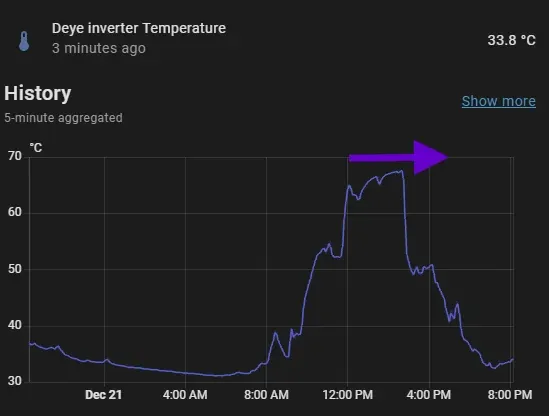
After installing, you should see temps drop at least 10 degrees C on a hot or heavy load day (indoors)
If anyone wanted to see the data.. I turned off the fan around 12pm, but forgot to turn them back on for a few hours (oops). Peaked around 70 C, before I turned the fans back on showing a sharp decline.
When the fans are on, it hovers around 55 C at peak load/generation.
You can read a little more detail on my blog:
https://extruder.co.nz/keeping-a-deye-inverter-cool-a-3d-printed-dual-fan-solution/
License

You shall not share, sub-license, sell, rent, host, transfer, or distribute in any way the digital or 3D printed versions of this object, nor any other derivative work of this object in its digital or physical format (including - but not limited to - remixes of this object, and hosting on other digital platforms). The objects may not be used without permission in any way whatsoever in which you charge money, or collect fees.


Comment & Rating (6)