
Print Profile(2)
Description
Boost Me (for free)
Your boost is completely free but helps me continue developing free, high-quality 3D printable solutions for everyone. Thank you for your support! 🙏
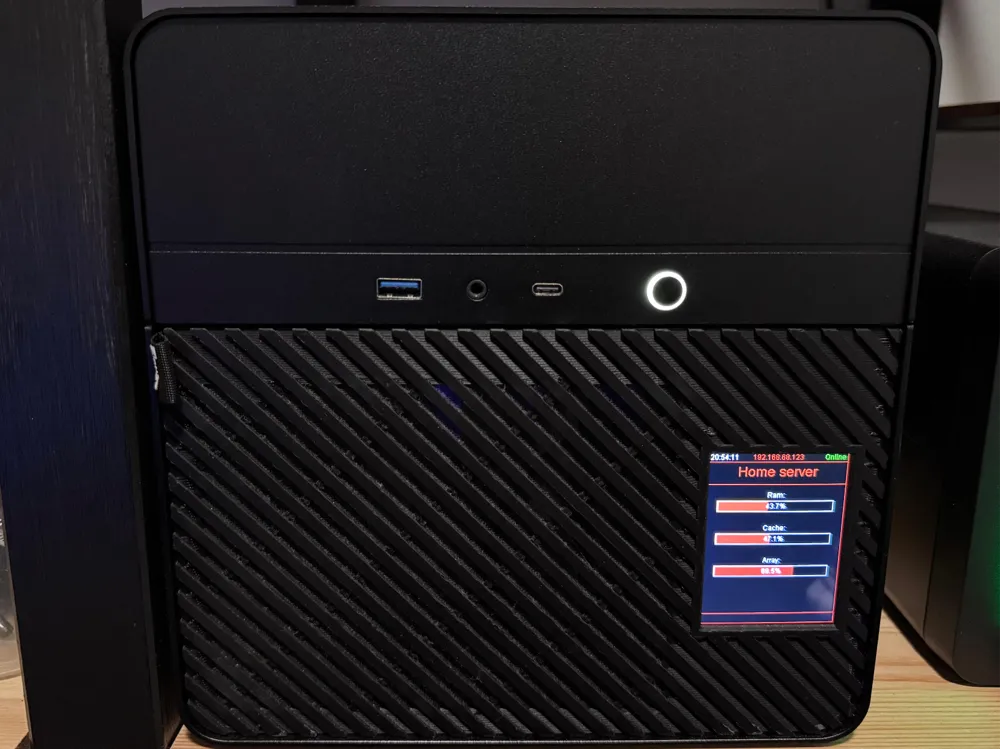
This model is a redesigned front panel for the Jonsbo N2 NAS case.
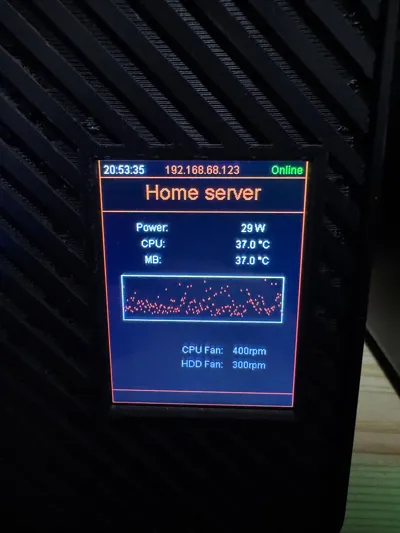
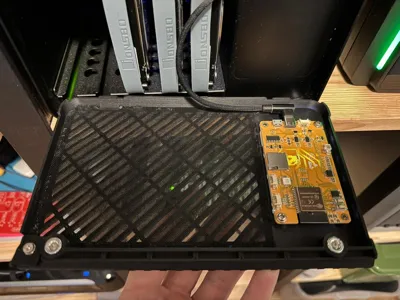
The grill maintains the original look and airflow style of the stock panel, but adds an optional version that integrates a 2.8" ESP32 touchscreen display.
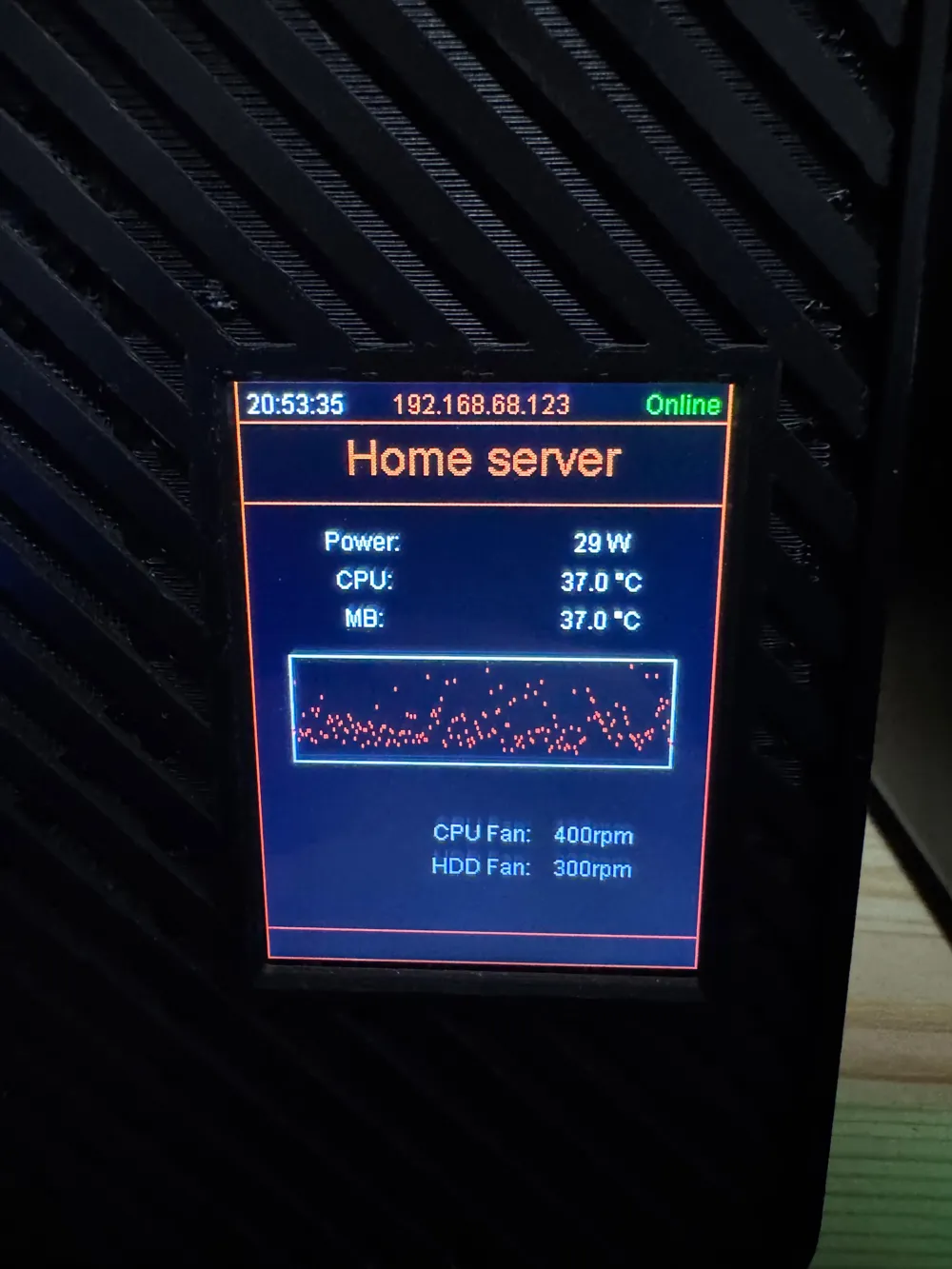
The display can be used to show system information, NAS statistics, or custom dashboards from Home Assistant, giving your NAS a clean built-in monitoring screen.
For users who prefer a clean panel or want to customize it further, a version without the LCD opening is also included.
Two Versions Included
Two downloadable models are provided:
1. LCD Version
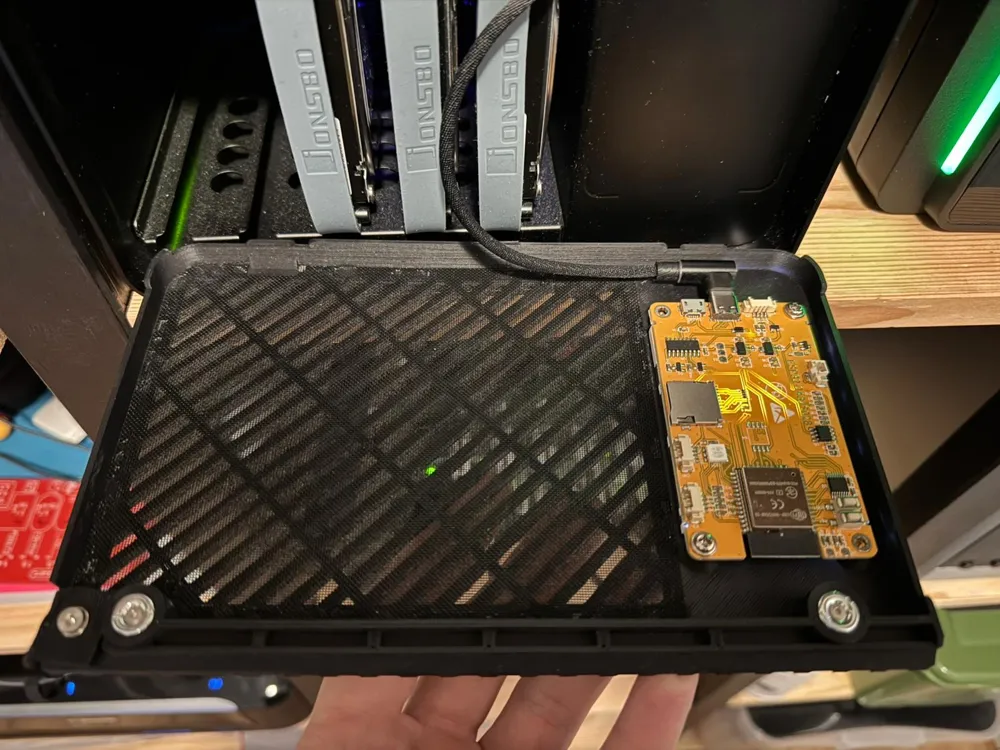
- Designed to mount a 2.8" ESP32 smart display
- Uses M3 threaded inserts and bolts for secure mounting
- Ideal for displaying Unraid stats or Home Assistant information
2. Solid Version (No LCD)
- Same grill design but without screen opening
- Perfect for:
- printing the panel in a different accent color
- adding your own logo
- customizing the design
Both models are also available in STEP format, making it easy to modify or remix the design.
Compatible Display
Designed for the following module:
ESP32 Arduino LVGL WiFi & Bluetooth Development Board
2.8" 240x320 Smart Display with Touch (ESP32-WROOM)
AliExpress:
https://nl.aliexpress.com/item/1005006396381885.html
Required Hardware (LCD Version)
• ESP32 2.8" Smart Display
• 4× M3 threaded inserts
• 4× M3 screws (Very short!)
• 90° USB-C connector (recommended for clearance)
Optional:
• USB internal motherboard adapter for internal power routing
• Dush filter mesh
Installation
- Print the front panel.
- Install the M3 threaded inserts in the mounting holes.
- Place the ESP32 display behind the opening.
- Secure the display with M3 screws.
- Connect the power cable using a right-angle USB-C connector.
- Route the cable internally or externally depending on your setup.
- Install the panel on the Jonsbo N2 case.
Software
The display in my setup runs ESPHome and is connected to Home Assistant.
Home Assistant retrieves Unraid server statistics via the new Unraid API, which are then displayed on the screen.
Example information shown:
• CPU usage
• Memory usage
• Array status
• Disk activity
• Docker status
Firmware & Setup
If there is interest, I can publish the following on GitHub:
• ESPHome configuration
• Home Assistant dashboard
• Unraid API integration
• Full setup guide

Membership
💼 Want to sell these models? Get a commercial license! Support my work and unlock commercial rights to sell these models. Perfect for makers who want to turn their passion into profit! 🚀
License

You shall not share, sub-license, sell, rent, host, transfer, or distribute in any way the digital or 3D printed versions of this object, nor any other derivative work of this object in its digital or physical format (including - but not limited to - remixes of this object, and hosting on other digital platforms). The objects may not be used without permission in any way whatsoever in which you charge money, or collect fees.


Comment & Rating (8)