Search models, users, collections, and posts

A320 switching and ECAM panel (for Winctrl ECAM)
Print Profile(2)

All
P2S
H2C
X1 Carbon
X1
P1S
H2D Pro
P1P
H2D
X1E
H2S
A1
X2D
A2L

0.2mm layer, 2 walls, 15% infill
Designer
8.1 h
3 plates
5.0(17)

Top panel - optimized for backlighting
Designer
14.4 h
1 plate
5.0(1)

Open in Bambu Studio
Boost
207
453
69
20
467
175
Released 

Description

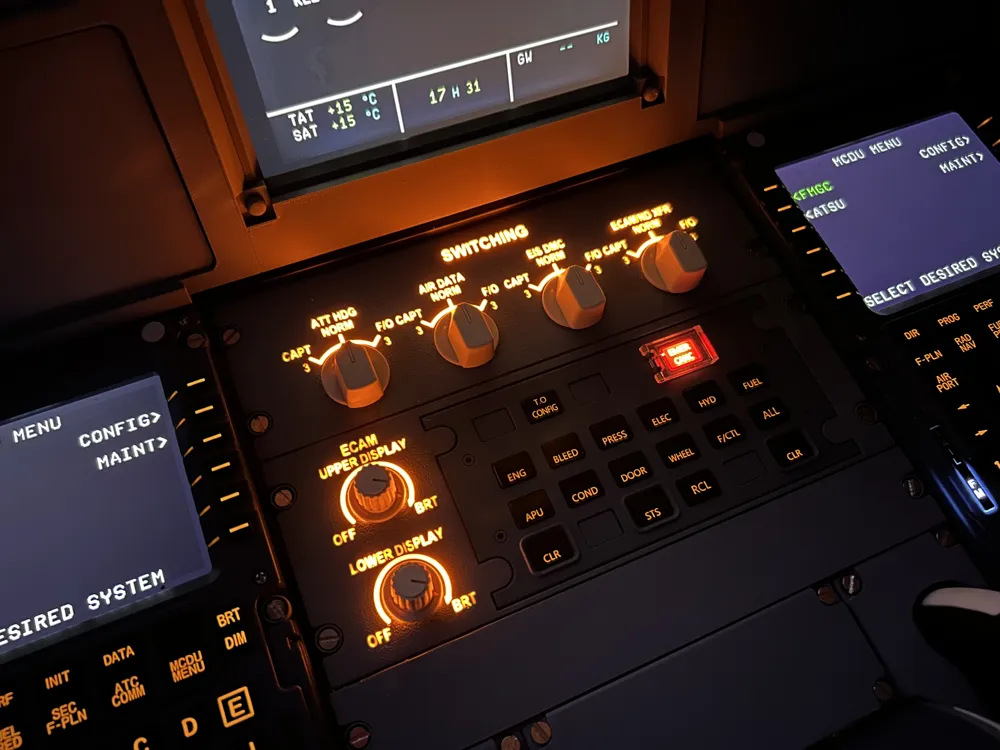
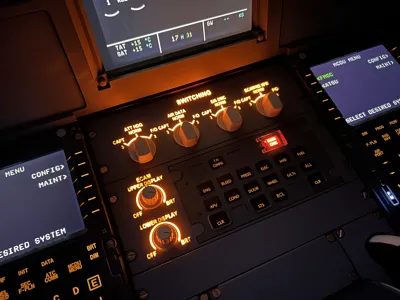
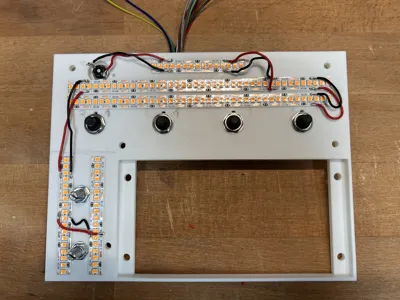
Update April 18: I have created a version of the top panel which is optimized for backlighting. It can be found under the profile “Top panel – optimized for backlighting”. This new version reduces the thickness of the blue/grey layer and adds a thin black layer to reduce light bleeding. Then a third transparent layer is added to act as a diffusor for the light. This achieves a much more even lighting of all the text of the panel. To print this new version of the panel, you need an AMS with blue/grey for the top layer, black and white as well as transparent PLA. The grey layer in the file has to be printed with transparent PLA! The profile is for a 0.2mm nozzle but can also be printed using a 0.4mm nozzle. However, using a 0.2mm nozzle is highly recommended!


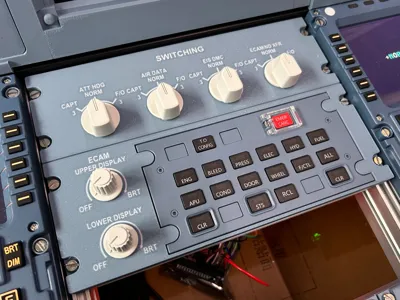
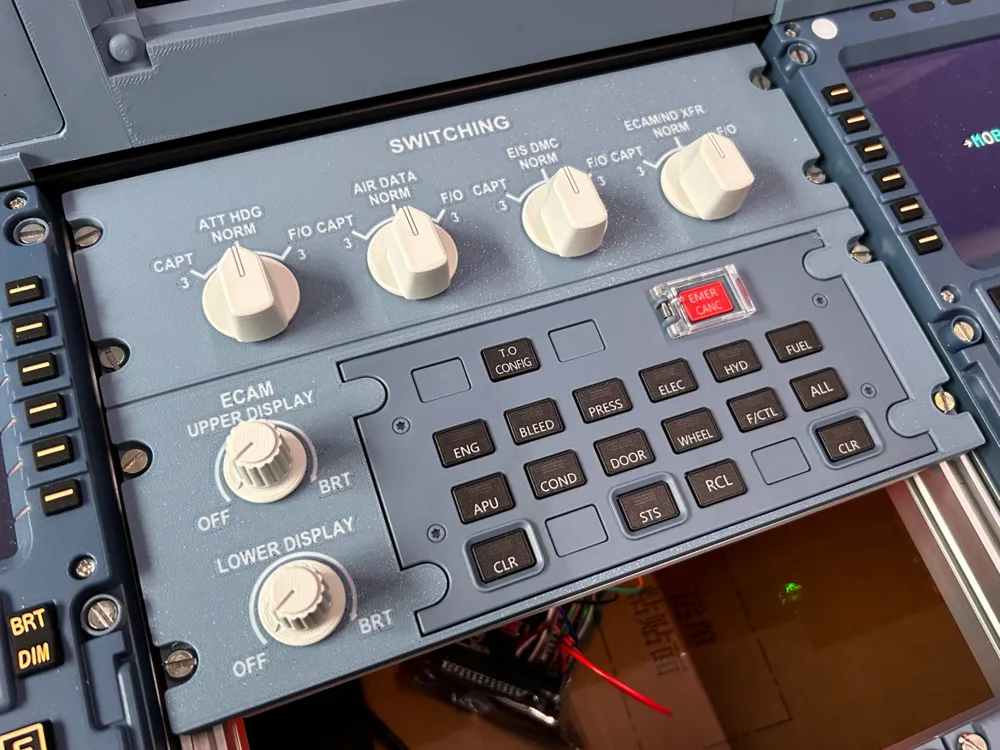
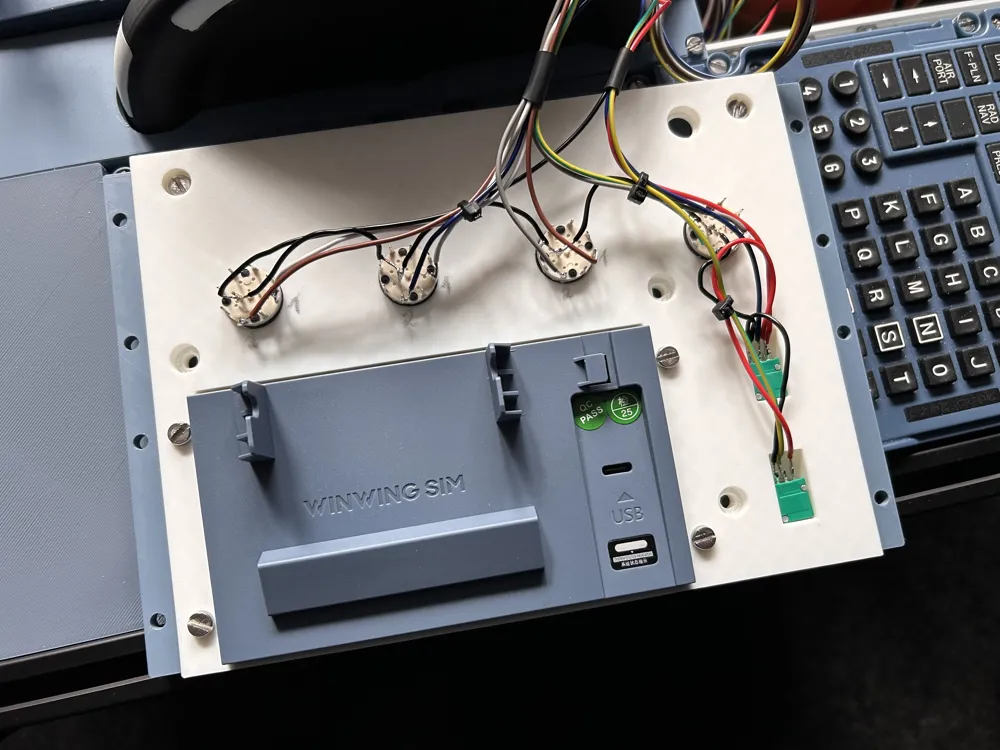
This is a panel with full switching and dimming capabilities for the upper and lower ECAM displays which holds the Winwing/Winctrl ECAM module.


To make this a fully functional panel, you need the following things:

  • 4 rotary switches (1 pole 8)

    https://de.aliexpress.com/item/4000700243796.html?spm=a2g0o.order_list.order_list_main.11.6f6b1802idGqA8&gatewayAdapt=glo2deu

  • 2 10K potentiometers

    https://de.aliexpress.com/item/1005006226961042.html?spm=a2g0o.order_list.order_list_main.17.6f6b1802idGqA8&gatewayAdapt=glo2deu

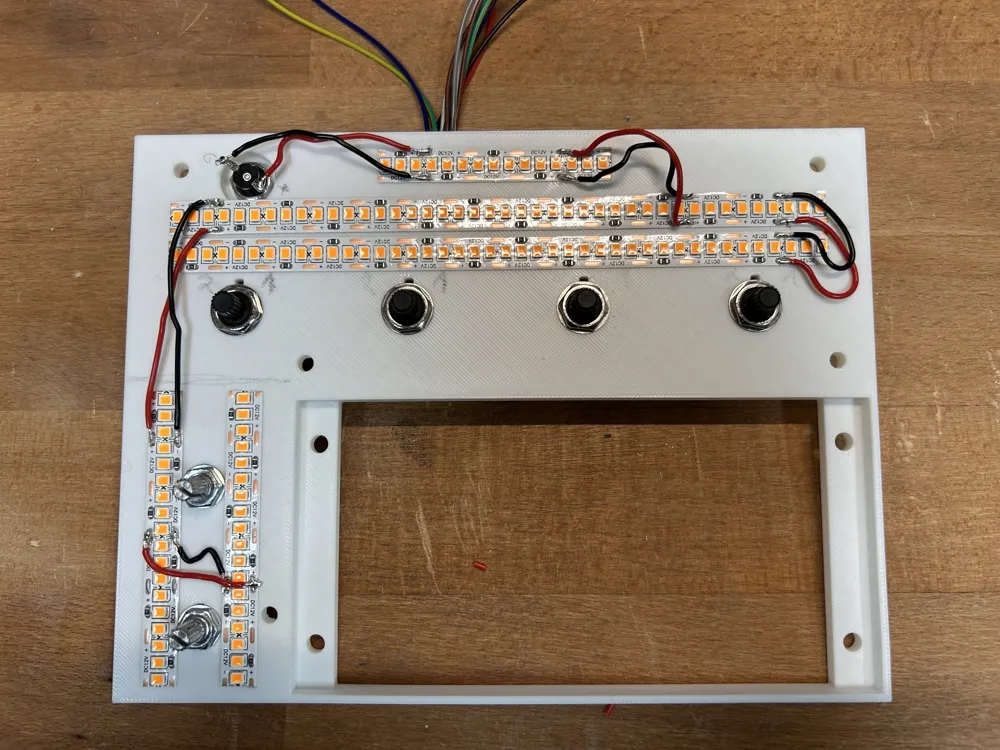
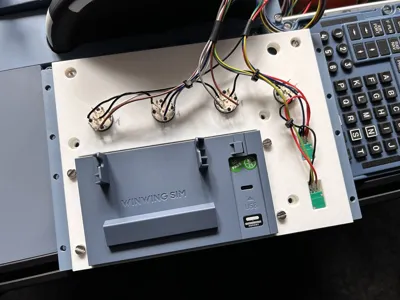
For assembly instrutions please refer to the exceptional YouTube channel „The Cockpit Printer“ (this is not my channel but I can highly recommend). There you can see how to connect the panel to the simulator using an Arduino and Mobiflight and also how you can add backlighting to the panel.


It is recommended to print the panel with a layer height of 0.2mm in High Quality mode. The cover panel does have a height range modifier so that the first 4 layers (which include the text) are printed with a reduced line width of 0.26mm.

Comment & Rating (69)

(0/1000)

Print Profile
0.2mm layer, 2 walls, 15% infill
what is there to say, printed on the H2C with the settings planned by the creator, it turned out perfectly. Thank you very much for that. However, I have one question, can you also use a 5V LED strip for lighting? ✈️🧑‍✈️✈️ Thank you
(Edited)
The profile uploader has replied
Show original
profile
2
Reply
It turned out great! Thank you very much for the great rating and the boost! And yes, you can of course also use a 5V strip
(Edited)
Show original
1
Reply
Replying to @user_1189687533 :
Thank you very much, I'm excited for when everything is done. Thank you very much for making all this possible for us ❤️
Show original
0
Reply
Replying to @christoph.paeso :
You're very welcome And thank you for the very nice feedback
Show original
0
Reply
Print Profile
0.2mm layer, 2 walls, 15% infill
Great! I've printed the whole panel, the front mask, the subframe, and the knobs. The rotary switches and potentiometers have also arrived. I checked the main page of The Cockpit Printer, but I can't seem to find the specific video for the electrical wiring between the panel and the Arduino. Does anyone have the exact link? Thanks!
The profile uploader has replied
profile
1
Reply
Hi. Thanks for the 5 star rating! Have a look at episodes 14 (potentiometer) and 30 (rotary switch) on the Cockpit Printer Youtube channel.
(Edited)
1
Reply
Would it be possible to get the text as a separate stl from the panel? I've printed everything for my overhead (and a few pedestal panels) from "the cockpit printer"... but I'm having issues getting the text in white on your design... A separate stl like he has them would be hugely appreciated!
The designer has replied
designer
3
Reply
I have just uploaded the top, bottom and labels as seperate stl files. Hope this helps. Thanks for printing my model!
0
Reply
Replying to @user_1189687533 :
Thanks! It's printing right now.
0
Reply
Replying to @JMAviation :
That's great to hear! If you like the print, I would appreciate a positive rating. Thanks!
0
Reply
Hello Everyone , After waiting 17 hours this is my result . :) I used these configurations; In Bambu lab A1 with Plate Super Tack Nozzle 0.2 Speed = 50 % in the fist part of the print , after that changed to 100 % Waiting now for The rotary switches and potentiometers Many Thanks I would like to make a suggestion: update the version so that the first layer has transparency to help make the text more defined.
0
Reply
I love this design! But I have a question - are you planning to update this design to the black light blocker/transparent diffusor like the Wx and lighting panels?
The designer has replied
0
Reply
Yes. I will eventually, but I currently don’t have a lot of time. But I try to do it over the next 2-3 weeks.
0
Reply
Replying to @user_1189687533 :
Thank you for your quick reply! Then I will wait with printing <3
0
Reply
what brand is this grey filament ?
The designer has replied
1
Reply
I use Polymaker Polychroma Muted Blue.
0
Reply
Would love to print but new to 3D printing. Is it possible to provide a bambulab compatible STL file that includes the lettering embedded ready to print or provide instructions on how to attach the lettering. Any assistance is appreciated.
The designer has replied
0
Reply
The 3MF file should be exactly what you are looking for. Just open it in Bambu Studio and you should have all the right coloring with embedded letters.
0
Reply
Replying to @user_1189687533 :
Thank you very much.
0
Reply
What filament did you use for the panel (colors)? I would like to print it too
The designer has replied
Show original
0
Reply
I have used Polymaker Polychroma Muted Blue
0
Reply
Replying to @user_1189687533 :
Vielen Dank
0
Reply
What translucent filament are people using? Bambu seem to only have a clear PETG.
The designer has replied
0
Reply
I'm using Jayo PLA transparent.
0
Reply
Hello everyone, does anyone know if by printing 2 layers only of white pla for the label would be enough for the backlight effect? I do not have the transparent PLA. many thanks
The designer has replied
0
Reply
The updated version which has improved backlighting does require transparent PLA. I haven't tried, but I would assume that not enough light will come through if you replace the transparent layers with white. But the basic version of the panel also offers backlighting which looks quite nice.
0
Reply

License

This user content is licensed under a Standard Digital File License.

You shall not share, sub-license, sell, rent, host, transfer, or distribute in any way the digital or 3D printed versions of this object, nor any other derivative work of this object in its digital or physical format (including - but not limited to - remixes of this object, and hosting on other digital platforms). The objects may not be used without permission in any way whatsoever in which you charge money, or collect fees.