
Gardyn DIY yPod / yCube Plant Labeling System
Print Profile(1)
Bill of Materials


Description
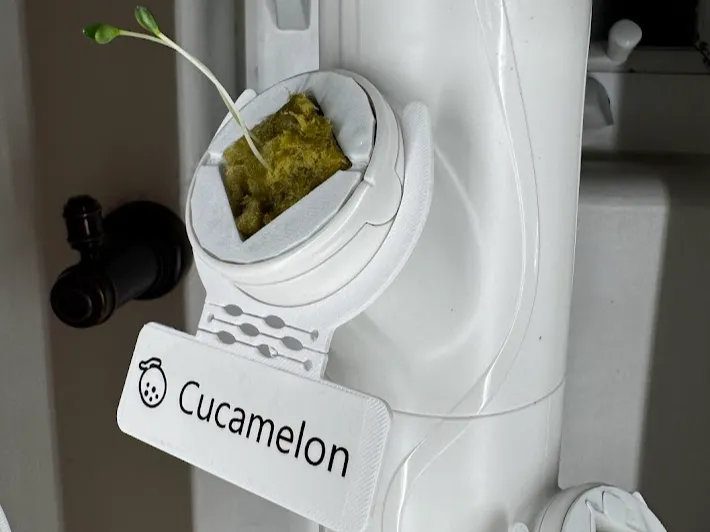
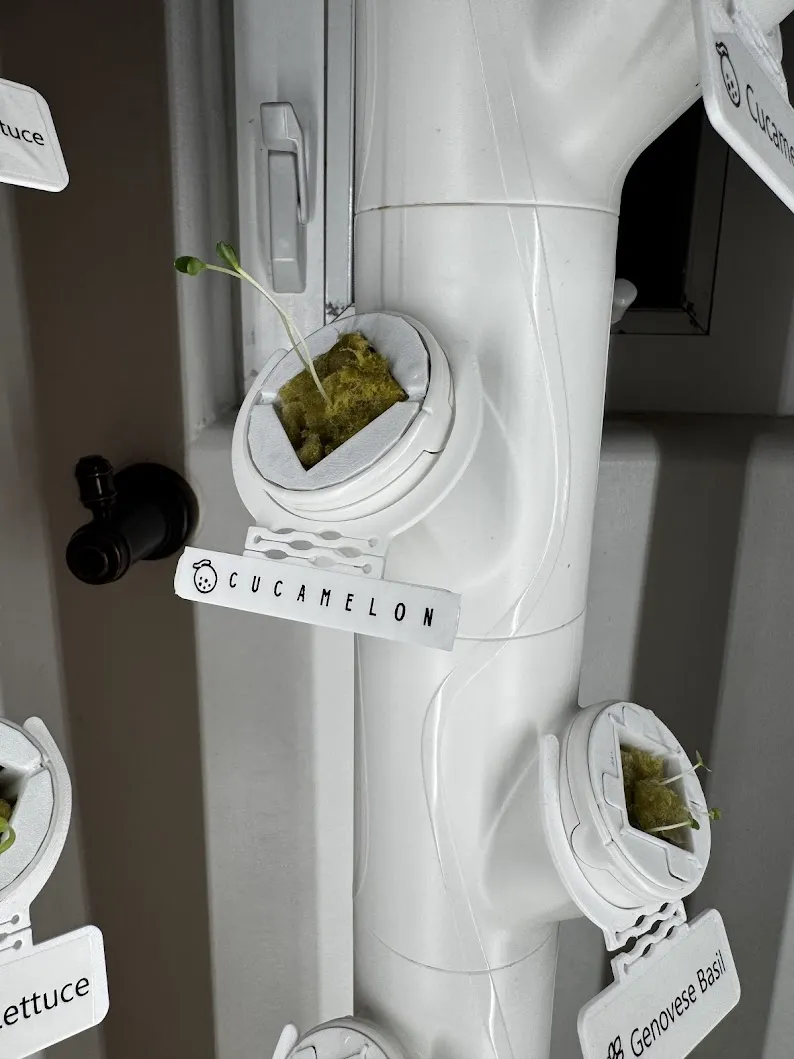
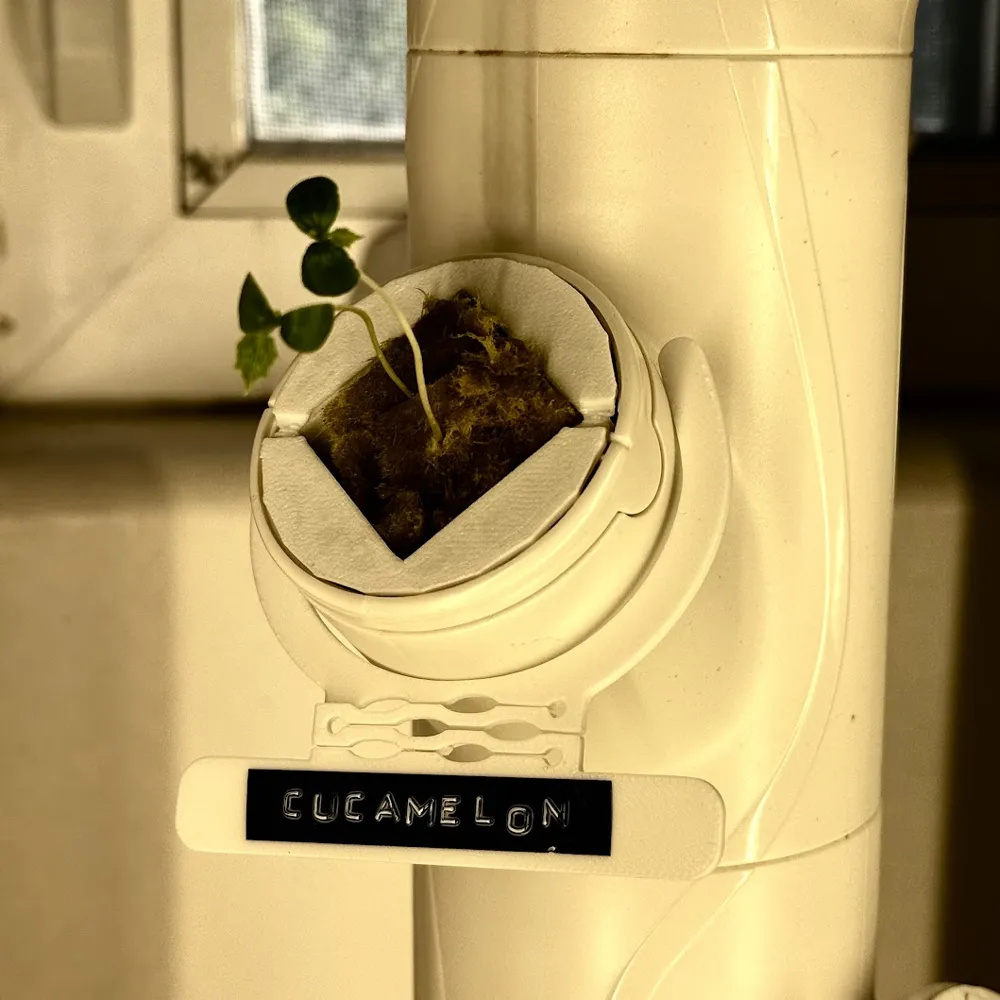
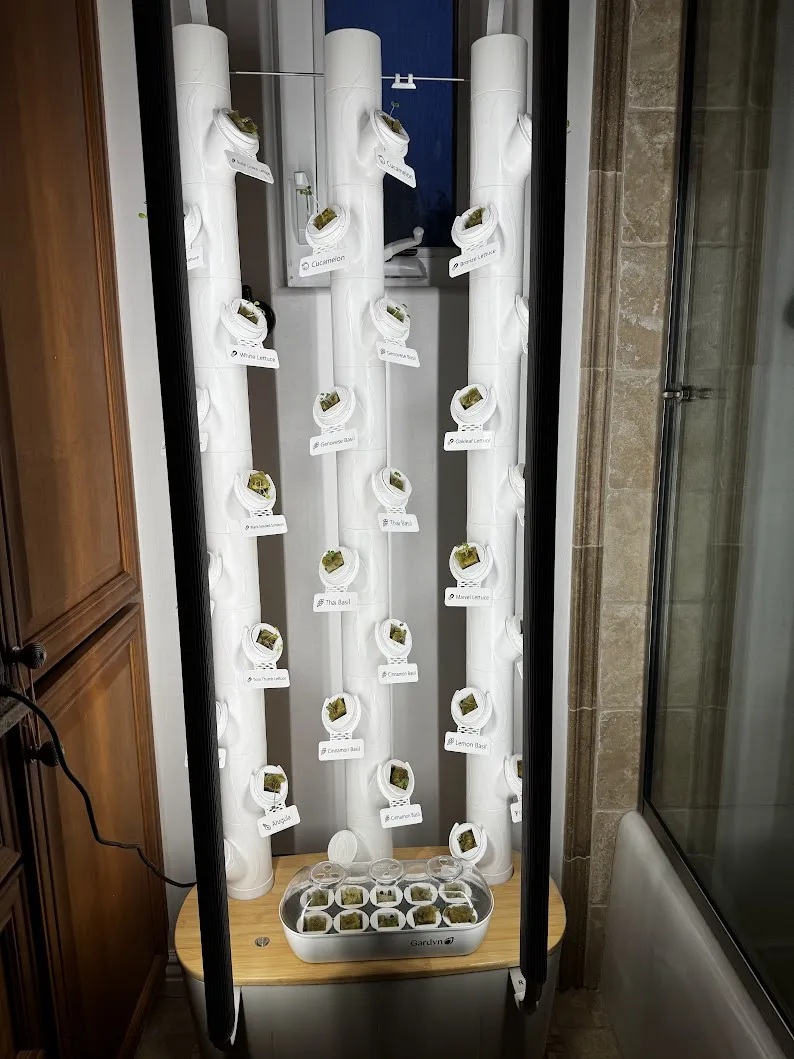
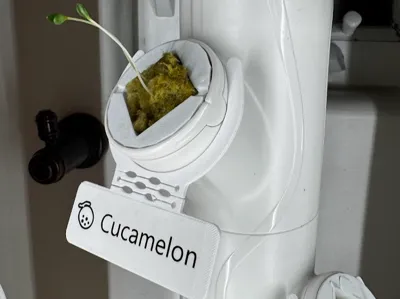
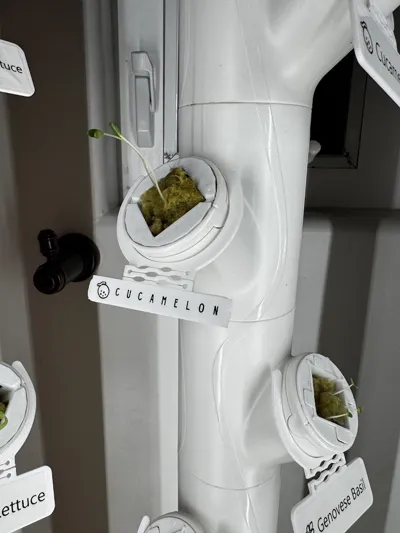
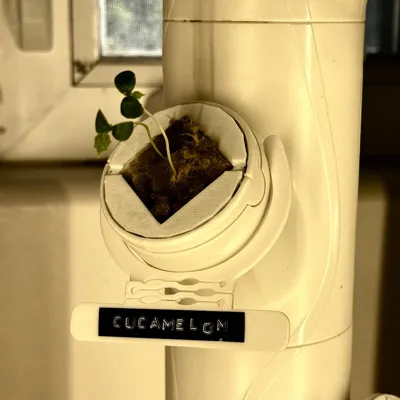
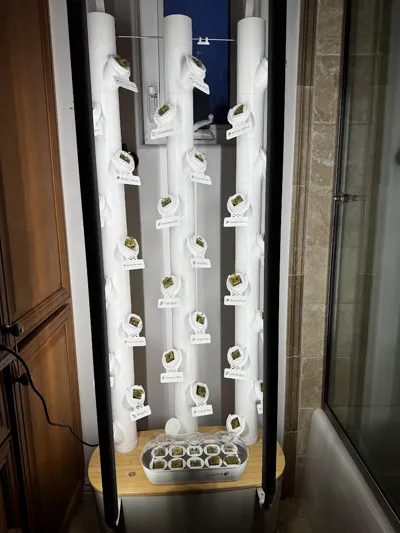
This modular labeling system helps Gardyn users keep track of plants in recycled or 3D printed y-cubes.
✨ Key Features
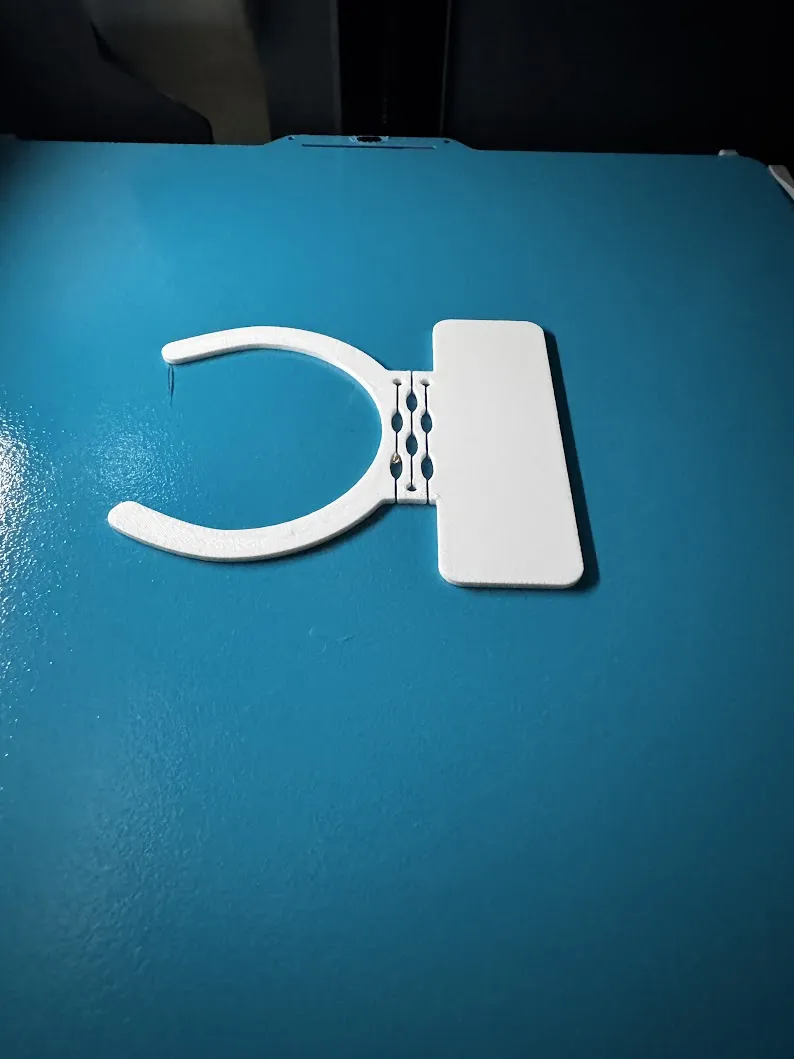
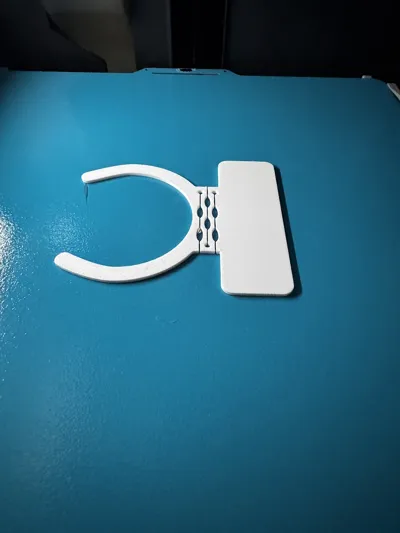
- Living Hinge: These feature a slight downward bend, so they are a bit easier to read from any angle.
- Two Sizes Included: Versions for both 12mm (1/2") and 24mm (1") label tape.
- Modular & Transferable: Easily snap them on and off. If you move a plant to a different yPod, the label moves with it.
- Reusable: No need to print new labels for every plant. Print the holder once and simply swap the label tape.
🛠️ Recommended Print Settings
- Material: PETG (Highly recommended). These sit inches away from high-output LEDs and moisture; PLA may warp or yellow over time. Make sure your PETG is DRY DRY DRY before printing! I use a cool plate to help with adhesion.
- Color: Matte is generally better to reduce glare from grow lights.
- Supports: None required.
- Orientation: Print face-down for the smoothest surface finish.
📦 Hardware & Supplies
I used:
- Label Maker: Brother P-touch CUBE — https://amzn.to/4aa8LAP
- Label Tape (12mm/24mm): https://amzn.to/4arppwQ or https://amzn.to/4t9S6py or really anything compatible
As an Amazon Associate, I earn from qualifying purchases. Your support helps me keep designing!
🌿 My Gardyn Experience
I’m still relatively new to Gardyn, but so far, I’ve really liked using jonnydev13’s Gardyn Y-Cubes With Gridfinity Nursery. It's a great compact solution. I combined it with a 3x5 Gridfinity Nursery and coordinating PETG Greenhouse Lid (plus a few vent holes).
💡 Pro-Tips - Batch Printing Labels
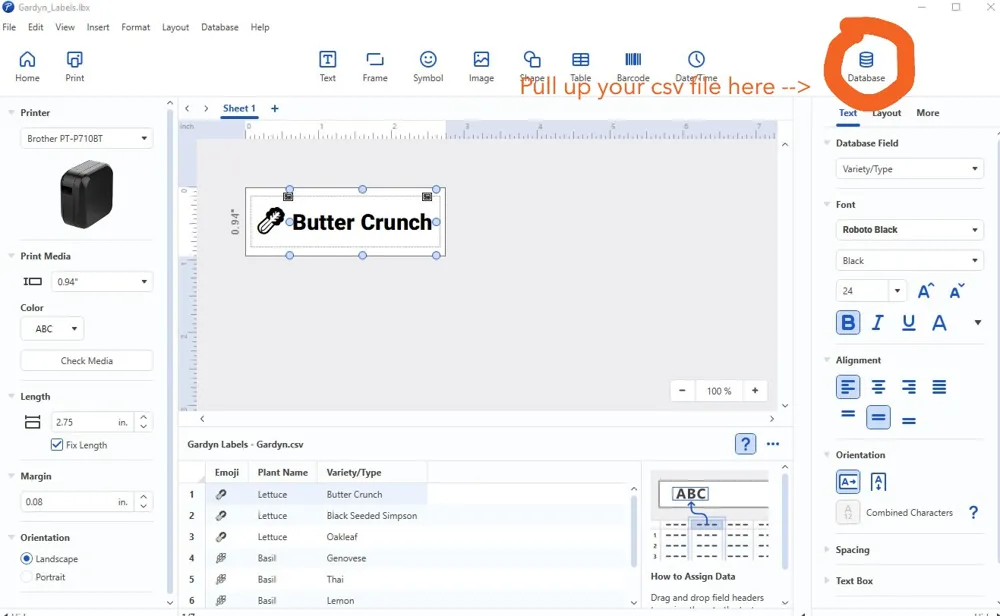
I used a Brother P-Touch Cube label maker and the P-Touch Editor software. (You could also use a retro label maker!) Here is my workflow for batch printing:
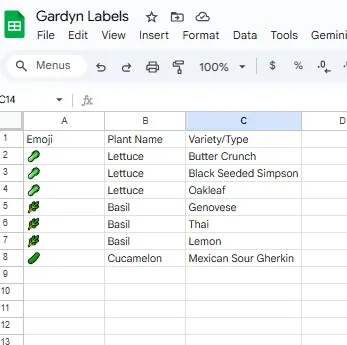
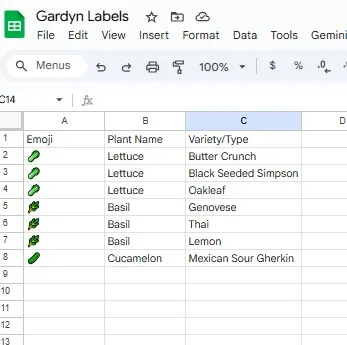
- Create a two column sheet of plants: Make a simple Google Sheets list of all your plants. If you want emojis, put the Emoji and Plant Name in separate columns.
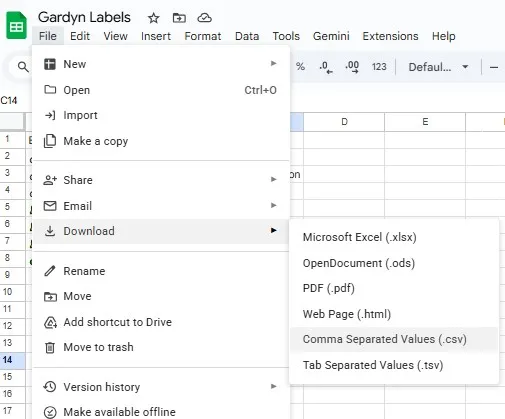
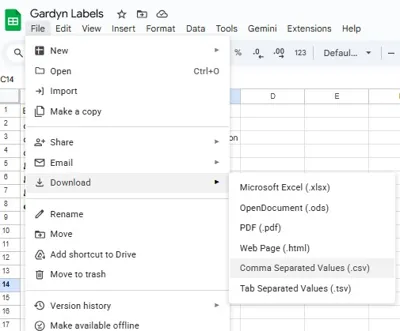
- Export: File -> Download -> CSV
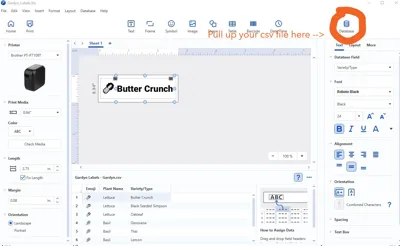
- Create a label in P-Touch and Import: Link the database to your csv file in P-Touch Editor, format the Emoji column using "Segoe UI Emoji" font. Use your preferred font for the plant name.
- Use a fixed 2.75" (70mm) Length
- Batch Print
📁 Included
- 3D Model: 12mm and 24mm Label Holders (.STL & .3MF).
- Setup Guide: A PDF on how to batch print from P-Touch Editor.
If you like this system, please post a "Make" and show off your tower! I’d love to see your gardyn in bloom.
Documentation (1)
License

You shall not share, sub-license, sell, rent, host, transfer, or distribute in any way the digital or 3D printed versions of this object, nor any other derivative work of this object in its digital or physical format (including - but not limited to - remixes of this object, and hosting on other digital platforms). The objects may not be used without permission in any way whatsoever in which you charge money, or collect fees.


Comment & Rating (1)