
HapticFPV - Modular Drone Stand v1
Print Profile(2)

Bill of Materials

Description
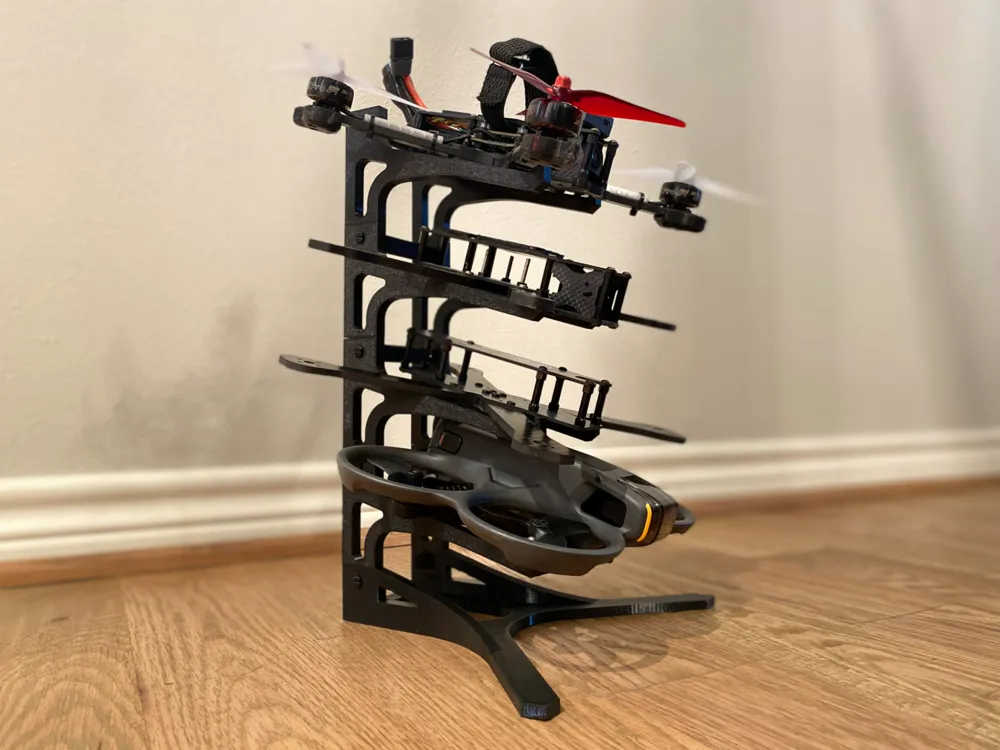
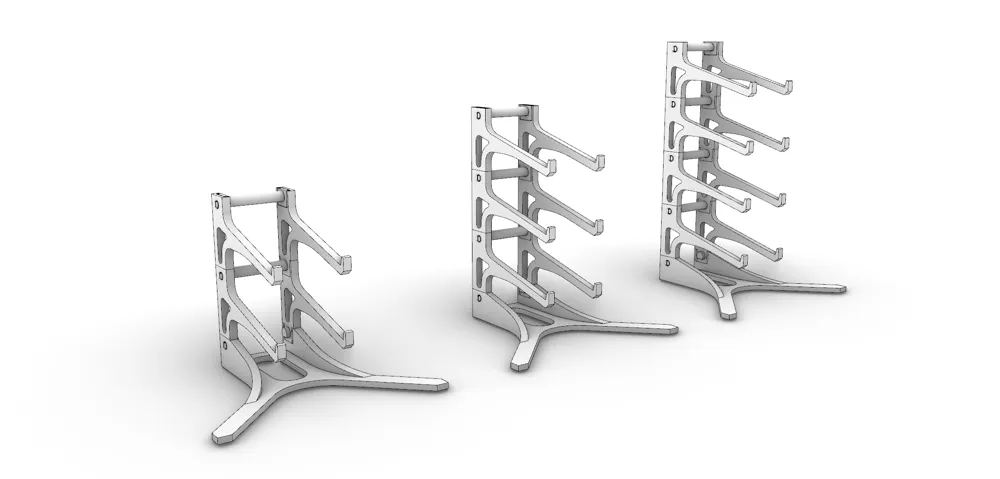
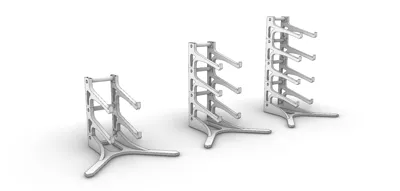
This is a modular stand designed to stack multiple drones and fit on a shelf. Will fit most 5" fpv drone frames, and I've also tested with the Avata 2. May fit other sizes as well. I've currently tested 4 stacked, but could possibly go higher.
Test stand printed in PETG, and it seems plenty sturdy. There will be some small supports on the main arms that will need to be removed.
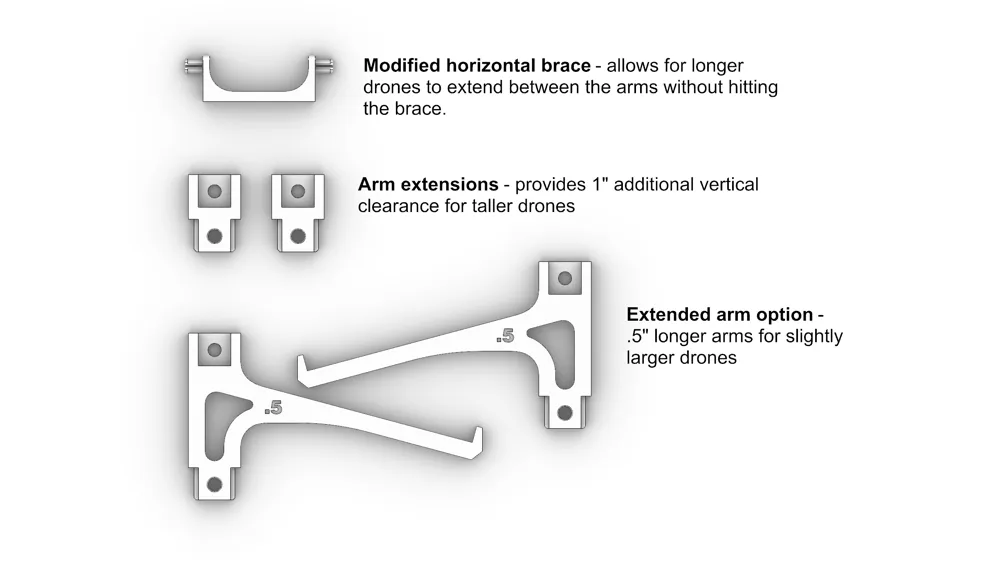
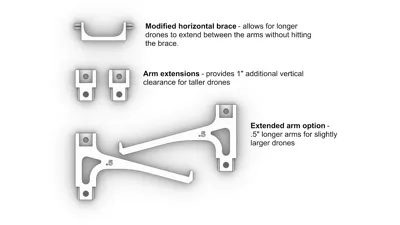
**UPDATE** Based on comments I've received, I've added a few optional pieces that allow for use with larger drones. These will be added to a 3rd plate in the print profile.
- Arm extensions - provide 1" additional height clearance for taller drones.
- Extended arm option - .5" longer arms for stretched drone frames
- Modified horizontal brace - this lowers the position of the brace between the uprights to not interfere with 3d printed elements, antennas, etc. extending beyond the drone frame body.
Assembly:
- If stacking multiple sets of arms, slide them together making sure to match the right sides and the left sides.
- Insert a filler into the top slot of both the right arm stack and the left arm stack
- Connect the right arm stack to the left arm stack with horizontal braces by snapping a brace into all of the holes in one stack first, and then snap the second stack onto the other side of the braces. Make sure the stack orientation matches the slot orientation on the base.
- Slide the arms into the top of base uprights, and insert a button in each side. I inserted them from the inside outward to give the same appearance as the horizontal braces inserted further up on the stand.
Boost Me (for free)
If this helps organize your drone frames, and free up some space to build new ones, PLEASE BOOST ME!
License

You may create derivative works based on this object, provided that all such derivative works are published exclusively on the MakerWorld platform and include proper attribution to the original creator. You may not share, upload, host, distribute, or publish this object—or any derivative work of this object—on any other digital platform, marketplace, or distribution channel. Commercial use of this object and any derivative works is strictly prohibited. This includes, but is not limited to, selling, renting, sublicensing, or using the object in any context in which you receive monetary compensation or other financial benefits.


Comment & Rating (60)