
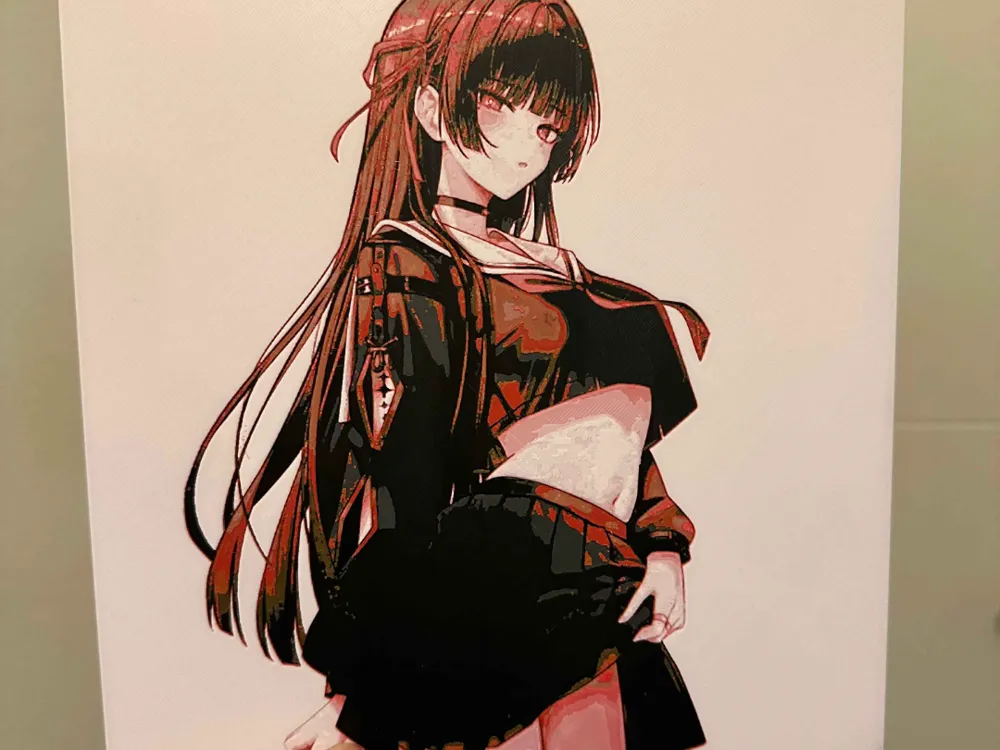
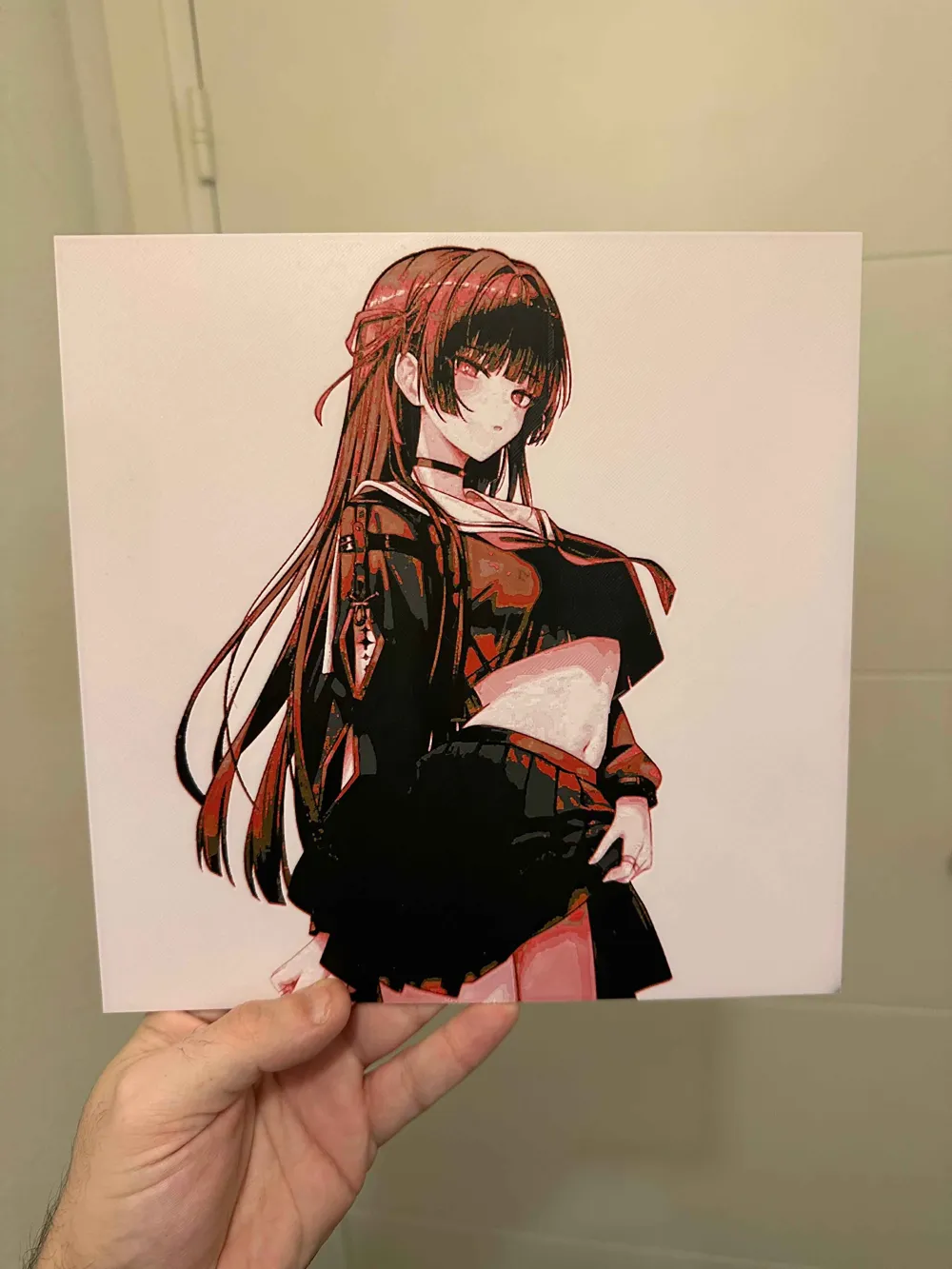
Cadre Chisa hueforge (Wuthering Waves)
Print Profile(1)

Description
Boost Me (for free)
If you wish to contribute, feel free to leave a small boost! This will allow me to acquire materials, so I can produce even more for you, and for free!
Warning 6 colors are needed !!!
=> File reduced to 230x230 if you enlarge it, pay attention to the thickness
=> With AMS: Remember to pause or change the Gray and Black filaments once the first layers are done
=> Without AMS: Instead of color changes in your preview, insert pauses! You just need to change the filament :D
You can use your own filaments, but pay attention to transparency to get one that matches as closely as possible!
Great Hueforge frame of Chisa in Wuthering Waves
⚙️ Settings
Print with 100% infill, a layer height of 0.08 mm, and a base layer of 0.16 mm.
The model measures 240 × 240 mm.
You can print with higher layer heights above the 0.48 mm base thickness.
The maximum allowed thickness is 2 mm and the actual thickness is 1.92 mm.
Filaments used:
- #080a0d – PLA PolyLite Black — Transmission distance: 0.3
- #2c3e4c – PLA Panchroma Matte Ash Gray — Transmission distance: 0.2
- #59331e – PLA+ Elegoo Rapid Brown — Transmission distance: 1.7
- #a6113b – PLA PolyTerra Lava Red — Transmission distance: 1.7
- #ffe4dd – PLA Sunlu Skin Beige — Transmission distance: 7.1
- #ffffff – PLA BambuLab Basic White — Transmission distance: 5.8
This print uses 6 different filaments.
⚠️ Warning: it appears you have mixed different types of filaments. Make sure this is intentional. ⚠️
Filament change instructions:
- Start with Black
- At layer n°6 (0.56 mm): switch to Matte Ash Gray
- At layer n°7 (0.64 mm): switch to Brown
- At layer n°9 (0.80 mm): switch to Lava Red
- At layer n°10 (0.88 mm): switch to Brown
- At layer n°11 (0.96 mm): switch to Skin Beige
- At layer n°13 (1.12 mm): switch to Lava Red
- At layer n°14 (1.20 mm): switch to Skin Beige
- At layer n°17 (1.44 mm): switch to White for the rest of the print
📌 Usage License
This 3D model is intended for strictly personal use.
✅ You may print it for yourself or offer it as a gift.
❌ Reselling, redistribution, or any commercial use of this file is strictly prohibited.
Thank you for respecting my work 🙏
☕ Do you like my 3D creations?
Support my work and help me continue modeling unique pieces by leaving a small tip on my Ko-fi 💙 :
👉 https://ko-fi.com/poustyx3D
Every contribution, even symbolic, allows me to dedicate more time and energy to creating new models for the community. Thank you for your support 🙏
License

You shall not share, sub-license, sell, rent, host, transfer, or distribute in any way the digital or 3D printed versions of this object, nor any other derivative work of this object in its digital or physical format (including - but not limited to - remixes of this object, and hosting on other digital platforms). The objects may not be used without permission in any way whatsoever in which you charge money, or collect fees.


Comment & Rating (5)