Search models, users, collections, and posts

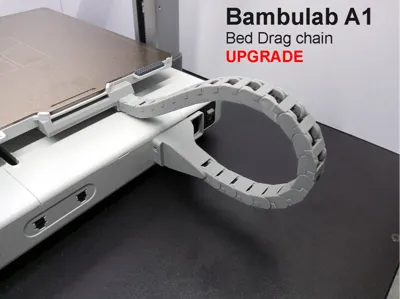
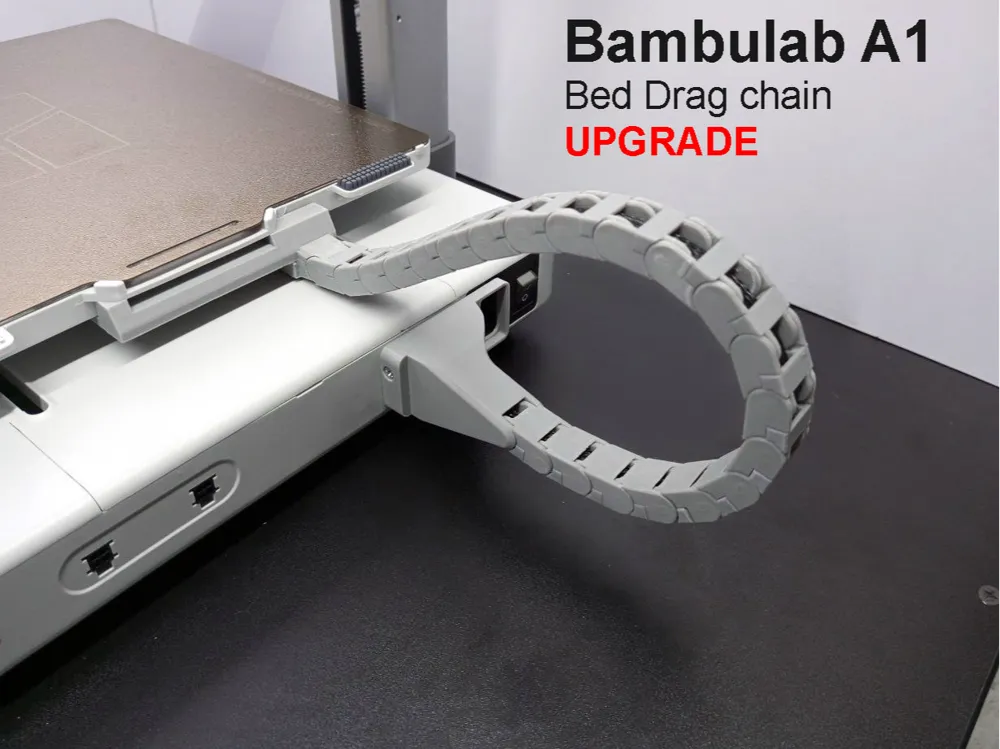
A1 Bed Drag chain / Cable Chain UPGRADE
Print Profile(1)

All
A1
X1 Carbon
X1E
H2C
X1
H2D
P2S
H2S
H2D Pro
P1P
P1S
X2D
A2L

0.16mm layer, 2 walls, 15% infill
Designer
6 h
2 plates
4.5(41)

Open in Bambu Studio
Boost
916
3026
80
18
1.5 k
775
Released 

Description

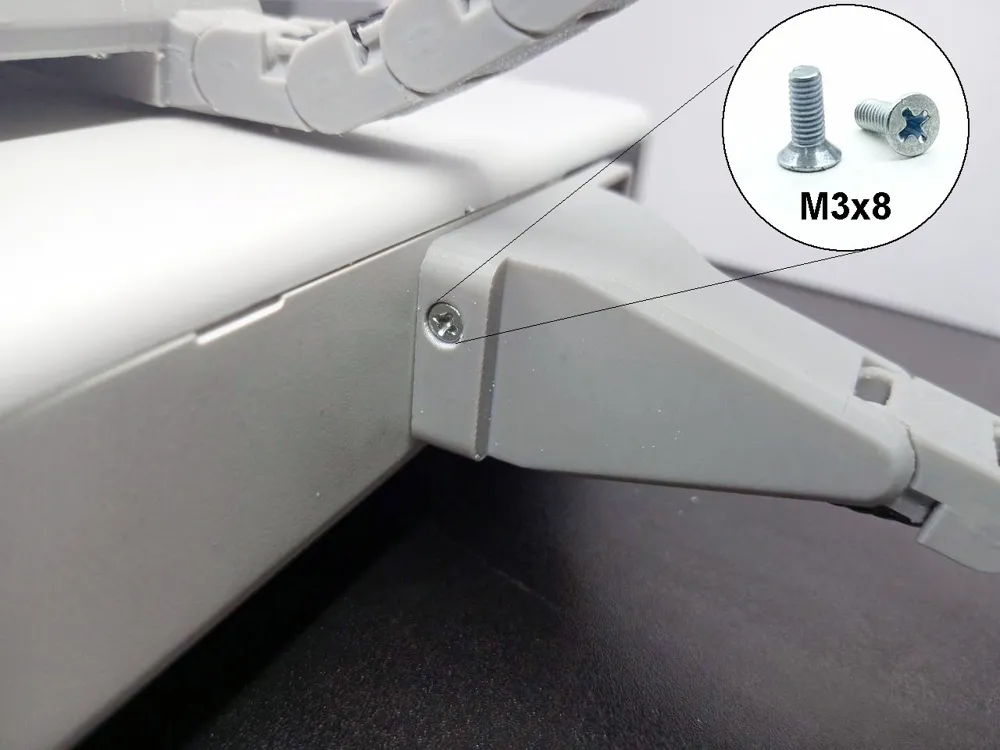
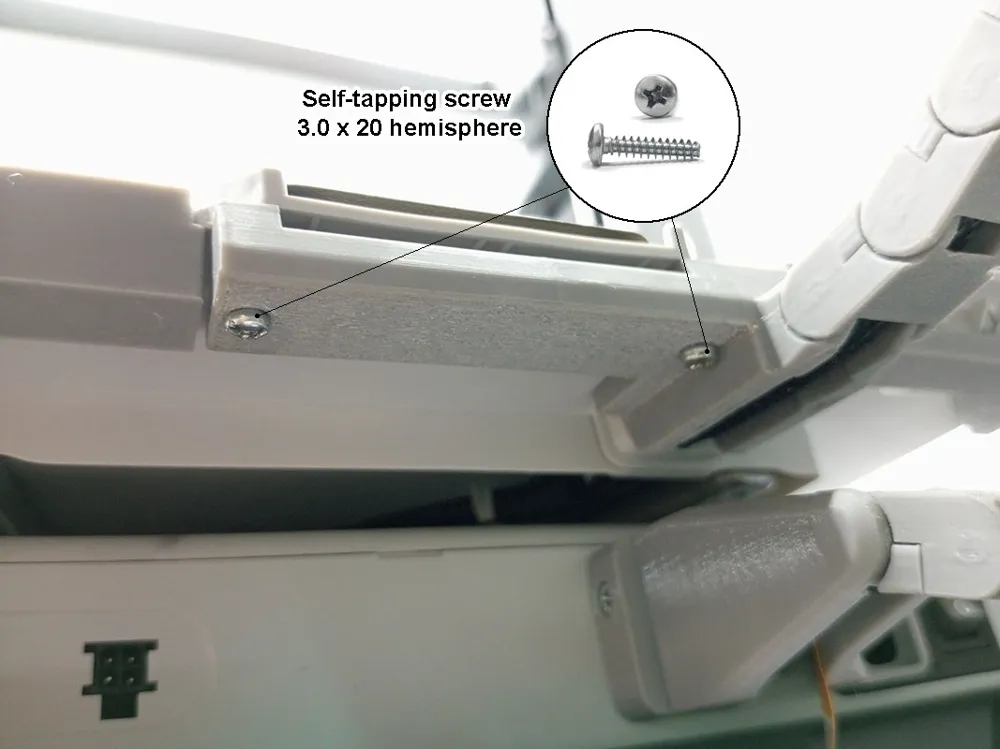
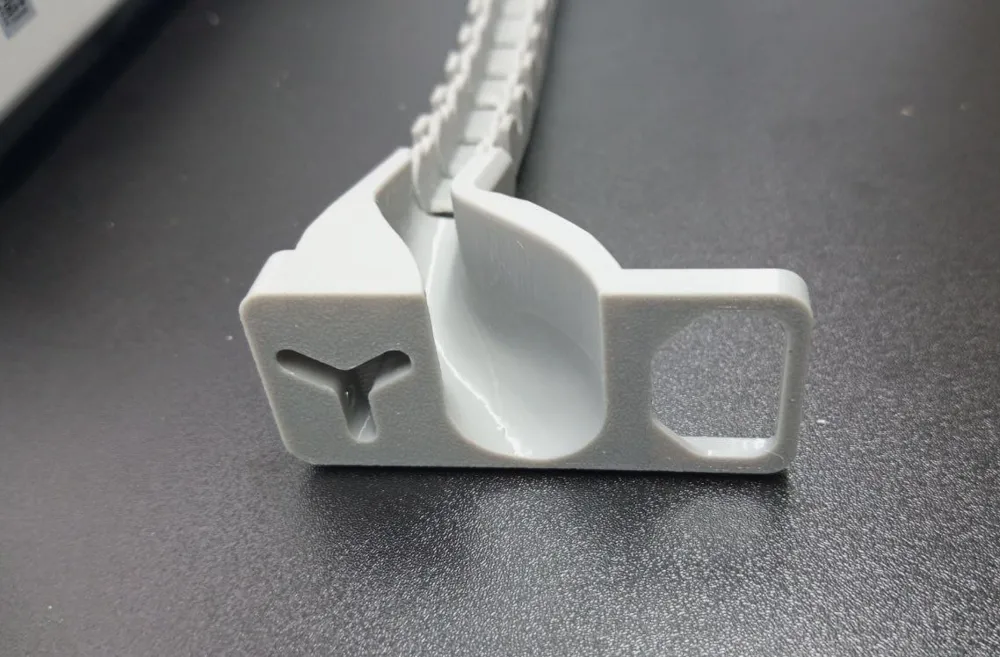
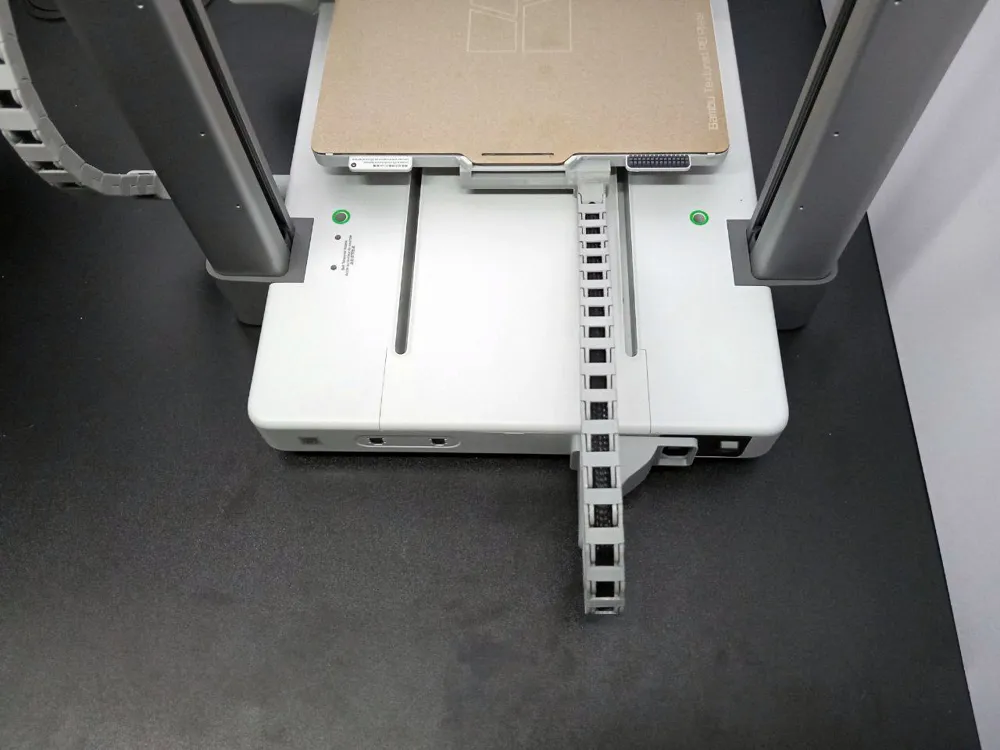
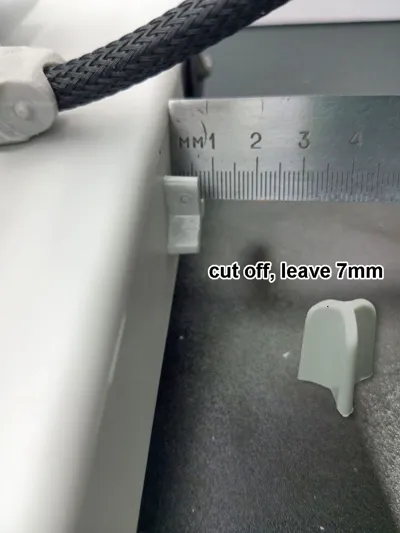
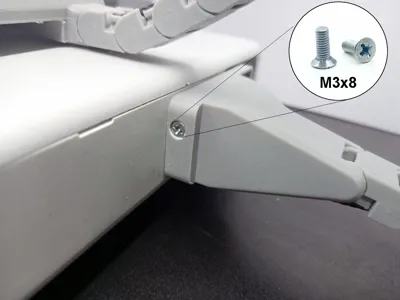
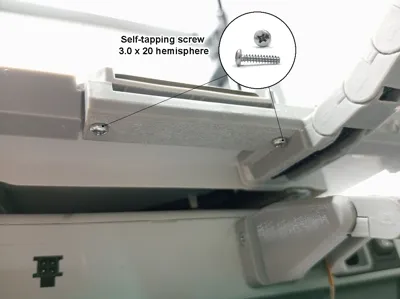
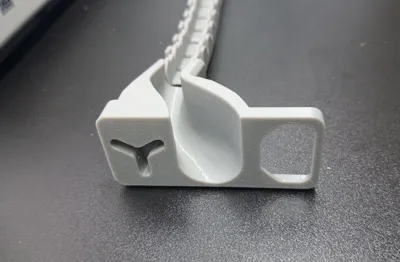
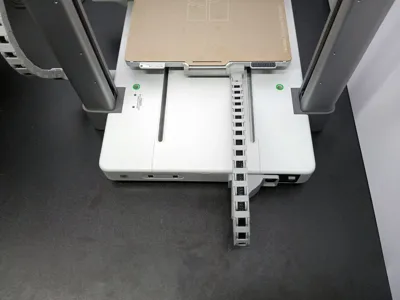
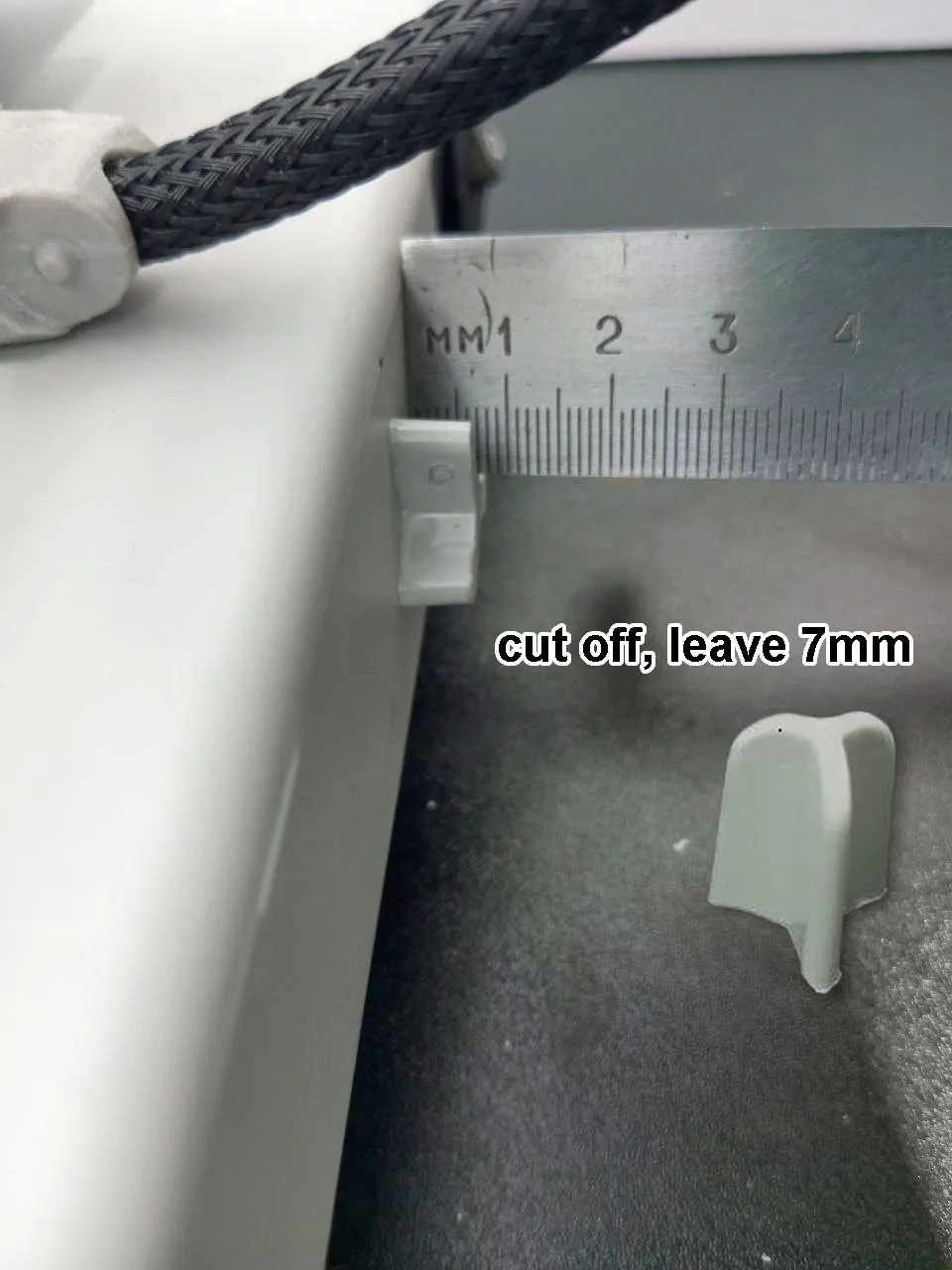
This model corrects the chain misalignment in the original model. All you need to do is print out a new part and cut off the protruding limiter.


Эта модель исправляет перекос цепи в оригинальной модели. Все что вам нужно это распечатать новую деталь и отрезать выступающий ограничитель.


Comment & Rating (80)

(0/1000)

Print Profile
0.16mm layer, 2 walls, 15% infill
It turned out perfect, thank you very much! Although I was a bit hesitant to cut a piece off it since the machine is new🤣
(Edited)
The profile uploader has replied
Show original
1
Reply
Hi. I printed out the project first https://makerworld.com/en/models/1181010-a1-bed-drag-chain-cable-chain#profileId-1191257 . But I'm tired of the chain skewing and creaking, so I made my own version :)))
0
Reply
Hello everyone, what light gray is identical to the printer? code? Thanks 🙏🏻
The designer has replied
Show original
0
Reply
Hi. No one will exactly match the color. Print this way - Gray (33101)
0
Reply
Grazie mille
0
Reply
Replying to @evaservice :
Grazie mille
0
Reply
A good option, but A1-ser.stl looks strange. It's not even broken, but it's impossible to print. I haven't opened the project file yet...
The designer has replied
Show original
0
Reply
Hello. I checked and it seems there are no problems, but I uploaded it again just in case
Show original
0
Reply
Replying to @evaservice :
Uploaded the project file to the computer (bambu studio), this part is absolutely normal. But if you look at the stl file from the archive, you can see this. I can't figure out how this is possible myself. I took the stl separately, and any slicer shows this garbage
(Edited)
Show original
0
Reply
Replying to @user_3235514363 :
8(( no words, most likely an error during conversion
Show original
0
Reply
it’s upGRADE not “upGRATE
The designer has replied
1
Reply
;)) fixed it, unfortunately I speak English, but unfortunately this site does not support Russian. So these incidents come out.
3
Reply
Replying to @evaservice :
Ahhhhh.. gotcha.
0
Reply
Print Profile
0.16mm layer, 2 walls, 15% infill
impossible to fit it on the build plate, otherwise the rest is perfect
The profile uploader has replied
Show original
0
Reply
Please specify what exactly did not fit, if possible, in detail. This will help other users.
0
Reply
Replying to @evaservice :
The 2 interlocking holes that do not align with the 2 that are under the plate
Show original
0
Reply
Replying to @Wackyvirus :
Depending on the manufacturing year, the Manufacturer changes the configuration. If you have a 2025 model, everything should match. I have another holder on an older printer that I bought a year earlier
(Edited)
Show original
1
Reply
Print Profile
0.16mm layer, 2 walls, 15% infill
superb work, my printer has become aesthetic and easy to install. Thank you for this remarkable work
The profile uploader has replied
Show original
1
Reply
Hi. I'm glad that everything is fine. Post a photo of the result if you can.
0
Reply
really good drag chain thank you, for my part I failed to see the noteregarding the three omitted screw holes but I can work around that.
The designer has replied
1
Reply
Thank you all, it's always nice that you appreciated your work. If possible, post a photo of how you did it. This way it will be easier for others to understand what to do and how to do it.
0
Reply
The design itself is excellent, but there's a huge drawback: why cut and damage the printer's body to fix the model? Wasn't there another way, like in other models where this issue is resolved logically and technically, better implemented! So, the rating is 3+
The designer has replied
Show original
0
Reply
Gray cat.... I especially liked the comment "the question is resolved logically and technically":)) create at least one model that corresponds to this statement or provide links to the necessary models and I will applaud you. But others are still looking for the right solution, and here it turns out that everything has long been solved and "Gray_Cat" wants to share this with the community
Show original
0
Reply
Print Profile
0.16mm layer, 2 walls, 15% infill
had to file down the housing
The profile uploader has replied
Show original
0
Reply
Is there a photo of where and what needed to be completed??
0
Reply
should update model doesn't need to cutoff the original parts :D
The designer has replied
0
Reply
Cut off the excess to give new life (gardener's rule)
0
Reply

License

This user content is licensed under the MakerWorld Exclusive License.

You may create derivative works based on this object, provided that all such derivative works are published exclusively on the MakerWorld platform and include proper attribution to the original creator. You may not share, upload, host, distribute, or publish this object—or any derivative work of this object—on any other digital platform, marketplace, or distribution channel. Commercial use of this object and any derivative works is strictly prohibited. This includes, but is not limited to, selling, renting, sublicensing, or using the object in any context in which you receive monetary compensation or other financial benefits.