Search models, users, collections, and posts

Jewelry Display Tower
IP Report

Print Profile(1)

All
X1 Carbon
A1
P1S
X1E
P2S
P1P
H2C
H2D
X1
H2S
H2D Pro
X2D
A2L

.2mm layer, 15% gyroid, 0.6 flushing , 6 top shell layers
Designer
8.7 h
2 plates
4.3(7)

Open in Bambu Studio
Boost
161
457
11
7
131
60
Released 

Bill of Materials

Bambu Filaments
Select all
Matte Dark Blue (11602) / Refill / 1kg
Matte Ice Blue (11601) / Refill / 1kg
Matte Charcoal (11101) / Refill / 1kg
Jade White (10100) / Refill / 1kg
Orange (10300) / Refill / 1kg

Description

Boost Me (for free)

If you like my work please consider giving it a boost! This goes a long way to allowing me to keep designing and bringing my models here for all of you to enjoy. Thank you!

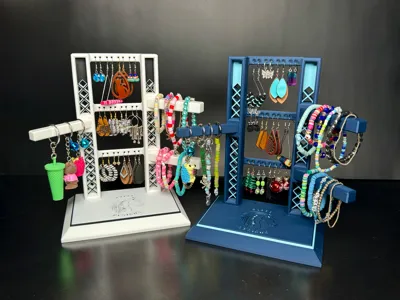
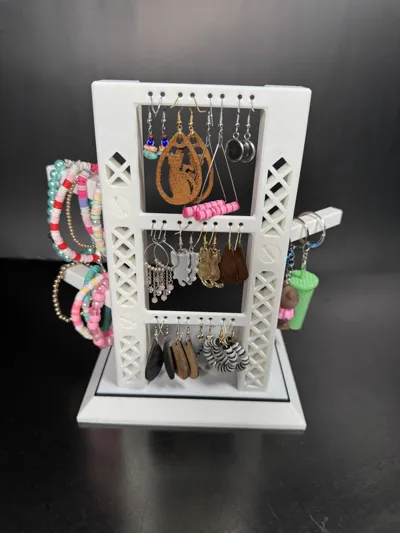
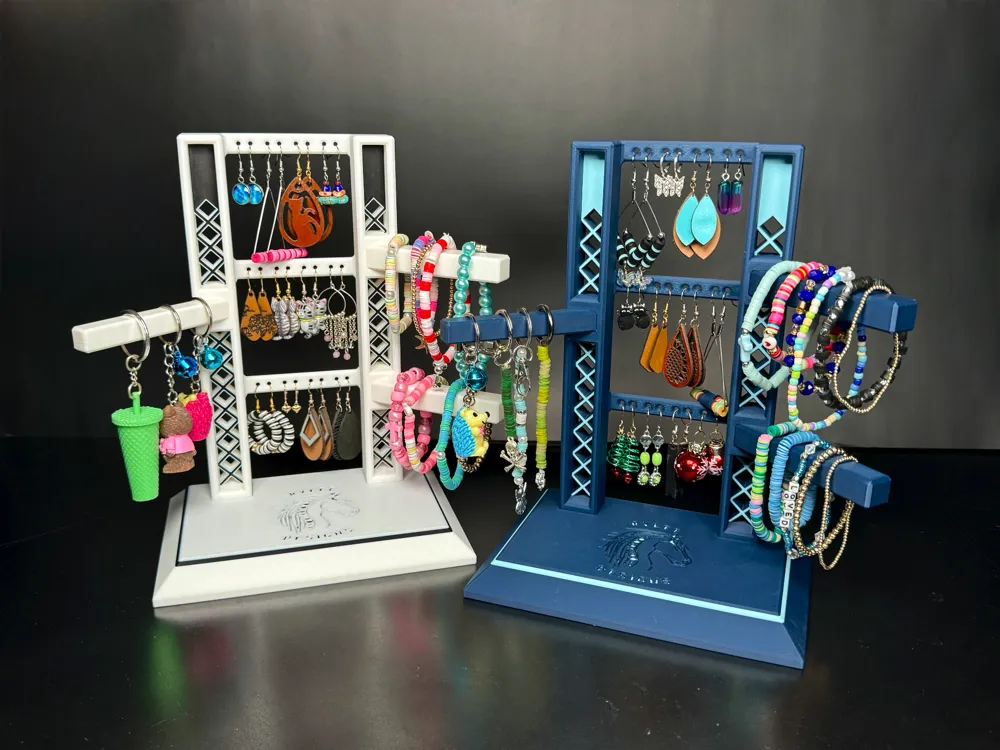
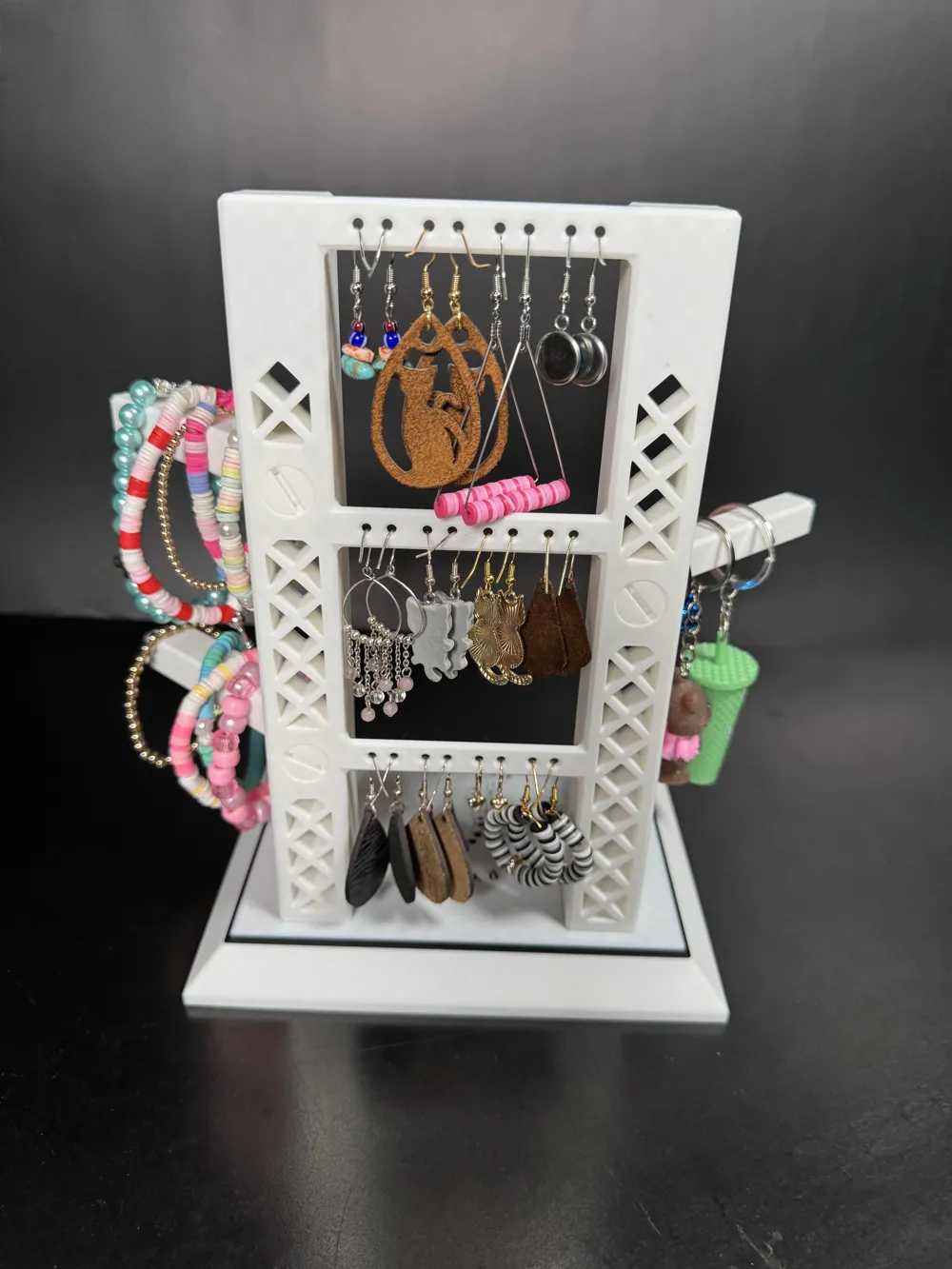
The Jewelry Display Tower is designed to have a small footprint, while still being able to hold quite a bit of jewelry and keep it organized. It is perfect for the kid's room as well as for a stylish retail display.
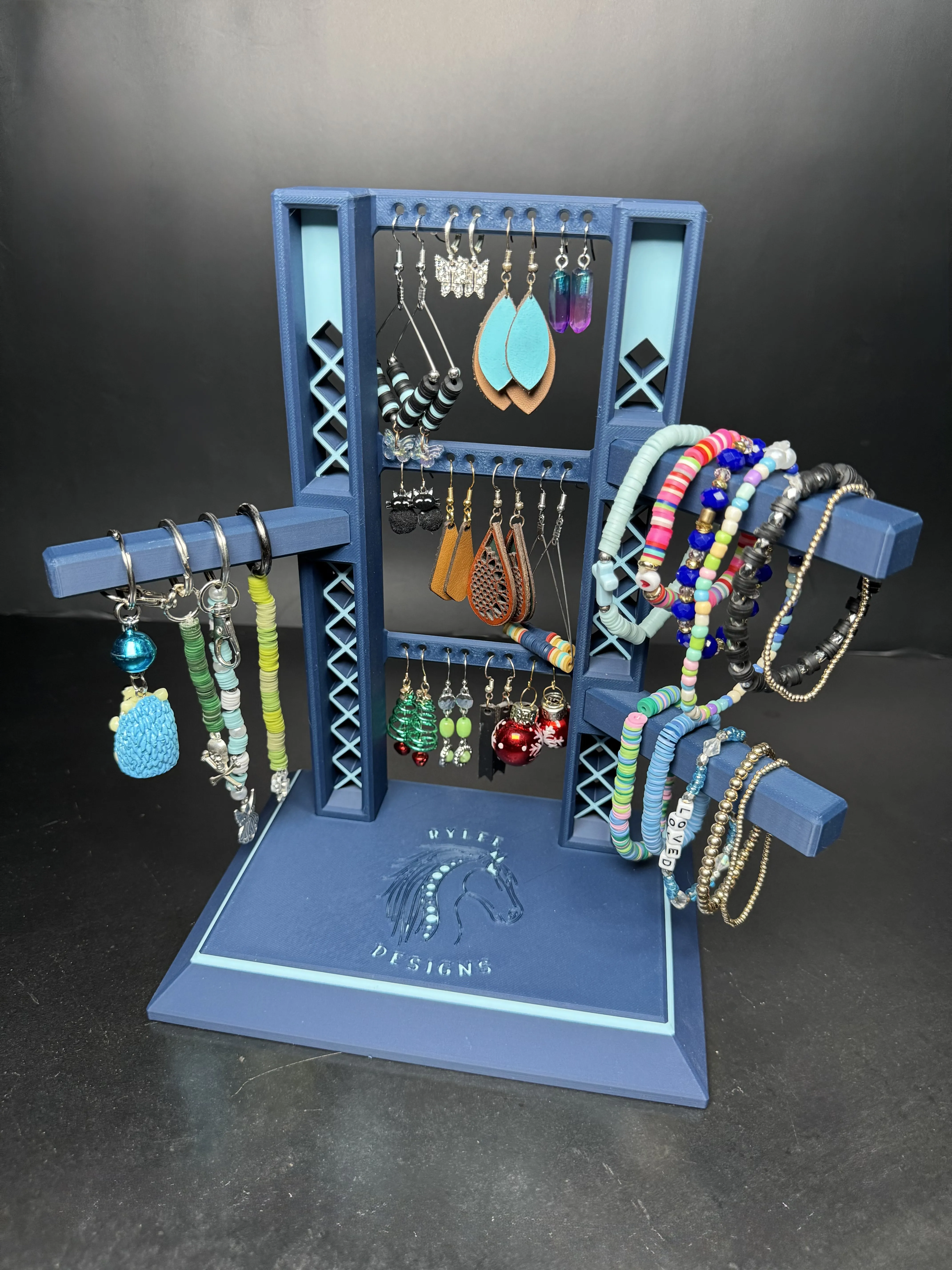
Printing Recommendations:

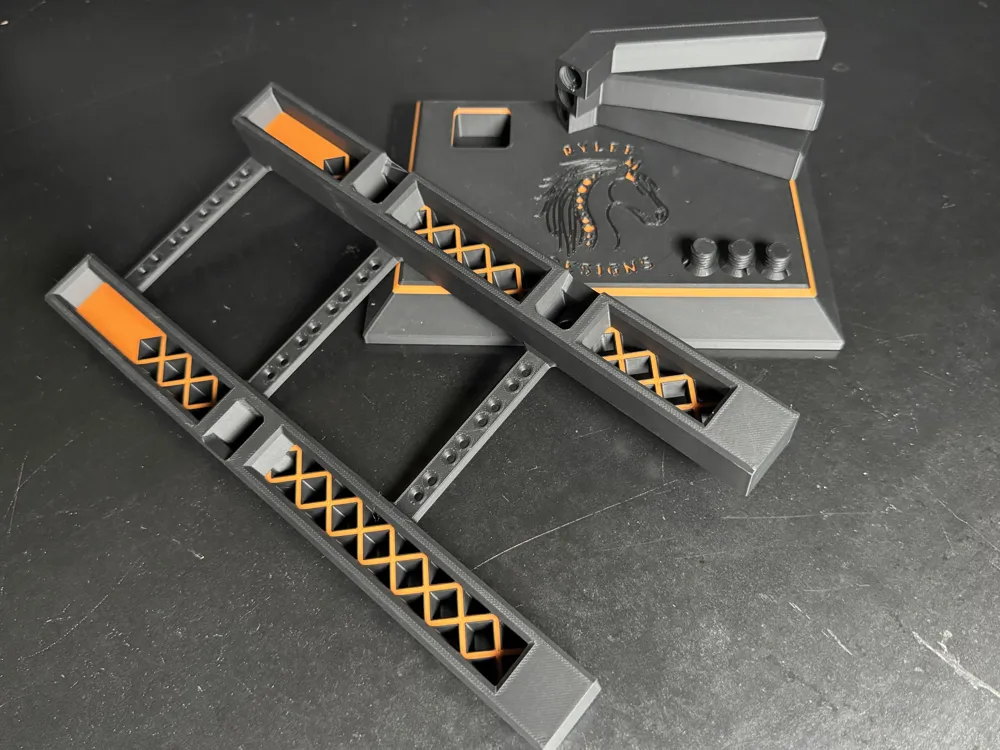
      This model has very tight tolerances. I would recommend using a smooth build plate in place of the gold textured PEI plate. This allows for no loose fitment or wobbling at any of the connecting points. All of my prototyping and printing is done on a Bambu Lab X1-C using Bambu Lab filament. The logo seen in the images of this model is privately owned and not part of this print file. This product is intended for personal or retail use. The file included here is intentionally left blank to allow for the addition of your own unique branding if wanted. 


Assembly:

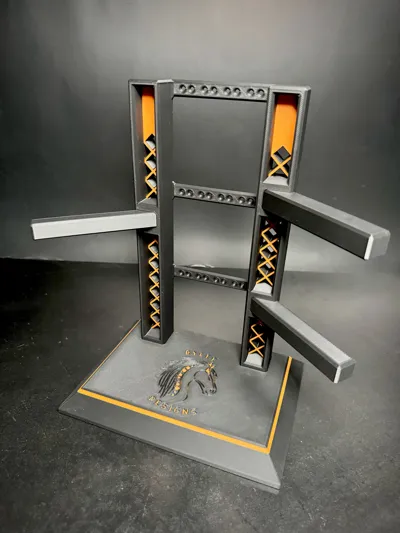
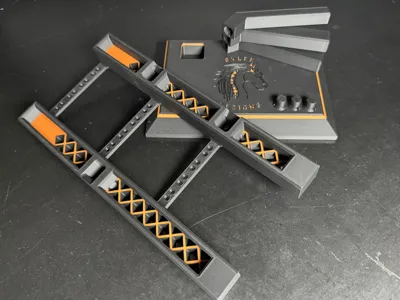
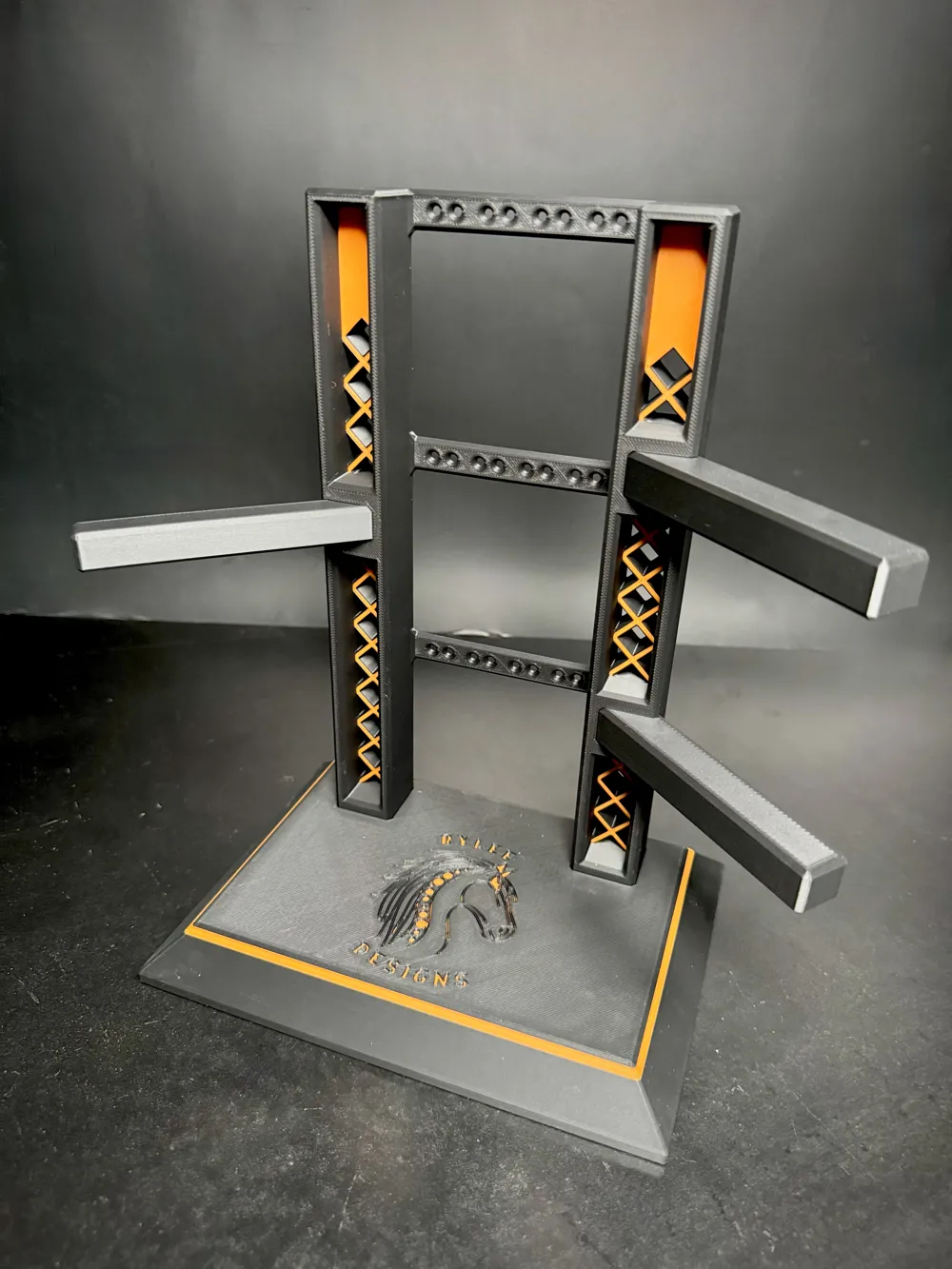
     The stand prints in pieces and requires no glue or any hardware to assemble. It was designed with easy disassembly in mind for ease of shipping and transport from trade shows. There are screws included in the file for securing the arms to the tower, however, they aren't really necessary since the arms are a good, tight fit.  The screws do provide peace of mind though as the tower and arms “wear in.”  These only really require finger tightening.  I included 2 extra screws in the print profile just in case one gets tightened a little too tight. 
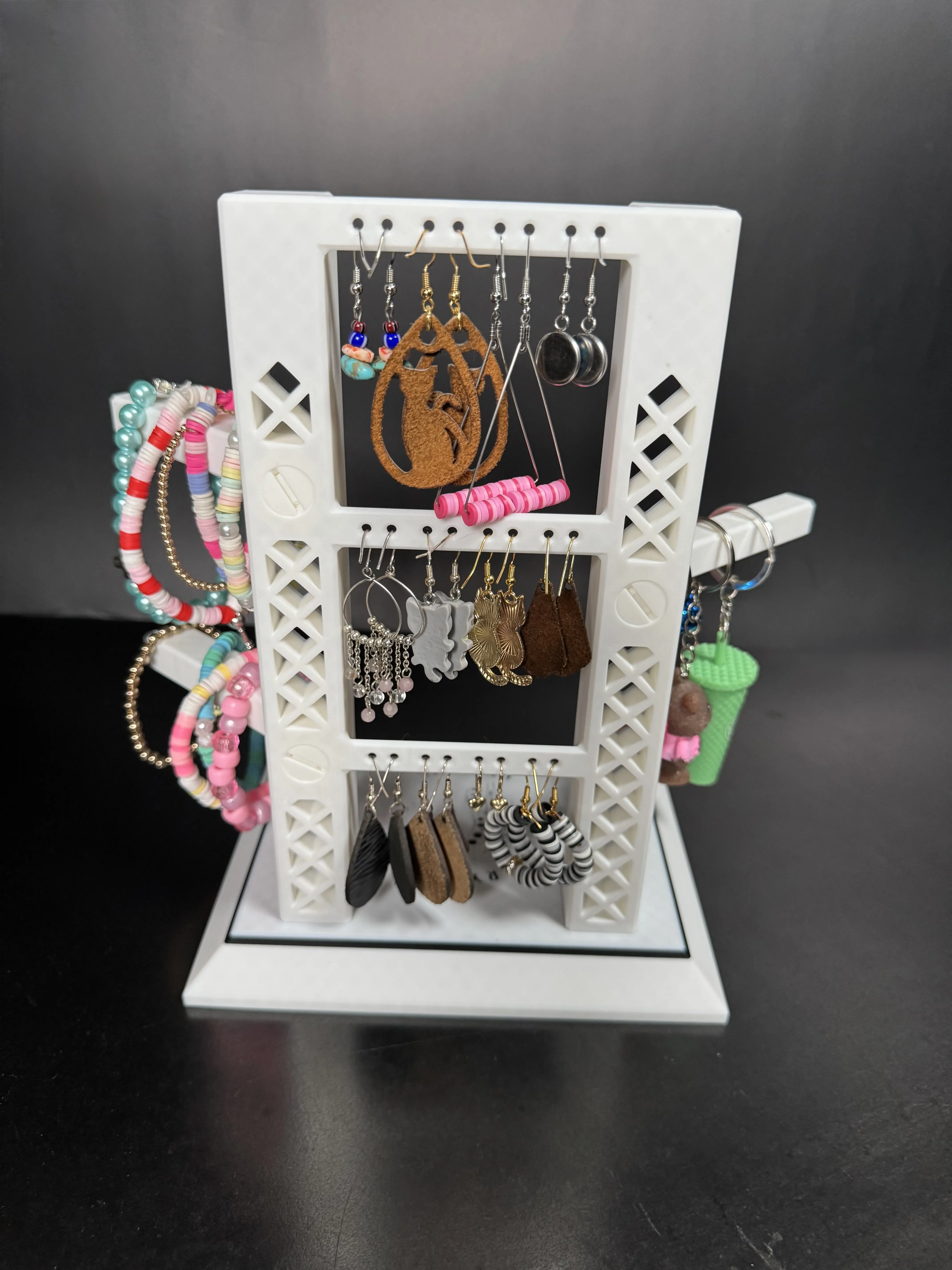
Capacity

This tower is designed to hold 12 pair of earrings and several key chains and/or bracelets.  Each arm is a little over 3" (79 mm) in length.


Design

The wide base makes this jewelry rack very sturdy without being heavy or taking up a lot of space.  It doesn't try to tip over when adding/removing items from it.

Comment & Rating (11)

(0/1000)

Pinned by Designer
Print Profile
.2mm layer, 15% gyroid, 0.6 flushing , 6 top shell layers
My young niece makes jewelry and does little shows...this was perfect for her. Added her business name and she loved it!
The profile uploader has replied
profile
1
Reply
That's really cool! My daughter actually helped me design this one. She is using it for the same thing. Thank you for the rating and comment. She is going to love reading this.
0
Reply
Print Profile
.2mm layer, 15% gyroid, 0.6 flushing , 6 top shell layers
(Edited)
Other Issues:This is a really bad design. The logo is not in the design and it seems that the top part of the stand prints very bad. It seems that there are not enough layers on that top part or that the infill is too wide. Furthermore, the handles are way too tight and cannot be pushed all the way trough in the holes, so the screws have no use. Also, the second color layer is too thin so that it doesn't cover the base color. I wouldn't recommend printing this.
The profile uploader has replied
1
Reply
Ooof! Looks like you are having printer/filament problems my friend. So I've had similar issues like this before when I was first getting in to printing. I printed stuff that 64k other people have printed successfully. The problem was me not running a calibration before the print. Never had that issue again since I started doing that. Definitely not a problem with the file as I have never had any of my models come out looking like that. Wouldn't make much sense for people boosting and liking this model if it printed like yours.. I would try running a calibration and maybe stick with default filament settings in your slicer. You can also use the pictures provided in this model to gauge how it is supposed to look when printed properly. regarding my daughter's logo in the picture... Sorry, you can't have it
0
Reply
I'm sorry to say, but I doubt that I have printer/filament issues. I printed dozens of objects without any issues. This is the first one that came out really bad. I did a full calibration just 2 days ago and do bed levelling and flow calibration before every print. I used 3DJake MagicPLA and Silk PLA that I use all the time without issues. I didn't change anything in the settings of this profile. 🤷🏼‍♂️ Not sure what I can do more.
0
Reply
I love it. Great retail display. Had no trouble with print or fit. Came out great for us! Highly recommend!
(Edited)
designer
3
Reply
Print Profile
.2mm layer, 15% gyroid, 0.6 flushing , 6 top shell layers
profile
1
Reply
Print Profile
.2mm layer, 15% gyroid, 0.6 flushing , 6 top shell layers
profile
1
Reply
Print Profile
.2mm layer, 15% gyroid, 0.6 flushing , 6 top shell layers
0
Reply
Print Profile
.2mm layer, 15% gyroid, 0.6 flushing , 6 top shell layers
0
Reply
Print Profile
.2mm layer, 15% gyroid, 0.6 flushing , 6 top shell layers
0
Reply
No more

License

This user content is licensed under a Standard Digital File License.

You shall not share, sub-license, sell, rent, host, transfer, or distribute in any way the digital or 3D printed versions of this object, nor any other derivative work of this object in its digital or physical format (including - but not limited to - remixes of this object, and hosting on other digital platforms). The objects may not be used without permission in any way whatsoever in which you charge money, or collect fees.