Search models, users, collections, and posts

DrySpin - Filament Clip for Original Bambu Spools
Print Profile(3)

All
H2D
A2L
P1S
X2D
X1 Carbon
P1P
P2S
A1
X1E
H2S
X1
H2C
A1 mini
H2D Pro

DrySpin Clip ASA / 0.2mm layer, 4 walls, 100% infill
Designer
1.4 h
3 plates
4.8(33)

DrySpin Clip PLA / 0.2mm layer, 4 walls, 100% infill
Designer
42 min
3 plates
4.7(43)

DrySpin Clip PETG / 0.2mm layer, 4 walls, 100% infill
Designer
44 min
3 plates
4.6(55)

Open in Bambu Studio
Boost
173
745
166
47
907
726
Released 

Description

Content has been automatically translated.
Show original

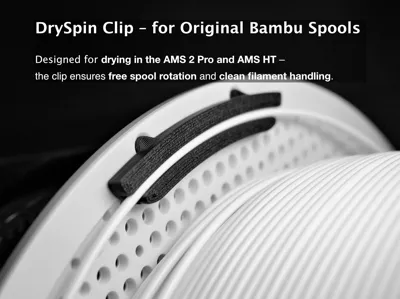
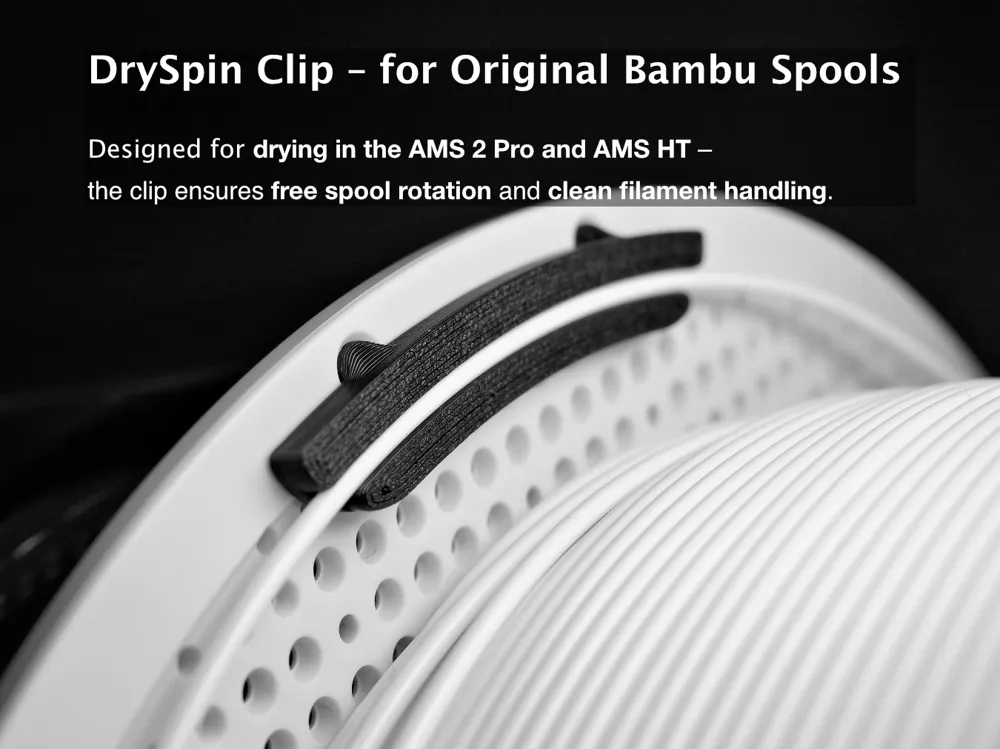
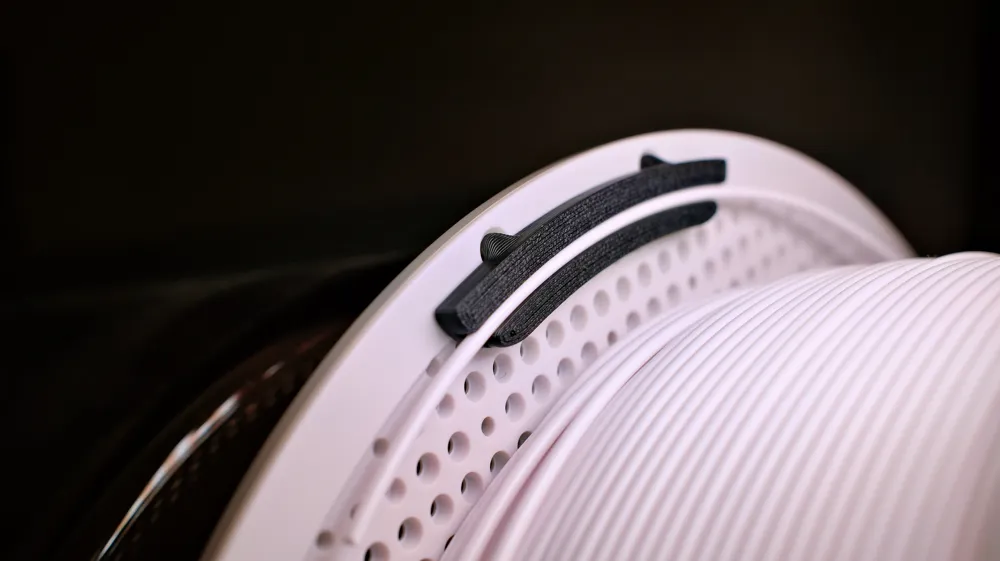
DrySpin Clip – for Original Bambu Spools (AMS / AMS 2 Pro / AMS HT)


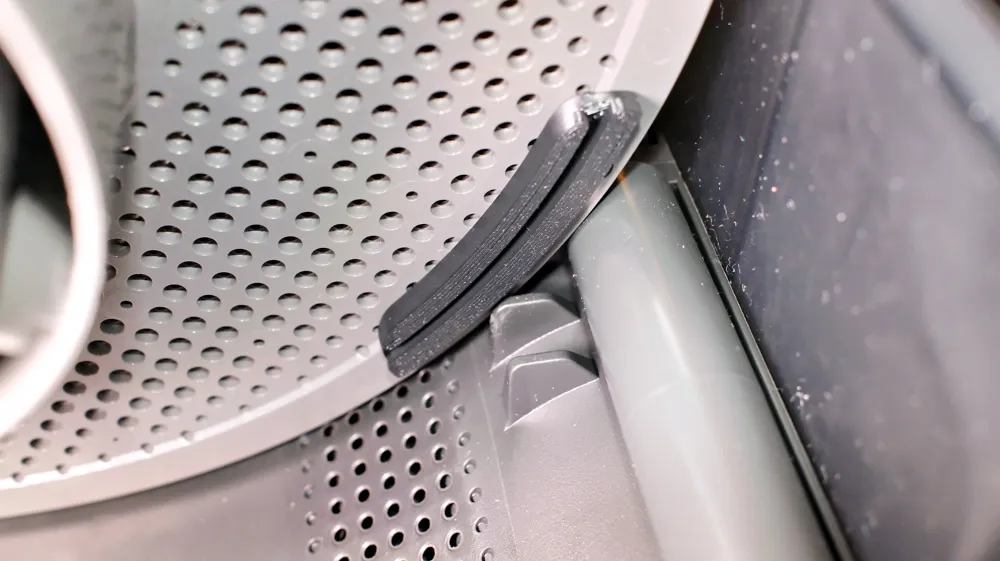
The DrySpin Clip is designed specifically for AMS, AMS 2 Pro and AMS HT drying.

It keeps the filament securely in place while allowing the Bambu spool to rotate freely, ensuring smooth and even drying.


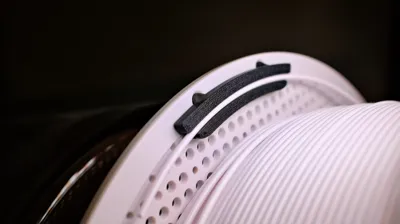
The clip is precision-fit for original Bambu spools and can be mounted on either side, as it does not interfere with the spool guide in any AMS model.

After drying, it can be easily removed with the DrySpin Key – or left permanently on the spool, since it does not affect AMS operation.

Each spool can be equipped with one or up to four clips for maximum stability and perfect alignment during drying or printing.


Recommended Material by Filament Type

  • Drying PLA → print in PETG or ASA
  • Drying PETG → print in ASA or PC-Blend
  • Drying ABS / ASA → print in ASA or PC-Blend


Best all-round choice:

ASA – heat-resistant, strong, and ideal for AMS / AMS 2 Pro / AMS HT use.


Accessory: DrySpin Key

The DrySpin Key Tool allows safe, easy removal after drying.

Even if the clip tightens slightly, the Key ensures a quick, damage-free release.

Together they form the perfect combo for efficient and professional AMS drying.

-------------------------------------------------------------------------------------------------------


The DrySpin Clip was specially developed for drying in the AMS, AMS 2 Pro, and AMS HT.

It holds the filament securely in position, while the Bambu spool can rotate freely during drying – ensuring the filament remains neatly wound and dries evenly without tangles.


The clip is precisely designed for original Bambu spools and can be mounted on either the right or left side, as it does not touch the spool guide in any AMS model.

After drying, it can be easily removed with the DrySpin Key – or left permanently on the spool, as it does not affect normal AMS operation.

Thus, each spool can be permanently equipped with one or up to four clips – for maximum stability and consistently neat drying or printing.


Material Recommendation by Filament Type

  • Drying PLA → print clip in PETG or ASA

    (PLA can deform at 50–60 °C.)

  • Drying PETG → print clip in ASA or PC-Blend

    (PETG drying up to approx. 65 °C – ASA remains dimensionally stable.)

  • Drying ABS / ASA → print clip in ASA or PC-Blend

    (AMS drying up to approx. 70 °C – ASA easily withstands up to 95 °C.)


Recommended standard option:

ASA – robust, heat-resistant, and durable.

Ideal for anyone who regularly dries filaments in the AMS, AMS 2 Pro, or AMS HT.


Accessory: DrySpin Key

The DrySpin Key Tool facilitates safe removal of the clip after drying.

Especially at higher temperatures, the clip sometimes sits a little tighter – with the Key, it can be removed quickly, controllably, and material-friendly.

Together, they form a perfectly matched duo for a professional AMS drying setup.

Comment & Rating (166)

(0/1000)

Print Profile
DrySpin Clip PETG / 0.2mm layer, 4 walls, 100% infill
Love the fact this designer is going above and beyond to try and help me achieve a perfect Print! Kudos for your help :)
(Edited)
The profile uploader has replied
profile
1
Reply
Thank you for your feedback. It seems your printer is not currently printing quite precisely. For most people, tightening the X and Y belts has helped. Some filaments shrink differently, so a filament calibration can also be helpful
Show original
0
Reply
Replying to @NicoM1989 :
Hello and thank you for the reply. Both belts are set correctly and in good condition. My problem is not that the print comes out wrong. Filament is very loose in the clip and does not 'snap' in properly, that is my problem. I had seen that others had the same problems and still printed. And thank you again for the work and for sharing it with us all!
(Edited)
Show original
profile
1
Reply
Replying to @MacZorvac :
Only if you wish: Test the tolerance of your printer. I consciously use very small tolerances in my models. I am aware that this can cause problems for some people – I consciously accept this, but at the same time try to educate about it. Of my three printers, I had to retighten the belts on two of them immediately after delivery in order to reliably achieve a tolerance of 0.05 mm in the first place
Show original
0
Reply
Print Profile
DrySpin Clip PLA / 0.2mm layer, 4 walls, 100% infill
This is such a cool filament clip!! it's one of the few that are super easy to use and work with the ams 2 pro. Thank you for your awesome model!
profile
2
Reply
Print Profile
DrySpin Clip PLA / 0.2mm layer, 4 walls, 100% infill
Amazing model! Printed perfectly and fit snug. Works great in AMS!
profile
2
Reply
Print Profile
DrySpin Clip ASA / 0.2mm layer, 4 walls, 100% infill
Printed with the P2S and original Bambu Lab ASA. On the second print plate with the 4 clips, the print was too fast, and the components detached from the cleaned textured PEI plate. When the print was repeated at a slower speed, it was successful
The profile uploader has replied
Show original
profile
1
Reply
If you like, feel free to try 3D lacquer (adhesive spray) on your next print. Especially with small parts like the clips, this significantly increases adhesion, even on cleaned PEI. I myself use it almost always with ASA – this keeps the parts securely on the plate even at higher speeds
Show original
0
Reply
Print Profile
DrySpin Clip ASA / 0.2mm layer, 4 walls, 100% infill
Very snug fit but works perfect and it looks great in green!
profile
1
Reply
Print Profile
DrySpin Clip PLA / 0.2mm layer, 4 walls, 100% infill
Easy print, less filament needed, useful
profile
1
Reply
Print Profile
DrySpin Clip PLA / 0.2mm layer, 4 walls, 100% infill
Printed really well, nice tight fit and the key works well to remove if needed, I fit 4 to each spool and leave in place
profile
1
Reply
Print Profile
DrySpin Clip PLA / 0.2mm layer, 4 walls, 100% infill
top
profile
1
Reply
Print Profile
DrySpin Clip ASA / 0.2mm layer, 4 walls, 100% infill
Great idea, but in an AMS 2 Pro it still collides slightly with the guides. Therefore, unusable for me
The profile uploader has replied
Show original
profile
1
Reply
Thank you for your review. Could you please send me a photo of the collision? I cannot detect any collision with my AMS versions
Show original
0
Reply
Replying to @NicoM1989 :
Hello @NicoM1989 , unfortunately I have already discarded the prints (various materials, including PCHT-CF) as they did not work for me. I still took some photos of spools and my AMS 2 Pro. These guide knobs collide with the clips. It can be clearly seen on the green, original Bambu Lab PETG spool: no matter what we design, the holes are too close to the guide tabs. I noticed that you tried to adapt the design for it. Unfortunately, it wasn't enough for me. Especially with the PATH-CF prints (which I would have liked to have for temperature resistance). In the marked image (another AMS 2 Pro), you can even see the white abrasion from the PETG version of the clips. Hope this helps
(Edited)
Show original
profile
1
Reply
Replying to @wolfszwinkern :
Thank you very much for your effort and the really detailed feedback, I really appreciate it 🙌 I will definitely take another close look at everything and investigate the problem in detail. As a temporary solution, you could use the clip on the spool side that has no guide in the AMS – it should work there without collisions. In the meantime, I have checked my clips again carefully and could not detect any contact at the affected points. The white abrasion on my end comes from the white BambuLab spools themselves, which constantly rub against the guide in the AMS during printing – I therefore assume that this is also the cause in your case
(Edited)
Show original
1
Reply
had to print with a brim on the ASA clips to prevent clips from coming up from the bed and getting goo on the nozzle. good thing the AI detector worked.
The designer has replied
designer
1
Reply
Most of the time it's due to a dirty build plate Have you printed the clip on the A1 series
Show original
0
Reply
Replying to @NicoM1989 :
I just cleaned the plate before the first mis-print. dried filament best I could for 24hr on a lower setting due to other material in the AMS. I think it may have been the shrinkage of the asa happening during the print. chamber may not be getting hot enough.
designer
1
Reply
Replying to @NicoM1989 :
I have the p2s
designer
1
Reply

License

This user content is licensed under a Standard Digital File License.

You shall not share, sub-license, sell, rent, host, transfer, or distribute in any way the digital or 3D printed versions of this object, nor any other derivative work of this object in its digital or physical format (including - but not limited to - remixes of this object, and hosting on other digital platforms). The objects may not be used without permission in any way whatsoever in which you charge money, or collect fees.