
5 Inch Screen Mount for PC rear Fan
Print Profile(1)

Bill of Materials
- 5 Inch Display x 1: https://shorturl.at/yREBI
Description
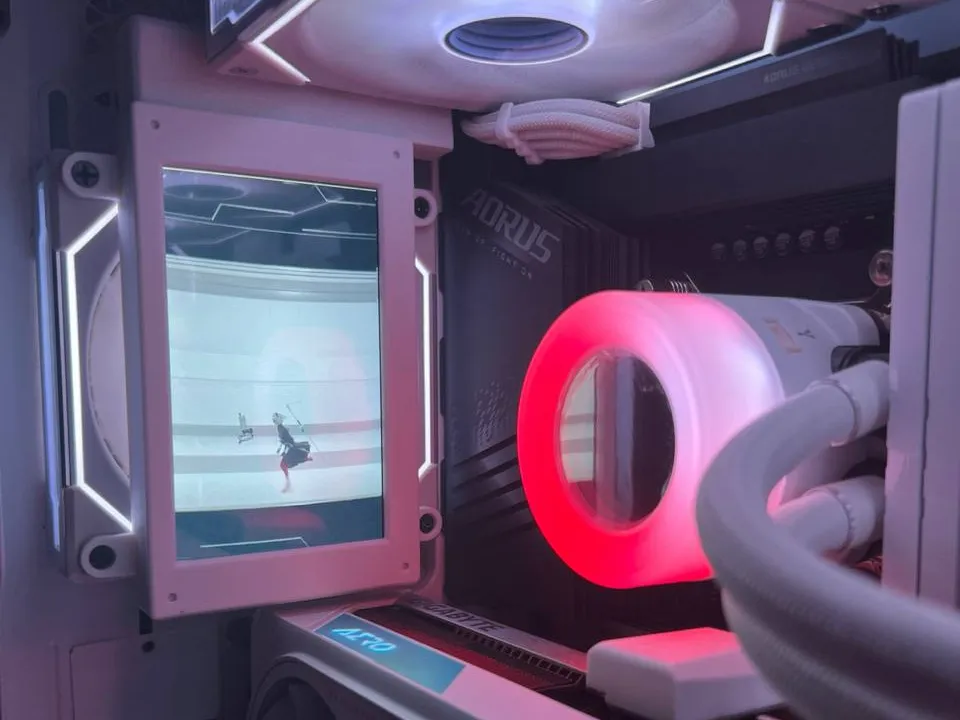
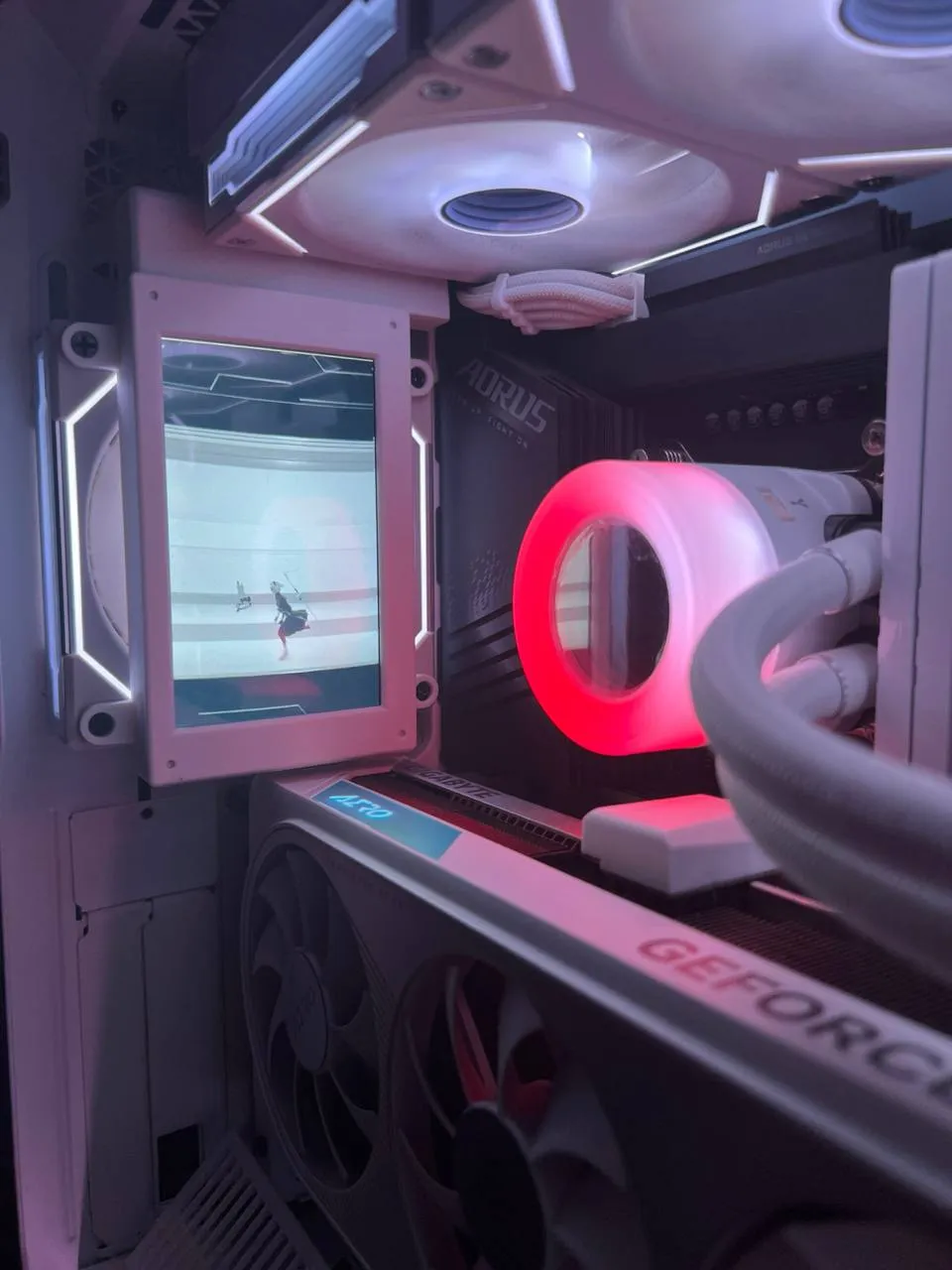
5 INCH STATS SCREEN 120MM FAN MOUNT
Boost Me (for free)
If you like this design, boost me! i will create new models if needed and adapt them to your specific needs! :) Also like and downloads are VERY appreciated! This will give life to my efforts!
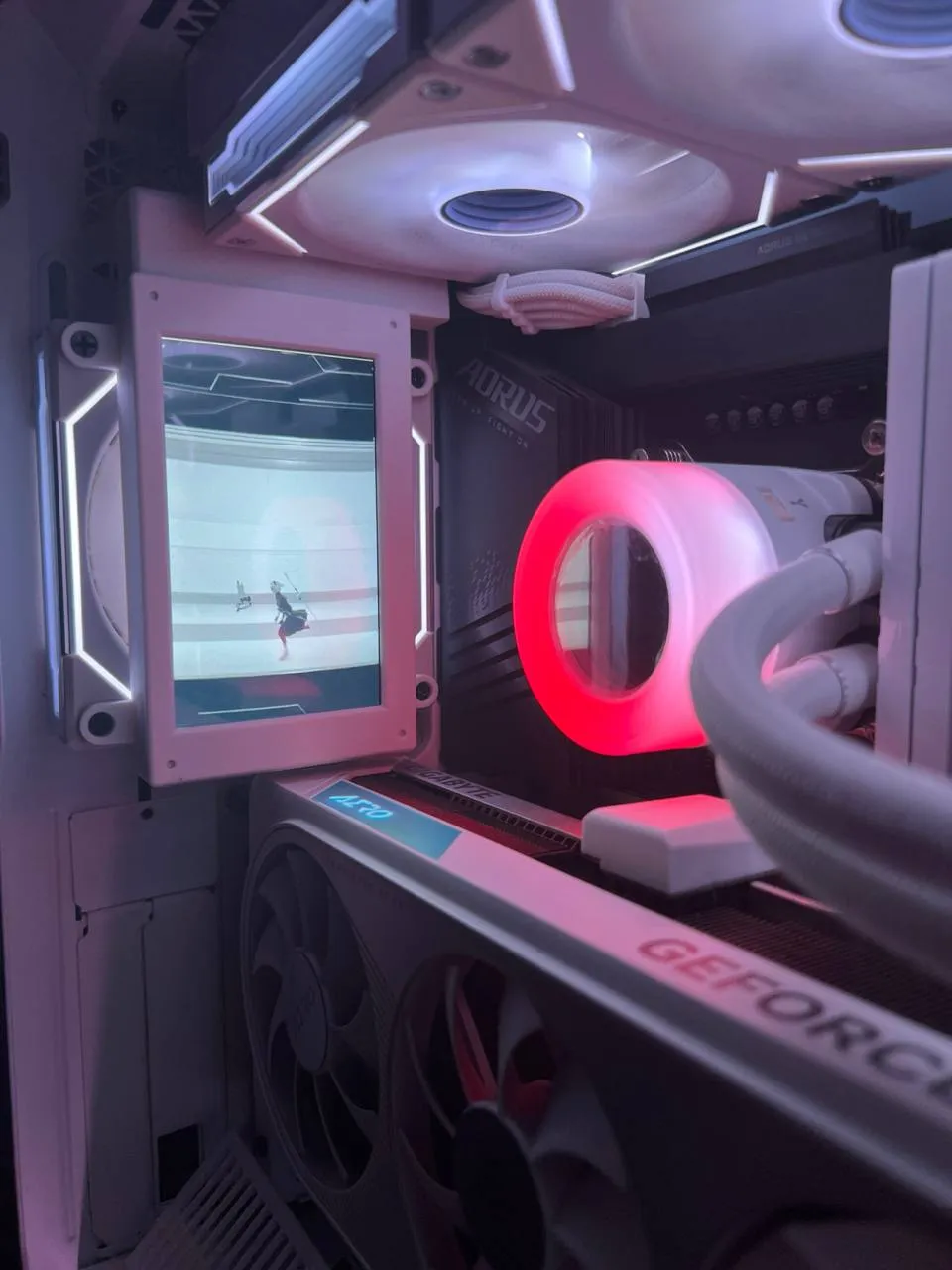
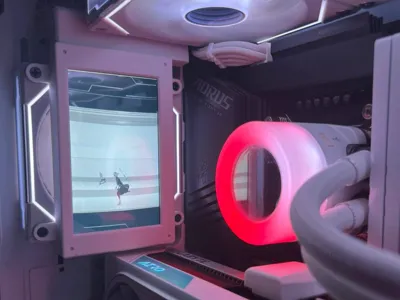
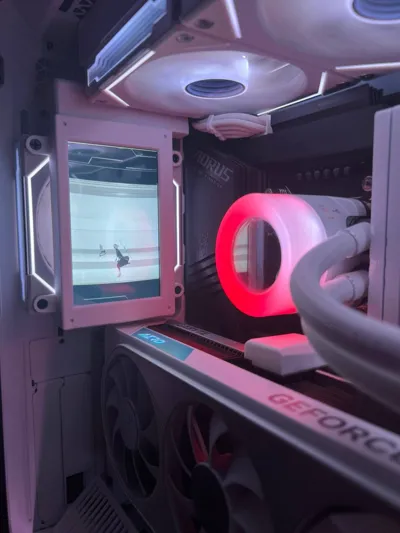
I wanted to attach on my lian-li rear fan a common 5 inch raspberry screen, but at the same time i wanted to hide the HDMI and micro-usb cable.
I simply designed this thing!
Printed with Bambulab Basic PLA.
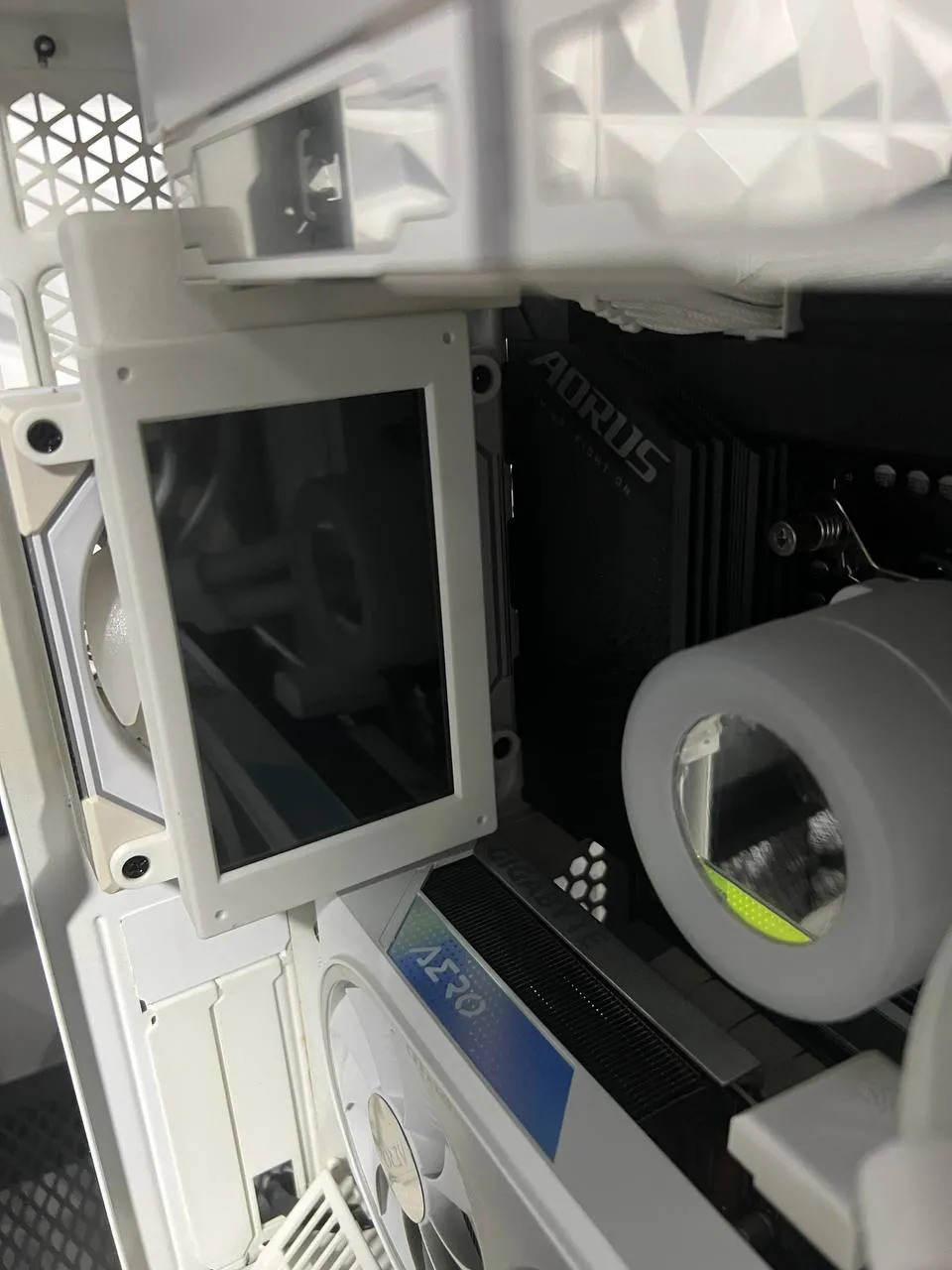
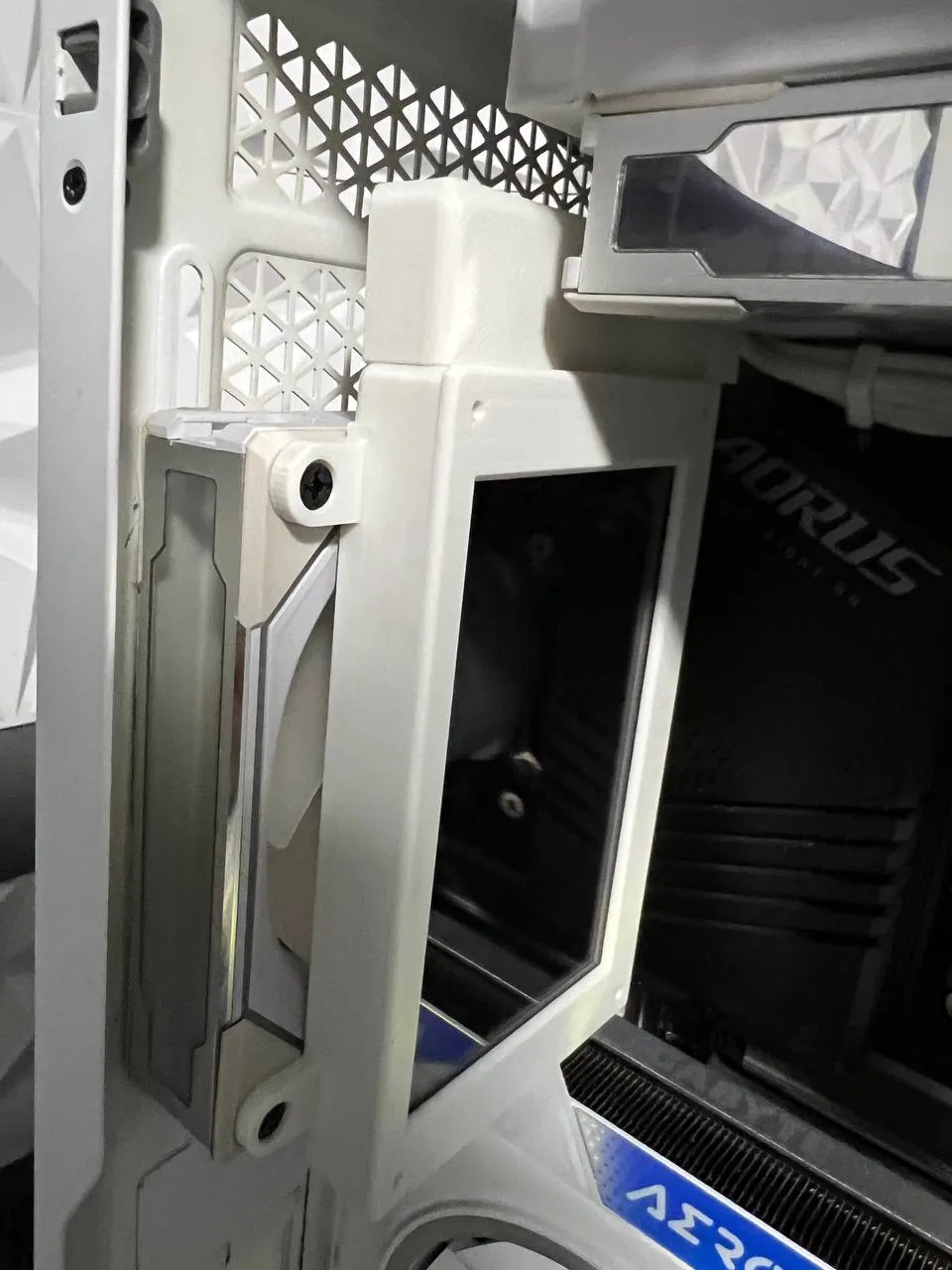
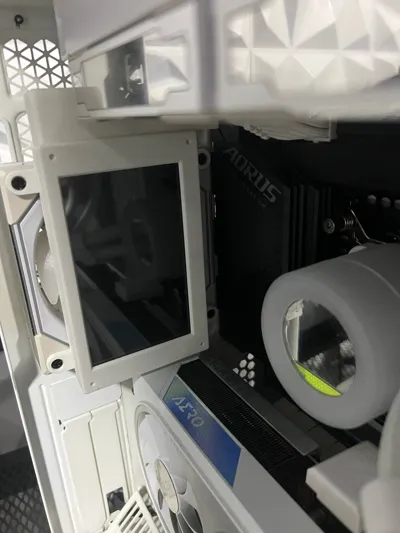
As you can see from the pictures, thanks to the cable hider on top, everything goes smooth behind the motherboard at the back for the case (mine here is a Corsair 5000D), so you can get this clean look :)
HOW TO ASSEMBLE
Very Simple. Since there is for sure different clearance at the top of the rear fan, due to case dimensions / fan thickness / AIO / etc.
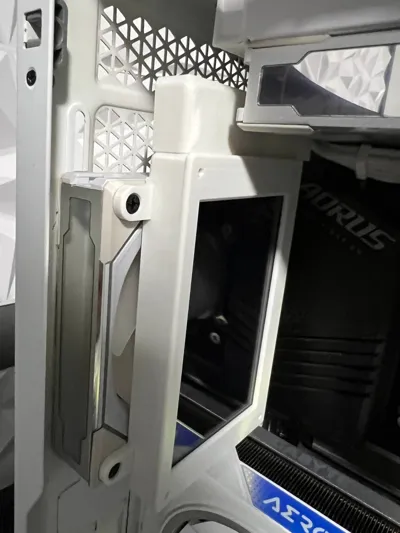
I just did separate the top part that hides cables, yes i want CLEAN WIRELESS BUILDS! So you can print it independently, and glue it down for your needs! mor in? More out? No problem! You got your spaced covered.
The screen is a common one you can find on aliexpress, just a raspberry monitor.
Link to the Monitor i used https://shorturl.at/yREBI
Fell free to search online for another monitor if you like!
Any display with HDMI and USB on top or bottom will do the job right.
For the stats skin and display, i recommend using AIDA64, there are lots of ready - to - go graphics to download and customize!
You can find them here https://forums.aida64.com/topic/13296-share-your-sensorpanels
IMPORTANT! READ!
Before you super-glue the top cable hider, insert the HDMI / micro-usb cables and connect them to the screen, unless you use small profile cables that are 1mm thick. this will result in an hassle-free job! Just make usre before you glue it down, to calculate the right clearance.
The model in the picture below is ‘’not'' compatible UNLESS you cut off the parts where you put the screws in. It's easy, i used to do it with pilers in 1 minute. The PCB is there has no circuit going on.
BUT IF YOU NEED I CAN ADAPT THIS DESIGN FOR THIS ALSO!
Just request it in the comments!
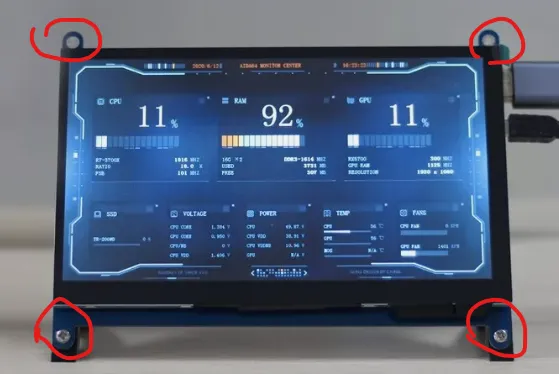
Want Super slim cables? i got you covered
SLIM HDMI https://shorturl.at/Psl0O
SLIM USB https://shorturl.at/52C6b
Free to search for better prices and different lenghts, these cable are just OPTIONAL and NOT REALLY NEEDED!
I DID NOT USE THEM.
License



Comment & Rating (7)