Search models, users, collections, and posts

A1 X-Axis Cable Articulated Gantry Mount
GIF

Print Profile(3)

All
A1
H2D
A1 mini
H2S
X1E
P1S
H2C
X1 Carbon
P2S
X1
P1P
H2D Pro
X2D
A2L

PLA - 0.16mm layer, 8 walls, 100% infill
Designer
1.2 h
1 plate
4.8(114)

PETG - 0.16mm layer, 3 walls, 15% infill
Designer
1.3 h
1 plate
5.0(33)

120% Larger Carriage
Designer
1.1 h
1 plate
4.6(5)

Open in Bambu Studio
Boost
333
879
278
37
1.2 k
1 k
Released 

Bill of Materials

Bambu Filaments
Select all
Light Gray (10104) / Refill / 1kg
Gray (33101) / Filament with spool / 1 kg

Description

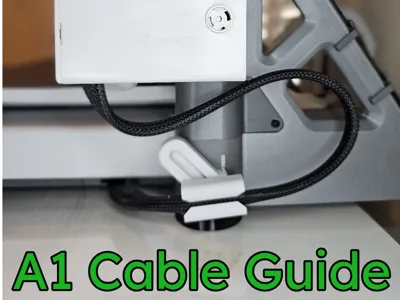
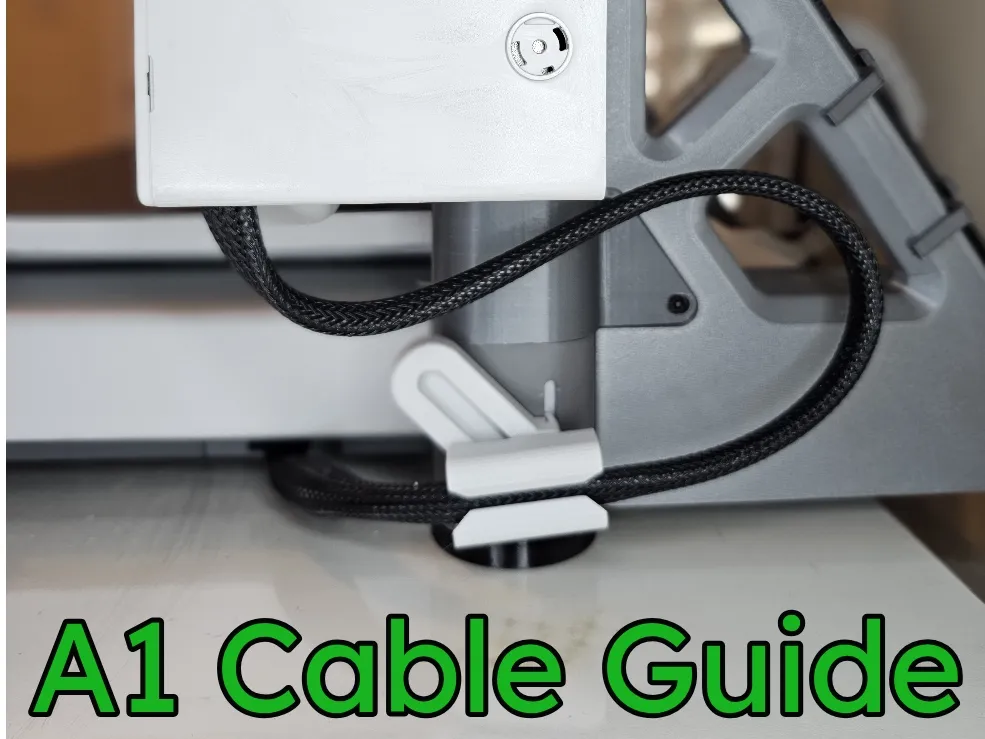
A1 X-Axis Cable Articulated Mount



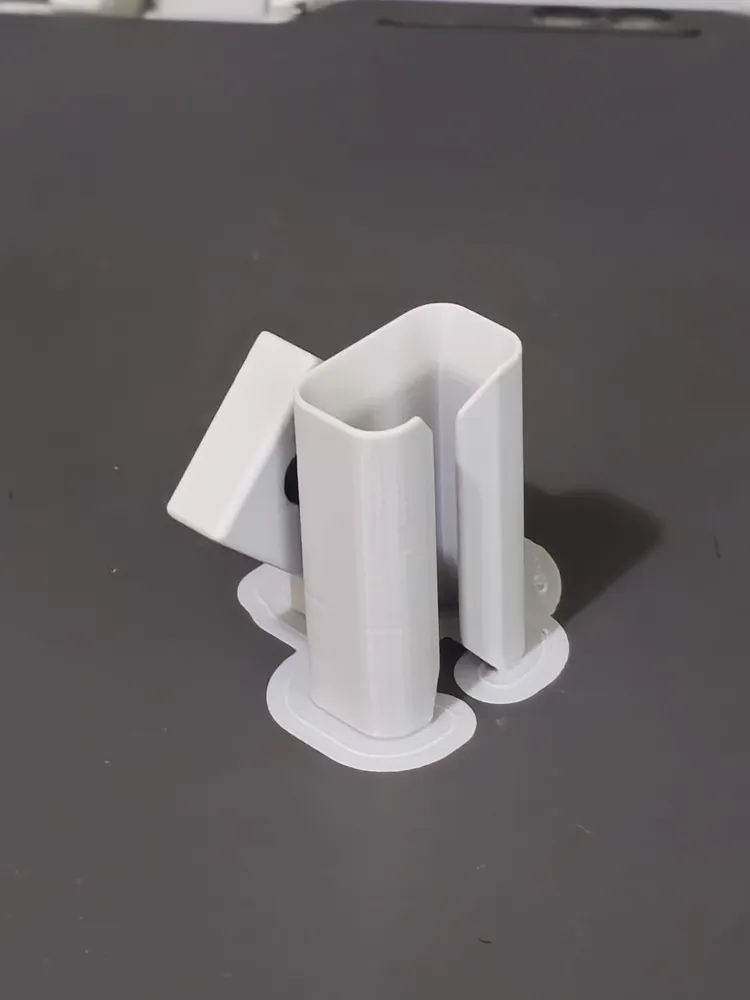
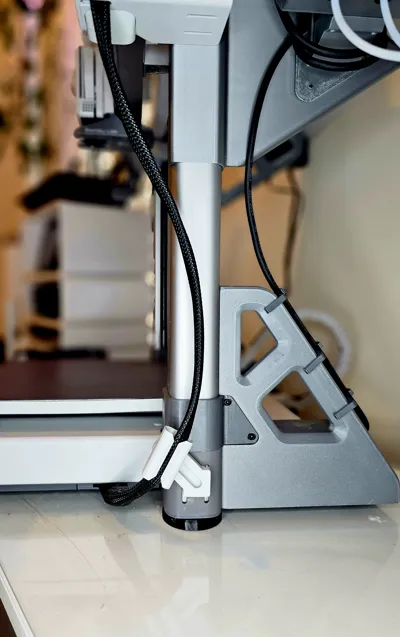
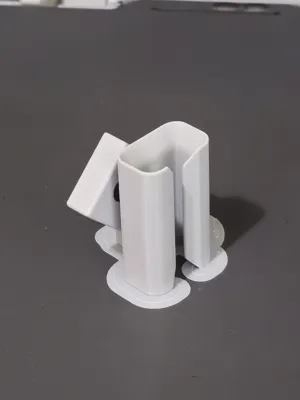
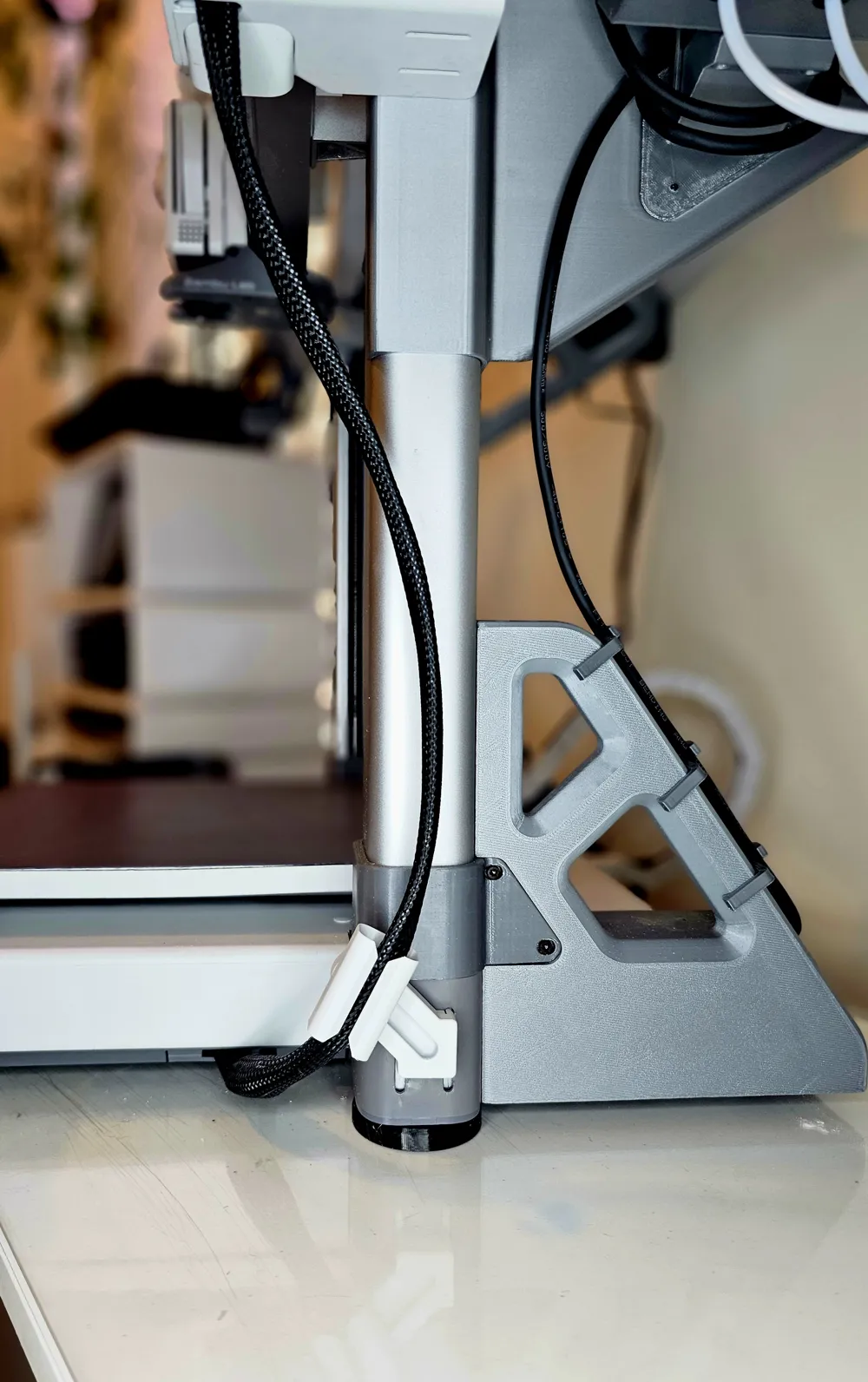
This Articulated X-cable mount brings the best features of a clip and a drag chain together. It secures the X-Axis cable to the gantry base and manages the motion of the cable while still allowing movement through the full range of motion. I wanted to manage the cable in a way that reduced the amount of mass and resistance that the printer needed to compensate for during printing. This adds less than 20g of mass to the weight on the cable and minimal resistance to the operation of the axis motor. Prints in about an hour.


Installation:

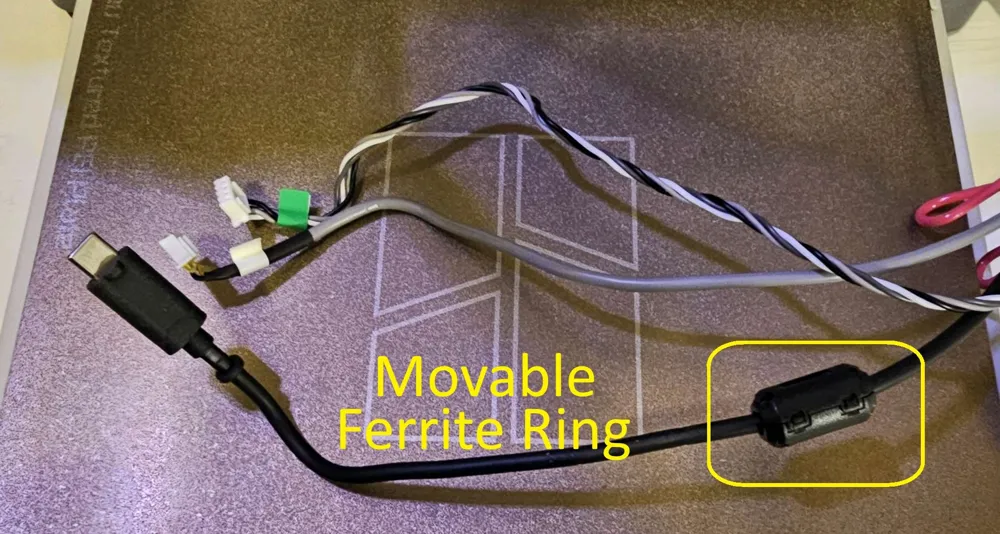
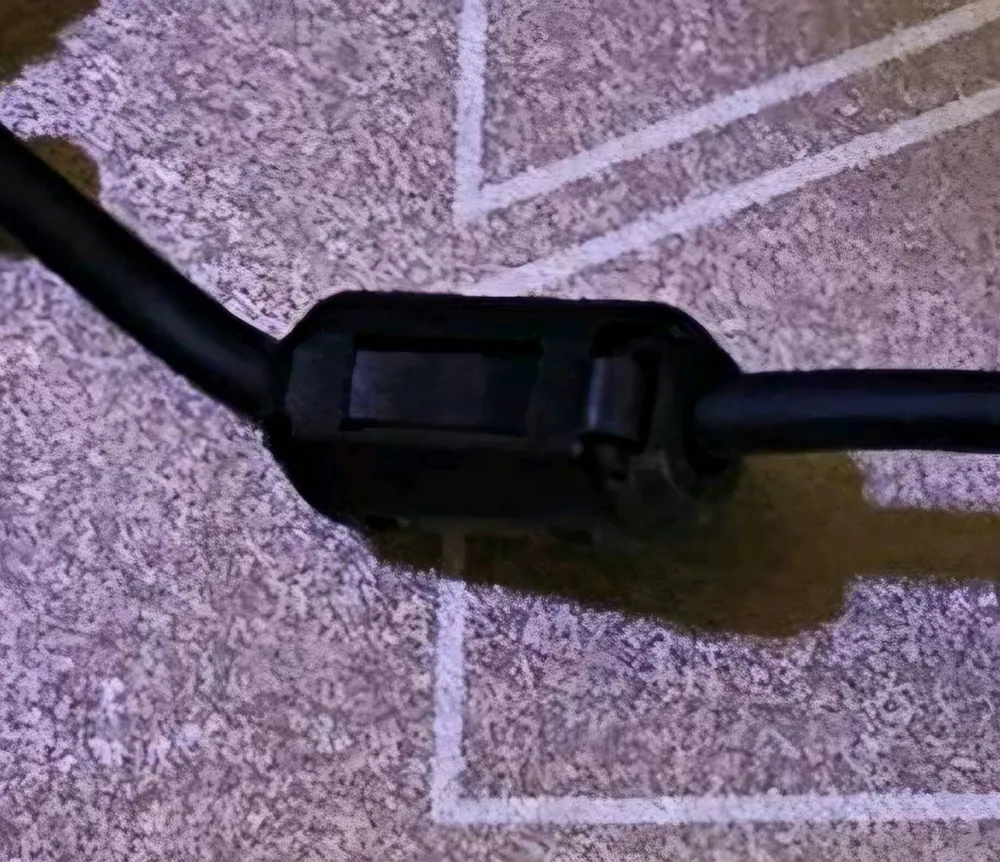
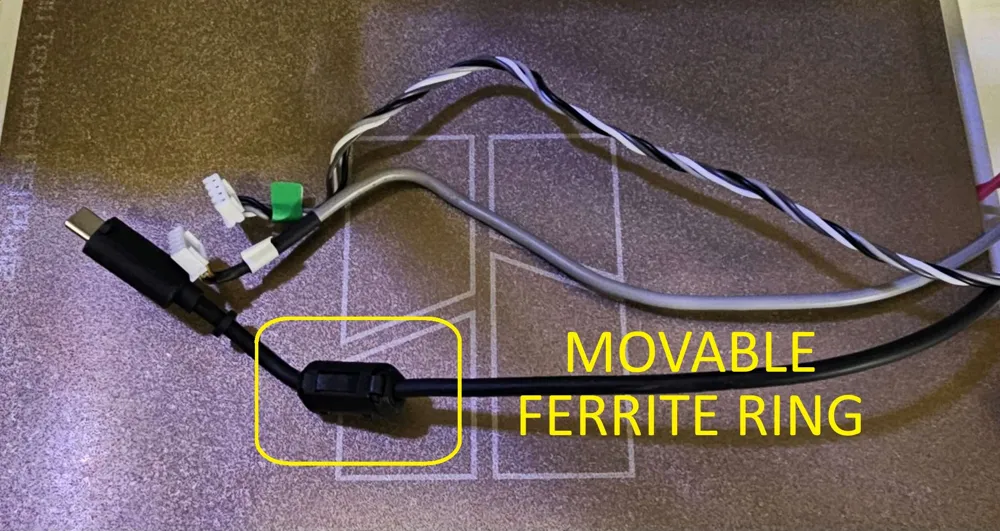
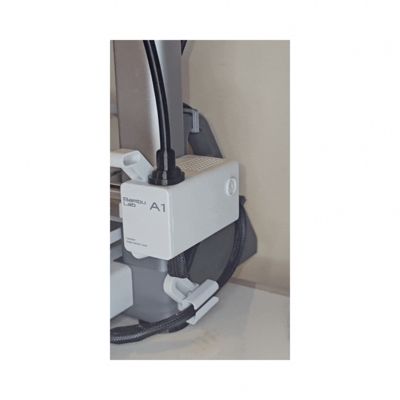
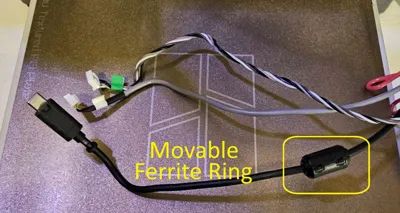
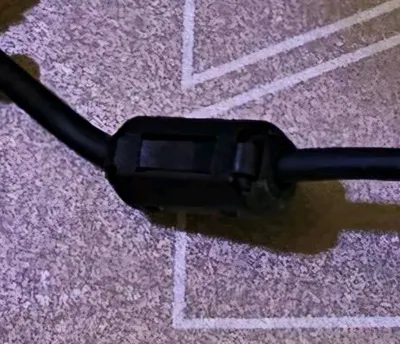
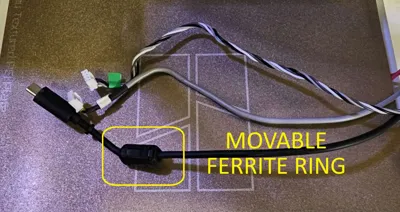
  • If the ferrite ring (bulge under the braiding) is in the way, it can be slid along the cable toward the heatbed to allow the needed clearance. (See Pictures) There seems to be no consistency in its placement during installation. IF your Ring is installed anywhere between 70mm through 140mm from the heat bed, IT WILL NEED TO BE MOVED! I would suggest moving it lower towards the heat bed to prevent the weight from possibly creating a pendulum motion during operation. 


  • Insert the back catch of the bracket first, centered in the slots. Gently pull the bracket forward and press the front clip into the gantry to secure in place. There's a relief slot in the back bracket clip to allow a little flexibility. It is meant to be a tight fit so that it stays securly fastend. 


  • To remove- center the base in the slots and reverse the above operations.


  • Insert the cable into the clip by flattening the wire bundle and insert the flattened edge into the gap in the clip. *


  • When installed, the mount sliding up and down within the slots of the gantry is expected. 

Considerations:

  • * Make sure your cable is not twisted. Twisting in the cable could make it seem shorter and cause the wires to wear against each other. Feel under the braiding; the wires should all line up parallel and not cross over each other when possible. If needed – disconnect from the base, straighten and re-attach following the original assembly instructions. 


  • After printing, apply a small drop of lubricant to the inside of the track to reduce wear and ease operation.


Boost Me (for free)

If you find this model useful, please consider boosting it. It is appreciated and helps tremendously. 

Comment & Rating (278)

(0/1000)

Pinned by Designer
Print Profile
PLA - 0.16mm layer, 8 walls, 100% infill
amazing solution for A1
0
Reply
Print Profile
120% Larger Carriage
Although for me it is a bit of a problem, as you can see in the photo I had to cut the opening a bit to fit the cable because mine has a bump exactly where the guide is supposed to fit on. it’s the only way it fits without the x axis stretching it when it travels all the way up.
The profile uploader has replied
0
Reply
That bump is the ferrite ring. As I explained in the description, that is movable and can be slid down the cable towards the heat bed.
(Edited)
2
Reply
Replying to @jschemy :
thank you, I will give that a try. I obviously didn’t read the description all the way through 😅
(Edited)
1
Reply
:-) No worries!
(Edited)
1
Reply
Print Profile
PLA - 0.16mm layer, 8 walls, 100% infill
Very, very, very good 👌
The profile uploader has replied
Show original
0
Reply
Thank you for writing and providing a review!
0
Reply
Replying to @jschemy :
I've tried many different options but they don't compare to your version) This is a really well-done job)
Show original
0
Reply
Replying to @Vladimir67 :
Thank you, I really appreciate the boost!
0
Reply
Print Profile
PLA - 0.16mm layer, 8 walls, 100% infill
very good print, I opted for this one because I had taken another fixed file and my cable was detaching at a certain height, I hope this articulated version will hold it at full height, thank you 🙏🏻
The profile uploader has replied
Show original
0
Reply
Thank you for rating, providing pictures, and a review! A suggestion, your ferrite ring looks like it's sticking out a bit far, you may want to try to slide it back towards the bed to get the best results.
0
Reply
ok , thank you 🙏🏻 , I looked but the 2026 version cable has the width at the beginning of the wire so I had to modify part of the support with a cutter to avoid any incident 👍🏻
(Edited)
Show original
0
Reply
Print Profile
PLA - 0.16mm layer, 8 walls, 100% infill
Very well functional for me 😊
The profile uploader has replied
Show original
0
Reply
Thank you for rating and reviewin plus providing pictures of your print!
0
Reply
Replying to @jschemy :
With pleasure 😊
Show original
0
Reply
Print Profile
PLA - 0.16mm layer, 8 walls, 100% infill
very nice.. but i could not get it to slot into the z-axis slots.. how did you guys do it?
The profile uploader has replied
0
Reply
Hello, start one side and the other side should click in.
0
Reply
ok managed to push it in.. thanks..
0
Reply
Print Profile
PETG - 0.16mm layer, 3 walls, 15% infill
print from PETG, very good design
The profile uploader has replied
Show original
0
Reply
Thank you for the boost in providing a rating and review! The pictures.Look great!
0
Reply
Print Profile
120% Larger Carriage
I’ve always been hesitant of printing the chain style ones from others and wanted a more minimalistic design and I’m so glad I’ve come across this. Everything about it just works and it’s simple yet very effective. Now it looks a lot more organised and I don’t have to worry about it rubbing against my AMS enclosure everytime 🔥🔥🔥
The profile uploader has replied
0
Reply
Thank you very much for the Boost and taking the time to rate review and provide pictures! I'm glad you find it useful! it looks very nice with your setup.
0
Reply
The idea is great, the operation is quite good. In reality, in the highest position it can go up and down without problems, so perhaps the internal movement would not be necessary. However, the print came out quite well, but I recommend handling it a bit before installing it to make the movement smoother. And a spray of WD 40 in the right places improves it further
The designer has replied
Show original
0
Reply
Thank you very much for the boost, reviewing, and providing pictures of your print!
1
Reply
I used ASA with 0.12mm layer height, the overall print effect is very good, and the joints move smoothly
The designer has replied
Show original
0
Reply
it looks great thank you for taking the time to review and provide pictures!
0
Reply
Print Profile
PLA - 0.16mm layer, 8 walls, 100% infill
Minimal, fast print and functions well. Have saw other variations have issues when the Z-axis reaches the highest point and the cable is maxed out, which is way I chose this version as it appears to solve that.
The profile uploader has replied
0
Reply
Thank you for writing and sharing your experiences in picking the model! I especially appreciate you including a picture of your print!
(Edited)
0
Reply

License

This user content is licensed under a Standard Digital File License.

You shall not share, sub-license, sell, rent, host, transfer, or distribute in any way the digital or 3D printed versions of this object, nor any other derivative work of this object in its digital or physical format (including - but not limited to - remixes of this object, and hosting on other digital platforms). The objects may not be used without permission in any way whatsoever in which you charge money, or collect fees.