
Filament Spool with Integrated Filament Clip




Print Profile(16)


Description


ClipSpool - Hex
After recently switching to only buying filament refills from BL where possible, I decided to design a spool to meet my needs, and get rid of my box of filament clips.
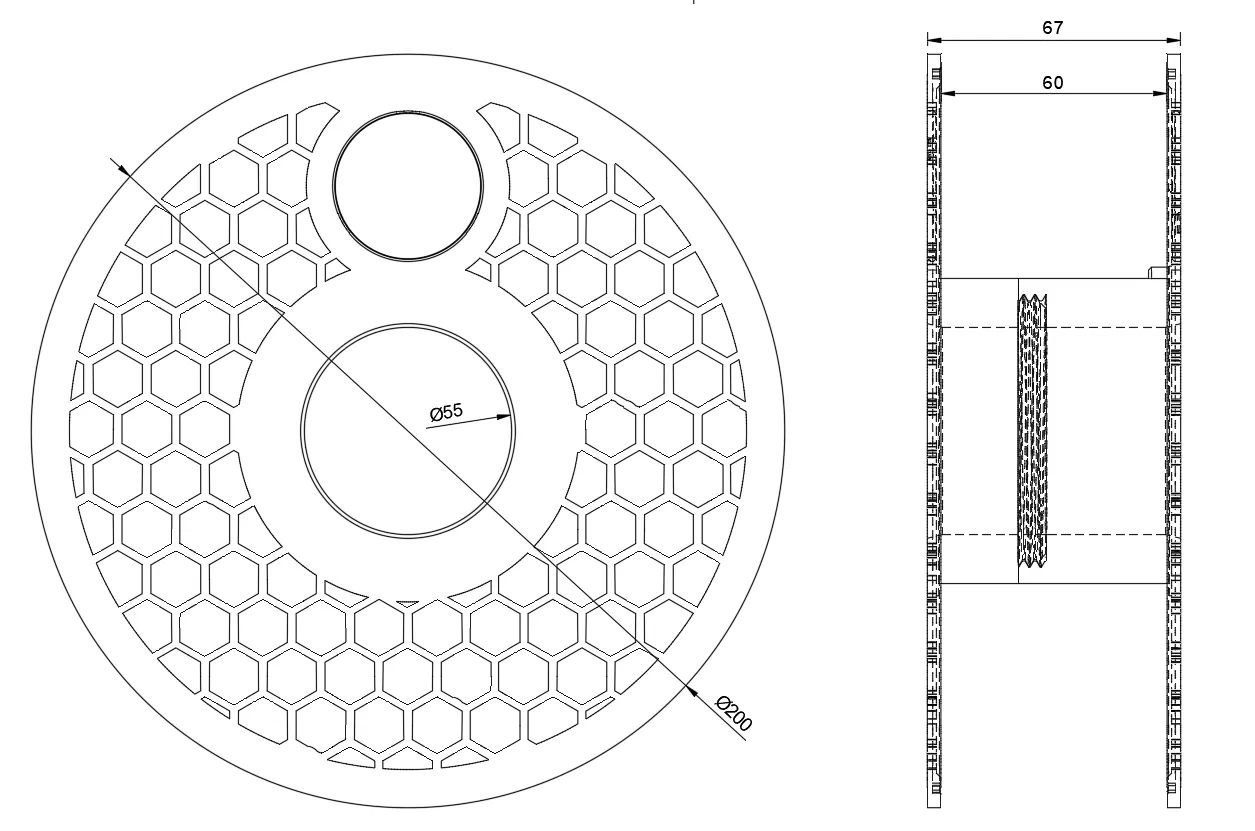
This is designed to be compatible with the Bambu Lab's filament refills, including the little nub for preventing the cardboard inner from rotating freely, with a 55mm inner diameter, and 200mm outer diameter. The filament labels pop in and out, but still hold securely.
The two halves of the spool thread together and friction keeps them locked in place. I have printed more than 4kg of filament using the different versions of the ClipSpool, and had no issues whatsoever.
Updates:
- Added the blank label in Step format to make it easy to edit in CAD (thanks to everyone for messaging and asking for this).
- Added video on one way to easily edit the blank label in Bambu Studio (GIF was unwatchable, so added a YouTube link)
- Following multiple requests, I've added an adapter for those who like to respool with filament from another spool. See attached 3mf file. First requested by Josh @ https://makerworld.com/en/u/297989628
Filament Clip

The filament clip channel run 360 degrees around both halves of the spool. The channel is slightly wider that the filament, but the shape of the channel keeps everything securely in place. No more cutting off the deformed end of the filament, and it pops in or out with very little effort.
The filament clip channel is identical on all versions of the ClipSpool. Video below shows how easy it is to lock the filament with one hand (video shows the Hex version - didn't make sense to make a new video for each version).
Filament Label
I've found that I wanted to be able to quickly pick out some filament without wondering if it's Basic or Matte… or even PETG.
You can of course put your name on the filament label instead, especially if you have a shared printer. I've included a blank label so that you can pop in to Bambu Studio and add your own text. I've also included a little label holder, so you have somewhere to store them. I print labels in bulk to avoid wasting too much filament with colour changes.
The labels also pop in and out with a satisfying click… and the labels fit all versions of the ClipSpool.
Short Video on how to easily customise your own labels.
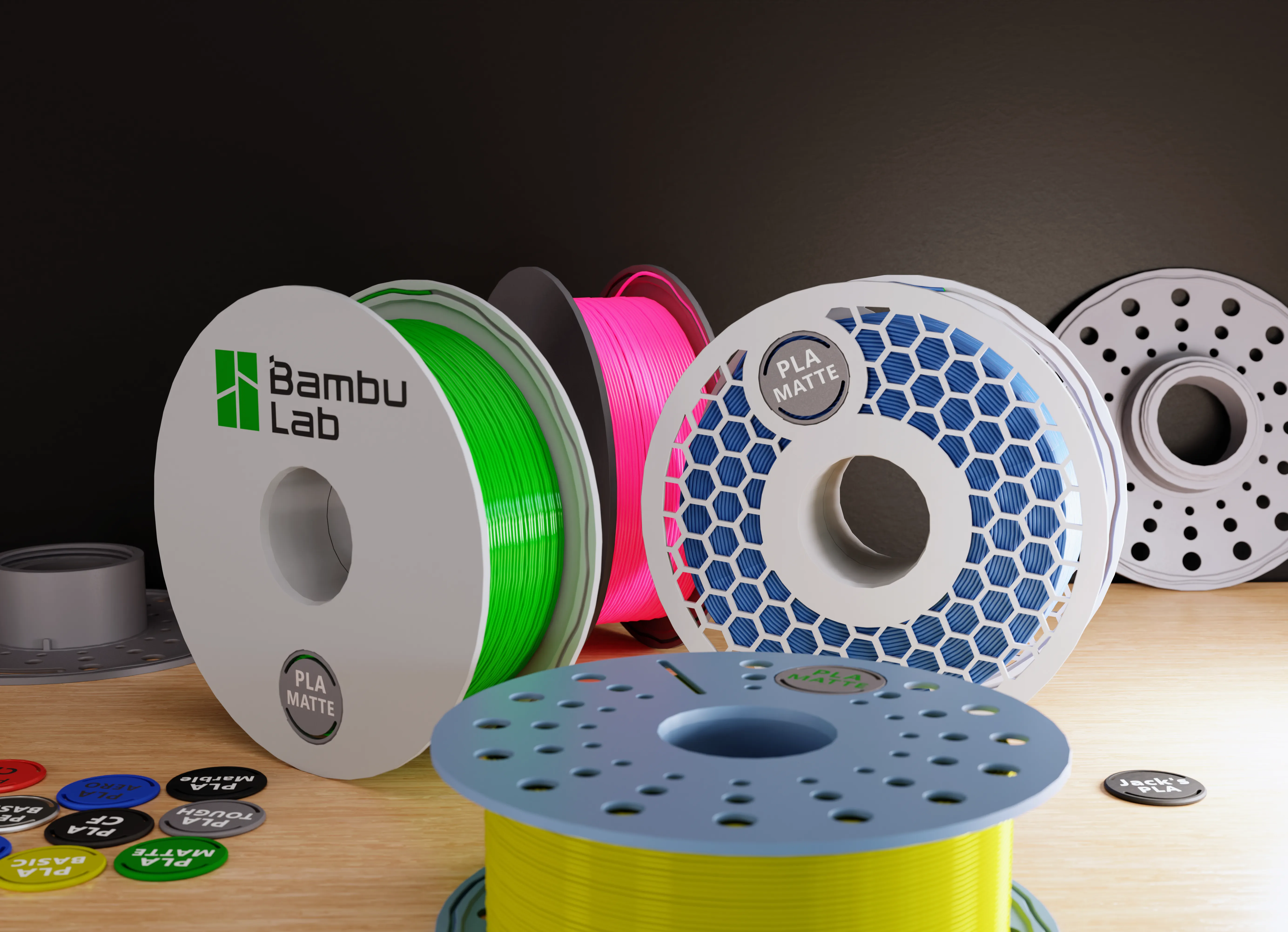
ClipSpool Family
Check out my page if you want one of the other versions - I only post models that I have printed and tested.
https://makerworld.com/en/u/3207121644
Boost Me (for free)
Thanks for supporting
Dimensions
License

You shall not share, sub-license, sell, rent, host, transfer, or distribute in any way the digital or 3D printed versions of this object, nor any other derivative work of this object in its digital or physical format (including - but not limited to - remixes of this object, and hosting on other digital platforms). The objects may not be used without permission in any way whatsoever in which you charge money, or collect fees.


Comment & Rating (1239)