
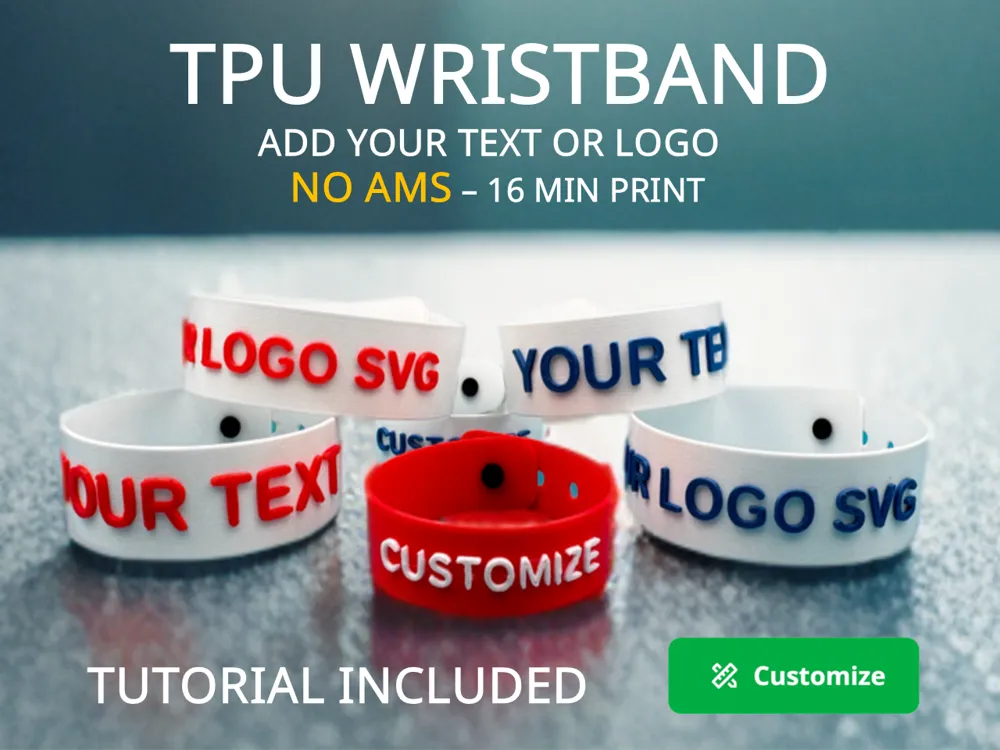
TPU WRISTBAND – CUSTOMIZABLE
Print Profile(3)


Bill of Materials

















Description
Love this model? Help 4ma Lab grow! ❤️
Please use the BOM (Material List) below to buy your supplies. It costs you nothing extra, but the small commission I receive helps me fund future free projects.
Thank you for your support!
Boost Me (for free)
If you found this model helpful or enjoyable, feel free to show your support — it truly motivates me to keep sharing my creations. Thank you, and happy printing! 🙏
Membership
💛 Thank You So Much Your support truly means a lot! Thanks for helping me grow and keep sharing my 3D creations!
SEE TUTORIAL AT THE END OF THE DESCRIPTION
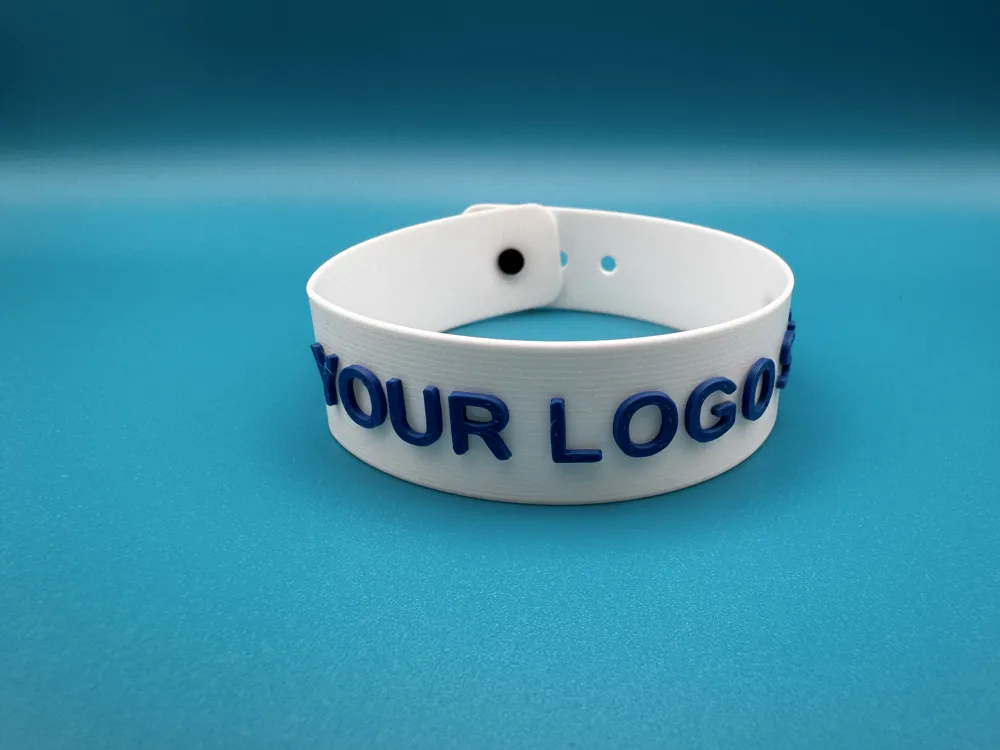
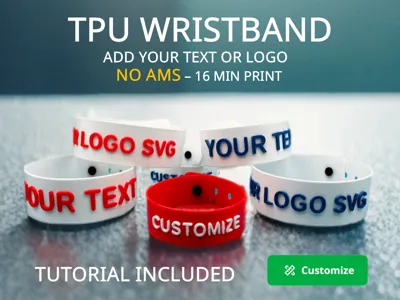
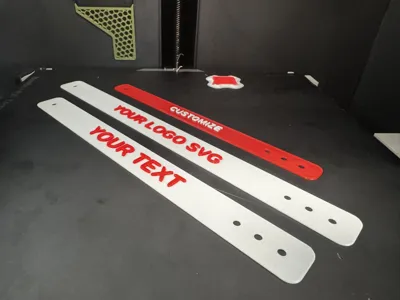
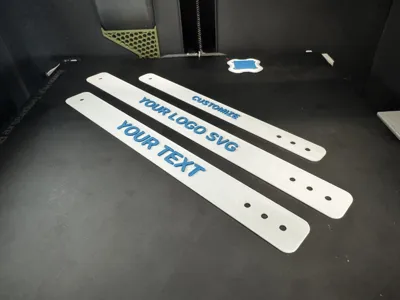
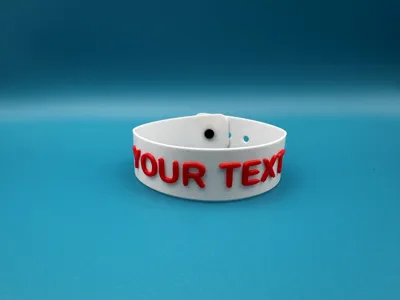
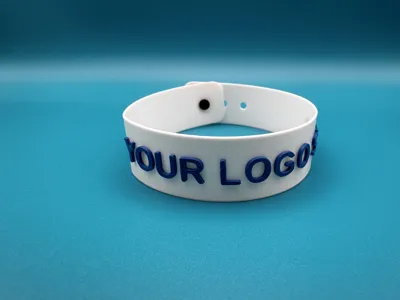
✨ TPU WRISTBAND – CUSTOMIZABLE WITH TEXT & LOGO
Quick to Print – Easy to Personalize – AMS or Not!
After countless hours banging my head coding in OpenSCAD 😅, I’ve finally created what might be one of the first (or at least the simplest!) TPU wristband customizers that lets you easily add your own text or SVG logo.
No complicated tools needed — it’s designed for everyone!
🔧 What You Can Do:
- 🖊️ Add your name, brand, message, phone number, or anything else!
- 📐 Choose the length and width based on your wrist, your kids', or your friends'.
- 🎁 Perfect for parties, events, safety tags, gifts, or just for fun.
- 🖼️ Upload your .SVG file and print your logo directly on the band.
📌 Important!
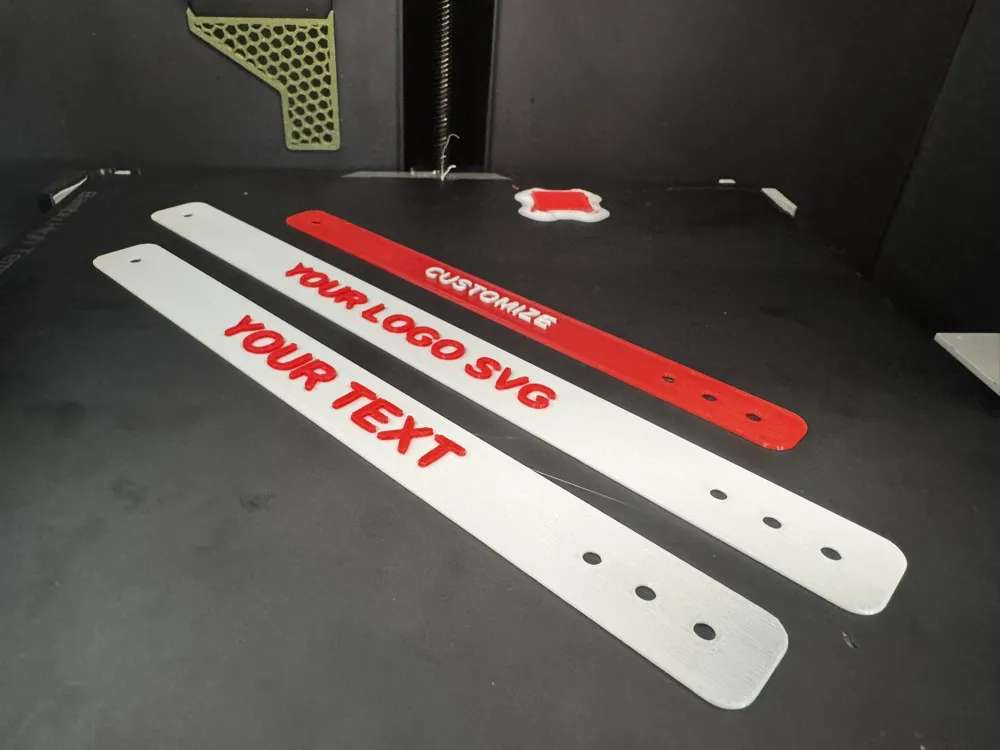
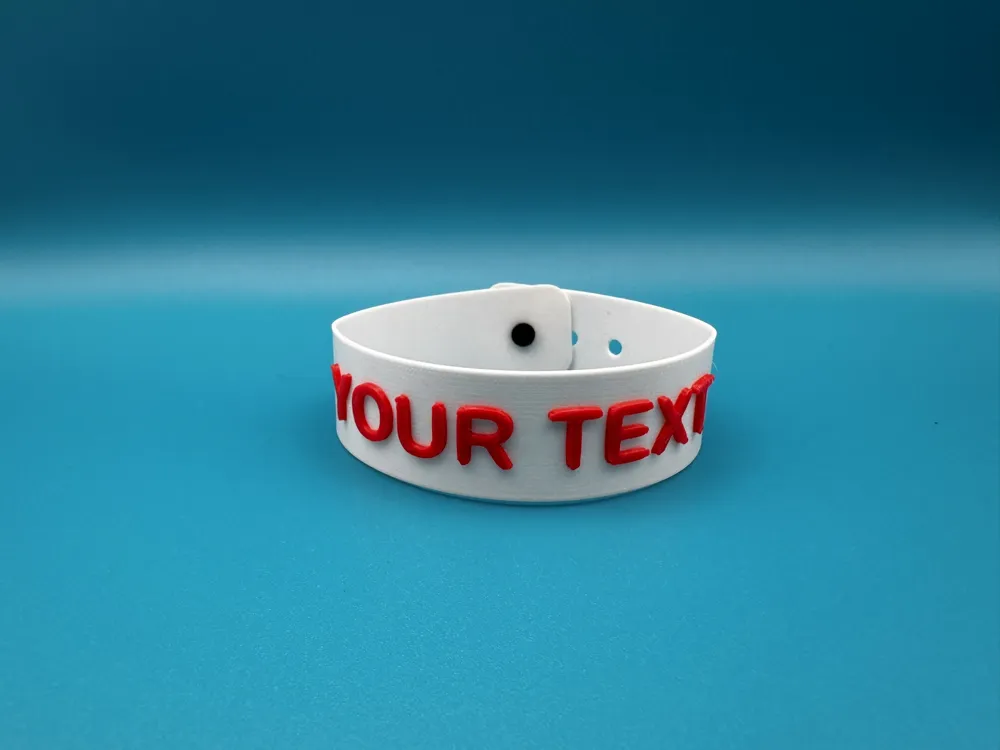
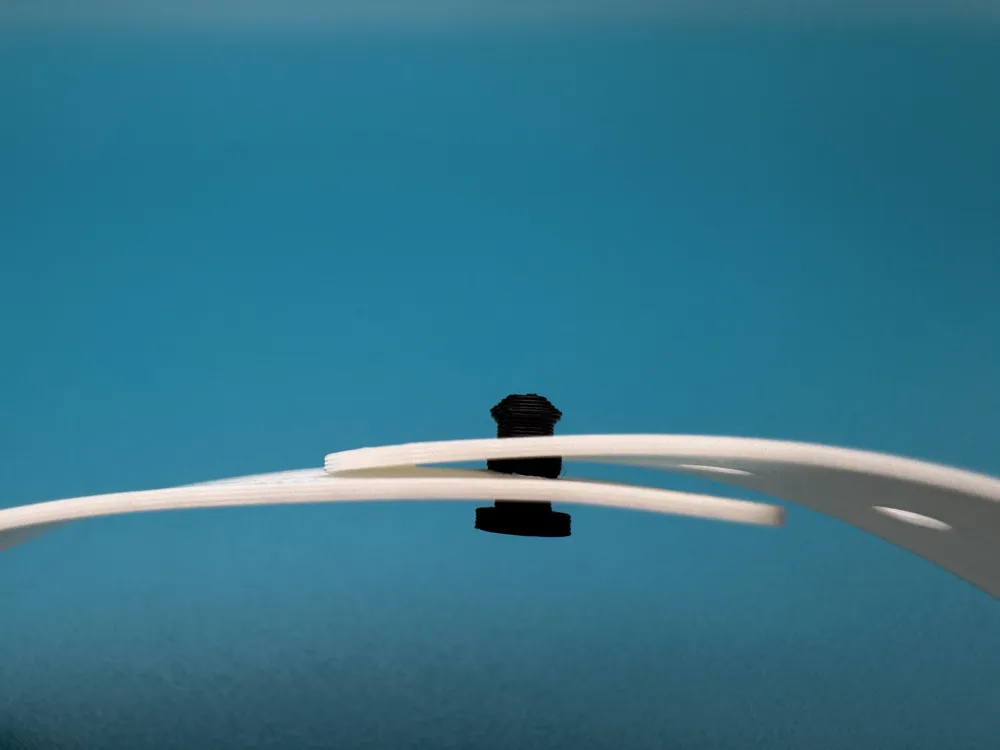
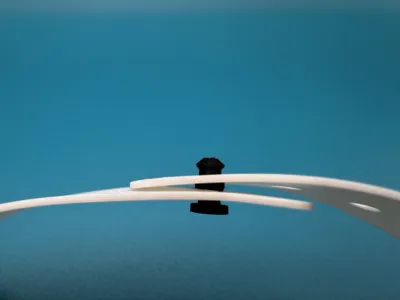
Along with the wristband, you'll also need to print a pin to secure the band (fits into the single hole, as shown in the photo ⬇️).
This pin can be printed in PLA or PETG, depending on your preference.
🖨️ Printing Options:
This model was built with TPU in mind, and it works:
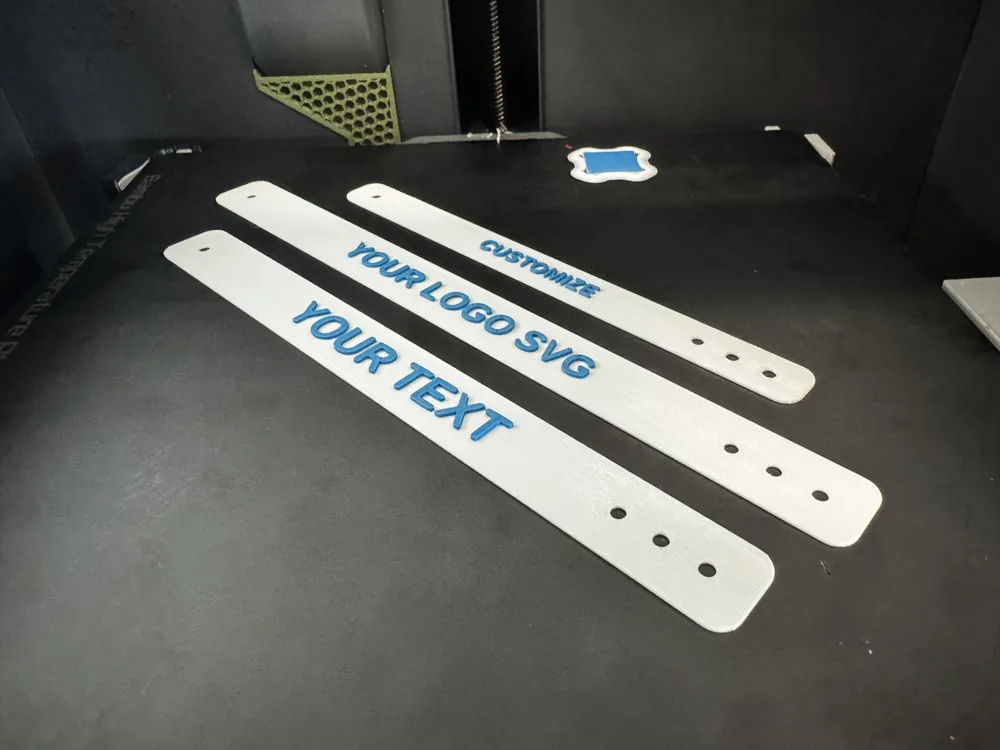
- ✅ With AMS using TPU spools like Bambu Lab’s
- ✅ Without AMS – yes, really! 🙌
Here’s how to do it 👇
TUTORIAL
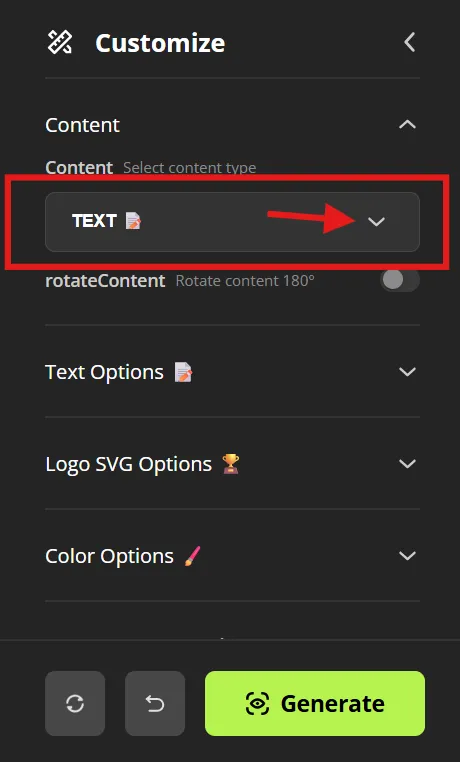
1. Select content type
Go to Customize → Content.
Open the dropdown menu to choose between TEXT 📄 or LOGO SVG 🏆.
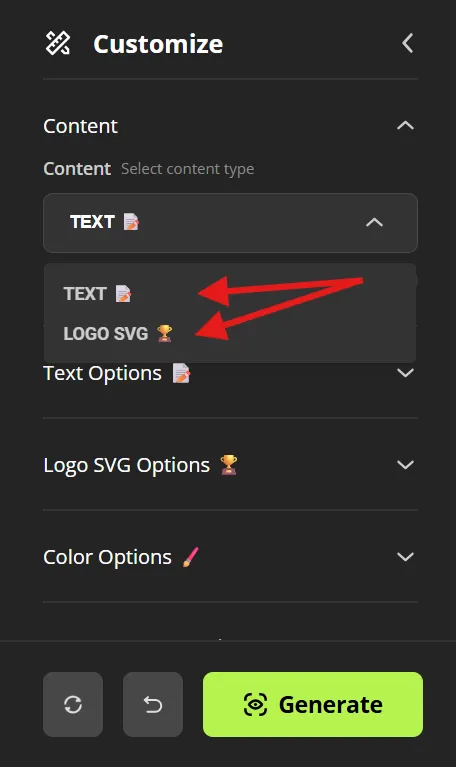
2. Choose the content
- TEXT 📄 → for personalized text.
LOGO SVG 🏆 → to upload a vector file .svg.
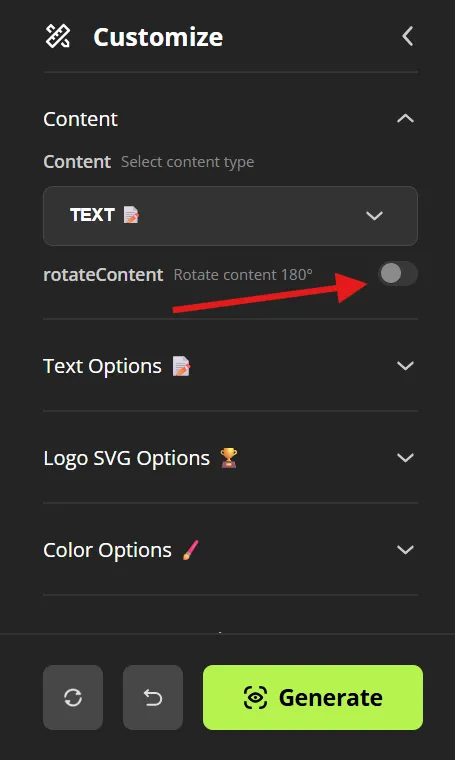
3. Rotate content
If you need, enable rotateContent to rotate your text/logo by 180°.
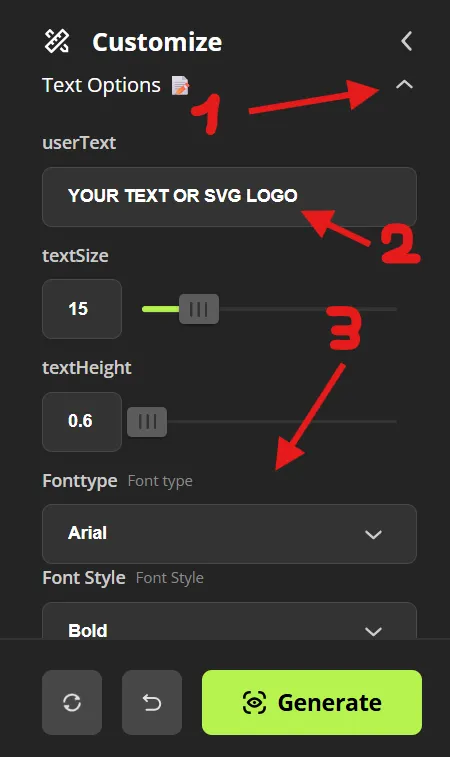
4. Text Options
- Expand Text Options 📄
- userText – type your custom text.
textSize – adjust the text size.
textHeight – set thickness of text extrusion.
Fonttype / Font Style – choose the font and style (e.g., Bold).
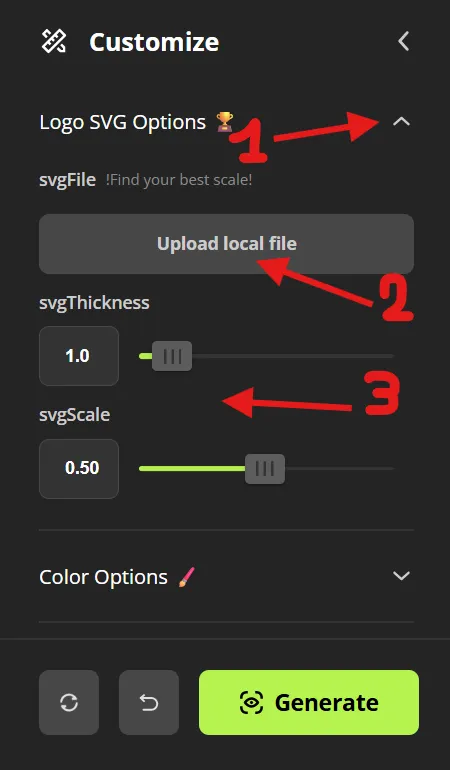
5. Logo SVG Options
- Expand Logo SVG Options 🏆
- Upload local file – upload the .svg file.
svgThickness – set logo thickness extrusion.
svgScale – adjust logo scale.
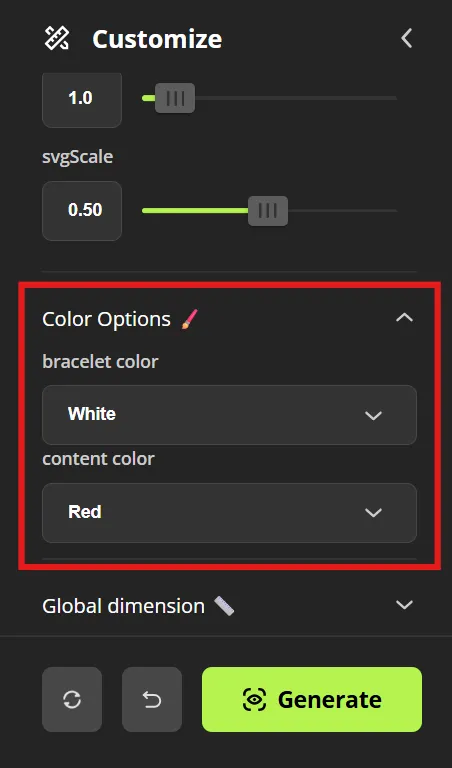
6. Color Options
Expand Color Options ✏️:
- bracelet color – the color of the bracelet body.
content color – the color of the text/logo.
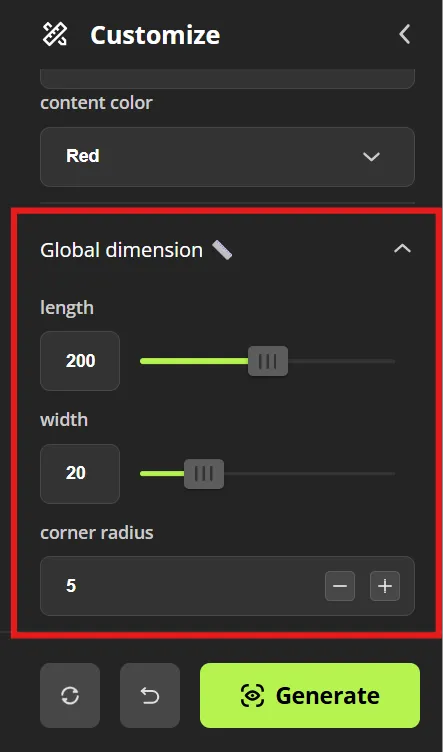
7. Global Dimensions
Expand Global dimension ✏️:
- length – set the bracelet length.
- width – set the width.
corner radius – adjust rounded corners. (If you want a completely round end set the radius to the half of the width)
At this point generate your personalized wristband and download the 3mf file and open it in BambuStudio
Now you are in BambuStudio
8. Filament setup
There are two options: with AMS or without AMS.
WITH AMS
In Project Filaments:
- Slot 1 → material for the content (TPU for AMS).
- Slot 2 → base material (TPU for AMS).

After that, simply SLICE & PRINT
WITHOUT AMS
In Project Filaments:
- Slot 1 → material for the content (TEXT OR SVG LOGO)
Slot 2 → material for the wristband
At this stage, select the same color and material for both. During the pause change, you will be able to choose and load the TPU color you prefer.

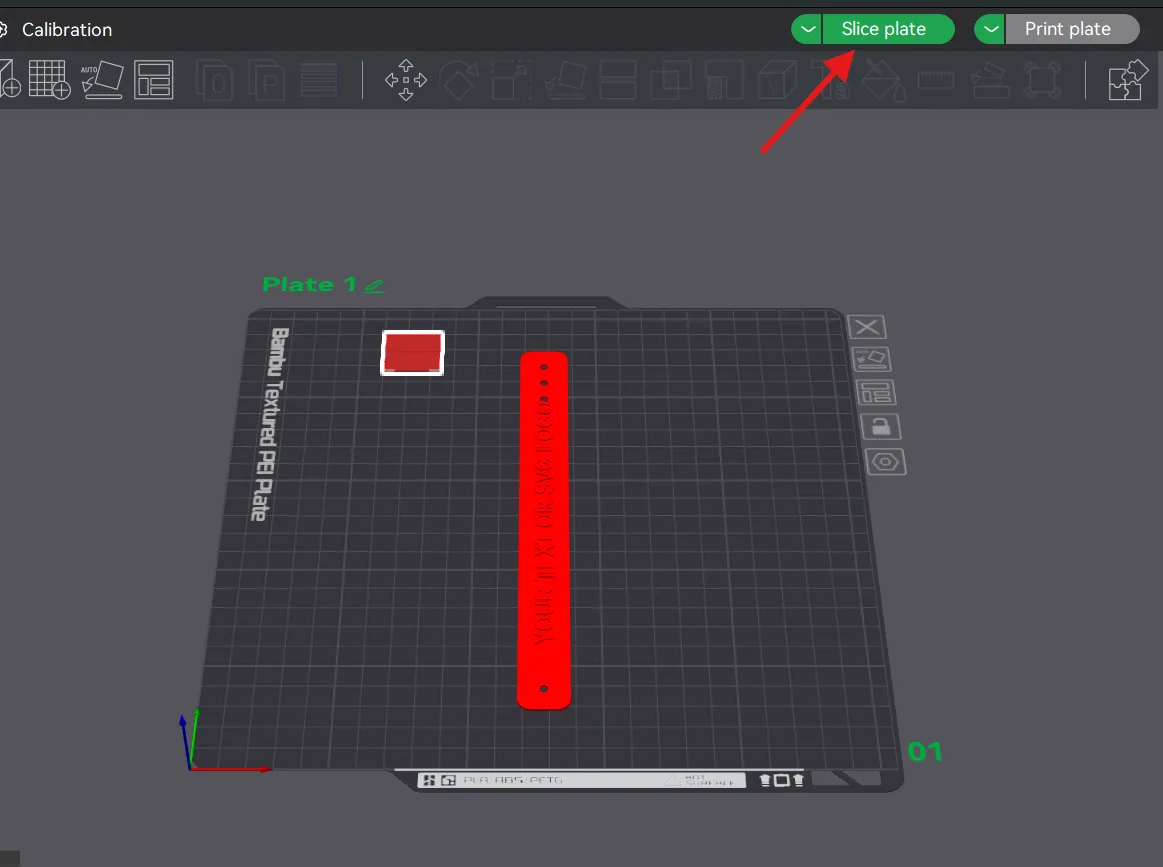
9. Slicing
Click Slice plate to generate slicing.
10. Layer check
Use the vertical bar on the right to scroll through layers and find the layer 5.
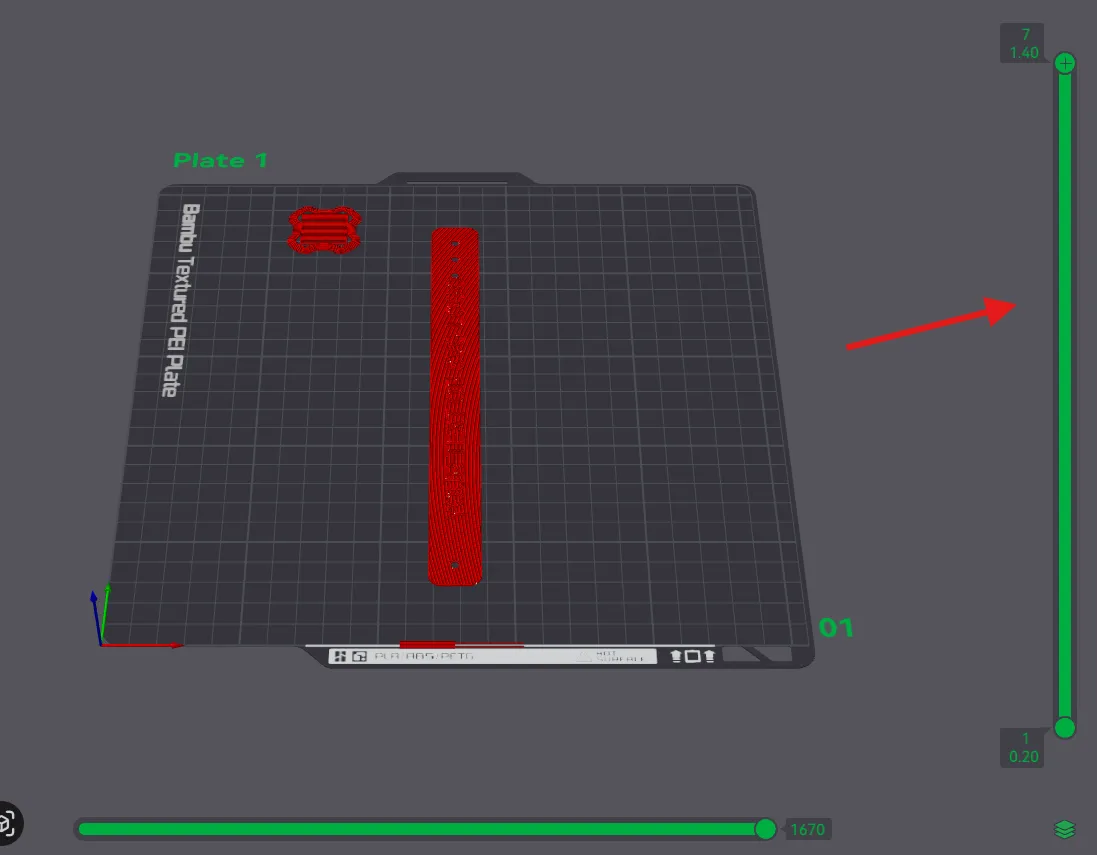
11. Select layer for pause
Scroll the vertical bar until you reach the layer 5 to insert the pause (1.00 mm – Layer 5).
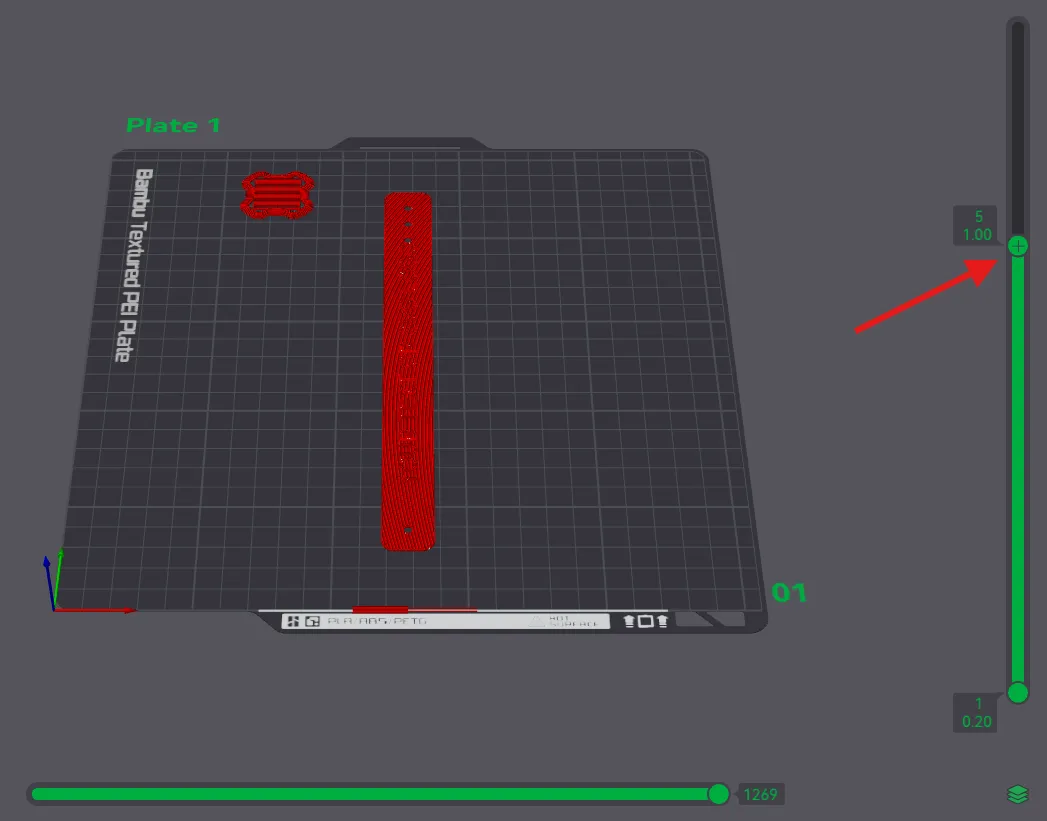
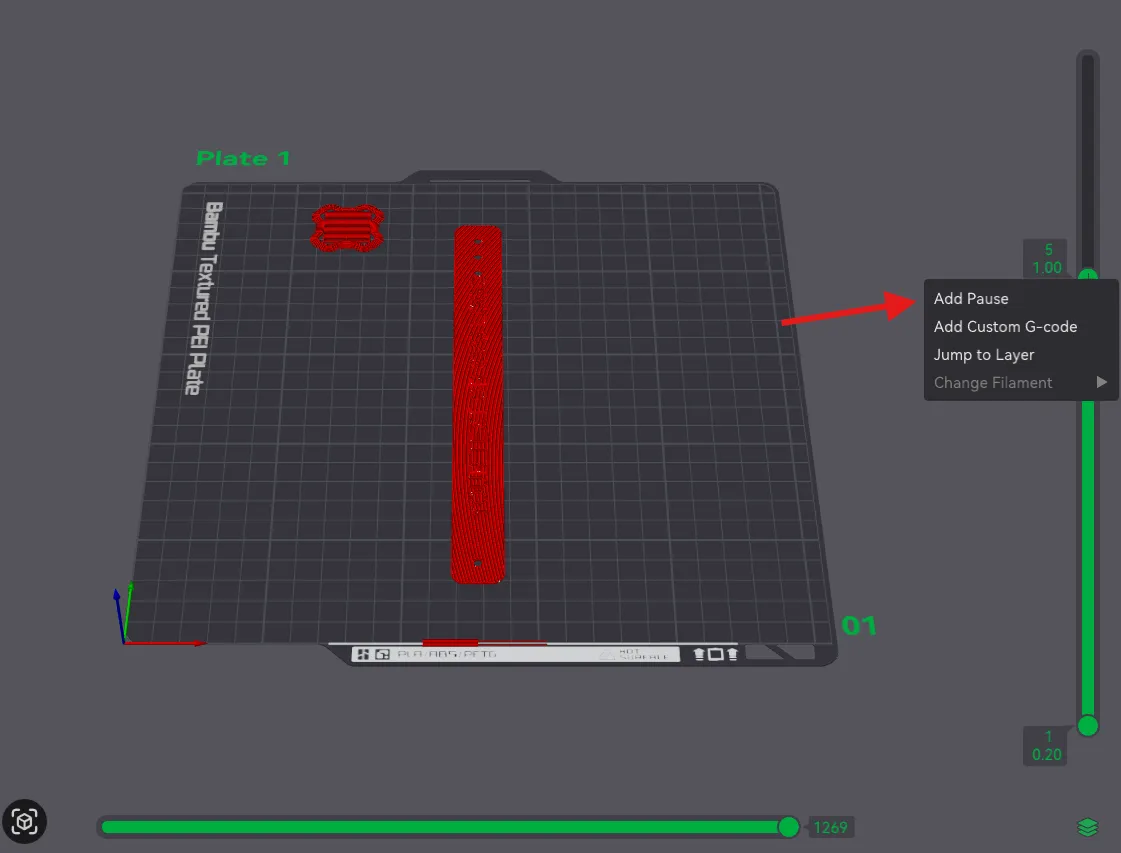
12. Add pause
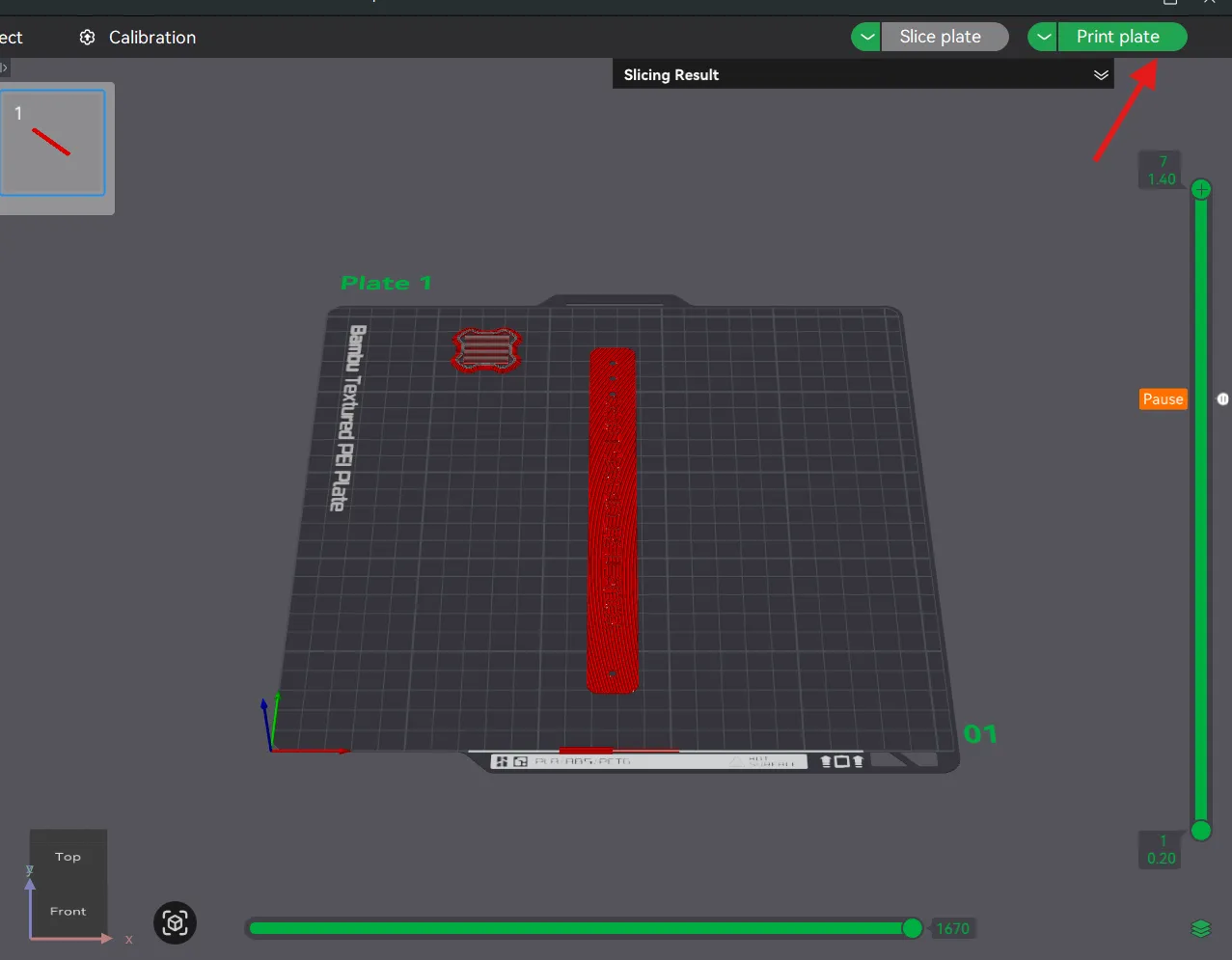
Right-click on the green “+” marker → choose Add Pause.
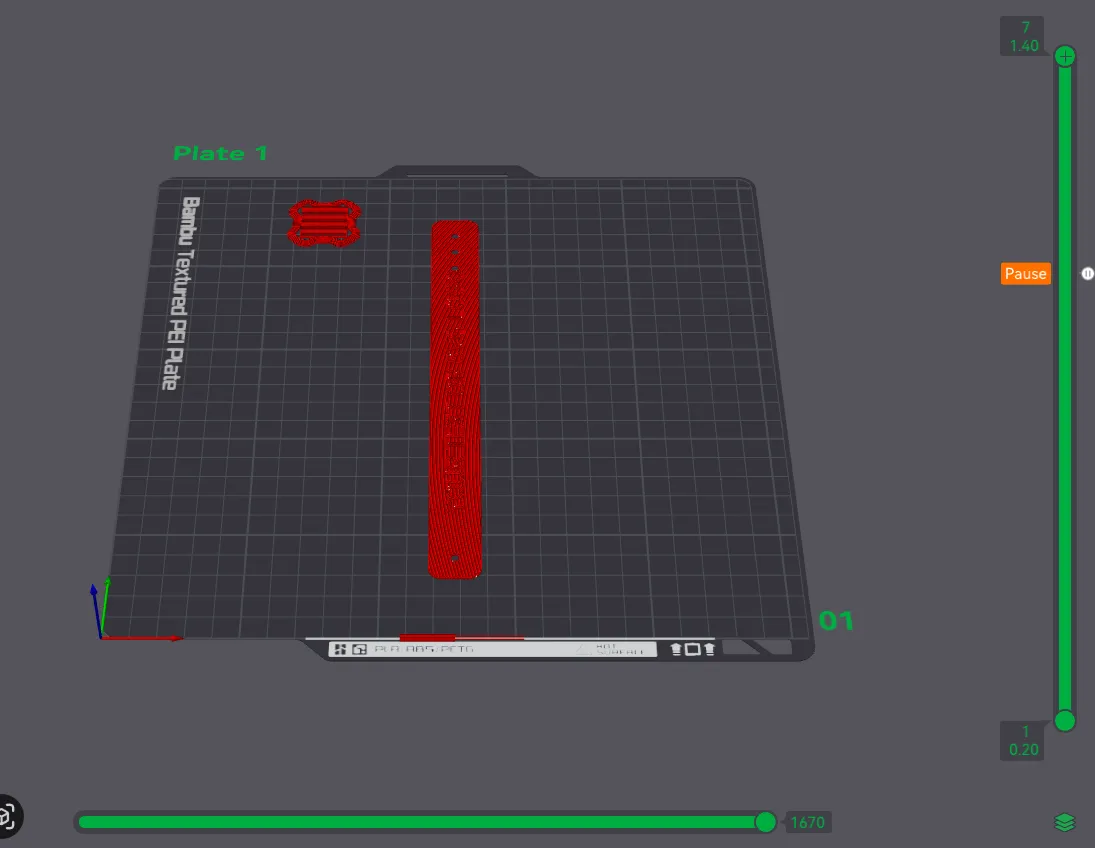
13. Verify pause
You will see an orange Pause label next to the selected layer.
14. Slice again
After setting the pause, click Slice plate again to update the G-code.
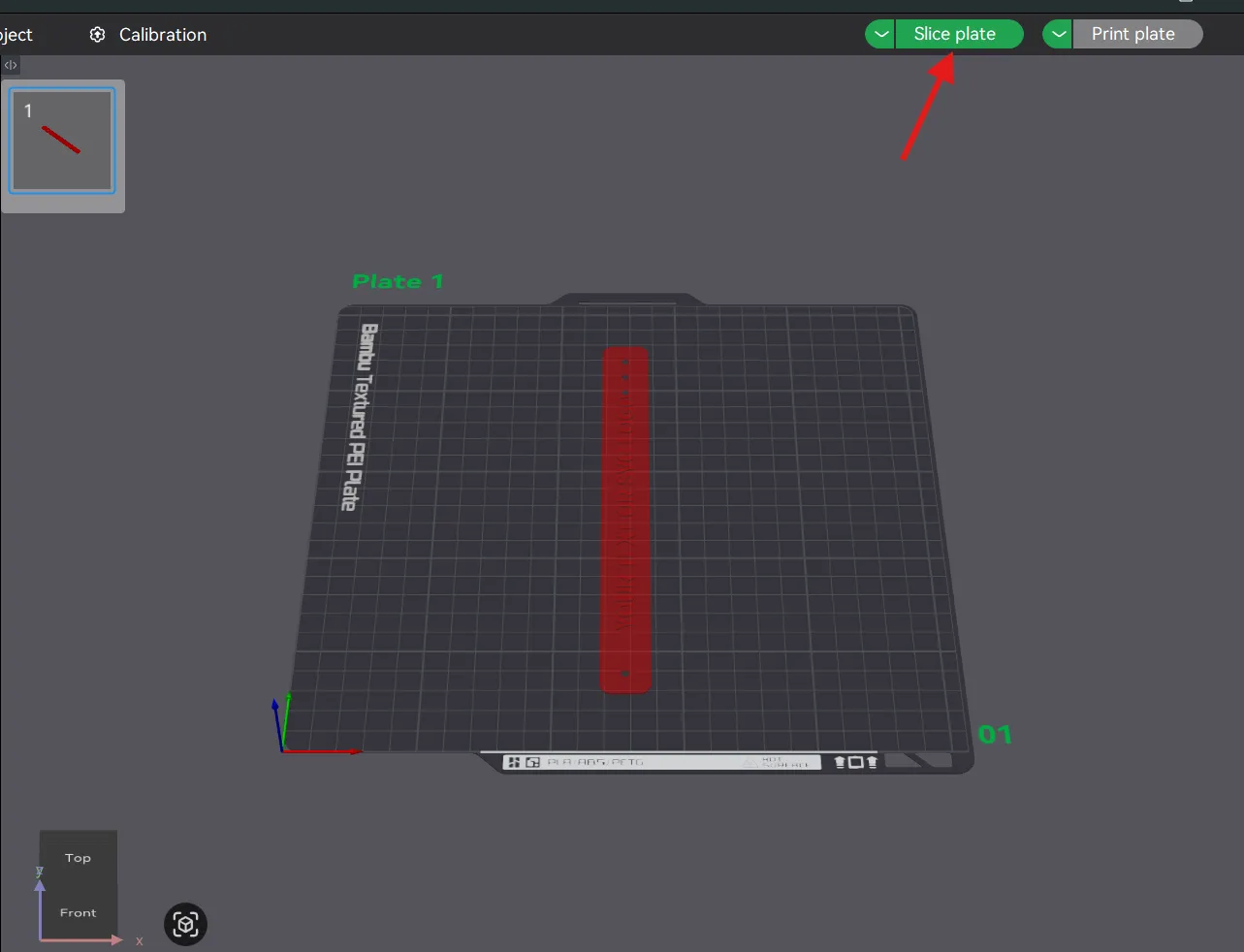
15. Start print
Once slicing is complete, click Print plate to send the job to the printer.
The printer will stop automatically at the chosen layer for the pause.
16. Change filament
When the print stops, change the filament from your printer display or in the Bambu Handy smartphone app using the Unload and Load commands. After changing it, resume the print.
At the end, enjoy your personalized wristband and leave me a comment — and, if you want, give me a boost 🚀
👉 I've included a sample project: NO AMS – EXAMPLE so you can see how it’s done.
If you have any questions or requests, feel free to leave a comment!
Thanks for reading this far — and if you liked it, a little boost is always appreciated! 💚
License

You shall not share, sub-license, sell, rent, host, transfer, or distribute in any way the digital or 3D printed versions of this object, nor any other derivative work of this object in its digital or physical format (including - but not limited to - remixes of this object, and hosting on other digital platforms). The objects may not be used without permission in any way whatsoever in which you charge money, or collect fees.


Comment & Rating (24)